T60 - Karaoke system EARISE - Free user manual and instructions
Find the device manual for free T60 EARISE in PDF.


Pick your language and provide your email: we'll send you a specifically translated version.
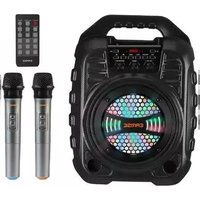
| Product Type | Portable Karaoke System |
| Brand | EARISE |
| Model | T60 |
| Dimensions (W x H x D) | Approx. 12 x 8 x 6 inches (30 x 20 x 15 cm) |
| Weight | Approx. 5.5 lbs (2.5 kg) |
| Power Supply | AC 100-240V, 50/60Hz (adapter included) |
| Battery | Built-in rechargeable lithium-ion, 7.4V 2000mAh |
| Battery Life | Up to 4 hours at moderate volume |
| Speaker | 1 x 8 inch woofer + 1 x tweeter, 30W RMS |
| Microphone | 2 x UHF wireless microphones (included) |
| Connectivity | Bluetooth 5.0, USB port, AUX input, TF card slot |
| Display | LED screen for song selection and settings |
| Media Playback | MP3, WMA, WAV, FLAC from USB/TF card |
| EQ Modes | Preset equalizer modes (Pop, Rock, Classic, Flat) |
| Voice Control | Built-in voice changer and echo effects |
| Maintenance | Clean with dry cloth; avoid moisture and extreme temperatures |
| Safety | Do not disassemble; keep away from water; use only supplied adapter |
| Spare Parts & Reparability | Contact EARISE support for battery replacement; microphones not user-serviceable |
| Included Accessories | 2 wireless microphones, charging cable, AUX cable, user manual |
| Color Options | Black (standard) |
Frequently Asked Questions - T60 EARISE
How do I pair the wireless microphones with the T60?
Ensure the microphones have fresh batteries. Turn on the T60 and press the link button on the microphones. They will auto-pair within seconds. If not, press the pair button on the receiver.
Can I connect my phone to the T60 via Bluetooth?
Yes. Activate Bluetooth on your phone and search for devices. Select EARISE T60 from the list. Once connected, you can play music and use karaoke apps.
How long does the battery last?
The built-in battery lasts up to 4 hours at moderate volume. Charging time is about 3 hours using the included adapter.
Can I use the T60 while charging?
Yes, you can use the system while it is plugged in and charging. The battery will charge simultaneously.
How do I clean the T60?
Use a soft, dry cloth to wipe the exterior. Do not use any liquid cleaners or expose the unit to moisture. Clean the microphone grills gently with a dry brush.
What formats can I play from USB or TF card?
The T60 supports common audio formats like MP3, WMA, WAV, and FLAC. Insert a USB drive or TF card, then select from the source menu.
How do I adjust the echo effect?
Use the Echo knob on the control panel. Turn clockwise to increase echo depth and counterclockwise to decrease.
Why is there no sound from the speaker?
Check that the volume is turned up and the mute function is off. Ensure the correct source is selected. If using Bluetooth, verify the connection. If still no sound, try a power reset.
Can I connect an external speaker?
The T60 has an AUX output (3.5mm) for connecting external speakers or amplifiers. Note that the internal speaker will remain active unless you unplug it.
What should I do if the microphones stop working?
Replace the batteries in the microphones first. If still not working, re-pair them by pressing the pair button. Check for obstructions between the microphones and the receiver. If the issue persists, contact support.
User questions about T60 EARISE
0 question about this device. Answer the ones you know or ask your own.
Ask a new question about this device
No questions yet. Be the first to ask one.
Download the instructions for your Karaoke system in PDF format for free! Find your manual T60 - EARISE and take your electronic device back in hand. On this page are published all the documents necessary for the use of your device. T60 by EARISE.
USER MANUAL T60 EARISE

Manual assistant
Powered by Anthropic
Waiting for your message
Product information
Brand : EARISE
Model : T60
Category : Karaoke system