WE710 - Weather Station Global Water - Free user manual and instructions
Find the device manual for free WE710 Global Water in PDF.


Pick your language and provide your email: we'll send you a specifically translated version.
| Product Type | Weather Station |
| Brand | Global Water |
| Model | WE710 |
| Dimensions (Main Unit) | Approximately 5.9 x 3.9 x 1.2 inches (150 x 100 x 30 mm) |
| Weight (Main Unit) | Approximately 0.5 lbs (230 g) |
| Power Supply | 2 x AA batteries (not included) or USB power adapter (5V) |
| Display Type | LCD with backlight |
| Temperature Range | -40°F to 140°F (-40°C to 60°C) |
| Humidity Range | 10% to 99% RH |
| Wind Speed Range | 0 to 112 mph (0 to 180 km/h) |
| Rainfall Measurement | 0 to 39.9 inches (0 to 999 mm) with 0.01 inch resolution |
| Wireless Range | Up to 300 feet (90 meters) in open area |
| Number of Sensors | 1 outdoor sensor (included) |
| Mounting Options | Tabletop or wall-mountable |
| Data Logging | Stores up to 3000 records |
| Clock Function | Radio-controlled atomic clock (DCF/MSF/WWVB) |
| Alarm Features | High/low temperature and humidity alerts |
| Cleaning | Wipe with a soft, dry cloth. Do not use abrasive cleaners. |
| Battery Replacement | Replace batteries every 12 months or when low battery indicator appears. |
| Safety | Keep away from water sources. Do not expose to extreme heat. |
| Spare Parts / Repairability | Contact manufacturer for replacement sensors. Device is not user-serviceable. |
Frequently Asked Questions - WE710 Global Water
How do I set up the weather station?
Insert 2 AA batteries into the main unit and outdoor sensor. Place the sensor outside within 300 feet of the main unit. The display will automatically sync.
Why is the outdoor sensor not connecting?
Ensure the sensor is within range and batteries are fresh. Press the SYNC button on the main unit. Avoid interference from metal objects or thick walls.
How accurate is the temperature reading?
The temperature sensor has an accuracy of ±2°F (±1°C) under normal conditions. For best accuracy, place the sensor in a shaded, ventilated area.
Can I mount the main unit on a wall?
Yes, the main unit has a wall mount slot on the back. Use a screw or nail that fits securely. Ensure the unit is level.
How do I reset the weather station?
Remove batteries from both units, wait 30 seconds, then reinsert. This clears all data and resets the connection.
What do the icons on the display mean?
Icons show current conditions: sunny, cloudy, rainy, or stormy. The atomic clock icon indicates radio signal reception. See manual for full legend.
Does the weather station forecast the weather?
Yes, it provides a 12–24 hour weather forecast based on barometric pressure trends. Icons for sunny, partly cloudy, cloudy, rainy, or stormy are shown.
How do I clean the device?
Use a soft, dry cloth to wipe the main unit and sensor. Do not use water, solvents, or abrasive cleaners. Keep sensor vents clear.
Can I add extra sensors?
The WE710 supports up to 3 outdoor sensors (sold separately). Each sensor can be assigned a channel (1-3) for monitoring different locations.
What should I do if the display is dim?
Press the LIGHT button to toggle backlight. If still dim, replace batteries. For continuous backlight, use the USB power adapter (sold separately).
User questions about WE710 Global Water
0 question about this device. Answer the ones you know or ask your own.
Ask a new question about this device
No questions yet. Be the first to ask one.
Download the instructions for your Weather Station in PDF format for free! Find your manual WE710 - Global Water and take your electronic device back in hand. On this page are published all the documents necessary for the use of your device. WE710 by Global Water.
USER MANUAL WE710 Global Water


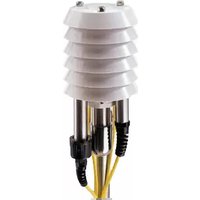
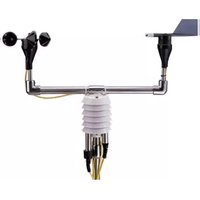
Manual assistant
Powered by Anthropic
Waiting for your message
Product information
Brand : Global Water
Model : WE710
Category : Weather Station