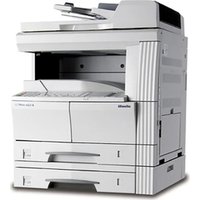
d-Copia 4501MF - Printer OLIVETTI - Free user manual and instructions
Find the device manual for free d-Copia 4501MF OLIVETTI in PDF.


Pick your language and provide your email: we'll send you a specifically translated version.
| Product Type | Multifunction Monochrome Laser Printer |
| Functions | Print, Copy, Scan |
| Print Speed (A4) | Up to 45 ppm |
| Print Resolution | 1200 x 1200 dpi |
| Scan Resolution | Up to 600 x 600 dpi |
| Paper Capacity (Standard) | 550 sheets |
| Dimensions (W x D x H) | 571 x 660 x 550 mm |
| Weight | Approximately 33 kg |
| Power Supply | 220-240 V AC, 50-60 Hz |
| Power Consumption (Active) | 600 W typical |
| Connectivity | USB 2.0, Ethernet 10/100/1000 |
| Display | Touchscreen LCD |
| Duplex Printing | Automatic |
| Toner Yield (Standard) | 10,000 pages |
| Maintenance | Clean exterior with soft cloth; replace toner and drum as needed |
| Safety Features | Automatic power-off, overheat protection |
| Spare Parts & Repairability | Consumables (toner, drum, fuser) easily replaceable; service by authorized technicians |
| Environmental Conditions | 10°C to 30°C, 20% to 80% RH |
Frequently Asked Questions - d-Copia 4501MF OLIVETTI
How do I replace the toner cartridge in the Olivetti d-Copia 4501MF?
Open the front cover, gently pull out the old toner cartridge, unpack the new one, shake it gently, then insert it until it clicks. Close the cover and run a test print.
What paper sizes are supported by this printer?
The Olivetti d-Copia 4501MF supports A4, A5, A6, B5, Letter, Legal, and custom sizes from 100x148 mm to 216x356 mm.
How can I clear a paper jam?
Open the front and rear covers, remove any jammed paper gently from the rollers or fuser area. Do not tear the paper. Close covers and press the start button to resume.
Why is my printer not connecting to the network?
Ensure the Ethernet cable is securely connected or check Wi-Fi settings. Verify the printer's IP address via the network status page. Restart both printer and router.
How do I perform a factory reset?
Go to Menu > Admin Setup > Factory Reset. Enter the admin password (default is 000000) and confirm. The printer will restart with default settings.
What should I do if print quality is poor?
Check toner level, clean the drum unit, adjust print density in settings, or run a calibration. If streaks appear, replace the drum.
How often should I replace the drum unit?
The drum unit typically lasts for about 30,000 pages. Replace when you see repeated defects or when the device prompts.
Can I print from a mobile device?
Yes, via the Olivetti Mobile Print app or using AirPrint (iOS) and Mopria (Android) if supported by your network.
How do I access the web interface?
Find the printer's IP address from the control panel, enter it in a browser, and log in with admin credentials to manage settings, updates, and usage.
What does the error code 'E-01' mean?
Error E-01 indicates a paper jam in the fuser area. Open the rear door, carefully remove any jammed paper, and close the door. If persists, check for torn pieces.
User questions about d-Copia 4501MF OLIVETTI
0 question about this device. Answer the ones you know or ask your own.
Ask a new question about this device
No questions yet. Be the first to ask one.
Download the instructions for your Printer in PDF format for free! Find your manual d-Copia 4501MF - OLIVETTI and take your electronic device back in hand. On this page are published all the documents necessary for the use of your device. d-Copia 4501MF by OLIVETTI.
USER MANUAL d-Copia 4501MF OLIVETTI
Manual assistant
Powered by Anthropic
Waiting for your message
Product information
Brand : OLIVETTI
Model : d-Copia 4501MF
Category : Printer