CRV15AT - Air Conditioning ActronAir - Free user manual and instructions
Find the device manual for free CRV15AT ActronAir in PDF.


Pick your language and provide your email: we'll send you a specifically translated version.
| Product Type | Split System Air Conditioner |
| Model | CRV15AT |
| Brand | ActronAir |
| Cooling Capacity | Approx. 5.0 kW (1.5 Ton) |
| Heating Capacity | Approx. 5.5 kW |
| Indoor Unit Dimensions (WxHxD) | 970 x 315 x 235 mm |
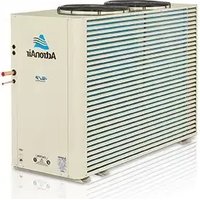
| Outdoor Unit Dimensions (WxHxD) | 845 x 540 x 310 mm |
| Indoor Unit Weight | Approx. 12 kg |
| Outdoor Unit Weight | Approx. 35 kg |
| Power Supply | 220-240V / 50Hz / 1-Phase |
| Energy Efficiency Ratio (EER) | 3.4 (Cooling) |
| Refrigerant Type | R-410A |
| Main Functions | Cooling, Heating, Dehumidification, Fan Only, Auto Mode |
| Air Filter | Washable, high-density mesh |
| Maintenance | Clean filter every 2 weeks; professional service annually |
| Safety Features | Auto restart, overheat protection, compressor delay |
| Spare Parts & Repairability | Authorized service centers; spare parts available for 10 years |
| General Information | User manual included; remote control; installation required |
Frequently Asked Questions - CRV15AT ActronAir
How do I clean the air filter?
Turn off the unit and open the front panel. Remove the filter and wash it with warm water and mild detergent. Let it dry completely before reinstalling.
What should I do if the air conditioner does not turn on?
Check the power supply, circuit breaker, and remote control batteries. Ensure the unit is in the correct mode. If the issue persists, contact a qualified technician.
How often should I service the air conditioner?
Professional maintenance is recommended annually to ensure optimal performance and efficiency.
Can I install the air conditioner myself?
No, installation must be performed by a licensed professional to comply with local regulations and warranty terms.
Why is water leaking from the indoor unit?
A clogged drain line or dirty filter may cause leakage. Clean the filter and check the drain line. If the problem continues, call a service technician.
What does the error code 'E1' mean?
Error code E1 typically indicates a temperature sensor fault. Turn off the unit, wait a few minutes, and restart. If it persists, service is needed.
How can I improve energy efficiency?
Set the thermostat to a moderate temperature (24°C), use timer, keep filters clean, and ensure windows and doors are closed.
Is the remote control universal?
It is specific to ActronAir models. Use the provided remote or order a replacement from an authorized dealer.
Can I use an extension cord for the power supply?
No, always plug directly into a dedicated wall outlet with the correct rating to avoid fire risk.
What is the recommended temperature for heating?
For comfortable heating, set the thermostat between 20°C and 22°C. Lower settings save energy.
User questions about CRV15AT ActronAir
0 question about this device. Answer the ones you know or ask your own.
Ask a new question about this device
No questions yet. Be the first to ask one.
Download the instructions for your Air Conditioning in PDF format for free! Find your manual CRV15AT - ActronAir and take your electronic device back in hand. On this page are published all the documents necessary for the use of your device. CRV15AT by ActronAir.
USER MANUAL CRV15AT ActronAir
Manual assistant
Powered by Anthropic
Waiting for your message
Product information
Brand : ActronAir
Model : CRV15AT
Category : Air Conditioning