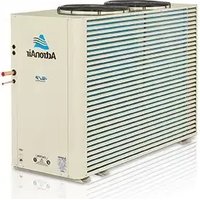
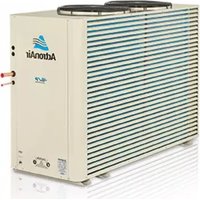
ESP Plus SRV201E - Air Conditioning ActronAir - Free user manual and instructions
Find the device manual for free ESP Plus SRV201E ActronAir in PDF.


Pick your language and provide your email: we'll send you a specifically translated version.
| Product Type | Split System Air Conditioner |
| Brand | ActronAir |
| Model | ESP Plus SRV201E |
| Indoor Unit Dimensions (HxWxD) | 300 x 900 x 215 mm |
| Outdoor Unit Dimensions (HxWxD) | 550 x 800 x 300 mm |
| Indoor Unit Weight | 12 kg |
| Outdoor Unit Weight | 35 kg |
| Power Supply | 230V / 50Hz / 1Ph |
| Cooling Capacity | 2.0 kW (approx. 7,000 BTU) |
| Heating Capacity | 2.5 kW |
| Energy Efficiency Ratio (EER) | 3.5 |
| Seasonal Energy Efficiency Ratio (SEER) | 6.0 |
| Refrigerant Type | R32 |
| Noise Level Indoor | 22 – 38 dB(A) |
| Noise Level Outdoor | 48 dB(A) |
| Operating Modes | Cool, Heat, Fan, Dehumidify, Auto |
| Additional Features | Turbo, Sleep, Timer, Follow Me, Self-Cleaning |
| Air Filter | Washable mesh filter |
| Remote Control | Included (wireless) |
| Safety Features | Overload protection, compressor delay start |
| Recommended Room Size | Up to 25 m² |
Frequently Asked Questions - ESP Plus SRV201E ActronAir
How do I clean the air filter of my ActronAir ESP Plus SRV201E?
Open the front panel, remove the washable mesh filter, clean it with water and mild detergent, allow to dry completely, then reinstall.
Why is my air conditioner not cooling properly?
Check if the thermostat is set correctly, the air filter is dirty, or the refrigerant level is low. If the issue persists, contact a professional.
How do I use the remote control for this unit?
Point the remote toward the indoor unit, press POWER, then select the desired mode (Cool, Heat, Fan, etc.) and adjust temperature with +/- buttons.
What does the Timer function do?
The timer allows you to schedule the unit to turn on or off after a set period, enhancing energy savings and comfort.
Can I install the ESP Plus SRV201E myself?
Professional installation is strongly recommended to ensure proper refrigerant handling, electrical connections, and warranty validity.
What does error code E1 mean?
Error code E1 typically indicates an indoor fan motor failure. Turn off the unit and contact a qualified technician for repair.
How often should I service my air conditioner?
Clean the air filter every month. Schedule professional maintenance at least once a year to check refrigerant levels, coils, and electrical components.
Does this unit provide heating?
Yes, the ESP Plus SRV201E is a heat pump that offers both cooling and heating, making it suitable for year-round comfort.
What is the warranty period for ActronAir ESP Plus SRV201E?
Typically, ActronAir offers a 5-year warranty on the compressor and 1-year warranty on parts. Check your local dealer for specific terms.
How do I set the desired temperature?
Use the + and - buttons on the remote control to adjust the set temperature. The current temperature is displayed on the remote and indoor unit.
User questions about ESP Plus SRV201E ActronAir
0 question about this device. Answer the ones you know or ask your own.
Ask a new question about this device
No questions yet. Be the first to ask one.
Download the instructions for your Air Conditioning in PDF format for free! Find your manual ESP Plus SRV201E - ActronAir and take your electronic device back in hand. On this page are published all the documents necessary for the use of your device. ESP Plus SRV201E by ActronAir.
USER MANUAL ESP Plus SRV201E ActronAir
Manual assistant
Powered by Anthropic
Waiting for your message
Product information
Brand : ActronAir
Model : ESP Plus SRV201E
Category : Air Conditioning