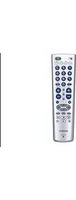
RM-EZ2 - Remote control SONY - Free user manual and instructions
Find the device manual for free RM-EZ2 SONY in PDF.


Pick your language and provide your email: we'll send you a specifically translated version.
| Product Type | Remote Control |
| Brand | Sony |
| Model | RM-EZ2 |
| Compatibility | Sony TV (most models) |
| Dimensions (approx.) | 150 × 45 × 20 mm |
| Weight (approx.) | 80 g |
| Power Supply | 2 × AAA batteries (1.5V) |
| Battery Life (approx.) | Up to 6 months (normal use) |
| Range | Up to 8 m |
| Key Functions | Power, Volume, Channel, Navigation (up/down/left/right/enter), Mute, Input, Number keys, Color buttons (if supported) |
| Infrared Frequency | 38 kHz (standard) |
| Programming | Pre-programmed for Sony TVs; no manual code entry required for most models |
| Material | ABS plastic |
| Color | Black |
| Maintenance | Wipe with a soft, dry cloth |
| Safety Precautions | Keep away from moisture and heat; do not drop |
| Spare Parts / Repairability | Batteries are replaceable; no user-serviceable internal parts |
| Disposal | Dispose of batteries separately; electronic waste recycling recommended |
Frequently Asked Questions - RM-EZ2 SONY
How do I program the RM-EZ2 to work with my Sony TV?
The RM-EZ2 is pre-programmed for most Sony TVs. Simply insert batteries and it should work immediately. If not, try pressing the TV button and then the Power button to test. No manual code entry is required.
What batteries does the RM-EZ2 use?
It uses 2 AAA 1.5V batteries. Insert them with correct polarity as indicated inside the battery compartment.
Why is my remote not working?
Check if batteries are inserted correctly or need replacement. Ensure nothing is blocking the infrared sensor on the TV. Try resetting the remote by removing batteries for 30 seconds and reinserting.
How do I clean the remote?
Wipe with a soft, dry cloth. Do not use liquids, abrasives, or solvents. Avoid getting moisture into the buttons or battery compartment.
What is the range of the remote?
The effective range is up to 8 meters (26 feet) with a line-of-sight angle of about 30 degrees from the TV sensor.
Is the RM-EZ2 compatible with all Sony TVs?
It is compatible with most Sony TV models from the early 2000s onward. For very old or new models, some functions may not work. Check your TV manual for universal remote compatibility.
Can I use this remote for other devices?
No, the RM-EZ2 is designed exclusively for Sony TVs. It does not have learning or universal functions for other brands.
What do I do if a button gets stuck?
Remove batteries, gently pry the stuck key with a plastic tool, and clean around it with compressed air. If it persists, the remote may need replacement.
How do I reset the RM-EZ2?
Remove both batteries, wait 30 seconds, then reinsert. This clears any temporary glitches. If problems continue, try new batteries.
Where can I find a replacement RM-EZ2?
You can purchase from Sony's official website, electronics retailers, or online marketplaces. Consider buying original Sony parts for best compatibility.
User questions about RM-EZ2 SONY
0 question about this device. Answer the ones you know or ask your own.
Ask a new question about this device
No questions yet. Be the first to ask one.
Download the instructions for your Remote control in PDF format for free! Find your manual RM-EZ2 - SONY and take your electronic device back in hand. On this page are published all the documents necessary for the use of your device. RM-EZ2 by SONY.
USER MANUAL RM-EZ2 SONY
Manual assistant
Powered by Anthropic
Waiting for your message
Product information
Brand : SONY
Model : RM-EZ2
Category : Remote control