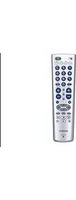
RM-X12A - Remote control SONY - Free user manual and instructions
Find the device manual for free RM-X12A SONY in PDF.


Pick your language and provide your email: we'll send you a specifically translated version.
| Product Type | Wired Remote Control |
| Brand | Sony |
| Model | RM-X12A |
| Compatibility | Sony car stereo models with RM-X12A input |
| Dimensions (approx.) | 50 x 30 x 15 mm (without cable) |
| Weight | 30 g (approx.) |
| Cable Length | 1.5 m (approx.) |
| Power Source | 2 x AAA batteries (not included) |
| Battery Life | Up to 6 months under normal use |
| Primary Functions | Volume up/down, track skip forward/back, play/pause, source select |
| Additional Controls | Preset station selection, mode button |
| Mounting | Clip-on or adhesive mount included |
| Cleaning | Wipe with a soft, dry cloth. Do not use liquids or abrasives. |
| Safety | Keep away from moisture and heat. Do not disassemble. |
| Spare Parts | AAA batteries readily available. Contact Sony for replacement remote. |
| Repairability | Not user-repairable except battery replacement. |
| Operating Temperature | 0°C to 40°C |
| Storage Temperature | -20°C to 60°C |
Frequently Asked Questions - RM-X12A SONY
How do I pair the RM-X12A with my Sony car stereo?
The RM-X12A is a wired remote that connects directly to the remote input on compatible Sony car stereos. Simply plug the cable into the remote jack on the front of your stereo unit. No pairing is required.
What batteries does the RM-X12A use and how do I replace them?
The remote uses two AAA batteries. To replace, slide open the battery compartment cover on the back, remove old batteries, insert new ones with correct polarity (see diagram inside), and close the cover.
Why is my remote not working?
First, check the batteries and replace if necessary. Ensure the remote cable is securely connected to the stereo. If still not working, try cleaning the battery contacts with a dry cloth. If problems persist, the remote may need replacement.
Can I use this remote with any Sony car stereo?
No, the RM-X12A is designed for specific Sony car stereo models that have a wired remote input. Check your stereo's manual or compatibility list on Sony's website.
How do I clean the RM-X12A remote?
Use a soft, slightly damp (not wet) cloth to wipe the surface. Avoid using any chemical cleaners, alcohol, or abrasive materials that could damage the plastic.
What should I do if the remote gets wet?
If the remote gets wet, remove the batteries immediately, dry the compartment with a cloth, and let the remote air dry completely for at least 24 hours. Do not use a hair dryer.
If water seeps inside, the remote may be permanently damaged.
If water seeps inside, the remote may be permanently damaged.
How do I install the remote in my car?
The remote can be mounted using the included clip or adhesive tape. Choose a location within reach of the driver and where the cable can be routed neatly. Plug the remote into the stereo after mounting.
Is the remote backlit?
No, the RM-X12A does not have backlighting. The buttons are not illuminated, so it may be difficult to use in dark conditions.
Can I control the volume and track selection at the same time?
Yes, the remote allows simultaneous control of volume and track skip. However, pressing a track button during playback will immediately change the track, and the volume remains at its current level.
Where can I find the user manual for the RM-X12A?
The manual is available for free download on notice-facile.com in PDF format. You can also search for 'Sony RM-X12A manual' on the Sony support website.
User questions about RM-X12A SONY
0 question about this device. Answer the ones you know or ask your own.
Ask a new question about this device
No questions yet. Be the first to ask one.
Download the instructions for your Remote control in PDF format for free! Find your manual RM-X12A - SONY and take your electronic device back in hand. On this page are published all the documents necessary for the use of your device. RM-X12A by SONY.
USER MANUAL RM-X12A SONY
Manual assistant
Powered by Anthropic
Waiting for your message
Product information
Brand : SONY
Model : RM-X12A
Category : Remote control