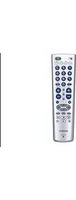
RM-V401 - Remote control SONY - Free user manual and instructions
Find the device manual for free RM-V401 SONY in PDF.


Pick your language and provide your email: we'll send you a specifically translated version.
| Product Type | Universal Remote Control |
| Brand | Sony |
| Model | RM-V401 |
| Dimensions (approx.) | 20 x 5 x 2 cm |
| Weight (approx.) | 100 g (with batteries) |
| Power Source | 2 x AAA batteries (not included) |
| Compatible Devices | Sony TVs, Blu-ray players, home theater systems |
| Control Range | Up to 10 meters |
| Buttons | Approximately 30 |
| Key Functions | Power, Volume, Channel, Mute, Source, Menu, Navigation, Number pad |
| Programming Method | Pre-programmed for Sony devices; manual code entry for other brands |
| Battery Life | Approximately 6 months (typical usage) |
| Material | Plastic |
| Color | Black |
| Cleaning | Wipe with a soft, dry cloth. Do not use liquids or solvents. |
| Safety | Keep away from heat, moisture, and direct sunlight. Remove batteries if not used for long periods. |
| Spare Parts/Repairability | No user-serviceable parts. Contact Sony support for repairs. |
| Warranty | Limited 1-year warranty |
Frequently Asked Questions - RM-V401 SONY
How do I program the Sony RM-V401 remote for my TV?
The RM-V401 is pre-programmed for Sony devices. For other brands, you can enter a 4-digit code. Refer to the manual for code list. Typically, press and hold the device button, enter the code, then release.
What batteries does the RM-V401 use?
It uses 2 AAA batteries. Insert them according to the polarity markings inside the battery compartment.
Why is my remote not working?
First, check the batteries and replace if low. Ensure there are no obstructions between the remote and the device. If still not working, try resetting the remote by removing batteries for 30 seconds.
How do I reset the RM-V401 remote?
Remove the batteries, wait 30 seconds, then reinsert them. This clears temporary memory issues. If problems persist, try reprogramming.
Can the RM-V401 control non-Sony devices?
Yes, it can control devices from many brands. You need to enter the corresponding code for the device. See the code list in the manual or search online for your device's code.
How do I adjust the volume with this remote?
Use the volume up/down buttons. Ensure you have selected the correct device (e.g., TV) mode. The remote should control the volume of the active device.
What is the range of the RM-V401?
The effective range is up to 10 meters (about 33 feet) in a direct line of sight. Obstacles can reduce range.
How do I clean the remote?
Wipe the exterior with a soft, dry cloth. Do not use water, cleaning solvents, or abrasive materials. Avoid getting moisture into the buttons.
The remote's buttons are sticky. What should I do?
If buttons become sticky, it may be due to spilled liquids. Remove batteries, carefully clean the button area with a slightly damp cloth, then dry thoroughly. If problem persists, contact Sony support.
Where can I find the user manual for the RM-V401?
You can download the manual from Sony's support website or from notice-facile.com. It is available in PDF format.
User questions about RM-V401 SONY
0 question about this device. Answer the ones you know or ask your own.
Ask a new question about this device
No questions yet. Be the first to ask one.
Download the instructions for your Remote control in PDF format for free! Find your manual RM-V401 - SONY and take your electronic device back in hand. On this page are published all the documents necessary for the use of your device. RM-V401 by SONY.
USER MANUAL RM-V401 SONY
Manual assistant
Powered by Anthropic
Waiting for your message
Product information
Brand : SONY
Model : RM-V401
Category : Remote control