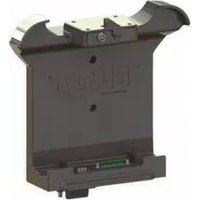
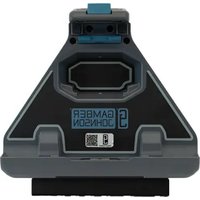
7160-0907 - Docking Station Gamber-Johnson - Free user manual and instructions
Find the device manual for free 7160-0907 Gamber-Johnson in PDF.


Pick your language and provide your email: we'll send you a specifically translated version.
| Product Type | Docking Station |
| Brand | Gamber-Johnson |
| Model | 7160-0907 |
| Compatible Devices | Laptops and tablets up to 15.6 inches |
| Dimensions | 12.0 x 10.0 x 2.5 inches |
| Weight | 2.5 lbs |
| Input Voltage | 12-24V DC |
| Output Voltage | 19V DC, 4.74A (90W) |
| Mounting Type | Vehicle mount (RAM compatible) |
| Material | High-impact ABS plastic |
| Operating Temperature | -20°C to 60°C |
| Features | Secure locking latch, multiple I/O ports |
| Included in Box | Docking station, mounting bracket, hardware kit |
| Maintenance | Wipe with a dry lint-free cloth |
| Safety | Overcurrent and short-circuit protection |
| Warranty | 1 year limited warranty |
Frequently Asked Questions - 7160-0907 Gamber-Johnson
How do I install the Gamber-Johnson 7160-0907 docking station?
Install the mounting bracket to your vehicle using the provided hardware. Then slide the docking station onto the bracket until it clicks into place. Secure with screws if needed. Refer to the manual for torque specs.
Is the 7160-0907 compatible with my laptop?
It supports most laptops and tablets up to 15.6 inches with a standard docking connector. Check your device's compatibility list or contact support. Common compatible brands include Dell, HP, and Lenovo.
What power input does the docking station require?
It accepts 12-24V DC input from the vehicle's electrical system. The included power cable connects directly to the vehicle's battery or fuse box.
Can I use this docking station in extreme temperatures?
Yes, it is rated for operation from -20°C to 60°C. Avoid prolonged exposure beyond these limits.
How should I clean the docking station?
Use a dry, lint-free cloth to wipe the exterior. For stubborn dirt, lightly dampen the cloth with water or isopropyl alcohol. Do not use abrasive cleaners.
Does the docking station have a locking mechanism?
Yes, it features a secure locking latch that holds your device firmly in place. Optionally, a key lock is available for added security.
What ports are available on the docking station?
It includes USB 3.0, HDMI, VGA, Ethernet, audio jacks, and a power passthrough. Port configuration may vary by device.
Is this docking station compatible with Gamber-Johnson mounts?
Yes, it is designed to work with standard Gamber-Johnson vehicle mounts. The mounting pattern matches their universal bracket system.
What is the warranty period?
Gamber-Johnson offers a 1-year limited warranty against defects in materials and workmanship. Extendable options may be available.
How do I troubleshoot if the docking station is not powering my device?
Check the vehicle power supply and cable connections. Ensure the docking station is properly latched. Test with another device. If the issue persists, contact Gamber-Johnson support.
User questions about 7160-0907 Gamber-Johnson
0 question about this device. Answer the ones you know or ask your own.
Ask a new question about this device
No questions yet. Be the first to ask one.
Download the instructions for your Docking Station in PDF format for free! Find your manual 7160-0907 - Gamber-Johnson and take your electronic device back in hand. On this page are published all the documents necessary for the use of your device. 7160-0907 by Gamber-Johnson.
USER MANUAL 7160-0907 Gamber-Johnson

Manual assistant
Powered by Anthropic
Waiting for your message
Product information
Brand : Gamber-Johnson
Model : 7160-0907
Category : Docking Station