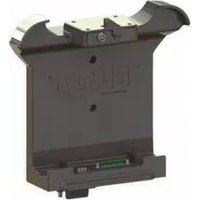
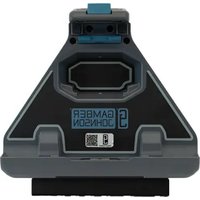
7170-0798 - Docking Station Gamber-Johnson - Free user manual and instructions
Find the device manual for free 7170-0798 Gamber-Johnson in PDF.


Pick your language and provide your email: we'll send you a specifically translated version.
| Product Type | Docking Station |
| Brand | Gamber-Johnson |
| Model | 7170-0798 |
| Dimensions (L x W x H) | 10 x 8 x 3 in (25.4 x 20.3 x 7.6 cm) |
| Weight | 2.2 lbs (1.0 kg) |
| Input Voltage | 12-24 V DC |
| Output Power | Up to 90W via pass-through |
| Connectivity | USB 2.0, RS-232, VGA, Ethernet, DC Power |
| Compatible Devices | Panasonic Toughbook CF-31, CF-53, Dell Latitude Rugged, Getac |
| Mounting Type | Vehicle mount with RAM or AMPS pattern |
| Material | Aluminum alloy with reinforced plastic |
| Color | Black |
| Operating Temperature | -20°C to 60°C (-4°F to 140°F) |
| Storage Temperature | -40°C to 85°C (-40°F to 185°F) |
| Ingress Protection | IP54 |
| Compliance | MIL-STD-810G, SAE J1455 |
| Security Features | Integrated latching mechanism with key lock |
| Maintenance | Clean with a soft dry cloth; avoid solvents |
| Warranty | 1 year limited |
| Repairability | Replaceable DC jack, port modules, and latch kit |
Frequently Asked Questions - 7170-0798 Gamber-Johnson
Which devices are compatible with the Gamber-Johnson 7170-0798 docking station?
The 7170-0798 is designed for rugged laptops such as Panasonic Toughbook CF-31/CF-53, Dell Latitude Rugged, and select Getac models. Refer to the compatibility list on the product page.
What is the input voltage requirement?
It accepts 12-24V DC input, making it suitable for most vehicle electrical systems.
Does the docking station provide power to the laptop?
Yes, it provides pass-through power up to 90W, charging the laptop while docked.
How do I mount the docking station in my vehicle?
The dock features a RAM or AMPS mounting pattern. Use compatible RAM mounts or a custom bracket.
Is the dock weather-resistant?
Yes, it has an IP54 rating, protecting against dust and splashing water.
What ports are available on the back of the dock?
It includes USB 2.0, RS-232, VGA, Ethernet, and a DC power input.
How do I secure the laptop in the dock?
The dock has an integrated latching mechanism and a key lock to prevent theft.
Can I replace damaged ports?
Yes, the port modules are replaceable. Contact Gamber-Johnson for spare parts.
What is the operating temperature range?
It operates between -20°C and 60°C, suitable for harsh environments.
How do I clean the docking station?
Use a soft dry cloth. Avoid harsh chemicals or abrasives.
User questions about 7170-0798 Gamber-Johnson
0 question about this device. Answer the ones you know or ask your own.
Ask a new question about this device
No questions yet. Be the first to ask one.
Download the instructions for your Docking Station in PDF format for free! Find your manual 7170-0798 - Gamber-Johnson and take your electronic device back in hand. On this page are published all the documents necessary for the use of your device. 7170-0798 by Gamber-Johnson.
USER MANUAL 7170-0798 Gamber-Johnson

Manual assistant
Powered by Anthropic
Waiting for your message
Product information
Brand : Gamber-Johnson
Model : 7170-0798
Category : Docking Station