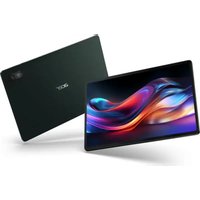
Iconia Tab W500P - Tablet ACER - Free user manual and instructions
Find the device manual for free Iconia Tab W500P ACER in PDF.


Pick your language and provide your email: we'll send you a specifically translated version.
| Product Type | Tablet |
| Brand | Acer |
| Model | Iconia Tab W500P |
| Display Size | 10.1 inches |
| Operating System | Windows 7 Home Premium |
| Processor | AMD C-50 1.0 GHz |
| Memory | 2 GB DDR3 |
| Storage | 32 GB eMMC |
| Battery | 2-cell Li-ion 3000 mAh |
| Dimensions | 295 x 190 x 13 mm |
| Weight | 760 g |
| Connectivity | Wi-Fi 802.11b/g/n, Bluetooth 3.0, USB 2.0, HDMI |
| Camera | Front: 1.3 MP, Rear: 3.0 MP |
| Power Adapter | AC 100-240V, 5V 2A |
| Main Functions | Web browsing, email, office applications, media playback, gaming |
| Care and Cleaning | Wipe with a soft, dry cloth. Do not use harsh chemicals. |
| Safety Precautions | Do not expose to water or extreme temperatures. Use only approved accessories. |
| Spare Parts | Battery, charger, replacement screen (service center only) |
| Repairability | Limited user serviceable parts; professional repair recommended |
| General Information | Model number located on back cover. Serial number on box. |
Frequently Asked Questions - Iconia Tab W500P ACER
How do I turn on the Acer Iconia Tab W500P?
Press and hold the power button located on the top-left edge until the screen lights up.
How do I charge the tablet?
Connect the included AC adapter to the charging port on the bottom edge and plug into a wall outlet. Charging time is approximately 4 hours.
How do I take a screenshot?
Press the Windows key and the Volume Down button simultaneously. The screenshot will be saved in the Pictures folder.
How do I reset the tablet to factory settings?
Go to Settings > Update & Security > Recovery and select Reset this PC. Follow on-screen instructions.
How do I connect to Wi-Fi?
Swipe from the right edge to open the Charms bar, select Settings, then the Wi-Fi icon, and choose your network. Enter the password if required.
Can I use a microSD card to expand storage?
Yes, the tablet supports microSD cards up to 32 GB. Insert the card into the slot on the left side.
How do I update the software?
Open Settings > Update & Security > Windows Update and click Check for updates. Install any available updates.
How do I clean the screen?
Use a soft, lint-free cloth slightly dampened with water. Do not spray liquids directly onto the screen. Avoid abrasive cleaners.
What should I do if the tablet freezes?
Press and hold the power button for about 10 seconds until the device turns off, then press again to restart.
Is the battery removable?
No, the battery is built-in and should only be replaced by an authorized service center.
User questions about Iconia Tab W500P ACER
0 question about this device. Answer the ones you know or ask your own.
Ask a new question about this device
No questions yet. Be the first to ask one.
Download the instructions for your Tablet in PDF format for free! Find your manual Iconia Tab W500P - ACER and take your electronic device back in hand. On this page are published all the documents necessary for the use of your device. Iconia Tab W500P by ACER.
USER MANUAL Iconia Tab W500P ACER

Manual assistant
Powered by Anthropic
Waiting for your message
Product information
Brand : ACER
Model : Iconia Tab W500P
Category : Tablet