KP-46S4U - Projector SONY - Free user manual and instructions
Find the device manual for free KP-46S4U SONY in PDF.


Pick your language and provide your email: we'll send you a specifically translated version.
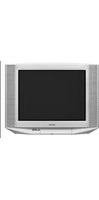
| Product Type | Rear Projection TV (CRT-based) |
| Model | KP-46S4U |
| Brand | Sony |
| Screen Size (Diagonal) | 46 inches |
| Aspect Ratio | 4:3 |
| Display Resolution (Max) | 1920 x 1080i (HD ready) |
| Dimensions (W x H x D, approx.) | 43.1 x 39.4 x 24.8 inches |
| Weight (approx.) | 110 lbs (50 kg) |
| Power Consumption | 200 W (typical) |
| Power Supply | AC 120V, 60Hz |
| Projection Technology | Three CRT tubes (R, G, B) |
| Inputs | Component (Y/Pb/Pr), S-Video, Composite (RCA), RF Antenna |
| Audio Output | Stereo speakers (built-in), 10W + 10W |
| Remote Control | Included (RM-Y806 or similar) |
| Convergence Adjustment | Manual via remote or on-unit controls |
| Protection Features | Over-temperature shutoff, degaussing |
| Screen Type | High-gain matte screen (non-removable) |
| Cleaning Instructions | Use soft dry cloth; avoid liquids on screen |
| Repairability | CRT tubes serviceable; convergence adjustments possible |
| Spare Parts Availability | Limited; check Sony service centers or third-party suppliers |
Frequently Asked Questions - KP-46S4U SONY
What is the display technology used in the Sony KP-46S4U?
The KP-46S4U uses three CRT tubes (red, green, blue) for rear projection, providing a bright 4:3 image with HD capability up to 1080i.
How do I clean the screen of the KP-46S4U?
Use a soft, dry microfiber cloth to gently wipe the screen. Do not apply any liquids or cleaners directly on the screen, as they may damage the surface.
Can I replace the projection bulb/lamp?
This model uses CRT tubes instead of a lamp. The tubes are not user-replaceable; if they fail, professional service is required.
How do I adjust the convergence on the KP-46S4U?
Convergence can be adjusted via the remote control (press the CONVERGENCE button) or using on-unit controls. Follow the on-screen grid pattern to align the red and blue to the green.
What input connections does the KP-46S4U support?
It supports component video (Y/Pb/Pr), S-Video, composite video (RCA), and an RF antenna input for over-the-air signals.
Does the KP-46S4U have a built-in tuner?
Yes, it includes an NTSC analog tuner for standard TV channels. A digital converter box may be needed for modern over-the-air broadcasts.
What is the weight of the Sony KP-46S4U?
The unit weighs approximately 110 lbs (50 kg), so it requires two people for safe lifting and placement.
Why is the picture too dim or blurry?
Possible causes: convergence misalignment, aging CRT tubes, or incorrect picture settings. Try adjusting convergence and brightness first. If dim, CRT tubes may need replacement.
Can I mount the KP-46S4U on a wall?
No, this is a floor-standing rear projection TV. It is not designed for wall mounting; place it on a sturdy, level surface.
How do I access the service menu?
To enter the service menu, press the following on the remote: MENU then ENTER repeatedly (exact sequence varies). Use caution as changes can affect performance.
User questions about KP-46S4U SONY
0 question about this device. Answer the ones you know or ask your own.
Ask a new question about this device
No questions yet. Be the first to ask one.
Download the instructions for your Projector in PDF format for free! Find your manual KP-46S4U - SONY and take your electronic device back in hand. On this page are published all the documents necessary for the use of your device. KP-46S4U by SONY.
USER MANUAL KP-46S4U SONY

Manual assistant
Powered by Anthropic
Waiting for your message
Product information
Brand : SONY
Model : KP-46S4U
Category : Projector