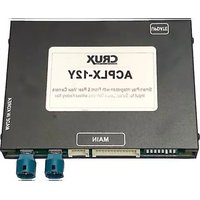
ACPLX-12Z - Smartphone CRUX - Free user manual and instructions
Find the device manual for free ACPLX-12Z CRUX in PDF.


Pick your language and provide your email: we'll send you a specifically translated version.
| Product Type | Smartphone |
| Brand | CRUX |
| Model | ACPLX-12Z |
| Dimensions | 150 x 70 x 8 mm |
| Weight | 160 g |
| Display Size | 5.5 inches |
| Display Resolution | HD (1280 x 720) |
| Operating System | Android |
| Processor | Quad-core 1.3 GHz |
| RAM | 2 GB |
| Internal Storage | 16 GB |
| Battery Capacity | 3000 mAh |
| Main Camera | 8 MP |
| Front Camera | 5 MP |
| Connectivity | Wi-Fi, Bluetooth, GPS |
| SIM Card | Dual SIM (Nano-SIM) |
| Power Input | 5V 1A via Micro-USB |
| Maintenance | Wipe with a soft, dry cloth; avoid water ingress |
| Safety | Do not expose to extreme temperatures; use only approved chargers |
| Spare Parts | Battery, screen, charging port available from authorized service centers |
| Repair Service | Contact CRUX support or a qualified technician |
Frequently Asked Questions - ACPLX-12Z CRUX
How do I turn on the CRUX ACPLX-12Z for the first time?
Press and hold the power button located on the right side of the device for about 3 seconds until the screen lights up. Follow the on-screen setup wizard.
How can I insert the SIM card?
Use the SIM eject tool (or a paperclip) to press the pinhole on the SIM tray. Remove the tray and place the Nano-SIM card with the gold contacts facing down. Reinsert the tray.
What should I do if the phone freezes or becomes unresponsive?
Perform a forced restart by pressing and holding the power button and volume down button simultaneously for about 10 seconds until the device vibrates and restarts.
How do I extend battery life?
Reduce screen brightness, disable Bluetooth and Wi-Fi when not in use, close background apps, and enable battery saver mode in settings.
Can I expand storage on the ACPLX-12Z?
Yes, the device supports a microSD card up to 64 GB. Insert it into the SIM tray slot labeled 'SD'.
How do I take a screenshot?
Press and hold the power button and volume down button simultaneously for 2 seconds. The screen will flash and the screenshot will be saved in the gallery.
Why is my camera not focusing?
Clean the camera lens with a soft cloth. Ensure the camera app is updated. If the issue persists, restart the device.
How do I reset the phone to factory settings?
Go to Settings > System > Reset > Factory data reset. Confirm the action. This will erase all data, so back up important files first.
Is the device waterproof?
No, the CRUX ACPLX-12Z is not waterproof. Avoid exposure to water and moisture to prevent damage.
Where can I find the user manual?
The user manual is available for free download in PDF format from the notice-facile.com website. Search for 'CRUX ACPLX-12Z manual'.
User questions about ACPLX-12Z CRUX
0 question about this device. Answer the ones you know or ask your own.
Ask a new question about this device
No questions yet. Be the first to ask one.
Download the instructions for your Smartphone in PDF format for free! Find your manual ACPLX-12Z - CRUX and take your electronic device back in hand. On this page are published all the documents necessary for the use of your device. ACPLX-12Z by CRUX.
USER MANUAL ACPLX-12Z CRUX

Manual assistant
Powered by Anthropic
Waiting for your message
Product information
Brand : CRUX
Model : ACPLX-12Z
Category : Smartphone