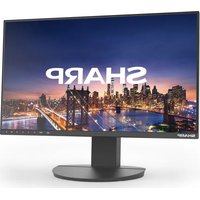
PN-M752 - Monitor SHARP - Free user manual and instructions
Find the device manual for free PN-M752 SHARP in PDF.


Pick your language and provide your email: we'll send you a specifically translated version.
| Product Type | Professional LED Monitor |
| Model | PN-M752 |
| Brand | Sharp |
| Screen Size | 75 inches (diagonal) |
| Resolution | 3840 x 2160 (4K UHD) |
| Dimensions (W x H x D) | 1685 x 969 x 102 mm (without stand) |
| Weight | Approx. 40 kg (without stand) |
| Power Supply | AC 220-240V, 50/60Hz |
| Power Consumption | Typical: 250W, Standby: <0.5W |
| Connectivity | HDMI x2, DisplayPort x1, VGA x1, USB x2, Audio In/Out |
| Built-in Speakers | Yes, 2 x 10W |
| Mounting | VESA compatible (400 x 400 mm) |
| Operating Temperature | 0°C to 40°C |
| Operating Humidity | 20% to 80% (non-condensing) |
| Cleaning Instructions | Use a soft, dry cloth. Do not use liquid cleaners or abrasive materials. |
| Safety Precautions | Use a certified wall mount. Ensure adequate ventilation. Do not block vents. |
| Repairability | Contact qualified service personnel for any repairs. Do not open the chassis. |
Frequently Asked Questions - PN-M752 SHARP
What is the screen resolution of the Sharp PN-M752?
The Sharp PN-M752 has a 4K UHD resolution of 3840 x 2160 pixels.
What are the dimensions of the monitor?
The dimensions (without stand) are approximately 1685 x 969 x 102 mm.
How do I connect external devices to the PN-M752?
You can connect via HDMI, DisplayPort, or VGA inputs. USB ports are also available for media playback.
Can I mount this monitor on a wall?
Yes, the monitor supports VESA 400 x 400 mm mounts. Use a certified wall bracket suitable for the weight.
What is the power consumption of the monitor?
Typical power consumption is 250W, and standby is less than 0.5W.
How should I clean the screen?
Use a soft, dry cloth. Avoid liquid cleaners or abrasive materials that may damage the surface.
Does the monitor have built-in speakers?
Yes, it includes 2 x 10W built-in speakers.
What safety precautions should I follow?
Ensure adequate ventilation around the monitor. Do not block the cooling vents. Use a stable surface or certified wall mount.
Who can perform repairs on this monitor?
Only qualified service personnel should attempt repairs. Do not open the chassis yourself.
What is the operating temperature range?
The monitor operates safely between 0°C to 40°C.
User questions about PN-M752 SHARP
0 question about this device. Answer the ones you know or ask your own.
Ask a new question about this device
No questions yet. Be the first to ask one.
Download the instructions for your Monitor in PDF format for free! Find your manual PN-M752 - SHARP and take your electronic device back in hand. On this page are published all the documents necessary for the use of your device. PN-M752 by SHARP.
USER MANUAL PN-M752 SHARP

Manual assistant
Powered by Anthropic
Waiting for your message
Product information
Brand : SHARP
Model : PN-M752
Category : Monitor