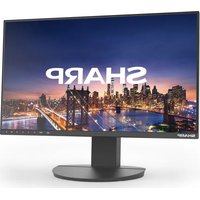
LM551 - Monitor SHARP - Free user manual and instructions
Find the device manual for free LM551 SHARP in PDF.


Pick your language and provide your email: we'll send you a specifically translated version.
| Product Type | Monitor |
| Brand | Sharp |
| Model | LM551 |
| Screen Size | 55 inches |
| Resolution | 1920 x 1080 (Full HD) |
| Aspect Ratio | 16:9 |
| Refresh Rate | 60 Hz |
| Panel Type | LED-backlit LCD |
| Inputs | HDMI, VGA, DisplayPort, USB |
| Built-in Speakers | Yes, 2 x 10W |
| Dimensions (W x H x D) | 1240 x 720 x 80 mm |
| Weight | 25 kg |
| Power Consumption | 120 W (typical) |
| Power Supply | 100-240 V, 50/60 Hz |
| VESA Mount | 400 x 400 mm |
| OSD Controls | Buttons on bottom bezel |
| Main Functions | Display, audio output, menu settings, input selection |
| Cleaning Instructions | Wipe with soft, dry cloth; avoid liquids |
| Safety Precaution | Use only certified power cord, avoid overload |
| Spare Parts & Reparability | Contact Sharp support for replacement parts |
| General Information | Manufactured by Sharp Corporation, user manual included |
Frequently Asked Questions - LM551 SHARP
How do I connect my computer to the Sharp LM551 monitor?
Use an HDMI, DisplayPort, or VGA cable. Connect one end to your computer's output and the other to the corresponding input on the monitor. Then select the correct input source using the Input button on the monitor.
How can I adjust the brightness and contrast?
Press the Menu button on the monitor to open the OSD (On-Screen Display). Navigate to Picture settings and adjust Brightness, Contrast, and other parameters using the arrow keys.
What cables are included with the monitor?
The package typically includes an HDMI cable, a power cord, and a quick start guide. The exact contents may vary by region; check the box.
How do I mount the monitor on a wall?
Use a VESA compatible mount (400 x 400 mm). Attach the mounting bracket to the monitor using the provided screws, then secure the bracket to the wall. Ensure the wall can support the monitor's weight (25 kg).
Why is there no signal on my monitor?
Check that the input source is correctly selected on the monitor. Ensure the cable is securely connected to both the monitor and the computer. Try a different cable or port. If the issue persists, reboot the connected device.
How do I clean the screen?
Use a soft, lint-free cloth slightly dampened with water (or a screen cleaner). Gently wipe the screen in circular motions. Avoid spraying liquid directly on the screen to prevent damage.
Can I connect external speakers to this monitor?
The Sharp LM551 has built-in speakers. For external audio, you can use the headphone jack (3.5 mm) on the monitor or connect speakers directly to your computer.
How do I reset the monitor to factory settings?
Open the OSD menu, go to Setup or Other Settings, and select Reset or Factory Reset. Confirm to restore all settings to default.
What is the warranty period for this monitor?
The standard warranty for Sharp monitors is typically 1 to 3 years depending on region. Refer to the warranty card included in the package or contact Sharp support.
How do I enable or disable the built-in speakers?
In the OSD menu, navigate to Audio settings. You can adjust the volume or set Speaker Output to On/Off. If using external speakers, you may disable the internal ones to avoid echo.
User questions about LM551 SHARP
0 question about this device. Answer the ones you know or ask your own.
Ask a new question about this device
No questions yet. Be the first to ask one.
Download the instructions for your Monitor in PDF format for free! Find your manual LM551 - SHARP and take your electronic device back in hand. On this page are published all the documents necessary for the use of your device. LM551 by SHARP.
USER MANUAL LM551 SHARP

Manual assistant
Powered by Anthropic
Waiting for your message
Product information
Brand : SHARP
Model : LM551
Category : Monitor