DDL615LIPKB - Lock PHILIPS - Free user manual and instructions
Find the device manual for free DDL615LIPKB PHILIPS in PDF.


Pick your language and provide your email: we'll send you a specifically translated version.
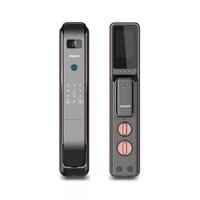
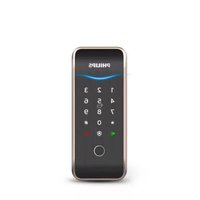
| Product Type | Smart Lock |
| Model | DDL615LIPKB |
| Brand | Philips |
| Dimensions (Exterior) | 70 x 150 x 30 mm |
| Weight | 1.5 kg |
| Power Source | 4 AA batteries (DC 6V) |
| Low Battery Warning | Audible and visual alert |
| Unlocking Methods | Fingerprint, PIN code, Smartphone app (Bluetooth), Mechanical key |
| Fingerprint Capacity | Up to 100 fingerprints |
| PIN Code Capacity | Up to 50 codes (including temporary codes) |
| Connectivity | Bluetooth 5.0 |
| Compatible Apps | Philips Home Access (iOS/Android) |
| Auto Lock | Yes, programmable delay |
| Tamper Alarm | Yes |
| Door Thickness Compatibility | 35 - 55 mm |
| Operating Temperature | -20°C to 55°C |
| Security Standards | Encrypted communication, anti-pick cylinder |
| Maintenance | Wipe with dry cloth; avoid solvents |
| Spare Parts Available | Batteries, screws, faceplates (contact support) |
| Repairability | User-replaceable batteries; professional service for electronics |
Frequently Asked Questions - DDL615LIPKB PHILIPS
How do I install the Philips DDL615LIPKB smart lock?
Installation requires basic tools: screwdriver, measuring tape. Follow the included manual steps: remove existing deadbolt, install latch, mount exterior and interior assemblies, connect cable, and secure with screws. Ensure door thickness is 35-55 mm.
How many fingerprints can I store?
You can store up to 100 fingerprints. To add, go to settings menu on the lock or app.
What happens if the batteries die?
The lock will provide low battery warnings. If dead, use the mechanical key override. The lock has a 9V battery backup terminal (not included) for emergency power.
Can I use the lock without a smartphone?
Yes, you can use the touch keypad for PIN codes and the fingerprint sensor. The phone app is optional for remote access and notifications.
How do I reset the lock to factory settings?
Press and hold the reset button (inside battery compartment) for 10 seconds until the lock beeps. All data will be erased. Reset required for new admin.
Is the lock weather resistant?
The exterior unit is IP54 rated, protected against dust and splashing water. Avoid direct rain exposure.
Can I share access codes temporarily?
Yes, you can generate temporary PIN codes via the app, set to expire after a chosen time or number of uses.
Does it work with voice assistants?
Currently no direct integration; only Philips Home Access app. However, via app integration with IFTTT, some automation is possible.
What type of batteries does it use?
It uses 4 AA alkaline batteries. Lithium batteries are not recommended due to voltage differences.
How do I clean the fingerprint sensor?
Gently wipe the sensor with a soft, dry cloth. Do not use liquids or abrasive cleaners.
User questions about DDL615LIPKB PHILIPS
0 question about this device. Answer the ones you know or ask your own.
Ask a new question about this device
No questions yet. Be the first to ask one.
Download the instructions for your Lock in PDF format for free! Find your manual DDL615LIPKB - PHILIPS and take your electronic device back in hand. On this page are published all the documents necessary for the use of your device. DDL615LIPKB by PHILIPS.
USER MANUAL DDL615LIPKB PHILIPS
Manual assistant
Powered by Anthropic
Waiting for your message
Product information
Brand : PHILIPS
Model : DDL615LIPKB
Category : Lock