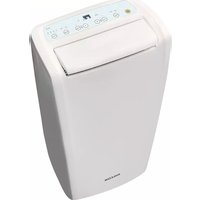
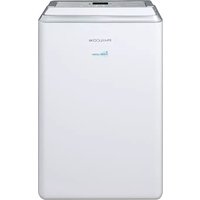
PDH25WWX - Dehumidifier Philco - Free user manual and instructions
Find the device manual for free PDH25WWX Philco in PDF.


Pick your language and provide your email: we'll send you a specifically translated version.
| Product Type | Dehumidifier |
| Brand | Philco |
| Model | PDH25WWX |
| Dehumidification Capacity (30°C, 80% RH) | 25 pints/day |
| Dimensions (W x H x D) | 11.4 x 16.5 x 9.8 inches |
| Weight | 27.5 lbs |
| Power Supply | 115 V ~ 60 Hz |
| Power Consumption | 350 W (max) |
| Water Tank Capacity | 4.5 gallons |
| Humidity Range | 30% to 80% RH |
| Main Functions | Continuous drain option, auto shut-off, adjustable humidistat, washable filter, defrost function |
| Noise Level | 45 dB(A) |
| Refrigerant Type | R-410A |
| Compressor Type | Rotary |
| Filter Type | Washable mesh filter |
| Maintenance | Clean filter monthly; empty water tank when full; clean coils annually |
| Safety Features | Auto shut-off on full tank; overload protection; tip-over switch |
| Spare Parts Availability | Contact Philco customer service or authorized retailers |
| Repairability | Modular design with accessible components; professional service recommended |
| General Information | Compact design with caster wheels for easy mobility; energy star rated |
Frequently Asked Questions - PDH25WWX Philco
What is the recommended humidity setting for my home?
For optimal comfort and energy efficiency, set the humidity between 40% and 50%. This helps prevent mold and mildew while avoiding excessive dryness.
How do I clean the filter?
Turn off and unplug the unit. Remove the filter from the back of the dehumidifier. Wash it with warm soapy water, rinse, and let it dry completely before reinstalling. Clean every 30 days.
What does the auto shut-off feature do?
The dehumidifier automatically turns off when the water tank is full to prevent overflow. The indicator light will illuminate. Empty the tank and restart the unit.
Can I use a continuous drain hose?
Yes. Locate the drain outlet on the back of the unit. Attach a standard garden hose (not included) to the connector. Ensure the hose is directed to a suitable drain and slopes downward.
Why is there ice building up on the coils?
This is normal in low temperatures (below 65°F). The dehumidifier has an auto-defrost function that cycles off to melt the ice. If ice persists, check the air filter or move the unit to a warmer location.
How much water will it collect in a day?
Under standard conditions (80°F, 60% humidity), the PDH25WWX can remove up to 25 pints of moisture per day. Actual amount varies with room conditions.
Is it safe to leave the dehumidifier running unattended?
Yes. The unit includes safety features such as auto shut-off when the tank is full and overload protection. However, always follow basic electrical safety and avoid using extension cords.
How do I reset the indicator lights?
The clean filter indicator will reset automatically after the filter is cleaned and the unit is restarted. For other indicators, consult the manual or cycle the power.
What should I do if the dehumidifier won't turn on?
Check that the unit is plugged into a working outlet. Make sure the water tank is properly seated. If the tank is full, empty it. Also check that the filter is clean. If it still won't turn on, contact customer support.
Can I use this dehumidifier in a basement?
Yes, the PDH25WWX is ideal for basements. Ensure the area is at least 4°C (40°F) to prevent freezing. For continuous operation, use the drain hose to avoid frequent emptying.
User questions about PDH25WWX Philco
0 question about this device. Answer the ones you know or ask your own.
Ask a new question about this device
No questions yet. Be the first to ask one.
Download the instructions for your Dehumidifier in PDF format for free! Find your manual PDH25WWX - Philco and take your electronic device back in hand. On this page are published all the documents necessary for the use of your device. PDH25WWX by Philco.
USER MANUAL PDH25WWX Philco

Manual assistant
Powered by Anthropic
Waiting for your message
Product information
Brand : Philco
Model : PDH25WWX
Category : Dehumidifier