Rio 43 CLX 7745 AP - Television GRUNDIG - Free user manual and instructions
Find the device manual for free Rio 43 CLX 7745 AP GRUNDIG in PDF.


Pick your language and provide your email: we'll send you a specifically translated version.
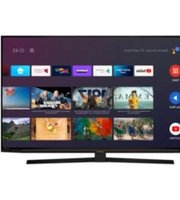
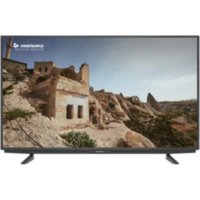
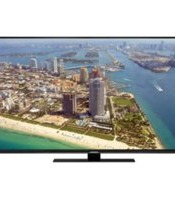
| Product Type | LED Television |
| Model | Rio 43 CLX 7745 AP |
| Brand | Grundig |
| Screen Size (Diagonal) | 43 inches (109 cm) |
| Resolution | 3840 x 2160 (4K Ultra HD) |
| Refresh Rate | 60 Hz |
| Smart TV | Yes (proprietary OS) |
| Wi-Fi | Built-in (802.11 b/g/n) |
| Ethernet | 1 x RJ45 |
| HDMI Ports | 3 x HDMI 2.0 |
| USB Ports | 2 x USB 2.0 |
| Audio Output | Optical, 3.5 mm jack |
| Speakers | 2 x 10W |
| Power Consumption (Max) | 70 W |
| Standby Power | < 0.5 W |
| VESA Mount Pattern | 200 x 200 mm |
| Dimensions (with stand) | 967 x 615 x 229 mm |
| Dimensions (without stand) | 967 x 569 x 79 mm |
| Weight (with stand) | 11.2 kg |
| Weight (without stand) | 10.6 kg |
| Cleaning | Wipe with soft, dry cloth. Do not use abrasive cleaners. |
| Safety | Keep away from moisture, heat sources, and direct sunlight. Do not block ventilation. |
| Spare Parts Availability | Contact Grundig customer service for authorized replacement parts. |
| Reparability | Designed for professional repair. Refer to service manual. |
Frequently Asked Questions - Rio 43 CLX 7745 AP GRUNDIG
How do I turn on the TV for the first time?
Connect the power cord and press the power button on the remote or the TV. Follow the on-screen setup wizard to select language, connect to Wi-Fi, and scan for channels.
Can I mount the TV on a wall?
Yes, the TV supports VESA 200x200 mm wall mounts. Use a compatible bracket and ensure the wall can support at least 15 kg.
What should I do if the remote control stops working?
First, replace the AAA batteries. If still not working, check for obstructions between remote and sensor, or try resetting the TV by unplugging for 30 seconds.
How do I connect external devices like a game console?
Use an HDMI cable to connect the device to any of the three HDMI ports on the TV. Then select the corresponding HDMI input using the Source button on the remote.
Why is there no sound from the TV speakers?
Check if the TV is muted (press Mute button) and ensure volume is not set to minimum. Also verify that no headphones or external audio device is connected. If issue persists, go to Settings > Sound and reset audio settings.
How do I update the TV software?
Go to Settings > System > Software Update and select Check for Updates. Ensure the TV is connected to the internet. If an update is available, follow on-screen instructions. Do not turn off the TV during update.
What is the best picture mode for movies?
Select Movie or Cinema picture mode from the Picture Settings. You can also adjust brightness, contrast, and color manually for optimal viewing.
Can I use a universal remote with this TV?
Yes, the TV works with most universal remotes. Use the remote code for Grundig TVs, or perform an auto-search function. The code is typically 1234 or 3344, but refer to your remote's manual.
How do I clean the TV screen safely?
Turn off the TV and unplug it. Use a soft, lint-free cloth slightly dampened with water. Gently wipe the screen in a circular motion. Do not use alcohol or abrasive cleaners.
What should I do if the TV does not turn on?
Check that the power cord is securely connected to both the TV and the wall outlet. Try a different outlet. If still no power, press and hold the power button on the TV for 10 seconds to reset. If issue persists, contact technical support.
User questions about Rio 43 CLX 7745 AP GRUNDIG
0 question about this device. Answer the ones you know or ask your own.
Ask a new question about this device
No questions yet. Be the first to ask one.
Download the instructions for your Television in PDF format for free! Find your manual Rio 43 CLX 7745 AP - GRUNDIG and take your electronic device back in hand. On this page are published all the documents necessary for the use of your device. Rio 43 CLX 7745 AP by GRUNDIG.
USER MANUAL Rio 43 CLX 7745 AP GRUNDIG

Manual assistant
Powered by Anthropic
Waiting for your message
Product information
Brand : GRUNDIG
Model : Rio 43 CLX 7745 AP
Category : Television