
BARBIE B-BOOK - Educational computer OREGON SCIENTIFIC - Free user manual and instructions
Find the device manual for free BARBIE B-BOOK OREGON SCIENTIFIC in PDF.


User questions about BARBIE B-BOOK OREGON SCIENTIFIC
0 question about this device. Answer the ones you know or ask your own.
Ask a new question about this device
Download the instructions for your Educational computer in PDF format for free! Find your manual BARBIE B-BOOK - OREGON SCIENTIFIC and take your electronic device back in hand. On this page are published all the documents necessary for the use of your device. BARBIE B-BOOK by OREGON SCIENTIFIC.
USER MANUAL BARBIE B-BOOK OREGON SCIENTIFIC
Oregon Scientific France
3 Avenue Francis de Pressensé
93218 Saint-Denis
Tél: (33) 1 5593 2688
Fax: (33) 1 5593 2698
email: info@oregonscientific.fr
Avertissement:
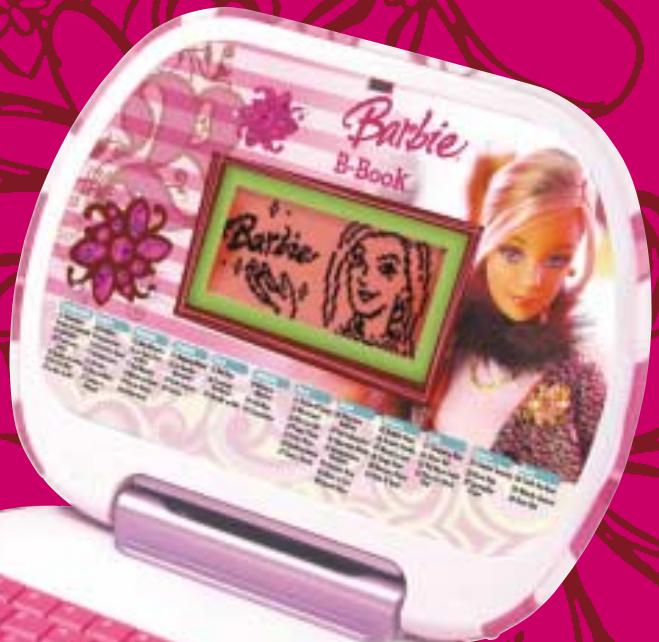
Electronic Learning Computer
For Ages 5 & Up
Oregon
SCIENTIFIC
Dear Parent/Guardian,
Thank you for choosing the Barbie™ B-Book™ Learning Laptop.
Designed with fun in mind,
the BarbieTM B-BookTM Learning Laptop is packed with
stimulating games and activities that will
make an invaluable contribution to your child's development.
The activities used to help further your child's skills cover word,
memory, logic, mathematics, games and music.
The Barbie™ B-Book™ Learning Laptop provides a dependable and
realistic introduction to computers, and
encourages creativity and independent learning.
Learning with Barbie® is so much fun!
BARBIE and associated trademarks and trade dress are owned by, and used under license from, Mattel, Inc.
© 2006 Mattel, Inc. All Rights Reserved.
fr. barbie.com
Table of Contents
Chapter 1
About the BarbieTM B-BookTM Learning Laptop
Chapter 2 3
Getting Started
Chapter 3 4
Game Rules and Selection
Chapter 4 6
Useful Features and Controls
Chapter 5
Activities 7
Word 7
31 Picture N' Learn 7
32 Word Seek 8
33 Mix 'em Up! 8
34 Puppy Chase 8
35 Letter Maze 9
36 Spelling Queen 9
37 Flower Power 9
Maths 9
38 Awesome Addition 9
39 Fab Subtraction 10
40 Operation Maths 10
41 Multiplication Madness 10
42 Division Diva 10
43 More or Less 10
44 Speed Sums 11
Memory 11
45 Dolphin Daze 11
46 Double Trouble 11
47 Memory Lane 11
48 Shape Race 12
49 Memory Dance 12
50 Hide N' Seek 12
Logic 13
51 Shopping Blitz 13
52 Cheer Up! 13
53 The Next Trend 13
54 One of a Kind Find 13
Games 14
55Dazzlin'Surprise 14
56 River Hop 14
57 CaterpillarCraze 14
Music 14
58 Catch the Beat 14
59 Melody Groove 15
60 Rock Out 15
Chapter 6 16
Troubleshooting
Chapter 1
About the Barbie™ B-Book™ Learning Laptop
Features
30 activities in franch + 30 activities in english:
- Word
- Maths
Memory - Logic
Games
Music
Multimedia
- Digital sound and animation
Display
LCD screen
Automatic shut-down
Interface
- QWERTZ keyboard
Number keys
Audio
The voice of Barbie
The Barbie™ B-Book™ Learning Laptop is supplied with the following parts. Please contact your retailer should any parts be missing.
1 - Unit
2 - Instruction Manual
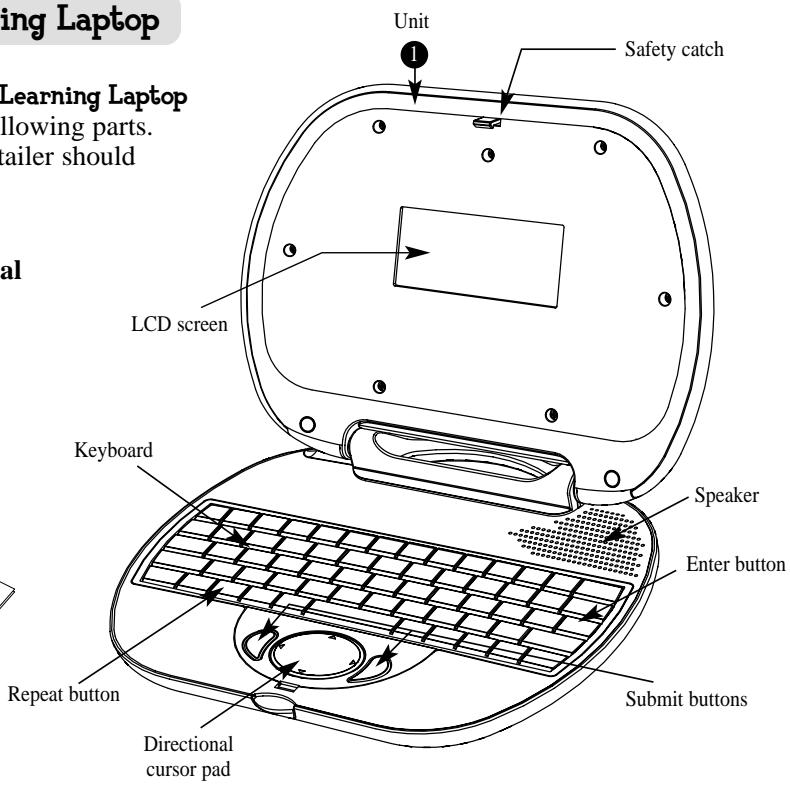
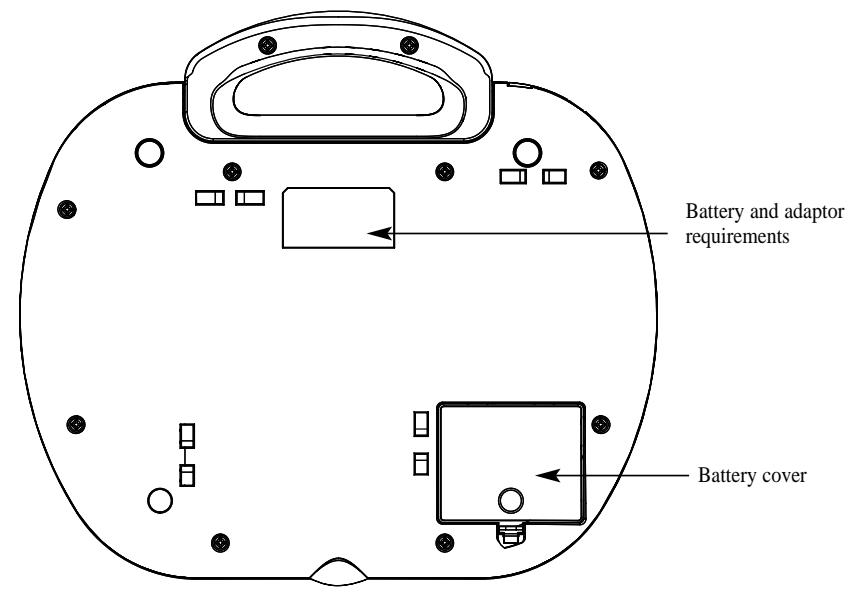
Unit
Chapter 2
Getting Started
The Barbie™ B-Book™ Learning Laptop operates on 3 "AA" size batteries or a 6V AC adaptor.
Battery Installation
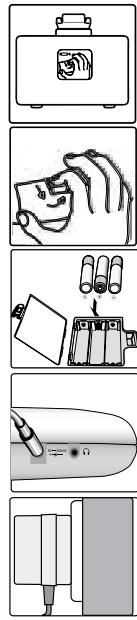
- Make sure the unit is turned off.
- Open the battery cover at the back of the unit.
- Insert 3 "AA" size batteries.
(Note the correct polarity: +, - ).
4. Replace the cover.
AC Adaptor Connection
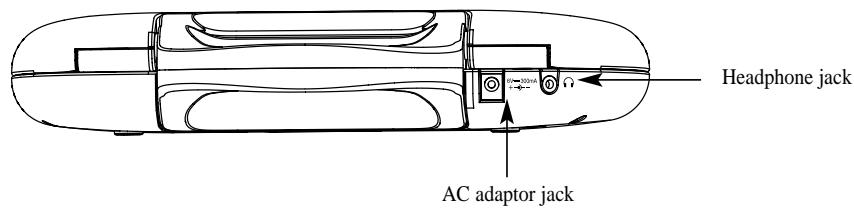
Please turn off the unit before plugging in the AC adaptor to prevent damaging the unit.
Plug the adaptor into the adaptor jack (center positive type) located at the back of the unit. Plug the adaptor into a wall outlet.
Caution
- Do not mix different types of batteries or old and new batteries together.
- Only use batteries of the same or equivalent type as recommended.
- Remove all batteries when replacing.
- Remove batteries from the unit if the unit is not going to be used for long periods of time.
- Do not dispose of batteries in fire.
- Do not recharge non-rechargeable batteries.
- Rechargeable batteries are to be removed from the toy before being charged.
- Rechargeable batteries are only to be charged under adult supervision.
- Remove exhausted batteries from the toy.
- Do not short-circuit the supply terminals.
Caution
- The unit must not be connected to a power supply greater than 6V.
- Only use the recommended adaptor.
The adaptor is not a toy. - Do not short-circuit the supply terminals.
- Toys liable to be cleaned with liquid are to be disconnected from the power source before cleaning.
- Due to AC/DC Adaptor Connection - Not suitable for children under 3 years to operate without adult supervision.
Storage & Care
To ensure that the product enjoys a long life, please follow these simple rules: Regularly examine the unit for damage to the cord, plug, enclosure and other parts. In the event of such damage, the unit must not be used with the adaptor until the damage has been repaired. Always disconnect the power supply before cleaning. Keep the unit clean by wiping the exterior of the unit with a dry cloth. Avoid getting the unit wet. The unit should not be dismantled. Always store the unit away from direct sunlight, and high temperatures. Avoid leaving the unit in a car where it is exposed to direct sunlight. The unit should not be subjected to extreme force or shock.
Starting the Barbie™ B-Book™ Learning Laptop
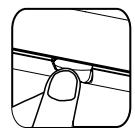
Open the unit by pushing in the lock button (located on the front of the unit).
Turn on the Barbie^TM B-BookTM Learning Laptop using the Marchel/Arret button located on the bottom left of the keyboard. At the end of a session, remember to turn off the power by pressing the same button.
Auto-off
If there is no input on the unit after five minutes, the unit says "goodbye" and automatically turns itself off to conserve power. When you are ready to start playing again, just press the Marché/Arêt button to turn the unit back on.
Chapter 3
Game Rules and Selection
Game Selection
There are 6 categories in your BarbieTM B-BookTM Learning Laptop: Word, Mathematics, Memory, Logic, Games and Music.
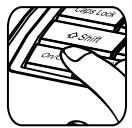
Press the EIN/AUS button
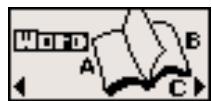
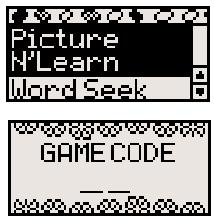
The category selection menu will scroll to the next one every 5 seconds. Press Entree to select the category you would like to play. You can also use the arrow keys to scroll through the selections. All the games under a category are listed in the game selection menu, use the arrow keys to scroll through the selections and press Entree to play. You can also use the Game Code button as a short cut. Refer to the game list and enter the game code for the game you want to play.
Attempts
For most games you will have three attempts for each question. The B a r b i e^TM B-BookTM Learning Laptopwill reveal the correct answer after three incorrect attempts. If there is no input after 30 seconds, the B a r b i e^TM B-BookTM Learning Laptop will repeat the instruction prompt.
Levels
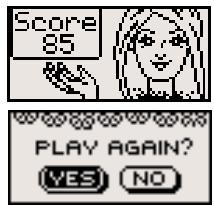
Some of the activities have different levels. If you score 80 points or more at the end of a round of 10 questions, you will go to the next higher level of difficulty. If you score less than 50 points, you will go to an easier level. After each question, you will be shown the score screen so you can see how well you are doing. When you successfully finish all levels in a game, a Barbie^TM reward animation will play and a "PLAY AGAIN?" screen will appear. Select "YES" or press the letter Y if you would like to play the game again. To play another game, select "NO" or press the letter N to exit the game.
Time Limit
For most games, you have one minute to answer each question.
Chapter 4
Useful Features and Controls
The Keyboard
Your Barbie™ B-Book™ Learning Laptop features a fully functional computer keyboard.
The Arrow Keys
Use the arrow keys to make a selection or to navigate in the games.
Directional Cursor Pad
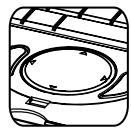
The Barbie™ B-Book™ Learning Laptop comes with a directional cursor pad below the keyboard.
The pad can be pushed up, down, left or right to move the highlight on screen for selection and navigation of the games. To submit an answer, you can also press one of the submit buttons near the directional cursor pad.
Settings
Press Regiages to adjust the brightness on the screen and sound level on the laptop. The choices are High, Medium and Low. Use the arrow keys to select the choices and press Entree to confirm.
Demo
Press to see a demonstration of some of the exciting features and games in the BarbieTM B-BookTM Learning Laptop.
Help
Press the Aide button if you require extra hints to a question. Using this function will reduce the total score for the current question. Not all games have this function.
Repeat
Press the Régier button to repeat a question or an instruction.
ESC
Press Echap to exit the game and return to the previous menu.
Backlight Button
Press the button to cycle through the 3 states of the LCD backlight: Bright, Dim and Off. The LCD backlight is off by default.
Shape Button
You can use the buttons in Game 18 Shape Race to submit your answer.
Answer Button
Press the Response button to reveal the correct answer to a question. Think carefully before you use this button as no points will be awarded for that question.
Chapter 5
Activities
Word
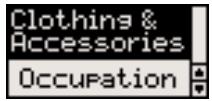
(31) Picture N' Learn
Learn the spelling and pronunciation on a selection of vocabulary.
- From the topic selection screen, use the arrow keys to choose from one of the five different topics: Animal, Transportation, Clothing and Accessories, Occupation, Body Parts and Movement.
- Press the Entree button to confirm your topic choice.
- An animation of a word from the selected topic will be played, followed by the spelling and pronunciation of the word.
4.Use the arrow keys to view another vocabulary.
(32) Word Seek
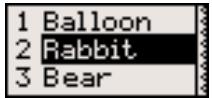
Match the correct word with the animation.
1. An animation of a word appears on screen.
2. Next, three possible answers are given.
3. Use the arrow keys to select the correct word that matches the animation and press Entree to confirm your choice.
4. You can also press the numbers 1-3 to give the answer.
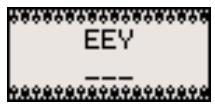
(33) Mix 'em Up!
Rearrange the letters to spell the word correctly.
- An animation of a word appears on screen.
- Next, the word appears with the letters all mixed up.
- Type the correct spelling in the spaces using the letter keys.
(34) Puppy Chase
Type the word quickly to stop the puppy from getting away.
- Type the word on the bottom of the screen.
- To stop the puppy from running off with your shoe, finish typing the word before it reaches the other side of the screen.
(31)
(32)
(33)
(34)
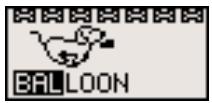
(35) Letter Maze
Find the word in the maze.
- After the animation of a word, a grid of letters is displayed.
- The first letter in the word will flash. Use the arrow keys to move the flashing highlight through the grid to spell out the word correctly.
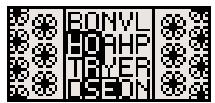
(36) Spelling Queen
Spell out the animated word.
- An animation of a word is displayed and you are asked to spell the word.
- Type the word into the spaces using the letter keys.
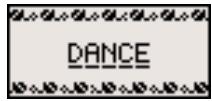
(37) Flower Power
Guess the hidden word to help the flower grow!
- Guess the hidden word by typing in letters.
- If your chosen letter is not in the word, the letter will appear at the bottom of the screen.
- You have 10 chances to guess the correct letters.
- When you correctly guess the final letter, the flower will bloom.
Maths
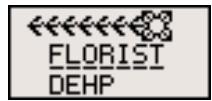
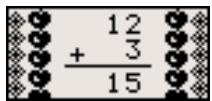
(38) Awesome Addition
Complete the equation.
- Work out the answer to the equation and type it in using the number keys.
- The answer is submitted from left to right by default. You can use
the arrow keys to change the direction of entry.
(35)
(36)
(37)
(38)
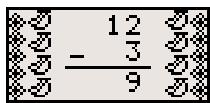
(39) Fab Subtraction
Complete the equation.
- Work out the answer to the equation and type it in using the number keys.
- The answer is submitted from left to right by default. You can use the arrow keys to change the direction of entry.
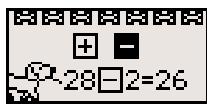
(40) Operation Maths
Select the correct operation sign for the equation.
- Using the arrow keys, choose an operation sign and press the Entree button to complete the equation.
- You can also press the + - signs on the keyboard to answer.
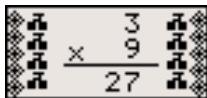
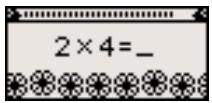
(41) Multiplication Madness
Complete the equation.
- Work out the answer to the equation and type it in using the number keys.
- The answer is submitted from left to right by default. You can use the arrow keys to change the direction of entry.
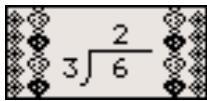
(42) Division Diva
Complete the equation.
- Work out the answer to the equation and type it in using the number keys.
- The answer is submitted from left to right by default. You can use the arrow keys to change the direction of entry.
(43) More or Less
Find the equation with the larger and smaller value.
- Listen to the instruction prompt and find the equation with either the larger or smaller value.
(39)
(40)
(41)
(42)
(43)
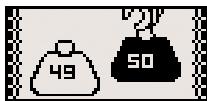
- Select the equation with the arrow keys and submit the answer with the Enter button.
(44) Speed Sums
Answer as many questions as you can before the time runs out.
- Work out the answer to the equation and type it in using the number keys.
- You will only have one attempt to answer each question.
- Try to answer as many questions as you can within one minute. Think fast!
Memory
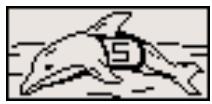
(45) Dolphin Daze
Remember the number sequence on the jumping dolphins.
- Dolphin with numbers on their shirts leap out of the water one at a time.
- Remember the sequence of numbers and type it in the spaces provided.
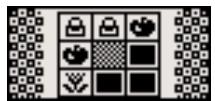
(46) Double Trouble
Remember the matching pairs in a grid.
- A grid of objects is displayed for a short while and then covered with tiles.
- Use the arrow keys to select a tile and press Entree to uncover the objects one pair at a time.
- When you uncover the second to last pair, the final pair will be revealed automatically.
(47) Memory Lane
A sequence of animated vocabulary will be played. Select one of the words according to the order asked.
- A number of animated words are shown on the screen in a random order. Try to remember the order.
(44)
(45)
(46)
(47)
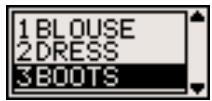
- Listen carefully to the instruction prompt that tells you to select one of the words depending on when it appeared.
- Select the word with the arrow keys and press Entree to answer.
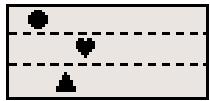
(48) Shape Race
Remember the order in which the shapes arrive.
- Three shapes race across the screen.
- Key in the order of when the shapes arrive across the screen using the correct shape buttons.
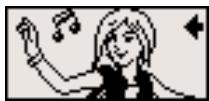
(49) Memory Dance
Remember the sequence of dance steps and repeat it.
- A sequence of dance steps is shown. Repeat each step by pressing the arrow key that corresponds to the step.
- If correct, the dance pattern will be repeated and an extra step will be added to the end.
- Try to remember the dance pattern and repeat it as it is built up one step at a time.
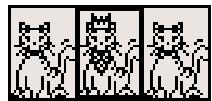
(50) Hide N' Seek
Remember which cat has the jewellery.
- 3 cats run across the screen. One of them has a tiara and a necklace.
- Remember which one has the jewellery, before she hides them and the cats shuffle around.
3.Use the arrow keys to select the correct cat and press Entree to answer.
(48)
(49)
(50)
Logic
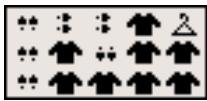
(51) Shopping Blitz
Select the shortest path to pick up all the clothing items.
- Pick up all the clothing items without repeating your step or hitting the hangers.
- Use the arrow keys to move.
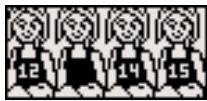
(52) Cheer Up!
Fill in the missing number in the sequence.
- A row of cheerleaders appears on screen. All but one have numbers on their shirts.
- The numbers form a logical sequence.
- Work out the missing number and type it in using the number keys.
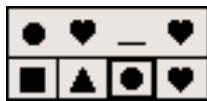
(53) The Next Trend
Select the letter, number or shape that fits into the missing space.
- Work out which letter, number or shape is missing on the top row. The letters, numbers or shapes are in a logical sequence.
- Use the arrow keys to select from 4 possible answer choices on the bottom row.
- Press the Entree button to submit your choice.
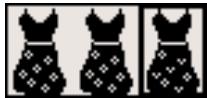
(54) One of a Kind Find
Pick the clothing item that looks different from the rest.
- Three clothing items appear on the screen.
- One of them is slightly different from the others.
- Work out which one it is and select it with the arrow keys. Press the Enter button to submit your choice.
(51)
(52)
(53)
(54)
Games
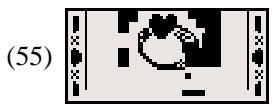
(55) Dazzlin' Surprise
Break the block to reveal a hidden picture.
- Move the paddle on the bottom of the screen to guide the bouncing ball.
- Use the arrow keys to control the direction of the paddle.
- When all the blocks are cleared, a secret picture will be revealed.
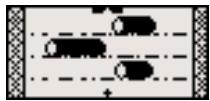
(56) River Hop
Help the puppy cross the river using the moving logs.
- Use the arrow keys to guide the puppy across the river.
- Try to jump onto the log and avoid falling into the lake.
(57) Caterpillar Craze
Direct the caterpillar to its food without hitting itself or the walls.
- Control the caterpillar with the arrow keys to pick up the food.
- Do not hit the walls or the tail of the caterpillar.
Music
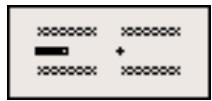
(58) Catch the Beat
Catch the rhythm of a melody and add your beat to the song!
- Select a rhythm with the arrow keys and press Entree to start the song.
- Two tracks start to scroll from right to left.
(56)
(57)
(58)
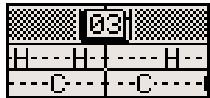
- Press the corresponding letters- H: Hi Hat, C: Cymbal when they reach the middle of the line and catch the beat!
(59) Melody Groove
Choose a melody to listen to and make Barbie dance.
- Press the arrow button to choose a melody.
- When the melody is playing, you can make Barbie® dance by pressing the number keys, letter keys, arrow keys, + - keys and shape keys.
(60) Rock Out
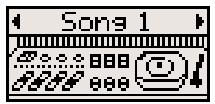
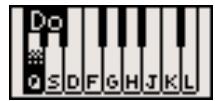
Have fun and compose a melody, record it and play it back.
- Use the letter keys corresponding to the notes on the screen to play your melody.
- Press the Repeter button to playback your song.
(59)
(60)
Chapter 6
Troubleshooting
No display
Are the batteries installed properly?
Do the batteries need replacing?
Black-out screen or abnormal display
Disconnect the power supply by removing batteries for at least 10 seconds before connecting the power supply again.
In an environment prone to static discharge, the unit may malfunction.
To reset, remove batteries or disconnecting the adaptor for at least 10 seconds before connecting the power supply again.
Conforms to safety requirements of ASTM F963, EN71 Parts 1,2 and 3 and EN50088.
In an effort to continually improve our products, the actual screen display on the product may differ slightly from the diagrams shown.
Oregon Scientific France
3 Avenue Francis de Pressense
93218 Saint-Denis
Tél: (33) 1 5593 2688
Fax: (33) 15593 2698
email: info@oregonscientific.fr
Warning:
Changes or modifications to this unit not expressly approved by the party responsible for compliance could void the user's authority to operate the equipment.
NOTE:
This equipment has been tested and found to comply with the limits for a Class B digital device, pursuant to Part 15 of the FCC Rules. These limits are designed to provide reasonable protection against harmful interference in a residential installation. This equipment generates, uses, and can radiate radio frequency energy and, if not installed and used in accordance with the instructions, may cause harmful interference to radio communications. However, there is no guarantee that interference will not occur in a particular installation. If this equipment does cause harmful interference to radio or television reception, which can be determined by turning the equipment off and on, the user is encouraged to try to correct the interference by one or more of the following measures:
- Reorient or relocate the receiving antenna.
- Increase the separation between the equipment and receiver.
- Connect the equipment into an outlet on a circuit different from that to which the receiver is connected.
- Consult the dealer or an experienced radio TV technician for help.
- It may contain small parts due to abuse and/or damage to the unit.
- Not suitable for children under 3 years.

DISPOSAL
Do not dispose this product as unsorted municipal waste.
Collection of such waste separately for special treatment is necessary.
BARBIE and associated trademarks and trade dress are owned by, and used under license from, Mattel, Inc.
© 2006 Mattel, Inc. All Rights Reserved.
P/N: 086L004399-017