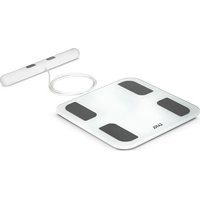
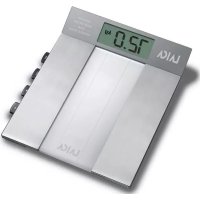
PL8033 - Scale LAICA - Free user manual and instructions
Find the device manual for free PL8033 LAICA in PDF.


Pick your language and provide your email: we'll send you a specifically translated version.
| Brand | Laica |
| Model | PL8033 |
| Product Type | Digital Bathroom Scale |
| Capacity | 180 kg / 400 lb |
| Graduation | 0.1 kg / 0.2 lb |
| Display | LCD, 4-digit |
| Power Supply | 1 x CR2032 battery (included) |
| Auto Power Off | Yes, after 10 seconds of inactivity |
| Low Battery Indicator | Yes |
| Overload Indicator | Yes |
| Dimensions (approx.) | 30 x 30 x 2.5 cm |
| Weight (approx.) | 1.5 kg |
| Material | Tempered glass platform, plastic base |
| Functions | Weight measurement only |
| Unit Selection | kg / lb / st |
| Startup Method | Step-on auto activation |
| Storage Conditions | Dry place, avoid direct sunlight |
| Cleaning Instructions | Clean with a damp cloth; do not immerse in water |
| Safety Precautions | Use on a hard, flat surface; avoid impact |
| Spare Parts Available | Battery (CR2032) |
| Reparability | Not user-serviceable; contact Laica support for repairs |
| Warranty | 2 years (subject to regional variations) |
Frequently Asked Questions - PL8033 LAICA
How do I replace the battery in my Laica PL8033 scale?
Open the battery compartment on the underside of the scale. Remove the old battery and insert a new CR2032 coin cell battery with the positive side facing up. Close the compartment securely.
Why does my scale show 'Err' or 'O-Ld'?
The 'Err' or 'O-Ld' message indicates overload. The maximum weight capacity is 180 kg (400 lb). Remove the excess weight to avoid damaging the scale.
How do I switch between kg, lb, and st?
On the back or bottom of the scale, there is a unit switch. Slide it to choose kg, lb, or st. Some models may require pressing a button on the scale.
What should I do if the display is dim or shows 'Lo'?
The 'Lo' indicator means the battery is low. Replace the CR2032 battery with a new one to restore normal display brightness.
Can I use the scale on carpet?
For accurate readings, place the scale on a hard, flat surface like tile or hardwood. Using it on carpet may cause inconsistent measurements.
How do I clean the scale?
Wipe the tempered glass platform with a damp cloth and mild detergent. Do not submerge the scale in water or use abrasive cleaners.
Why does the scale give different readings each time?
Ensure the scale is on a level surface and your feet are centered. Body weight fluctuates; weigh yourself at the same time each day for consistency. If the problem persists, replace the battery.
What is the maximum weight capacity?
The maximum capacity is 180 kg (400 lb). Do not exceed this limit to prevent damage.
How do I reset the scale?
Remove the battery for 30 seconds, then reinsert it. Place the scale on a hard surface and step on to activate. This should reset the internal electronics.
Is the scale waterproof?
No, the scale is not waterproof. Keep it away from water and moisture. Clean only with a damp cloth and dry immediately.
User questions about PL8033 LAICA
0 question about this device. Answer the ones you know or ask your own.
Ask a new question about this device
No questions yet. Be the first to ask one.
Download the instructions for your Scale in PDF format for free! Find your manual PL8033 - LAICA and take your electronic device back in hand. On this page are published all the documents necessary for the use of your device. PL8033 by LAICA.
USER MANUAL PL8033 LAICA



Manual assistant
Powered by Anthropic
Waiting for your message
Product information
Brand : LAICA
Model : PL8033
Category : Scale