POIM5000 - Ice machine Point - Free user manual and instructions
Find the device manual for free POIM5000 Point in PDF.


| Product Type | Ice Machine |
| Brand | Point |
| Model | POIM5000 |
| Dimensions (W x D x H) | 30 x 40 x 50 cm |
| Weight | 15 kg |
| Power Supply | 220-240V, 50Hz |
| Power Consumption | 150 W |
| Ice Production Capacity | 12 kg per 24 hours |
| Ice Storage Capacity | 2 kg |
| Water Tank Capacity | 5 L |
| Ice Cube Size | Bullet ice (small/large selection) |
| Refrigerant | R134a |
| Noise Level | 55 dB |
| Material | Stainless steel exterior, ABS interior |
| Functions | Automatic ice making, self-cleaning cycle, ice full indicator |
| Safety Features | Automatic shut-off when ice basket full, overheat protection |
| Maintenance | Descaling recommended every 3 months |
| Warranty | 2 years |
| Accessories Included | Ice scoop, cleaning brush, water filter |
Frequently Asked Questions - POIM5000 Point
User questions about POIM5000 Point
0 question about this device. Answer the ones you know or ask your own.
Ask a new question about this device
Download the instructions for your Ice machine in PDF format for free! Find your manual POIM5000 - Point and take your electronic device back in hand. On this page are published all the documents necessary for the use of your device. POIM5000 by Point.
USER MANUAL POIM5000 Point
Thank you for purchasing your new POINT POIM5000 ice maker. These instructions will help you use it safely and effectively.
We recommend reading this manual thoroughly to understand all the features. Carefully review the safety instructions before use and keep this manual for future reference.
After receiving the machine, let it stand for 24 hours before use.
Warnings:
This device is meant for household use and is not suitable for children or vulnerable individuals without supervision.
Ensure young children do not play with it.
Installation:
The ice maker should not be placed in corridors or hallways of public buildings.

This device uses refrigerants. Piercing the refrigerant pipe can cause fire or explosion. Follow all operating instructions carefully.
The device contains flammable refrigerants. Puncturing the pipe poses a risk of fire or explosion.

There is a risk of cuts inside the machine.
Avoid reaching into the ice outlet while the equipment is running.
IMPORTANT INSTRUCTIONS
To reduce the risk of injury while using the machine, please follow these safety precautions:
- Never remove safety labels or operate with wet hands.
- Use two people to move or install the unit.
- Unplug electrical appliances before cleaning or maintenance.
- Do not use liquids or solvent based cleaning agents.
- Do not use abrasive cleaners on internal or external surfaces as they can cause damage or scratches.
- When disposing of refrigeration equipment, follow appropriate disposal methods.
- Do not operate with wet hands or while standing on wet surfaces.
- Chemical hazards - Use bleach only in well-ventilated areas and never mix with other cleaners.
- When cleaning the ice basket, remove it from the ice maker and clean the inside and outside with a soft cloth.
- Do not use mechanical equipment to thaw the ice maker.
- Do not puncture the refrigerant pipe.
SAFETY TIPS
- Do not remove or modify the ground pin on the power cord.
- Use only a grounded AC 220-240V, 50Hz power supply.
- Avoid extension cords or adaptors.
- When unplugging, hold the plug and remove it directly from the wall socket.
- To prevent electric shock, do not immerse electrical plugs or wires in water or other liquids.
- Do not use the appliance outdoors. Do not store or use flammable vapors or liquids near this product.
- To avoid damage, authorized service personnel from the factory should handle repairs and replacements, ensuring correct components and services are used.

Be aware that some cabinet lights may get hot enough to damage the top of your machine.
- Ensure your hands are clean and dry when operating the machine to maintain hygiene.
- Use purified or distilled water for ice making; avoid unsafe or unclean liquids.
- Position the power cord where it won't be pulled or create tripping hazards.
- Keep the power cord away from hot surfaces.
- Do not use the appliance if it has damaged components, including wires or plugs.
- Unplug the product when not in use or before cleaning.
- Do not immerse any part of the product in water.
- Avoid handling the power plug with wet hands.
- Do not disassemble, repair, modify, or replace any part of the product yourself.
- Use only manufacturer-recommended accessories.
SAFETY PRECAUTIONS

Indoor use only.

Ensure at least 30 cm clearance around the machine.

Use distilled or purified water.
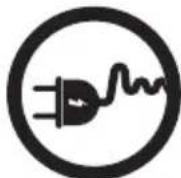
Avoid using extension cords.

Use at least two people to move the machine.

Only use grounded sockets.

Keep the machine away from high temperatures and sunlight.
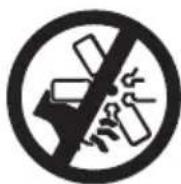
Keep hands and items away from the ice outlet.

Do not use sharp objects to open packaging.
PRODUCT DESCRIPTION

- Power: Press the button to turn on the device.
- NUGGET ICE: Press the button to start making ice.
- CLEAN: Press and hold for 3 seconds to start automatic cleaning function.
- Indicators: POWER, ADD WATER, ICE FULL.
- Drainage pipe.
- Water reservoir.
- Drain plug.
- Detachable ice basket.
- Ice shovel.
CLEANING THE ICE MAKER
It's recommended to clean the machine before first use. Allow the ice maker to stand upright for 24 hours to stabilize internal components.
- Add a solution of 1 cup white vinegar and 1 cup distilled water to the water reservoir.
- Press and hold the "CLEAN" button for 3 seconds to start automatic cleaning. After 3 minutes, the cleaning completes and the "CLEAN" light will turn off.
- Unplug the device and follow the drainage instructions below to discharge wastewater.
- Once drained, plug back the drain plug.
- Plug in the power and repeat steps 2-4 two to three times with clean water. Always unplug the device during the drainage process to avoid electric shock.

Reminder:
- If using the ice maker daily, clean it at least once a week.
- It's normal for the machine to make small noises during operation and cleaning.
- The ice-making function will not work if the "CLEAN" indicator is lit.
FLUSHING AND DRAINING THE ICE MAKER
- Unplug the unit before starting the drainage process.
- Position the drainage pipe over a sink or bucket.
- Open the drain plug to release the water.
- Once fully drained, reattach the drain plug securely.
- Hang the drainage pipe back for future use.
- Plug the unit in and refill with fresh distilled water for ice making.

OPERATING INSTRUCTIONS
1. Setup:
After cleaning, place the device on a stable countertop or flat surface, ensuring at least 30 centimeters of space on all sides for proper ventilation. Connect the power plug to a 220-240V~50Hz socket.
2. Add water:
Fill the water reservoir with clean water, not exceeding the maximum line. Only use water to make ice; the warranty is void if other liquids are used. Due to varying tap water quality, using purified or distilled water is recommended.
3. Start ice making:
Press the "NUGGET ICE" button to begin ice making.
4. Production:
Nugget ice will be produced within 8 minutes and will continue until the bucket is full or the machine detects low water.
5. Pause and resume:
If the ice basket is full and not emptied, or if there is inactivity for more than a minute after scooping, the ice maker will pause. To resume, remove the ice and press the "NUGGET ICE" button again.
CARE & MAINTENANCE
- Drain and change water every day.
- Run automatic cleaning once a week.
- Clean the machine with a 1:1 solution of vinegar and water every week.
- Do not use tap water or any other type of liquid.
- Before long-term storage, ensure all water is drained and the interior is dry.
Water level indicator: If water is insufficient, the "ADD WATER" light will flash. After adding water, press the ice-making button to resume.
Ice full indicator: When the ice basket is full, the button flashes for 60 seconds, then the "ICE FULL" light turns on, stopping production. To restart, press the "NUGGET ICE" button once.
| OBSERVATION | POSSIBLE CAUSE SOLUTION | |
| "ADD WATER" indicator turns on. | Lack of water. | Fill up with water, press the "NUGGET ICE" button again to restart ice making. |
| "ICE FULL" indicator turns on. | There is too much ice. | Remove ice from bin to resume production. |
| Ice Maker may need to be cleaned. | Clean the ice spout or inside wall of the basket. Refer to Cleaning & Maintenance guidelines. | |
| Making Ice too slowly. | Hot air outlet has been blocked by something. | Ensure more than 30 cm of ventilation space. |
| Water temperature in inner tank is too high. | Maintain water temperature between 12 °C-32 °C. | |
| Water leakage. | Drain plug not in place, or is not pushed up under unit. | Secure drain plug in place under unit. |
| Water reservoir overfilled. | Drain excess water to keep below max line. | |
| Water reservoir inlet may be clogged. | Consult a qualified technician. | |
| ENERGY CONSUMPTION | |
| Information for power consumption and maximum time to reach applicable low power condition. | |
| Off mode | <0.3W |
| The maximum time needed to reach the applicable low power condition. | At once after power switch was turned to OFF. |
SPECIFICATIONS
Model: POIM5000
Voltage: AC 220-240V, 50Hz
Power: 130W Max
Refrigerant: R600a/22g
Daily Output: 15KG
Dimensions: L246 * W412 * H411mm
Operating Temperature: 12 °C-32 °C
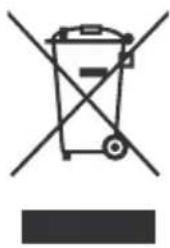
This symbol on the product or in the instructions means that your electrical and electronic equipment should be disposed at the end of its life separately from your household waste. There are separate collection systems for recycling in the EU. For more information, please contact the local authority or your retailer where you purchased the product.
GB
Power International AS,
PO Box 523, N-1471 Lørenskog, Norway
Power Norge:
https://www.power.no/kundeservice/
T: 21 00 40 00
Expert Danmark:
https://www.expert.dk/kundeservice/
T: 70 70 17 07
Power Danmark:
https://www.power.dk/kundeservice/
T: 70 33 80 80
Punkt 1 Danmark:
https://www.punkt1.dk/kundeservice/
T: 70 70 17 07
Power Finland:
INSTRUCTIONS FOR USE
1. Setup:
CARE AND MAINTENANCE
INSTRUCTIONS FOR USE
1. Installation:
CLEANING THE ICE MACHINE
Remember:
USER MANUALS
1. Setup:
USER MANUAL
1. Installation:
- IMPORTANT INSTRUCTIONS
- SAFETY TIPS
- BE AWARE THAT SOME CABINET LIGHTS MAY GET HOT ENOUGH TO DAMAGE THE TOP OF YOUR MACHINE
- SAFETY PRECAUTIONS
- PRODUCT DESCRIPTION
- CLEANING THE ICE MAKER
- REMINDER
- FLUSHING AND DRAINING THE ICE MAKER
- OPERATING INSTRUCTIONS
- SETUP
- ADD WATER
- START ICE MAKING
- PRODUCTION
- PAUSE AND RESUME
- CARE & MAINTENANCE
- SPECIFICATIONS
- INSTRUCTIONS FOR USE
- CARE AND MAINTENANCE
- INSTALLATION
- CLEANING THE ICE MACHINE
- REMEMBER
- USER MANUALS
- USER MANUAL
Brand : Point
Model : POIM5000
Category : Ice machine