USER MANUAL ZZR 1400 KAWASAKI
natural_image
Black Kawasaki motorcycle with visible exhaust plume and front wheel (no text or symbols on body)
Motorcycle Service Manual
Quick Reference Guide
| General Information | 1 |
| Periodic Maintenance | 2 |
| Fuel System (DFI) | 3 |
| Cooling System | 4 |
| Engine Top End | 5 |
| Clutch | 6 |
| Engine Lubrication System | 7 |
| Engine Removal/Installation | 8 |
| Crankshaft/Transmission | 9 |
| Wheels/Tires | 10 |
| Final Drive | 11 |
| Brakes | 12 |
| Suspension | 13 |
| Steering | 14 |
| Frame | 15 |
| Electrical System | 16 |
| Appendix | 17 |
This quick reference guide will assist you in locating a desired topic or procedure.
- Bend the pages back to match the black tab of the desired chapter number with the black tab on the edge at each table of contents page.
•Refer to the sectional table of contents for the exact pages to locate the specific topic required.
Motorcycle Service Manual
All rights reserved. No parts of this publication may be reproduced, stored in a retrieval system, or transmitted in any form or by any means, electronic mechanical photocopying, recording or otherwise, without the prior written permission of Quality Division/Consumer Products & Machinery Company/Kawasaki Heavy Industries, Ltd., Japan.
No liability can be accepted for any inaccuracies or omissions in this publication, although every possible care has been taken to make it as complete and accurate as possible.
The right is reserved to make changes at any time without prior notice and without incurring an obligation to make such changes to products manufactured previously. See your Motorcycle dealer for the latest information on product improvements incorporated after this publication.
All information contained in this publication is based on the latest product information available at the time of publication. Illustrations and photographs in this publication are intended for reference use only and may not depict actual model component parts.
LIST OF ABBREVIATIONS
| A | ampere(s) | lb | pound(s) |
| ABDC | after bottom dead center | m | meter(s) |
| AC | alternating current | min | minute(s) |
| ATDC | after top dead center | N | newton(s) |
| BBDC | before bottom dead center | Pa | pascal(s) |
| BDC | bottom dead center | PS | horsepower |
| BTDC | before top dead center | psi | pound(s) per square inch |
| °C | degree(s) Celsius | r | revolution |
| DC | direct current | rpm | revolution(s) per minute |
| F | farad(s) | TDC | top dead center |
| °F | degree(s) Fahrenheit | TIR | total indicator reading |
| ft | foot, feet | V | volt(s) |
| g | gram(s) | W | watt(s) |
| h | hour(s) | Ω | ohm(s) |
| L | liter(s) | | |
COUNTRY AND AREA CODES
| AT | Austria | FR | France |
| AU | Australia | GB | United Kingdom |
| CA | Canada | MY | Malaysia |
| CAL | California | US | United States |
| CH | Switzerland | WVTA | Whole Vehicle Type Approval |
| DE | Germany | | |
To protect the environment in which we all live, Kawasaki has incorporated crankcase emission (1) and exhaust emission (2) control systems in compliance with applicable regulations of the United States Environmental Protection Agency and California Air Resources Board. Additionally, Kawasaki has incorporated an evaporative emission control system (3) in compliance with applicable regulations of the California Air Resources Board on vehicles sold in California only.
- Crankcase Emission Control System
This system eliminates the release of crankcase vapors into the atmosphere. Instead, the vapors are routed through an oil separator to the inlet side of the engine. While the engine is operating, the vapors are drawn into combustion chamber, where they are burned along with the fuel and air supplied by the fuel injection system.
- Exhaust Emission Control System
This system reduces the amount of pollutants discharged into the atmosphere by the exhaust of this motorcycle. The fuel, ignition, and exhaust systems of this motorcycle have been carefully designed and constructed to ensure an efficient engine with low exhaust pollutant levels.
The exhaust system of this model motorcycle manufactured primarily for sale in California includes a catalytic converter system.
- Evaporative Emission Control System
Vapors caused by fuel evaporation in the fuel system are not vented into the atmosphere. Instead, fuel vapors are routed into the running engine to be burned, or stored in a canister when the engine is stopped. Liquid fuel is caught by a vapor separator and returned to the fuel tank.
The Clean Air Act, which is the Federal law covering motor vehicle pollution, contains what is commonly referred to as the Act's “tampering provisions”.
"Sec. 203(a) The following acts and the causing thereof are prohibited...
(3)(A) for any person to remove or render inoperative any device or element of design installed on or in a motor vehicle or motor vehicle engine in compliance with regulations under this title prior to its sale and delivery to the ultimate purchaser, or for any manufacturer or dealer knowingly to remove or render inoperative any such device or element of design after such sale and delivery to the ultimate purchaser.
(3)(B) for any person engaged in the business of repairing, servicing, selling, leasing, or trading motor vehicles or motor vehicle engines, or who operates a fleet of motor vehicles knowingly to remove or render inoperative any device or element of design installed on or in a motor vehicle or motor vehicle engine in compliance with regulations under this title following its sale and delivery to the ultimate purchaser...”
NOTE
○The phrase “remove or render inoperative any device or element of design” has been generally interpreted as follows.
-
Tampering does not include the temporary removal or rendering inoperative of devices or elements of design in order to perform maintenance.
-
Tampering could include.
a. Maladjustment of vehicle components such that the emission standards are exceeded.
b. Use of replacement parts or accessories which adversely affect the performance or durability of the motorcycle.
c. Addition of components or accessories that result in the vehicle exceeding the standards.
d. Permanently removing, disconnecting, or rendering inoperative any component or element of design of the emission control systems.
WE RECOMMEND THAT ALL DEALERS OBSERVE THESE PROVISIONS OF FEDERAL LAW, THE VIOLATION OF WHICH IS PUNISHABLE BY CIVIL PENALTIES NOT EXCEEDING \$10 000 PER VIOLATION.
TAMPERING WITH NOISE CONTROL SYSTEM PROHIBITED
Federal law prohibits the following acts or the causing thereof. (1) The removal or rendering inoperative by any person other than for purposes of maintenance, repair, or replacement, of any device or element of design incorporated into any new vehicle for the purpose of noise control prior to its sale or delivery to the ultimate purchaser or while it is in use, or (2) the use of the vehicle after such device or element of design has been removed or rendered inoperative by any person.
Among those acts presumed to constitute tampering are the acts listed below.
- Replacement of the original exhaust system or muffler with a component not in compliance with Federal regulations.
- Removal of the muffler(s) or any internal portion of the muffler(s).
- Removal of the air box or air box cover.
- Modifications to the muffler(s) or air inlet system by cutting, drilling, or other means if such modifications result in increased noise levels.
Foreword
This manual is designed primarily for use by trained mechanics in a properly equipped shop. However, it contains enough detail and basic information to make it useful to the owner who desires to perform his own basic maintenance and repair work. A basic knowledge of mechanics, the proper use of tools, and workshop procedures must be understood in order to carry out maintenance and repair satisfactorily. Whenever the owner has insufficient experience or doubts his ability to do the work, all adjustments, maintenance, and repair should be carried out only by qualified mechanics.
In order to perform the work efficiently and to avoid costly mistakes, read the text, thoroughly familiarize yourself with the procedures before starting work, and then do the work carefully in a clean area. Whenever special tools or equipment are specified, do not use makeshift tools or equipment. Precision measurements can only be made if the proper instruments are used, and the use of substitute tools may adversely affect safe operation.
For the duration of the warranty period, we recommend that all repairs and scheduled maintenance be performed in accordance with this service manual. Any owner maintenance or repair procedure not performed in accordance with this manual may void the warranty.
To get the longest life out of your vehicle.
- Follow the Periodic Maintenance Chart in the Service Manual.
- Be alert for problems and non-scheduled maintenance.
- Use proper tools and genuine Kawasaki Motorcycle parts. Special tools, gauges, and testers that are necessary when servicing Kawasaki motorcycles are introduced by the Service Manual. Genuine parts provided as spare parts are listed in the Parts Catalog.
- Follow the procedures in this manual carefully. Don't take shortcuts.
- Remember to keep complete records of maintenance and repair with dates and any new parts installed.
How to Use This Manual
In this manual, the product is divided into its major systems and these systems make up the manual's chapters. The Quick Reference Guide shows you all of the product's system and assists in locating their chapters. Each chapter in turn has its own comprehensive Table of Contents.
For example, if you want ignition coil information, use the Quick Reference Guide to locate the Electrical System chapter. Then, use the Table of Contents on the first page of the chapter to find the Ignition Coil section.
Whenever you see these WARNING and CAUTION symbols, heed their instructions! Always follow safe operating and maintenance practices.
WARNING
This warning symbol identifies special instructions or procedures which, if not correctly followed, could result in personal injury, or loss of life.
CAUTION
This caution symbol identifies special instructions or procedures which, if not strictly observed, could result in damage to or destruction of equipment.
This manual contains four more symbols (in addition to WARNING and CAUTION) which will help you distinguish different types of information.
NOTE
○This note symbol indicates points of particular interest for more efficient and convenient operation.
- Indicates a procedural step or work to be done.
- Indicates a procedural sub-step or how to do the work of the procedural step it follows. It also precedes the text of a NOTE.
★Indicates a conditional step or what action to take based on the results of the test or inspection in the procedural step or sub-step it follows.
In most chapters an exploded view illustration of the system components follows the Table of Contents. In these illustrations you will find the instructions indicating which parts require specified tightening torque, oil, grease or a locking agent during assembly.
Table of Contents
Before Servicing 1-2
Model Identification.... 1-7
General Specifications.... 1-12
Technical Information-CAN (Controller Area Network) Communication System 1-15
Unit Conversion Table 1-18
Before Servicing
Before starting to perform an inspection service or carry out a disassembly and reassembly operation on a motorcycle, read the precautions given below. To facilitate actual operations, notes, illustrations, photographs, cautions, and detailed descriptions have been included in each chapter wherever necessary. This section explains the items that require particular attention during the removal and reinstallation or disassembly and reassembly of general parts.
Especially note the following.
Battery Ground
Before completing any service on the motorcycle, disconnect the battery cables from the battery to prevent the engine from accidentally turning over. Disconnect the ground cable (−) first and then the positive (+). When completed with the service, first connect the positive (+) cable to the positive (+) terminal of the battery then the negative (−) cable to the negative terminal.
Edges of Parts
Lift large or heavy parts wearing gloves to prevent injury from possible sharp edges on the parts.
Solvent
Use a high-flush point solvent when cleaning parts. High-flush point solvent should be used according to directions of the solvent manufacturer.
Cleaning vehicle before disassembly
Clean the vehicle thoroughly before disassembly. Dirt or other foreign materials entering into sealed areas during vehicle disassembly can cause excessive wear and decrease performance of the vehicle.


natural_image
Illustration of a hand holding an engine block with a prohibition symbol (no text or labels)


natural_image
Line drawing of a motorcycle with hands operating the wheel (no text or symbols)
Before Servicing
Arrangement and Cleaning of Removed Parts
Disassembled parts are easy to confuse. Arrange the parts according to the order the parts were disassembled and clean the parts in order prior to assembly.
Storage of Removed Parts
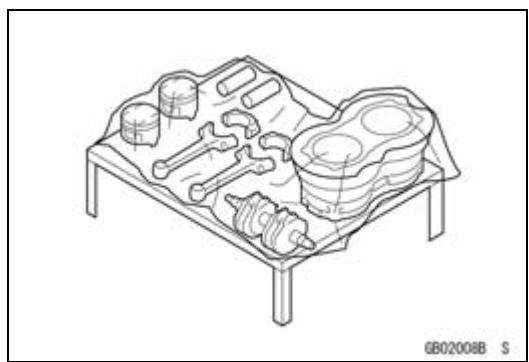
After all the parts including subassembly parts have been cleaned, store the parts in a clean area. Put a clean cloth or plastic sheet over the parts to protect from any foreign materials that may collect before re-assembly.
Inspection
Reuse of worn or damaged parts may lead to serious accident. Visually inspect removed parts for corrosion, discoloration, or other damage. Refer to the appropriate sections of this manual for service limits on individual parts. Replace the parts if any damage has been found or if the part is beyond its service limit.
Replacement Parts
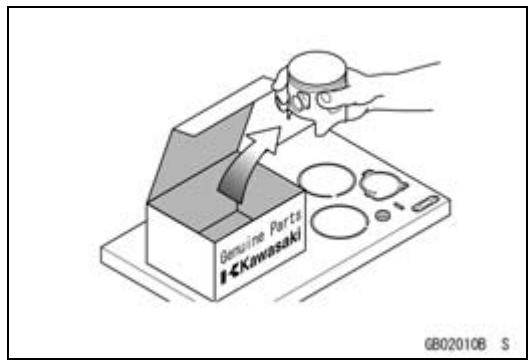
Replacement Parts must be KAWASAKI genuine or recommended by KAWASAKI. Gaskets, O-rings, oil seals, grease seals, circlips or cotter pins must be replaced with new ones whenever disassembled.
Assembly Order
In most cases assembly order is the reverse of disassembly, however, if assembly order is provided in this Service Manual, follow the procedures given.

natural_image
Technical line drawing of a mechanical assembly with gears and components (no text or symbols)
natural_image
Technical line drawing of an engine compartment with gears, springs, and housing (no text or symbols)

natural_image
Line drawing of a hand holding a cylindrical object with motion arrows, next to a small black dot and a curved line (no text or symbols)

natural_image
Line drawing of hands operating a mechanical assembly with gears and a shaft (no text or symbols)
Before Servicing
Tightening Sequence
Generally, when installing a part with several bolts, nuts, or screws, start them all in their holes and tighten them to a snug fit. Then tighten them according to the specified sequence to prevent case warpage or deformation which can lead to malfunction. Conversely when loosening the bolts, nuts, or screws, first loosen all of them by about a quarter turn and then remove them. If the specified tightening sequence is not indicated, tighten the fasteners alternating diagonally.
Tightening Torque
Incorrect torque applied to a bolt, nut, or screw may lead to serious damage. Tighten fasteners to the specified torque using a good quality torque wrench.
Force
Use common sense during disassembly and assembly, excessive force can cause expensive or hard to repair damage. When necessary, remove screws that have a non-permanent locking agent applied using an impact driver. Use a plastic-faced mallet whenever tapping is necessary.
Gasket, O-ring
Hardening, shrinkage, or damage of both gaskets and O-rings after disassembly can reduce sealing performance. Remove the old gaskets and clean the sealing surfaces thoroughly so that no gasket material or other material remains. Install the new gaskets and replace the used O-rings when re-assembling
Liquid Gasket, Non-permanent Locking Agent
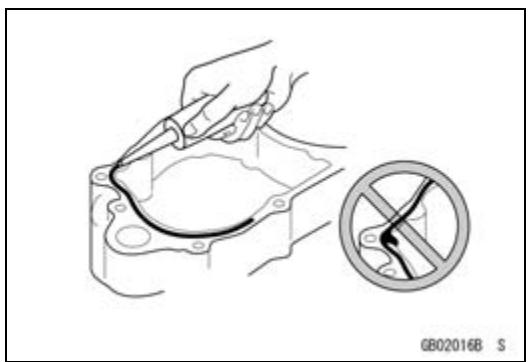
For applications that require Liquid Gasket or a Non-permanent Locking Agent, clean the surfaces so that no oil residue remains before applying liquid gasket or non-permanent locking agent. Do not apply them excessively. Excessive application can clog oil passages and cause serious damage.


natural_image
Line drawing of a hand using a tool to measure a cylindrical object on a mechanical base (no text or symbols)

natural_image
Line drawing of a mechanical assembly with a hand operating a tool (no text or symbols)

natural_image
Line drawing showing two hands adjusting a flange with a sun icon above, no text or symbols present
natural_image
Illustration of a hand using a tool to tie a cable inside a mechanical component, with a no-smoking symbol nearby (no text or labels)
Before Servicing
Press
For items such as bearings or oil seals that must be pressed into place, apply small amount of oil to the contact area. Be sure to maintain proper alignment and use smooth movements when installing.
Ball Bearing and Needle Bearing
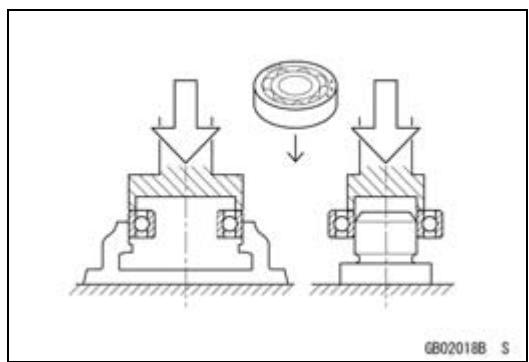
Do not remove pressed ball or needle unless removal is absolutely necessary. Replace with new ones whenever removed. Press bearings with the manufacturer and size marks facing out. Press the bearing into place by putting pressure on the correct bearing race as shown.
Pressing the incorrect race can cause pressure between the inner and outer race and result in bearing damage.
Oil Seal, Grease Seal
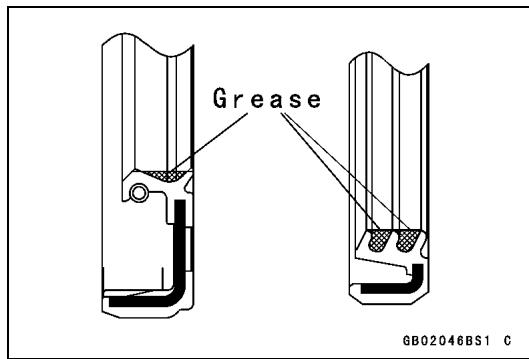
Do not remove pressed oil or grease seals unless removal is necessary. Replace with new ones whenever removed. Press new oil seals with manufacture and size marks facing out. Make sure the seal is aligned properly when installing.
Apply specified grease to the lip of seal before installing the seal.
Circlips, Cotter Pins
Replace the circlips or cotter pins that were removed with new ones. Take care not to open the clip excessively when installing to prevent deformation.

natural_image
Technical line drawing of a mechanical assembly with hands and a small component (no text or symbols)


natural_image
Line drawing of hands using a tool to draw or install a cylindrical component (no text or symbols present)
Before Servicing
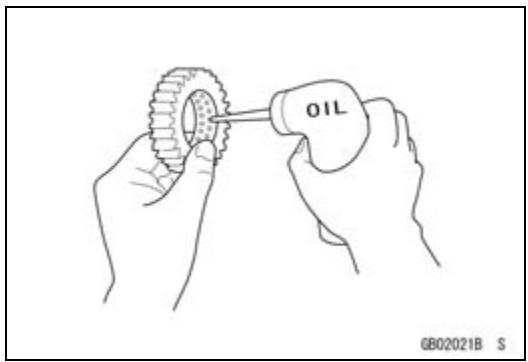
Lubrication
It is important to lubricate rotating or sliding parts during assembly to minimize wear during initial operation. Lubrication points are called out throughout this manual, apply the specific oil or grease as specified.
Direction of Engine Rotation
When rotating the crankshaft by hand, the free play amount of rotating direction will affect the adjustment. Rotate the crankshaft to positive direction (clockwise viewed from output side).
Electrical Wires
A two-color wire is identified first by the primary color and then the stripe color. Unless instructed otherwise, electrical wires must be connected to those of the same color.
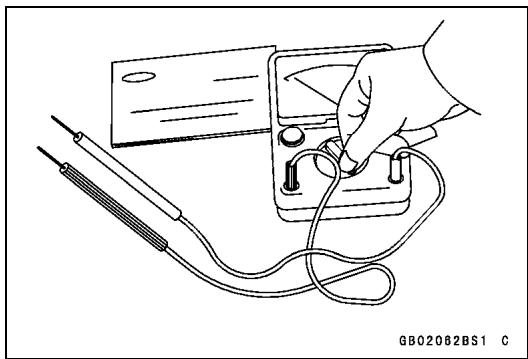
Instrument
Use a meter that has enough accuracy for an accurate measurement. Read the manufacture's instructions thoroughly before using the meter. Incorrect values may lead to improper adjustments.
natural_image
Line drawing of hands using a tool to adjust a gear component (no text or symbols)

natural_image
Technical line drawing of a mechanical component with no visible text or symbols

natural_image
Line drawing of a hand using a multimeter to test electrical components (no text or symbols visible)
Model Identification
ZX1400A6F (Europe) Left Side View
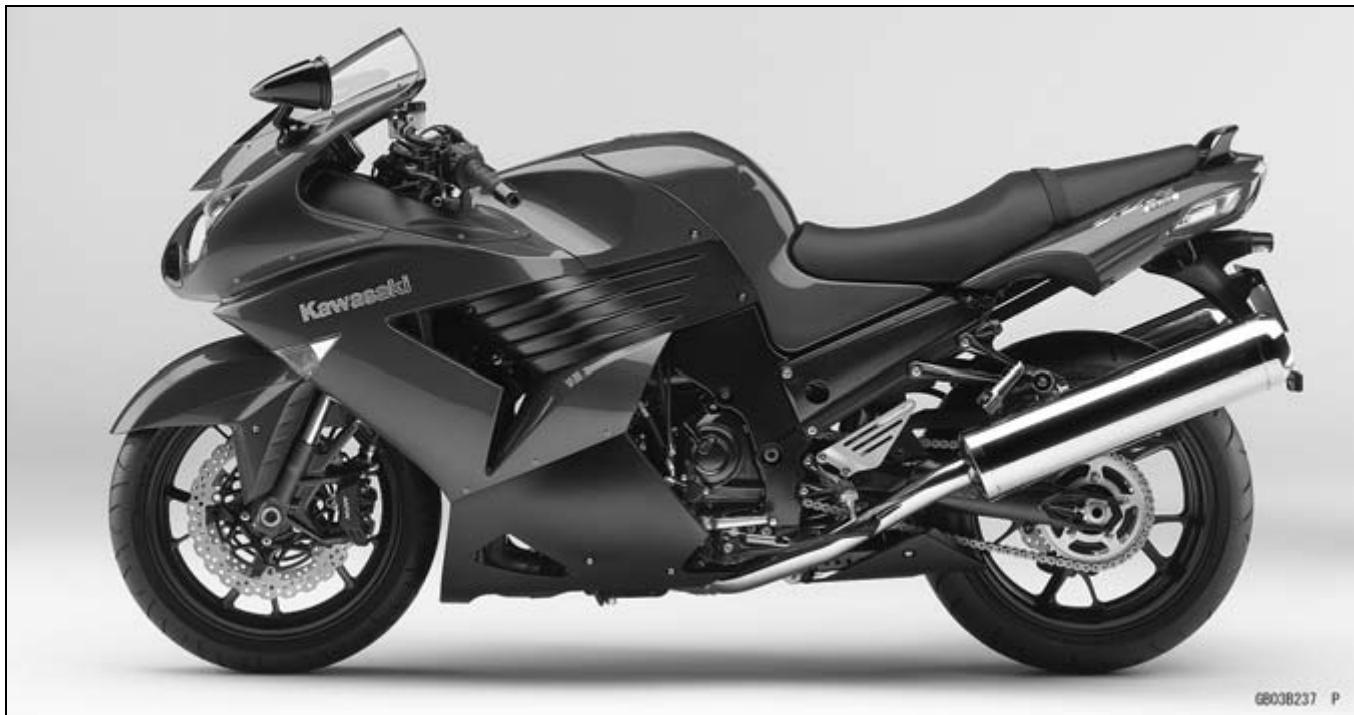
natural_image
Side profile of a black Kawasaki motorcycle with visible branding and mechanical components (no text or symbols on the motorcycle body)
ZX1400A6F (Europe) Right Side View

natural_image
Side profile of a black Kawasaki motorcycle with visible engine and wheelbars (no text or symbols on body)
Frame Number
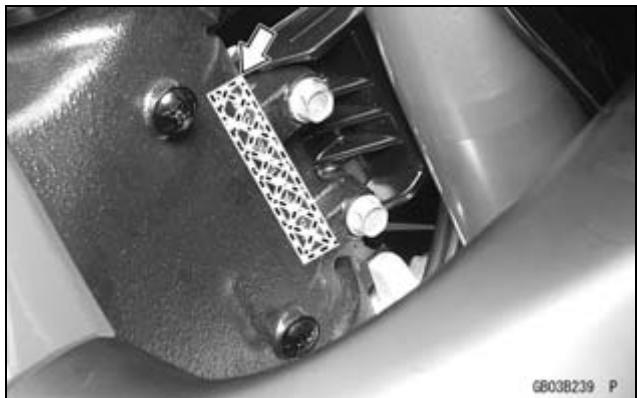
natural_image
Close-up of a mechanical component with a grid-patterned bracket and mounting holes (no visible text or symbols)
Engine Number
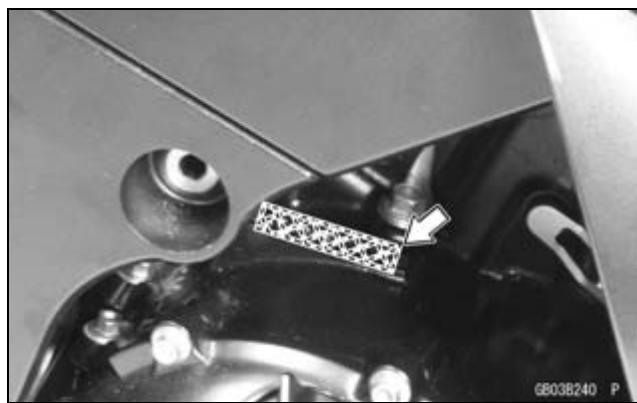
natural_image
Close-up of a mechanical component with a textured surface and a small inset showing a circular feature (no visible text or symbols)
Model Identification
ZX1400A6F (United States and Canada) Left Side View
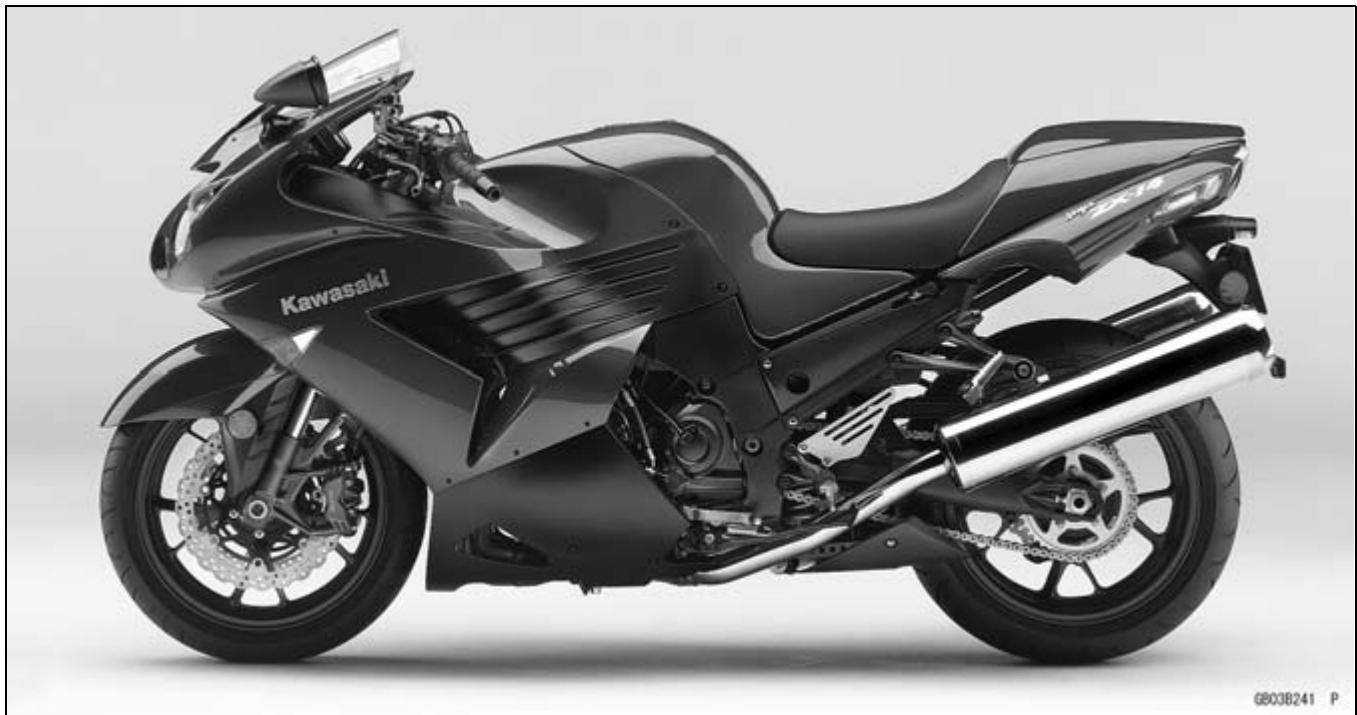
natural_image
Side profile of a black Kawasaki motorcycle with visible branding and mechanical components (no text or symbols on the bike body)
ZX1400A6F (United States and Canada) Right Side View

natural_image
Side profile of a black Kawasaki motorcycle with visible engine and wheelbars (no text or symbols on the bike body)
Model Identification
ZX1400A6F (Malaysia) Left Side View

natural_image
Side profile of a black Kawasaki motorcycle with visible engine and wheel (no text or symbols on body)
ZX1400A6F (Malaysia) Right Side View

natural_image
Side profile of a black Kawasaki motorcycle with visible exhaust pipes and front wheel (no text or symbols on body)
Model Identification
ZX1400B6F (Europe) Left Side View
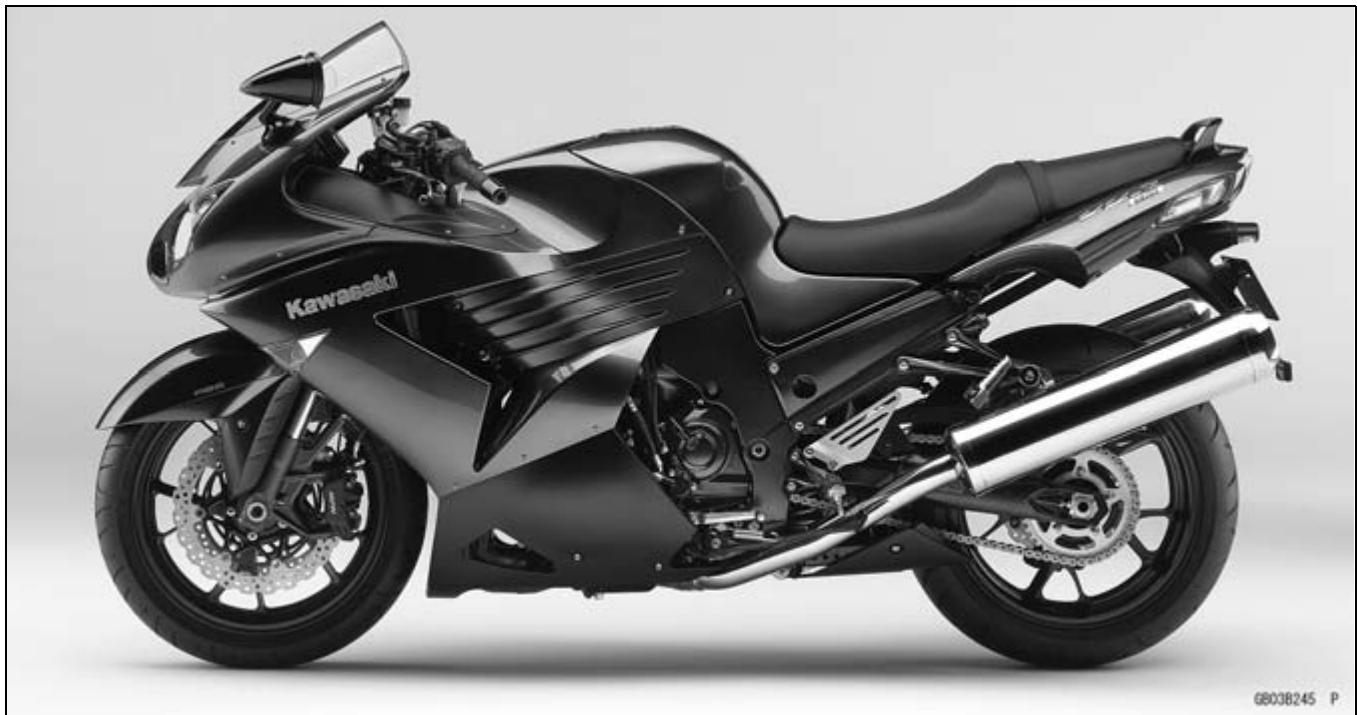
natural_image
Side profile of a black Kawasaki motorcycle with visible branding and mechanical components (no text or symbols on the bike body)
ZX1400B6F (Europe) Right Side View
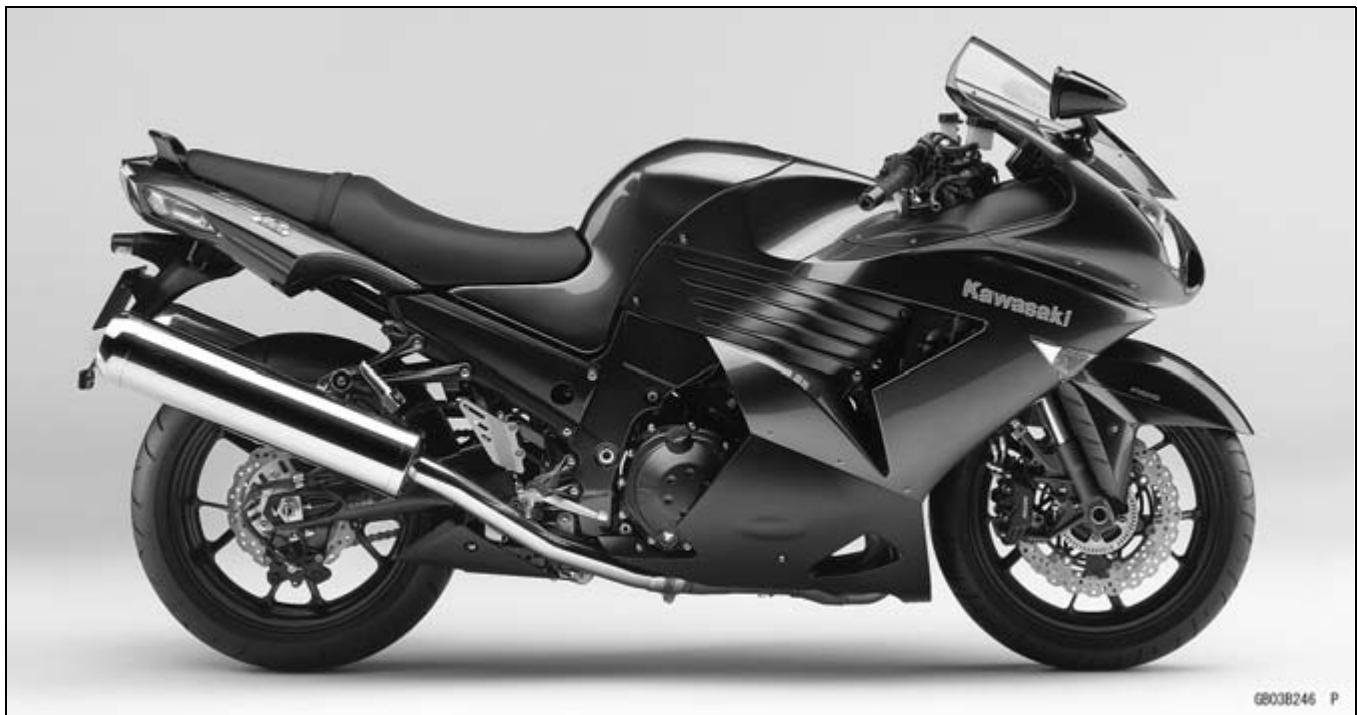
natural_image
Side profile of a black Kawasaki motorcycle with visible exhaust pipes and front wheel (no text or symbols on body)
Model Identification
ZX1400B6F (Malaysia) Left Side View

natural_image
Side profile of a black Kawasaki motorcycle with visible branding and mechanical components (no text or symbols on the motorcycle body)
ZX1400B6F (Malaysia) Right Side View
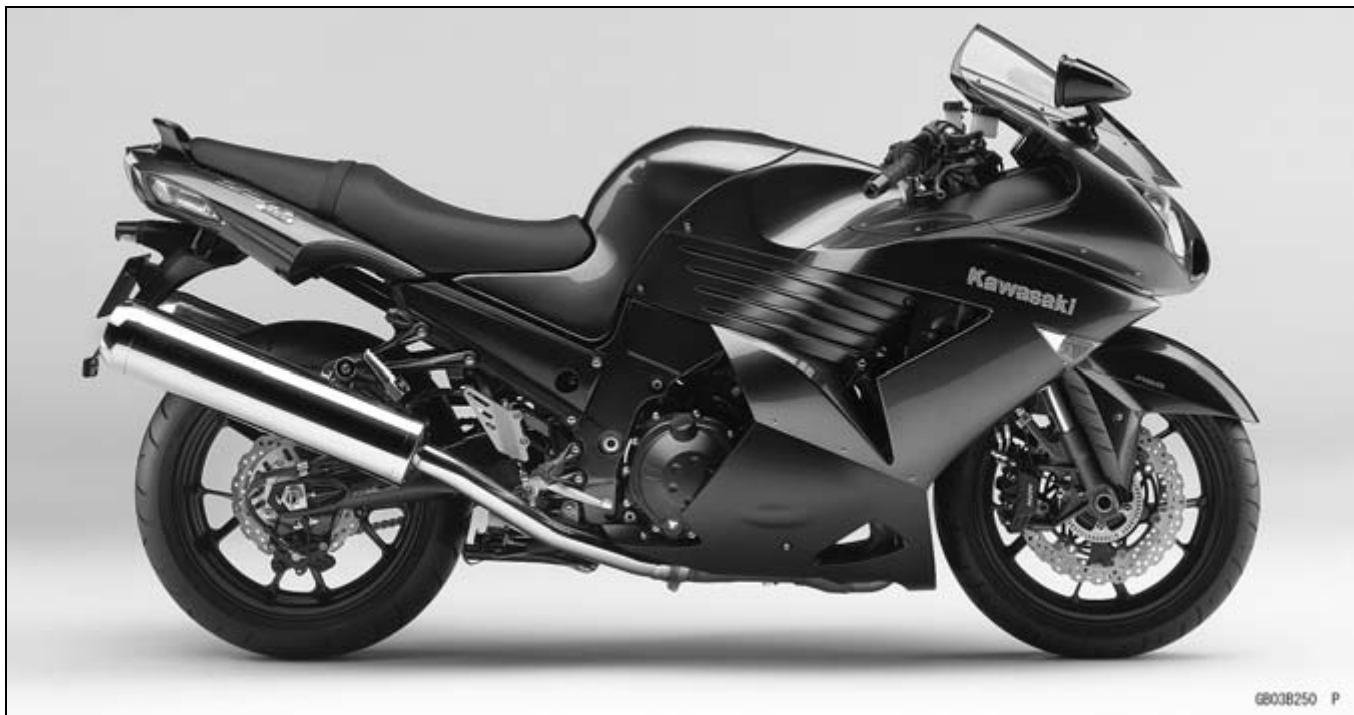
natural_image
Side profile of a black Kawasaki motorcycle with visible engine and front wheel (no text or symbols on the bike body)
General Specifications
| Items | ZX1400A6F, ZX1400B6F |
| Dimensions | |
| Overall Length | 2 170 mm (85.4 in.) |
| Overall Width | 760 mm (29.9 in.) |
| Overall Height | 1 170 mm (46.1 in.) |
| Wheelbase | 1 460 mm (57.4 in.) |
| Road Clearance | 125 mm (4.9 in.) |
| Seat Height | 800 mm (31.5 in.) |
| Dry Mass: | |
| ZX1400A6F | 215 kg (474 lb) |
| ZX1400B6F | 218 kg (481 lb) |
| Curb Mass: | |
| Front | |
| ZX1400A6F | 125 kg (276 lb) |
| ZX1400B6F | 126 kg (278 lb) |
| Rear | |
| ZX1400A6F | 127 kg (280 lb) |
| ZX1400B6F | 129 kg (284 lb) |
| Fuel Tank Capacity | 22 L (5.8 US gal) |
| Performance | |
| Minimum Turning Radius | 3.1 m (10.2 ft) |
| Engine | |
| Type | 4-stroke, DOHC, 4-cylinder |
| Cooling System | Liquid-cooled |
| Bore and Stroke | 84.0 × 61.0 mm (3.3 × 2.4 in.) |
| Displacement | 1 352 cm3 (82.5 cu in.) |
| Compression Ratio | 12.0 : 1 |
| Maximum Horsepower | 140.0 kW (190 PS) @9 500 r/min (rpm), (FR) 78.2 kW (106 PS) @8 500 r/min (rpm), (MY) 132.6 kW (180 PS) @9 000 r/min (rpm), (CA, CAL, US) - - - |
| Maximum Torque | 154 N·m (15.7 kgf·m, 114 ft·lb) @7 500 r/min (rpm), (FR) 114 N·m (11.6 kgf·m, 84 ft·lb) @4 500 r/min (rpm), (MY) 147.4 N·m (15.0 kgf·m, 109 ft·lb) @7 500 r/min (rpm), (CA), (CAL), (US) - - - |
| Carburetion System | FI (Fuel injection), MIKUNI 44EIDW × 4 |
| Starting System | Electric starter |
| Ignition System | Battery and coil (transistorized) |
| Timing Advance | Electronically advanced (digital igniter in ECU) |
| Ignition Timing | From 10° BTDC @1 100 r/min (rpm) |
| Spark Plug | NGK CR9EIA-9 |
| Cylinder Numbering Method | Left to right, 1-2-3-4 |
| Firing Order | 1-2-4-3 |
General Specifications
| Items | ZX1400A6F, ZX1400B6F |
| Valve Timing: | |
| Inlet: | |
| Open | 41° (BTDC) |
| Close | 71° (ABDC) |
| Duration | 292° |
| Exhaust: | |
| Open | 64° (BBDC) |
| Close | 34° (ATDC) |
| Duration | 278° |
| Lubrication System | Forced lubrication (wet sump with cooler) |
| Engine Oil: | |
| Type | API SE, SF or SG |
| API SH, SJ or SL with JASO MA |
| Viscosity | SAE10W-40 |
| Capacity | 4.5 L (4.8 US qt) |
| Drive Train | |
| Primary Reduction System: | |
| Type | Gear |
| Reduction Ratio | 1.541 (94/61) |
| Clutch Type | Wet multi disc |
| Transmission: | |
| Type | 6-speed, constant mesh, return shift |
| Gear Ratios: | |
| 1st | 2.625 (42/16) |
| 2nd | 1.947 (37/19) |
| 3rd | 1.545 (34/22) |
| 4th | 1.333 (32/24) |
| 5th | 1.154 (30/26) |
| 6th | 1.036 (29/28) |
| Final Drive System: | |
| Type | Chain drive |
| Reduction Ratio | 2.412 (41/17) |
| Overall Drive Ratio | 3.849 @Top gear |
| Frame | |
| Type | Press, backbone |
| Caster (Rake Angle) | 23° |
| Trail | 94 mm (3.7 in.) |
| Front Tire: | |
| Type | Tubeless |
| Size | 120/70 ZR17 M/C (58 W) |
| Rear Tire: | |
| Type | Tubeless |
| Size | 190/50 ZR17 M/C (73 W) |
General Specifications
| Items | ZX1400A6F, ZX1400B6F |
| Rim Size: | |
| Front | 17 × 3.50 |
| Rear | 17 × 6.00 |
| Front Suspension: | |
| Type | Telescopic fork (upside-down) |
| Wheel Travel | 117 mm (4.6 in.) |
| Rear Suspension: | |
| Type | Swingarm (uni-trak) |
| Wheel Travel | 122 mm (4.8 in.) |
| Brake Type: | |
| Front | Dual discs |
| Rear | Single disc |
| Electrical Equipment | |
| Battery | 12 V 14 Ah |
| Headlight: | |
| Type | Semi-sealed beam |
| Bulb: | |
| High | 12 V 55 W + 65 W (quartz-halogen) × 2 |
| Low | 12 V 55 W (quartz-halogen) × 2 |
| Tail/Brake Light | 12 V 0.5/4.9 W (LED) |
| Alternator: | |
| Type | Three-phase AC |
| Rated Output | 35 A/14 V @5 000 r/min (rpm) |
Specifications subject to change without notice, and may not apply to every country.
Overview
The CAN communication system is used for transmitting and receiving data that is sent to the meter unit and ECU. A LCD (liquid crystal display) display in the meter unit displays information such as battery voltage, fuel consumption, and service codes in addition to the conventional indicator functions.
1. Meter Display

①


④
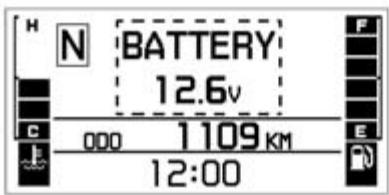
⑤

⑥

GB06195B S
- Fuel Mileage Range
- Fuel Consumption (Current)
- Fuel Consumption (Average)
-
Battery Voltage
-
Gear Position
- Service Code
- Immobilizer Registration
-
Clutch Engagement Timing
-
CAN is a multi-cast serial bus standard (ISO protocol). Data is transmitted by changing the voltage signal of the two bus leads which are composed of high and low voltage wires twisted together. Since the high-speed ISO standard is used (transmission speeds of up to 500 kbps * ), large quantities of data can be transmitted and received in a short period of time.
*bps: bit/sec → the number of signals (0 or 1) transmittable/receivable per second
Structure and Function
- In the CAN communication system, anti-noise twisted pair leads are used (two leads).

flowchart
graph LR
    A["Sensor"] --> B["Engine ECU"]
    C["Sensor"] --> B
    D["Sensor"] --> B
    E["Sensor"] --> B
    B --> F["Communication Lead (High)"]
    B --> G["Communication Lead (Low)"]
    H["Multi-function Meter"] --> F
Twisted Pair Leads [A] (In the main harness)

natural_image
Close-up of bundled cables with labeled point A (no text or symbols on cables)
- Data is transmitted from the two nodes-the ECU and meter unit-on the CAN bus and does not contain specific bus addresses of either node.
Instead, the content of a data stream, such as engine rpm, is labeled with an identifier that is unique throughout the network. All nodes on the network receive the data and each performs an acceptance test on the identifier to determine if the message (and its data) is relevant to that particular node.
If a message is relevant to a particular node (meter unit), it will be processed and displayed otherwise it is ignored. The unique data identifier also determines the priority of the message. In situations where the two nodes attempt to transmit at the same time, a non-destructive arbitration technique guarantees that the messages are sent in order of importance.
- The CAN data that is transmitted from the ECU to the meter unit are engine rpm, water temperature, gear position, starter lockout switch, self-diagnosis information and *fuel injected volume. And the data transmitted from the meter to the ECU is vehicle speed.
*Fuel injected volume is converted into the fuel consumption by the meter unit.
System failure and maintenance
1. Detection of a system failure
When the DFI or immobilizer system fails, the information will be shown on the LCD under the "ignition switch ON" condition.
2. System maintenance
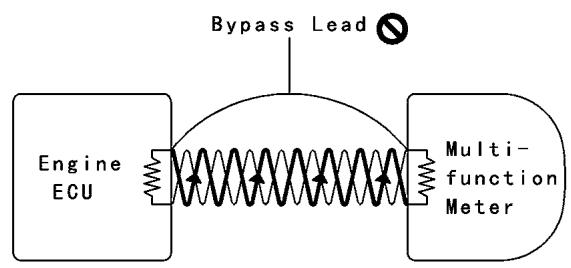
- Do not add a by-pass lead to the twisted pair lead. This can damage components.
①
GB06193BW1 C
- Do not modify the twisted pair lead or loosen/tighten the number of twists. Such modifications of the leads can cause the deterioration of the anti-noise characteristics resulting in communication errors.
Unit Conversion Table
Prefixes for Units
| Prefix | Symbol | Power |
| mega | M | × 1 000 000 |
| kilo | k | × 1 000 |
| centi | c | × 0.01 |
| milli | m | × 0.001 |
| micro | µ | × 0.000001 |
Units of Mass
Units of Volume
| L | × | 0.2642 | = | gal (US) |
| L | × | 0.2200 | = | gal (imp) |
| L | × | 1.057 | = | qt (US) |
| L | × | 0.8799 | = | qt (imp) |
| L | × | 2.113 | = | pint (US) |
| L | × | 1.816 | = | pint (imp) |
| mL | × | 0.03381 | = | oz (US) |
| mL | × | 0.02816 | = | oz (imp) |
| mL | × | 0.06102 | = | cu in |
Units of Force
| N | × | 0.1020 | = | kg |
| N | × | 0.2248 | = | lb |
| kg | × | 9.807 | = | N |
| kg | × | 2.205 | = | lb |
Units of Length
| km | × | 0.6214 | = | mile |
| m | × | 3.281 | = | ft |
| mm | × | 0.03937 | = | in |
Units of Torque
| N·m | × | 0.1020 | = | kgf·m |
| N·m | × | 0.7376 | = | ft·lb |
| N·m | × | 8.851 | = | in·lb |
| kgf·m | × | 9.807 | = | N·m |
| kgf·m | × | 7.233 | = | ft·lb |
| kgf·m | × | 86.80 | = | in·lb |
Units of Pressure
| kPa | × | 0.01020 | = | kgf/cm 2 |
| kPa | × | 0.1450 | = | psi |
| kPa | × | 0.7501 | = | cmHg |
| kgf/cm 2 | × | 98.07 | = | kPa |
| kgf/cm 2 | × | 14.22 | = | psi |
| cmHg | × | 1.333 | = | kPa |
Units of Speed
Units of Power
| kW | × | 1.360 | = | PS |
| kW | × | 1.341 | = | HP |
| PS | × | 0.7355 | = | kW |
| PS | × | 0.9863 | = | HP |
Units of Temperature

line
| Point | Value (°C) |
|---|---|
| 1 | -40 |
| 2 | -20 |
| 3 | -4 |
| 4 | 0 |
| 5 | 20 |
| 6 | 32 |
| 7 | 40 |
| 8 | 60 |
| 9 | 68 |
| 10 | 80 |
| 11 | 100 |
| 12 | 104 |
| 13 | 120 |
| 14 | 140 |
| 15 | 160 |
| 16 | 176 |
| 17 | 180 |
| 18 | 200 |
| 19 | 212 |
| 20 | 220 |
| 21 | 248 |
| 22 | 240 |
| 23 | 260 |
| 24 | 284 |
| 25 | 300 |
| 26 | 320 |
| 27 | -40 |
| 28 | -20 |
| 29 | -4 |
| 30 | -17.8 |
| 31 | 0 |
| 32 | 4.4 |
| 33 | 32 |
| 34 | 40 |
| 35 | 60 |
| 36 | 80 |
| 37 | 100 |
| 38 | 120 |
| 39 | 48.9 |
| 40 | 60 |
| 41 | 71.1 |
| 42 | 80 |
| 43 | 93.3 |
| 44 | 100 |
| 45 | 116 |
| 46 | 120 |
| 47 | 138 |
| 48 | 140 |
| 49 | 160 |
The chart displays a series of temperature deviations in degrees Celsius relative to a baseline (°C). The x-axis is labeled 'F' (likely representing temperature deviation) and the y-axis is labeled '°C' (likely representing temperature deviation). The data points are annotated with their respective values and associated numerical identifiers.
Periodic Maintenance
Table of Contents
Periodic Maintenance Chart 2-3
Torque and Locking Agent.... 2-6
Specifications 2-12
Special Tools 2-14
Maintenance Procedure 2-15
Fuel System (DFI).... 2-15
Throttle Control System Inspection 2-15
Engine Vacuum Synchronization Inspection 2-15
Idle Speed Inspection 2-19
Idle Speed Adjustment.... 2-19
Fuel Hose Inspection (fuel leak, damage, installation condition) 2-19
Cooling System.... 2-20
Coolant Level Inspection.... 2-20
Radiator Hose and Pipe Inspection 2-20
Evaporative Emission Control System (California Model) 2-21
Evaporative Emission Control System Inspection 2-21
Air Suction System 2-21
Air Suction System Damage Inspection.... 2-21
Engine Top End 2-22
Valve Clearance Inspection 2-22
Clutch and Drive Train 2-27
Clutch Operation Inspection 2-27
Clutch Fluid Level Inspection 2-27
Clutch Fluid Leak Inspection 2-28
Clutch Hose and Pipe Damage and Installation Condition Inspection.... 2-28
Wheels/Tires 2-29
Air Pressure Inspection 2-29
Wheel/Tire Damage Inspection 2-29
Tire Tread Wear Inspection 2-29
Wheel Bearing Damage Inspection 2-30
Drive Train 2-30
Drive Chain Lubrication Condition Inspection 2-30
Drive Chain Slack Inspection 2-31
Drive Chain Slack Adjustment 2-31
Wheel Alignment Inspection 2-32
Drive Chain Wear Inspection 2-32
Chain Guide Wear Inspection 2-33
Brake System 2-34
Brake Fluid Leak (Brake Hose and Pipe) Inspection 2-34
Brake Hose and Pipe Damage and Installation Condition Inspection.... 2-35
Brake Operation Inspection 2-35
Brake Fluid Level Inspection 2-35
Brake Pad Wear Inspection 2-36
Brake Light Switch Operation Inspection 2-37
Suspensions 2-37
Front Forks/Rear Shock Absorber Operation Inspection 2-37
Front Fork Oil Leak Inspection 2-38
Rear Shock Absorber Oil Leak Inspection 2-38
Rocker Arm Operation Inspection 2-38
Tie-Rod Operation Inspection 2-38
Steering System 2-39
Steering Play Inspection 2-39
Steering Play Adjustment.... 2-39
Steering Stem Bearing Lubrication 2-40
Electrical System 2-41
Lights and Switches Operation Inspection 2-41
Headlight Aiming Inspection 2-44
Sidestand Switch Operation Inspection 2-45
Engine Stop Switch Operation Inspection.... 2-46
Others 2-46
Chassis Parts Lubrication 2-46
Bolts, Nuts and Fasteners Tightness Inspection.... 2-47
Replacement Parts 2-48
Air Cleaner Element Replacement.... 2-48
Fuel Hose Replacement 2-49
Coolant Change 2-51
Radiator Hose and O-ring Replacement 2-53
Engine Oil Change 2-53
Oil Filter Replacement 2-54
Brake Hose and Pipe Replacement.... 2-55
Brake Fluid Change 2-57
Master Cylinder Rubber Parts Replacement 2-58
Caliper Rubber Parts Replacement 2-59
Rear Caliper Assembly 2-62
Clutch Hose and Pipe Replacement 2-63
Rubber Parts of Clutch Master Cylinder/Slave Cylinder Replacement 2-64
Clutch Fluid Change 2-66
Spark Plug Replacement 2-66
Periodic Maintenance Chart
The scheduled maintenance must be done in accordance with this chart to keep the motorcycle in good running condition. The initial maintenance is vitally important and must not be neglected.
| FREQUENCY | Whichever * ODOMETER comes first Reading × 1000 km (× 1000 mile) | See Page |
| INSPECTION | ↓ Every | 1(0.6) | 6(4) | 12(7.5) | 18(12) | 24(15) | 30(20) | 36(24) |
| Fuel System | |
| Throttle control system (play, smooth return, no drag) - inspect | year | ● | | ● | | ● | | ● | 2-15 |
| Engine vacuum synchronization-inspect | | | | ● | | ● | | ● | 2-15 |
| Idle speed-inspect | | ● | | ● | | ● | | ● | 2-19 |
| Fuel leak (fuel hose and pipe) - inspect | year | ● | | ● | | ● | | ● | 2-19 |
| Fuel hose and pipe damage-inspect | year | ● | | ● | | ● | | ● | 2-19 |
| Fuel hose and pipe installation condition-inspect | year | ● | | ● | | ● | | ● | 2-19 |
| Cooling System | |
| Coolant level - inspect | | ● | | ● | | ● | | ● | 2-20 |
| Coolant leak (radiator hose and pipe) - inspect | year | ● | | ● | | ● | | ● | 2-20 |
| Radiator hose damage - inspect | year | ● | | ● | | ● | | ● | 2-20 |
| Radiator hose installation condition - inspect | year | ● | | ● | | ● | | ● | 2-20 |
| Evaporative Emission Control System (CAL) | |
| Evaporative emission control system function - inspect | | ● | ● | ● | ● | ● | ● | ● | 2-21 |
| Air Suction System | |
| Air suction system damage - inspect | | | | ● | | ● | | ● | 2-21 |
| Engine Top End | |
| Valve clearance - inspect | US, CA, AU Model | | | | | | ● | | | 2-22 |
| Other than US, CA, AU Model | | Every 42 000 km (26 000 mile) |
| Clutch and Drive Train | |
| Clutch operation (play, disengagement, engagement) - inspect | | ● | | ● | | ● | | ● | 2-27 |
| Clutch fluid level - inspect | 6 months | ● | ● | ● | ● | ● | ● | ● | 2-27 |
| Clutch fluid leak (clutch hose and pipe) - inspect | year | ● | ● | ● | ● | ● | ● | ● | 2-28 |
| Clutch hose and pipe damage - inspect | year | ● | ● | ● | ● | ● | ● | ● | 2-28 |
| Clutch hose installation condition - inspect | year | ● | ● | ● | ● | ● | ● | ● | 2-28 |
| Wheels and Tires | |
| Tire air pressure - inspect | year | | | ● | | ● | | ● | 2-29 |
| Wheels/tires damage - inspect | | | | ● | | ● | | ● | 2-29 |
| Tire tread wear abnormal wear - inspect | | | | ● | | ● | | ● | 2-29 |
| Wheel bearing damage - inspect | year | | | ● | | ● | | ● | 2-30 |
Periodic Maintenance Chart
| FREQUENCYINSPECTION | Whichever comesfirst ↓ Every | * ODOMETER READING × 1000 km(× 1000 mile) | See Page |
| 1(0.6) | 6(4) | 12(7.5) | 18(12) | 24(15) | 30(20) | 36(24) |
| Final Drive | |
| Drive chain lubrication condition - inspect # | Every 600 km (400 mile) after driving in rain | 2-30 |
| Drive chain slack - inspect # | Every 1 000 km (600 mile) | 2-31 |
| Drive chain wear - inspect # | | | | ● | | ● | | ● | 2-32 |
| Drive chain guide wear - inspect | | | | ● | | ● | | ● | 2-33 |
| Brake System | |
| Brake fluid leak (brake hose and pipe) - inspect | year | ● | ● | ● | ● | ● | ● | ● | 2-34 |
| Brake hose and pipe damage - inspect | year | ● | ● | ● | ● | ● | ● | ● | 2-35 |
| Brake hose installation condition - inspect | year | ● | ● | ● | ● | ● | ● | ● | 2-35 |
| Brake operation (effectiveness, play, no drag) - inspect | year | ● | ● | ● | ● | ● | ● | ● | 2-35 |
| Brake fluid level - inspect | 6 months | ● | ● | ● | ● | ● | ● | ● | 2-35 |
| Brake pad wear - inspect # | | | ● | ● | ● | ● | ● | ● | 2-36 |
| Brake light switch operation - inspect | | ● | ● | ● | ● | ● | ● | ● | 2-37 |
| Suspensions | |
| Front forks/rear shock absorber operation (damping and smooth stroke) - inspect | | | | ● | | ● | | ● | 2-37 |
| Front forks/rear shock absorber oil leak - inspect | year | | | ● | | ● | | ● | 2-38 |
| Rocker arm operation - inspect | | | | ● | | ● | | ● | 2-38 |
| Tie-rods operation - inspect | | | | ● | | ● | | ● | 2-38 |
| Steering System | |
| Steering play - inspect | year | ● | | ● | | ● | | ● | 2-39 |
| Steering stem bearings-lubricate | 2 years | | | | | ● | | | 2-39 |
| Electrical System | |
| Lights and switches operation - inspect | year | | | ● | | ● | | ● | 2-41 |
| Headlight aiming - inspect | year | | | ● | | ● | | ● | 2-44 |
| Sidestand switch operation - inspect | year | | | ● | | ● | | ● | 2-45 |
| Engine stop switch operation - inspect | year | | | ● | | ● | | ● | 2-46 |
| Others | |
| Chassis parts-lubricate | year | | | ● | | ● | | ● | 2-46 |
| Bolts, nuts and fasteners tightness - inspect | | ● | | ● | | ● | | ● | 2-47 |
: Service more frequently when operating in severe conditions; dusty, wet, muddy, high speed or frequent starting/stopping.
*: For higher odometer readings, repeat at the frequency interval established here.
Periodic Maintenance Chart
Periodic Replacement Parts
| FREQUENCYCHANGE/REPLACEMENT | Whichever * ODOMETER READINGcome first → × 1000 kmfirst (× 1000 mile) | SeePage |
| ↓Every | 1(0.6) | 12(7.5) | 18(12) | 24(15) | 36(24) | 48(30) |
| Air cleaner element # | Every 18 000 km (12 000 mile) | 2-48 |
| Fuel hose | 4 years | | | | | | ● | 2-49 |
| Coolant | 3 years | | | | | ● | | 2-51 |
| Radiator hoses and O-rings | 3 years | | | | | ● | | 2-53 |
| Engine oil # | year | ● | ● | | ● | ● | ● | 2-53 |
| Oil filter | year | ● | ● | | ● | ● | ● | 2-54 |
| Brake hose and pipe | 4 years | | | | | | ● | 2-55 |
| Brake fluid | 2 years | | | | ● | | ● | 2-57 |
| Rubber parts of brake master cylinder/caliper | 4 years | | | | | | ● | 2-58 |
| Clutch hose and pipe | 4 years | | | | | | ● | 2-63 |
| Rubber parts of clutch master cylinder/slave cylinder | 4 years | | | | | | ● | 2-64 |
| Clutch fluid | 2 years | | | | ● | | ● | 2-66 |
| Spark plugs | | | ● | | ● | ● | ● | 2-66 |
: Service more frequently when operating in severe conditions; dusty, wet, muddy, high speed or frequent starting/stopping.
*: For higher odometer readings, repeat at the frequency interval established here.
Torque and Locking Agent
The following tables list the tightening torque for the major fasteners requiring use of a non-permanent locking agent or silicone sealant etc.
Letters used in the "Remarks" column mean:
AL: Tighten the two clamp bolts alternately two times to ensure even tightening torque.
G: Apply grease to the threads.
L: Apply a non-permanent locking agent to the threads.
M: Apply molybdenum disulfied grease.
MO: Apply molybdenum disulfide grease oil
(mixture of engine oil and molybdenum disulfide grease in a weight ration is 10 : 1).
R: Replacement Parts
S: Tighten the fasteners following the specified sequence.
Si: Apply silicone grease (ex. PBC grease).
SS: Apply silicone sealant.
| Fastener | Torque | Remarks |
| N·m | kgf·m | ft·lb |
| Fuel System | | | | |
| Air Cleaner Element Cover Bolts | 6.9 | 0.70 | 61 in·lb | |
| Air Cleaner Element Holder Screws | 6.9 | 0.70 | 61 in·lb | |
| Bypass Screws | 0.2 | 0.02 | 1.8 in·lb | |
| Camshaft Position Sensor Bolt | 9.8 | 1.0 | 87 in·lb | |
| Crankshaft Sensor Bolts | 5.9 | 0.60 | 52 in·lb | L |
| Delivery Pipe Mounting Screws | 5.0 | 0.51 | 44 in·lb | |
| Duct Clamp Bolts | 2.0 | 0.20 | 18 in·lb | |
| Front Air Inlet Duct Mounting Bolts | 9.8 | 1.0 | 87 in·lb | |
| Fuel Pump Bolts | 9.8 | 1.0 | 87 in·lb | L, S |
| Gear Position Switch Lead Clamp Bolts | 9.8 | 1.0 | 87 in·lb | |
| Gear Position Switch Screws | 2.9 | 0.30 | 26 in·lb | L |
| Inlet Air Pressure Sensor Bracket Screws | 3.5 | 0.36 | 31 in·lb | |
| Middle Air Inlet Duct Clamp Bolts | 2.9 | 0.30 | 26 in·lb | |
| Middle Air Inlet Duct Mounting Bolts | 9.8 | 1.0 | 87 in·lb | |
| Rear Air Inlet Duct Mounting Bolts | 9.8 | 1.0 | 87 in·lb | |
| Speed Sensor Bolt | 3.9 | 0.40 | 35 in·lb | L |
| Throttle Body Assy Holder Bolts | 9.8 | 1.0 | 87 in·lb | S |
| Throttle Body Assy Holder Clamp Bolts | 2.0 | 0.20 | 18 in·lb | |
| Vehicle-down Sensor Bolts | 5.9 | 0.60 | 52 in·lb | |
| Water Temperature Sensor | 25 | 2.5 | 18 | |
| Cooling System | | | | |
| Coolant Drain Plug | 12 | 1.2 | 106 in·lb | |
| Coolant Fitting Bolts | 8.8 | 0.90 | 78 in·lb | L |
| Oil Cooler Mounting Bolts | 12 | 1.2 | 106 in·lb | S |
| Radiator Hose Clamp Screws | 2.0 | 0.20 | 18 in·lb | |
| Thermostat Housing Cover Bolts | 5.9 | 0.60 | 52 in·lb | |
| Thermostat Housing Mounting Bolts | 9.8 | 1.0 | 87 in·lb | |
| Water Pump Cover Bolts | 9.8 | 1.0 | 87 in·lb | |
| Water Temperature Sensor | 25 | 2.5 | 18 | |
Torque and Locking Agent
| Fastener | Torque | Remarks |
| N·m | kgf·m | ft·lb |
| Engine Top End | | | | |
| Air Suction Valve Cover Bolts | 9.8 | 1.0 | 87 in·lb | L |
| Camshaft Cap Bolts | 12 | 1.2 | 106 in·lb | S |
| Camshaft Chain Guide Bolts | 12 | 1.2 | 106 in·lb | S |
| Camshaft Chain Tensioner Mounting Bolts | 9.8 | 1.0 | 87 in·lb | |
| Camshaft Position Sensor Bolt | 9.8 | 1.0 | 87 in·lb | |
| Cam Sprocket Mounting Bolts | 15 | 1.5 | 11 | L |
| Crankshaft Sensor Cover Bolts | 9.8 | 1.0 | 87 in·lb | L (1) |
| Cylinder Head Bolts (M6) | 12 | 1.2 | 106 in·lb | S |
| Cylinder Head Cover Bolts | 9.8 | 1.0 | 87 in·lb | S |
| Cylinder Head Bolts (M11, First) | 39 | 4.0 | 29 | MO, S |
| Cylinder Head Bolts (M11, Final) | 71 | 7.2 | 52 | MO, S |
| Engine Bracket Bolts (M8) | 25 | 2.5 | 18 | R, S |
| Front Camshaft Chain Guide Bolt (Upper) | 25 | 2.5 | 18 | |
| Front Camshaft Chain Guide Bolt (Lower) | 12 | 1.2 | 106 in·lb | |
| Front Engine Mounting Bolts (M10) | 59 | 6.0 | 44 | R, S |
| Muffler Body Mounting Bolts | 34 | 3.5 | 25 | |
| Spark Plugs | 13 | 1.3 | 115 in·lb | |
| Throttle Body Holder Bolts | 9.8 | 1.0 | 87 in·lb | S |
| Throttle Body Assy Holder Clamp Bolts | 2.0 | 0.20 | 18 in·lb | |
| Water Passage Plugs | 20 | 2.0 | 15 | L |
| Clutch | | | | |
| Clutch Cover Bolts | 9.8 | 1.0 | 87 in·lb | L (1) |
| Clutch Hose Banjo Bolt | 25 | 2.5 | 18 | |
| Clutch Hub Nut | 135 | 14 | 100 | R |
| Clutch Lever Pivot Bolt | 1.0 | 0.10 | 8.9 in·lb | |
| Clutch Lever Pivot Bolt Locknut | 5.9 | 0.60 | 52 in·lb | |
| Clutch Master Cylinder Bleed Valve | 7.8 | 0.80 | 69 in·lb | |
| Clutch Master Cylinder Clamp Bolts | 8.8 | 0.90 | 78 in·lb | S |
| Clutch Slave Cylinder Bleed Valve | 7.8 | 0.80 | 69 in·lb | |
| Clutch Slave Cylinder Bolts | - | - | - | L |
| Clutch Spring Bolts | 8.8 | 0.90 | 78 in·lb | |
| Oil Filler Cap | - | - | - | Hand -tighten |
| Engine Lubrication System | | | | |
| Engine Oil Drain Bolt | 30 | 3.0 | 22 | |
| Holder Mounting Bolt | 35 | 3.6 | 26 | L |
| Oil Cooler Mounting Bolts | 12 | 1.2 | 106 in·lb | S |
| Oil Filter | 31 | 3.2 | 23 | G, R |
| Oil Pan Bolts | 9.8 | 1.0 | 87 in·lb | |
| Oil Pan Plate Bolts | 9.8 | 1.0 | 87 in·lb | L |
| Oil Passage Plug | 20 | 2.0 | 15 | L |
| Oil Pressure Relief Valve | 15 | 1.5 | 11 | L |
Torque and Locking Agent
| Fastener | Torque | Remarks |
| N·m | kgf·m | ft·lb |
| Oil Pressure Switch | 15 | 1.5 | 11 | SS |
| Oil Pressure Switch Terminal Bolt | 1.5 | 0.15 | 13 in·lb | G |
| Oil Pump Cover Bolts | 9.8 | 1.0 | 87 in·lb | |
| Engine Removal/Installation | | | | |
| Adjusting Collars | 25 | 2.5 | 18 | M |
| Engine Bracket Bolts (M8) | 25 | 2.5 | 18 | S, R |
| Engine Mounting Nuts (M12) | 59 | 6.0 | 44 | S |
| Front Engine Mounting Bolts (M10) | 59 | 6.0 | 44 | S, R |
| Subframe Bolts | 23 | 2.3 | 17 | R |
| Crankshaft/Transmission | | | | |
| Balancer Shaft Clamp Bolts | 9.8 | 1.0 | 87 in·lb | |
| Balancer Shaft Clamp Lever Bolts | 25 | 2.5 | 18 | |
| Bearing Position Plate Screws | 4.9 | 0.50 | 43 in·lb | L |
| Breather Cover Bolts | 9.8 | 1.0 | 87 in·lb | |
| Breather Plate Screws | 9.8 | 1.0 | 87 in·lb | L |
| Connecting Rod Big End Nuts | see the text | ← | ← | ← |
| Crankcase Bolts (M6, L = 25 mm) | 12 | 1.2 | 106 in·lb | S |
| Crankcase Bolts (M6, L = 40 mm) | 12 | 1.2 | 106 in·lb | S |
| Crankcase Bolt (M6, L = 50 mm) | 12 | 1.2 | 106 in·lb | S |
| Crankcase Bolt (M6, L = 65 mm) | 12 | 1.2 | 106 in·lb | S |
| Crankcase Bolts (M7, L = 45 mm) | 20 | 2.0 | 15 | S |
| Crankcase Bolt (M7, L = 50 mm) | 20 | 2.0 | 15 | S |
| Crankcase Bolts (M7, L = 60 mm) | 20 | 2.0 | 15 | S |
| Crankcase Bolts (M7, L = 65 mm) | 20 | 2.0 | 15 | S |
| Crankcase Bolt (M7, L = 85 mm) | 20 | 2.0 | 15 | S |
| Crankcase Bolt (M7, L = 110 mm) | 20 | 2.0 | 15 | S |
| Crankcase Bolts (M8, L = 70 mm) | 27 | 2.8 | 20 | S |
| Crankcase Bolts (M8, L = 80 mm) | 27 | 2.8 | 20 | S |
| Crankcase Bolts (M10, L = 90 mm) | 47 | 4.8 | 35 | MO, S |
| Crankcase Bolts (M10, L = 120 mm) | 47 | 4.8 | 35 | MO, S |
| Drive Shaft Cover Bolts | 25 | 2.5 | 18 | L |
| Gear Positioning Lever Bolt | 12 | 1.2 | 106 in·lb | |
| Gear Position Switch Lead Clamp Bolt | 9.8 | 1.0 | 87 in·lb | |
| Gear Position Switch Screws | 2.9 | 0.30 | 26 in·lb | L |
| Oil Passage Plugs | 20 | 2.0 | 15 | L |
| Shift Drum Bearing Holder Screws | 4.9 | 0.50 | 43 in·lb | L |
| Starter Clutch Shaft Bolt | 9.8 | 1.0 | 87 in·lb | L |
| Starter Clutch Shaft Plate Bolt | 9.8 | 1.0 | 87 in·lb | L |
| Shift Drum Cam Holder Bolt | 12 | 1.2 | 106 in·lb | L |
| Shift Shaft Return Spring Pin | 29 | 3.0 | 21 | L |
| Timing Rotor Bolt | 39 | 4.0 | 29 | |
| Torque Limiter Bolt | 25 | 2.5 | 18 | L |
Torque and Locking Agent
| Fastener | Torque | Remarks |
| N·m | kgf·m | ft·lb |
| Wheels/Tires | | | | |
| Front Axle Clamp Bolts | 20 | 2.0 | 15 | AL |
| Front Axle Nut | 127 | 13.0 | 94 | |
| Rear Axle Nut | 127 | 13.0 | 94 | |
| Final Drive | | | | |
| Chain Guide Bolt | 12 | 1.2 | 106 in·lb | L |
| Chain Guide Bolts | 9.8 | 1.0 | 87 in·lb | L |
| Engine Sprocket Cover Bolts | 9.8 | 1.0 | 87 in·lb | |
| Engine Sprocket Nut | 125 | 13.0 | 92 | MO |
| Rear Axle Nut | 127 | 13.0 | 94 | |
| Rear Sprocket Nuts | 69 | 7.0 | 51 | |
| Speed Sensor Bolt | 3.9 | 0.40 | 35 in·lb | L |
| Stud Bolts | 14.7 | 1.5 | 11 | L |
| Brakes | | | | |
| Bleed Valves | 7.8 | 0.80 | 69 in·lb | |
| Brake Hose Banjo Bolts | 25 | 2.5 | 18 | |
| Brake Lever Pivot Bolt | 1.0 | 0.10 | 9 in·lb | Si |
| Brake Lever Pivot Bolt Locknut | 5.9 | 0.60 | 52 in·lb | |
| Brake Pedal Bolt | 8.8 | 0.90 | 78 in·lb | |
| Brake Pipe Joint Nuts (ZX1400B Models) | 18 | 1.8 | 13 | |
| Front Brake Disc Mounting Bolts | 27 | 2.8 | 20 | L |
| Front Brake Light Switch Screw | 1.2 | 0.12 | 11 in·lb | |
| Front Brake Pad Pins | 17.2 | 1.8 | 13 | |
| Front Brake Reservoir Cap Stopper Screw | 1.2 | 0.12 | 11 in·lb | |
| Front Caliper Assembly Bolts | 27 | 2.8 | 20 | L |
| Front Caliper Mounting Bolts | 34 | 3.5 | 25 | |
| Front Master Cylinder Bleed Valve | 7.8 | 0.80 | 69 in·lb | |
| Front Master Cylinder Clamp Bolts | 8.8 | 0.90 | 78 in·lb | S |
| Rear Brake Disc Mounting Bolts | 27 | 2.5 | 18 | L |
| Rear Brake Pad Pin | 17.2 | 1.8 | 13 | |
| Rear Caliper Assembly Bolts | 37 | 3.8 | 27 | L |
| Rear Caliper Mounting Bolts | 25 | 2.5 | 18 | |
| Rear Master Cylinder Mounting Bolts | 25 | 2.5 | 18 | |
| Rear Master Cylinder Push Rod Locknut | 17.2 | 1.8 | 13 | |
| Suspension | | | | |
| Front Axle Clamp Bolts | 20 | 2.0 | 15 | AL |
| Front Fork Bottom Allen Bolts | 23 | 2.3 | 17 | L |
| Front Fork Clamp Bolts (Upper) | 20 | 2.0 | 15 | |
| Front Fork Clamp Bolts (Lower) | 30 | 3.1 | 22 | AL |
| Front Fork Top Plugs | 22 | 2.2 | 16 | |
| Piston Rod Nuts | 28 | 2.9 | 21 | |
| Rear Shock Absorber Nut (Upper) | 34 | 3.5 | 25 | |
| Rear Shock Absorber Nut (Lower) | 34 | 3.5 | 25 | |
Torque and Locking Agent
| Fastener | Torque | Remarks |
| N·m | kgf·m | ft·lb |
| Swingarm Pivot Adjusting Collar | 20 | 2.0 | 15 | |
| Swingarm Pivot Adjusting Collar Locknut | 98 | 10.0 | 72 | |
| Swingarm Pivot Shaft Nut | 108 | 11.0 | 80 | |
| Tie-Rod Nuts | 59 | 6.0 | 44 | |
| Uni-Trak Rocker Arm Nut | 34 | 3.5 | 25 | |
| Steering | | | | |
| Front Fork Clamp Bolts (Upper) | 20 | 2.0 | 15 | |
| Front Fork Clamp Bolts (Lower) | 30 | 3.1 | 22 | AL |
| Handlebar Bolts | 34 | 3.5 | 25 | L |
| Handlebar Holder Bolts | 25 | 2.5 | 18 | AL |
| Steering Stem Head Nut | 78 | 8.0 | 58 | |
| Steering Stem Nut | 23 | 2.3 | 17 | |
| Switch Housing Screws | 3.5 | 0.36 | 31 in·lb | |
| Frame | | | | |
| Center Stand Bolts | 44 | 4.5 | 32 | |
| Front Footpeg Bracket Bolts | 25 | 2.5 | 18 | |
| Grab Rail Mounting Bolts | 25 | 2.5 | 18 | |
| Rear Fender Mounting Screws | 1.2 | 0.12 | 11 in·lb | |
| Rear Footpeg Bracket Bolts | 25 | 2.5 | 18 | |
| Rear Frame Bolts | 44 | 4.5 | 32 | L |
| Rear Frame Pipe Bolts | 44 | 4.5 | 32 | |
| Rear Frame Pipe Nuts | 44 | 4.5 | 32 | |
| Seat Lock Bracket Screws | 1.2 | 0.12 | 11 in·lb | |
| Sidestand Bolt | 44 | 4.5 | 32 | |
| Sidestand Bracket Bolts | 49 | 5.0 | 36 | L |
| Sidestand Switch Bolt | 8.8 | 0.90 | 78 in·lb | L |
| Windshield Mounting Bolts | 0.42 | 0.043 | 3.7 in·lb | |
| Electrical System | | | | |
| Alternator Cover Bolts | 9.8 | 1.0 | 87 in·lb | |
| Alternator Lead Holding Plate Bolts | 8.3 | 0.85 | 73 in·lb | L |
| Alternator Rotor Bolt (First) | 69 | 7.0 | 51 | S |
| Alternator Rotor Bolt (Final) | 110 | 11.2 | 81 | S |
| Camshaft Position Sensor Bolt | 9.8 | 1.0 | 87 in·lb | |
| Crankshaft Sensor Bolts | 5.9 | 0.60 | 52 in·lb | L |
| Crankshaft Sensor Cover Bolts | 9.8 | 1.0 | 87 in·lb | L (1) |
| Engine Ground Terminal Bolt | 9.8 | 1.0 | 87 in·lb | |
| Front Brake Light Switch Screw | 1.2 | 0.12 | 11 in·lb | |
| Front Turn Signal Light Mounting Screws | 1.2 | 0.12 | 11 in·lb | |
| Fuel Level Sensor Bolts | 6.9 | 0.70 | 61 in·lb | L |
| Gear Position Switch Lead Clamp Bolts | 9.8 | 1.0 | 87 in·lb | |
| Gear Position Switch Screws | 2.9 | 0.30 | 26 in·lb | L |
| Headlight Mounting Screws | 1.2 | 0.12 | 11 in·lb | |
| Left Switch Housing Screws | 3.5 | 0.36 | 31 in·lb | |
Torque and Locking Agent
| Fastener | Torque | Remarks |
| N·m | kgf·m | ft·lb |
| Licence Plate Light Cover Mounting Screws | 0.9 | 0.09 | 8 in·lb | |
| Licence Plate Light Mounting Screws | 1.2 | 0.12 | 11 in·lb | |
| Rear Turn Signal Light Mounting Screws | 1.2 | 0.12 | 11 in·lb | |
| RegulatorRectifier Bolts | 9.8 | 1.0 | 87 in·lb | |
| Right Switch Housing Screws | 3.5 | 0.36 | 31 in·lb | |
| Sidestand Switch Bolt | 8.8 | 0.90 | 78 in·lb | L |
| Spark Plugs | 13 | 1.3 | 115 in·lb | |
| Speed Sensor Bolt | 3.9 | 0.40 | 34 in·lb | L |
| Starter Lockout Switch Screw | 0.7 | 0.07 | 6 in·lb | |
| Starter Motor Cable Mounting Bolt | 3.9 | 0.40 | 34 in·lb | |
| Starter Motor Cable Terminal Nut | 5.9 | 0.60 | 52 in·lb | |
| Starter Motor Mounting Bolts | 9.8 | 1.0 | 87 in·lb | |
| Starter Motor Terminal Locknut | 6.9 | 0.70 | 61 in·lb | |
| Starter Motor Through Bolts | 3.4 | 0.35 | 30 in·lb | |
| Stator Coil Bolts | 12 | 1.2 | 106 in·lb | |
| Tail/Brake Light Mounting Screws | 1.2 | 0.12 | 11 in·lb | |
| Water Temperature Sensor | 25 | 2.5 | 18 | |
The table below, relating tightening torque to thread diameter, lists the basic torque for the bolts and nuts. Use this table for only the bolts and nuts which do not require a specific torque value. All of the values are for use with dry solvent-cleaned threads.
Basic Torque for General Fasteners
| Threads diameter (mm) | Torque |
| N·m | kgf·m | ft·lb |
| 5 | 3.4 ~ 4.9 | 0.35 ~ 0.50 | 30 ~ 43 in·lb |
| 6 | 5.9 ~ 7.8 | 0.60 ~ 0.80 | 52 ~ 69 in·lb |
| 8 | 14 ~ 19 | 1.4 ~ 1.9 | 10.0 ~ 13.5 |
| 10 | 25 ~ 34 | 2.6 ~ 3.5 | 19.0 ~ 25 |
| 12 | 44 ~ 61 | 4.5 ~ 6.2 | 33 ~ 45 |
| 14 | 73 ~ 98 | 7.4 ~ 10.0 | 54 ~ 72 |
| 16 | 115 ~ 155 | 11.5 ~ 16.0 | 83 ~ 115 |
| 18 | 165 ~ 225 | 17.0 ~ 23.0 | 125 ~ 165 |
| 20 | 225 ~ 325 | 23 ~ 33 | 165 ~ 240 |
Specifications
| Item | Standard | Service Limit |
| Fuel System | | |
| Throttle Grip Free Play | 2 ~ 3 mm (0.08 ~ 0.12 in.) | -- -- |
| Idle Speed | 1 100 ±50 r/min (rpm) | -- -- |
| Throttle Body Vacuum | 39 ±1.33 kPa (293 ±10 mmHg) at idle speed | -- -- |
| Air Cleaner Element | Viscous paper element | -- -- |
| Cooling System | | |
| Coolant: | | |
| Type (Recommended) | Permanent type antifreeze | -- -- |
| Color | Green | -- -- |
| Mixed Ratio | Soft water 50%, coolant 50% | -- -- |
| Freezing Point | -35°C (-31°F) | -- -- |
| Total Amount | 3.4 L (3.6 US qt) | -- -- |
| Engine Top End | | |
| Valve Clearance: | | |
| Exhaust | 0.22 ~ 0.27 mm (0.0087 ~ 0.0106 in.) | -- -- |
| Inlet | 0.15 ~ 0.20 mm (0.0059 ~ 0.0079 in.) | -- -- |
| Clutch | | |
| Clutch Fluid: | | |
| Grade | DOT4 | -- -- |
| Clutch Lever Free Play | Non-adjustable | -- -- |
| Engine Lubrication System | | |
| Engine Oil: | | |
| Type | API SE, SF or SG | -- -- |
| API SH, SJ or SL with JASO MA |
| Viscosity | SAE 10W-40 | -- -- |
| Capacity | 3.7 L (3.9 US qt) (when filter is not removed) | -- -- |
| 4.1 L (4.3 US qt) (when filter is removed) | -- -- |
| 4.5 L (4.8 US qt) (when engine is completely dry) | -- -- |
| Level | Between upper and lower level lines (Wait 2 ~ 3 minutes after idling or running) | -- -- |
| Wheels/Tires | | |
| Tread Depth: | | |
| Front | 3.8 mm (0.15 in.) | 1 mm (0.04 in.), (AT, CH, DE) 1.6 mm (0.06 in.) |
| Rear | 4.8 mm (0.19 in.) | Up to 130 km/h (80 mph): 2 mm (0.08 in.), Over 130 km/h (80 mph): 3 mm (0.12 in.) |
| Air Pressure (when Cold): | | |
| Front | Up to 180 kg (397 lb) load: | -- -- |
| 290 kPa (2.9 kgf/cm2, 42 psi) |
| Rear | Up to 180 kg (397 lb) load: | -- -- |
| 290 kPa (2.9 kgf/cm2, 42 psi) |
Specifications
| Item | Standard | Service Limit |
| Final Drive | | |
| Drive Chain Slack | 32 ~ 38 mm (1.3 ~ 1.5 in.) | - - - |
| Drive Chain Wear (20-link Length) | 317.5 ~ 318.2 mm (12.50 ~ 12.53 in.) | 323 mm (12.7 in.) |
| Standard Chain: | | |
| Make | DAIDO | - - - |
| Type | DID50ZVM4 GC&B | - - - |
| Link | 116 links | - - - |
| Brakes | | |
| Brake Fluid: | | |
| Grade | DOT4 | - - - |
| Brake Pad Lining Thickness: | | |
| Front | 4.0 mm (0.16 in.) | 1 mm (0.04 in.) |
| Rear | 5.0 mm (0.20 in.) | 1 mm (0.04 in.) |
| Brake Light Timing: | | |
| Front | Pulled ON | - - - |
| Rear | On after about 10 mm (0.39 in.) of pedal travel | - - - |
| Electrical System | | |
| Spark Plug: | | |
| Type | NGK CR9EIA-9 | - - - |
Inside Circlip Pliers:
57001-143

natural_image
Line drawing of a pair of pliers (no text or symbols on the diagram itself)
Steering Stem Nut Wrench:
57001-1100

natural_image
Technical line drawing of a mechanical wrench (no text or symbols on the tool itself)
Jack:
57001-1238

natural_image
Technical line drawing of a mechanical suspension or lifting device (no text or symbols)
Oil Filter Wrench:
57001-1249

natural_image
Technical line drawing of a mechanical knob or dial with a central hub and flanges (no text or symbols)
Pilot Screw Adjuster, C:
57001-1292

natural_image
Technical line drawing of a mechanical lever or support device (no text or symbols on the diagram itself)
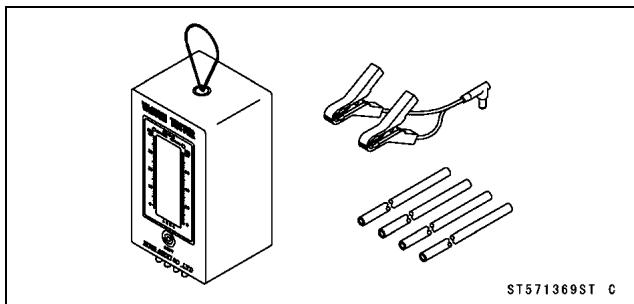
Vacuum Gauge:
57001-1369
natural_image
Technical line drawing of a device with a spring scale and multiple wires attached (no text or symbols)
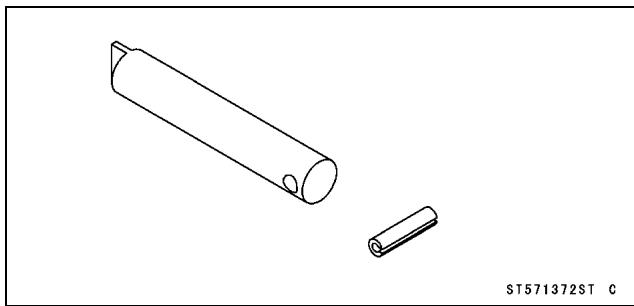
Pilot Screw Adjuster Adapter, φ5 :
57001-1372
natural_image
Technical line drawing of a cylindrical mechanical part with two separate views (no text or symbols)
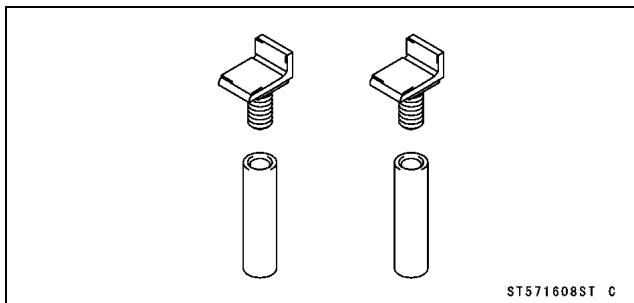
Jack Attachment:
57001-1608
natural_image
Technical line drawings of two mechanical fasteners and two cylindrical components (no text or symbols)
Maintenance Procedure
Fuel System (DFI)
Throttle Control System Inspection
- Check the throttle grip free play [A].
★If the free play is incorrect, adjust the throttle cables.
Throttle Grip Free Play
Standard: 2 \~ 3 mm (0.08 \~ 0.12 in.)
- Check that the throttle grip [B] moves smoothly from full open to close, and the throttle closes quickly and completely by the return spring in all steering positions.
★ If the throttle grip does not return properly, check the throttle cables routing, grip free play, and cable damage. Then lubricate the throttle cable.
- Run the engine at the idle speed, and turn the handlebar all the way to the right and left to ensure that the idle speed does not change.
★If the idle speed increases, check the throttle cable free play and the cable routing.
★If necessary, adjust the throttle cable as follows.
- Loosen the locknuts [A] [B].
- Screw both throttle cable adjusters [C] [D] to give the throttle grip plenty of play.
- Turn the decelerator cable adjuster [C] until 2 \~ 3 mm (0.08 \~ 0.12 in.) of throttle grip play is obtained.
- Tighten the locknut [A].
- Turn the accelerator cable adjuster [D] until 2 \~ 3 mm (0.08 \~ 0.12 in.) of throttle grip play is obtained.
- Tighten the locknut [B].
★If the free play cannot be adjusted with the adjusters, replace the cable.
Engine Vacuum Synchronization Inspection
NOTE
These procedures are explained on the assumption that the inlet and exhaust systems of the engine are in good condition.
- Situate the motorcycle so that it is vertical.
- Remove:
Fuel Tank Cover (see Fuel Tank Removal in the Fuel System (DFI) chapter)
Left and Right Middle Fairings (see Middle Fairing Removal in the Frame chapter)
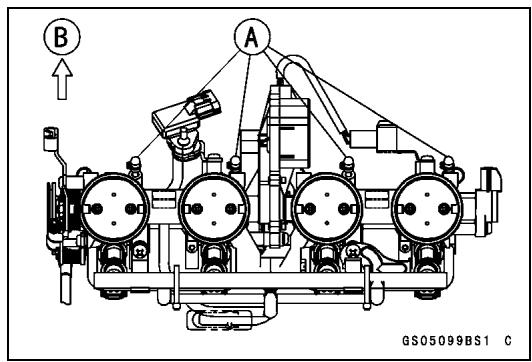
- Pull off the rubber caps [A] from the fittings of each throttle body.
Front [B]


natural_image
Close-up mechanical assembly showing a valve and shaft (no visible text or symbols)
Maintenance Procedure
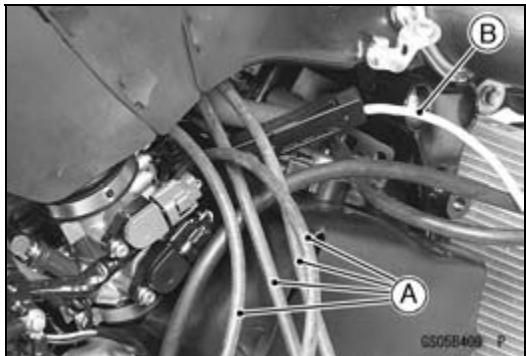
- For the California Model, pull off the vacuum hoses [A].
- Pull off the air switching valve hose [A] from the air cleaner housing.
- Plug the air switching valve hose end and air cleaner housing hole.
- Connect a vacuum gauge (special tool) and hoses [A] to the fittings on the throttle body.
Special Tool - Vacuum Gauge: 57001-1369
- Connect a highly accurate tachometer [B] to one of the stick coil primary leads.
- Start the engine and warm it up thoroughly.
- Check the idle speed, using a highly accurate tachometer [A].
★If the idle speed is out of the specified range, adjust it with the adjust screw.
CAUTION
Do not measure the idle speed by the tachometer of the meter unit.
- While idling the engine, inspect the throttle body vacuum, using the vacuum gauge [B].
Throttle Body Vacuum
Standard: 39 ±1.33 kPa (293 ±10 mmHg) at Idle Speed 1 100 ±50 r/min (rpm)

natural_image
Close-up of a mechanical assembly with labeled component A, showing hoses and wiring (no readable text or symbols beyond label)

natural_image
Close-up of a car engine bay with visible hoses and components (no text or symbols)

Maintenance Procedure
★If any vacuum is not within specifications, first synchronize the balance of the left (#1, #2 throttle valves) and right (#3, #4 throttle valves) assemblies.
Example:
1: 260 mmHg
2: 290 mmHg
3: 250 mmHg
4: 270 mmHg
- With the engine at the correct idle speed, equalize higher vacuum of #1 or #2 (for example 290 mmHg) to higher vacuum of #3 or #4 (for example 270 mmHg) by turning the center adjusting screw [A].
Right Side View [B]
○In this photo [C], the throttle body has been removed for clarity.
Special Tool - Pilot Screw Adjuster, C: 57001-1292
Pilot Screw Adjuster Adapter, φ5 : 57001-1372
NOTE
○After adjustment, the final vacuum measurement between the highest throttle valves may not be 290 mmHg (for example). The goal is to have the highest two vacuums between the left (#1 and #2) and right (#3 and #4) banks be the same and be within the service limits.
- Open and close the throttle after each measurement, and adjust the idle speed as necessary.
- Once the throttle valves have been synchronized, inspect output voltage of the main throttle sensor to ensure proper operation (procedure is explained at the end of this section).
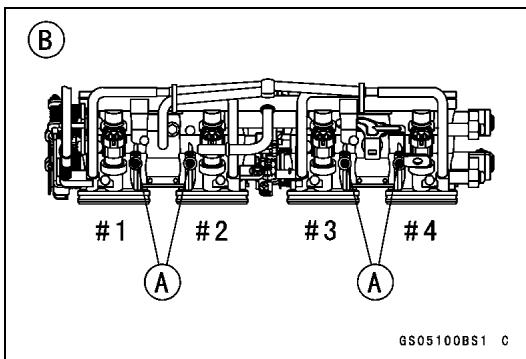
★If a value of measured vacuum pressure is out of the specified range after synchronization, adjust the bypass screws [A].
Special Tool - Pilot Screw Adjuster, C: 57001-1292
Pilot Screw Adjuster Adapter, φ 5 : 57001 -1372
Rear View [B]
- Adjust lower vacuum between #1 and #2 to higher vacuum of #1 and #2.
- Adjust the lower vacuum between #3 and #4 to higher vacuum of #3 and #4.
- Open and close the throttle valves after each measurement, and adjust the idle speed as necessary.
- Check the vacuums as before.
★If all vacuums are within the specification range, finish the engine vacuum synchronization.
★If any vacuum cannot be adjusted within the specification, remove the bypass screws #1 \~ #4 and clean them.


natural_image
Close-up of a mechanical component with labeled section A, showing internal wiring and components (no readable text or symbols)
Maintenance Procedure
- Turn in the bypass screw [A] with counting the number of turns until it seals fully but not tightly. Record the number of turns.
Torque - Bypass Screw: 0.2 N·m (0.02 kgf·m, 1.8 in·lb)
CAUTION
Do not over tighten them. They could be damaged, requiring replacement.
- Remove:
Bypass Screw
Spring [B]
Washer [C]
O-ring [D]
- Check the bypass screw and its hole for carbon deposits.
★If any carbons accumulate, wipe the carbons off from the bypass screw and the hole, using a cotton pad penetrated with a high-flash point solvent.
- Replace the O-ring with a new one.
- Check the tapered portion [E] of the bypass screw for wear or damage.
★If the bypass screw is worn or damaged, replace it.
- Turn in the bypass screw until it seats fully but not tightly.
Torque - Bypass Screw: 0.2 N·m (0.02 kgf·m, 1.8 in·lb)
- Back out the same number of turns counted when first turned in. This is to set the screw to its original position.
NOTE
○A throttle body has different “turns out” of the bypass screw for each individual unit. On setting the bypass screw, use the “turns out” determined during disassembly.
- Repeat the same procedure for other bypass screws.
- Repeat the synchronization.
★If the vacuums are correct, check the output voltage of the main throttle sensor (see Output Voltage Inspection of Main Throttle Sensor in the Fuel System (DFI) chapter).
Main Throttle Sensor Output Voltage
Connections to ECU
Meter (+) → Y/W lead (terminal 26)
Meter (−) → BR/BK lead (terminal 34)
Standard: DC 0.63 \~ 0.65 V (at idle throttle opening)
★If the output voltage is out of the range, check the throttle input voltage of the main throttle sensor (see Input Voltage Inspection in the Main Throttle Sensor section in the Fuel System (DFI) chapter).
- Remove the vacuum gauge hoses and install the rubber caps on the original position.
- For the California Model, install the vacuum hoses.
- Route the vacuum hoses according to Cable, Wire, and Hose Routing section in the Appendix chapter. Refer to the diagram of the evaporative emission control system in the Fuel System (DFI) chapter too.

Maintenance Procedure
Idle Speed Inspection
- Start the engine and warm it up thoroughly.
- With the engine idling, turn the handlebar to both sides [A].
★If handlebar movement changes the idle speed, the throttle cables may be improperly adjusted or incorrectly routed, or damaged. Be sure to correct any of these conditions before riding (see Cable, Wire, and Hose Routing section in the Appendix chapter).
WARNING
Operation with improperly adjusted, incorrectly routed, or damaged cables could result in an unsafe riding condition.
- Check the idle speed.
★If the idle speed is out of specified range, adjust it.
Idle Speed
Standard: 1 100 ±50 r/min (rpm)
Idle Speed Adjustment
- Start the engine and warm it up thoroughly.
- Turn the adjusting screw [A] until the idle speed is correct.
- Open and close the throttle a few times to make sure that the idle speed is within the specified range. Readjust if necessary.
Fuel Hose Inspection (fuel leak, damage, installation condition)
○If the motorcycle is not properly handled, the high pressure inside the fuel line can cause fuel to leak [A] or the hose to burst. Remove the fuel tank (see Fuel Tank Removal in the Fuel System (DFI) chapter) and left middle fairing (see Middle Fairing Removal in the Frame chapter), and check the fuel hose.
★Replace the fuel hose if any fraying, cracks [B] or bulges [C] are noticed.
- Check that the hoses are routed according to Cable, Wire, and Hose Routing section in the Appendix chapter.
★Replace the hose if it has been sharply bent or kinked.
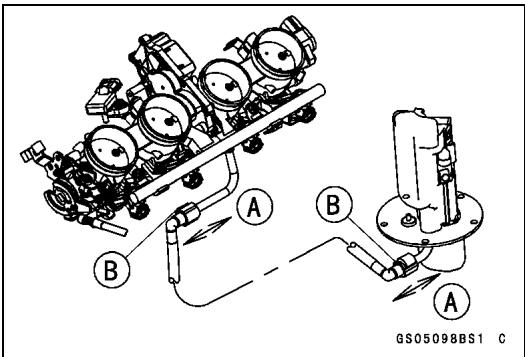
Hose Joints [A]
Fuel Hose [B]

natural_image
Front view of a motorcycle's front dashboard with visible gauges and control knobs (no text or symbols)

natural_image
Close-up of mechanical components with no visible text or symbols


Maintenance Procedure
- Check that the hose joints are securely connected.
○Push and pull [A] the hose joint [B] back and forth more than two times, and make sure it is locked.
★If it does not locked, reinstall the hose joint.
WARNING
Make sure the hose joint is installed correctly on the delivery pipe by sliding the joint, or the fuel could leak.
Cooling System
Coolant Level Inspection
NOTE
○Check the level when the engine is cold (room or ambient temperature).
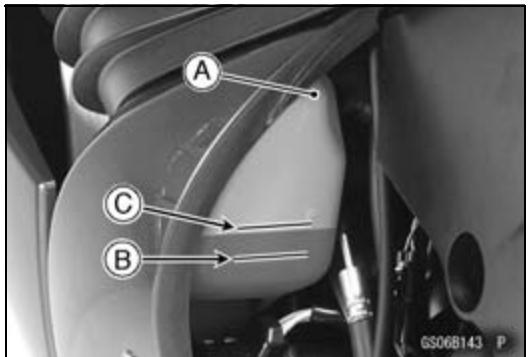
- Check the coolant level in the reserve tank [A] with the motorcycle held perpendicular (Do not use the sidestand).
★If the coolant level is lower than the "L" level line [B], unscrew the reserve tank cap and add coolant to the "F" level line [C].
“L”: low
“F”: full
CAUTION
For refilling, add the specified mixture of coolant and soft water. Adding water alone dilutes the coolant and degrades its anticorrosion properties. The diluted coolant can attack the aluminum engine parts. In an emergency, soft water alone can be added. But the diluted coolant must be returned to the correct mixture ratio within a few days.
If coolant must be added often or the reservoir tank has run completely dry, there is probably leakage in the cooling system. Check the system for leaks.
Coolant ruins painted surfaces. Immediately wash away any coolant that spills on the frame, engine, wheels or other painted parts.
Radiator Hose and Pipe Inspection
(Coolant leak, damage, Installation Condition)
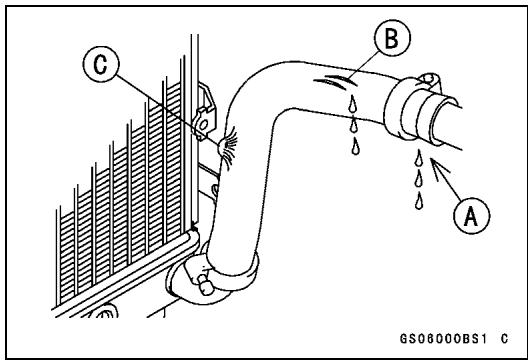
○The high pressure inside the radiator hose can cause coolant to leak [A] or the hose to burst if the line is not properly maintained.
- Visually inspect the hoses for signs of deterioration. Squeeze the hoses. A hose should not be hard and brittle, nor should it be soft or swollen.
★Replace the hose if any fraying, cracks [B] or bulges [C] are noticed.
- Check that the hoses are securely connected and clamps are tightened correctly.
Torque - Radiator Hose Clamp Screws: 2.0 N·m (0.20 kgf·m, 18 in·lb)
Maintenance Procedure
Evaporative Emission Control System (California Model)
Evaporative Emission Control System Inspection
- Inspect the canister as follows.
○Remove the seat (see Seat Removal in the Frame chapter).
○Remove the canister [A], and disconnect the hoses from the canister.
○Visually inspect the canister for cracks or other damage.
★If the canister has any cracks or bad damage, replace it with a new one.
NOTE
- The canister is designed to work well through the motorcycle's life without any maintenance if it is used under normal conditions.
- Check the liquid/vapor separator as follows.
○Remove the fuel tank (see Fuel Tank Removal in the Fuel System (DFI) chapter).
○Disconnect the hoses from the separator, and remove the separator [A] from the motorcycle right side.
- Visually inspect the separator for cracks and other damage.
★If the separator has any cracks or damage, replace it with a new one.
To prevent the gasoline from flowing into or out of the canister, hold the separator perpendicular to the ground.
- Check the hoses of the evaporative emission control system as follows.
○Check that the hoses are securely connected and clips are in position.
○Replace any kinked, deteriorated or damaged hoses.
- Route the hoses according to Cable, Wire, and Hose Routing section in the Appendix chapter. Refer to the diagram of the evaporative emission control system in the Fuel System (DFI) chapter too.
When installing the hoses, avoid sharp bending, kinking, flattening or twisting, and route the hoses with a minimum of bending so that the emission flow will not be obstructed.

natural_image
Close-up of a mechanical assembly with labeled component A and G05B395 (no readable text or symbols beyond labels)

natural_image
Close-up of a mechanical assembly with labeled component A and bolted joint (no readable text or symbols)
Air Suction System
Air Suction System Damage Inspection
- Remove the right middle fairing (see Middle Fairing Removal in the Frame chapter).
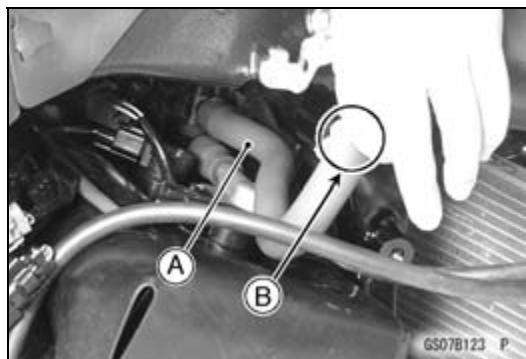
- Pull the air switching vale hose [A] out of the air cleaner housing.
- Start the engine and run it at idle speed.
- Plug [B] the air switching valve hose end with your finger and feel vaccum pulsing in the hose.
★If there is no vaccum pulsation, check the hose line for leak. If there is no leak, check the air switching valve (see Air Switching Valve Unit Test in the Electrical System chapter) or air suction valve (see Air Suction Valve Inspection in the Engine Top End chapter).
Engine Top End
Valve Clearance Inspection
Valve Clearance Inspection
NOTE
○Valve clearance must be checked and adjusted when the engine is cold (at room temperature).
- Remove:
Lower Fairings (see Lower Fairing Removal in the Frame chapter)
Middle Fairings (see Middle Fairing Removal in the Frame chapter)
Crankshaft Sensor Cover
Cylinder Head Cover (see Cylinder Head Cover Removal in the Engine Top End chapter)
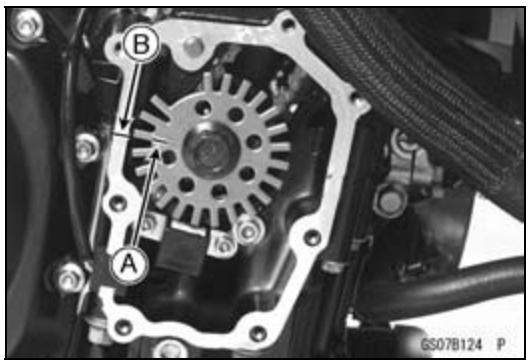
- Position the crankshaft at 1, 4 piston TDC.
TDC Mark [A] for #1, 4 Pistons
Timing Mark [B] (crankcase halves mating surface)
- Using a thickness gauge [A], measure the valve clearance between the cam and the valve lifter.
Valve Clearance
Standard:
Exhaust 0.22 \~ 0.27 mm (0.0087 \~ 0.0106 in.)
Inlet 0.15 \~ 0.20 mm (0.0059 \~ 0.0079 in.)
natural_image
Mechanical assembly diagram showing a gear-like component with labeled parts A and B, no readable text or symbols beyond labels

natural_image
Close-up mechanical assembly showing gears and shafts with no visible text or symbols
NOTE
○Thickness gauge is horizontally inserted on the valve lifter.
Appropriateness [A]
Inadequacy [B]
Thickness Gauge [C]
Horizontally Inserts [D]
Cam [E]
Valve Lifter [F]
Hits the Valve Lifter Ahead [G]

Maintenance Procedure
○When positioning #1 piston TDC at the end of the compression stroke:
Inlet Valve Clearance of #1 and #3 Cylinders Exhaust Valve Clearance of #1 and #2 Cylinders Measuring Valve [A]
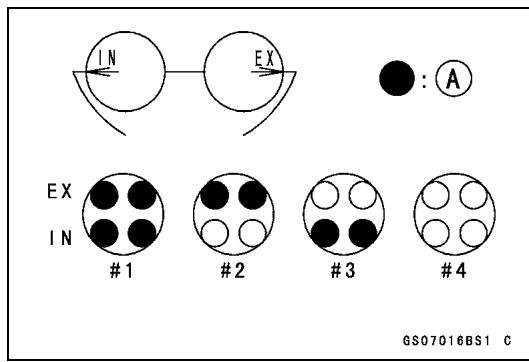
When positioning #4 piston TDC at the end of the compression stroke:
Inlet Valve Clearance of #2 and #4 Cylinders Exhaust Valve Clearance of #3 and #4 Cylinders Measuring Valve [A]
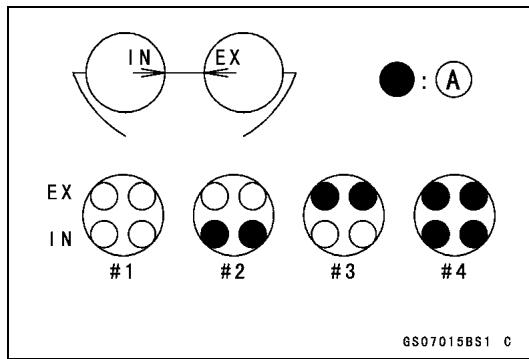
★If the valve clearance is not within the specified range, first record the clearance, and then adjust it.
Valve Clearance Adjustment
- To change the valve clearance, remove the camshaft chain tensioner, camshafts and valve lifters. Replace the shim with one of a different thickness.
NOTE
○Mark and record the locations of the valve lifters and shims so that they can be reinstalled in their original positions.

Maintenance Procedure
○Bisides the standard shims in the valve clearance adjustment charts, the following additional shims maybe used.
Adjustment Shims
| Part Number | Thickness |
| 92025-1982 | 2.425 mm |
| 92025-1983 | 2.475 mm |
| 92025-1984 | 2.525 mm |
| 92025-1985 | 2.575 mm |
| 92180-1058 | 2.375 mm |
| 92180-1059 | 2.625 mm |
| 92180-1194 | 2.675 mm |
| 92180-1195 | 2.725 mm |
| 92180-1196 | 2.775 mm |
| 92180-0209 | 2.025 mm |
| 92180-0210 | 2.075 mm |
| 92180-0211 | 2.125 mm |
| 92180-0212 | 2.175 mm |
| 92180-0213 | 2.225 mm |
| 92180-0214 | 2.275 mm |
| 92180-0215 | 2.325 mm |
| 92180-0216 | 2.825 mm |
| 92180-0217 | 2.875 mm |
| 92180-0218 | 2.925 mm |
| 92180-0219 | 2.975 mm |
- Clean the shim to remove any dust or oil.
- Measure the thickness of the removed shim [A].

Maintenance Procedure
EXHAUST- VALVE CLEARANCE ADJUSTMENT CHART

- Measure the clearance (with engine cold).
- Check present shim size.
- Match clearance in vertical column with present shim size in horizontal column.
- Install the shim specified where the lines intersect. This shim will give the proper clearance.
Example: Present shim is 2.60 mm.
Measured clearance is 0.33 mm.
Replace 2.60 mm shim with 2.70 mm shim.
INLET- VALVE CLEARANCE ADJUSTMENT CHART
| Present Shim Example |
| Part No. (92025) | 1870 | 1871 | 1872 | 1873 | 1874 | 1875 | 1876 | 1877 | 1878 | 1879 | 1880 | 1881 | 1882 | 1883 | 1884 | 1885 | 1886 | 1887 | 1888 | 1889 | 1890 | |
| Mark | 0 | 5 | 10 | 15 | 20 | 25 | 30 | 35 | 40 | 45 | 50 | 55 | 60 | 65 | 70 | 75 | 80 | 85 | 90 | 95 | 00 | |
| Thickness (mm) | 2.00 | 2.05 | 2.10 | 2.15 | 2.20 | 2.25 | 2.30 | 2.35 | 2.40 | 2.45 | 2.50 | 2.55 | 2.60 | 2.65 | 2.70 | 2.75 | 2.80 | 2.85 | 2.90 | 2.95 | 3.00 | |

GS07090BW3 C
- Measure the clearance (with engine cold).
- Check present shim size.
- Match clearance in vertical column with present shim size in horizontal column.
- Install the shim specified where the lines intersect. This shim will give the proper clearance.
Example: Present shim is 2.55 mm.
Measured clearance is 0.36 mm.
Replace 2.55 mm shim with 2.75 mm shim.
Maintenance Procedure
CAUTION
Be sure to remeasure the clearance after selecting a shim according to the table. If the clearance is out of the specified rage, use the additional shim.
○If there is no valve clearance, use a shim that is a few sizes smaller, and remeasure the valve clearance.
- When installing the shim, face the marked side toward the valve lifter. At this time, apply engine oil to the shim or the valve lifter to keep the shim in place during camshaft installation.
CAUTION
Do not put shim stock under the shim. This may cause the shim to pop out at high rpm, causing extensive engine damage.
Do not grind the shim. This may cause it to fracture, causing extensive engine damage.
- Apply engine oil to the valve lifter surface and install the lifter.
- Install the camshaft (see Camshaft Installation in the Engine Top End chapter).
- Recheck the valve clearance and readjust if necessary.
- Install the removed parts (see appropriate chapters).
Clutch and Drive Train
Clutch Operation Inspection
- Start the engine and check that the clutch does not slip and that it releases properly.
★If the clutch operation is insufficiency, inspect the clutch system.
WARNING
When inspecting by running the vehicle, note a surrounding traffic situation enough in the place of safety.
Clutch Fluid Level Inspection
- Hold the clutch fluid reservoir [A] horizontal.
- Check that the clutch fluid level of the clutch reservoir is between the lower [B] and the upper [C] level lines.
★If the fluid level is lower than the lower level line, fill the reservoir to the upper level line in the reservoir.
○Since the clutch fluid is the same as the brake fluid, refer to Brake Fluid Section in the Brake chapter for further details.

Maintenance Procedure
- Follow the procedure below to install the clutch fluid reservoir cap correctly.
○First, tighten the clutch fluid reservoir cap [B] clockwise [C] by hand until the resistance is felt fully; then, tighten the cap an additional 1/6 turn [D] while holding the clutch fluid reservoir body [A].
WARNING
Change the fluid in the clutch line completely if the fluid must be refilled but the type and brand of the fluid that already is in the reservoir are unidentified. After changing the fluid, use only the same type and brand of fluid thereafter.
Clutch Fluid Leak Inspection
- Apply the clutch lever and inspect the clutch fluid leak from the clutch hose/pipe [A] and fittings.
★If the clutch fluid leaked form any position, inspect or replace the problem part.


natural_image
Close-up of mechanical components with no visible text or symbols
Clutch Hose and Pipe Damage and Installation Condition Inspection
- Inspect the clutch hoses and fittings for deterioration, cracks, corrosion and signs of leakage.
○The high pressure inside the clutch line can cause fluid to leak [A] or the hose to burst if the line is not properly maintained. Bend and twist the rubber hose while examining it.
★Replace it if any fraying, cracks [B] or bulges [C] are noticed.
- Check that the hoses are securely connected and banjo bolts are tightened correctly.
Torque - Clutch Hose Banjo Bolts: 25 N·m (2.5 kgf·m, 18 ft·lb)
- Inspect the clutch hose routing.
★If any clutch hose routing is incorrect, route the hoses according to Cable, Wire, and Hose Routing section in the Appendix chapter.
★Replace the hose if the has been sharply bent or kinked.

Maintenance Procedure
Wheels/Tires
Air Pressure Inspection
- Remove the air valve cap.
- Measure the tire air pressure with an air pressure gauge [A] when the tires are cold (that is, when the motorcycle has not been ridden more than a mile during the past 3 hours).
- Install the air valve cap.
★Adjust the tire air pressure according to the specifications if necessary.
Air Pressure (when Cold)
Front: Up to 180 kg (397 lb)
290 kPa (2.9 kgf/cm², 42 psi)
Rear: Up to 180 kg (397 lb)
290 kPa (2.9 kgf/cm 4 , 42 psi)

Wheel/Tire Damage Inspection
- Remove any imbedded stones [A] or other foreign particles [B] from tread.
- Visually inspect the tire for cracks and cuts, and replace the tire if necessary. Swelling or high spots indicate internal damage, requiring tire replacement.
- Visually inspect the wheel for cracks, cuts and dents damage.
★If any damage is found, replace the wheel if necessary.

Tire Tread Wear Inspection
As the tire tread wears down, the tire becomes more susceptible to puncture and failure. An accepted estimate is that 90% of all tire failures occur during the last 10% of tread life (90% worn). So it is false economy and unsafe to use the tires until they are bald.
- Measure the tread depth at the center of the tread with a depth gauge [A]. Since the tire may wear unevenly, take measurement at several places.
★If any measurement is less than the service limit, replace the tire (see Tire Removal/Installation in the Wheels/Tires chapter).
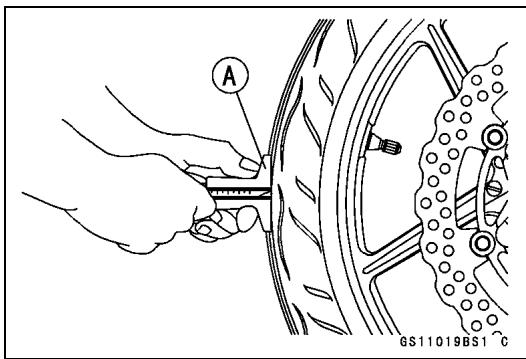
Tread Depth
Standard:
Front 3.8 mm (0.15 in.)
Rear 4.8 mm (0.19 in.)
Service Limit:
Front 1 mm (0.04 in.)
(AT, CH, DE) 1.6 mm (0.06 in.)
Rear 2 mm (0.08 in.)
(Up to 130 km/h (80 mph))
3 mm (0.12 in.)
(Over 130 km/h (80 mph))
Maintenance Procedure

WARNING
To ensure safe handling and stability, use only the recommended standard tires for replacement, inflated to the standard pressure.
NOTE
○Most countries may have their own regulations a minimum tire tread depth: be sure to follow them.
○Check and balance the wheel when a tire is replaced with a new one.
Wheel Bearing Damage Inspection
- Raise the front wheel off the ground with the jack (see Front Wheel Removal in the Wheels/Tires chapter).
- Turn the handlebar all the way to the right or left.
- Inspect the roughness of the front wheel bearing by pushing and pulling [A] the wheel.
- Spin [B] the front wheel lightly, and check for smoothly turn, roughness, binding or noise.
★If roughness, binding or noise is found, remove the front wheel and inspect the wheel bearing (see Front Wheel Removal, Hub Bearing Inspection in the Wheels/Tires chapter).
- Raise the rear wheel off the ground with the stand (see Rear Wheel Removal in the Wheels/Tires chapter).
- Inspect the roughness of the rear wheel bearing by pushing and pulling [A] the wheel.
- Spin [B] the rear wheel lightly, and check for smoothly turn, roughness, binding or noise.
★If roughness, binding or noise is found, remove the rear wheel and inspect the wheel bearing (see Rear Wheel Removal, Hub Bearing Inspection in the Wheels/Tires chapter) and coupling (see Coupling Bearing Inspection in the Final Drive chapter).


natural_image
Close-up of a motorcycle's wheel assembly with hand and gear, no visible text or symbols
Drive Train
Drive Chain Lubrication Condition Inspection
- If a special lubricant is not available, a heavy oil such as SAE 90 is preferred to a lighter oil because it will stay on the chain longer and provide better lubrication.
- If the chain appears especially dirty, clean it before lubrication.
CAUTION
The O-rings between the side plates seal in the lubricant between the pin and the bushing. To avoid damaging the O-rings and resultant loss of lubricant, observe the following rules.
Use only kerosene or diesel oil for cleaning of the O-ring of the drive chain. Any other cleaning solution such as gasoline or trichloroethylene will cause deterioration and swelling of the O-ring. Immediately blow the chain dry with compressed air after cleaning. Complete cleaning and drying the chain within 10 minutes.
Maintenance Procedure
- Apply oil to the sides of the rollers so that oil will penetrate to the rollers and bushings. Apply the oil to the O-rings so that the O-rings will be coated with oil.
- Wipe off any excess oil.
Oil Applied Areas [A]
O-ring [B]
Drive Chain Slack Inspection
NOTE
○Check the slack with the motorcycle setting on its side stand.
○Check the slack with the motorcycle setting on its center stand (center stand equipped models).
○Clean the chain if it is dirty, and lubricate it if it appears dry.
- Check the wheel alignment (see Wheel Alignment Inspection).
- Rotate the rear wheel to find the position where the chain is tightest.
- Measure the vertical movement (chain slack) [A] midway between the sprockets.
★If the chain slack exceeds the standard, adjust it.
Chain Slack
Standard: 32 \~ 38 mm (1.3 \~ 1.5 in.)
Drive Chain Slack Adjustment
- Remove the cotter pin [A], and loosen the axle nut [B].
- Loosen the both chain adjuster locknuts [C].
★If the chain is too loose, turn out the right and left chain adjusters [D] evenly.
★If the chain is too tight, turn in the right and left chain adjusters evenly, and kick the wheel forward.
- Turn both chain adjusters evenly until the drive chain has the correct amount of slack. To keep the chain and wheel properly aligned, the notch [E] on the right wheel alignment indicator [F] should align with the same swingarm mark or position [G] that the left indicator notch aligns with.
WARNING
Misalignment of the wheel will result in abnormal wear and may result in an unsafe riding condition.
- Tighten both chain adjuster locknuts securely.
- Tighten the axle nut.
Torque - Rear Axle Nut: 127 N·m (13.0 kgf·m, 94 ft·lb)
- Turn the wheel, measure the chain slack again at the tightest position, and readjust if necessary.


Maintenance Procedure
- Insert a new cotter pin [A].
NOTE
○When inserting the cotter pin, if the slots in the nut do not align with the cotter pin hole in the axle, tighten the nut clockwise [B] up to next alignment.
○It should be within 30°.
○Loosen once and tighten again when the slot goes past the nearest hole.
- Bend the cotter pin [A] over the nut.

WARNING
If the rear axle nut is not securely tightened or the cotter pin is not installed, an unsafe riding condition may result.
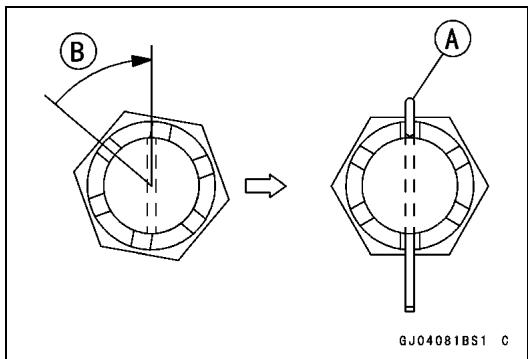

Wheel Alignment Inspection
- Check that the notch [A] on the right alignment indicator [B] aligns with the same swingarm mark or position [C] that the left alignment indicator notch aligns with.
★If they do not, adjust the chain slack and align the wheel alignment (see Drive Chain Slack Adjustment).
NOTE
○Wheel alignment can be also checked using the straightedge or string method.
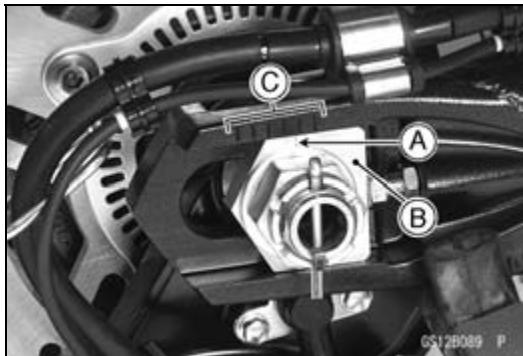

WARNING
Misalignment of the wheel will result in abnormal wear, and may result in an unsafe riding condition.
Drive Chain Wear Inspection
- Remove the chain cover (see Drive Chain Removal in the Final Drive chapter).
- Rotate the rear wheel to inspect the drive chain for damaged rollers, and loose pins and links.
★If there is any irregularity, replace the drive chain.
★Lubricate the drive chain if it appears dry.
- Stretch the chain taut by hanging a 98 N (10 kg, 20 lb) weight [A] on the chain.
- Measure the length of 20 links [B] on the straight part [C] of the chain from the pin center of the 1st pin to the pin center of the 21st pin. Since the chain may wear unevenly, take measurements at several places.
★ If any measurements exceed the service limit, replace the chain. Also, replace the front and rear sprockets when the drive chain is replaced.

Drive Chain 20-link Length
Standard: 317.5 \~ 318.2 mm (12.50 \~ 12.53 in.)
Service Limit: 323 mm (12.7 in.)
Maintenance Procedure
WARNING
If the drive chain wear exceeds the service limit, replace the chain or an unsafe riding condition may result. A chain that breaks or jumps off the sprockets could snag on the engine sprocket or lock the rear wheel, severely damaging the motorcycle and causing it to go out of control.
For safety, use only the standard chain. It is an endless type and should not be cut for installation.
Standard Chain
Make: DAIDO
Type: DID50ZVM4 GC&B
Link: 116 links
Chain Guide Wear Inspection
- Remove the swingarm (see Swingarm Removal in the Suspension chapter).
- Visually inspect the chain guide [A].
★Replace the chain guide if it shows any signs of abnormal wear or damage.

natural_image
Close-up of a mechanical component with labeled parts (A) and no visible text or symbols beyond the label.
Maintenance Procedure
Brake System
Brake Fluid Leak (Brake Hose and Pipe) Inspection
- For ABS equipped models; note the following.
- Remove:
Fuel Tank (see Fuel Tank Removal in the Fuel System (DFI) chapter)
Battery (see Battery Removal in the Electrical System chapter)
- Apply the brake lever or pedal and inspect the brake fluid leak from the brake hoses [A], pipes (ABS equipped models) [B] and fittings [C].
★If the brake fluid leaked from any position, inspect or replace the problem part.


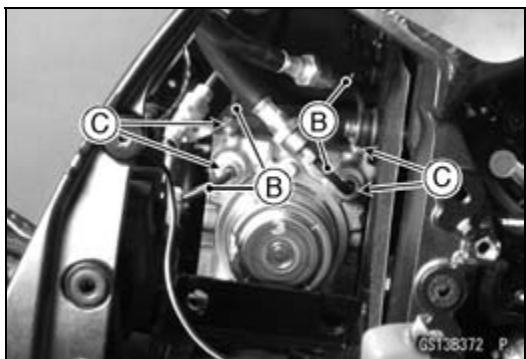
Maintenance Procedure
Brake Hose and Pipe Damage and Installation Condition Inspection
- For ABS equipped models; note the following.
- Remove:
Fuel Tank (see Fuel Tank Removal in the Fuel System (DFI) chapter)
Battery (see Battery Removal in the Electrical System chapter)
- Inspect the brake hoses and fittings for deterioration, cracks and signs of leakage.
○The high pressure inside the brake line can cause fluid to leak [A] or the hose, pipes (ABS equipped models) to burst if the line is not properly maintained. Bend and twist the rubber hose while examining it.
★Replace the hose and pipe (ABS equipped models) if any crack [B], bulge [C] or leakage is noticed.
★Tighten any brake hose banjo bolts.
Torque - Brake Hose Banjo Bolts: 25 N·m (2.5 kgf·m, 18 ft·lb)
- Inspect the brake hose routing.
★If any brake hose and pipe (ABS equipped models) routing is incorrect, route the brake hose and pipe according to Cable, Wire, and Hose Routing section in the Appendix chapter.
Brake Operation Inspection
- Inspect the operation of the front and rear brake by running the vehicle on the dry road.
★If the brake operation is insufficiency, inspect the brake system.
WARNING
When inspecting by running the vehicle, note a surrounding traffic situation enough in the place of safety.
Brake Fluid Level Inspection
- Check that the brake fluid level in the front brake reservoir [A] is above the lower level line [B].
NOTE
○Hold the reservoir horizontal by turning the handlebar when checking brake fluid level.
★If the fluid level is lower than the lower level line, fill the reservoir to the upper level line [C].

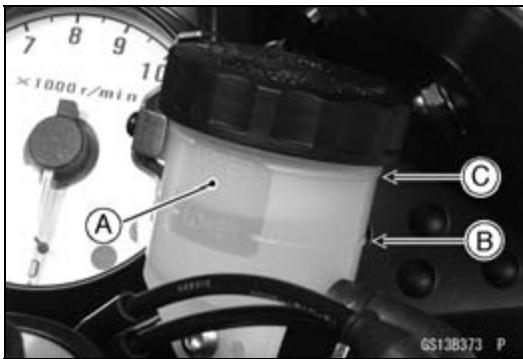
Maintenance Procedure
-
Follow the procedure below to install the front brake fluid reservoir cap correctly.
○First, tighten the front brake fluid reservoir cap [B] clockwise [C] by hand until slight resistance is felt indicating that the cap is seated on the reservoir body, then tighten the cap an additional 1/6 turn [D] while holding the brake fluid reservoir body [A].
-
Remove the seat (see Seat Removal in the Frame chapter).
- Check that the brake fluid level in the rear brake reservoir [A] is above the lower level line [B].
★If the fluid level is lower than the lower level line, fill the reservoir to the upper level line [C].
WARNING
Change the brake fluid in the brake line completely if the brake fluid must be refilled but the type and brand of the brake fluid that is already in the reservoir are unidentified. After changing the fluid, use only the same type and brand of fluid thereafter.

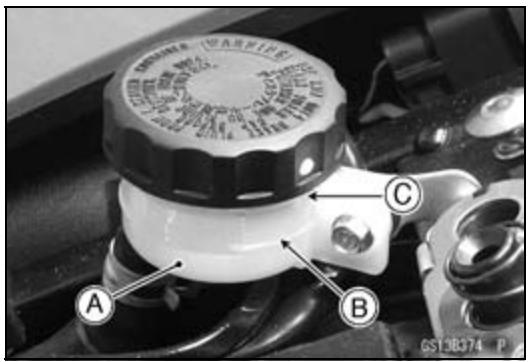
Recommended Disc Brake Fluid
Grade: DOT4
- Follow the procedure below to install the rear brake fluid reservoir cap correctly.
○First, tighten the rear brake fluid reservoir cap [B] clockwise [C] by hand until slight resistance is felt indicating that the cap is seated on the reservoir body, then tighten the cap an additional 1/6 turn [D] while holding the brake fluid reservoir body [A].

Brake Pad Wear Inspection
- Remove the brake pads (see Front/Rear Brake Pad Removal in the Brakes chapter).
- Check the lining thickness [A] of the pads in each caliper.
★If the lining thickness of either pad is less than the service limit [B], replace both pads in the caliper as a set.

Pad Lining Thickness
Standard:
Front 4.0 mm (0.16 in.)
Rear 5.0 mm (0.20 in.)
Service Limit: 1 mm (0.04 in.)
Maintenance Procedure
Brake Light Switch Operation Inspection
- Turn on the ignition switch.
- The brake light [A] should go on when the brake lever is applied or after the brake pedal is depressed about 10 mm (0.39 in.).
★If it does not, adjust the brake light switch.
- While holding the switch body, turn the adjusting nut to adjust the switch.
Switch Body [A]
Adjusting Nut [B]
Light sooner as the body rises [C]
Light later as the body lowers [D]
CAUTION
To avoid damaging the electrical connections inside the switch, be sure that the switch body does not turn during adjustment.
★If it does not go on, inspect or replace the following items.
Battery (see Charging Condition Inspection in the Electrical System chapter)
Brake Light (see Tail/Brake Light Removal in the Electrical System chapter)
Main Fuse 30 A and Taillight Fuse 10 A (see Fuse Inspection in the Electrical System chapter)
Front Brake Light Switch [A] (see Switch Inspection in the Electrical System chapter)
Rear Brake Light Switch (see Switch Inspection in the Electrical System chapter)
Harness (see Wiring Inspection in the Electrical System chapter)

natural_image
Front view of a motorcycle's head and front wheel, showing no visible text or symbols


natural_image
Close-up of mechanical components with no visible text or symbols
Suspensions
Front Forks/Rear Shock Absorber Operation Inspection
- Pump the forks down and up [A] 4 or 5 times, and inspect the smooth stroke.
★If the forks do not smoothly or noise is found, inspect the fork oil level or fork clamps (see Front Fork Oil Change in the Suspension chapter).
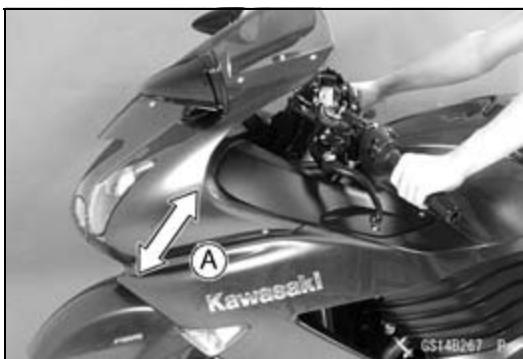
Maintenance Procedure
- Pump the seat down and up [A] 4 or 5 times, and inspect the smooth stroke.
★If the shock absorber does not smoothly stroke or noise is found, inspect the oil leak (see Rear Shock Absorber Oil Leak Inspection).

natural_image
Close-up of a person's arm adjusting a black athletic device with a hand, showing no visible text or symbols.
Front Fork Oil Leak Inspection
- Visually inspect the front forks [A] for oil leakage.
★Replace or repair any defective parts, if necessary.

natural_image
Close-up of mechanical components with labeled parts (A) and a bolt, no readable text or symbols beyond the label.
Rear Shock Absorber Oil Leak Inspection
- Visually inspect the shock absorber [A] for oil leakage.
★ If the oil leakage is found on it, replace the shock absorber with a new one.
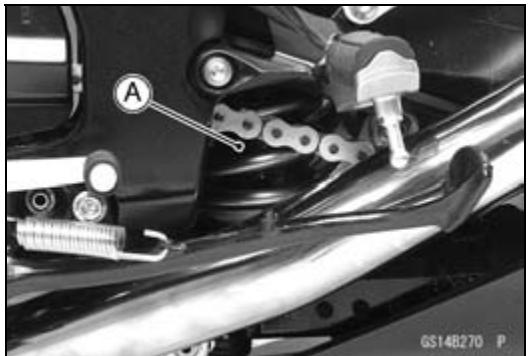
Rocker Arm Operation Inspection
- Remove the rear fairing (see Rear Fairing Removal in the Frame chapter).
- Pump the seat down and up 4 or 5 times, and inspect the smooth stroke.
★If the rocker arm [A] does not smoothly stroke or noise is found, inspect the fasteners and bearings (see Rocker Arm/Tie-Rod Bearing, Sleeve Inspection in the Suspension chapter).
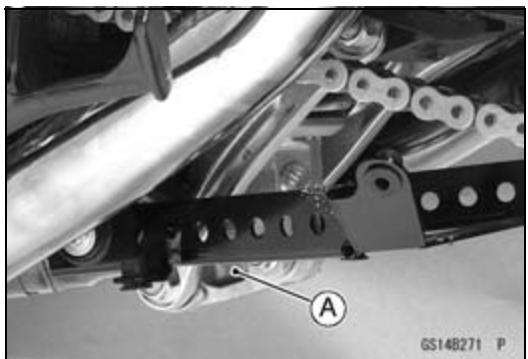
natural_image
Mechanical assembly diagram showing a chain link and bracket labeled A, with no readable text or symbols beyond the label.
Tie-Rod Operation Inspection
- Remove the rear fairing (see Rear Fairing Removal in the Frame chapter).
- Pump the seat down and up 4 or 5 times, and inspect the smooth stroke.
★If the tie-rods [A] do not smoothly stroke or noise is found, inspect the fasteners and tie-rod bearings (see Rocker Arm/Tie-Rod Bearing, Sleeve Inspection in the Suspension chapter).

natural_image
Mechanical assembly diagram showing linkage between two components (no text or symbols visible)
Maintenance Procedure
Steering System
Steering Play Inspection
- Remove the lower fairings (see Lower Fairing Removal in the Frame chapter).
- Raise the front wheel off the ground with the jack.
Special Tools - Jack: 57001-1238
Jack Attachment: 57001-1608
- With the front wheel pointing straight ahead, alternately tap each end of the handlebar. The front wheel should swing fully left and right from the force of gravity until the fork hits the stop.
★If the wheel binds or catches before the stop, the steering is too tight.
- Feel for steering looseness by pushing and pulling the forks.
★If you feel looseness, the steering is too loose.
NOTE
○The cables and wiring will have some effect on the motion of the fork which must be taken into account.
○Be sure the leads and cables are properly routed.
○The bearings must be in good condition and properly lubricated in order for any test to be valid.
Steering Play Adjustment
- Remove:
Handlebars (see Handlebar Removal in the Steering chapter)
Stem Head Nut [A] and Washer [B]
Upper Fork Clamp Bolts [C] (Loosen)
Stem Head [D]
- Bend the claws [A] of the claw washer straighten.
- Remove the steering stem locknut [B] and claw washer [C].
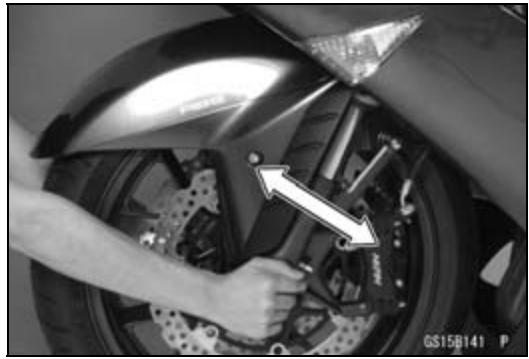
natural_image
Close-up of a person adjusting the wheel of brake caliper on a motorcycle (no visible text or symbols)
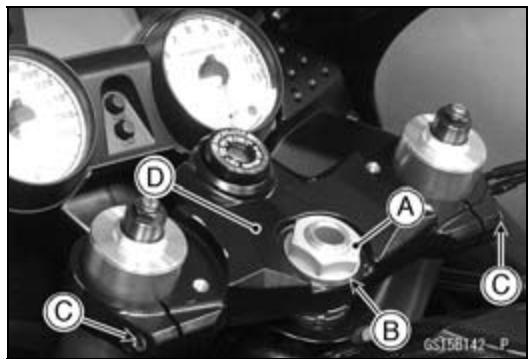

Maintenance Procedure
- Adjust the steering.
Special Tool - Steering Stem Nut Wrench [A]: 57001-1100
★If the steering is too tight, loosen the stem nut a fraction of a turn.
★If the steering is too loose, tighten the stem nut a fraction of a turn.
NOTE
○Turn the stem nut 1/8 turn at time maximum.
- Install the claw washer [A] so that its bent side [B] faces upward, and engage the bent claws with the grooves of stem locknut [C].
- Hand tighten the stem locknut until it touches the claw washer.
- Tighten the stem locknut clockwise until the claws are aligned with the grooves (ranging from 2nd to 4th) of stem nut [D], and bend the 2 claws downward [E].
- Install the stem head.
- Install the washer, and tighten the stem head nut.
- Tighten:
Torque - Upper Front Fork Clamp Bolts: 20 N·m (2.0 kgf·m, 15 ft·lb)
Steering Stem Head Nut: 78 N·m (8.0 kgf·m, 58 ft·lb)
- Check the steering again.
★If the steering is still too tight or too loose, repeat the adjustment.
- Install the handlebars (see Handlebar Installation in the Steering chapter).
Steering Stem Bearing Lubrication
- Remove the steering stem (see Stem, Stem Bearing Removal in the Steering chapter).
- Using a high-flash point solvent, wash the upper and lower ball bearings in the cages, and wipe the upper and lower outer races, which are press-fitted into the frame head pipe, clean off grease and dirt.
- Visually check the outer races and the ball bearings.
★Replace the bearing assemblies if they show wear or damage.
- Pack the upper and lower ball bearings [A] in the cages with grease, and apply a light coat of grease to the upper and lower outer races.
- Install the steering stem (see Stem, Stem Bearing Installation in the Steering chapter).
- Adjust the steering (see Steering Play Adjustment).

natural_image
Close-up of mechanical components with a labeled section (A) and no visible text or symbols
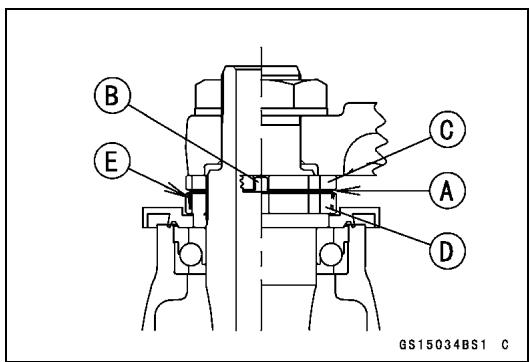

natural_image
Close-up of a mechanical component with a central bolt and flange, labeled 'A' (no text or symbols beyond label)
Maintenance Procedure
Electrical System
Lights and Switches Operation Inspection
First Step
- Turn on the ignition switch.
- The following lights should go on according to below table.
| City Light [A] | goes on |
| Taillight [B] | goes on |
| License Plate Light [C] | goes on |
| Meter Panel Illumination Light (LED) [D] | goes on |
| Meter Panel LCD [E] | goes on |
| Neutral Indicator Light (LED) [F] | goes on |
| Oil Pressure Warning Indicator Light (LED) [G] | goes on |
| ABS Indicator Light (LED) [H] (Equipped Models) | goes on |
★ If the light does not go on, inspect or replace the following item.
Battery (see Charging Condition Inspection in the Electrical System chapter)
Applicable Bulb (see Wiring Diagram in the Electrical System chapter)
Meter Unit for Meter Panel LCD (see Meter Unit Inspection in the Electrical System chapter)
Meter Unit for Neutral Indicator Light (LED) (see Meter Unit Inspection in the Electrical System chapter)
Meter Unit for Warning Indicator Light (LED) (see Meter Unit Inspection in the Electrical System chapter)
Meter Unit for Oil Pressure Warning Indicator Light (LED) (see Meter Unit Inspection in the Electrical System chapter)
Meter Unit for Illumination Light (LED) (see Meter Unit Inspection in the Electrical System chapter)
ECU (see ECU Power Supply Inspection in the Fuel System (DFI) chapter)
Main Fuse 30 A and Taillight Fuse 10 A (see Fuse Inspection in the Electrical System chapter)
Ignition Switch (see Switch Inspection in the Electrical System chapter)
Gear Position Switch (see Gear Position Switch Inspection in the Electrical System chapter)
Harness (see Wiring Inspection in the Electrical System chapter)
ABS Indicator Light (LED) (Equipped Models) (see ABS Indicator Light (LED) Inspection in the Brakes chapter)
- Turn off the ignition switch.
- The all lights should go off.
- For the immobilizer model, Warning Indicator Light (LED) will blinks (see Immobilizer System (Equipped Models) section in the Electrical System chapter).
★If the light does not go off, replace the ignition switch.
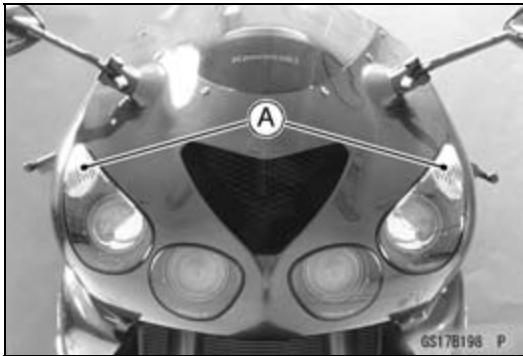
natural_image
Front view of a motorcycle's head with illuminated headlights and a marked section labeled 'A' (no text or symbols beyond labels)


Second Step
- Turn the ignition switch to P (Park) position.
- The city light, taillight and license plate light should go on.
★ If the light does not go on, inspect or replace the following item.
Ignition Switch (see Switch Inspection in the Electrical System chapter)
Third Step
- Turn on the ignition switch.
- Turn on the turn signal switch [A] (left or right position).
- The left or right turn signal lights [B] (front and rear) according to the switch position should flash.
- The either of turn signal indicator lights (LED) [C] in the meter unit should flash.
★If the each light does not flash, inspect or replace the following item.
Turn Signal Light Bulb (see Turn Signal Light Bulb Replacement in the Electrical System chapter)
Meter Unit for Turn Signal Indicator Light (LED) (see Meter Unit Inspection in the Electrical System chapter)
Turn Signal Relay Fuse 10 A (see Fuse Inspection in the Electrical System chapter)
Turn Signal Switch (see Switch Inspection in the Electrical System chapter)
Turn Signal Relay (see Turn Signal Relay Inspection in the Electrical System chapter)
Harness (see Wiring Inspection in the Electrical System chapter)
- Push the turn signal switch.
- The turn signal lights and indicator light (LED) should go off.
★If the light does not go off, inspect or replace the following item.
Turn Signal Switch (see Switch Inspection in the Electrical System chapter)
Turn Signal Relay (see Turn Signal Relay Inspection in the Electrical System chapter)

natural_image
Close-up of a mechanical device with labeled component A, showing adjustment knobs and control buttons (no readable text or symbols beyond labels)
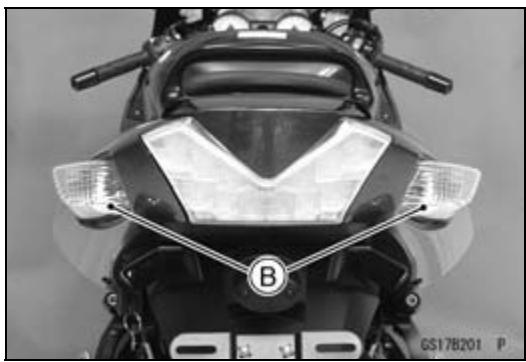
natural_image
Front view of a black motorcycle with white highlights and a circular logo (B) on the side, no visible text or symbols.

Maintenance Procedure
Fourth Step
- Set the dimmer switch [A] to low beam position.
- Start the engine.
- The low beam headlights [B] should go on.
★If the low beam headlight does not go on, inspect or replace the following item.
Headlight Low Beam Bulb (see Headlight Bulb Replacement in the Electrical System chapter)
Headlight Fuse (Low) 15 A (see Fuse Inspection in the Electrical System chapter)
Headlight Relay Fuse 10 A (see Fuse Inspection in the Electrical System chapter)
Headlight Circuit Relay in Relay Box (see Relay Circuit Inspection in the Electrical System chapter)
Headlight Relay (Low) (see Headlight Relay Inspection in the Electrical System chapter)
Harness (see Wiring Inspection in the Electrical System chapter)

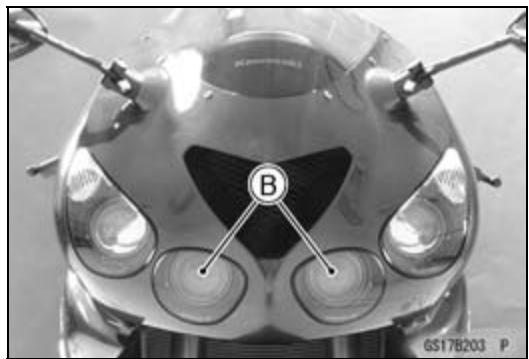
natural_image
Front view of a motorcycle's head with visible headlights and a circular emblem labeled 'B' (no text or symbols on the body)
- Push the passing button (equipped models) or set the dimmer switch to high beam position.
- The low beam [A] and high beam [B] headlights should go on.
- The high beam indicator light (LED) [C] should go on.
★ If the high beam headlight and/or high beam indicator light (LED) does not go on, inspect or replace the following item.
Headlight High Beam Bulb (see Headlight Bulb Replacement in the Electrical System chapter)
Headlight Fuse (High) 15 A (see Fuse Inspection in the Electrical System chapter)
Headlight Relay Fuse 10 A (see Fuse Inspection in the Electrical System chapter)
Passing Button (Equipped Models) (see Switch Inspection in the Electrical system chapter)
Dimmer Switch (see Switch Inspection in the Electrical System chapter)
Headlight Circuit Relay in Relay Box (see Relay Circuit Inspection in the Electrical System chapter)
Headlight Relay (High) (see Headlight Relay Inspection in the Electrical System chapter)
Harness (see Wiring Inspection in the Electrical System chapter)
- Turn off the engine stop switch.
- The low beam and high beam headlights should stay going on.
★If the headlights and high beam indicator light (LED) does go off, inspect or replace the following item.
Headlight Circuit Relay in Relay Box (see Relay Circuit Inspection in the Electrical System chapter)
- Turn off the ignition switch.
- The headlights and high beam indicator light (LED) should go off.

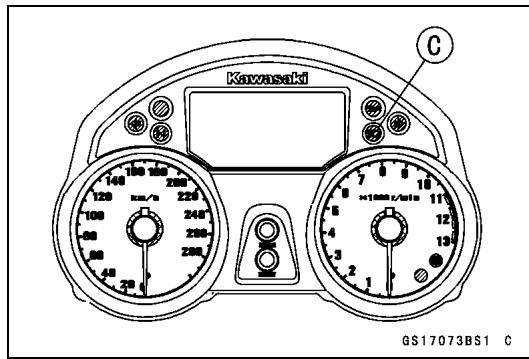
Headlight Aiming Inspection
- Inspect the headlight beam for aiming.
★If the headlight beam points to one side rather than straight ahead, adjust the horizontal beam.
Headlight Beam Horizontal Adjustment
- Turn the horizontal adjuster [A] in both headlights in or out until the beam points straight ahead.
★If the headlight beam points too low or high, adjust the vertical beam.
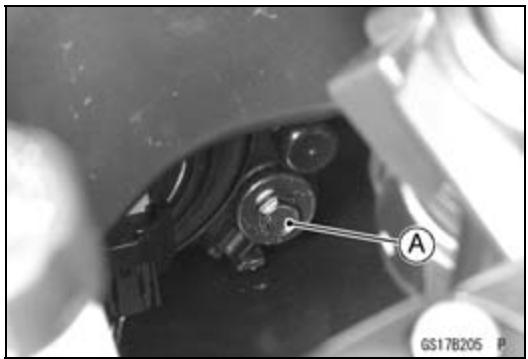
natural_image
Close-up of mechanical components with a labeled point A pointing to a central component (no readable text or symbols beyond label)
Headlight Beam Vertical Adjustment
- Turn the vertical adjuster [A] in both headlights in or out to adjust the headlight vertically.

natural_image
Close-up of mechanical components with labeled section A, no readable text or symbols present
NOTE
○ON high beam, the brightest points should be slightly below horizontal with the motorcycle on its wheels and the rider seated. Adjust the headlight to the proper angle according to local regulations.
☐For US model, the proper angle is 0.4 degrees below horizontal. This is 50 mm (2 in.) drop at 7.6 m (25 ft) measured from the center of the headlight with the motorcycle on its wheels and the rider seated.

50 mm (2 in.) [A]
Center of Brightest Spot [B]
7.6 m (25 ft) [C]
Low Beam [D]
Height of Headlight Center [E]
High Beam [F]
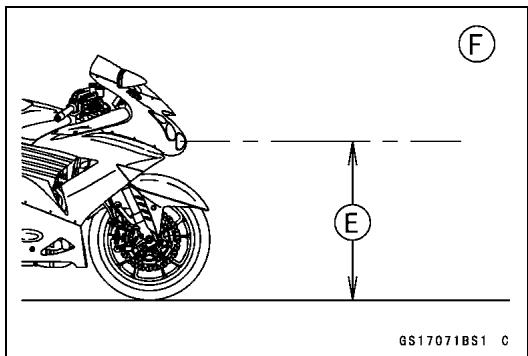
Maintenance Procedure
Sidestand Switch Operation Inspection
- Inspect the sidestand switch [A] operation accordance to table the below.
Sidestand Switch Operation
| Sidestand | Gear Position | Clutch Lever | Engine Start | Engine Run |
| Up | Neutral | Released | Starts | Continue running |
| Up | Neutral | Pulled in | Starts | Continue running |
| Up | In Gear | Released | Doesn’t start | Continue running |
| Up | In Gear | Pulled in | Starts | Continue running |
| Down | Neutral | Released | Starts | Continue running |
| Down | Neutral | Pulled in | Starts | Continue running |
| Down | In Gear | Released | Doesn’t start | Stops |
| Down | In Gear | Pulled in | Doesn’t start | Stops |
★If the sidestand switch operation does not work, inspect or replace the following item.
Battery (see Charging Condition Inspection in the Electrical System chapter)
Main Fuse 30 A (see Fuse Inspection in the Electrical System chapter)
ECU Fuse 30 A (see Fuse Inspection in the Electrical System chapter)
Ignition Fuse 10 A (see Fuse Inspection in the Electrical System chapter)
Ignition Switch (see Switch Inspection in the Electrical System chapter)
Sidestand Switch (see Switch Inspection in the Electrical System chapter)
Starter Lockout Switch (see Switch Inspection in the Electrical System chapter)
Engine Stop Switch (see Switch Inspection in the Electrical System chapter)
Starter Button (see Switch Inspection in the Electrical System chapter)
Gear Position Switch (see Gear Position Switch Inspection in the Electrical System chapter)
Starter Relay (see Starter Relay Inspection in the Electrical System chapter)
Relay Box (see Relay Circuit Inspection in the Electrical System chapter)
Starter Circuit Relay (see Relay Circuit Inspection in the Electrical System chapter)
Harness (see Wiring Inspection in the Electrical System chapter)
★If the all parts are in good condition, replace the ECU.
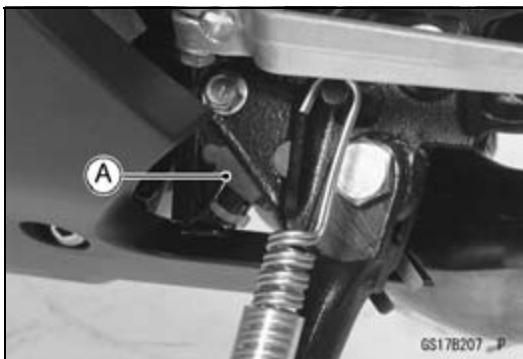
natural_image
Close-up mechanical assembly showing a threaded component with labeled point A (no readable text or symbols beyond label)
Maintenance Procedure
Engine Stop Switch Operation Inspection First Step
- Turn on the ignition switch.
- Set the neutral position.
- Turn the engine stop switch to stop position [A].
- Push the starter button.
- The engine does not start.
★If the engine starts, inspect or replace the following item. Engine Stop Switch (see Switch Inspection in the Electrical System chapter)
Second Step
- Turn on the ignition switch.
- Set the neutral position.
- Turn the engine stop switch to run position [A].
- Push the starter button and run the engine.
- Turn the engine stop switch to stop position.
- Immediately the engine should be stop.
★If the engine does not stop, inspect or replace the following item.
Engine Stop Switch (see Switch Inspection in the Electrical System chapter)

natural_image
Close-up of a camera control panel with labeled buttons and a dial indicator (no readable text or symbols beyond basic labels)

natural_image
Close-up of a mechanical device with labeled components (A and C) and no visible text or symbols beyond labels
Others
Chassis Parts Lubrication
- Before lubricating each part, clean off any rusty spots with rust remover and wipe off any grease, oil, dirt, or grime.
- Lubricate the points listed below with indicated lubricant.
NOTE
○Whenever the vehicle has been operated under wet or rainy conditions, or especially after using a high-pressure water spray, perform the general lubrication.
Pivots: Lubricate with Grease.
Brake Lever
Brake Pedal
Clutch Lever
Center Stand (Equipped Models)
Rear Brake Joint Pin
Sidestand
Points: Lubricate with Grease.
Throttle Inner Cable Upper and Lower Ends [A]

Maintenance Procedure
Cables: Lubricate with Rust Inhibitor.
Throttle Cables
-
Lubricate the cables by seeping the oil between the cable and housing.
○The cable may be lubricated by using a commercially available pressure cable lubricator with an aerosol cable lubricant.
-
With the cable disconnected at both ends, the inner cable should move freely [A] within the cable housing.
★If cable movement is not free after lubricating, if the cable is frayed [B], or if the cable housing is kinked [C], replace the cable.

natural_image
Line drawing of two hands holding a tool with a spray bottle (no text or symbols)

Bolts, Nuts and Fasteners Tightness Inspection
- Check the tightness of the bolts and nuts listed here. Also, check to see that each cotter pin is in place and in good condition.
NOTE
○For the engine fasteners, check the tightness of them when the engine is cold (at room temperature).
★If there are loose fasteners, retorque them to the specified torque following the specified tightening sequence. Refer to the appropriate chapter for torque specifications. If torque specifications are not in the appropriate chapter, see the Standard Torque Table. For each fastener, first loosen it by 1/2 turn, then tighten it.
★If cotter pins are damaged, replace them with new ones.
Maintenance Procedure
Bolt, Nut and Fastener to be checked
Engine:
Clutch Lever Pivot Bolt Locknut
Engine Mounting Bolts
Muffler Clamp Bolts
Exhaust Pipe Manifold Holder Nuts
Muffler Body Mounting Bolts
Wheels:
Front Axle Clamp Bolts
Front Axle Nut
Rear Axle Nut
Rear Axle Nut Cotter Pin
Brakes:
Brake Lever Pivot Nut
Brake Pedal Bolt
Brake Rod Joint Cotter Pin
Caliper Mounting Bolts
Front Master Cylinder Clamp Bolts
Rear Master Cylinder Mounting Bolts
Suspension:
Front Fork Clamp Bolts
Rear Shock Absorber Mounting Nuts
Swingarm Pivot Shaft Nut
Uni-Trak Link Nuts
Steering:
Handlebar Holder Bolts
Steering Stem Head Nut
Others:
Center Stand (Equipped Models)
Footpeg Bracket Bolts
Sidestand Bolt
Replacement Parts
Air Cleaner Element Replacement
NOTE
○In dusty areas, the element should be replaced more frequently than the recommended interval.
○After riding through rain or on muddy roads, the element should be replaced immediately.
WARNING
If dirt or dust is allowed to pass through into the throttle assembly, the throttle may become stuck, possibly causing an accident.
CAUTION
If dirt gets through into the engine, excessive engine wear and possibly engine damage will occur.
Maintenance Procedure
- Remove:
Fuel Tank Cover (see Fuel Tank Removal in the Fuel System (DFI) chapter)
Air Cleaner Element Cover Bolts [A]
Air Cleaner Element Cover [B]
- Discard the air cleaner element [A].
- Install a new element [A] so that screen side [B] faces upward.
CAUTION
Use only the recommended air cleaner element (Kawasaki part number 11013-0014). Using another air cleaner element will wear the engine prematurely or lower the engine performance.
- Install the air cleaner element cover [A] so that arrow mark [B] faces forward.
- Tighten:
Torque - Air Cleaner Element Cover Bolts: 6.9 N·m (0.70 kgf·m, 61 in·lb)
Fuel Hose Replacement
- Pull out the throttle body assy [A] from the holder (see Throttle Body Assy Removal in the Fuel System (DFI) chapter).
- Be sure to place a piece of cloth [B] around the fuel hose joint.
- Push the joint lock claws [C].


natural_image
Close-up of a mechanical component with labeled section A, showing internal structure and mounting bracket (no readable text or symbols)


Maintenance Procedure
- Pull the joint lock [A] as shown.
- Pull the fuel hose joint [B] out of the delivery pipe.
- Remove the throttle body assy (see Throttle Body Assy Removal in the Fuel System (DFI) chapter).
- Pull out the fuel hose to foward [C].
WARNING
Be prepared for fuel spillage; any spilled fuel must be completely wiped up immediately.
When the fuel hose is disconnected, fuel spills out from the hose and the pipe. Cover the hose connection with a clean shop towel to prevent fuel spillage.
- Push and pull the fuel hose joint [A] back and forth more than two times and make sure it is locked and doesn't come off.
WARNING
Make sure the fuel hose joint is installed correctly on the delivery pipe or the fuel could leak.
★If it comes off, reinstall the hose joint.
- Install the throttle body assy (see Throttle Body Assy Installation in the Fuel System (DFI) chapter).
- Start the engine and check the fuel hose for leaks.
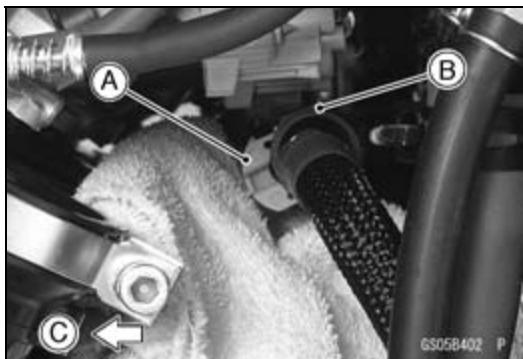


natural_image
Close-up of industrial pipe connection with visible flow and component (no text or symbols)
Maintenance Procedure
Coolant Change
WARNING
To avoid burns, do not remove the radiator cap or try to change the coolant when the engine is still hot. Wait until it cools down. Coolant on tires will make them slippery and can cause an accident and injury. Immediately wipe up or wash away any coolant that spills on the frame, engine, or other painted parts.
Since coolant is harmful to the human body, do not use for drinking.
- Remove:
Right Middle Fairing (see Middle Fairing Removal in the Frame chapter)
Radiator Cap [A]
○Remove the radiator cap in two steps. First turn the cap counterclockwise to the first stop. Then push and turn it further in the same direction and remove the cap.
- Remove:
Left Lower Fairing (see Lower Fairing Removal in the Frame chapter)
Left Middle Fairing (see Frame chapter)
- Place a containers under the drain plug [A] at the bottom of the water pump cover.
- Drain the coolant from the radiator and engine by removing the drain plug.
- Remove:
Hoses [A]
Mounting Bolts [B]
Coolant Reserve T
- Remove the cap [D] and pour the coolant into a container.
- Install the reserve tank, and reconnect the reserve tank hose and overflow hose correctly (see Cable, Wire, and Hose Routing in the Appendix chapter).
- Tighten the drain plug with the washer.
○Replace the drain plug gasket with a new one.
Torque - Coolant Drain Plug: 12 N·m (1.2 kgf·m, 106 in·lb)
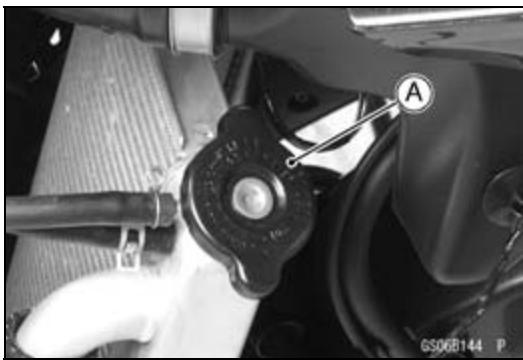
natural_image
Close-up of a mechanical component with a labeled section A, showing hoses and a valve (no readable text or symbols)
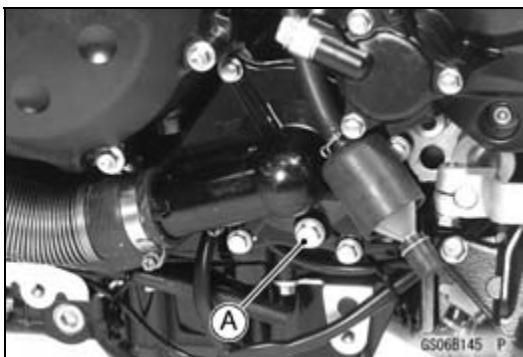
natural_image
Close-up mechanical assembly showing hoses, springs, and wiring (no visible text or symbols)

Maintenance Procedure
- Fill the radiator up to the radiator filler neck [A] with coolant, and install the radiator cap.
NOTE
○Pour in the coolant slowly so that it can expel the air from the engine and radiator.
- Fill the reserve tank up to the full level line with coolant, and install the cap.
CAUTION
Soft or distilled water must be used with the antifreeze (see below for antifreeze) in the cooling system.
If hard water is used in the system, it causes scales accumulation in the water passages, and considerably reduces the efficiency of the cooling system.
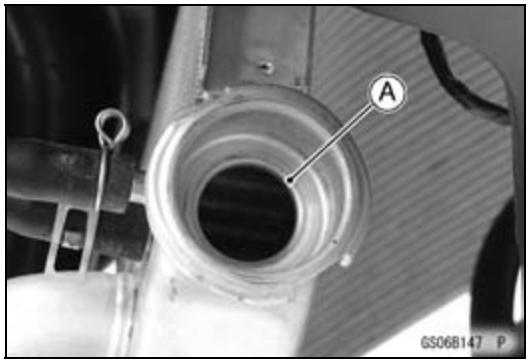
natural_image
Close-up of a mechanical component with labeled section A, showing internal structure and mounting bracket (no readable text or symbols beyond label)
Water and Coolant Mixture Ratio (Recommended)
Soft Water: 50%
Coolant: 50%
Freezing Point: -35ircC ( -31ircF )
Total Amount: 3.4 L (3.6 US qt)
NOTE
○Choose a suitable mixture ratio by referring to the coolant manufacturer's directions.
- Bleed the air from the cooling system as follows.
○Start the engine with the radiator cap removed and run it until no more air bubbles [A] can be seen in the coolant.
- Tap the radiator hoses to force any air bubbles caught inside.
- Stop the engine and add coolant up to the radiator filler neck.
- Install the radiator cap.
- Start the engine, warm it up thoroughly until the radiator fan turns on and then stop the engine.
- Check the coolant level in the reserve tank after the engine cools down.
★If the coolant level is lower than the low level line, add coolant to the full level line.
CAUTION
Do not add more coolant above the full level line.

GD050109S1 C
Maintenance Procedure
Radiator Hose and O-ring Replacement
- Drain the coolant (see Coolant Change).
- Remove:
Lower Fairings (see Lower Fairing Removal in the Frame chapter)
Middle Fairings (see Middle Fairing Removal in the Frame chapter)
Throttle Body Assy (see Throttle Body Assy Removal in the Fuel System (DFI) chapter)
Thermostat Housing [A]
Fitting [B]
Hoses [C]
O-rings [D]
- Apply grease to the new O-rings and install them.
- Instal the new hoses and tighten the clamps securely.
- Fill the coolant (see Coolant Change in the Periodic Maintenance chapter).
- Check the cooling system for leaks.
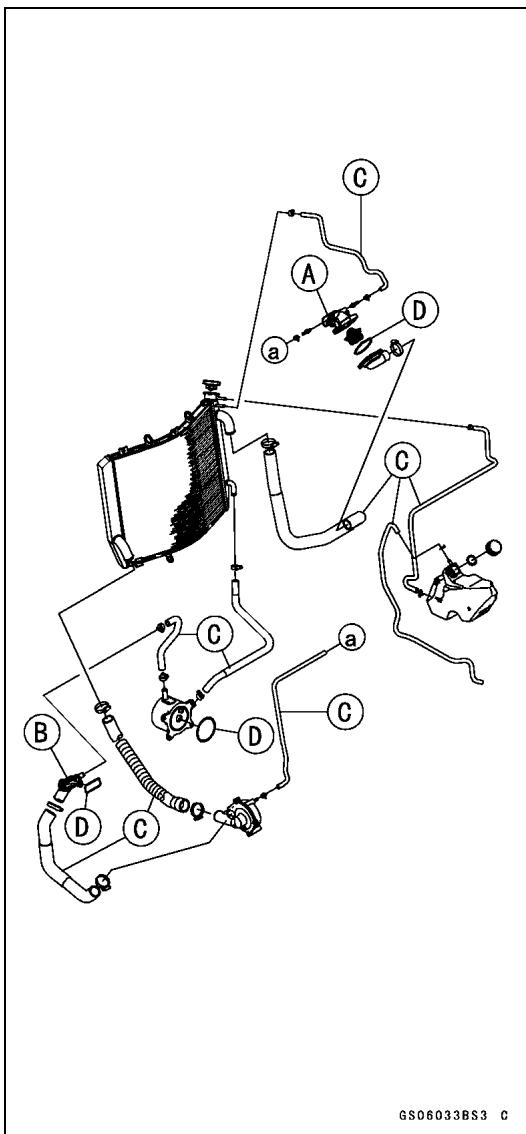
Engine Oil Change
- Situate the motorcycle so that it is vertical after warming up the engine.
- Remove the engine oil drain bolt [A] to drain the oil.
- The oil in the oil filter can be drained by removing the filter (see Oil Filter Replacement).
★Replace the drain bolt gasket [B] with a new one.
- Tighten the drain bolt.
Torque - Engine Oil Drain Bolt: 30 N·m (3.0 kgf·m, 22 ft·lb)
- Pour in the specified type and amount of oil.

Maintenance Procedure
Recommended Engine Oil
Type: API SE, SF or SG
API SH, SJ or SL with JASO MA
Viscosity: SAE 10W-40
Capacity: 3.7 L (3.9 US qt) (when filter is not removed)
4.1 L (4.3 US qt) (when filter is removed)
4.5 L (4.8 US qt) (when engine is completely dry)
NOTE
Although 10W-40 engine oil is the recommended oil for most conditions, the oil viscosity may need to be changed to accommodate atmospheric conditions in your riding area.
Oil Filter Replacement
- Drain the engine oil (see Engine Oil Change).
- Remove:
Lower Fairing (see Frame chapter)
- Remove the oil filter [A] with the oil filter wrench [B].
Special Tool - Oil Filter Wrench: 57001-1249
- Replace the filter with a new one.
- Apply engine oil to the gasket [A] before installation.
- Tighten the filter with the oil filter wrench.
Torque - Oil Filter: 31 N·m (3.2 kgf·m, 23 ft·lb)
NOTE
○Hand tightening of the oil filter can not be allowed since it does not reach to this tightening torque.
- Pour in the specified type and amount of oil (see Engine Oil Change).
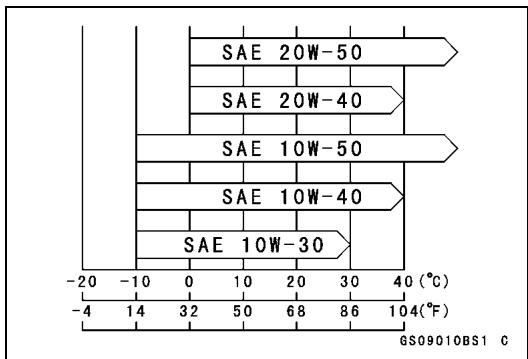
bar
| Temperature Range | Value |
| ------------------ | ----- |
| 20W-50 | 20 |
| 20W-40 | 20 |
| 10W-50 | 10 |
| 10W-40 | 10 |
| 10W-30 | 10 |


Maintenance Procedure
Brake Hose and Pipe Replacement
CAUTION
Brake fluid quickly ruins painted plastic surfaces; any spilled fluid should be completely washed away immediately.
- Remove the brake hose banjo bolts [A].
- When removing the brake hose, take care not to spill the brake fluid on the painted or plastic parts.
- When removing the brake hoses [B], temporarily secure the end of the brake hose to some high place to keep fluid loss to a minimum.
- Immediately wash away any brake fluid that spills.

natural_image
Close-up of a mechanical assembly with labeled parts A and B, no readable text or symbols beyond labels
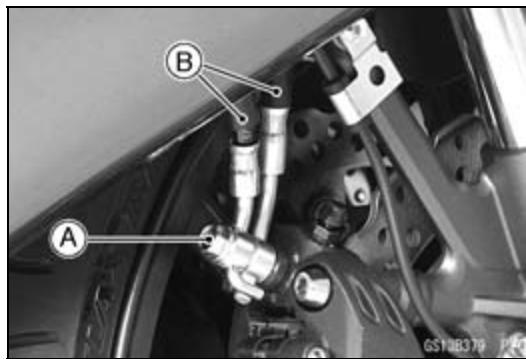

Maintenance Procedure
- For ABS equipped models; note the following.
- Remove:
Fuel Tank (see Fuel Tank Removal in the Fuel System (DFI) chapter)
Battery (see Battery Removal in the Electrical System chapter)
Upper Fairing (see Upper Fairing Removal in the Frame chapter)
Brake Pipe Joint Nuts [A]
Bolts [B]
Bracket [C]
- There are washers on each side of the brake hose fitting.
Replace them with new ones when installing.
- Tighten:
Torque - Brake Hose Banjo Bolts: 25 N·m (2.5 kgf·m, 18 ft·lb)
Brake Pipe Joint Nuts: 18 N·m (1.8 kgf·m, 13 ft·lb) (ZX1400B Models)
- When installing the hoses, avoid sharp bending, kinking, flattening or twisting, and route the hoses according to Cable, Wire, and Hose Routing section in the Appendix chapter.
- Fill the brake line after installing the brake hose (see Brake Fluid Change).


natural_image
Close-up of a mechanical assembly with labeled components (B and C), no readable text or symbols beyond labels
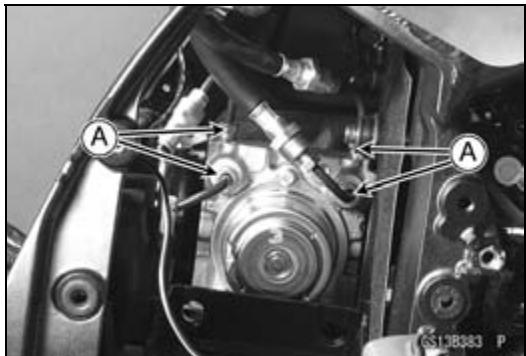

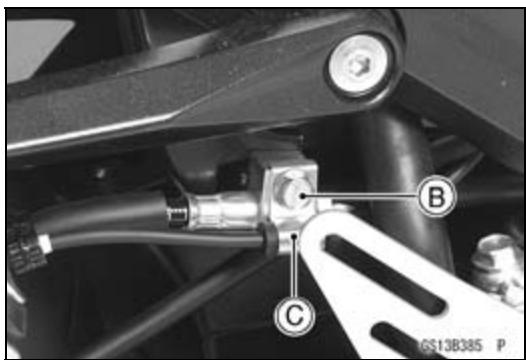
Maintenance Procedure
Brake Fluid Change
NOTE
○The procedure to change the front brake fluid is as follows. Changing the rear brake fluid is the same as for the front brake.
NOTE
☐ The fluid level must be checked often during the changing operation and replenished with fresh brake fluid. If the fluid in the reservoir runs out any time during the changing operation, the brakes will need to be bled since air will have entered the brake line.
○Front Brake: Repeat the above steps for the other caliper.
- Remove the clear plastic hose.
-
Install the diaphragm and reservoir cap.
-
Follow the procedure below to install the front brake fluid reservoir cap correctly.
○First, tighten the front brake fluid reservoir cap [B] clockwise [C] by hand until slight resistance is felt indicating that the cap is seated on the reservoir body, then tighten the cap an additional 1/6 turn [D] while holding the brake fluid reservoir body [A].


Maintenance Procedure
- Tighten:
Torque - Front Brake Reservoir Cap Stopper Screw: 1.2 N·m (0.12 kgf·m, 11 in·lb)
- Tighten the bleed valve, and install the rubber cap.
Torque - Bleed Valve: 7.8 N·m (0.80 kgf·m, 69 in·lb)
- After changing the fluid, check the brake for good braking power, no brake drag, and no fluid leakage.
★If necessary, bleed the air from the lines.
Master Cylinder Rubber Parts Replacement Front Master Cylinder Disassembly
- Remove the front master cylinder (see Front Master Cylinder Removal in the Brakes chapter).
- Remove the seal cover [A], circlip [B], connector [C] and O-ring [D].
Special Tool - Inside Circlip Pliers: 57001-143
- Unscrew the locknut [E] and pivot bolt [F], and remove the brake lever.
- Remove the circlip [G].
- Pull out the piston assy [H].
- Replace:
Seal Cover [A]
Circlip [B]
O-ring [D]
Circlip [G]
Piston Assy [H]
Diaphragm [I]
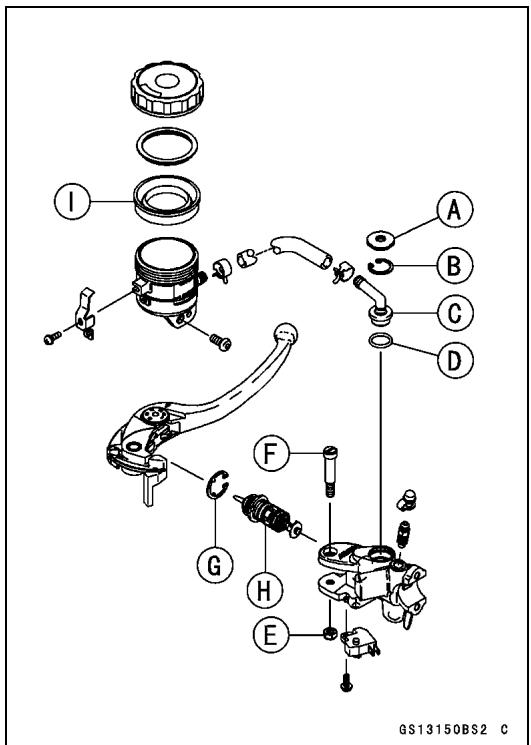
Rear Master Cylinder Disassembly
- Remove the rear master cylinder (see Rear Master Cylinder Removal in the Brakes chapter).
- Remove the circlip [A], connector [B] and O-ring [C].
Special Tool - Inside Circlip Pliers: 57001-143
- Slide the dust cover [D] out of place, and remove the circlip [E].
- Pull out the push rod assy [F].
- Take off the piston assy [G] and return spring [H].
CAUTION
Do not remove the secondary cup from the piston since removal will damage it.
- Replace:
Circlip [A]
O-ring [C]
Circlip [E]
Push Rod Assy [F]
Piston Assy [G]
Diaphragm [I]

Maintenance Procedure
Master Cylinder Assembly
- Before assembly, clean all parts including the master cylinder with brake fluid or alcohol.
CAUTION
Except for the disc pads and disc, use only disc brake fluid, isopropyl alcohol, or ethyl alcohol for cleaning brake parts. Do not use any other fluid for cleaning these parts. Gasoline, engine oil, or any other petroleum distillate will cause deterioration of the rubber parts. Oil spilled on any part will be difficult to wash off completely, and will eventually deteriorate the rubber used in the disc brake.
- Apply brake fluid to the new parts and to the inner wall of the cylinder.
- Take care not to scratch the piston or the inner wall of the cylinder.
- Apply silicone grease to the brake lever pivot bolt.
- Tighten the brake lever pivot bolt and the locknut.
Torque - Brake Lever Pivot Bolt: 1.0 N·m (0.10 kgf·m, 9 in·lb)
Brake Lever Pivot Bolt Locknut: 5.9 N·m (0.60 kgf·m, 52 in·lb)
Caliper Rubber Parts Replacement Front Caliper Disassembly
- Loosen the front caliper pad pins [A] and banjo bolt [B] and tighten them loosely.
-
Remove:
Front Caliper [C] (see Front Caliper Removal in the Brakes chapter)
Brake Pads (see Front Brake Pad Removal in the brakes chapter)
Front Caliper Assembly Bolts
O-ring
-
Using compressed air, remove the pistons. One way to remove the pistons is as follows.
○Install a rubber gasket [A] and a wooden board [B] more than 10 mm (0.4 in.) thick on the caliper half, and fasten them together with a suitable bolt and nut as shown. Leave one of the oil passages [C] open.
○Lightly apply compressed air [D] to the oil passage until the pistons hit the rubber gasket. Block the hose joint opening [E] during this operation if the caliper half has the opening.
Bolt [F] and Nut
Push down [G].

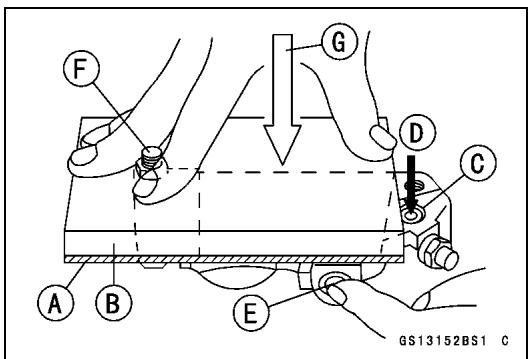
Maintenance Procedure

WARNING
To avoid serious injury, never place your fingers or palm in front of the piston. If you apply compressed air into the caliper, the piston may crush your hand or fingers.
○Pull out the pistons by hand.
- Remove the dust seals [A] and fluid seals [B].
- Remove the bleed valve [C] and rubber cap [D].
- Repeat the previous step to remove the pistons from the other side of the caliper body.
NOTE
○If compressed air is not available, do as follows for both calipers coincidentally, with the brake hose connected to the caliper.
○Prepare a container for brake fluid, and perform the work above it.
○Remove the pad springs and pads (see Front Brake Pad Removal in the Brakes chapter).
○Pump the brake lever until the pistons come out of the cylinders, and then disassemble the caliper.
Front Caliper Assembly
- Clean the caliper parts except for the pads.
CAUTION
For cleaning the parts, use only disc brake fluid, isopropyl alcohol, or ethyl alcohol.
- Install the bleed valve and rubber cap.
Torque - Bleed Valve: 7.8 N·m (0.80 kgf·m, 69 in·lb)
Torque - Front Caliper Assembly Bolts: 27 N·m (2.8 kgf·m, 20 ft·lb)

GS13153BS1 C

GL050402S1 C
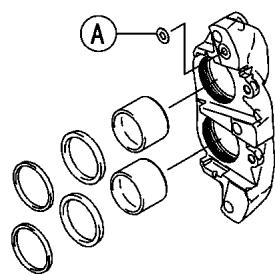
GS13154BS1 C
Maintenance Procedure
- Install the pads (see Front Brake Pad Installation in the Brakes chapter).
- Wipe up any spilled brake fluid on the caliper with wet cloth.
Rear Caliper Disassembly
- Loosen the rear caliper pad pin [A] and banjo bolt [B], and tighten them loosely.
- Remove:
Rear Caliper [C] (see Rear Caliper Removal in the Brakes chapter)
Brake Pads (see Rear Brake Pad Removal in the Brakes chapter)
Rear Caliper Assembly Bolts
O-ring
- Remove the left side piston as follows.
- Removal of the left side piston is the same as for the front caliper.
Left Side Caliper [A]
Rubber Gasket [B]
Wooden Board [C]
Bolt [D] and Nut
Apply compressed air [E]
WARNING
To avoid serious injury, never place your fingers or palm in rear of the piston. If you apply compressed air into the caliper, the piston may crush your hand or fingers.
- Remove the right side piston as follows.
- Using the rear caliper assembly bolt [A], remove the piston [B] as shown in the figure.


Maintenance Procedure
- Remove the dust seals [A] and fluid seals [B].
- Remove the bleed valves [C] and rubber caps [D].

NOTE
○If compressed air is not available, do as follows with the brake hose connected to the caliper.
○Prepare a container for brake fluid, and perform the work above it.
○Remove the pads and pad spring (see Rear Brake Pad Removal in the Brakes chapter).
○Pump the brake pedal to remove the caliper piston.
Rear Caliper Assembly
- Clean the caliper parts except for the pads.
CAUTION
For cleaning the parts, use only disc brake fluid, isopropyl alcohol, or ethyl alcohol.
- Install the bleed valves and rubber caps.
Torque - Bleed Valves: 7.8 N·m (0.80 kgf·m, 69 in·lb)
- Apply brake fluid to the cylinder bores.
- Replace the fluid seals [A] with new ones.
○Apply silicone grease to the fluid seals, and install them into each cylinder by hand.
- Replace the dust seals [B] with new ones.
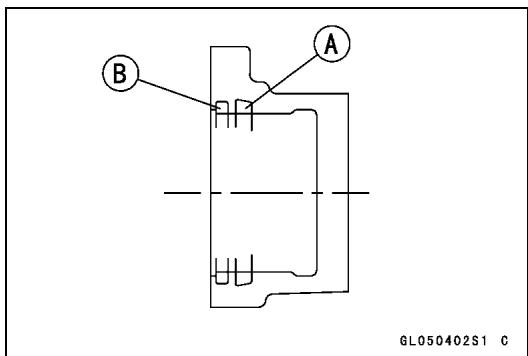
Maintenance Procedure
- Replace the O-ring [A].
- Apply brake fluid to the outside of the pistons, and push them into each cylinder by hand.
- Be sure to install the O-ring.
- Apply a non-permanent locking agent to the threads of the rear caliper assembly bolts, and tighten them.
Torque - Rear Caliper Assembly Bolts: 37 N·m (3.8 kgf·m, 27 ft·lb)

- Install the pads (see Rear Brake Pad Installation in the Brakes chapter).
- Wipe up any spilled brake fluid on the caliper with wet cloth.
Clutch Hose and Pipe Replacement
CAUTION
Clutch fluid quickly ruins painted plastic surfaces; any spilled fluid should be completely washed away immediately.
- When removing the clutch hose, take care not to spill the clutch fluid on the painted or plastic parts.
- When removing the clutch hose [A], temporarily secure the end of the clutch hose to some high place to keep fluid loss to a minimum.
- Immediately wash away any clutch fluid that spills.
- There are washers on each side of the clutch hose fittings. Replace them with new ones when installing.
- Tighten:
Torque - Clutch Hose Banjo Bolts: 25 N·m (2.5 kgf·m, 18 ft·lb)
- When installing the hoses [A], avoid sharp bending, kinking, flattening or twisting, and route the hoses according to Cable, Wire, and Hose Routing section in Appendix chapter.
- Fill the clutch line after installing the clutch hose (see Clutch Fluid Change).

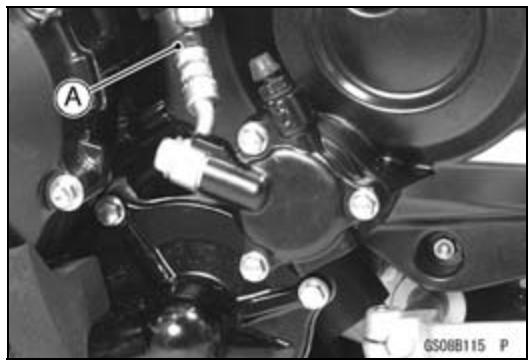
natural_image
Close-up mechanical assembly with labeled component A and reference number GS08B115 P (no readable text or symbols beyond labels)
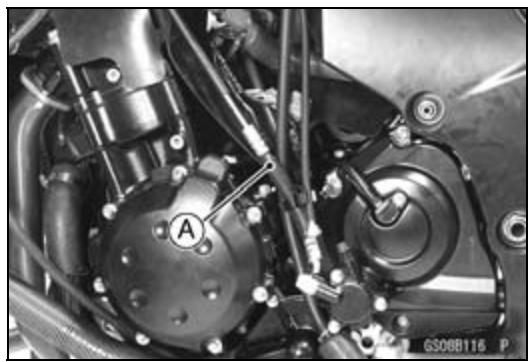
natural_image
Close-up mechanical assembly showing two circular components with labeled parts (A and G008116), no readable text or symbols beyond labels.
Maintenance Procedure
Rubber Parts of Clutch Master Cylinder/Slave Cylinder Replacement
Clutch Master Cylinder Cup and Dust Seal Replacement
- Remove the clutch master cylinder (see Clutch Master Cylinder Removal in the Clutch chapter).
- Remove the seal cover [A], circlip [B], connector [C] and O-ring [D].
Special Tool - Inside Circlip Pliers: 57001-143
- Unscrew the locknut [E] and pivot bolt [F], and remove the clutch lever.
- Pull the circlip [G].
- Pull out the piston assy [H].
- Replace:
Seal Cover [A]
Circlip [B]
O-ring [D]
Circlip [G]
Piston Assy [H]
Diaphragm [I]
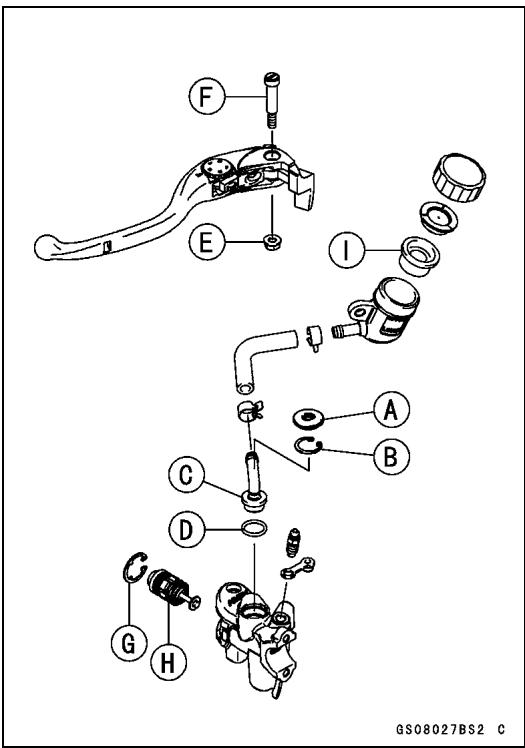
- Before assembly, clean all parts including the master cylinder with clutch fluid or alcohol.
CAUTION
Use only disc brake fluid, isopropyl alcohol or ethyl alcohol for cleaning parts. Do not use any other fluid for cleaning these parts. Gasoline, motor oil or any other petroleum distillate will cause deterioration of the rubber parts. Oil spilled on any part will be difficult to wash off completely, and will eventually deteriorate the rubber used in the cylinder.
- Apply clutch fluid to the parts removed and to the inner wall of the cylinder.
- Take care not to scratch the piston or the inner wall of the cylinder.
Torque - Clutch Lever Pivot Bolt: 1.0 N·m (0.10 kgf·m, 8.9 in·lb)
Clutch Lever Pivot Bolt Locknut: 5.9 N·m (0.60 kgf·m, 52 in·lb)
- Install the clutch master cylinder (see Clutch Master Cylinder Removal in the Clutch chapter).
Maintenance Procedure
Clutch Slave Cylinder Piston Seal Replacement
- Remove the left lower fairing (see Lower Fairing Removal in the Frame chapter).
- Remove the coolant reserve tank.
- Loosen the banjo bolt [A] at the clutch pipe lower end, and tighten it loosely.
- Unscrew the slave cylinder bolts [B] and detach the slave cylinder with the pipe installed from the engine.
- Pump the clutch lever until the piston comes out of the cylinder.
- Unscrew the banjo bolt and remove the slave cylinder [C].
CAUTION
Immediately wash away any clutch fluid that spills. It may damage painted surfaces.
NOTE
○If the clutch slave cylinder is removed and left alone, the piston will be pushed out by spring force.
- Remove the spring and piston seal.
CAUTION
Replace the piston seal with a new one if it was removed from the piston.
- Before assembly, apply clutch fluid to the outside of the piston and the piston seal.
- Install the piston seal as shown.
Cylinder [A]
Piston [B]
Piston Seal [C]
Spring [D]
WARNING
Motorcycle operation with insufficient, deteriorated or contaminated engine oil will cause accelerated wear and may result in engine or transmission seizure, accident, and injury.

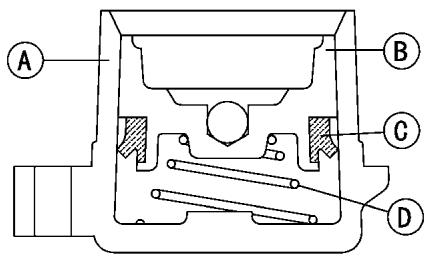
GF10001BS1 C
Maintenance Procedure
Clutch Fluid Change
- Level the clutch fluid reservoir and remove the reservoir cap.
- Remove the left lower fairing (see Frame chapter).
- Remove the rubber cap from the bleed valve on the clutch slave cylinder.
- Attach a clear plastic hose [A] to the bleed valve and run the other end of the hose into a container.
- Fill the reservoir with fresh fluid.
- Change the clutch fluid as follows.
Open [B] the bleed valve, using a wrench.
Pump the clutch lever and hold [C] it.
Close [D] the bleed valve.
Release [E] the clutch lever.
- Repeat this operation until fresh fluid comes out from the plastic hose or the color of the fluid changes.
○Check the fluid level in the reservoir often, replenishing it as necessary.
NOTE
○If the fluid in the reservoir runs completely out any time during fluid changing, the bleeding operation must be done over again from the beginning since air will have entered the line.
WARNING
Do not mix two brands of fluid.
- After changing the fluid, check the clutch for good clutch power and no fluid leakage.
★If necessary, bleed the air from the lines (see Clutch Line Bleeding in the Clutch chapter).
- Remove the clear plastic hose.
- Install the reservoir cap.
- Tighten the bleed valve, and install the rubber cap.
Torque - Clutch Slave Cylinder Bleed Valve: 7.8 N·m (0.80 kgf·m, 69 in·lb)
Spark Plug Replacement
- Remove:
Stick Coils (see Stick Coil Removal in the Electrical System chapter)
- Remove the spark plug using the 16 mm (0.63 in.) plug wrench [A] vertically.


natural_image
Close-up mechanical assembly showing a tool interacting with a component, labeled 'A' and no visible text or symbols beyond the label.
Maintenance Procedure
- Replace the spark plug with a new one.
Standard Spark Plug
Type: NGK CR9EIA-9
- Insert new spark plug in the plug hole, and finger-tighten it first.
- Using the plug wrench [A] vertically, tighten the plug.
CAUTION
The insulator of the spark plug may break if when the wrench is inclined during tightening.
Torque - Spark Plugs: 13 N·m (1.3 kgf·m, 115 in·lb)
- Install the stick coils securely.
○Be sure the stick coils are installed by pulling up it lightly.

natural_image
Close-up of a car engine bay with a hand adjusting the grille and handle (no visible text or symbols)
Fuel System (DFI)
Table of Contents
Exploded View 3-4
DFI System 3-10
DFI Parts Location.... 3-16
Specifications 3-18
Special Tools and Sealant 3-20
DFI Servicing Precautions 3-22
DFI Servicing Precautions 3-22
Troubleshooting the DFI System 3-24
Outline 3-24
Inquiries to Rider 3-29
DFI System Troubleshooting Guide 3-32
Self-Diagnosis 3-37
Self-diagnosis Outline 3-37
Self-diagnosis Procedures.... 3-38
Service Code Reading 3-41
Service Code Erasing 3-41
Backups 3-43
Main Throttle Sensor (Service Code 11) 3-45
Main Throttle Sensor Removal/Adjustment 3-45
Input Voltage Inspection.... 3-45
Output Voltage Inspection 3-47
Resistance Inspection.... 3-50
Inlet Air Pressure Sensor (Service Code 12).... 3-51
Removal.... 3-51
Installation.... 3-51
Input Voltage Inspection.... 3-52
Output Voltage Inspection 3-53
Inlet Air Temperature Sensor (Service Code 13).... 3-57
Removal/Installation 3-57
Output Voltage Inspection 3-57
Sensor Resistance Inspection 3-58
Water Temperature Sensor (Service Code 14) 3-60
Removal/Installation.... 3-60
Output Voltage Inspection 3-60
Sensor Resistance Inspection 3-61
Atmospheric Pressure Sensor (Service Code 15).... 3-62
Removal.... 3-62
Installation.... 3-62
Input Voltage Inspection.... 3-62
Output Voltage Inspection 3-63
Crankshaft Sensor (Service Code 21).... 3-66
Crankshaft Sensor Removal/Installation 3-66
Crankshaft Sensor Inspection 3-66
Camshaft Position Sensor (Service Code 23) 3-67
Camshaft Position Sensor Removal/Installation 3-67
Camshaft Position Sensor Inspection 3-67
Speed Sensor (Service Code 24).... 3-68
Speed Sensor Removal/Installation 3-68
Speed Sensor Inspection 3-68
Input Voltage Inspection.... 3-68
Output Voltage Inspection 3-69
Gear Position Switch (Service Code 25) 3-71
Gear Position Switch Removal/Installation 3-71
Gear Position Switch Inspection 3-71
Input Voltage Inspection.... 3-71
Vehicle-down Sensor (Service Code 31).... 3-73
Removal.... 3-73
Installation.... 3-73
Inspection.... 3-74
Subthrottle Sensor (Service Code 32).... 3-76
Subthrottle Sensor Removal/Adjustment 3-76
Input Voltage Inspection 3-76
Output Voltage Inspection 3-78
Resistance Inspection 3-80
Immobilizer Amplifier (Service Code 35) 3-81
Antenna Resistance Inspection 3-81
Amplifier Input Voltage Inspection.... 3-81
Blank Key Detection (Service Code 36) 3-82
User Key Inspection.... 3-82
Fuel Pump Relay (Service Code 46) 3-83
Fuel Pump Relay Removal 3-83
Fuel Pump Relay Inspection 3-83
Stick Coils #1, #2, #3, #4: (Service Code 51, 52, 53, 54) 3-85
Removal/Installation 3-85
Input Voltage Inspection.... 3-85
Subthrottle Valve Actuator (Service Code 62) 3-87
Subthrottle Valve Actuator Removal 3-87
Subthrottle Valve Actuator Inspection 3-87
Resistance Inspection.... 3-87
Input Voltage Inspection 3-88
ECU Main Relay (Service Code 75) 3-90
ECU Main Relay Inspection 3-90
ECU 3-91
ECU Identification 3-91
ECU Removal 3-91
ECU Installation 3-92
ECU Power Supply Inspection 3-93
CAN Communication Line Resistance Inspection 3-95
DFI Power Source 3-97
ECU Fuse Removal 3-97
ECU Fuse Installation 3-97
ECU Fuse Inspection 3-97
Warning Indicator Light (LED) 3-98
Light (LED) Inspection 3-98
Fuel Line 3-99
Fuel Pressure Inspection 3-99
Fuel Flow Rate Inspection 3-100
Fuel Pump 3-103
Fuel Pump Removal 3-103
Fuel Pump Installation 3-103
Operation Inspection 3-104
Operating Voltage Inspection 3-104
Fuel Injectors 3-106
Removal/Installation.... 3-106
Power Source Voltage Inspection 3-106
Output Voltage Inspection 3-107
Audible Inspection.... 3-108
Injector Signal Test.... 3-109
Injector Resistance Inspection 3-109
Injector Unit Test 3-110
Injector Fuel Line Inspection 3-110
Throttle Grip and Cables 3-112
Free Play Inspection 3-112
Free Play Adjustment.... 3-112
Cable Installation 3-112
Cable Lubrication 3-112
Throttle Body Assy 3-113
Idle Speed Inspection 3-113
Throttle Bore Cleaning 3-113
Synchronization Inspection 3-113
Synchronization Adjustment 3-113
Throttle Body Assy Removal.... 3-113
Throttle Body Assy Installation.... 3-116
Throttle Body Assy Disassembly 3-118
Throttle Body Assy Assembly 3-119
Air Line 3-121
Element Removal 3-121
Element Installation.... 3-121
Air Cleaner Element Inspection 3-121
Air Cleaner Element Holder Removal 3-121
Air Cleaner Element Holder Installation 3-121
Oil Draining 3-122
Rear Air Inlet Duct Removal 3-122
Rear Air Inlet Duct Installation 3-122
Front and Middle Air Inlet Duct Removal 3-123
Front and Middle Air Inlet Duct Installation 3-123
Fuel Tank 3-125
Fuel Tank Removal 3-125
Fuel Tank Installation 3-127
Fuel Tank and Cap Inspection 3-129
Fuel Tank Cleaning 3-129
Evaporative Emission Control System 3-130
Parts Removal/Installation 3-130
Hose Inspection 3-130
Separator Inspection.... 3-130
Separator Operation Test.... 3-131
Canister Inspection 3-131

Exploded View
| No. | Fastener | Torque | Remarks |
| N·m | kgf·m | ft·lb |
| 1 | Front Air Inlet Duct Mounting Bolts | 9.8 | 1.0 | 87 in·lb | |
| 2 | Middle Air Inlet Duct Mounting Bolts | 9.8 | 1.0 | 87 in·lb | |
| 3 | Middle Air Inlet Duct Clamp Bolts | 2.9 | 0.30 | 26 in·lb | |
| 4 | Rear Air Inlet Duct Mounting Bolts | 9.8 | 1.0 | 87 in·lb | |
| 5 | Air Cleaner Element Holder Screws | 6.9 | 0.70 | 61 in·lb | |
| 6 | Air Cleaner Element Cover Bolts | 6.9 | 0.70 | 61 in·lb | |
| 7 | Duct Clamp Bolts | 2.0 | 0.20 | 18 in·lb | |
- Air Cleaner Element
- Air Switching Valve
- Air Inlet Temperature Sensor
L: Apply a non-permanent locking agent.
WL: Apply a soap and water solution or rubber lubricant.
Exploded View

Exploded View
| No. | Fastener | Torque | Remarks |
| N·m | kgf·m | ft·lb |
| 1 | Speed Sensor Bolt | 3.9 | 0.40 | 35 in·lb | L |
| 2 | Crankshaft Sensor Bolts | 5.9 | 0.60 | 52 in·lb | L |
| 3 | Gear Position Switch Screws | 2.9 | 0.30 | 26 in·lb | L |
| 4 | Gear Position Switch Lead Clamp Bolts | 9.8 | 1.0 | 87 in·lb | |
| 5 | Vehicle-down Sensor Bolts | 5.9 | 0.60 | 52 in·lb | |
| 6 | Camshaft Position Sensor Bolt | 9.8 | 1.0 | 87 in·lb | |
| 7 | Water Temperature Sensor | 25 | 2.5 | 18 | |
| 8 | Throttle Body Assy Holder Clamp Bolts | 2.0 | 0.20 | 18 in·lb | |
| 9 | Throttle Body Assy Holder Bolts | 9.8 | 1.0 | 87 in·lb | S |
| 10 | Inlet Air Pressure Sensor Bracket Screws | 3.5 | 0.36 | 31 in·lb | |
| 11 | Delivery Pipe Mounting Screws | 5.0 | 0.51 | 44 in·lb | |
| 12 | Bypass Screws | 0.2 | 0.02 | 1.8 in·lb | |
-
Atmospheric Pressure Sensor
-
Inlet Air Pressure Sensor
-
Main Throttle Sensor
-
Fuel Injectors
-
Subthrottle Valve Actuator
-
Subthrottle Sensor
-
Throttle Cable (Accelerator)
-
Throttle Cable (Decelerator)
-
Relay Box
-
ECU
-
Stick Coils
CL: Apply cable lubricant.
EO: Apply engine oil.
G: Apply grease.
L: Apply a non-permanent locking agent.
R: Replacement Parts
S: Follow the specified tightening sequence.
Exploded View

Exploded View
| No. | Fastener | Torque | Remarks |
| N·m | kgf·m | ft·lb |
| 1 | Fuel Pump Bolts | 9.8 | 1.0 | 87 in·lb | L, S |
- Canister
- Separator
- Fitting
- Red Hose
- Blue Hose
- Green Hose
- White Hose
- Damper (ZX1400B Models)
L: Apply a non-permanent locking agent.
R: Replacement Parts
S: Follow the specified tightening sequence.
DFI System
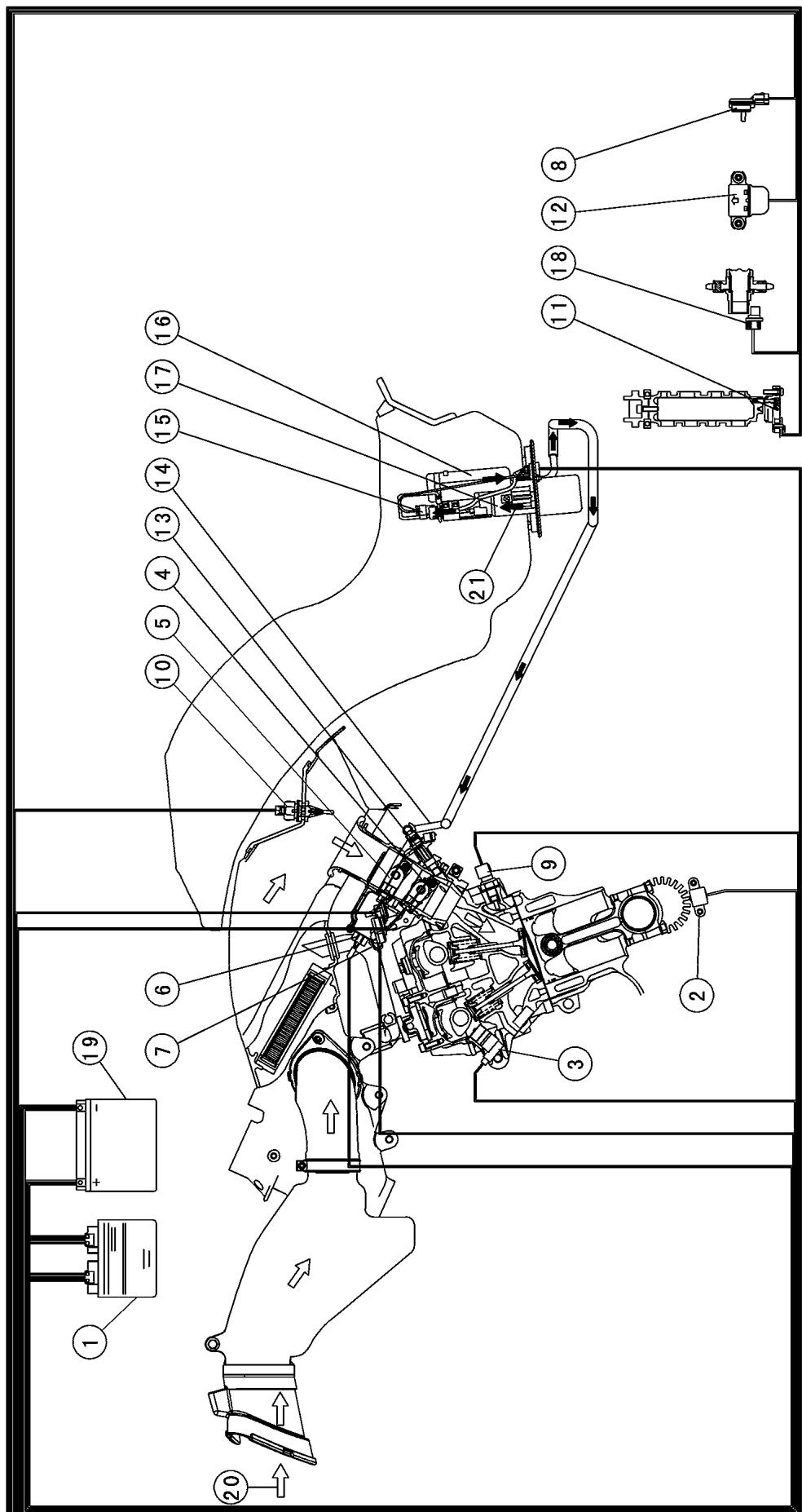
DFI System
- ECU
- Crankshaft Sensor
- Camshaft Position Sensor
- Main Throttle Sensor
- Subthrottle Sensor
- Subthrottle Valve Actuator
- Inlet Air Pressure Sensor
- Atmospheric Pressure Sensor
- Water Temperature Sensor
- Inlet Air Temperature Sensor
- Gear Position Switch
- Vehicle-down Sensor
- Fuel Injectors
- Delivery Pipe
- Pressure Regulator
- Fuel Pump
- Fuel Filter
- Speed Sensor
- Battery 12 V 14 Ah
- Air Flow
- Fuel Flow
DFI System
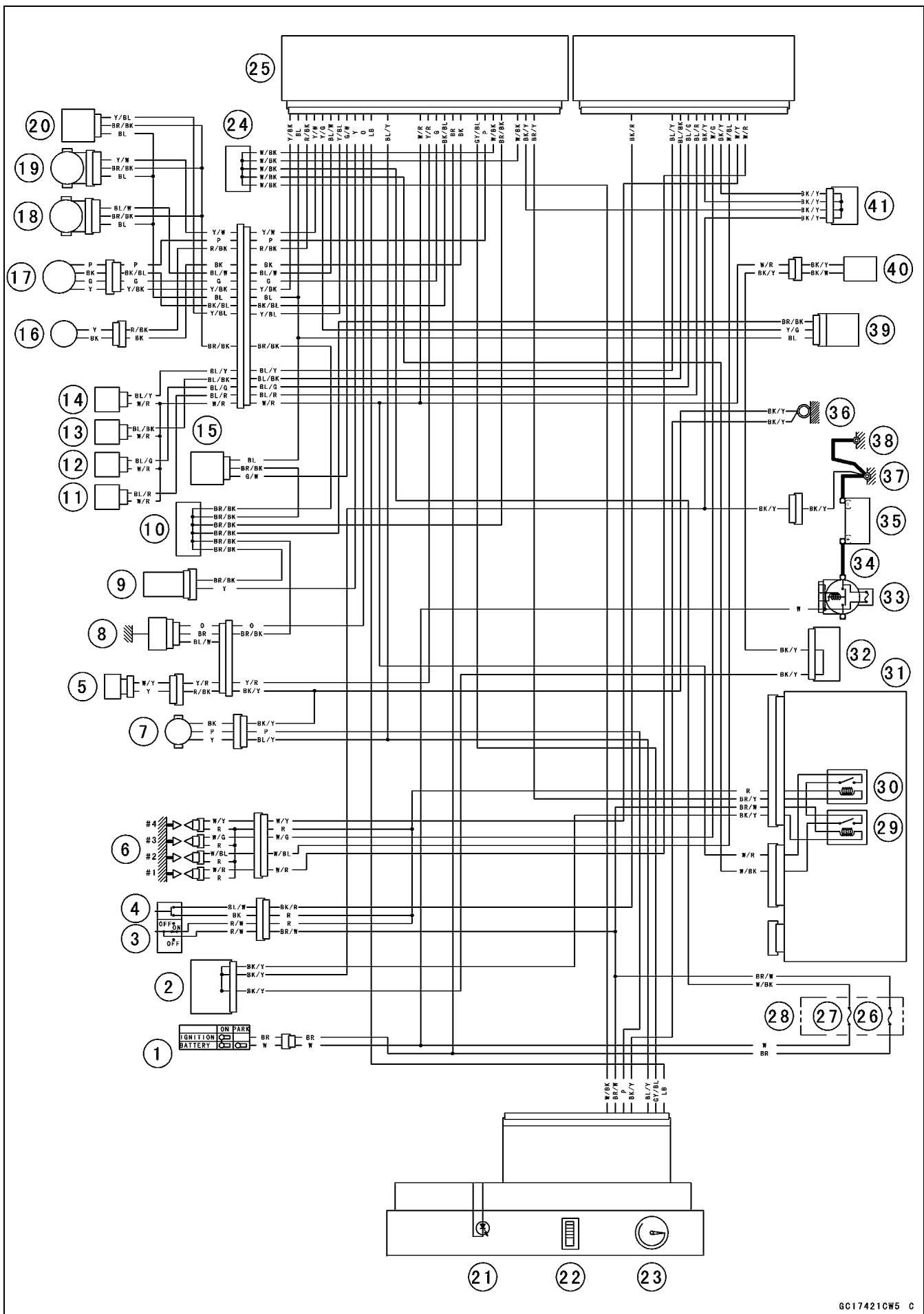
flowchart
graph TD
    A["1"] --> B["2"]
    B --> C["3"]
    C --> D["4"]
    D --> E["5"]
    E --> F["6"]
    F --> G["7"]
    G --> H["8"]
    H --> I["9"]
    I --> J["10"]
    J --> K["11"]
    K --> L["12"]
    L --> M["13"]
    M --> N["14"]
    N --> O["15"]
    O --> P["16"]
    P --> Q["17"]
    Q --> R["18"]
    R --> S["19"]
    S --> T["20"]

    subgraph Component Labels
        U["ON PARR Battery"] --> V["ON PARR Battery"]
        W["ON PARR Battery"] --> X["ON PARR Battery"]
        Y["ON PARR Battery"] --> Z["ON PARR Battery"]
        AA["ON PARR Battery"] --> AB["ON PARR Battery"]
        AC["ON PARR Battery"] --> AD["ON PARR Battery"]
        AE["ON PARR Battery"] --> AF["ON PARR Battery"]
        AG["ON PARR Battery"] --> AH["ON PARR Battery"]
        AI["ON PARR Battery"] --> AJ["ON PARR Battery"]
        AK["ON PARR Battery"] --> AL["ON PARR Battery"]
        AM["ON PARR Battery"] --> AN["ON PARR Battery"]
        AO["ON PARR Battery"] --> AP["ON PARR Battery"]
        AQ["ON PARR Battery"] --> AR["ON PARR Battery"]
        AS["ON PARR Battery"] --> AT["ON PARR Battery"]
        AU["ON PARR Battery"] --> AV["ON PARR Battery"]
        AW["ON PARR Battery"] --> AX["ON PARR Battery"]
        AY["ON PARR Battery"] --> AZ["ON PARR Battery"]
        BA["ON PARR Battery"] --> BB["ON PARR Battery"]
        BC["ON PARR Battery"] --> BD["ON PARR Battery"]
        BE["ON PARR Battery"] --> BF["ON PARR Battery"]
        BG["ON PARR Battery"] --> BH["ON PARR Battery"]
        BI["ON PARR Battery"] --> BJ["ON PARR Battery"]
        BK["ON PARR Battery"] --> BL["ON PARR Battery"]
        BM["ON PARR Battery"] --> BN["ON PARR Battery"]
        BO["ON PARR Battery"] --> BP["ON PARR Battery"]
        BQ["ON PARR Battery"] --> BR["ON PARR Battery"]
        BS["ON PARR Battery"] --> BT["ON PARR Battery"]
        BU["ON PARR Battery"] --> BV["ON PARR Battery"]
        BW["ON PARR Battery"] --> BX["ON PARR Battery"]
        BY["ON PARR Battery"] --> BZ["ON PARR Battery"]
        CA["ON PARR Battery"] --> CB["ON PARR Battery"]
        CC["ON PARR Battery"] --> CD["ON PARR Battery"]
        DE["ON PARR Battery"] --> DF["ON PARR Battery"]
        DG["ON PARR Battery"] --> DH["ON PARR Battery"]
        DI["ON PARR Battery"] --> DJ["ON PARR Battery"]
        DK["ON PARR Battery"] --> DL["ON PARR Battery"]
        DM["ON PARR Battery"] --> DN["ON PARR Battery"]
        DOB["ON PARR Battery"] --> DPB["ON PARR Battery"]
        DFFA["W/BK"] --> DFFA
        DFFB["W/BK"] --> DFFB
        DFFC["W/BK"] --> DFFC
        DFFD["W/BK"] --> DFFD
        DFFE["W/BK"] --> DFFE
        DFFG["W/BK"] --> DFFG
        DFFH["W/BK"] --> DFFH
        DFFI["W/BK"] --> DFFI
        DFFJ["W/BK"] --> DFFJ
        DFFK["W/BK"] --> DFFK
        DFFL["W/BK"] --> DFFL
        DFFM["W/BK"] --> DFFM
        DFFN["W/BK"] --> DFFN
        DFFO["W/BK"] --> DFFO
        DFFP["W/BK"] --> DFFP
        DFFQ["W/BK"] --> DFFQ
        DFFR["W/BK"] --> DFFR
        DFFS["W/BK"] --> DFFS
        DFFGW["W/BK"] --> DFFGW
        DFFHWH["W/BK"] --> DFFHWH
        DFFIWHW["W/BK"] --> DFFIWHW
        DFFJWHX["W/BK"] --> DFFJWHX
    end

    subgraph Components Labels
    subgraph Components Labels
    B1[BRL/BRL/BRL/BRL/BRL/BRL/BRL/BRL/BRL/BRL/BRL/BRL/BRL/BRL/BRL/BRL/BRL/BRL/BRL/BRL/BRL/BRL/BRL/BRL/BRL/BRL/BRL/BRL/BRL/BRL/BRL/BRL/BRL/BRL/BRL/BRL/BRL/BRL/BRL/BRL/BRL/BRL/BRL/BRL/BRL/BRL/BRL/BRL/BRL/BRL/BRL/C
    end

    subgraph Components Labels
    B1_BRL_BRL_BRL_BRL_BRL_BRL_BRL_BRL_BRL_BRL_BRL_BRL_BRL_BRL_BRL_BRL_BRL_BRL_BRL_BRL_BRL_BRL_BRL_BRL_BRL_BRL_BRL_BRL_BRL_BRL_BRL_BRL_BRL_BRL_BRL_BRL_BRL_BRL_BRL_BRL_BRL_BRL_BRL_BRL_BRL_BRL_BRL_BRL_BRL_BRL_BR
    end

    subgraph Components Labels
    B1_BRL_BRL_BRL_BRL_BRL_BRL_BRL_BRL_BRL_BRL_BRL_BRL_BRL_BRL_BRL_BRL_BRL_BRL_BRL_BRL_BRL_BRL_BRL_BRL_BRL_BRL_BRL_BRL_BRL_BRL_BR
    end

    subgraph Components Labels
    B1_CBL_CBL_CBL_CBL_CBL_CBL_CBL_CBL_CBL_CBL_CBL_CBL_CBL_CBL_CBL_CBL_CBL_CBL_CBL_CBL_CBL_CBL_CBL_CBL_CBL_CBL_CBL_CBL_CBL_CBL_CBL_CBL_CBL_CBL_CBL_CBL_CBL_CBL_CBL_CBL_CBL_CBL_CBL_CBL_CBL_CBL_CBL_CBL_CBL_CBL_CBl_R
    end

    subgraph Components Labels
    B1_DBL_DBL_DBL_DBL_DBL_DBL_DBL_DBL_DBL_DBL_DBL_DBL_DBL_DBL_DBL_DBL_DBL_DBL_DBL_DBL_DBL_DBL_DBL_DBL_DBL_DBL_DBL_DBL_DBL_DBL_DBL_DBL_DBL_DBL_DBL_DBL_DBL_DBL_DBL_DBL_DBL_DBL_DBL_DBL_DBL_DBL_DBL_DBL_DBL_DBL_DHL
    end

    subgraph Components Labels
    B1_EPRDAE_WA_WA_WA_WA_WA_WA_WA_WA_WA_WA_WA_WA_WA_WA_WA_WA_WA_WA_WA_WA_WA_WA_WA_WA_WA_WA_WA_WA_WA_WA_WA_WA_WA_WA_WA_WA_WA_WA_WA_WA_WA_WA_WA_WA_WA_WA_WA_WA_WA_WA_WW
    end

    subgraph Components Labels
    B1_EPRDAE_WA_WA_WA_WA_WA_WA_WA_WA_WA_WA_WA_WA_WA_WA_WA_WA_WA_WA_WA_WA_WA_WA_WA_WA_WA_WA_WA_WA_WW
    end

    subgraph Components Labels
    B1_EPRDAE_OW_AW_AW_AW_AW_AW_AW_AW_AW_AW_AW_AW_AW_AW_AW_AW_AW_AW_AW_AW_AW_AW_AW_AW_AW_AW_AW_AW_AW_AW_AW_AW_AW_AW_AW_AW_AW_AW_AW_AW_AW_AW_AW_AW_AW_AW_AW_AW_AW_AW_AW-AW_AW_AW_AW_AW_AW_AW_AW_AW_AW_AW_AW_AW_AW_AW_AW_AW_AW_AW_AW_AW_AW_AW_AW_AW_AW_AW_AW_AW_AW_AWP_07
    end

    subgraph Components Labels
    B1_EPRDAE_OW_R
    end

    subgraph Components Labels
    B1_EPRDAE_OW_R
    end

    subgraph Components Labels
    B1_EPRDAE_OW_R
    end

    subgraph Components Labels
    B1_EPRDAE_OW_R
    end

    subgraph Components Labels
    B1_EPRDAE_OO_R
    end

    subgraph Components Labels
    B1_EPRDAE_OO_R
    end

    subgraph Components Labels
    B1_EPRDAE_OO_R
    end

    subgraph Components Labels
    B1_EPRDAE_OO_R
    end

    subgraph Components Labels
    B1_EPRDAE_OO_R
    end

    subgraph Components Labels
    B1_EPRDAE_OOP_R
    end

    subgraph Components Labels
    B1_EPRDAE_OOP_R
    end

    subgraph Components Labels
    B1_EPRDAE_OOP_R
    end

    subgraph Components Labels
    B1_EPRDAE_OOP_R
    end

    subgraph Components Labels
    B1_EPRDAE_OOP_R
    end

    subgraph Components Labels
    B1_EPRDAE_OO_R
    end

    subgraph Components Labels
    B1_EPRDAE_OO_R
    end

    subgraph Components Labels
    B1_EPRDAE_OO_R
    end

    subgraph Components Labels
    B1_EPRDAE_OO_R
    end

    subgraph Components Labels
    B1_EPRDAE_OPP_R
    end

    subgraph Components Labels
    B1_EPRDAE_OPP_R
    end

    subgraph Components Labels
    B1_EPRDAE_OPP_R
    end

    subgraph Components Labels
    B1_EPRDAE_OPP_R
    end

    subgraph Components Labels
    B1_EPRDAE_OPP_R
    end

    subgraph Components Labels
    B1_EPRDAE_OOP_R
    end

    subgraph Components Labels
    B1_EPRDAE_OOP_R
    end

    subgraph Components Labels
    B1_EPRDAE_OOP_R
    end

    subgraph Components Labels
    B1_EPRDAE_OOP_R
    end

    subgraph Components Labels
    B1_EPRDAE_OPP_R
    end

    subgraph Components Labels
    B1_EPRDAE_OPP_R
    end

    subgraph Components Labels
    B1_EPRDAE_OPP_R
    end

    subgraph Components Labels
    B1_EPRDAE_OPP_R
    end

    subgraph Components Labels
    B1_EPRDAE_OO_R
    end

    subgraph Components Labels
    B1_EPRDAE_OO_R
    end

    subgraph Components Labels
    B1_EPRDAE_OO_R
    end

    subgraph Components Labels
    B1_EPRDAE_OO_R
    end

    subgraph Components Labels
    B1_EPRDAE_OOO_R
    end

    subgraph Components Labels
    B1_EPRDAE_OOO_R
    end

    subgraph Components Labels
    B1_EPRDAE_OOO_R
    end

    subgraph Components Labels
    B1_EPRDAE_OOO_R
    end

    subgraph Components Labels
    B1_EPRDAE_OOO_R
    end

    subgraph Components Labels
    B1_EPRDAE_OO_PWR_0000000000000000000000000000000000000000000000000000000000000000000000000000000000000000000000000000 |
</details>
<h1 id="dfi-system-3">DFI System</h1>
<h1 id="part-name">Part Name</h1>
1. Ignition Switch
2. Joint Connector 1
3. Engine Stop Switch
4. Starter Button
5. Camshaft Position Sensor
6. Stick Coil #1, #2, #3, #4
7. Speed Sensor
8. Water Temperature Sensor
9. Inlet Air Temperature Sensor
10. Water-proof Joint 2
11. Injector #1
12. Injector #2
13. Injector #3
14. Injector #4
15. Atmospheric Pressure Sensor
16. Crankshaft Sensor
17. Subthrottle Valve Actuator
18. Subthrottle Sensor
19. Main Throttle Sensor
20. Inlet Air Pressure Sensor
21. Warning Indicator Light (LED)
22. Water Temperature Gauge
23. Speedmeter
24. Water-proof Joint 1
25. ECU
26. ECU Fuse15 A
27. Ignition Fuse 10 A
28. Fuse Box 2
29. Main Relay
30. Fuel Pump Relay
31. Relay Box
32. Joint Connector 2
33. Main Fuse 30 A
34. Starter Relay
35. Battery 12 V 14 Ah
36. Frame Ground 1
37. Frame Ground 2
38. Engine Ground
39. Vehicle-down Sensor
40. Fuel Pump
41. Joint Connector 3
<h1 id="terminal-numbers-of-ecu-connectors">Terminal Numbers of ECU Connectors</h1>

<details>
<summary>text_image</summary>
4 7 4 6 4 5 4 4 4 3 4 2 4 1 4 0 3 9 3 8 3 7 3 6 3 5
6 0 5 9 5 8 5 7 5 6 5 5 5 4 5 3 5 2 5 1 5 0 4 9 4 8
1 7 1 6 1 5 1 4 1 3 1 2 1 1 1 0 9 8 7 6 5 4 3 2 1
3 4 3 3 3 2 3 1 3 0 2 9 2 8 2 7 2 6 2 5 2 4 2 3 2 2 2 1 2 0 1 9 1 8
</details>
GC17422CW2 C
<h1 id="terminal-names">Terminal Names</h1>
1. CAN Communication Line (High)
2. Subthrottle Valve Actuator
3. Subthrottle Valve Actuator
4. Gear Position Switch
5. Crankshaft Sensor (−)
6. Speed Sensor
7. Power Supply to Sensors
8. Inlet Air Temperature Sensor
9. Vehicle-down Sensor
10. Unused
11. Atmospheric Pressure Sensor
12. Unused
13. Fuel Pump Relay
14. Battery Monitor
15. Power Supply to ECU (from Battery)
16. Unused
17. Ground for Control System
18. CAN Communication Line (Low)
19. Subthrottle Valve Actuator
20. Subthrottle Valve Actuator
22. Crankshaft Sensor (+)
23. Unused
24. Camshaft Position Sensor
25. Water Temperature Sensor
26. Main Throttle Sensor
27. Subthrottle Sensor
28. Inlet Air Pressure Sensor
29. Unused
30. Radiator Fan Relay
31. Unused
32. Power Supply to ECU (from Battery)
33. Ignition Switch
34. Ground for Sensors
21. External Communication Line (Immobilizer/\*KDS)
<h1 id="dfi-system-4">DFI System</h1>
35. External Communication Line (Immobilizer/\*KDS)
36. Immobilizer Amplifier
37. Unused
38. Air Switching Valve
39. Engine Ground
40. Starter Lockout Switch
41. Unused
42. Starter Button
43. Unused
44. Injector #3
45. Stick Coil #3
46. Injector #1
47. Stick Coil #1
48. Unused
49. Immobilizer Amplifier
50. Immobilizer Amplifier
51. Unused
52. Engine Ground
53. Sidestand Switch
54. Unused
55. Ground
56. Unused
57. Injector #4
58. Ignition Coil #4
59. Injector #2
60. Ignition Coil #2
\* KDS (Kawasaki Diagnostic System)
KDS that runs on Windows personal computer (PC) diagnostic tool for motorcycle with Kawasaki DFI system.
<h1 id="dfi-parts-location">DFI Parts Location</h1>
Main Throttle Sensor [A]
Subthrottle Sensor [B]
Subthrottle Valve Actuator [C]
Water Temperature Sensor [D]
Battery [E]
Fuel Injectors #1, #2, #3, #4 [A]

<details>
<summary>text_image</summary>
E
B
C
A
D
GC178894 P
</details>

<details>
<summary>natural_image</summary>
Close-up of mechanical components with no visible text or symbols
</details>
Relay Box (Fuel Pump Relay) [A]
Immobilizer/Kawasaki Diagnostic System Connector [B]
Atmospheric Pressure Sensor [C]
ECU [D]
Fuse Box (ECU Fuse 15 A) [E]

<details>
<summary>text_image</summary>
A
B
C
D
E
GCT7B894 P
</details>
Stick Coils #1, #2, #3, #4 [A]

<details>
<summary>natural_image</summary>
Close-up of a mechanical assembly with labeled component A (no readable text or symbols beyond label)
</details>
Inlet Air Temperature Sensor [A]

<details>
<summary>natural_image</summary>
Close-up of a mechanical component with labeled parts (A and GC17B898), no readable text or symbols beyond labels
</details>
<h1 id="dfi-parts-location-2">DFI Parts Location</h1>
Camshaft Position Sensor [A]
Crankshaft Sensor [B]
Speed Sensor [A]
Gear Position Switch [B]
Ignition Key [A] (Transponder, Immobilizer Models)
Ignition Switch [B]
Immobilizer Antenna [C] (Immobilizer Models)
Immobilizer Amplifier [D] (Immobilizer Models)
Vehicle-down [E]
Inlet Air Pressure Sensor [A]
Fuel Pump [A]

<details>
<summary>natural_image</summary>
Close-up mechanical assembly showing hoses and components (no visible text or symbols)
</details>

<details>
<summary>natural_image</summary>
Close-up mechanical assembly showing a central rotating component with labeled parts A and B (no readable text or symbols beyond labels)
</details>

<details>
<summary>text_image</summary>
A
C
B
D
E
GC178901
</details>

<details>
<summary>natural_image</summary>
Close-up of a car engine bay with visible components and a labeled section (A), no readable text or symbols present.
</details>

<details>
<summary>natural_image</summary>
Close-up of a mechanical component with labeled parts (A) and reference number GC17B903 P, no readable text or symbols beyond labels.
</details>
Specifications
<table><tr><td>Item</td><td>Standard</td></tr><tr><td>Digital Fuel Injection System</td><td></td></tr><tr><td>Idle Speed</td><td>1 100 ±50 r/min (rpm)</td></tr><tr><td>Throttle Assy:</td><td></td></tr><tr><td>Type</td><td>Four barrel type</td></tr><tr><td>Bore</td><td> φ 44 mm (1.7 in.)</td></tr><tr><td>Throttle Body Vacuum</td><td>39 ±1.33 kPa (293 ±10 mmHg)</td></tr><tr><td>Bypass Screws</td><td>-- --</td></tr><tr><td>ECU:</td><td></td></tr><tr><td>Make</td><td>Mitsubishi Electric</td></tr><tr><td>Type</td><td>Digital memory type, with built in IC igniter, sealed with resin</td></tr><tr><td>Usable Engine Speed</td><td>100 ~ 12 000 r/min (rpm)</td></tr><tr><td>Fuel Pressure (high pressure line):</td><td></td></tr><tr><td>Right after Ignition Switch ON, with fuel pump running for 3 seconds with engine idling</td><td>304 kPa (3.1 kgf/cm2, 44 psi) with fuel pump running280 kPa (2.9 kgf/cm2, 41 psi) with fuel pump stopped304 kPa (3.1 kgf/cm2, 44 psi) with fuel pump running</td></tr><tr><td>Fuel Pump:</td><td></td></tr><tr><td>Type</td><td>In-tank pump (in fuel tank), or Wesco pump (friction pump)</td></tr><tr><td>Discharge</td><td>67 mL (2.26 US oz.) or more for 3 seconds</td></tr><tr><td>Fuel Injectors:</td><td></td></tr><tr><td>Type</td><td>INP-286</td></tr><tr><td>Nozzle Type</td><td>One spray type with 10 holes</td></tr><tr><td>Resistance</td><td>About 11.7 ~ 12.3 Ω at 20°C (68°F)</td></tr><tr><td>Main Throttle Sensor:</td><td>Non-adjustable and non-removable</td></tr><tr><td>Input Voltage</td><td>DC 4.75 ~ 5.25 V between BL and BR/BK leads</td></tr><tr><td>Output Voltage</td><td>DC 0.63 ~ 3.91 V between Y/W and BR/BK leads (at idle throttle opening to full throttle opening)</td></tr><tr><td>Resistance</td><td>4 ~ 6 kΩ</td></tr><tr><td>Inlet Air Pressure Sensor/Atmospheric Pressure Sensor:</td><td></td></tr><tr><td>Input Voltage</td><td>DC 4.75 ~ 5.25 V between BL and BR/BK leads</td></tr><tr><td>Output Voltage</td><td>DC 3.80 ~ 4.20 V at standard atmospheric pressure (see this text for details)</td></tr><tr><td>Inlet Air Temperature Sensor:</td><td></td></tr><tr><td>Resistance</td><td>2.09 ~ 2.81 kΩ at 20°C (68°F)</td></tr><tr><td>Output Voltage at ECU</td><td>About 0.322 kΩ at 80°C (176°F) (reference value)</td></tr><tr><td>Water Temperature Sensor:</td><td></td></tr><tr><td>Resistance</td><td>see Electrical System chapter</td></tr><tr><td>Output Voltage at ECU</td><td>About 2.80 ~ 2.97 V at 20°C (68°F)</td></tr><tr><td>Speed Sensor:</td><td></td></tr><tr><td>Input Voltage at Sensor</td><td>About DC 9 ~ 11 V at Ignition Switch ON</td></tr><tr><td>Output Voltage at Sensor</td><td>About DC 0.05 ~ 0.09 V or DC 4.5 ~ 4.9 at Ignition Switch ON and 0 km/h</td></tr></table>
Specifications
<table><tr><td>Item</td><td>Standard</td></tr><tr><td>Vehicle-down sensor:</td><td></td></tr><tr><td>Detection Method</td><td>Magnetic flux detection method</td></tr><tr><td>Detection Angle</td><td>More than 60 ~ 70° for each bank</td></tr><tr><td>Output Voltage</td><td>with sensor arrow mark pointed up: 3.55 ~ 4.45 Vwith sensor tilted 60 ~ 70° or more: 0.65 ~ 1.35 V</td></tr><tr><td>Subthrottle Sensor:</td><td>Non-adjustable and non-removal</td></tr><tr><td>Input Voltage</td><td>DC 4.75 ~ 5.25 V between BL and BR/BK leads</td></tr><tr><td>Output Voltage</td><td>DC 0.62 ~ 4.14 V between BL/W and BR/BK leads (at idle throttle opening to full throttle opening)</td></tr><tr><td>Resistance</td><td>4 ~ 6 kΩ</td></tr><tr><td>Immobilizer Antenna:</td><td></td></tr><tr><td>Resistance</td><td>About 0.6 ~ 0.9 Ω</td></tr><tr><td>Subthrottle Valve Actuator:</td><td></td></tr><tr><td>Resistance</td><td>About 5 ~ 7 Ω</td></tr><tr><td>Input Voltage</td><td>About DC 10.5 ~ 12.5 V</td></tr><tr><td>CAN Communication Line:</td><td></td></tr><tr><td>Resistance</td><td>114 ~ 126 Ω at ECU Connector</td></tr><tr><td>Throttle Grip and Cables</td><td></td></tr><tr><td>Throttle Grip Free Play</td><td>2 ~ 3 mm (0.08 ~ 0.12 in.)</td></tr></table>
<h1 id="special-tools-and-sealant">Special Tools and Sealant</h1>
Oil Pressure Gauge, 5 kgf/cm 2 : 57001-125

<details>
<summary>natural_image</summary>
Technical line drawing of a pressure gauge with attached tubing (no text or symbols)
</details>
Fork Oil Level Gauge: 57001-1290

<details>
<summary>natural_image</summary>
Technical line drawing of mechanical components including a cylindrical spring, curved rod, and threaded rod (no text or symbols)
</details>
Vacuum Gauge: 57001-1369

<details>
<summary>natural_image</summary>
Technical line drawing of a device with a bulb, clamps, and test tubes (no text or symbols)
</details>
Hand Tester: 57001-1394

<details>
<summary>natural_image</summary>
Technical line drawing of a mechanical housing or enclosure with internal components and mounting holes (no text or symbols)
</details>
Throttle Sensor Setting Adapter #1: 57001-1400

<details>
<summary>natural_image</summary>
Technical line drawing of a mechanical connector or connector assembly (no text or symbols)
</details>
Peak Voltage Adapter: 57001-1415

<details>
<summary>natural_image</summary>
Pure electrical circuit lines without any symbols
</details>
Needle Adapter Set: 57001-1457

<details>
<summary>natural_image</summary>
Technical line drawing of two screwdriver tips (no text or symbols on the diagrams)
</details>
Throttle Sensor Setting Adapter: 57001-1538

<details>
<summary>natural_image</summary>
Technical line drawing of a mechanical connector assembly (no text or symbols)
</details>
Sensor Harness Adapter: 57001-1561

<details>
<summary>natural_image</summary>
Technical line drawing of a multi-pin electrical connector (no text or symbols)
</details>
Fuel Pressure Gauge Adapter: 57001-1593

<details>
<summary>natural_image</summary>
Technical line drawing of a mechanical connector or fitting (no text or symbols)
</details>
<h1 id="special-tools-and-sealant-2">Special Tools and Sealant</h1>
Fuel Hose:
57001-1607

<details>
<summary>natural_image</summary>
Two identical U-shaped pipe fittings with flanges, shown in isometric view (no text or symbols on the fittings)
</details>
Kawasaki Bond (Silicone Sealant):
56019-120

<details>
<summary>text_image</summary>
KAWASAKI
BOND
ST560120ST C
</details>
<h1 id="dfi-servicing-precautions">DFI Servicing Precautions</h1>
There are a number of important precautions that should be followed servicing the DFI system.
○This DFI system is designed to be used with a 12 V sealed battery as its power source. Do not use any other battery except for a 12 V sealed battery as a power source.
- Do not reverse the battery cable connections. This will damage the ECU.
To prevent damage to the DFI parts, do not disconnect the battery cables or any other electrical connections when the ignition switch is on, or while the engine is running.
○Take care not to short the leads that are directly connected to the battery positive (+) terminal to the chassis ground.
When charging, remove the battery from the motorcycle. This is to prevent ECU damage by excessive voltage.
\- Whenever the DFI electrical connections are to be disconnected, first turn off the ignition switch, and disconnect the battery (−) terminal. Do not pull the lead, only the connector. Conversely, make sure that all the DFI electrical connections are firmly reconnected before starting the engine.
○Connect these connectors until they click [A]
- Do not turn the ignition switch ON while any of the DFI electrical connectors are disconnected. The ECU memorizes service codes.
○Do not spray water on the electrical parts, DFI parts, connectors, leads, and wiring.
○If a transceiver is installed on the motorcycle, make sure that the operation of the DFI system is not influenced by electric wave radiated from the antenna. Check operation of the system with the engine at idle. Locate the antenna as far as possible away from the ECU.
When any fuel hose is disconnected, do not turn on the ignition switch. Otherwise, the fuel pump will operate and fuel will spout from the fuel hose.
- Do not operate the fuel pump if the pump is completely dry. This is to prevent pump seizure.

<details>
<summary>text_image</summary>
A
GC170368S1 C
</details>
<h1 id="dfi-servicing-precautions-2">DFI Servicing Precautions</h1>
Before removing the fuel system parts, blow the outer surfaces of these parts clean with compressed air.
When any fuel hose is disconnected, fuel may spout out by residual pressure in the fuel line. Cover the hose joint with a piece of clean cloth to prevent fuel spillage.
When installing the fuel hoses, avoid sharp bending, kinking, flattening or twisting, and route the fuel hoses with a minimum of bending so that the fuel flow will not be obstructed.
- Route the hoses according to Cable, Wire, and Hose Routing section in the Appendix chapter.
To prevent corrosion and deposits in the fuel system, do not add to fuel any fuel antifreeze chemicals.
○Replace the fuel hose if it has been sharply bent or kinked.
○If the motorcycle is not properly handled, the high pressure inside the fuel line can cause fuel to leak or the hose [A] to burst. Bend and twist the fuel hose while examining it.
★Replace the hose if any cracks or bulges are noticed.
To maintain the correct fuel/air mixture (F/A), there must be no inlet air leaks in the DFI system. Be sure to install the oil filler plug [A] after filling the engine oil.
Clutch Cover [B]
Torque - Oil Filler Plug: Hand-tighten

<details>
<summary>natural_image</summary>
Mechanical linkage component labeled 'A' with no visible text or symbols beyond the label
</details>

<details>
<summary>natural_image</summary>
Close-up of a mechanical component with labeled parts A and B, showing internal components and mounting holes (no readable text or symbols beyond labels)
</details>
<h1 id="troubleshooting-the-dfi-system">Troubleshooting the DFI System</h1>
<h1 id="outline">Outline</h1>
When a problem occurs with DFI system, the warning indicator (LED) [A] goes on and FI warning message [B] and FI warning symbol [C] are displayed alternately on the LCD (Liquid Crystal Display) to alert the rider.

<details>
<summary>text_image</summary>
A
120 180 160 200
100 100
80 80
60 30
B
FI ERROR
000 1109 km
12:00
C
N FI
000 1109 km
12:00
GC17459C S
</details>
For models equipped with an immobilizer system, the warning indicator light [A] blinks and immobilizer warning message [B] and immobilizer warning symbol [C] are alternately displayed on the LCD, when a problem occurs in the system.

<details>
<summary>text_image</summary>
A
Kawasaki
120 km/h 200
100
80
40
30
B
IMMOBILIZER
ERROR
C ODD 1109 KM E
12:00
C
12:00
C N
1109 KM
GC17460C S
</details>
<h1 id="troubleshooting-the-dfi-system-2">Troubleshooting the DFI System</h1>
With the engine stopped and turned in the self-diagnosis mode, the service code (error code) [A] is displayed on the LCD by the number of two digits.

<details>
<summary>text_image</summary>
Kawasaki
H ERROR CODE
31
000 1109 KM
12:00
A
GC17461C S
</details>
When the service code [A] is displayed, for first ask the rider about the conditions [B] of trouble, and then start to determine the cause [C] of problem.
As a pre-diagnosis inspection, check the ECU for ground and power supply, the fuel line for no fuel leaks, and for correct pressure. The pre-diagnosis items are not indicated by the warning indicator light (LED), FI warning message and FI warning symbol.
Don't rely solely on the DFI self-diagnosis function, use common sense.

<details>
<summary>text_image</summary>
A
B
GC17405CS1 C
</details>

<details>
<summary>text_image</summary>
GC17406CS1 C
</details>
<h1 id="troubleshooting-the-dfi-system-3">Troubleshooting the DFI System</h1>
Even when the DFI system is operating normally, the warning indicator light (LED) goes on and FI warning message and FI warning symbol may be displayed under strong electrical interference. Additional measures are not required. Turn the ignition switch OFF to stop the indicator light, message and symbol.
If the warning indicator light (LED) of the motorcycle brought in for repair still goes on, check the service code.
When the repair has been done, the warning indicator light (LED) goes off and FI warning message and FI warning symbol are not displayed on the LCD. But the service codes stored in memory of the ECU are not erased to preserve the problem history. The problem history can be referred using the KDS (Kawasaki Diagnostic System) when solving unstable problems
Much of the DFI system troubleshooting work consists of confirming continuity of the wiring. The DFI parts are assembled and adjusted with precision, and it is impossible to disassemble or repair them.
- When checking the DFI parts, use a digital meter which can be read two decimal place voltage or resistance.
The DFI part connectors have seals, including the ECU. When measuring the input or output voltage with the connector joined, use the needle adapter set. Insert the needle adapter inside the seal until the needle adapter reaches the terminal.
Special Tool - Needle Adapter Set: 57001-1457
<h1 id="caution-23">CAUTION</h1>
Insert the needle adapter straight along the terminal in the connector to prevent short-circuit between terminals.
○After measurement, remove the needle adapters and apply silicone sealant to the seals [A] of the connector [B] for waterproofing.
Sealant - Kawasaki Bond (Silicone Sealant): 56019-120
-Seals of Connector

<details>
<summary>text_image</summary>
A
B
6C170373S1 C
</details>
<h1 id="troubleshooting-the-dfi-system-4">Troubleshooting the DFI System</h1>
- Always check battery condition before replacing the DFI parts. A fully charged battery is a must for conducting accurate tests of the DFI system.
- Trouble may involve one or in some cases all items. Never replace a defective part without determining what CAUSED the problem. If the problem was caused by some other item or items, they too must be repaired or replaced, or the new replacement part will soon fail again
- Measure coil winding resistance when the DFI part is cold (at room temperature)
- Do not adjust or remove the throttle sensor.
- Do not directly connect a 12 V battery to a fuel injector. Insert a resistor (5 \~ 7 Ω) or a bulb (12 V × 3 \~ 3.4 W) in series between the battery and the injector.
- The DFI parts have been adjusted and set with precision. Therefore, they should be handled carefully, never strike sharply, as with a hammer, or allowed to drop on a hard surface. Such a shock to the parts can damage them.
- Check wiring and connections from the ECU connector to the suspected faulty DFI parts, using the hand tester (special tool, analog tester) rather than a digital tester.
Special Tool - Hand Tester: 57001-1394
\- Make sure all connectors in the circuit are clean and tight, and examine wires for signs of burning, fraying, etc. Deteriorated leads and bad connections can cause reappearance of problems and unstable operation of the DFI system.
★If any wiring is deteriorated, replace the wiring.
\- Pull each connector [A] apart and inspect it for corrosion, dirt, and damage.
★If the connector is corroded or dirty, clean it carefully. If it is damaged, replace it. Connect the connectors securely.
\- Check the wiring for continuity.
○Use the wiring diagram to find the ends of the lead which is suspected of being a problem.
○Connect the hand tester between the ends of the leads.
○Set the tester to the × 1 Ω range, and read the tester.
★If the tester does not read 0 Ω, the lead is defective. Replace the lead or the main harness or the sub harness.

<details>
<summary>text_image</summary>
A
A
A
GC17456CS2 C
</details>
<h1 id="troubleshooting-the-dfi-system-5">Troubleshooting the DFI System</h1>
☐If both ends of a harness [A] are far apart, ground [B] the one end [C], using a jumper lead [D] and check the continuity between the end [E] and the ground [F]. This enables to check a long harness for continuity. If the harness is open, repair or replace the harness.
When checking a harness [A] for short circuit, open one end [B] and check the continuity between the other end [C] and ground [D]. If there is continuity, the harness has a short circuit to ground, and it must be repaired or replaced.

<details>
<summary>flowchart</summary>
```mermaid
graph TD
A["A"] --> B["B"]
B --> C["C"]
C --> D["D"]
D --> E["E"]
E --> F["F"]
F --> G["Ground Symbol"]
style A fill:#f9f,stroke:#333
style B fill:#f9f,stroke:#333
style C fill:#f9f,stroke:#333
style D fill:#f9f,stroke:#333
style E fill:#f9f,stroke:#333
style F fill:#f9f,stroke:#333
style G fill:#f9f,stroke:#333

- Narrow down suspicious locations by repeating the continuity tests from the ECU connectors.
★If no abnormality is found in the wiring or connectors, the DFI parts are the next likely suspects. Check the part, starting with input and output voltages. However, there is no way to check the ECU itself.
★If an abnormality is found, replace the affected DFI part.
★If no abnormality is found in the wiring, connectors, and DFI parts, replace the ECU.
○The diagnosis flow chart illustrates the above procedures.
○After inspection, be sure to connect all the DFI electrical connectors. Do not turn the ignition switch ON while the DFI electrical connectors and ignition system connectors are disconnected. Otherwise, the ECU memorizes service codes as open circuit.
○Lead Color Codes:
BK: Black
BL: Blue
BR: Brown
CH: Chocolate
DG: Dark Green
G: Green
GY: Gray
LB: Light Blue
LG: Light Green
O: Orange
P: Pink
PU: Purple
R: Red
W: White
Y: Yellow
Troubleshooting the DFI System
DFI Diagnosis Flow Chart

flowchart
graph TD
    A["Problem occurs."] --> B["Confirm problems."]
    B --> C["Gather information from rider."]
    C --> D["Turn the ignition switch ON."]
    D --> E["Warning indicator light does not go on or blink and warning message and warning symbol are not displayed on the LCD."]
    D --> F["Warning indicator light goes on and FI warning message and FI warning symbol are displayed alternately on the LCD."]
    D --> G["Warning indicator light blinks and immobilizer warning message and immobilizer warning symbol are displayed alternately on the LCD."]
    E --> H["Conduct non-self-diagnosis inspection."]
    H --> I["Conduct general fuel system inspection."]
    F --> J["Conduct self-diagnosis inspection (DFI system)."]
    G --> K["Conduct self-diagnosis inspection (immobilizer system)."]
    J --> L["End."]
    K --> L
    style E fill:#f9f,stroke:#333
    style F fill:#f9f,stroke:#333
    style G fill:#f9f,stroke:#333
    style H fill:#ccf,stroke:#333
    style I fill:#ccf,stroke:#333
    style J fill:#ccf,stroke:#333
    style K fill:#ccf,stroke:#333
    style L fill:#dfd,stroke:#333
GC17462C F
Inquiries to Rider
○Each rider reacts to problems in different ways, so it is important to confirm what kind of symptoms the rider has encountered.
- Try to find out exactly what problem occurred under exactly what conditions by asking the rider; knowing this information may help you reproduce the problem.
○The diagnosis sheet will help prevent you from overlooking any areas, and will help you decide if it is a DFI system problem, or a general engine problem.
Troubleshooting the DFI System
Sample Diagnosis Sheet
| Rider name: | Registration No. (license plate No.): | Year of initial registration: |
| Model: | Engine No.: | Frame No.: |
| Date problem occurred: | Mileage: |
| Environment when problem occurred. |
| Weather | ☐ fine, ☐ cloudy, ☐ rain, ☐ snow, ☐ always, ☐ other: |
| Temperature | ☐ hot, ☐ warm, ☐ cold, ☐ very cold, ☐ always, ☐ other: |
| Problem frequency | ☐ chronic, ☐ often, ☐ once |
| Road | ☐ street, ☐ highway, ☐ mountain road (☐ uphill, ☐ downhill), ☐ bumpy, ☐ pebble |
| Altitude | ☐ normal, ☐ high (about 1000 m or more) |
| Motorcycle conditions when problem occurred. |
| Warning indicator light (LED) | ☐ Goes on about 3 seconds after from ignition switch ON, and FI warning message and FI warning symbol are displayed alternately on the LCD (DFI system problem). |
| ☐ Starts blinking about 3 seconds after from ignition switch ON, and immobilizer warning message and immobilizer warning symbol are displayed alternately on the LCD (Immobilizer system problem). |
| ☐ Does not go on or blink about 3 seconds after ignition switch ON. |
| Starting difficulty | ☐ starter motor not rotating. |
| ☐ starter motor rotating but engine doesn't turn over. |
| ☐ starter motor and engine don't turn over. |
| ☐ no fuel flow (☐ no fuel in tank, ☐ no fuel pump sound). |
| ☐ engine flooded (do not crank engine with throttle opened, which promotes engine flooding). |
| ☐ no spark. |
| ☐ other: |
| Engine stalls | ☐ right after starting. |
| ☐ when opening throttle grip. |
| ☐ when closing throttle grip. |
| ☐ when moving off. |
| ☐ when stopping the motorcycle. |
| ☐ when cruising. |
| ☐ other: |
Troubleshooting the DFI System
| Poor running at low speed | □ very low idle speed, □ very high idle speed, □ rough idle speed. |
| □ battery voltage is low (charge the battery). |
| □ spark plug loose (tighten it). |
| □ spark plug dirty, broken, or gap maladjusted (remedy it). |
| □ backfiring. |
| □ afterfiring. |
| □ hesitation when acceleration. |
| □ engine oil viscosity too high. |
| □ brake dragging. |
| □ engine overheating. |
| □ clutch slipping. |
| □ other: |
| Poor running or no power at high speed | □ spark plug loose (tighten it). |
| □ spark plug dirty, broken, or gap maladjusted (remedy it). |
| □ spark plug incorrect (replace it). |
| □ knocking (fuel poor quality or incorrect, → use high-octane gasoline). |
| □ brake dragging. |
| □ clutch slipping. |
| □ engine overheating. |
| □ engine oil level too high. |
| □ engine oil viscosity too high. |
| □ other: |
DFI System Troubleshooting Guide
NOTE
○This is not an exhaustive list, giving every possible cause for each problem listed. It is meant simply as a rough guide to assist the troubleshooting for some of the more common difficulties in DFI system.
The ECU may be involved in the DFI electrical and ignition system troubles. If these parts and circuits are checked out good, be sure to check the ECU for ground and power supply. If the ground and power supply are checked good, replace the ECU.
Engine Won't Turn Over
| Symptoms or possible Causes | Actions (chapter) |
| Gear position, starter lockout or sidestand switch trouble | Inspect each switch (see chapter 16). |
| Immobilizer system trouble | Inspect (see chapter 3). |
| Vehicle-down sensor coming off | Reinstall (see chapter 3). |
| Vehicle-down sensor trouble | Inspect (see chapter 3). |
| Crankshaft sensor trouble | Inspect (see chapter 16). |
| Stick coil shorted or not in good contact | Inspect or Reinstall (see chapter 16). |
| Stick coil trouble | Inspect (see chapter 16). |
| Spark plug dirty, broken or gap maladjusted | Inspect and replace (see chapter 16). |
| Spark plug incorrect | Replace it with the correct plug (see chapter 2). |
| ECU ground and power supply trouble | Inspect (see chapter 3). |
| ECU trouble | Inspect (see chapter 3). |
| No or little fuel in tank | Supply fuel (see Owner's Manual). |
| Fuel Injector trouble | Inspect and replace (see chapter 3). |
| Fuel pump not operating | Inspect (see chapter 3). |
| Fuel pump relay trouble | Inspect and replace (see chapter 3). |
| Fuel filter or pump screen clogged | Inspect and replace fuel pump (see chapter 3). |
| Fuel pressure regulator trouble | Inspect fuel pressure and replace fuel pump (see chapter 16). |
| Fuel line clogged | Inspect and repair (see chapter 3). |
Poor Running at Low Speed
| Symptoms or Possible Causes | Actions (chapter) |
| Spark weak: | |
| Stick coil shorted or not in good contact | Inspect or Reinstall (see chapter 16). |
| Stick coil trouble | Inspect (see chapter 16). |
| Spark plug dirty, broken or gap maladjusted | Inspect and replace (see chapter 16). |
| Spark plug incorrect | Replace it with the correct plug (see chapter 2). |
| ECU trouble | Inspect (see chapter 3). |
| Fuel/air mixture incorrect: | |
| Little fuel in tank | Supply fuel (see Owner's Manual). |
| Air cleaner clogged, poorly sealed, or missing | Clean element or inspect sealing (see chapter 3). |
| Air duct holder loose | Reinstall (see chapter 3). |
| Throttle body assy holder loose | Reinstall (see chapter 3). |
| Throttle body assy dust seal damage | Replace (see chapter 3). |
| Fuel Injector O-ring damage | Replace (see chapter 3). |
| Fuel filter or pump screen clogged | Inspect and replace fuel pump (see chapter 3). |
DFI System Troubleshooting Guide
| Symptoms or Possible Causes | Actions (chapter) |
| Fuel pressure regulator trouble | Inspect fuel pressure and replace fuel pump (see chapter 16). |
| Fuel line clogged | Inspect and repair (see chapter 3). |
| Inlet air pressure sensor trouble | Inspect (see chapter 3). |
| Atmospheric pressure sensor trouble | Inspect (see chapter 3). |
| Water temperature sensor trouble | Inspect (see chapter 3). |
| Inlet air temperature sensor trouble | Inspect (see chapter 3). |
| Main throttle sensor trouble | Inspect (see chapter 3). |
| Subthrottle sensor trouble | Inspect (see chapter 3). |
| Subthrottle valve actuator trouble | Inspect (see chapter 3). |
| Unstable (rough) idling: | |
| Fuel pressure too low or too high | Inspect (see chapter 3). |
| Fuel Injector trouble | Inspect (see chapter 3). |
| Main throttle sensor trouble | Inspect (see chapter 3). |
| Subthrottle sensor trouble | Inspect (see chapter 3). |
| Subthrottle valve actuator trouble | Inspect (see chapter 3). |
| Engine vacuum not synchronizing | Inspect and adjust (see chapter 2). |
| Inlet air pressure sensor trouble | Inspect (see chapter 3). |
| Atmospheric pressure sensor trouble | Inspect (see chapter 3). |
| Water temperature sensor trouble | Inspect (see chapter 3). |
| Inlet air temperature sensor trouble | Inspect (see chapter 3). |
| Engine stalls easily: | |
| Spark plug dirty, broken or gap maladjusted | Inspect and replace (see chapter 16). |
| Stick coil trouble | Inspect (see chapter 16). |
| Camshaft position sensor trouble | Inspect (see chapter 16). |
| Main throttle sensor trouble | Inspect (see chapter 3). |
| Subthrottle sensor trouble | Inspect (see chapter 3). |
| Subthrottle valve actuator trouble | Inspect (see chapter 3). |
| Inlet air pressure sensor trouble | Inspect (see chapter 3). |
| Atmospheric pressure sensor trouble | Inspect (see chapter 3). |
| Water temperature sensor trouble | Inspect (see chapter 3). |
| Inlet air temperature sensor trouble | Inspect (see chapter 3). |
| Fuel pump trouble | Inspect (see chapter 3). |
| Fuel Injector trouble | Inspect (see chapter 3). |
| Fuel pressure too low or too high | Inspect (see chapter 3). |
| Fuel pressure regulator trouble | Inspect fuel pressure and replace fuel pump (see chapter 16). |
| Fuel line clogged | Inspect and repair (see chapter 3). |
| Poor acceleration | |
| Fuel pressure too low | Inspect (see chapter 3). |
| Water or foreign matter in fuel | Change fuel. Inspect and clean fuel system (see chapter 3). |
| Fuel filter or pump screen clogged | Inspect and replace fuel pump (see chapter 3). |
| Fuel pump trouble | Inspect (see chapter 3). |
| Fuel Injector trouble | Inspect (see chapter 3). |
DFI System Troubleshooting Guide
| Symptoms or Possible Causes | Actions (chapter) |
| Main throttle sensor trouble | Inspect (see chapter 3). |
| Subthrottle sensor trouble | Inspect (see chapter 3). |
| Subthrottle valve actuator trouble | Inspect (see chapter 3). |
| Inlet air pressure sensor trouble | Inspect (see chapter 3). |
| Atmospheric pressure sensor trouble | Inspect (see chapter 3). |
| Water temperature sensor trouble | Inspect (see chapter 3). |
| Inlet air temperature sensor trouble | Inspect (see chapter 3). |
| Spark plug dirty, broken or gap maladjusted | Inspect and replace (see chapter 16). |
| Stick coil trouble | Inspect (see chapter 16). |
| Stumble: | |
| Fuel pressure too low | Inspect (see chapter 3). |
| Fuel Injector trouble | Inspect (see chapter 3). |
| Main throttle sensor trouble | Inspect (see chapter 3). |
| Subthrottle sensor trouble | Inspect (see chapter 3). |
| Subthrottle valve actuator trouble | Inspect (see chapter 3). |
| Inlet air pressure sensor trouble | Inspect (see chapter 3). |
| Atmospheric pressure sensor trouble | Inspect (see chapter 3). |
| Water temperature sensor trouble | Inspect (see chapter 3). |
| |
| |
| |
| |
| |
| |
| |
| |
| |
| |
| |
| |
| |
| |
| |
| |
| |
| |
| |
| |
| |
| |
| |
| |
DFI System Troubleshooting Guide
| Symptoms or Possible Causes | Actions (chapter) |
| Inlet air temperature sensor trouble | Inspect (see chapter 3). |
| Other: | |
| Intermittent any DFI fault and its recovery | Check that DFI connectors are clean and tight, and examine leads for signs of burning or fraying (see chapter 3). |
Poor Running or No Power at High Speed:
| Symptoms or Possible Causes | Actions (chapter) |
| Firing incorrect: | |
| Stick coil shorted or not in good contact | Inspect or Reinstall (see chapter 16). |
| Stick coil trouble | Inspect (see chapter 16). |
| Spark plug dirty, broken or gap maladjusted | Inspect and replace (see chapter 16). |
| Spark plug incorrect | Replace it with the correct plug (see chapter 2). |
| ECU trouble | Inspect (see chapter 3). |
| Fuel/air mixture incorrect: | |
| Air cleaner clogged, poorly sealed, or missing | Clean element or inspect sealing (see chapter 3). |
| Air duct holder loose | Reinstall (see chapter 3). |
| Throttle body assy holder loose | Reinstall (see chapter 3). |
| Throttle body assy dust seal damage | Replace (see chapter 3). |
| Water or foreign matter in fuel | Change fuel. Inspect and clean fuel system (see chapter 3). |
| Fuel Injector O-ring damage | Visually inspect and replace (see chapter 3). |
| Fuel Injector clogged | Inspect and repair (see chapter 3). |
| Fuel line clogged | Inspect and repair (see chapter 3). |
| Fuel pump operates intermittently and often DFI fuse blows. | Fuel Pump bearings may wear. Replace the fuel pump (see chapter 3). |
| Fuel pump trouble | Inspect (see chapter 3). |
| Inlet air pressure sensor trouble | Inspect (see chapter 3). |
| Cracked or obstructed inlet air pressure sensor hose | Inspect and repair or replace (see chapter 3). |
| Atmospheric pressure sensor trouble | Inspect (see chapter 3). |
| Water temperature sensor trouble | Inspect (see chapter 3). |
| Inlet air temperature sensor trouble | Inspect (see chapter 3). |
| Main throttle sensor trouble | Inspect (see chapter 3). |
| Subthrottle sensor trouble | Inspect (see chapter 3). |
| Subthrottle valve actuator trouble | Inspect (see chapter 3). |
| Knocking: | |
| Fuel poor quality or incorrect | Fuel chage (Use the gasoline recommended in the Owner's Manual). |
| Spark plug incorrect | Replace it with the correct plug (see chapter 2). |
| Stick coil trouble | Inspect (see chapter 16). |
| ECU trouble | Inspect (see chapter 3). |
| Engine vacuum not synchronizing | Inspect and adjust (see chapter 2). |
| Inlet air pressure sensor trouble | Inspect (see chapter 3). |
| Atmospheric pressure sensor trouble | Inspect (see chapter 3). |
DFI System Troubleshooting Guide
| Symptoms or Possible Causes | Actions (chapter) |
| Water temperature sensor trouble | Inspect (see chapter 3). |
| Inlet air temperature sensor trouble | Inspect (see chapter 3). |
| Miscellaneous: | |
| Subthrottle sensor trouble | Inspect (see chapter 3). |
| Subthrottle valve actuator trouble | Inspect (see chapter 3). |
| Speed sensor trouble | Inspect (see chapter 3). |
| Throttle valves will not fully open | Inspect throttle cables and lever linkage (see chapter 3). |
| Engine overheating - Water temperature sensor, crankshaft sensor or speed sensor trouble | (see Overheating of Troubleshooting Guide in chapter 17). |
| Air switching valve trouble | Inspect and replace (see chapter 16). |
| Air suction valve trouble | Inspect and replace (see chapter 5). |
| Exhaust Smokes Excessively: | |
| (White smokes) | |
| Air cleaner clogged | Clean element (see chapter 3). |
| Fuel pressure too high | Inspect (see chapter 3). |
| Fuel Injector trouble | Inspect (see chapter 3). |
| Water temperature sensor trouble | Inspect (see chapter 3). |
| Inlet air temperature sensor trouble | Inspect (see chapter 3). |
| (Brown smoke) | |
| Air duct holder loose | Reinstall (see chapter 3). |
| Fuel pressure too low | Inspect (see chapter 3). |
| Water temperature sensor trouble | Inspect (see chapter 3). |
| Inlet air temperature sensor trouble | Inspect (see chapter 3). |
Self-Diagnosis
Self-diagnosis Outline
The self-diagnosis system has two modes and can be switched to another mode by operating the meter unit.
User Mode
The ECU notifies the rider of troubles in DFI system, ignition system and immobilizer system by lighting up or blinking the warning indicator light (LED) [A] and displaying the warning message [B] and warning symbol [C] alternately on the LCD (Liquid Crystal Display) when DFI, ignition and immobilizer system parts are faulty, and initiates fail-safe function. In case of serious troubles ECU stops the injection/ignition/starter motor operation.

Dealer Mode
The LCD (Liquid Crystal Display) display the service code(s) [A] to show the problem(s) which the DFI system, ignition system and immobilizer system has at the moment of diagnosis.

Self-Diagnosis
Self-diagnosis Procedures
When a problem occurs with DFI system and ignition system, the warning indicator (LED) [A] goes on and FI warning message [B] and FI warning symbol [C] are displayed alternately on the LCD (Liquid Crystal Display) to alert the rider.

☐For models equipped with an immobilizer system, the warning indicator light (LED) [A] blinks and immobilizer warning message [B] and immobilizer warning symbol [C] are alternately displayed on the LCD, when a problem occurs in the system.
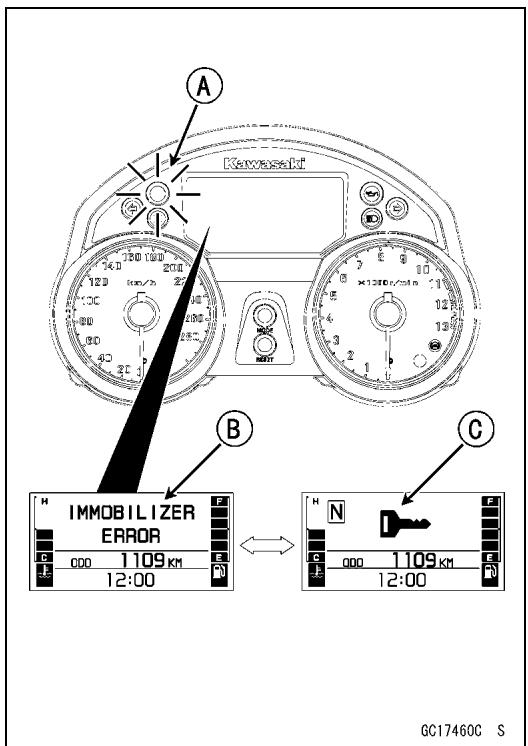
Self-Diagnosis
- Turn the ignition switch ON.
- Push the MODE button [A] and RESET button [B] for more than two seconds.
- The service code [C] is displayed on the LCD by the number of two digits.
When pushing and holding the MODE button while the warning massage and warning symbol are displayed alternately on the LCD, the display on the LCD is shifted to the previous display with the warning indicator light (LED) goes on.
○After switching to the previous display, the service code can not be displayed even if pushing the MODE button and RESET button for more than two seconds.
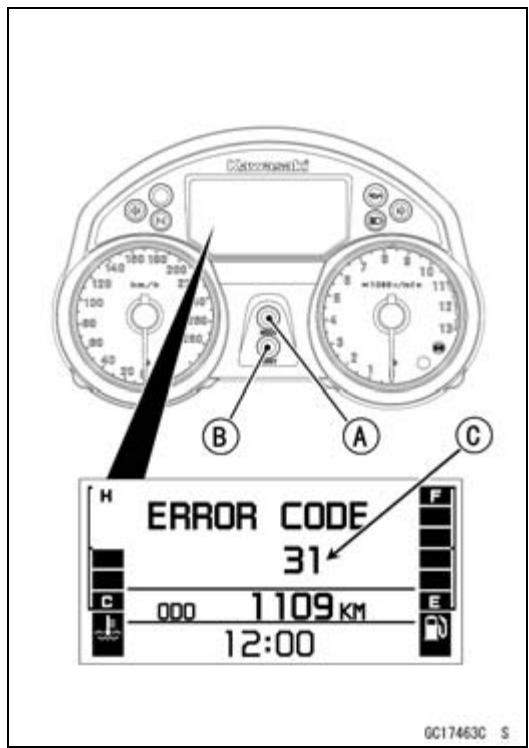
- Any of the following procedures ends self-diagnosis.
When the service code is displayed on the LCD, push the MODE button and RESET button for more than two seconds.
○When the ignition switch is turned OFF.
Self-Diagnosis Flow Chart
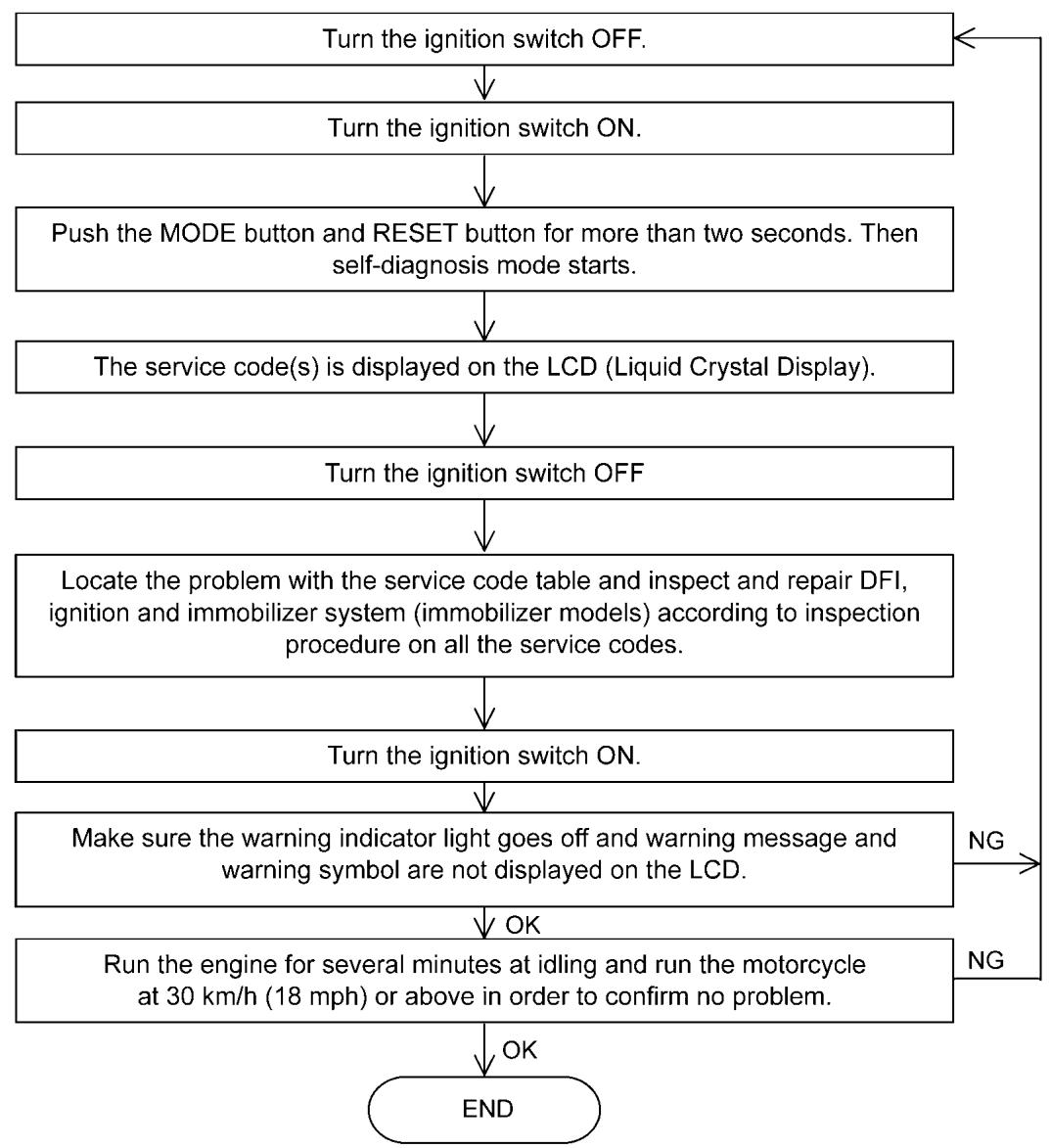
flowchart
graph TD
    A["Turn the ignition switch OFF."] --> B["Turn the ignition switch ON."]
    B --> C["Push the MODE button and RESET button for more than two seconds. Then self-diagnosis mode starts."]
    C --> D["The service code(s) is displayed on the LCD (Liquid Crystal Display)."]
    D --> E["Turn the ignition switch OFF"]
    E --> F["Locate the problem with the service code table and inspect and repair DFI, ignition and immobilizer system (immobilizer models) according to inspection procedure on all the service codes."]
    F --> G["Turn the ignition switch ON."]
    G --> H["Make sure the warning indicator light goes off and warning message and warning symbol are not displayed on the LCD."]
    H --> I["OK"]
    I --> J["Run the engine for several minutes at idling and run the motorcycle at 30 km/h (18 mph) or above in order to confirm no problem."]
    J --> K["OK"]
    K --> L["END"]
    style A fill:#f9f,stroke:#333
    style L fill:#ccf,stroke:#333
Self-Diagnosis
Service Code Reading
○The service code(s) is displayed on the LCD by the number of two digits.
When there are a number of problems, all the service codes can be stored and the display will begin starting from the lowest number service code in the numerical order.
- Then after completing all codes, the display is repeated until the ignition switch is turned OFF or MODE button and RESET button are pushed for more than two seconds.
○For example, if three problems occurred in the order of 46, 15, 35, the service codes are displayed (each two seconds) from the lowest number in the order listed as shown below. (15→35→46)→(15→35→46)→···(repeated)

GC17465C S
○In the case more than two service codes are available, you may push the MODE button to shift into the other code too.
○If the no problem or when the repair has done, warning indicator light (LED) goes off and warning message and warning symbol are not displayed, and no service code is displayed.
○If the problem is with the following parts, the ECU can not memorize these problem, he warning indicator light (LED) do not lights up or blinks and warning message and warning symbol are not displayed, and no service codes can be displayed.
Warning Indicator Light (LED)
Meter Panel LCD
Stick Coil Secondary Wiring and Ground Wiring (see Stick Coil (Ignition Coil together with Spark Plug Cap) Inspection in the Electrical System chapter)
ECU Power Source Wiring and Ground Wiring (see ECU power Supply Inspection)
Service Code Erasing
When repair has been done, warning indicator light (LED) goes off and warning message and warning symbol are not displayed, and no service code is displayed.
★But the service codes stored in memory of the ECU are not erased to preserve the problem history. In this model, the problem history can not be erased.
Self-Diagnosis
Service Code Table
| Service Code | Problems |
| 11 | Main throttle sensor malfunction, wiring open or short |
| 12 | Inlet air pressure sensor malfunction, wiring open or short |
| 13 | Inlet air temperature sensor malfunction, wiring open or short |
| 14 | Water temperature sensor malfunction, wiring open or short |
| 15 | Atmospheric pressure sensor malfunction, wiring open or short |
| 21 | Crankshaft sensor malfunction, wiring open or short |
| 23 | Camshaft position sensor malfunction, wiring open or short |
| 24 | Speed sensor malfunction |
| 25 | Gear position switch malfunction, wiring open or short |
| 31 | Vehicle-down sensor malfunction, wiring open or short |
| 32 | Subthrottle sensor malfunction, wiring open or short |
| 35 | Immobilizer amplifier malfunction |
| 36 | Blank key detection |
| 46 | Fuel pump relay malfunction, relay is stuck |
| 51 | Stick (Ignition) coil #1 malfunction, wiring open or short |
| 52 | Stick (Ignition) coil #2 malfunction, wiring open or short |
| 53 | Stick (Ignition) coil #3 malfunction, wiring open or short |
| 54 | Stick (Ignition) coil #4 malfunction, wiring open or short |
| 62 | Subthrottle valve actuator malfunction, wiring open or short |
| 75 | ECU main relay malfunction, relay is stuck |
Notes:
○The ECU may be involved in these problems. If all the parts and circuits checked out good, be sure to check the ECU for ground and power supply. If the ground and power supply are checked good, replace the ECU.
When no service code is displayed, the electrical parts of the DFI system has no fault, and the mechanical parts of the DFI system and the engine are suspect.
Self-Diagnosis
Backups
- The ECU takes the following measures to prevent engine damage when the DFI, ignition or immobilizer system parts have troubles.
| Service Codes | Parts | Output Signal Usable Range or Criteria | Backups by ECU |
| 11 | Main Throttle Sensor | Main Throttle Sensor Output Voltage 0.2 ~ 4.8 V | If the main throttle sensor system fails (the signal is out of the usable range, wiring short or open), the ECU locks ignition timing into the ignition timing at closed throttle position and sets the DFI in the D-J method. |
| 12 | Inlet Air Pressure Sensor | Inlet Air Pressure (absolute) Pv = 100 mmHg ~ 900 mmHg | If the inlet air pressure sensor system fails (the signal Pv is out of the usable range, wiring short or open), the ECU sets the DFI in the α-N method (1). |
| 13 | Inlet Air Temperature Sensor | Inlet Air Temperature Ta = -30°C ~ + 100°C | If the inlet air temperature sensor fails (the signal is out of the usable range, wiring short or open), the ECU sets Ta at 30°C. |
| 14 | Water Temperature Sensor | Water Temperature Tw = -30°C ~ + 120°C | If the water temperature sensor system fails (the signal is out of the usable range, wiring short or open), the ECU sets Tw at 80°C. |
| 15 | Atmospheric Pressure Sensor | Absolute Atmospheric Pressure Pa = 100 mmHg ~ 900 mmHg | If the atmospheric pressure sensor system fails (the signal is out of the usable range, wiring short or open), the ECU sets Pa at 760 mmHg (the standard atmospheric pressure). |
| 21 | Crankshaft Sensor | Crankshaft sensor cannot send the signal to the ECU during 8 crankings. | If crankshaft sensor fails, the engine stops by itself. |
| 23 | Camshaft Position Sensor | Camshaft position sensor cannot send the signal to the ECU during 24 crankings. | If the camshaft position sensor system fails (the signal is missing, wiring short or open), the ECU continues to ignite cylinders in the same sequence following the last good signal. |
| 24 | Speed Sensor | Speed sensor must send 4 signals (output signal) to the ECU at the one rotation of the drive shaft. | If the speed sensor system fails (no signal, wiring short or open), the speedometer shows 0. |
| 25 | Gear Position Switch | Gear Position Switch Output Voltage (signal) Vg = 0.2 ~ 4.8 V | If the speed sensor system fails (no signal, wiring short or open), the ECU set the top (6) gear position. |
| 31 | Vehicle-down Sensor | Vehicle-down Sensor Output Voltage (signal) Vd = 0.2 ~ 4.8 V | If the vehicle-down sensor system has failures (the output voltage Vd is more than usable range, wiring open), the ECU shuts off the fuel pump, the fuel injectors and the ignition system. |
| 32 | Subthrottle Sensor | Subthrottle Sensor Output Voltage 0.2 ~ 4.8 V | If the subthrottle sensor system fails (the signal is out of the usable range, wiring short or open), the actuator locks subthrottle valve at full open position. |
| 35 | Immobilizer Amplifier | - | If the immobilizer system fails (no signal, wiring short or open), the vehicle is no start and run. |
| 36 | Master or User Key | The user or master key must use register key. | If the blank key or broken key is used, the vehicle is no start and run. |
Self-Diagnosis
| Service Codes | Parts | Output Signal Usable Range or Criteria | Backups by ECU |
| 46 | Fuel Pump Relay | When the relay ON condition, battery monitor voltage 5 V or more | If the relay fails, battery monitor voltage 12 V. |
| 51 | Stick Coil #1 (Ignition Coil)* | The ignition coil primary winding must send signals (output voltage) 32 or more times continuously to the ECU. | If the ignition primary winding #1 has failures (no signal, wiring short or open), the ECU shuts off the injector #1 to stop fuel to the cylinder #1, though the engine keeps running. |
| 52 | Stick Coil #2 (Ignition Coil)* | The ignition coil primary winding must send signals (output voltage) 32 or more times continuously to the ECU. | If the ignition primary winding #2 has failures (no signal, wiring short or open), the ECU shuts off the injector #2 to stop fuel to the cylinder #2, though the engine keeps running. |
| 53 | Stick Coil #3 (Ignition Coil)* | The ignition coil primary winding must send signals (output voltage) 32 or more times continuously to the ECU. | If the ignition primary winding #3 has failures (no signal, wiring short or open), the ECU shuts off the injector #3 to stop fuel to the cylinder #3, though the engine keeps running. |
| 54 | Stick Coil #4 (Ignition Coil)* | The ignition coil primary winding must send signals (output voltage) 32 or more times continuously to the ECU. | If the ignition primary winding #4 has failures (no signal, wiring short or open), the ECU shuts off the injector #4 to stop fuel to the cylinder #4, though the engine keeps running. |
| 62 | Subthrottle Valve Actuator | The actuator operates open and close of the subthrottle valve by the pulse signal from the ECU. | If the subthrottle valve actuator fails (the signal is out to the usable range, wiring short or open), the ECU stops the current to the actuator. |
| 75 | ECU Main Relay | When the relay OFF condition, the main relay is open. | - |
Note:
(1) α -N Method: the DFI control method from medium to heavy engine load. When the engine load is light like at idling or low speed, the ECU determines the injection quantity by calculating from the throttle vacuum (vacuum sensor output voltage) and engine speed (crankshaft sensor output voltage). This method is called D-J method. As the engine speed increases, and the engine load turns middle to heavy, the ECU determines the injection quantity by calculating from the throttle opening (throttle sensor output voltage) and the engine speed. This method is called α -N method.
* This depends on the number of stopped cylinders.
Main Throttle Sensor (Service Code 11)
The main throttle sensor is a rotating variable resistor that change output voltage according to throttle operating. The ECU senses this voltage change and determines fuel injection quantity, and ignition timing according to engine rpm, and throttle opening.
Input Terminal [A]
Output Terminal [B]
Ground Terminal [C]

Main Throttle Sensor Removal/Adjustment
CAUTION
Do not remove or adjust the main throttle sensor [A] since it has been adjusted and set with precision at the factory.
Never drop the throttle body assy, especially on a hard surface. Such a shock to the sensor can damage it.

natural_image
Mechanical assembly diagram showing a motor or gear mechanism with labeled component A (no readable text or symbols)
NOTE
○Be sure the battery is fully charged.
- Turn the ignition switch OFF.
- Remove the ECU (see ECU Removal).
○Do not disconnect the ECU connectors.
- Connect a digital meter [A] to the connectors [B], using the needle adapter set.
Special Tool - Needle Adapter Set: 57001-1457

Main Throttle Sensor Input Voltage
Connections to ECU Connector
Meter (+) → BL lead (terminal 7)
Meter (-) → BR/BK lead (terminal 34)
- Measure the input voltage with the engine stopped, and with the connectors joined.
- Turn the ignition switch ON.
Input Voltage at ECU Connector
Standard: DC 4.75 \~ 5.25 V
- Turn the ignition switch OFF.
★If the reading of input voltage is less than the standard, check the ECU for its ground, and power supply (see ECU Power Supply Inspection) and wiring shorted.
★ If the input voltage is within the standard range, check the input voltage at the main throttle sensor connector.
Main Throttle Sensor (Service Code 11)
- Remove the right fairing cover (see Fairing Cover Removal in the Frame chapter).
- Disconnect the main throttle sensor connector [A].
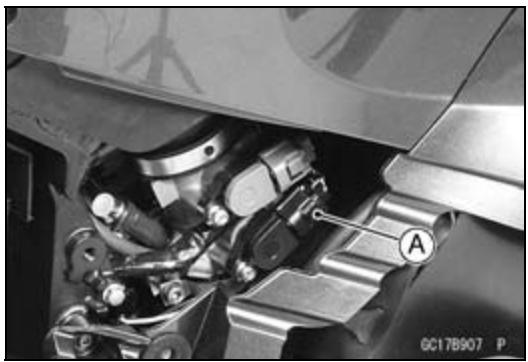
natural_image
Close-up mechanical assembly showing internal components and a labeled section (A), no readable text or symbols present.
- Connect the harness adapter [A] between the harness connector and main throttle sensor connector.
Special Tool - Throttle Sensor Setting Adapter: 57001-1538
- Connect a digital meter to the harness adapter leads.
Main Throttle Sensor Input Voltage Connections to Adapter
Meter (+)→ W (sensor BL) lead
Meter (-)→ BK (sensor BR/BK) lead
- Measure the input voltage with the engine stopped, and with the connector joined.
- Turn the ignition switch ON.
Input Voltage at Sensor
Standard: DC 4.75 \~ 5.25 V
- Turn the ignition switch OFF.
★If the reading is out of the range, check the wiring (see wiring diagram in this section).
★If the reading is good, check the output voltage of the sensor.

natural_image
Close-up of a mechanical assembly with labeled parts (A and B) and no visible text or symbols beyond labels
Main Throttle Sensor (Service Code 11)
Output Voltage Inspection
- Measure the output voltage at the ECU in the same way as input voltage inspection. Note the following.
Digital Meter [A]
Connector [B]
Special Tool - Needle Adapter Set: 57001-1457
Main Throttle Sensor Output Voltage Connections to ECU Connector
Meter (+) → Y/W lead (terminal 26)
Meter (−) → BR/BK lead (terminal 34)
- Start the engine and warm it up thoroughly.
- Check idle speed to ensure throttle opening is correct.
Idle Speed
Standard: 1 100 r/min (rpm)
★If the idle speed is out of the specified range, adjust the idle speed (see Idle Speed Inspection in Periodic Maintenance chapter).
- Turn the ignition switch OFF.
- Measure the output voltage with the engine stopped, and with the connector joined.
- Turn the ignition switch ON.
- Measure the output voltage when the throttle is fully opened or completely closed.
Output Voltage at ECU
Standard: DC 0.63 \~ 3.91 V (at idle throttle opening to full throttle opening)
NOTE
○The throttle sensor is operating correctly if the following voltages are obtained:
- DC 0.63 V (or slightly higher) with the throttle at the idle position.
- DC 3.91 V (or slightly lower) with the throttle at the fully open position.
CAUTION
Do not remove or adjust the main throttle sensor. It has been adjusted and set with precision at the factory.
Never drop the sensor can especially on a hard surface. A shock to the sensor can damage it.
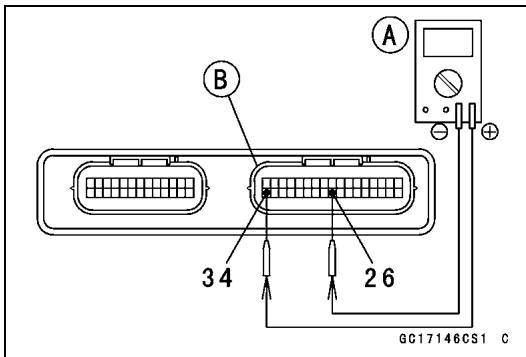
NOTE
○The standard voltage refers to the value when the voltage reading at the Input Voltage Inspection shows 5V exactly.
○When the input voltage reading shows other than 5V, derive a voltage range as follows.
Example:
In the case of a input voltage of 4.75 V.
0. 6 3 × 4. 7 5 ÷ 5. 0 0 = 0. 6 0 V
3. 9 1 × 4. 7 5 ÷ 5. 0 0 = 3. 7 1 V
Thus, the valid range is 0.60 \~ 3.71 V
★If the output voltage is within the standard range, check the ECU for its ground, and power supply (see ECU Power Supply Inspection).
★If the ground and power supply are good, replace the ECU (see ECU section).
★If the output voltage is far out of the standard range (e.g. when the wiring is open, the reading is 0 V), check the output voltage again at the sensor connector.
Main Throttle Sensor (Service Code 11)
- Disconnect the main throttle sensor connector and connect the harness adapter [A] between the harness connector and main throttle sensor connector.
Special Tool - Throttle Sensor Setting Adapter: 57001-1538
- Connect a digital meter to the harness adapter leads.
Throttle Sensor Output Voltage Connections to Adapter
Meter (+) → R (sensor Y/W) lead
Meter (−) → BK (sensor BR/BK) lead
- Measure the sensor output voltage with the engine stopped, and with the connector joined.
- Turn the ignition switch ON.
- Measure the output voltage when the throttle is fully opened or completely closed.
Output Voltage at Sensor
Standard: DC 0.63 \~ 3.91 V (at idle throttle opening to full throttle opening)
NOTE
○The throttle sensor is operating correctly if the following voltages are obtained:
- DC 0.63 V (or slightly higher) with the throttle at the idle position.
- DC 3.91 V (or slightly lower) with the throttle at the fully open position.
CAUTION
Do not remove or adjust the main throttle sensor. It has been adjusted and set with precision at the factory.
Never drop the sensor, especially on a hard surface. A shock to the sensor can damage it.
NOTE
○The standard voltage refers to the value when the voltage reading at the Input Voltage Inspection shows 5V exactly.
○When the input voltage reading shows other than 5V, derive a voltage range as follows.
Example:
In the case of a input voltage of 4.75 V.
0. 6 3 × 4. 7 5 ÷ 5. 0 0 = 0. 6 0 V
3. 9 1 × 4. 7 5 ÷ 5. 0 0 = 3. 7 1 V
Thus, the valid range is 0.60 \~ 3.71 V
- Turn the ignition switch OFF.
★If the reading is out of the standard range, inspect the main throttle sensor resistance.
★If the output voltage is normal, check the wiring for continuity (see wiring diagram in this section).

natural_image
Close-up of a mechanical assembly with labeled parts (A and C) and no visible text or symbols beyond labels
Main Throttle Sensor (Service Code 11)
Resistance Inspection
- Turn the ignition switch OFF.
- Disconnect the main throttle sensor connector.
- Connect a digital meter [A] to the main throttle sensor connector [B].
- Measure the main throttle sensor resistance.
Main Throttle Sensor Resistance
Connections: BL lead [C] ←→BR/BK lead [D]
Standard: 4 \~ 6 kΩ
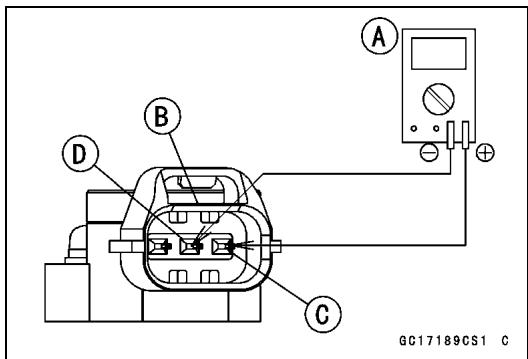
★If the reading is out of the range, replace the throttle body assy (see Throttle Body Assy section).
★If the reading is within the range, but the problem still exists, replace the ECU (see ECU section).
Main Throttle Sensor Circuit

flowchart
graph TD
    A["①"] --> B["②"]
    B --> C["③"]
    C --> D["④"]
    D --> E["⑤"]
    style A fill:#f9f,stroke:#333
    style B fill:#ccf,stroke:#333
    style C fill:#cfc,stroke:#333
    style D fill:#fcc,stroke:#333
    style E fill:#ffc,stroke:#333
    linkStyle 0 stroke:#000,stroke-width:2px
    linkStyle 1 stroke:#000,stroke-width:2px
    linkStyle 2 stroke:#000,stroke-width:2px
    linkStyle 3 stroke:#000,stroke-width:2px
    linkStyle 4 stroke:#000,stroke-width:2px
    linkStyle 5 stroke:#000,stroke-width:2px
GC17423CW2 C
- ECU
- Subthrottle Valve Actuator
- Subthrottle Sensor
- Main Throttle Sensor
- Water-proof Joint 2
Inlet Air Pressure Sensor (Service Code 12)
CAUTION
Never drop the sensor, especially on a hard surface. Such a shock to the part can damage it.
Removal


Installation
NOTE
○The inlet air pressure sensor is the same part as the atmospheric sensor except that the sensor has a vacuum hose and different wiring.
- Install the vacuum hose.
- Put the inlet air pressure sensor in the stay plate [A] of throttle body assy.
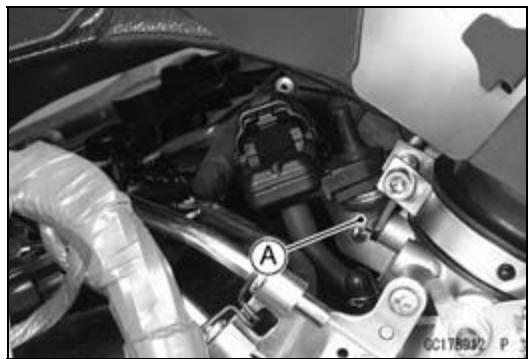
natural_image
Close-up of a car engine bay with hoses and components (no visible text or symbols)
NOTE
○Be sure the battery is fully charged.
○The inspection is the same as "Input Voltage Inspection" of the throttle sensor and the atmospheric pressure sensor.
- Turn the ignition switch OFF.
- Remove the ECU (see ECU Removal).
○Do not disconnect the ECU connectors.
- Connect a digital meter [A] to the connector [B], with the needle adapter set.
Special Tool - Needle Adapter Set: 57001-1457
Inlet Air Pressure Sensor Input Voltage
Connections to ECU Connector
Meter (+) → BL lead (terminal 7)
Meter (−) → BR/BK lead (terminal 34)
- Measure the input voltage with the engine stopped, and with the connectors joined.
- Turn the ignition switch ON.
Input Voltage at ECU
Standard: DC 4.75 \~ 5.25 V
★If the reading is less than the standard range, check the ECU for its ground, and power supply (see ECU Power Supply Inspection).
★ If the ground and power supply are good, replace the ECU (see ECU section).
★If the reading is within the standard range, and check the input voltage again at the sensor connector.
- Disconnect the inlet air pressure sensor connector and connect the harness adapter [A] between the harness connector and inlet air pressure sensor connector.
Special Tool - Sensor Harness Adapter: 57001-1561
- Connect a digital meter to the harness adapter leads. Inlet Air Pressure Sensor [B]
Inlet Air Pressure Sensor Input Voltage
Connections to Adapter
Meter (+) → G (sensor BL) lead [C]
Meter (-) → BK (sensor BR/BK) lead [D]
- Measure the input voltage with the engine stopped, and with the connector joined.
- Turn the ignition switch ON.
Input Voltage at Sensor Connector
Standard: DC 4.75 \~ 5.25 V
- Turn the ignition switch OFF.
★If the reading is out of the standard range, check the wiring (see wiring diagram in this section).
★If the reading is good, the input voltage is normal. Check the output voltage.


Inlet Air Pressure Sensor (Service Code 12)
Output Voltage Inspection
- Measure the output voltage at the ECU in the same way as input voltage inspection. Note the following.
Digital Meter [A]
Connector [B]
Special Tool - Needle Adapter Set: 57001-1457
Inlet Air Pressure Sensor Output Voltage Connections to ECU
Meter (+) → Y/BL lead (terminal 28)
Meter (−) → BR/BK lead (terminal 34)
Output Voltage at ECU
Usable Range: DC 3.80 \~ 4.20 V at the standard atmospheric pressure (101.32 kPa, 76 cmHg abs.)
NOTE
○The output voltage changes according to the local atmospheric pressure.
○The vacuum sensor output voltage is based on a nearly perfect vacuum in the small chamber of the sensor. So, the sensor indicates absolute vacuum pressure.
★If the output voltage is within the usable range, check the ECU for its ground, and power supply (see ECU Power Supply Inspection).
★ If the ground and power supply are good, replace the ECU (see ECU section).
★If the output voltage is far out of the usable range, check the output voltage again at the sensor connector [A] (when the lead is open, the output voltage is about 1.8 V).
- Connect a digital meter to the harness adapter leads. Inlet Air Pressure Sensor [B]
Special Tool - Sensor Harness Adapter: 57001-1561
Inlet Air Pressure Sensor Output Voltage Connections to Adapter
Meter (+) → G/W (sensor Y/BL) lead [C]
Meter (-) → BK (sensor BR/BK) lead [D]
★Measure the input voltage with the engine stopped, and with the connector joined.
★Turn the ignition switch ON.
Output Voltage at Sensor Connector
Usable Range: DC 3.80 \~ 4.20 V at the standard atmospheric pressure (101.32 kPa or 76 cmHg abs.)
- Turn the ignition switch OFF.
★If the output voltage is normal, check the wiring for continuity (see wiring diagram in this section).
★If the output voltage is out of the usable range, replace the sensor.
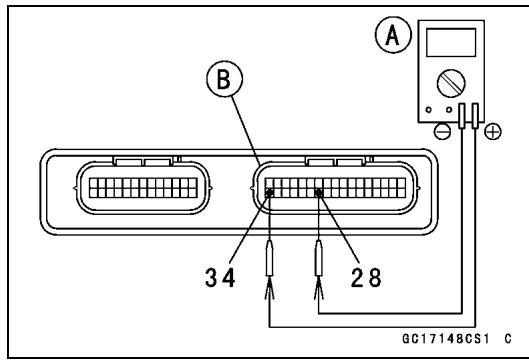
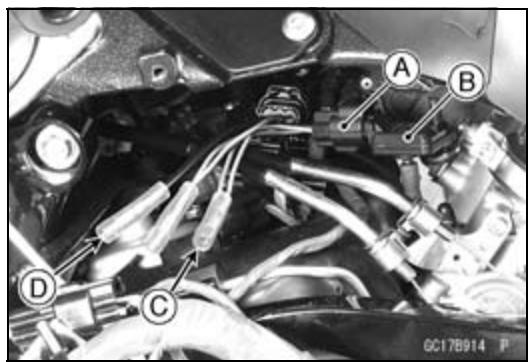

Inlet Air Pressure Sensor Circuit

flowchart
graph TD
    A["①"] -->|Y/BL| B["②"]
    A -->|BR/BK| C["③"]
    B -->|Y/BL| D["②"]
    B -->|BR/BK| E["③"]
    C -->|SR/BK| F["③"]
    D -->|Y/BL| G["②"]
    E -->|BR/BK| H["③"]
GC17425CW2 C
- ECU
- Inlet Air Pressure Sensor
- Water-proof Joint 2
★If you need to check the inlet air pressure sensor for vacuum other than 76 cmHg (abs.), check the output voltage as follows.
Inlet Air Pressure Sensor (Service Code 12)
- Remove the inlet air pressure sensor [A] and disconnect the vacuum hose from the sensor.
- Connect an auxiliary hose [B] to the inlet air pressure sensor.
- Temporarily install the inlet air pressure sensor.
○Connect a digital meter [C], vacuum gauge [D], and the fork oil level gauge [E] to the inlet air pressure sensor.
Special Tools - Fork Oil Level Gauge: 57001-1290
Vacuum Gauge: 57001-1369
Sensor Harness Adapter: 57001-1561
Inlet Air Pressure Sensor Output Voltage Connection to Adapter
Meter (+) → G/W (sensor Y/BL) lead
Meter (-) → BK (sensor BR/BK) lead
○Turn the ignition switch ON.
○Measure the inlet air pressure sensor output voltage from various vacuum readings, while pulling the handle of the fork oil level gauge.
○Check the inlet air pressure sensor output voltage, using the following formula and chart.
Suppose:
Pg : Vacuum Pressure (gauge) of Throttle Assy
PI : Local Atmospheric Pressure (abs.) measured by a barometer
Pv : Vacuum Pressure (abs.) of Throttle Assy
Vv : Sensor Output Voltage (v)
then
Pv = PI - Pg
For example, suppose the following data is obtained:
Pg = 8 cmHg (vacuum gauge reading)
PI = 70 cmHg (barometer reading)
Vv = 3.2 V (digital volt meter reading)
then
Pv = 7 0 - 8 = 6 2 cmHg(abs.)
Plot this Pv (62 cmHg) at a point [1] on the chart and draw a vertical line through the point. Then, you can get the usable range [2] of the sensor output voltage.
Usable range = 3.08 \~ 3.48 V
Plot Vv (3.2 V) on the vertical line. → Point [3].
Results: In the chart, Vv is within the usable range and the sensor is normal.

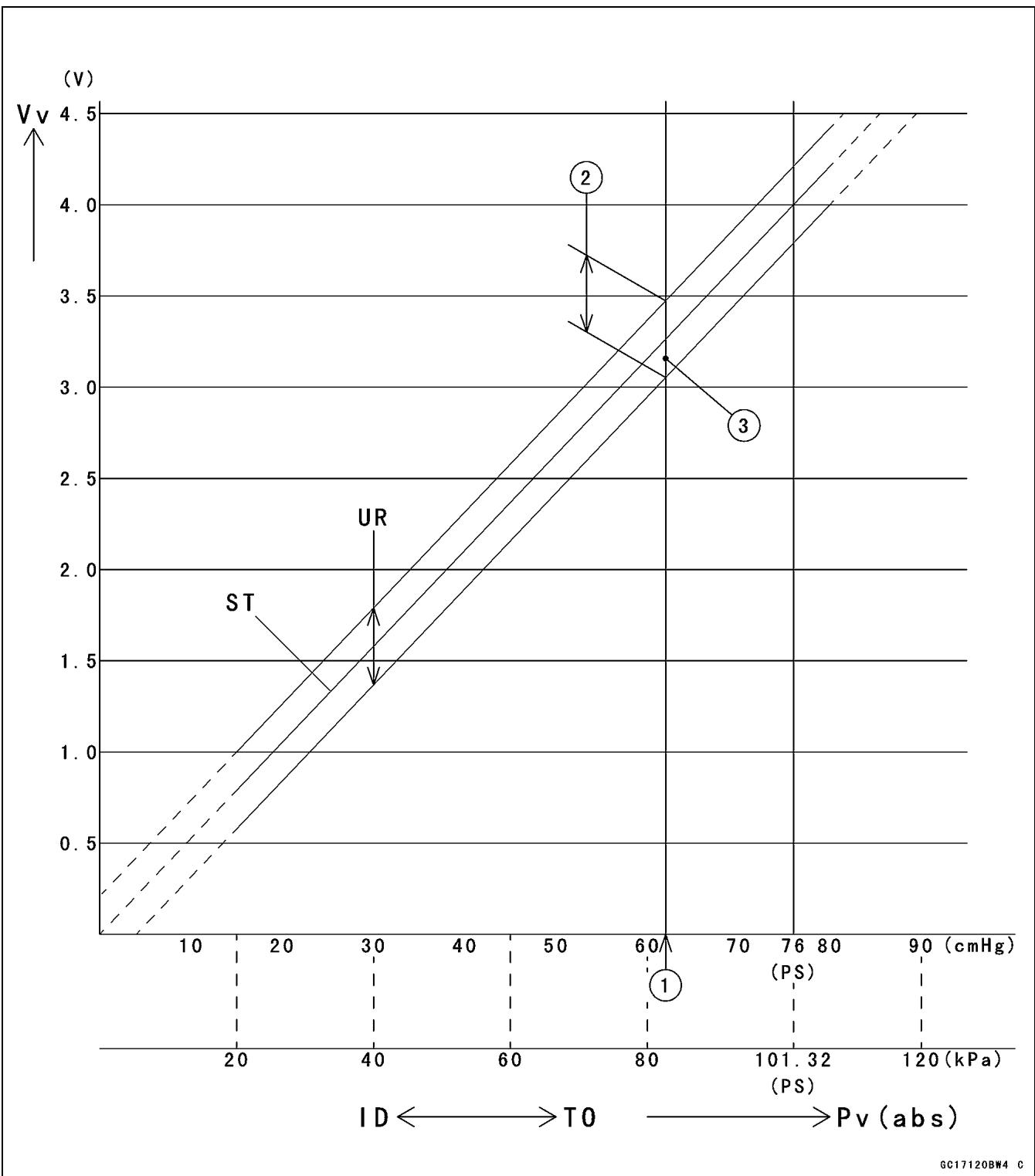
line
| Point | Pressure (PS) | Voltage (V) |
|-------|---------------|-------------|
| 1 | 80 | 3.1 |
| 2 | 55 | 3.7 |
| 3 | 70 | 2.8 |
ID: Idling
Pv: Throttle Vacuum Pressure (abs.)
Ps: Standard Atmospheric Pressure (abs.)
ST: Standard of Sensor Output Voltage (v)
TO: Throttle Full Open
UR: Usable Range of Sensor Output Voltage (v)
Vv: Inlet Air Pressure Sensor Output Voltage (V) (Digital Meter Reading)
Inlet Air Temperature Sensor (Service Code 13)
Removal/Installation
CAUTION
Never drop the sensor, especially on a hard surface. Such a shock to the sensor can damage it.
- Remove the fuel tank (see Fuel Tank Removal).
- Open the clamp [A]
- Disconnect the connector [B] from the inlet air temperature sensor.
- Pull out the inlet air temperature sensor [C].
- Install the inlet air temperature sensor [A] in the grommet [B].


Output Voltage Inspection
NOTE
○Be sure the battery is fully charged.
- Remove the ECU (see ECU Removal).
○Do not disconnect the ECU connectors.
- Connect a digital meter to the ECU connector, using needle adapter set.
Special Tool - Needle Adapter Set: 57001-1457
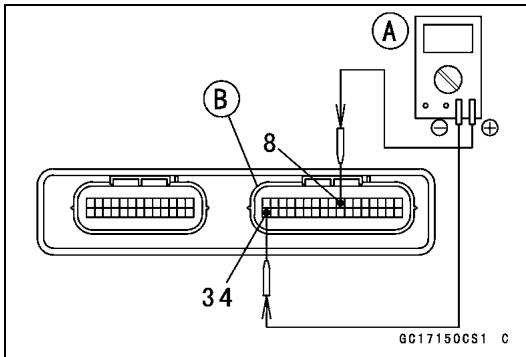
Inlet Air Temperature Sensor Output Voltage Connections to ECU Connector
Meter (+) → Y lead (terminal 8)
Meter (−) → BR/BK lead (terminal 34)
- Measure the sensor output voltage with the engine stopped and the connector joined.
- Turn the ignition switch ON.
Output Voltage at ECU
Standard: About 2.25 \~ 2.50 V at inlet air temperature 20°C (68°F)
NOTE
○The output voltage changes according to the inlet air temperature.
- Turn the ignition switch OFF.
Inlet Air Temperature Sensor (Service Code 13)
★ If the output voltage is out of the specified, check the ECU for its ground, and power supply (see ECU Power Supply Inspection).
★ If the ground and power supply are good, replace the ECU (see ECU section).
★If the output voltage is far out of the specified (e.g. when the wiring is open, the voltage is about 4.6 V), check the wiring (see wiring diagram in this section).
★If the wiring is good, check the sensor resistance.
Sensor Resistance Inspection
- Remove the inlet air temperature sensor (see Removal/Installation).
- Suspend the sensor [A] in a container of machine oil so that the heat-sensitive portion is submerged.
- Suspend a thermometer [B] with the heat-sensitive portion [C] located in almost the same depth with the sensor.
NOTE
○The sensor and thermometer must not touch the container side or bottom.
- Place the container over a source of heat and gradually raise the temperature of the oil while stirring the oil gently for even temperature.
- Using a digital meter, measure the internal resistance of the sensor across the terminals at the temperatures shown in the table.
Inlet Air Temperature Sensor Resistance
Standard: 2.09 \~ 2.81 kΩ at 20°C (68°F)
About 0.322 kΩ at 80°C (176°F) (reference value)
★ If the measurement is out of the range, replace the sensor.
★If the measurement is within the specified, replace the ECU (see ECU section).

Inlet Air Temperature Sensor (Service Code 13)
Inlet Air Temperature Sensor Circuit

flowchart
graph TD
    A["①"] -->|Y| B["②"]
    A -->|BR/BK| C["③"]
    C -->|BR/BK| D["②"]
    style A fill:#f9f,stroke:#333
    style B fill:#ccf,stroke:#333
    style C fill:#cfc,stroke:#333
    style D fill:#fcc,stroke:#333
-
ECU
-
Inlet Air Temperature Sensor
-
Water-proof Joint 2
GC17426CW2 C
Water Temperature Sensor (Service Code 14)
Removal/Installation
CAUTION
Never drop the sensor, especially on a hard surface. Such a shock to the sensor can damage it.
- Drain the coolant (see Coolant Change in the Periodic Maintenance chapter).
- Remove:
Throttle Body Assy (see Throttle Body Assy Removal) Connector [A]
Water Temperature Sensor [B]
- Replace the gasket with a new one, and tighten the water temperature sensor.
Torque - Water Temperature Sensor: 25 N·m (2.5 kgf·m, 18 ft·lb)
- Fill the engine with coolant and bleed the air from the cooling system (see Coolant Change in the Periodic Maintenance chapter).
Output Voltage Inspection
NOTE
○Be sure the battery is fully charged.
- Remove the ECU (see ECU Removal).
○Do not disconnect the ECU connectors.
- Connect a digital meter [A] to the ECU connectors [B], with the needle adapter set.
Special Tool - Needle Adapter Set: 57001-1457
Water Temperature Sensor Output Voltage Connections to ECU
Meter (+) → O lead (terminal 25)
Meter (−) → BR/BK lead (terminal 34)
- Measure the sensor output voltage with the engine stopped and the connector joined.
- Turn the ignition switch ON.
Output Voltage at ECU
Standard: About 2.80 \~ 2.97 V at 20°C (68°F)
NOTE
○The output voltage changes according to the coolant temperature in the engine.
- Turn the ignition switch OFF.
★ If the output voltage is out of the specified, check the ECU for its ground, and power supply (see ECU Power Supply Inspection).
★ If the ground and power supply are good, replace the ECU (see ECU section).
★If the output voltage is far out of the specified (e.g. when the wiring is open, the voltage is about 5V), check the wiring (see wiring diagram in this section).
★If the wiring is good, check the water temperature sensor resistance.
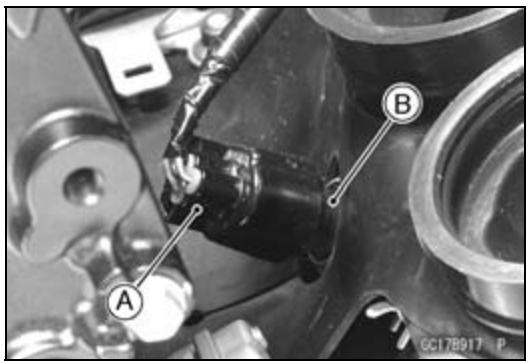

Water Temperature Sensor (Service Code 14)
Sensor Resistance Inspection
- Refer to the Water Temperature Sensor Inspection in the Electrical System chapter (see Water Temperature Sensor Inspection in the Electrical System chapter).
Water Temperature Sensor Circuit

GC17427CW2 C
- ECU
- Meter Unit
- Water Temperature Sensor
- Water-proof Joint 2
Atmospheric Pressure Sensor (Service Code 15)
CAUTION
Never drop the sensor, especially on a hard surface. Such a shock to the sensor can damage it.
Removal
- Remove:
Seat (see Seat Removal in the Frame chapter)
Atmospheric Pressure Sensor Connector [A]
Damper [B]
Atmospheric Pressure Sensor [C]

Installation
NOTE
○The atmospheric pressure sensor is the same part as the inlet air pressure sensor except that the inlet air pressure sensor has a inlet air pressure hose and different wiring.
- Installation is reverse of removal.
NOTE
○Be sure the battery is fully charged.
○The inspection is the same as "Input Voltage Inspection" of the throttle sensor and the inlet air pressure sensor.
- Turn the ignition switch OFF.
- Remove the ECU (see ECU Removal).
○Do not disconnect the ECU connectors.
- Connect a digital meter [A] to the connector [B], with the needle adapter set.
Special Tool - Needle Adapter Set: 57001-1457
Atmospheric Pressure Sensor Input Voltage Connections to ECU Connector
Meter (+) → BL lead (terminal 7)
Meter (−) → BR/BK lead (terminal 34)
- Measure the input voltage with the engine stopped, and with the connectors joined.
- Turn the ignition switch ON.
Input Voltage at ECU
Standard: DC 4.75 \~ 5.25 V
★If the reading of input voltage is less than the standard range, check the ECU for its ground, and power supply (see ECU Power Supply Inspection).
★ If the ground and power supply are good, replace the ECU (see ECU section).
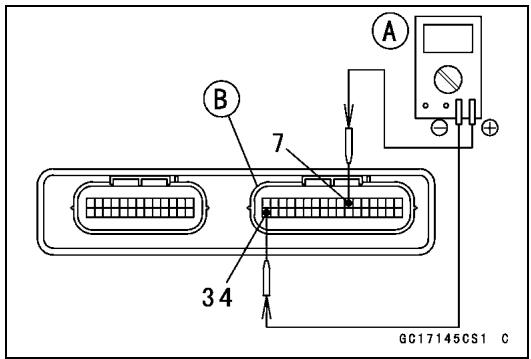
Atmospheric Pressure Sensor (Service Code 15)
★If the reading is within the standard range, remove the seat, and check the input voltage again at the sensor connector.
- Disconnect the atmospheric pressure sensor connector and connect the harness adapter [A] between the harness connector and atmospheric pressure sensor connector.
Special Tool - Sensor Harness Adapter: 57001-1561
- Connect a digital meter to the harness adapter leads. Atmospheric Pressure Sensor [B]
Atmospheric Pressure Sensor Input Voltage Connections to Adapter
Meter (+) → G (sensor BL) lead [C]
Meter (-) → BK (sensor BR/BK) lead [D]
- Measure the input voltage with the engine stopped, and with the connector joined.
- Turn the ignition switch ON.
Input Voltage at Sensor Connector
Standard: DC 4.75 \~ 5.25 V
- Turn the ignition switch OFF.
★If the reading is out of the standard range, check the wiring (see wiring diagram in this section).
★If the reading is good, the input voltage is normal. Check the output voltage.
Output Voltage Inspection
- Measure the output voltage at the ECU in the same way as input voltage inspection. Note the following.
Digital Meter [A]
ECU Connector [B]
Special Tool - Needle Adapter Set: 57001-1457
Atmospheric Pressure Sensor Output Voltage Connections to ECU Connector
Meter (+) → G/W lead (terminal 11)
Meter (−) → BR/BK lead (terminal 34)
Output Voltage
Usable Range: DC 3.80 \~ 4.20 V at the standard atmospheric pressure (101.32 kPa, 76 cmHg abs.)
NOTE
○The output voltage changes according to the local atmospheric pressure.
○The atmospheric sensor output voltage is based on a nearly perfect vacuum in the small chamber of the sensor. So, the sensor indicates absolute atmospheric pressure.
★If the output voltage is within the usable range, check the ECU for its ground, and power supply (see ECU Power Supply Inspection).
★If the ground and power supply are good, replace the ECU (see ECU section).
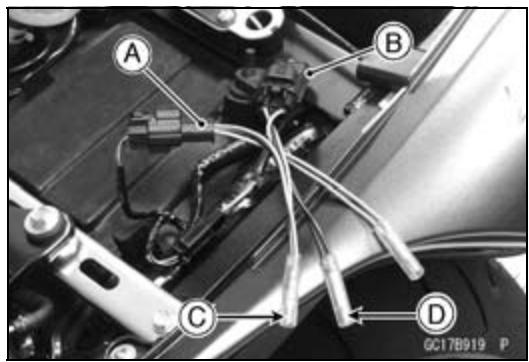


Atmospheric Pressure Sensor (Service Code 15)
★If the output voltage is far out of the usable range, check the output voltage at the sensor connector [A] (when the wiring is open, the output voltage is about 1.8 V).
- Connect a digital meter [A] to the harness adapter leads. Atmospheric Pressure Sensor [B]
Special Tool - Sensor Harness Adapter: 57001-1561
Atmospheric Pressure Sensor Output Voltage Connections to Adapter
Meter (+) → G/W (sensor G/W) lead [C]
Meter (-) → BK (sensor BR/BK) lead [D]
Output Voltage at Sensor
Usable Range: DC 3.80 \~ 4.20 V at the standard atmospheric pressure (101.32 kPa, 76 cmHg abs.)
- Turn the ignition switch OFF.
★If the output voltage is normal, check the wiring for continuity (see wiring diagram in this section).
★If the output voltage is out of the usable range, replace the sensor.


Atmospheric Pressure Sensor Circuit
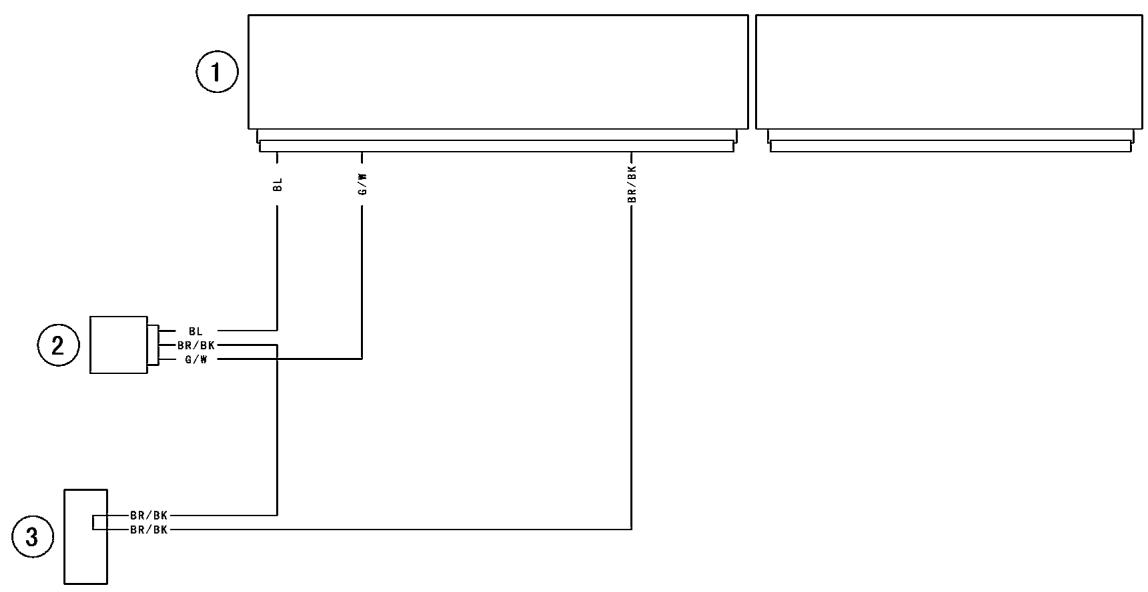
flowchart
graph TD
    A["①"] -->|BL| B["②"]
    A -->|G/W| C["③"]
    B -->|BR/BK| D["③"]
    C -->|BR/BK| D
    style A fill:#f9f,stroke:#333
    style B fill:#ccf,stroke:#333
    style C fill:#cfc,stroke:#333
GC17428CW2 C
- ECU
- Atmospheric Pressure Sensor
- Water-proof Joint 2
★If you need to check the atmospheric pressure sensor for various altitudes other than sea level, check the output voltage as follows.
○Determine the local altitude (Elevation).
Atmospheric Pressure Sensor (Service Code 15)
★If you know the local atmospheric pressure using a barometer, substitute the atmospheric pressure for throttle vacuum pressure in the inlet air pressure sensor chart (see Inlet Air Pressure Sensor section). And get the usable range of the atmospheric pressure sensor output voltage and check if output voltage is within the standard or not in the same way as Output Voltage Inspection of the inlet air pressure sensor.
★If you know the local altitude, use the following chart.
Atmospheric Pressure/Altitude Relationship

line
| Altitude (x1,000ft) | Atmospheric Pressure (mmHg abs.) |
| ------------------- | -------------------------------- |
| 0 | 750 |
| 1 | 725 |
| 2 | 700 |
| 3 | 675 |
| 4 | 650 |
| 5 | 625 |
| 6 | 600 |
| 7 | 575 |
| 8 | 550 |
| 9 | 525 |
Crankshaft Sensor (Service Code 21)
Crankshaft Sensor Removal/Installation
- Refer to the Crankshaft Sensor Removal/Installation in the Electrical System chapter (see Crankshaft Sensor Removal/Installation in the Electrical System chapter).
Crankshaft Sensor Inspection
- The crankshaft have no power source, and when the engine stops, the crankshaft generates no signals.
- Crank the engine and measure the peak voltage of the crankshaft sensor (see Crankshaft Sensor Peak Voltage Inspection in the Electrical System chapter) in order to check the sensor.
- Check the wiring for continuity (see wiring diagram in this section).
Crankshaft Sensor Circuit

flowchart
graph TD
    A["①"] --> B["R/BK"]
    A --> C["BK"]
    D["②"] --> E["Y"]
    D --> F["BK"]
    G["R/BK"] --> H["BK"]
    I["R/BK"] --> J["BK"]
GC17429CW2 C
- ECU
- Crankshaft Sensor
Camshaft Position Sensor (Service Code 23)
Camshaft Position Sensor Removal/Installation
The camshaft position sensor detects the position of the camshaft, and distinguishes the cylinder.
- Refer to the Camshaft Position Sensor Removal/Installation in the Electrical System chapter (see Camshaft Position Sensor Removal/Installation in the Electrical System chapter).
Camshaft Position Sensor Inspection
○The camshaft position sensor have no power source, and when the engine stops, the camshaft position sensor generates no signal.
- Crank the engine and measure the peak voltage of the camshaft position sensor (see Camshaft Position Sensor Peak Voltage Inspection in the Electrical System chapter) in order to check the sensor.
- Check the wiring for continuity (see wiring diagram in this section).
Camshaft Position Sensor Circuit

flowchart
graph TD
    A["①"] -->|Y/R| B["②"]
    B -->|W/Y Y| C["②"]
    C -->|Y/R R/BK| D["②"]
    D -->|Y/R BK/Y| E["③"]
    E -->|BK/Y| F["③"]
    style A fill:#f9f,stroke:#333
    style B fill:#ccf,stroke:#333
    style C fill:#cfc,stroke:#333
    style D fill:#fcc,stroke:#333
    style E fill:#cff,stroke:#333
- ECU
- Camshaft Position Sensor
- Frame Ground 1
Speed Sensor Removal/Installation
- Refer to the Speed Sensor Removal/Installation in the Electrical System chapter (see Speed Sensor Removal/Installation in the Electrical System chapter).
Speed Sensor Inspection
- Refer to the Speed Sensor Inspection in the Electrical System chapter (see Speed Sensor Inspection in the Electrical System chapter).
NOTE
○Be sure the battery is fully charged.
- Turn the ignition switch OFF.
- Disconnect the speed sensor connector [A].
- Connect the harness adapter [A] between the harness connector and speed sensor connector.
Special Tool - Throttle Sensor Setting Adapter #1: 57001-1400
- Connect a digital meter to the harness adapter leads.
Speed Sensor Input Voltage
Connections to Adapter
Meter (+) → BL (sensor P) lead [B]
Meter (-) → BK/BL (sensor BK) lead [C]

natural_image
Close-up mechanical assembly showing hoses, springs, and a labeled component (A), no readable text or symbols present.
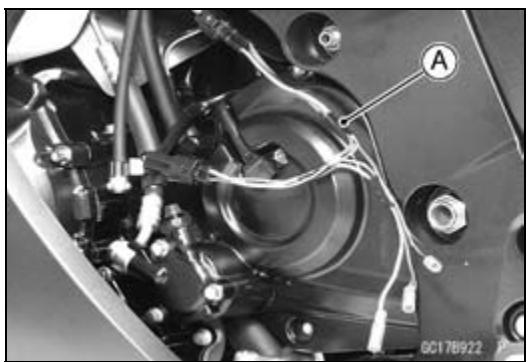
natural_image
Close-up of an automotive engine bay with visible wiring and components (no text or symbols)

- Measure the input voltage with the engine stopped, and with the connector joined.
- Turn the ignition switch ON.
Standard: About DC 9 \~ 11 V
- Turn the ignition switch OFF.
★If the reading is out of the range, check the wiring (see wiring diagram in this section), and meter unit (see Electronic Combination Meter Unit Inspection in the Electrical System chapter).
★If the reading is good, check the output voltage.
Speed Sensor (Service Code 24)
Output Voltage Inspection
- Before this inspection, inspect the input voltage (see Input Voltage Inspection in this section).
NOTE
○Be sure the battery is fully charged.
- Turn the ignition switch OFF.
- Using the stand, raise the rear wheel off the ground.
- Disconnect the speed sensor connector [A] and connect the harness adapter [B] between the harness connector and speed sensor connector.
- Connect a digital meter to the harness adapter leads.
Special Tool - Throttle Sensor Setting Adapter #1: 57001-1400
Speed Sensor Output Voltage
Connections to Adapter
Meter (+) → BY (sensor BL/Y) lead [C]
Meter (-) → BK/BL (sensor BK) lead [D]
- Measure the output voltage with the engine stopped, and with the connector joined.
- Turn the ignition switch ON.
Output Voltage at Sensor
Standard: About DC 0.05 \~ 0.09 V or DC 4.5 \~ 4.9
- Rotate the rear wheel by hand, confirm the output voltage will be raise or lower.
- Turn teh ignition switch OFF.
★If the reading is out of the range, check the speed sensor (see Speed Sensor Inspection in the Electrical System chapter) and the wiring to ECU (see wiring diagram in this section).
★If the reading, speed sensor and wiring are good, replace the ECU (see ECU section).

natural_image
Close-up mechanical assembly with labeled parts A and B, showing wiring and components (no readable text or symbols beyond labels)

Speed Sensor (Service Code 24)

- ECU
- Meter Unit
- Speed Sensor
- Frame Ground 1
Gear Position Switch (Service Code 25)
Gear Position Switch Removal/Installation
- Refer to the Gear Position Switch Removal/Installation in the Electrical System chapter (see Gear Position Switch Removal/Installation in the Electrical System chapter).
Gear Position Switch Inspection
- Refer to the Gear Position Switch Inspection in the Electrical System chapter (see Gear Position Switch Inspection in the Electrical System chapter).
NOTE
○Be sure the battery is fully charged.
- Turn the ignition switch OFF.
- Remove the ECU (see ECU Removal).
○Do not disconnect the ECU connectors.
- Connect a digital meter [A] to the connector, with the needle adapter set.
Special Tool - Needle Adapter Set: 57001-1457
Gear Position Switch Input Voltage at 1 \~ 6 Gear Positions Connections to ECU Connector
Meter (+) → G/R lead (terminal 4)
Meter (−) → Engine Ground
- Measure the switch input voltage with the engine stopped, and with the connector joined.
- Turn the ignition switch ON.
Input Voltage at 1 \~ 6 Gear Positions
Standard:
| 1st | About 3.0 V |
| 2nd | About 2.5 V |
| 3rd | About 2.0 V |
| 4th | About 1.5 V |
| 5th | About 1.1 V |
| 6th | About 0.7 V |
- Turn the ignition switch OFF.
★If the reading is out of the range, check the gear position switch (see Gear Position Switch Inspection in the Electrical System chapter).
★If the switch is good, check the ECU for its ground and power supply (see ECU Power Supply Inspection).
★If the ground and power supply are good, replace the ECU (see ECU section).

Gear Position Switch Circuit

- ECU
- Gear Position Switch
- Joint Connector 1
- Joint Connector 2
- Frame Ground 1
Vehicle-down Sensor (Service Code 31)
This sensor has a weight [A] with two magnets inside, and sends a signal to the ECU. But when the motorcycle banks 60 \~ 70° or more to either side (in fact falls down), the weight turns and shuts off the signal. The ECU senses this change, and stops the fuel pump, the fuel injectors, and the ignition system.
Hall IC [B]
When the motorcycle is down, the ignition switch is left ON. If the starter button is pushed, the electric starter turns but the engine doesn't start. To start the engine again, raise the motorcycle, turn the ignition switch OFF, and then ON. When the ignition switch is turned ON, current flows through the latch-up circuit and the transistor in the circuit is turned ON to unlock the latch-up circuit.
Vehicle-down Sensor [A]
Ground Terminal BR/BK [B]
Output Terminal Y/G [C]
Power Source Terminal BL [D]

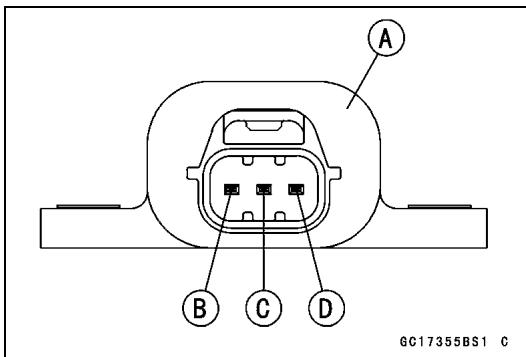
Removal
CAUTION
Never drop the vehicle-down sensor, especially on a hard surface. Such a shock to the sensor can damage it.
- Remove:
Windshield (see Windshield Removal in the Frame chapter)
Bolts [A]
- Remove:
Connector [A]
Bolts [B]
Vehicle-down Sensor [C]

natural_image
Close-up of a mechanical component with labeled parts (A), no readable text or symbols beyond the label

Installation
- The UP mark [A] of the sensor should face upward.
WARNING
Incorrect installation of the vehicle-down sensor could cause sudden loss of engine power. The rider could lose balance during certain riding situations, like leaning over in a turn, with the potential for an accident resulting in injury or death. Ensure that the vehicle-down sensor is held in place by the sensor brackets.
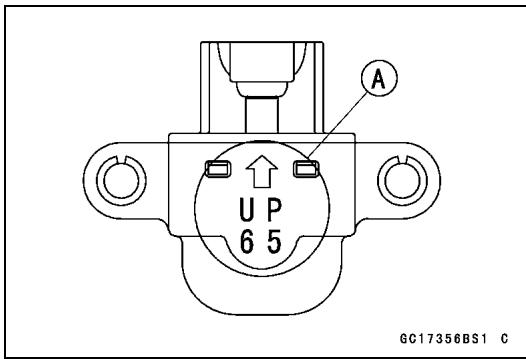
- Tighten:
Torque - Vehicle-down Sensor Bolts: 5.9 N·m (0.60 kgf·m, 53 in·lb)
Inspection
NOTE
○Be sure the battery is fully charged.
- Remove the Windshield (see Windshield Removal in the Frame chapter).
- Connect a digital meter [A] to the connector of the vehicle -down sensor [B], with the needle adapter set [C].
Special Tool - Needle Adapter Set: 57001-1457
Vehicle-down sensor Power Source Voltage Connections to Sensor
Meter (+) → BL lead [D]
Meter (-) → BR/BK lead [E]
- Turn the ignition switch ON, and measure the power source voltage with the connector joined.
Power Source Voltage at Sensor Standard: DC 4.75 \~ 5.25 V
- Turn the ignition switch OFF.
★If there is no voltage, check the following.
Battery (see Charging Condition Inspection in the Electrical System chapter)
ECU Fuse 15 A (see Fuse Inspection in the Electrical System chapter)
★If the power source is normal, check the output voltage.
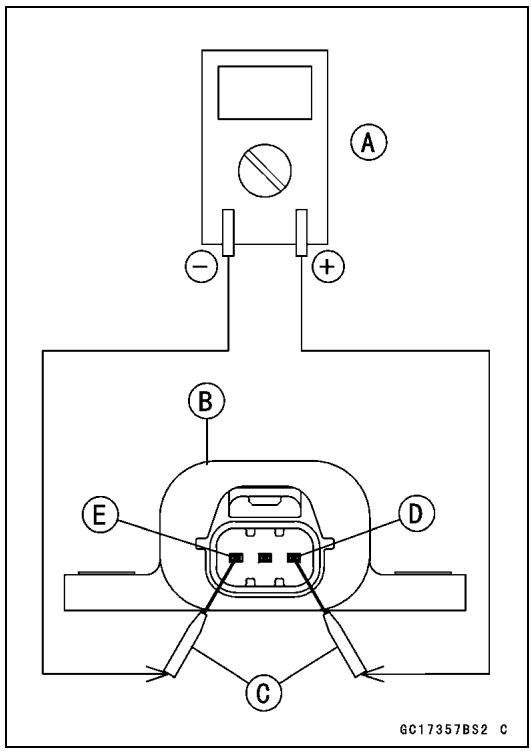
Vehicle-down Sensor (Service Code 31)
- Turn the ignition switch OFF.
- Remove the vehicle-down sensor.
○Do not disconnect the sensor connector.
- Connect a digital meter [A] to the connector, with needle adapter set [B].
Special Tool - Needle Adapter Set: 57001-1457
Vehicle-down sensor Output Voltage Connections to Sensor
Meter (+) → Y/G lead [C]
Meter (-) → BR/BK lead [D]
- Hold the sensor vertically.
- Turn the ignition switch ON, and measure the output voltage with the connector joined.
○Tilt the sensor 60 \~ 70° or more [E] right or left, then hold the sensor almost vertical with the arrow mark pointed up, and measure the output voltage.
Output Voltage at Sensor
Standard: with sensor arrow mark pointed up: 3.55 \~ 4.45 V
with sensor tilted 60 \~ 70° or more right or left: 0.65 \~ 1.35 V
NOTE
○If you need to test again, turn the ignition switch OFF, and then ON.
- Turn the ignition switch OFF.
★If the output voltage is out of the specified, replace the vehicle-down sensor.

Vehicle-down Sensor Circuit

flowchart
graph TD
    A["①"] -->|BL Y/G BR/BK| B["②"]
    C["③"] -->|BR/BK BR/BK| B
    B -->|BR/BK Y/G BL| D["Ground"]
GC17435CW2 C
- ECU
-
Vehicle-down Sensor
-
Water-proof Joint 2
Subthrottle Sensor (Service Code 32)
The subthrottle sensor is a rotating variable resistor that change output voltage according to throttle operating. The ECU senses this voltage change and determines fuel injection quantity, and ignition timing according to engine rpm, and throttle opening.
Input Terminal [A]
Output Terminal [B]
Ground Terminal [C]
Subthrottle Sensor Removal/Adjustment
CAUTION
Do not remove or adjust the subthrottle sensor [A] since it has been adjusted and set with precision at the factory.
Never drop the throttle body assy, especially on a hard surface. Such a shock to the sensor can damage it.
NOTE
○Be sure the battery is fully charged.
- Turn the ignition switch OFF.
- Remove the ECU (see ECU Removal).
○Do not disconnect the ECU connectors.
- Connect a digital meter [A] to the connector [B], using the needle adapter set.
Special Tool - Needle Adapter Set: 57001-1457
Subthrottle Sensor Input Voltage
Connections to ECU Connector
Meter (+) → BL lead (terminal 7)
Meter (−) → BR/BK lead (terminal 34)
- Measure the input voltage with the engine stopped, and with the connectors joined.
- Turn the ignition switch ON.
Input Voltage at ECU Connector
Standard: DC 4.75 \~ 5.25 V
- Turn the ignition switch OFF.
★If the reading of input voltage is less than the standard, check the ECU for its ground, power supply and wiring shorted.
★If the ground and power supply are good, replace the ECU (see ECU section).
★ If the input voltage is within the standard range, check the input voltage at the subthrottle sensor connector.

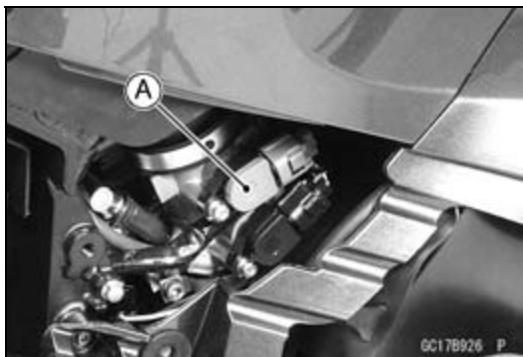
natural_image
Mechanical assembly diagram showing a component labeled 'A' with no visible text or symbols beyond the label

Subthrottle Sensor (Service Code 32)
- Remove the right fairing cover (see Fairing Cover Removal in the Frame chapter).
- Disconnect the subthrottle sensor connector [A].
- Connect the harness adapter [A] between the harness connector and subthrottle sensor connector.
Special Tool - Throttle Sensor Setting Adapter: 57001-1538
- Connect a digital meter to the harness adapter leads.
Subthrottle Sensor Input Voltage Connections to Adapter
Meter (+) → BK (sensor BL) lead
Meter (-) → W (sensor BR/BK) lead
- Measure the sensor input voltage with the engine stopped, and with the connector joined.
- Turn the ignition switch ON.
Input Voltage at Sensor
Standard: DC 4.75 \~ 5.25 V
- Turn the ignition switch OFF.
★If the reading is out of the range, check the wiring (see wiring diagram in this section).
★If the reading is good, check the output voltage of the sensor.

natural_image
Mechanical assembly diagram showing a component labeled 'A' inserted into a vehicle (no readable text or symbols beyond label)
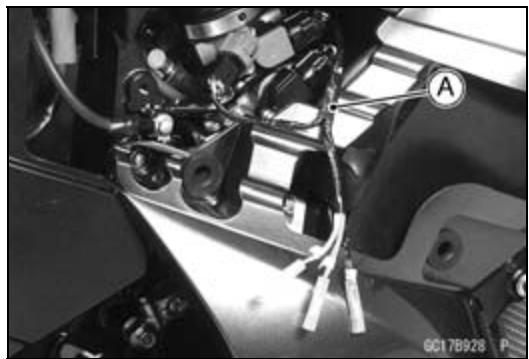
natural_image
Close-up of mechanical components with wires and labeled parts (no readable text or symbols)
Subthrottle Sensor (Service Code 32)
Output Voltage Inspection
- Measure the output voltage at the ECU in the same way as input voltage inspection. Note the following.
Digital Meter [A]
Connector [B]
Special Tool - Needle Adapter Set: 57001-1457
Subthrottle Sensor Output Voltage
Connections to ECU Connector
Meter (+) → BL/W lead (terminal 27)
Meter (−) → BR/BK lead (terminal 34)
- Remove the air cleaner caps (see Throttle Body Assy Removal).
- Turn the ignition switch ON.
- Measure the output voltage when the subthrottle valve is fully opened or completely closed by hand.
Output Voltage at ECU
Standard: DC 0.62 \~ 4.14 V (at subthrottle valve full opening to closing)
NOTE
○The throttle sensor is operating correctly if the following voltages are obtained:
- DC 0.62 V (or slightly higher) with the subthrottle valve at the closed position.
- DC 4.14 V (or slightly lower) with the subthrottle valve at the fully open position.
CAUTION
Do not remove or adjust the subthrottle sensor. It has been adjusted and set with precision at the factory.
Never drop the throttle body assy, especially on a hard surface. Such a shock to the sensor can damage it.
★If the output voltage is within the standard range, check the ECU for its ground, and power supply (see ECU Power Supply Inspection).
★ If the ground and power supply are good, replace the ECU (see ECU Removal).
★If the output voltage is far out of the standard range (e.g. when the wiring is open, the reading is 0 V), check the output voltage again at the sensor connector.

Subthrottle Sensor (Service Code 32)
- Disconnect the subthrottle sensor connector [A] and connect the harness adapter [B] between the harness connector and subthrottle sensor connector.
Special Tool - Throttle Sensor Harness Adapter: 57001-1538
- Connect a digital meter to the harness adapter leads.
Subthrottle Sensor Output Voltage Connections to Adapter
Meter (+) → R (sensor BL/W) lead
Meter (-) → W (sensor BR/BK) lead
- Measure the output voltage with the engine stopped, and with the connector joined.
- Turn the ignition switch ON.
- Measure the output voltage when the subthrottle valve is fully opened or completely closed by hand.
Output Voltage at Sensor
Standard: DC 0.62 \~ 4.14 V (at subthrottle valve full opening to closing)
NOTE
○The throttle sensor is operating correctly if the following voltages are obtained:
- DC 0.62 V (or slightly higher) with the subthrottle valve at the closed position.
- DC 4.14 V (or slightly lower) with the subthrottle valve at the fully open position.
CAUTION
Do not remove or adjust the subthrottle sensor. It has been adjusted and set with precision at the factory.
Never drop the throttle body assy, especially on a hard surface. Such a shock to the sensor can damage it.
NOTE
○The standard voltage refers to the value when the voltage reading at the Input Voltage Inspection shows 5V exactly.
○When the input voltage reading shows other than 5V, derive a voltage range as follows.
Example:
In the case of a input voltage of 4.75 V.
0. 6 2 × 4. 7 5 ÷ 5. 0 0 = 0. 5 9 V
4. 1 4 × 4. 7 5 ÷ 5. 0 0 = 3. 9 3 V
Thus, the valid range is 0.59 \~ 3.93 V
- Turn the ignition switch OFF.
★If the reading is out of the standard range, inspect the subthrottle sensor resistance.
★If the output voltage is normal, check the wiring for continuity (see wiring diagram in this section).

natural_image
Close-up mechanical assembly showing labeled parts A and B (no readable text or symbols beyond labels)
Subthrottle Sensor (Service Code 32)
Resistance Inspection
- Turn the ignition switch OFF.
- Disconnect the subthrottle sensor connector.
- Connect a digital meter [A] to the subthrottle sensor connector [B].
- Measure the subthrottle sensor resistance.
Subthrottle Sensor Resistance
Connections: BL lead [C] BR/BK lead [D]
Standard: 4 \~ 6 kΩ
★If the reading is out of the range, replace the throttle body assy (see Throttle Body Assy section).
★If the reading is within the range, but the problem still exists, replace the ECU (see ECU section).

Subthrottle Sensor Circuit
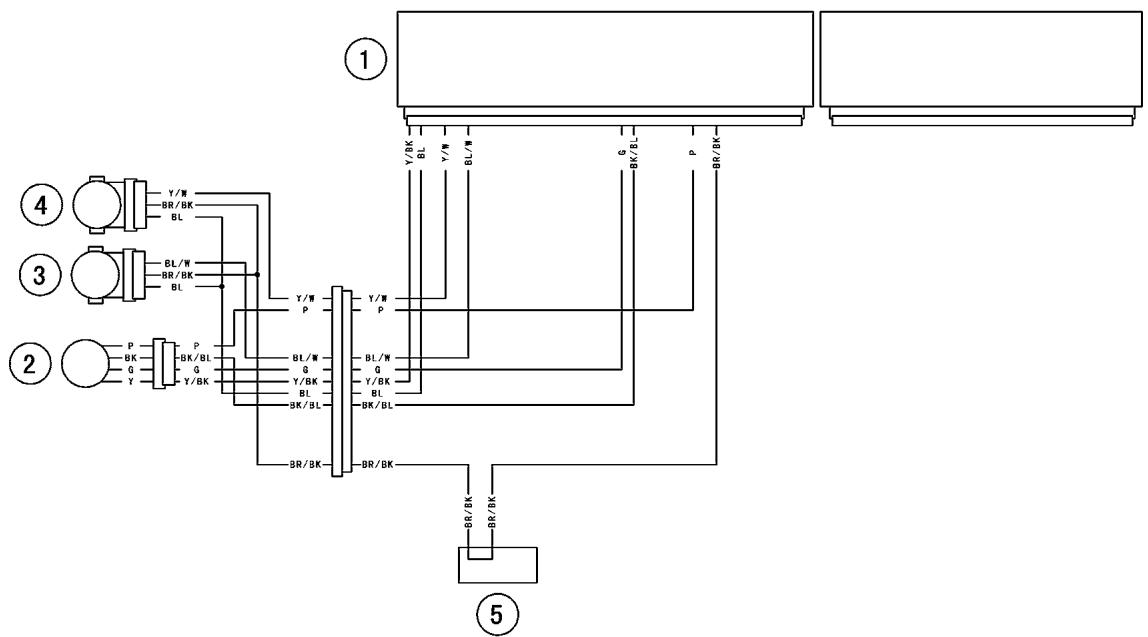
flowchart
graph TD
    A["①"] --> B["②"]
    B --> C["③"]
    C --> D["④"]
    D --> E["⑤"]
    style A fill:#f9f,stroke:#333
    style B fill:#ccf,stroke:#333
    style C fill:#cfc,stroke:#333
    style D fill:#fcc,stroke:#333
GC17423CW2 C
- ECU
- Subthrottle Valve Actuator
- Subthrottle Sensor
- Main Throttle Sensor
- Water-proof Joint 2
Immobilizer Amplifier (Service Code 35)
Antenna Resistance Inspection
- Remove the left inner cover (see Inner Cover Removal in the Frame chapter).
- Disconnect the antenna lead connector [A].
- Measure the resistance of the antenna coil in the ignition switch as follows.
Antenna Resistance
Connections to Antenna
Meter → BK lead
Meter → BK lead
Standard: About 0.6 \~ 0.9 Ω
★If the resistance is out of the standard range, replace the ignition switch.
NOTE
○Be sure the battery is fully charged.
- Turn the ignition switch OFF.
- Remove the windshield (see Windshield Removal in the Frame chapter).
- Connect a digital meter to the amplifier connector [A], using the needle adapter set.
Special Tool - Needle Adapter Set: 57001-1457
Connections to Connector
Meter (+) → BR/W lead
Meter (−) → BK/Y lead
- Measure the input voltage with the engine stopped, and with the connector joined.
- Turn the ignition switch ON.
Standard: Battery Voltage
- Turn the ignition switch OFF.
★If the reading is out of the range, check the wiring (see wiring diagram in next section).
★If the reading and antenna resistance are good, replace the amplifier (see Immobilizer System Parts Replacement in the Electrical System chapter).
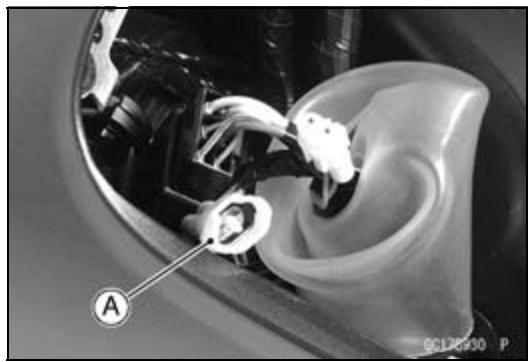
natural_image
Close-up of a mechanical component with labeled parts (A), showing internal wiring and a curved structure (no readable text or symbols)

natural_image
Close-up of a mechanical assembly with visible wiring and components (no text or symbols)
Blank Key Detection (Service Code 36)
- This code appears in the following conditions.
○The transponder [A] in the master and/or user key is malfunction.
○When the spare key of unregistration is used.
○When the master key is registered in the registered ECU.
- Therefore, the service code 36 will disappear when the above issue is solved.

natural_image
Close-up of a motorcycle's gauge and caliper on the wheel, showing dial and adjustment knobs (no readable text or symbols)
User Key Inspection
- Register the user key correctly (see Key Registration in the Electrical System chapter).
★If the service code 36 appears again, the transponder in the key is malfunction, replace it.
Immobilizer System Circuit

- Ignition Switch
- Immobilizer Antenna
- Meter Unit
- Immobilizer Amplifier
- Joint Connector 1
- Fuse Box × 2
- ECU Fuse 15 A
- Ignition Fuse 10 A
-
Main Relay
-
Relay Box
- Joint Connector 2
- Main Fuse 30 A
- Starter Relay
- Battery 12 V 14 Ah
- Frame Ground 1
- Frame Ground 2
- Immobilizer/Kawasaki Diagnostic System Connector
- Water-proof Joint 1
- ECU
Fuel Pump Relay (Service Code 46)
Fuel Pump Relay Removal
CAUTION
Never drop the relay, especially on a hard surface.
Such a shock to the relay can damage it.
○The fuel pump relay is included in the relay box.
- Remove the seat (see Seat Removal in the Frame chapter).
- Remove the relay box [A] from the bracket and disconnect the connectors.
Fuel Pump Relay Inspection
- Remove the relay box (see Fuel Pump Relay Removal).
- Connect the hand tester [A] and one 12 V battery to the relay connector as shown.
Special Tool - Hand Tester: 57001-1394
Relay Coil Terminals [1] and [2]
Relay Switch Terminals [3] and [4]
Testing Relay
Tester range: 1 Ω range
Criteria: When battery is connected → 0 Ω
When battery is disconnected → ∞ Ω
★If the relay does not work as specified, replace the relay box.

natural_image
Close-up of a car engine bay with visible battery, switch, and printed labels (no readable text in focus)
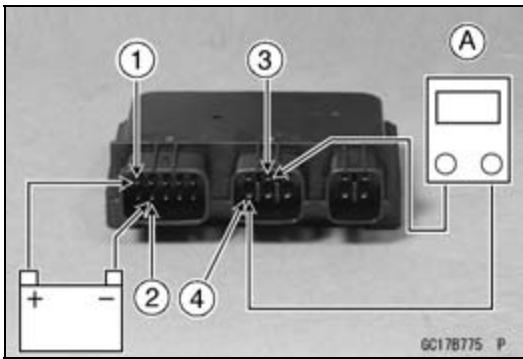
Fuel Pump Relay Circuit
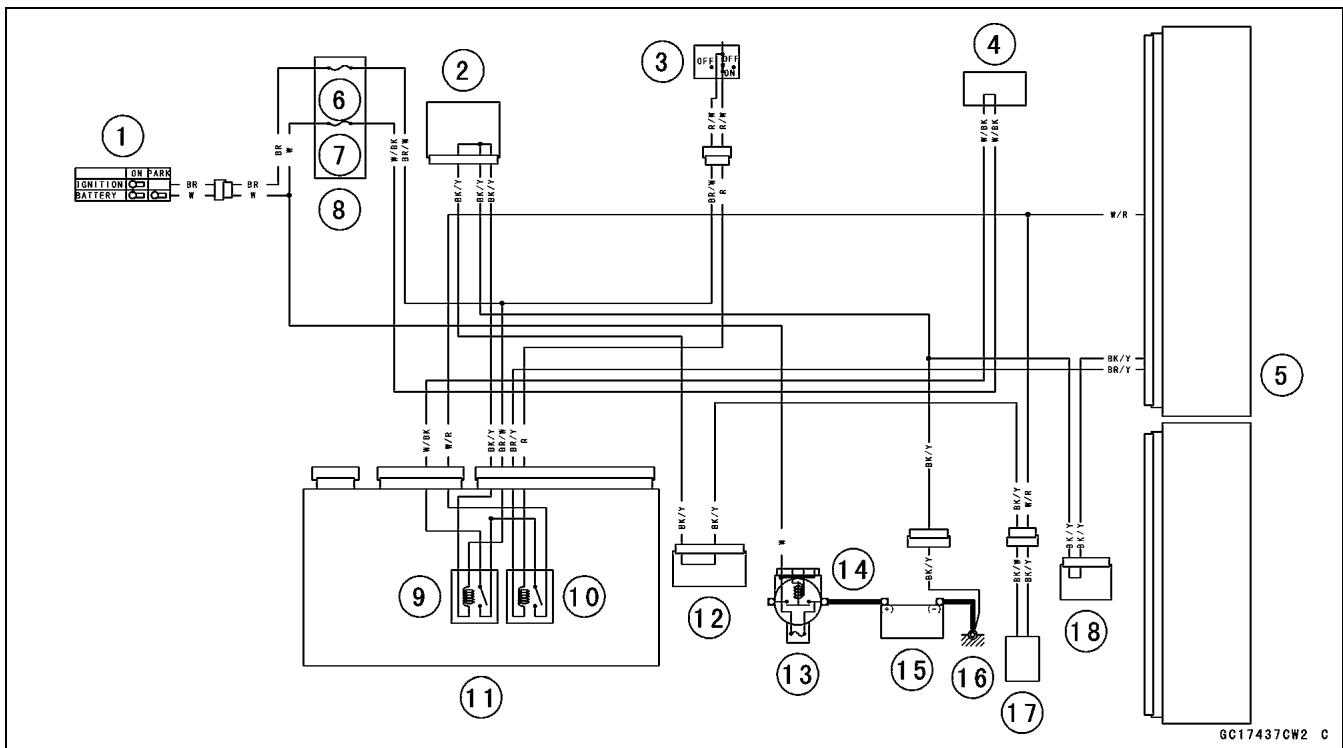
flowchart
graph TD
    A["ONITION ON PARK"] --> B["BATTERY"]
    B --> C["BR W"]
    C --> D["BR W"]
    D --> E["6"]
    E --> F["7"]
    F --> G["8"]
    G --> H["2"]
    H --> I["3"]
    I --> J["4"]
    J --> K["5"]
    K --> L["18"]
    L --> M["17"]
    M --> N["16"]
    N --> O["15"]
    O --> P["14"]
    P --> Q["13"]
    Q --> R["12"]
    R --> S["11"]
    S --> T["9"]
    T --> U["10"]
    U --> V["11"]
    V --> W["12"]
    W --> X["13"]
    X --> Y["14"]
    Y --> Z["15"]
    Z --> AA["16"]
    AA --> AB["17"]
    AB --> AC["18"]
    AC --> AD["GC17437CW2 C"]
- Ignition Switch
- Joint Connector 1
- Engine Stop Switch
- Water-proof Joint 1
- ECU
- ECU Fuse 15 A
- Ignition Fuse 10 A
- Fuse Box 2
-
Main Relay
-
Fuel Pump Relay
- Relay Box
- Joint Connector 2
- Main Fuse 30 A
- Starter Relay
- Battery 12 V 14 Ah
- Frame Ground 2
- Fuel Pump
- Joint Connector 3
Stick Coils #1, #2, #3, #4: (Service Code 51, 52, 53, 54)
Stick Coil #1: Service Code 51
Stick Coil #2: Service Code 52
Stick Coil #3: Service Code 53
Stick Coil #4: Service Code 54
Removal/Installation
CAUTION
Never drop the stick coils, especially on a hard surface. Such a shock to the stick coil can damage it.
- Refer to the Stick Coil (Ignition Coil together with Spark Plug Cap) Removal/Installation in the Electrical System chapter (see Stick Coil (Ignition Coil together with Spark Plug Cap) Removal/Installation in the Electrical System chapter).
NOTE
○Be sure the battery is fully charged.
- Turn the ignition switch OFF.
- Remove the ECU (see ECU Removal).
○Do not disconnect the ECU connectors.
- Connect a digital meter [A] as shown, with the needle adapter set.
Special Tool - Needle Adapter Set: 57001-1457
Stick Coil Input Voltage at ECU
Connections for Stick Coil #1
Meter (+) → W/R lead (terminal 47)
Meter (−) → BK/Y lead (terminal 52)
Connections for Stick Coil #2
Meter (+) → W/BL lead (terminal 60)
Meter (-) → BK/Y lead (terminal 52)
Connections for Stick Coil #3
Meter (+) → W/G lead (terminal 45)
Meter (−) → BK/Y lead (terminal 52)
Connections for Stick Coil #4
Meter (+) → W/Y lead (terminal 58)
Meter (-) → BK/Y lead (terminal 52)
- Measure the input voltage to each primary winding of the stick coils with the engine stopped, and with the connectors joined.
- Turn the ignition switch ON.
Input Voltage at ECU
Standard: Battery Voltage
★If the reading is out of the standard, check the wiring (see wiring diagram in this section).
★If the reading is good, the input voltage is normal. Crank the engine, and check the peak voltage of the stick coils (see Stick Coil Primary Peak Voltage Inspection in the Electrical System chapter) in order to check the primary coils.
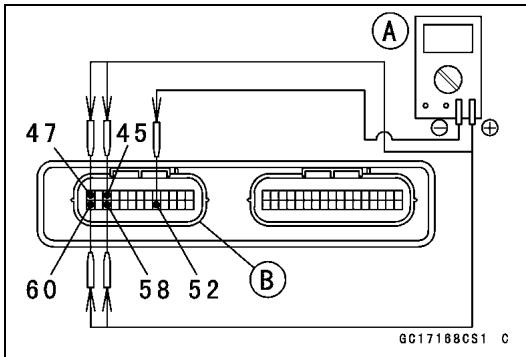
Stick Coil Circuit

flowchart
graph TD
    A["①"] --> B["②"]
    B --> C["③"]
    C --> D["④"]
    D --> E["⑤"]
    E --> F["⑥"]
    F --> G["⑦"]
    G --> H["⑧"]

    subgraph Terminal 1
        I["W/Y R"] --> J["W/BL R"]
        K["R/W"] --> L["W/R"]
    end

    subgraph Terminal 2
        M["W/G R"] --> N["W/BL R"]
        O["W/BL"] --> P["W/R"]
    end

    subgraph Terminal 3
        Q["W/Y R"] --> R["W/BL R"]
        S["R/W"] --> T["W/R"]
    end

    subgraph Terminal 4
        U["W/G R"] --> V["W/BL R"]
        W["W/BL"] --> X["W/R"]
    end

    subgraph Terminal 5
        Y["W/BL R"] --> Z["W/R"]
    end

    subgraph Terminal 6
        AA["OFF ON"] --> AB["R/W R/W"]
        AC["BR/W"] --> AD["R"]
    end

    subgraph Terminal 7
        AE["IGNITION OR PARK BATTERY"] --> AF["BR W"]
        AG["BR W"] --> AH["BR W"]
    end

    subgraph Terminal 8
        AI["W"] --> AJ["BR/W"]
        AK["BR"] --> AL["BR"]
    end

    subgraph Terminal 9
        AM["3K/Y"] --> AN["3K/Y"]
        AO["3K/Y"] --> AP["3K/Y"]
        AQ["3K/Y"] --> AR["3K/Y"]
        AS["3K/Y"] --> AT["3K/Y"]
        AU["3K/Y"] --> AV["3K/Y"]
        AW["3K/Y"] --> AX["3K/Y"]
        AY["10"] --> AZ["C"]
        BA["11"] --> BB["C"]
        BC["12"] --> BD["C"]
        BE["13"] --> BF["C"]
        BG["14"] --> BH["C"]
        BI["15"] --> BJ["C"]
    end
GC17438CW2 C
- ECU
- Stick Coil #4
- Stick Coil #3
- Stick Coil #2
- Stick Coil #1
- Engine Stop Switch
- Ignition Switch
-
Fuse Box 2
-
Ignition Fuse 10 A
- Starter Relay
- Main Fuse 30 A
- Battery 12 V 14 Ah
- Frame Ground 2
- Engine Ground
- Joint Connector 3
Subthrottle Valve Actuator (Service Code 62)
Subthrottle Valve Actuator Removal
CAUTION
Do not remove the subthrottle valve actuator [A] since it has been adjusted and set with precision at the factory.
Never drop the actuator, especially on a hard surface. Such a shock to the actuator can damage it.
Subthrottle Valve Actuator Inspection
- Remove:
Fuel Tank (see Fuel Tank Removal)
Left and Right Air Cleaner Caps (see Throttle Body Assy Removal)
- Turn the ignition switch ON.
- Check to see that all subthrottle valves [A] open and close smoothly.
★ If the subthrottle valves do not operate, check the actuator internal resistance (see Resistance Inspection).
Resistance Inspection
Subthrottle Valve Actuator Resistance
Connections: Y lead [1] P lead [2]
BK lead [3] ←→ G lead [4]
Standard: About 5 \~ 7 Ω
★If the reading is out of the range, replace the throttle body assy (see Throttle Body Assy section).
★If the reading is within the range, check the input voltage (see Input Voltage Inspection in this section).

natural_image
Close-up of a mechanical assembly with labeled component A (no readable text or symbols beyond label)


natural_image
Close-up of a mechanical assembly with labeled component A (no readable text or symbols beyond label)

NOTE
○Be sure the battery is fully charged.
- Turn the ignition switch OFF.
- Connect the peak voltage adapter [A] and a digital meter [B] to the connector [C], using the needle adapter set [D].
Special Tools - Peak Voltage Adapter: 57001-1415
Type: KEK-54-9-B
Needle Adapter Set: 57001-1457
(I) Meter (+) → BK/BL lead [1]
Meter (-) → Frame Ground 2 [E]
(II) Meter (+) → G lead [2]
Meter (-) → Frame Ground 2 [E]
(III) Meter (+) → Y/BK lead [3]
Meter (-) → Frame Ground 2 [E]
(IV) Meter (+) → P lead [4]
Meter (-) → Frame Ground 2 [E]
- Measure the input voltage with the engine stopped, and with the connector joined.
- Turn the ignition switch ON.
Input Voltage
Standard: About DC 10.5 \~ 12.5 V
★If the reading is out of the range, check the wiring to ECU (see wiring diagram in this section).
★If the wiring is good, replace the ECU (see ECU section).

Subthrottle Valve Actuator (Service Code 62)
Subthrottle Valve Actuator Circuit
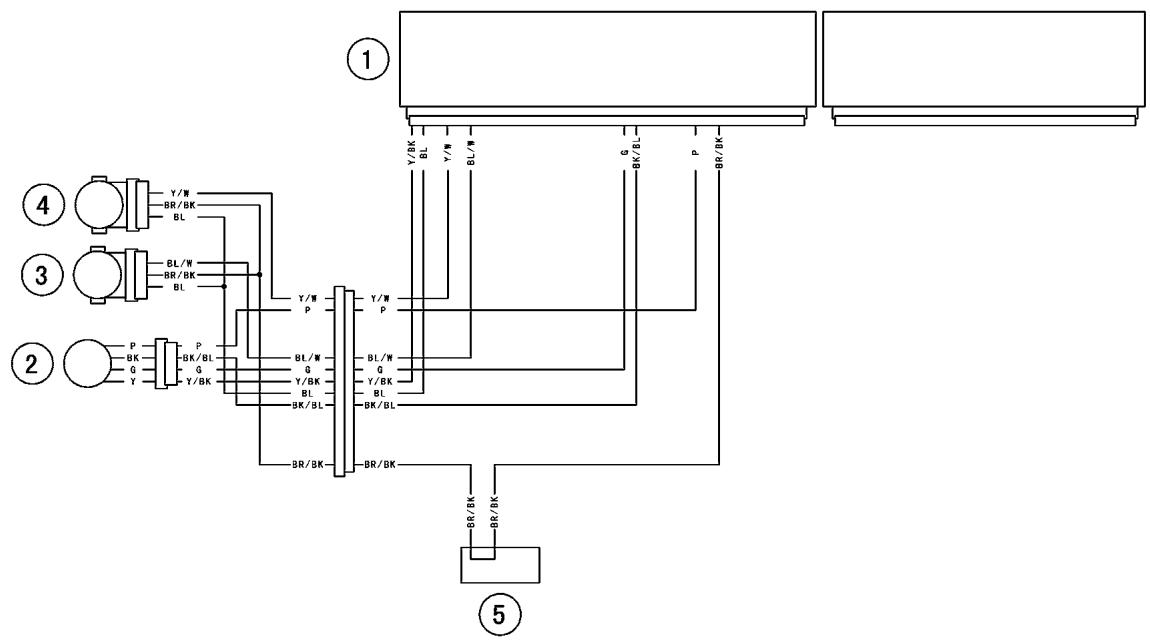
flowchart
graph TD
    A["①"] --> B["②"]
    B --> C["③"]
    C --> D["④"]
    D --> E["⑤"]
    style A fill:#f9f,stroke:#333
    style B fill:#ccf,stroke:#333
    style C fill:#cfc,stroke:#333
    style D fill:#fcc,stroke:#333
GC17423CW2 C
- ECU
- Subthrottle Valve Actuator
- Subthrottle Sensor
- Main Throttle Sensor
- Water-proof Joint 2
ECU Main Relay Inspection
○The ECU main relay function is included in the ECU [A]. So, the ECU main relay function cannot be inspected.
- When the service code 75 is displayed on the LCD, replace the ECU (see ECU section).

natural_image
Close-up of an automotive engine bay with visible wiring and components (no text or symbols)
ECU
CAUTION
Never drop the ECU, especially on a hard surface. Such a shock to the ECU can damage it.
ECU Identification
○Most countries have their own regulations, so each ECU has different characteristic. So, do not confuse ECU with each other and use only the ECU for your model. Otherwise, the motorcycle cannot clear the regulation.
ECU Identification
| Part Number [A] | Specification |
| 21175-0076 | Europe, WVTA, Full, H, with Immobilizer |
| U.K., WVTA, Full, H, with Immobilizer |
| 21175-0084 | U.S.A (except California), without Immobilizer |
| Canada, without Immobilizer |
| 21175-0089 | U.S.A (California), without Immobilizer |
| 21175-0101 | Malaysia, with Immobilizer |
| 21175-0090 | Australia, with Immobilizer |
| 21175-0102 | France, WVTA, 78.2, H, with Immobilizer |
Full: Full Power
H: Honeycomb Type Catalyst
78.2: Maximum Horsepower 78.2 kW (106.3 PS)
ECU Removal
- Remove the seat (see Seat Removal in the Frame chapter).
- Pull the hook [A] to lift up the lid [B] of the tool kit case.
- Remove the tool kit [A].
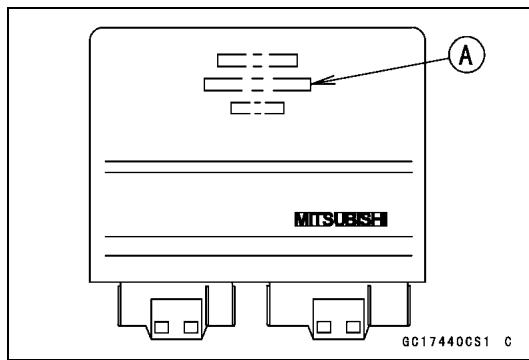

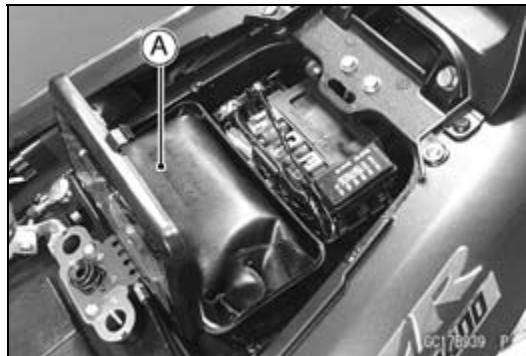
natural_image
Close-up of an internal battery assembly with labeled component A (no readable text or symbols beyond label)
ECU
- Remove:
Fuse Box [A]
Bolts [B]
Tool Kit Case [C]
- Remove the relay box [A].
- Lift up the ECU [B] with rubber protector [C].
- Remove:
ECU Connectors [A]
ECU [B]
- Refer to the Immobilizer System Parts Replacement in the Electrical System chapter for the immobilizer models (see Immobilizer System Parts Replacement in the Electrical System chapter).
ECU Installation
- Install:
ECU [A] (In rubber protector [B])
ECU Connectors [C]
- Insert the slits of the rubber protector to the projections [A] of the rear fender front.

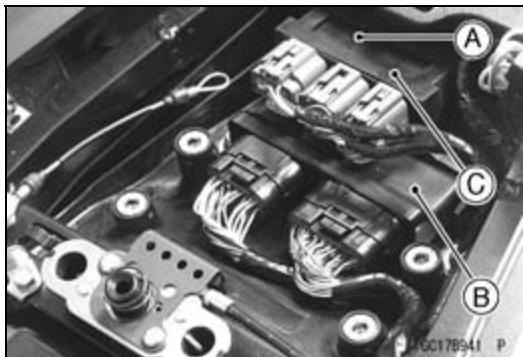
natural_image
Close-up of an automotive engine bay with visible wiring and components (no text or symbols)

natural_image
Close-up of a mechanical component with labeled parts A and B, showing wiring and mounting hardware (no readable text or symbols beyond labels)


natural_image
Close-up of an electronic device with labeled components (A) and connection points, no readable text or symbols beyond labels
ECU
- Install: Connector Holder [A] Relay Box [B]
- Install the plate [A] to the tool kit case [B] and tighten the bolts [C].
- Insert the stopper [D] of the fuse box [E] into the groove of the tool case.
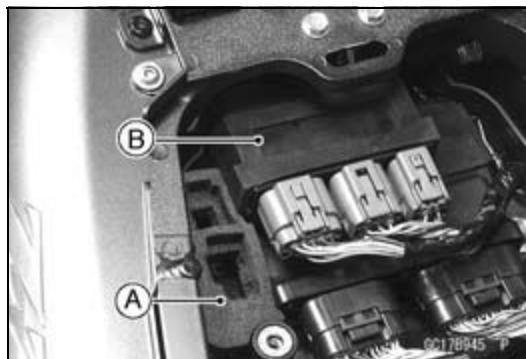
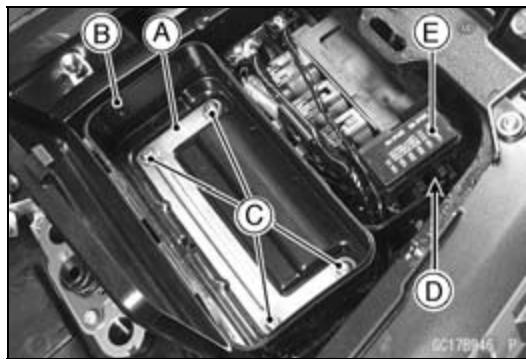
ECU Power Supply Inspection
- Remove the ECU (see ECU Removal).
- Visually inspect the terminals [A] of the ECU connectors.
★If the connector is clogged with mud or dust, blow it off with compressed air.
★Replace the main harness if the terminals of the main harness connectors are cracked, bent, or otherwise damaged.
★Replace the ECU if the terminals of the ECU connectors are cracked, bent, or otherwise damaged.
- With the ECU connectors [B] connected, check the following ground lead for continuity with the ignition switch OFF, using a digital meter [A] and needle adapter set.
Special Tool - Needle Adapter Set: 57001-1457
ECU Grounding Inspection
17, 39, or 52 Terminal Frame Ground 2 [C]: 0Ω
Engine Ground Frame Ground 2 [C]: 0 Ω
★If no continuity, check the connector, the engine ground lead, or main harness, and repair or replace them if necessary.
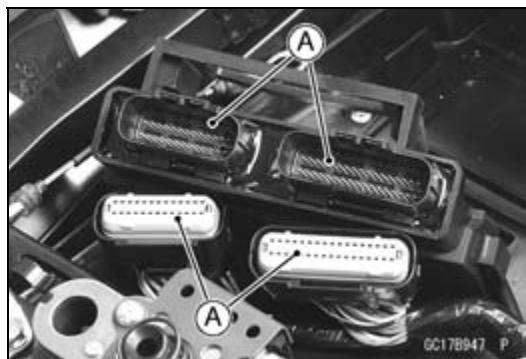
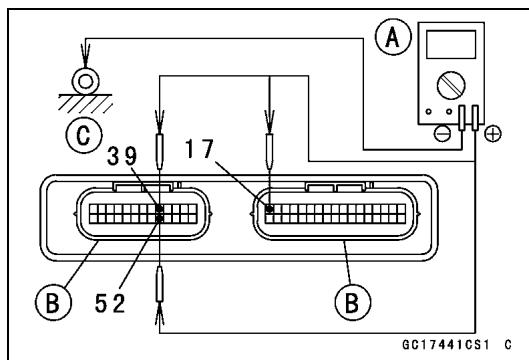
ECU
- Check the ECU power source voltage with a digital meter [A].
○Position the terminal in accordance with terminal numbers of ECU connectors [B] in the figure.
ECU Power Source Inspection
Tester
Connections:
between 33 (BR) Terminal and Frame Ground 2 [C]
between 15 (W/BK) Terminal and Frame Ground 2 [C]
between 32 (W/BK) and Frame Ground 2 [C]
Ignition Switch OFF:
33 (BR) Terminal, 0 V
15 (W/BK) Terminal, Battery Voltage
32 (W/BK) Terminal, Battery Voltage
Ignition Switch ON:
33 (BR) Terminal, Battery Voltage
15 (W/BK) Terminal, Battery Voltage
32 (W/BK) Terminal, Battery Voltage
★If the tester does not read as specified, check the following.
Power Source Wiring (see wiring diagram in this section)
Main Fuse 30 A (see Fuse Inspection in the Electrical System chapter)
ECU Fuse 15 A (see ECU Fuse Inspection)
★ If the wiring and fuse are good, replace the ECU (see ECU section).

ECU Power Source Circuit
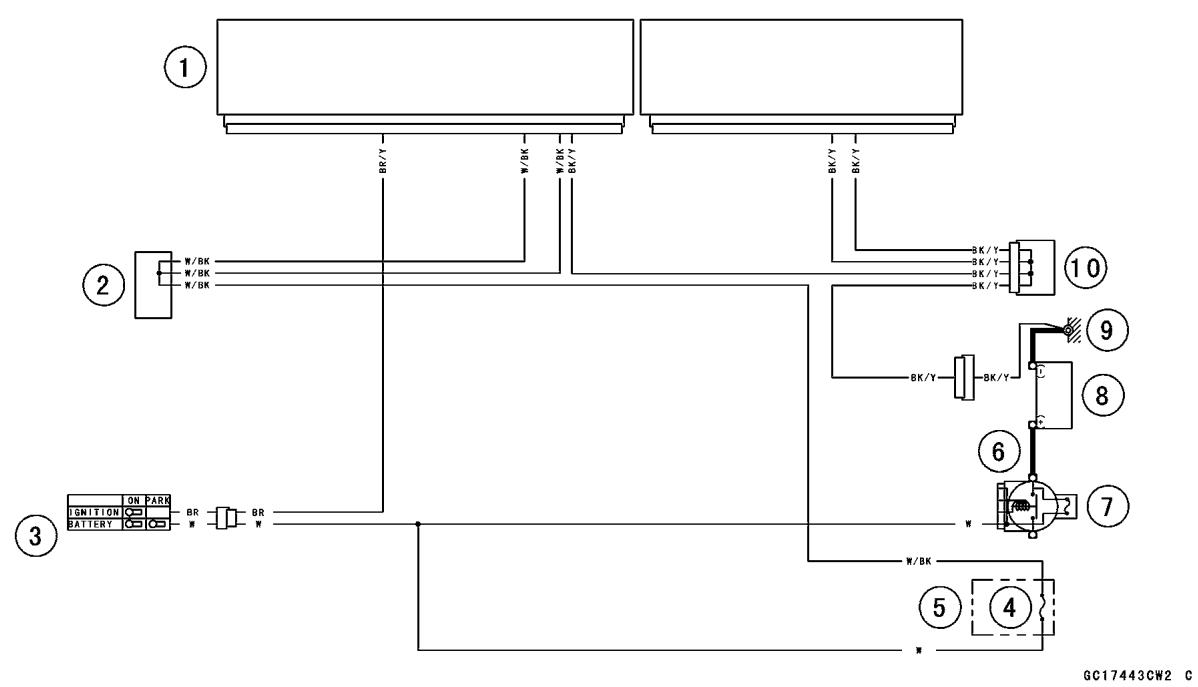
flowchart
graph TD
    A["1"] -->|BR/Y| B["2"]
    A -->|W/BK| C["3"]
    A -->|W/BK| D["4"]
    A -->|BK/Y| E["5"]
    A -->|BK/Y| F["6"]
    A -->|BK/Y| G["7"]
    A -->|BK/Y| H["8"]
    A -->|BK/Y| I["9"]
    A -->|BK/Y| J["10"]
    C --> K["IGNITION ON PARE"]
    C --> L["BATTERY"]
    D --> M["W/BK"]
    D --> N["W/BK"]
    E --> O["C"]
    F --> P["C"]
    G --> Q["C"]
    H --> R["C"]
    I --> S["C"]
    J --> T["C"]
    style A fill:#f9f,stroke:#333
    style B fill:#ccf,stroke:#333
    style C fill:#cfc,stroke:#333
    style D fill:#fcc,stroke:#333
    style E fill:#cff,stroke:#333
    style F fill:#ffc,stroke:#333
    style G fill:#cfc,stroke:#333
    style H fill:#fcc,stroke:#333
    style I fill:#cfc,stroke:#333
    style J fill:#fcc,stroke:#333
- ECU
- Water-proof Joint 1
- Ignition Switch
- ECU Fuse 15 A
- Fuse Box 2
- Starter Relay
- Main Fuse 30 A
- Battery 12 V 14 Ah
- Frame Ground 2
- Joint Connector 3
CAN Communication Line Resistance Inspection
○In this model, resistors for CAN communication line are built in the ECU and meter unit.
- Turn the ignition switch OFF.
- Disconnect the ECU connector [A] (see ECU Removal).
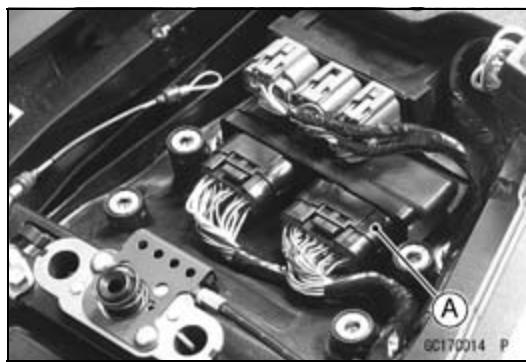
natural_image
Close-up of an automotive engine bay with visible wiring and components (no text or symbols)
ECU
- Connect a digital meter [A] to the ECU connector [B].
- Measure the resistance of the CAN communication line resistor.
CAN Communication Line Resistance (at ECU Connector)
Connections: Terminal 1 ←→Terminal 18
Standard: 114 \~ 126 Ω
★If the reading is out of the range, replace the ECU (see ECU section).
★If the reading is within the range, resistor of the ECU for CAN communication line is normal.
- Check the wiring for continuity of the CAN communication line (see wiring diagram in this section).
★If the wiring is open, replace the main harness.
- Refer to the Meter Unit Inspection in the Electrical System chapter for the resistor in the meter unit (see Meter Unit Inspection in the Electrical System chapter).
CAN Communication Line Circuit
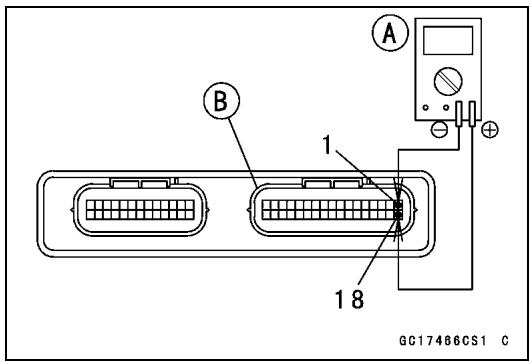
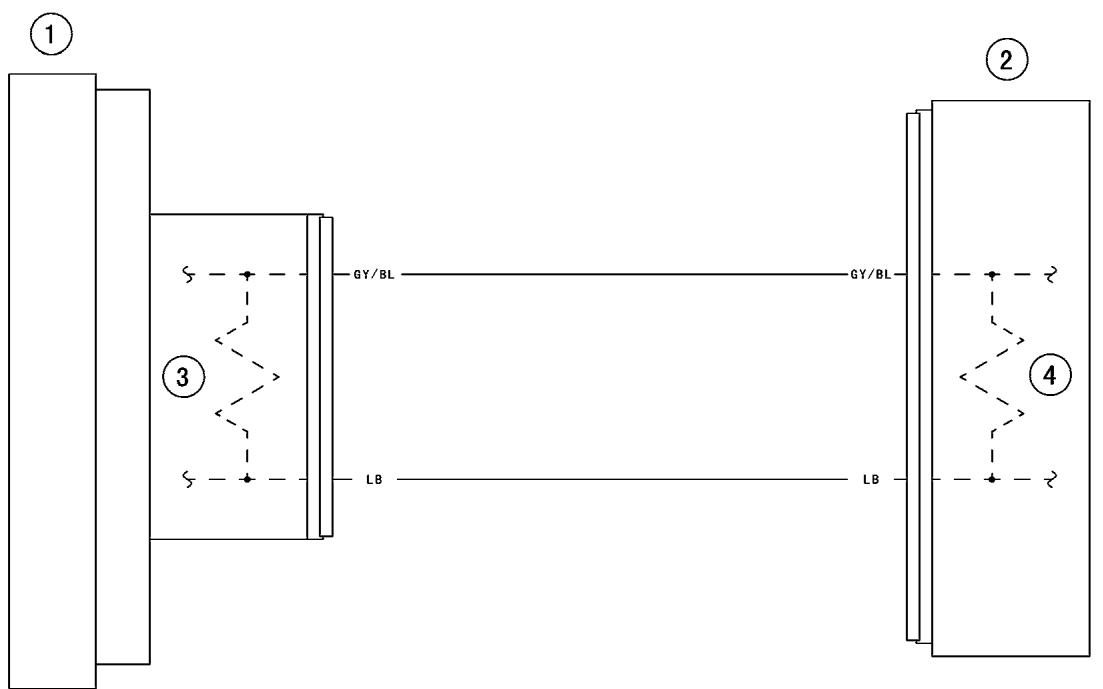
flowchart
graph LR
    A["①"] --> B["③"]
    B --> C["②"]
    B --> D["④"]
    B --> E["GB BL"]
    B --> F["GB BL"]
    B --> G["LB"]
    style A fill:#f9f,stroke:#333
    style B fill:#ccf,stroke:#333
    style C fill:#cfc,stroke:#333
    style D fill:#fcc,stroke:#333
    style E fill:#cff,stroke:#333
    style F fill:#ffc,stroke:#333
GC17467CW2 C
- Meter Unit
- ECU
- Resistor (In the Meter Unit)
- Resistor (In the ECU)
DFI Power Source
ECU Fuse Removal
- Refer to the ECU Fuse 15 A Removal in the Electrical System chapter (see 15 A ECU Fuse Removal in the Electrical System chapter).
ECU Fuse Installation
★If a fuse fails during operation, inspect the DFI system to determine the cause, and then replace it with a new fuse of proper amperage.
- Refer to the Fuse installation in the Electrical System chapter (see Fuse Installation in the Electrical System chapter).
ECU Fuse Inspection
- Refer to the Fuse Inspection in the Electrical System chapter (see Fuse Inspection in the Electrical System chapter).
Warning Indicator Light (LED)
Light (LED) Inspection
○The warning indicator light (LED) [A] is used for the FI indicator and immobilizer indicator (immobilizer models).
○In this model, the warning indicator light (LED) goes on or blinks by the special signal sent from the ECU.
- Refer to the fuel level warning inspection procedure (see Meter Unit Inspection in the Electrical System chapter) for the warning indicator light (LED) inspection.

Warning Indicator Light (LED) Circuit

GC17445CW2 C
- Meter Unit
- Warning Indicator Light (LED)
- Frame Ground 1
- ECU
Fuel Line
Fuel Pressure Inspection
NOTE
○Be sure the battery is fully charged.
- Remove the fuel tank (see Fuel Tank Removal).
- Be sure to place a piece of cloth around the fuel supply pipe of the throttle body assy.
- Remove the fuel hose from the fuel supply pipes of the throttle body assy (see Fuel Hose Replacement in the Periodic Maintenance chapter).
WARNING
Be prepared for fuel spillage; any spilled fuel must be completely wiped up immediately.
When the fuel hose is disconnected, fuel spills out from the hose and the pipe because of residual pressure. Cover the hose connection with a piece of clean cloth to prevent fuel spillage.
- Connect the following parts temporary.
Fuel Pump Lead Connector
Fuel Level Sensor Lead Connector
- Install the fuel pressure gauge adapter [A] and fuel hoses (Special Tool: 57001-1607) [B] between the fuel supply pipes of the fuel pump and throttle body assy.
- Connect the pressure gauge [C] to the fuel pressure gauge adapter.
Special Tools - Oil Pressure Gauge, 5 kgf/cm²: 57001-125
Fuel Pressure Gauge Adapter: 57001-1593
Fuel Hose: 57001-1607
WARNING
Do not try to start the engine with the fuel hoses disconnected.
- Turn the ignition switch ON. The fuel pump will turn for 3 seconds, and then stop.
CAUTION
Do not drive the fuel pump 3 seconds or more without the fuel in the fuel tank. If the fuel pump is driven without the fuel, it may be damaged.
- Measure the fuel pressure with the engine stopped.
Fuel Pressure
right after Ignition Switch ON, with pump running:
Standard: 304 kPa (3.1 kgf/cm², 44 psi)
after 3 seconds from Ignition Switch ON, with pump stopped:
Standard: 280 kPa (2.9 kgf/cm 2 , 41 psi), residual fuel pressure
The system should hold the residual pressure about 30 seconds.

Fuel Line
- Start the engine, and let it idle.
- Measure the fuel pressure with the engine idling.
Fuel Pressure (idling)
Standard: 304 kPa (3.1 kgf/cm², 44 psi)
NOTE
○The gauge hand will fluctuate. Read the pressure at the average of the maximum and minimum indications.
★If the fuel pressure is much higher than the specified, replace the fuel pump (see Fuel Pump section).
★If the fuel pressure is much lower than specified, check the following.
Fuel Line Leakage
Amount of Fuel Flow (see Fuel Flow Rate Inspection)
★If the fuel pressure is much lower than specified, and if inspection above checks out good, replace the throttle body assy, or the fuel pump and measure the fuel pressure again (see appropriate sections).
- Remove the fuel pressure gauge, hoses and adapter.
- Install:
Fuel Hose (see Fuel Hose Replacement in the Periodic Maintenance chapter)
Fuel Tank (see Fuel Tank Installation)
Fuel Flow Rate Inspection
NOTE
○Be sure the battery is fully charged.
WARNING
Gasoline is extremely flammable and can be explosive under certain conditions. Make sure the area is well-ventilated and free from any source of flame or sparks; this includes any appliance with a pilot light. Do not smoke. Turn the ignition switch OFF. Be prepared for fuel spillage; any spilled fuel must be completely wiped up immediately.
- Turn the ignition switch and engine stop switch OFF.
- Wait until the engine cools down.
- Prepare a fuel hose (Special Tool: 57001-1607) and a measuring cylinder.
Special Tool - Fuel Hose: 57001-1607
- Remove:
Seat (see Seat Removal in the Frame chapter)
Fuel Tank Cover (see Fuel Tank Removal)
Fuel Tank Bolts [A]

natural_image
Close-up of a mechanical assembly with labeled component A, no visible text or symbols
Fuel Line
- Remove the fuel tank bolts [A].
- Open the fuel tank cap [A] to lower the pressure in the tank.
- Be sure to place a piece of cloth around the fuel supply pipe of the fuel pump.
- Remove the fuel hose from the fuel pump (see Fuel Tank Removal).
WARNING
Be prepared for fuel spillage; any spilled fuel must be completely wiped up immediately.
When the fuel hose is disconnected, fuel spills out from the hose and the pipe because of residual pressure. Cover the hose connection with a piece of clean cloth to prevent fuel spillage.
- Connect the prepared fuel hose [A] to the fuel supply pipe of the fuel pump.
- Secure the fuel hose with a clamp.
- Insert the fuel hose into the measuring cylinder [B].
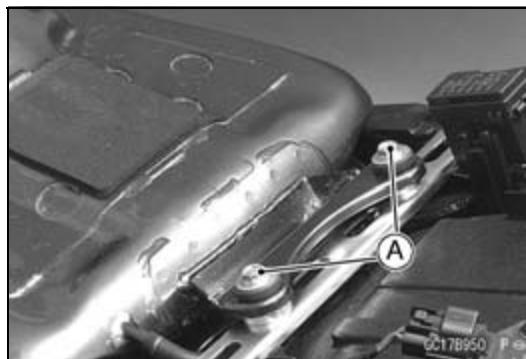
natural_image
Close-up of a mechanical component with labeled point A (no readable text or symbols)

natural_image
Close-up of a mechanical assembly with labeled component A, showing a circular base and central shaft (no readable text or symbols)

Fuel Line

WARNING
Wipe off spilled out fuel immediately.
Be sure to hold the measuring cylinder vertical.
- Close the fuel tank cap.
- With the engine stopped, turn the ignition switch ON. The fuel pump should operate for 3 seconds, and then should stop.
CAUTION
Do not drive the fuel pump 3 seconds or more without the fuel in the fuel tank. If the fuel pump is driven without the fuel, it may be damaged.
- Measure the discharge for 3 seconds.
○Repeat this operation several times.
Amount of Fuel Flow
Standard: 67 mL (2.26 US oz.) or more for 3 seconds
★If the fuel flow is much less than the specified, check the following.
Battery Condition (see Charging Condition Inspection in the Electrical System chapter)
- After inspection, connect the fuel hose (see Fuel Tank Installation).
- Start the engine and check for fuel leakage.
Fuel Pump
Fuel Pump Removal
CAUTION
Never drop the fuel pump, especially on a hard surface. Such a shock to the pump can damage it.
WARNING
Gasoline is extremely flammable and can be explosive under certain conditions. Make sure the area is well-ventilated and free from any source of flame or sparks; this includes any appliance with a pilot light. Do not smoke. Turn the ignition switch OFF. Disconnect the battery (−) terminal.
To make fuel spillage minimum, draw the fuel out from the fuel tank when the engine is cold. Be prepared for fuel spillage; any spilled fuel must be completely wiped up immediately.
- Draw the fuel out from the fuel tank with a commercially available electric pump.
- Remove the fuel tank (see Fuel Tank Removal).
○Be careful of fuel spillage from the fuel tank since fuel still remains in the fuel tank and fuel pump. Plug the fuel pipe of the fuel tank.
- Turn the fuel tank upside down.
- Unscrew the fuel pump bolts [A], and take out the fuel pump assembly [B] and gasket.
- Discard the fuel pump gasket.
CAUTION
Do not pull the leads [C] of the fuel pump and fuel reserve switch. If they are pulled, the lead terminals may be damaged.
Fuel Pump Installation
- Remove dirt or dust from the fuel pump [A] by lightly applying compressed air.
- Replace the fuel pump gasket with a new one.
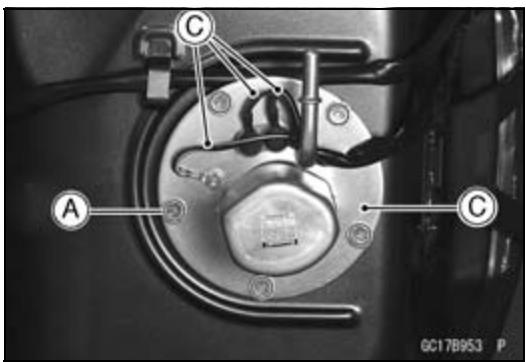
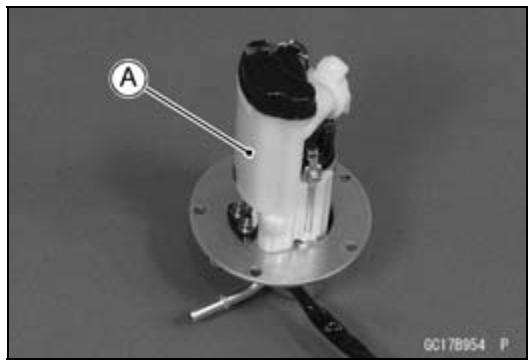
natural_image
Close-up of a mechanical component with labeled section A, showing internal structure and mounting base (no readable text or symbols beyond label)
Fuel Pump
- Check that the fuel pump terminals [A], fuel reserve switch terminal [B] and band [C] are in place.
Front [D]
- Apply a non-permanent locking agent to the threads of the fuel pump bolts.
- Tighten the fuel pump bolts to a snug fit following the tightening sequence shown.
- Following the tightening sequence, tighten the pump bolts to the specified torque.
Torque - Fuel Pump Bolts: 9.8 N·m (1.0 kgf·m, 89 in·lb)
- Tighten the pump bolts again to check the tightness in the order shown.
Operation Inspection
NOTE
○Be sure the battery is fully charged.
- Turn the ignition switch ON and make sure that the fuel pump operates (make light sounds) for 3 seconds, and then stops.
- Turn the ignition switch OFF.
★If the pump does not work as described above, inspect the operating voltage.
Operating Voltage Inspection
NOTE
○Be sure the battery is fully charged.
- Turn the ignition switch OFF.
- Remove the seat (see Seat Removal in the Frame chapter).
- Connect the hand tester (× 25 V DC) to the 4 pins connector [A], with needle adapter set.
Special Tools - Hand Tester: 57001-1394
Needle Adapter Set: 57001-1457
Pump Operating Voltage at Pump Connections to Pump Connector
Tester (+) → BK/Y Lead
Tester (−) → BK/W Lead
- Measure the operating voltage with the engine stopped, and with the connector joined.
- Turn the ignition switch ON.
○The tester needle should indicate battery voltage for 3 seconds, and then 0 V.
Operating Voltage at Pump Connector
Standard: Battery Voltage for 3 seconds, and then 0 V
★If the reading stays on battery voltage, and never shows 0 V. Check the ECU and fuel pump relay.
★If the voltage is in specification, but the pump doesn't work, replace the pump.
★If there is still no battery voltage, check the pump relay (see Fuel Pump Relay Inspection).


Fuel Pump
Fuel Pump Circuit

flowchart
graph TD
    A["① ON PARR Battery"] -->|BR W| B["②"]
    B -->|BR W| C["③ OFF ON R/W R"]
    C -->|BR/W R| D["④"]
    D -->|WR/WR| E["⑤"]
    E -->|WR/WR| F["⑥"]
    F -->|WR/WR| G["⑦"]
    G -->|WR/WR| H["⑧"]
    H --> I["⑨ 10"]
    I --> J["⑪"]
    J --> K["⑫"]
    K --> L["⑬"]
    L --> M["⑭"]
    M --> N["⑮"]
    N --> O["⑯"]
    O --> P["⑰"]
    P --> Q["⑱"]
    Q --> R["⑲"]
    R --> S["⑳"]
    S --> T["⑪"]
    T --> U["⑫"]
    U --> V["⑬"]
    V --> W["⑭"]
    W --> X["⑮"]
    X --> Y["⑯"]
    Y --> Z["⑰"]
    Z --> AA["⑫"]
    AA --> AB["⑬"]
    AB --> AC["⑭"]
    AC --> AD["⑮"]
    AD --> AE["⑯"]
    AE --> AF["⑮"]
    AF --> AG["⑭"]
    AG --> AH["⑮"]
    AH --> AI["⑯"]
    AI --> AJ["⑮"]
    AJ --> AK["⑭"]
    AK --> AL["⑮"]
    AL --> AM["⑯"]
- Ignition Switch
- Joint Connector 1
- Engine Stop Switch
- Water-proof Joint 1
- ECU
- ECU Fuse 15 A
- Ignition Fuse 10 A
- Fuse Box 2
-
Main Relay
-
Fuel Pump Relay
- Relay Box
- Joint Connector 2
- Main Fuse 30 A
- Starter Relay
- Battery 12 V 14 Ah
- Frame Ground 2
- Fuel Pump
- Joint Connector 3
Fuel Injectors
Removal/Installation
- Refer to the Throttle Body Assy Disassembly/Assembly (see Throttle Body Assy Disassembly/Assembly).
CAUTION
Never drop the injector, especially on a hard surface. Such a shock to the injector can damage it.
Power Source Voltage Inspection
NOTE
○Be sure the battery is fully charged.
- Turn the ignition switch OFF.
- Remove the ECU (see ECU Removal).
○Do not disconnect the ECU connectors.
- Connect a digital meter [A] to the connector [B], with the needle adapter set.
Special Tool - Needle Adapter Set: 57001-1457
Injector Power Source Voltage at ECU Connector
Connections to ECU Connector
Meter (+) → W/R lead (terminal 14)
Meter (-) → Frame Ground 2 [C]
- Measure the power source voltage with the engine stopped, and with the connectors joined.
- Turn the ignition switch ON.
Power Source Voltage at ECU
Standard: Battery Voltage for 3 seconds, and then 0 V
★If the power source voltage is less than the standard, check the fuel pump relay (see Fuel Pump Relay Inspection), wiring (see wiring diagram in this section), and the ECU for its ground, and power supply (see ECU Power Supply Inspection chapter).
★If the reading is normal, check the power source voltage at the injector connector.
- Remove:
Left Middle Fairing (see Middle Fairing Removal in the Frame chapter)
Bolts [A]


Fuel Injectors
- Connect a digital meter [A] to the throttle body subharness connector [B], using the needle adapter set [C].
Special Tool - Needle Adapter Set: 57001-1457
Injector Power Source Voltage at Injector
Connections to Injector #1, #2, #3, #4
Meter (+) → W/R lead [E]
Meter (-) → Ground [D]
- Measure the power source voltage with the engine stopped, and with the connector joined.
- Turn the ignition switch ON.
Power Source Voltage at Injector Connector
Standard: Battery Voltage for 3 seconds, and then 0 V
- Turn the ignition switch OFF.
★If the reading is out of the standard, check the wiring (see wiring diagram in this section).
★If the reading is good, and the power source voltage is normal, check the output voltage.
Output Voltage Inspection
- Measure the output voltage at the ECU connector in the same way as power source voltage inspection. Note the following.
Digital Meter [A]
Connector [B]
Special Tool - Needle Adapter Set: 57001-1457
Injector Output Voltage at ECU
Connections for Injector #1
Meter (+) → BL/R lead (terminal 46)
Meter (-) → Frame Ground 2 [C]
Connections for Injector #2
Meter (+) → BL/G lead (terminal 59)
Meter (-) → Frame Ground 2 [C]
Connections for Injector #3
Meter (+) → BL/BK lead (terminal 44)
Meter (-) → Frame Ground 2 [C]
Connections for Injector #4
Meter (+) → BL/Y lead (terminal 57)
Meter (-) → Frame Ground 2 [C]
- Turn the ignition switch ON.
Output Voltage at ECU
Standard: Battery Voltage for 3 seconds, and then 0 V
★If the output voltage is normal, check the ECU for its ground, and power supply (see ECU Power Supply Inspection).
★If the ground and power supply are good, replace the ECU (see ECU section).


Fuel Injectors
★ If the output voltage is out of the standard, check the output voltage at the throttle body subharness connector [B] using a digital meter [A] and needle adapter set [C] (when the lead is open, the output voltage is 0 V).
Special Tool - Needle Adapter Set: 57001-1457
Injector Output Voltage at Injector
Connections to Injector #1
Meter (+) → BL/R lead [E]
Meter (-) → Ground [D]
Connections to Injector #2
Meter (+) → BL/G lead [F]
Meter (-) → Ground [D]
Connections to Injector #3
Meter (+) → BL/BK lead [G]
Meter (-) → Ground [D]
Connections to Injector #4
Meter (+) → BL/Y lead [H]
Meter (-) → Ground [D]
- Turn the ignition switch ON.
Output Voltage at Injector Connector
Standard: Battery Voltage for 3 seconds, and then 0 V
★If the output voltage is normal, check the wiring for continuity (see wiring diagram in this section).
★If the wiring is good, perform “Audible Inspection” for confirmation.
★If the output voltage is out of the standard, perform "Audible Inspection" for confirmation.
Audible Inspection
- Remove the left and right fairing cover (see Fairing Cover Removal in the Frame chapter).
- Start the engine.
- Apply the tip of a screwdriver [A] to the injector [B]. Put the grip end onto your ear, and listen whether the injector is clicking or not.
- A sound scope can also be used.
- Do the same for the other injector.
★If all the injectors click at a regular intervals, the injectors are good.
- The click interval becomes shorter as the engine speed rises.
★If either injector doesn't click, perform the "Injector Signal Test" for injector operation.


natural_image
Mechanical assembly diagram showing gears and shafts with labeled points A and B (no readable text or symbols)
Fuel Injectors
Injector Signal Test
● Prepare two test light sets with male terminals as shown.
Rating of Bulb [A]: 12 V × 3 \~ 3.4 W
Terminal Width [B]: 1.8 mm (0.07 in.)
Terminal Thickness [C]: 0.8 mm (0.03 in.)
CAUTION
Do not use larger terminals than specified above. A larger terminal could damage the injector main harness connector (female), leading to harness repair or replacement.
Be sure to connect bulbs in series. The bulb works as a current limiter to protect the solenoid in the injector from excessive current.
- Disconnect the connectors for injector [A].
- Connect each test light set [B] to the injector sub harness connector [C].
- Turn the ignition switch ON.
- While cranking the engine with the starter motor, watch the test lights.
★If the test lights flicker at regular intervals, the injector circuit in the ECU, and the wiring are good. Perform the "Injector Resistance Inspection".
○Injector signals can be also confirmed by connecting the hand tester (× 10 V AC) instead of the test light set to the injector main harness (female) connector. Crank the engine with the starter motor, and check to see if the hand oscillates at regular intervals.
Special Tool - Hand Tester: 57001-1394
★If the test light does not flicker (or the test hand doesn't oscillates), check the wiring and connectors again.
★If the wiring is good, replace the ECU (see ECU section).
Injector Resistance Inspection
- Remove the throttle body assy (see Throttle Body Assy Removal).
- Disconnect the connector from the injector [A] (see Throttle Body Disassembly/Assembly).
- Measure the injector resistance with a digital meter.
Injector Resistance
Connections to Injector
| Meter (+) | | Meter (-) |
| #1: W/R | ←→ | BL/R Terminal |
| #2: W/R | ←→ | BL/G Terminal |
| #3: W/R | ←→ | BL/BK Terminal |
| #4: W/R | ←→ | BL/Y Terminal |
Standard: about 11.7 \~ 12.3 Ω at 20°C (68°F)
★If the reading is out of the range, perform the "Injector Unit Test".
★If the reading is normal, perform the "Injector Unit Test" for confirmation.


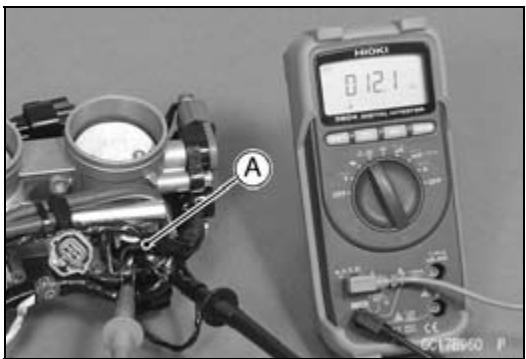
Fuel Injectors
Injector Unit Test
- Use two leads [A] and the same test light set [B] as in "Injector Signal Test".
Rating of Bulb [C]: 12 V × (3 \~ 3.4) W
12 V MF Battery [D]
CAUTION
Be sure to connect the bulb in series. The bulb works as a current limiter to protect the solenoid in the injector from excessive current.
- Connect the test light set to the injector [E] as shown.
- Open and connect [F] the end of the lead to the battery (−) terminal repeatedly. The injector should click.
★If the injector does not click, replace the injector.
Injector Fuel Line Inspection
- Remove the throttle body assy (see Throttle Body Assy Removal).
- Check the injector fuel line for leakage as follows.
○Connect a commercially available vacuum/pressure pump [A] to the nipple of the delivery pipe [B] with the fuel hose [C] (both ends connected with the clamps [D]) as shown.
○Apply soap and water solution to the areas [E] as shown.
- Watching the pressure gauge, squeeze the pump lever [F], and build up the pressure until the pressure reaches the maximum pressure.
Fuel Line Maximum Pressure
Standard: 300 kPa (3.06 kgf/cm², 43 psi)
CAUTION
During pressure testing, do not exceed the maximum pressure for which the system is designed.
- Watch the gauge for at least 6 seconds.
★If the pressure holds steady, the system is good.
★If the pressure drops at once, or if bubbles are found in the area, the line is leaking. Replace the delivery pipe, injectors and related parts.
○Repeat the leak test, and check the fuel line for no leakage.
- Install the throttle body assy (see Throttle Body Assy Installation).
- Run the hoses correctly (see Cable, Wire, and Hose Routing section in the Appendix chapter).


Fuel Injectors
Fuel Injector Circuit
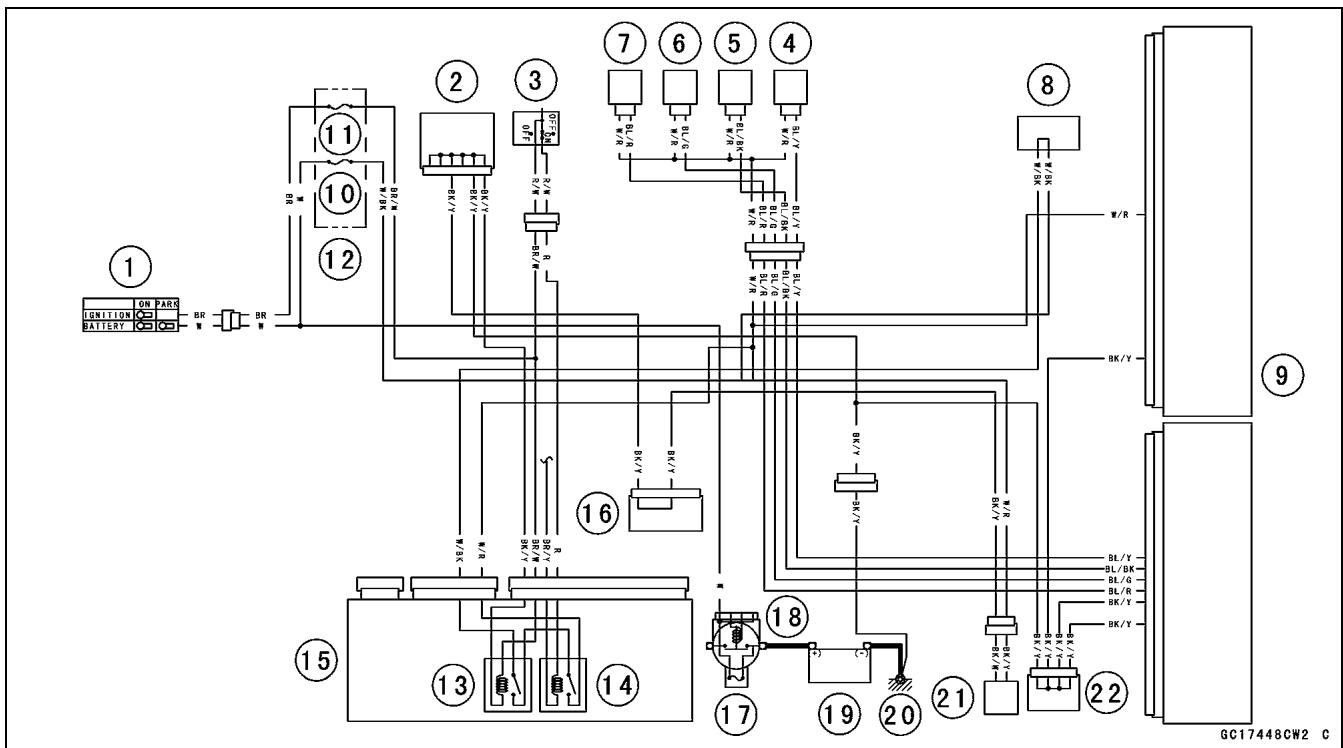
flowchart
graph TD
    A["1"] --> B["ON PARS"]
    B --> C["BATTERY"]
    C --> D["BR"]
    D --> E["12"]
    E --> F["10"]
    F --> G["11"]
    G --> H["2"]
    H --> I["3"]
    I --> J["7"]
    J --> K["6"]
    K --> L["5"]
    L --> M["4"]
    M --> N["8"]
    N --> O["9"]
    O --> P["BC/V/Y"]
    P --> Q["BL/V"]
    P --> R["BL/BK"]
    P --> S["BL/G"]
    P --> T["BL/R"]
    P --> U["BK/Y"]
    Q --> V["13"]
    V --> W["14"]
    W --> X["15"]
    X --> Y["16"]
    Y --> Z["17"]
    Z --> AA["18"]
    AA --> AB["19"]
    AB --> AC["20"]
    AC --> AD["21"]
    AD --> AE["22"]
    AE --> AF["GC17448CW2 C"]
- Ignition Switch
- Joint Connector 1
- Engine Stop Switch
- Fuel Injector #4
- Fuel Injector #3
- Fuel Injector #2
- Fuel Injector #1
- Water-proof Joint 1
- ECU
- ECU Fuse 15 A
-
Ignition Fuse 10 A
-
Fuse Box 2
- Main Relay
- Fuel Pump Relay
- Relay Box
- Joint Connector 2
- Main Fuse 30 A
- Starter Relay
- Battery 12 V 14 Ah
- Frame Ground 2
- Fuel Pump
- Joint Connector 3
Throttle Grip and Cables
Free Play Inspection
- Refer to the Throttle Control System Inspection in the Periodic Maintenance chapter (see Throttle Control System Inspection in the Periodic Maintenance chapter).
Free Play Adjustment
- Refer to the Throttle Control System Inspection in the Periodic Maintenance chapter (see Throttle Control System Inspection in the Periodic Maintenance chapter).
Cable Installation
- Install the throttle cables in accordance with the Cable, Wire, and Hose Routing section in the Appendix chapter.
- Install the lower ends of the throttle cables in the cable bracket on the throttle assy after installing the upper ends of the throttle cables in the grip.
- After installation, adjust each cable properly (see Throttle Control System Inspection in the Periodic Maintenance chapter).
WARNING
Operation with incorrectly routed or improperly adjusted cables could result in an unsafe riding condition.
Cable Lubrication
- Refer to the Chassis Parts Lubrication Perform in the Periodic Maintenance chapter (see Chassis Parts Lubrication Perform in the Periodic Maintenance chapter).
Throttle Body Assy
Idle Speed Inspection
- Refer to the Idle Speed Inspection in the Periodic Maintenance chapter (see Idle Speed Inspection in the Periodic Maintenance chapter).
Throttle Bore Cleaning
- Check the throttle bore for cleanliness as follows.
○Remove the throttle body assy (see Throttle Body Assy Removal).
○Check the main throttle valves and throttle bores [A] for carbon deposits by opening the main throttle valves.
★If any carbon accumulates, wipe the carbon off the throttle bores around the throttle bores and the throttle valves, using a cotton pad penetrated with a high-flash point solvent.
Synchronization Inspection
- Refer to the Engine Vacuum Synchronization Inspection in the Periodic Maintenance chapter (see Engine Vacuum Synchronization Inspection in the Periodic Maintenance chapter).
Synchronization Adjustment
- Refer to the Engine Vacuum Synchronization Inspection in the Periodic Maintenance chapter (see Engine Vacuum Synchronization Inspection in the Periodic Maintenance chapter).
Throttle Body Assy Removal
WARNING
Gasoline is extremely flammable and can be explosive under certain conditions. Turn the ignition switch OFF. Disconnect the battery (−) cable terminal. Do not smoke. Make sure the area is well-ventilated and free from any source of flame or sparks; this includes any appliance with a pilot light.
Be prepared for fuel spillage: any spilled fuel must be completely wiped up immediately.
- Remove:
Fuel Tank Cover (see Fuel Tank Removal)
Left and Right Middle Fairings (see Middle Fairing Removal in the Frame chapter)
Bolts [A]
Subframe Bolts [B] and Washers

natural_image
Close-up of a mechanical component with labeled point A, showing internal structure and no readable text or symbols.

Throttle Body Assy
- Disconnect the throttle body subharness connector [A].
- Remove the connector [A] from the connector bracket.
- Insert the thin blade screw driver into the connector stopper portion from the right side of motorcycle.
- For the California Model, pull off the vacuum hoses [A].
- Disconnect the crankshaft sensor lead connector [A].
- Loosen the duct clamp bolts [A] on both sides.
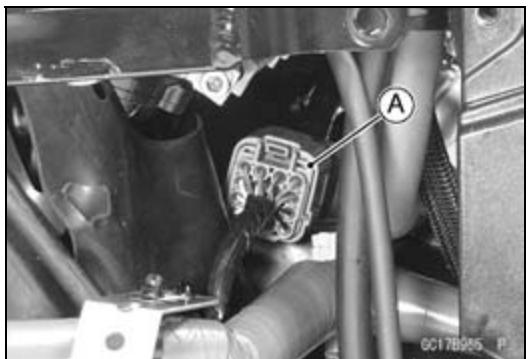
natural_image
Close-up of mechanical components with no visible text or symbols
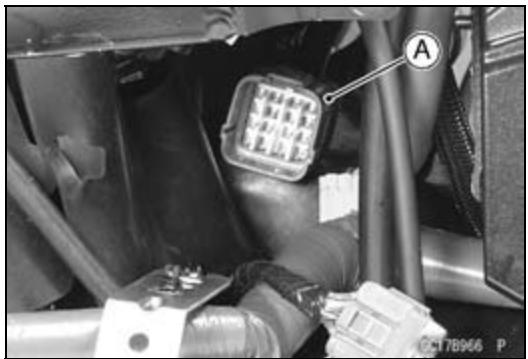
natural_image
Close-up of a mechanical component with visible wiring and connectors (no readable text or symbols)
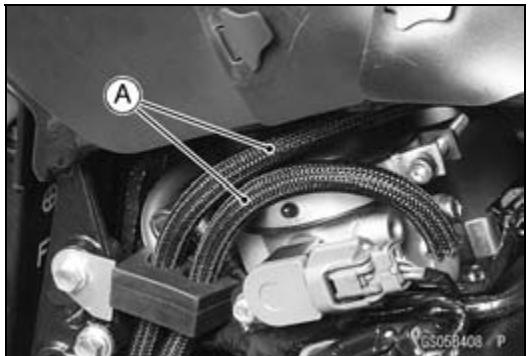
natural_image
Close-up of a mechanical assembly with labeled component A (no readable text or symbols beyond label)
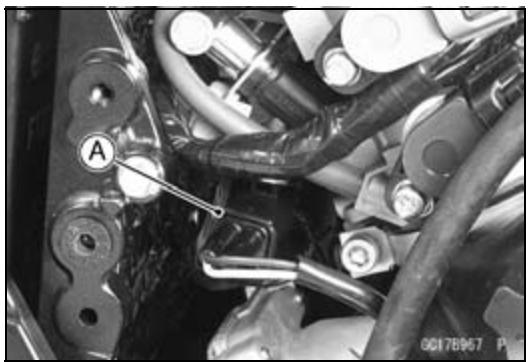
natural_image
Close-up of mechanical components with hoses and connectors, no visible text or symbols
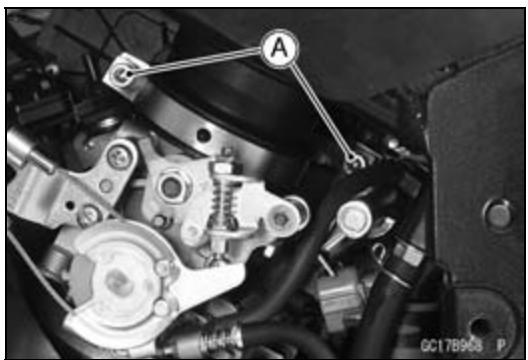
natural_image
Mechanical assembly diagram showing components like gears and springs (no text or labels visible)
Throttle Body Assy
- Remove:
Fuel Tank (see Fuel Tank Removal)
Inlet Air Temperature Sensor [A]
Bolts [B]
Left and Right Air Cleaner Caps [C]
- Do not disconnect the inlet air temperature sensor lead connector.
- Remove the duct clamps from the ducts [A], and pull out the ducts upward.
○Remove the grommets [A] as necessary.
- Remove the throttle case [A] to make a throttle cable slack.
- Remove:
Clamp [A]
Throttle Cable Lower Ends [B]

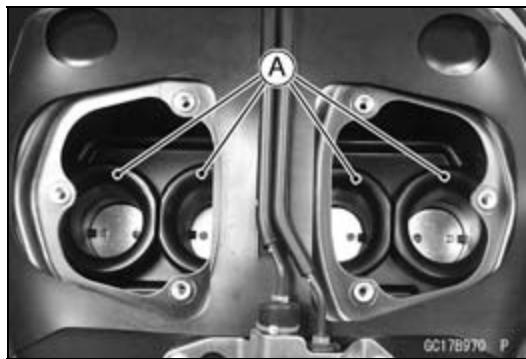
natural_image
Close-up of a mechanical component with labeled parts (A) and connectors, no readable text or symbols beyond the label.

natural_image
Close-up of a mechanical component with labeled section A, showing internal cavities and mounting brackets (no readable text or symbols beyond label)

natural_image
Close-up of a black motorcycle handle and grip with labeled component A (no readable text or symbols beyond label)
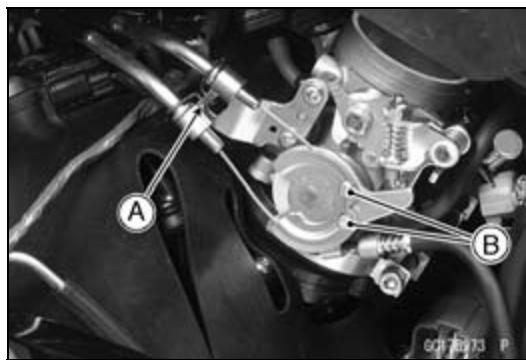
Throttle Body Assy
- Remove the adjuster screw [A] from the clamp [B].
- Loosen the throttle body assy holder clamp bolts [A] on both sides.
- Pull out the throttle body assy [B] from the holder.
- Disconnect the fuel hose joint from the delivery pipe of the throttle body assy (see Fuel Hose Replacement in the Periodic Maintenance chapter).
- Remove the throttle body assy [A] to the left side of motorcycle.
- After removing the throttle body assy, stuff pieces of lint -free, clean cloths into the throttle body assy holders.
CAUTION
If dirt gets into the engine, excessive engine wear and possible engine damage will occur.
Throttle Body Assy Installation
- Install the holder clamp bolts [A] in the direction as shown. Bolt Heads [B]
- Connect the fuel hose joint to the delivery pipe of the throttle body assy (see Fuel Hose Replacement in the Periodic Maintenance chapter).
- Tighten:
Torque - Throttle Body Assy Holder Clamp Bolts: 2.0 N·m (0.20 kgf·m, 18 in·lb)


natural_image
Close-up mechanical assembly showing internal components and wiring (no visible text or symbols)
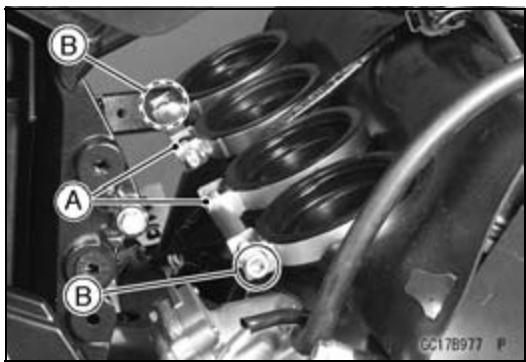
Throttle Body Assy
★If the grommet [A] was removed, install it.
○Install the grommet from the inside of the frame.
- Insert the duct [B] to the grommet.
○Apply a soap and water solution or rubber lubricant to the oblique portion [C] on the duct for easy installation.
- Fit the projections [D] of the duct into the holes [E] in the clamp.
- Install the duct clamp bolts [A] in the direction as shown. Front [B]
Upside View [C]
- Tighten:
Torque - Duct Clamp Bolts: 2.0 N·m (0.20 kgf·m, 18 in·lb)
-
Install the air cleaner caps.
○The right air cleaner cap [A] has a R mark [B].
-
Replace the subframe bolts with new ones, and tighten it.
Torque - Subframe Bolts: 23 N·m (2.3 kgf·m, 17 ft·lb)
- Run the leads and hoses as shown in the Cable, Wire, and Hose Routing section of the Appendix chapter.
- Adjust:
Throttle Grip Free Play (see Throttle Control System Inspection in the Periodic Maintenance chapter)
Idle Speed (see Idle Speed Adjustment in the Periodic Maintenance chapter)

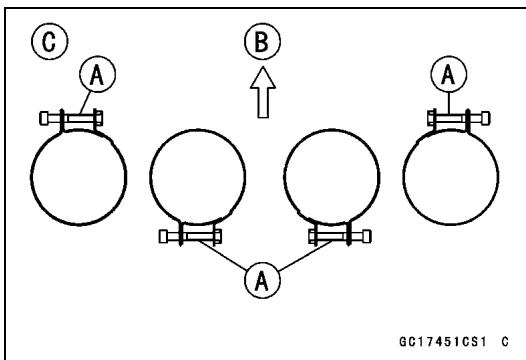
flowchart
graph TD
    A1["Circle with A"] --> A2["Circle with A"]
    A2 --> A3["Circle with A"]
    A3 --> B["Arrow pointing up"]
    B --> C["Circle with A"]
    C --> D["Circle with A"]
    style A1 fill:#fff,stroke:#000
    style A2 fill:#fff,stroke:#000
    style A3 fill:#fff,stroke:#000
    style B fill:#fff,stroke:#000
    style C fill:#fff,stroke:#000
    note right of B "B"

Throttle Body Assy Disassembly

- Subthrottle Valve Actuator
- Subthrottle Sensor
- Main Throttle Sensor
- Throttle Body Assy
- Injector
- Delivery Pipe
- Throttle Body Subharness
CAUTION
Do not remove, disassemble or adjust the main throttle sensor, subthrottle sensor, subthrottle valve actuator, throttle link mechanism and throttle body assy, because they are adjust or set surely at the manufacturer. Adjustment of these parts could result in poor performance, requiring replacement of the throttle body assy.
- Remove the throttle body assy (see Throttle Body Assy Removal).
- Disconnect the injector connectors [A].

natural_image
Mechanical assembly diagram showing motor components and wiring (no readable text or symbols)
Throttle Body Assy
- Disconnect the main throttle sensor [A] and subthrottle sensor [B] connector.
- Disconnect: Subthrottle Valve Actuator Lead Connector [A] Inlet Air Pressure Sensor Connector [B]
- Separate the hoses [A] from the throttle body fittings and inlet air pressure sensor.
- Remove the screws [B] to pull out the injector assies from the throttle body assy together with the delivery pipe [C].
NOTE
○Do not damage the insertion portions of the injectors when they are pulled out from the throttle body.
- Pull out the injectors [A] from the delivery pipe [B].
NOTE
○Do not damage the insertion portions of the injectors when they are pulled out from the delivery pipe.
Throttle Body Assy Assembly
- Before assembling, blow away dirt or dust from the throttle body and delivery pipe by applying compressed air.
- Apply daphne oil or engine oil to the new O-rings [A] of each injector, insert them to the delivery pipe [B] and confirm whether the injectors turn smoothly or not.
NOTE
○Replace the O-rings of injectors to new ones.

natural_image
Close-up of a mechanical component with labeled parts A and B, no readable text or symbols beyond labels

natural_image
Close-up of a mechanical assembly with three cylindrical components and labeled parts A and B (no readable text or symbols beyond labels)


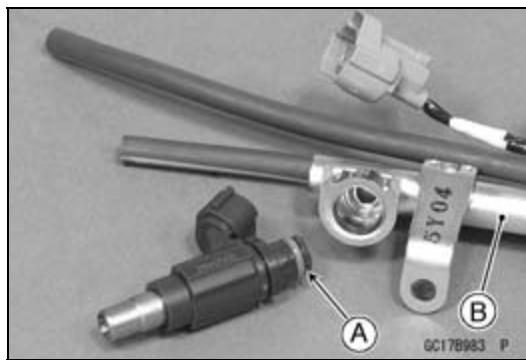
natural_image
Close-up of mechanical components including a cylindrical rod, connector, and labeled parts (A and B), with no readable text or symbols beyond labels.
Throttle Body Assy
- Apply daphne oil or engine oil to the new dust seals [A], and insert the injectors into the throttle body, which installed to the delivery pipe.
NOTE
○Replace the dust seals of the throttle body to new ones.
- Install the delivery pipe to the throttle body.
Torque - Delivery Pipe Mounting Screws: 5.0 N·m (0.50 kgf·m, 44 in·lb)
- Connect the injector connectors.
- Insert the each hoses to the throttle body fittings and inlet air pressure sensor.
- Install the throttle body assy (see Throttle Body Assy Installation).

natural_image
Mechanical assembly diagram showing multiple cylindrical components with labeled points A, no readable text or symbols present.
Air Line
Element Removal
- Refer to the Air Cleaner Element Replacement in the Periodic Maintenance chapter (see Air Cleaner Element Replacement in the Periodic Maintenance chapter).
Element Installation
- Refer to the Air Cleaner Element Replacement in the Periodic Maintenance chapter (see Air Cleaner Element Replacement in the Periodic Maintenance chapter).
Air Cleaner Element Inspection
- Remove the air cleaner element (see Air Cleaner Element Replacement in the Periodic Maintenance chapter).
- Visually check the element [A] for tears or breaks.
★If the element has any tears or breaks, replace the element.

natural_image
Close-up of a black rectangular electronic component with internal vertical grooves and a labeled point A (no text or symbols on the component itself)
Air Cleaner Element Holder Removal
- Remove:
Air Cleaner Element (see Air Cleaner Element Replacement in the Periodic Maintenance chapter)
Screws [A]

- Pull out the air cleaner element holder [A] from the housing.

natural_image
Close-up of a mechanical component with a curved pipe and mounting bracket (no visible text or symbols)
Air Cleaner Element Holder Installation
- Install the air cleaner element holder [A] so that the holder ends [B] insert along the rib [C] in the housing.
- Tighten:
Torque - Air Cleaner Element Holder Screws: 6.9 N·m (0.70 kgf·m, 61 in·lb)
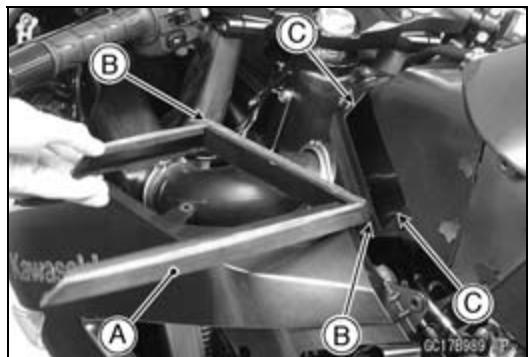
Air Line
Oil Draining
A drain hose is connected to the bottom of the air cleaner part to drain water or oil accumulated in the cleaner part.
- Visually check the catch tank of the drain hose [A], if the water or oil accumulates in the tank.
★If any water or oil accumulates in the tank, remove the plug [B] from the tank and drain it.
WARNING
Be sure reinstall the plug in the tank after draining. Oil on tires will make them slippery and can cause an accident and injury.
Rear Air Inlet Duct Removal
- Remove:
Left and Right Inner Covers (see Inner Cover Removal in the Frame chapter)
Fuel Tank Cover (see Fuel Tank Cover Removal)
- Loosen the clamp bolt [A] on both sides.
- Remove the mounting bolts [B] and, pull off the right rear air inlet ducts [C] to backward.
- Remove the left rear air inlet duct in the same way as right.
Rear Air Inlet Duct Installation
- Insert the projections [A] of the holder [B] in the holes [C] of rear air inlet duct [D].
- Insert the rear air inlet duct [A] until the duct end [B] align the line [C] of middle air inlet duct [D].
- Tighten
Torque - Rear Air inlet Duct Mounting Bolts: 9.8 N·m (1.0 kgf·m, 87 in·lb)

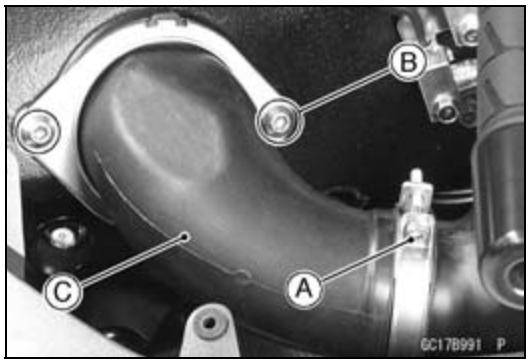

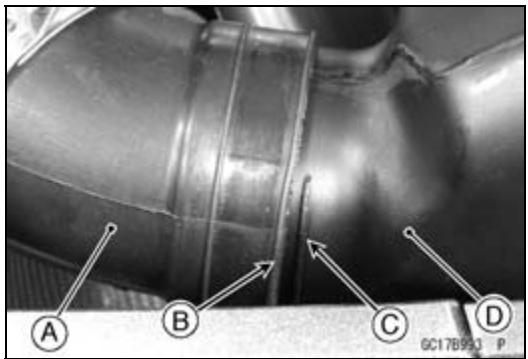
Air Line
- Install the clamp bolts [A] so that bolt heads [B] faces direction as shown.
Left Clamp [C]
Right Clamp [D]
About 30° [E]
Rear View [F]
- Tighten:
Torque - Middle Air inlet Duct Clamp Bolts: 2.9 N·m (0.30 kgf·m, 26 in·lb)
Front and Middle Air Inlet Duct Removal
- Remove the upper fairing (see Upper Fairing Removal in the Frame chapter).
- Open the clamps [A].
- Open the clamps [A].
- Remove:
Bolts [A]
Front Air inlet Duct [B]
Rubber Seal [C]
- Loosen the clamp bolts [D] on both sides.
- Remove the bolts [E] on both sides.
- Pull off the left and right middle air inlet ducts [F] to forward.
Front and Middle Air Inlet Duct Installation
NOTE
○The left middle air inlet duct has a L mark [A] and the right middle air inlet duct has a R mark.
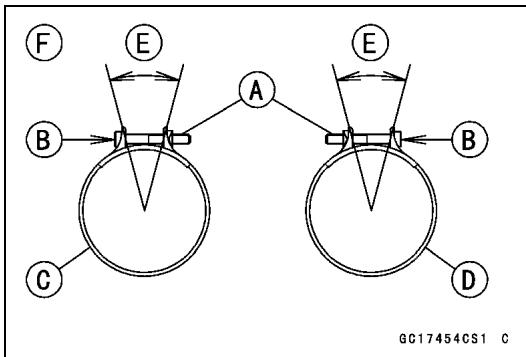


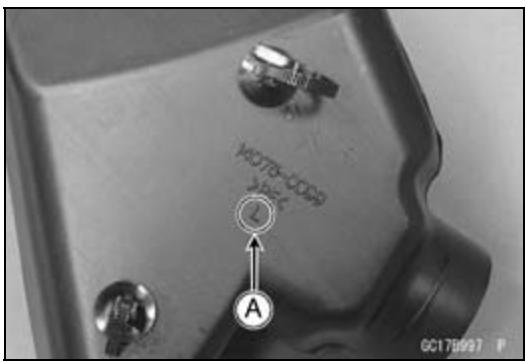
Air Line
- Insert the middle air inlet duct [A] until the line [B] align the duct end [C] of rear air inlet duct [D].
-
Tighten:
Torque - Middle Air Inlet Duct Mounting Bolts: 9.8 N·m (1.0 kgf·m, 87 in·lb)
-
Install the clamp bolt [A] so that bolt heads [B] faces direction as shown.
Left Clamp [C]
Right Clamp [D]
About 30° [E]
Rear View [F]
- Tighten:
Torque - Middle Air Inlet Duct Clamp Bolts: 2.9 N·m (0.30 kgf·m, 26 in·lb)
- Install the rubber seal [A] so that the hollow side [B] faces forward.
- Insert the front air inlet duct to the rubber seal, and tighten the bolts.
Torque - Front Air Inlet Duct Mounting Bolts: 9.8 N·m (1.0 kgf·m, 87 in·lb)
- Run the leads correctly (see Cable, Wire, and Hose Routing section in the Appendix chapter).


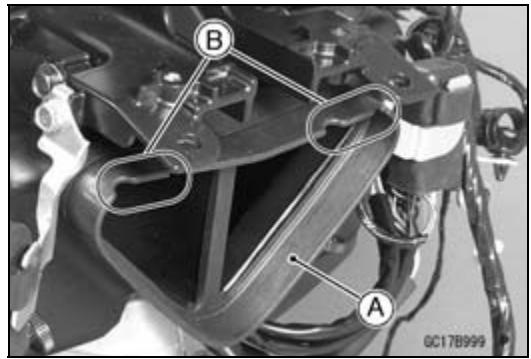
natural_image
Mechanical assembly diagram showing labeled parts A and B (no readable text or symbols beyond labels)
Fuel Tank
Fuel Tank Removal
WARNING
Gasoline is extremely flammable and can be explosive under certain conditions. Make sure the area is well-ventilated and free from any source of flame or sparks; this includes any appliance with a pilot light. Do not smoke. Turn the ignition switch OFF. Be prepared for fuel spillage; any spilled fuel must be completely wiped up immediately.
- Turn the ignition switch OFF.
- Remove the left and right fairing covers (see Fairing Cover Removal in the Frame chapter).
- Disconnect the battery (−) terminal (see Battery Removal in the Electrical System chapter).
- Remove:
Left and Right Inner Covers (see Inner Cover Removal in the Frame chapter)
Bolt [A]
- Pull the fuel tank cover [A] evenly outward to clear the projections [B] on both sides.
- Remove the fuel tank cover to forward [C].
- Remove the bolts [A].
- Remove:
Bolts [A]
Drain Hose [B]
- For the California model, remove the following.
Fuel Return Hose [C] (right side, red)
Fuel Tank Breather Hose [D] (left side, blue)

natural_image
Close-up of a mechanical component with labeled parts (A) and no visible text or symbols beyond the label.


natural_image
Close-up of a mechanical assembly with labeled component A, no visible text or symbols

Fuel Tank
- Disconnect:
Fuel Pump Lead Connector [A]
Fuel Level Sensor Lead Connector [B]
- Open the fuel tank cap [A] to lower the pressure in the tank.
-
During tank removal, keep the tank cap open to release pressure in the tank. This makes fuel spillage less.
-
Draw the fuel out from the fuel tank with a commercially available pump [A].
○Use a soft plastic hose [B] as a pump inlet hose in order to insert the hose smoothly.
- Put the hose through the fill opening [C] into the tank and draw the fuel out.
Front [D]
WARNING
The fuel could not be removed completely from the fuel tank. Be careful for remained fuel spillage.
WARNING
Be prepared for fuel spillage; any spilled fuel must be completely wiped up immediately.
When the fuel hose is disconnected, fuel spills out from the hose and the pipe because of residual pressure. Cover the hose connection with a piece of clean cloth to prevent fuel spillage.
- Close the fuel tank cap.
- Remove the fuel tank, and place a it on a flat surface.
○Do not apply the load to the delivery pipe of the fuel pump.


natural_image
Close-up of a mechanical assembly with labeled component A, showing a circular base and mechanical components (no readable text or symbols)


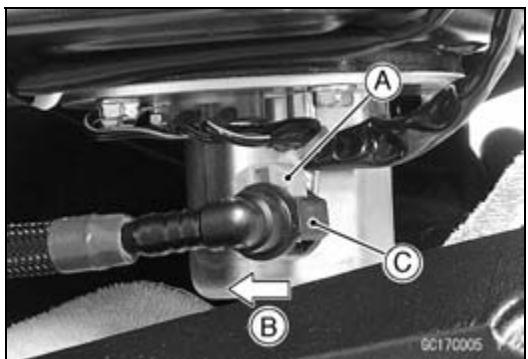
Fuel Tank
- For the California Model, note the following.
CAUTION
For the California model, if gasoline, solvent, water or any other liquid enters the canister, the canister's vapor absorbing capacity is greatly reduced. If the canister does become contaminated, replace it with a new one.
○Be sure to plug the evaporative fuel return hose to prevent fuel spilling before fuel tank removal.
WARNING
For the California model, be careful not to spill the gasoline through the return hose. Spilled fuel is hazardous.
★If liquid or gasoline flows into the breather hose, remove the hose and blow it clean with compressed air (California model).
○Be careful of fuel spillage from the fuel tank since fuel still remains in the fuel tank and fuel pump.
WARNING
Store the fuel tank in an area which is well-ventilated and free from any source of flame or sparks. Do not smoke in this area. Place the fuel tank on a flat surface and plug the fuel pipes to prevent fuel leakage.
Fuel Tank Installation
- Note the above WARNING (see Fuel Tank Removal).
- Route the hoses correctly (see Cable, Wire, and Hose Routing section in the Appendix chapter).
- Check that the dampers [A] and pad [B] are in place on the fuel tank as well.
★If the dampers are damaged or deteriorated, replace them.
- For the California Model, note the following.
To prevent the gasoline from flowing into or out of the canister, hold the separator perpendicular to the ground.
○Connect the hoses according to the diagram of the system (see Cable, Wire, and Hose Routing section in the Appendix chapter). Make sure they do not get pinched or kinked.
- Route hoses with a minimum of bending so that the air or vapor will not be obstructed.
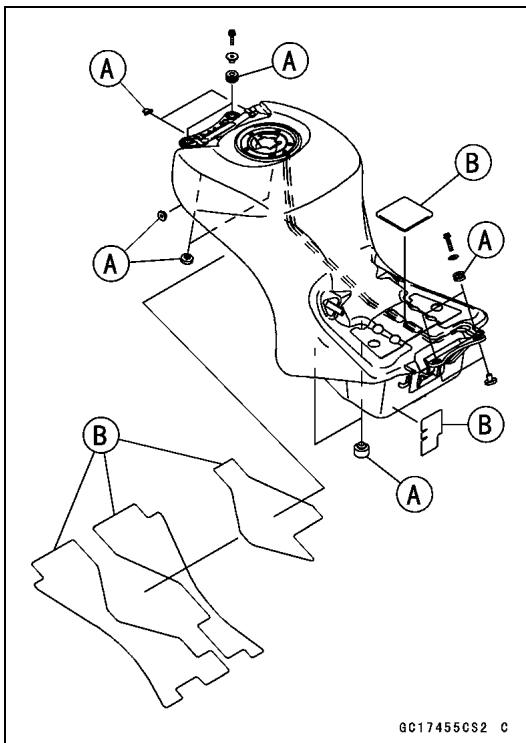
- Pull the joint lock [A] as shown.
- Insert the fuel hose joint [A] straight onto the delivery pipe until the hose joint clicks.
- Push the joint lock [B] until the hose joint clicks.
- Push and pull [A] the hose joint [B] back and forth more than two times and make sure it is locked and doesn't come off. When the hose joint is correctly installed, it should slide on the delivery pipe about 5 mm (0.2 in.).
WARNING
Make sure the hose joint is installed correctly on the delivery pipe by sliding the joint, or the fuel could leak.
★If it does not slide, reinstall the hose joint.
- Connect the fuel pump, fuel level sensor lead connectors and the battery (−) terminal (see Battery Installation in the Electrical System chapter).
- For models equipped with an ABS, fit the grooves of the damper [A] on the brake pipes [B].

natural_image
Close-up of a mechanical assembly with labeled component A and connector (no readable text or symbols)
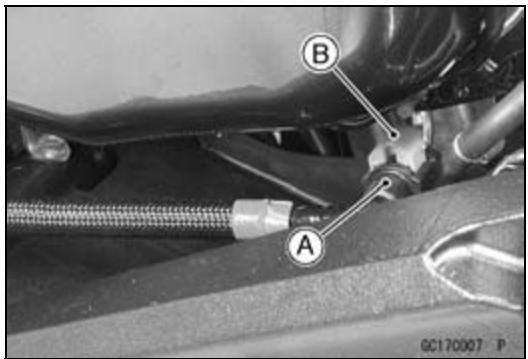

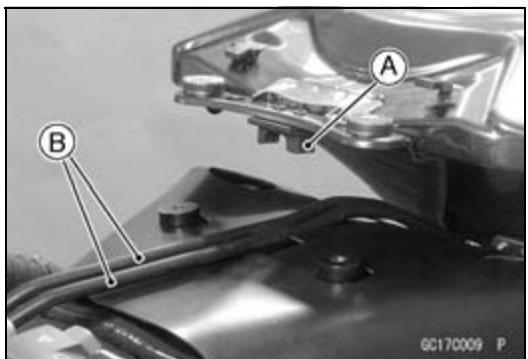
Fuel Tank
- Fit the dampers [A] of the fuel tank into the slots [B] of the fuel tank cover [C].
Fuel Tank and Cap Inspection
- Visually inspect the gasket [A] on the tank cap for any damage.
★Replace the gasket if it is damaged.
- Check to see if the water drain pipe [B] and fuel breather pipe [C] (California Model) in the tank are not clogged. Check the tank cap breather also.
★If they are clogged, remove the tank and drain it, and then blow the breather free with compressed air.
CAUTION
Do not apply compressed air to the air vent holes [D] in the tank cap. This could cause damage and clogging of the labyrinth in the cap.
Fuel Tank Cleaning
WARNING
Clean the tank in a well-ventilated area, and take care that there are no sparks or flame anywhere near the working area. Because of the danger or highly flammable liquids, do not use gasoline or low-flash point solvents to clean the tank.
- Remove:
Fuel Tank (see Fuel Tank Removal)
Fuel Pump (see Fuel Pump Removal)
- Pour some high-flash point solvent into the fuel tank and shake the tank to remove dirt and fuel deposits.
- Draw the solvent out of the fuel tank.
- Dry the tank with compressed air.
- Install:
Fuel Pump (see Fuel Pump Installation)
Fuel Tank (see Fuel Tank Installation)

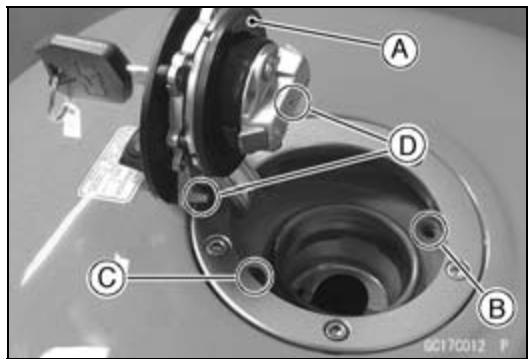
Evaporative Emission Control System
The Evaporative Emission Control System routes fuel vapors from the fuel system into the running engine or stores the vapors in a canister when the engine is stopped. Although no adjustments are required, a thorough visual inspection must be made at the intervals specified by the Periodic Maintenance Chart.
Parts Removal/Installation
WARNING
Gasoline is extremely flammable and can be explosive under certain conditions. Turn the ignition switch OFF. Do not smoke. Make sure the area is well-ventilated and free from any source of flame or sparks; this includes any appliance with a pilot light.
CAUTION
If gasoline, solvent, water or any other liquid enters the canister, the canister's vapor absorbing capacity is greatly reduced. If the canister does become contaminated, replace it with a new one.
- To prevent the gasoline from flowing into or out of the canister, hold the separator perpendicular to the ground.
- Connect the hoses according to the diagram of the system. Make sure they do not get pinched or kinked.
Hose Inspection
- Refer to the Evaporative Emission Control System Inspection in the Periodic Maintenance chapter (see Evaporative Emission Control System Inspection in the Periodic Maintenance chapter).
Separator Inspection
- Refer to the Evaporative Emission Control System Inspection in the Periodic Maintenance chapter (see Evaporative Emission Control System Inspection in the Periodic Maintenance chapter). Separator [A]

natural_image
Close-up of a mechanical assembly with labeled component A and connectors (no readable text or symbols)
Evaporative Emission Control System
Separator Operation Test
WARNING
Gasoline is extremely flammable and can be explosive under certain conditions. Turn the ignition switch OFF. Do not smoke. Make sure the area is well-ventilated and free from any source of flame or sparks; this includes any appliance with a pilot light.
- Connect the hoses to the separator, and install the separator on the motorcycle.
- Disconnect the breather hose from the separator, and inject about 20 mL (0.68 US oz.) of gasoline [A] into the separator [B] through the hose fitting.
- Disconnect the fuel return hose [C] from the fuel tank [D].
- Run the open end of the return hose into the container and hold it level with the tank top [E].
- Start the engine, and let it idle.
★If the gasoline in the separator comes out of the hose, the separator works well. If it does not, replace the separator with a new one.

Canister Inspection
- Refer to the Evaporative Emission Control System Inspection in the Periodic Maintenance chapter (see Evaporative Emission Control System Inspection in the Periodic Maintenance chapter).
NOTE
The canister [A] is designed to work well through the motorcycle's life without any maintenance if it is used under normal conditions.

natural_image
Close-up of a mechanical component with labeled parts (A, 5-21) and connector details (no readable text or symbols beyond labels)
Evaporative Emission Control System

- Fuel Tank
- White Hose (Vacuum)
- Throttle Body Assy
- Green Hose (Purge)
- Canister
- Band (for Canister)
- Red Hose (Right, Return)
- Fitting
- Bracket (for Separator)
- Separator
- Blue Hose (Breather)
- Blue Hose (Left, Breather)
GC13024BW4 C
Cooling System
Table of Contents
Exploded View 4-2
Coolant Flow Chart.... 4-4
Specifications 4-6
Coolant 4-7
Coolant Deterioration Inspection 4-7
Coolant Level Inspection 4-7
Coolant Draining 4-7
Coolant Filling 4-7
Pressure Testing 4-7
Cooling System Flushing 4-8
Coolant Reserve Tank Removal/Installation 4-8
Water Pump 4-9
Water Pump Removal 4-9
Water Pump Installation 4-9
Water Pump Impeller Inspection 4-10
Radiator 4-11
Radiator and Radiator Fan Removal 4-11
Radiator and Radiator Fan Installation 4-12
Radiator Inspection 4-12
Radiator Cap Inspection 4-13
Radiator Filler Neck Inspection 4-13
Thermostat 4-14
Thermostat Removal.... 4-14
Thermostat Installation 4-14
Thermostat Inspection 4-14
Hoses and Pipes 4-16
Hose Installation 4-16
Hose Inspection 4-16
Water Temperature Sensor 4-17
Water Temperature Sensor Removal 4-17
Water Temperature Sensor Inspection 4-17
Exploded View

Exploded View
| No. | Fastener | Torque | Remarks |
| N·m | kgf·m | ft·lb |
| 1 | Radiator Hose Clamp Screws | 2.0 | 0.20 | 18 in·lb | |
| 2 | Coolant Drain Plug | 12 | 1.2 | 106 in·lb | |
| 3 | Water Pump Cover Bolts | 9.8 | 1.0 | 87 in·lb | |
| 4 | Oil Cooler Mounting Bolts | 12 | 1.2 | 106 in·lb | S |
| 5 | Thermostat Housing Cover Bolts | 5.9 | 0.60 | 52 in·lb | |
| 6 | Thermostat Housing Mounting Bolts | 9.8 | 1.0 | 87 in·lb | |
| 7 | Coolant Fitting Bolt | 8.8 | 0.90 | 78 in·lb | L |
| 8 | Water Temperature Sensor | 25 | 2.5 | 18 | |
- Thermostat
G: Apply grease.
L: Apply a non-permanent locking agent.
R: Replacement Parts
S: Follow the specified tightening sequence.
Coolant Flow Chart

Coolant Flow Chart
Permanent type antifreeze is used as a coolant to protect the cooling system from rust and corrosion. When the engine starts, the water pump turns and the coolant circulates.
The thermostat is a wax pellet type which opens or closes with coolant temperature changes. The thermostat continuously changes its valve opening to keep the coolant temperature at the proper level. When coolant temperature is less than 55irc C ( 131irc F), the thermostat closes so that the coolant flow is restricted through the air bleeder hole, causing the engine to warm up more quickly. When coolant temperature is more than 58 62irc C ( 136 144irc F), the thermostat opens and the coolant flows.
When the coolant temperature goes up beyond 95irc C ( 203irc F), the radiator fan relay conducts to operate the radiator fan. The radiator fan draws air through the radiator core when there is not sufficient air flow such as at low speeds. This increases up the cooling action of the radiator. When the coolant temperature is below 90irc C ( 194irc F), the fan relay opens and the radiator fan stops.
In this way, this system controls the engine temperature within narrow limits where the engine operates most efficiently even if the engine load varies.
The system is pressurized by the radiator cap to suppress boiling and the resultant air bubbles which can cause engine overheating. As the engine warms up, the coolant in the radiator and the water jacket expands. The excess coolant flows through the radiator cap and hose to the reserve tank to be stored there temporarily. Conversely, as the engine cools down, the coolant in the radiator and the water jacket contracts, and the stored coolant flows back to the radiator from the reserve tank.
The radiator cap has two valves. One is a pressure valve which holds the pressure in the system when the engine is running. When the pressure exceeds 93 \~ 123 kPa (0.95 \~ 1.25 kgf/cm 2 , 13 \~ 18 psi), the pressure valve opens and releases the pressure to the reserve tank. As soon as pressure escapes, the valve closes, and keeps the pressure at 93 \~ 123 kPa (0.95 \~ 1.25 kgf/cm 2 , 13 \~ 18 psi). When the engine cools down, another small valve (vacuum valve) in the cap opens. As the coolant cools, the coolant contracts to form a vacuum in the system. The vacuum valve opens and allows the coolant from the reserve tank to enter the radiator.
Specifications
| Item | Standard |
| Coolant Provided when ShippingType (Recommended) | Permanent type of antifreeze (soft water and ethylene glycol plus corrosion and rust inhibitor chemicals for aluminum engines and radiators) |
| Color | Green |
| Mixed Ratio | Soft water 50%, coolant 50% |
| Freezing Point | -35°C (-31°F) |
| Total Amount | 3.4 L (3.6 US qt)(Reserve tank full level, including radiator and engine) |
| Radiator Cap | |
| Relief Pressure | 93 ~ 123 kPa (0.95 ~ 1.25 kgf/cm2, 13 ~ 18 psi) |
| Thermostat | |
| Valve Opening Temperature | 58 ~ 62°C (136 ~ 144°F) |
| Valve Full Opening Lift | 8 mm (0.31 in.) or more @75°C (167°F) |
Coolant
Coolant Deterioration Inspection
- Visually inspect the coolant in the reserve tank.
★If whitish cotton-like wafts are observed, aluminum parts in the cooling system are corroded. If the coolant is brown, iron or steel parts are rusting. In either case, flush the cooling system.
★If the coolant gives off an abnormal smell, check for a cooling system leak. It may be caused by exhaust gas leaking into the cooling system.
Coolant Level Inspection
- Refer to the Coolant Level Inspection in the Periodic Maintenance chapter.
Coolant Draining
- Refer to the Coolant Change in the Periodic Maintenance chapter.
Coolant Filling
- Refer to the Coolant Change in the Periodic Maintenance chapter.
Pressure Testing
- Remove the right middle fairing (see Middle Fairing Removal in the Frame chapter).
- Remove the radiator cap, and install the cooling system pressure tester [A] on the filler neck.
NOTE
○Wet the cap sealing surfaces with water or coolant to prevent pressure leaks.
- Build up pressure in the system carefully until the pressure reaches 142 kPa (1.45 kgf/cm 2 , 21 psi).
CAUTION
During pressure testing, do not exceed the pressure for which the system is designed. The maximum pressure is 142 kPa (1.45 kgf/cm 2 , 21 psi).
- Watch the gauge for at least 6 seconds.
★If the pressure holds steady, the system is all right.
★If the pressure drops and no external source is found, check for internal leaks. Droplets in the engine oil indicate internal leakage. Check the cylinder head gasket and the water pump.
- Remove the pressure tester, replenish the coolant, and install the radiator cap.

Coolant
Cooling System Flushing
Over a period of time, the cooling system accumulates rust, scale, and lime in the water jacket and radiator. When this accumulation is suspected or observed, flush the cooling system. If this accumulation is not removed, it will clog up the water passage and considerable reduce the efficiency of the cooling system.
- Drain the cooling system (see Coolant Change in the Periodic Maintenance chapter).
- Fill the cooling system with fresh water mixed with a flushing compound.
CAUTION
Do not use a flushing compound which is harmful to the aluminum engine and radiator. Carefully follow the instructions supplied by the manufacturer of the cleaning product.
- Warm up the engine, and run it at normal operating temperature for about ten minutes.
- Stop the engine, and drain the cooling system.
- Fill the system with fresh water.
- Warm up the engine and drain the system.
- Repeat the previous two steps once more.
- Fill the system with a permanent type coolant and bleed the air from the system (see Coolant Change in the Periodic Maintenance chapter).
Coolant Reserve Tank Removal/Installation
- The coolant reserve tank is removed and installed during coolant change (see Coolant Change in the Periodic Maintenance chapter).
Water Pump
Water Pump Removal
- Drain:
Coolant (see Coolant Change in the Periodic Maintenance chapter)
Engine Oil (see Engine Oil Change in the Periodic Maintenance chapter)
- Remove:
Clutch Slave Cylinder (see Clutch Slave Cylinder Removal in the Clutch chapter)
Engine Sprocket Cover (see Engine Sprocket Removal in the Final Drive chapter)
- Remove:
Radiator Hose [A]
Water Pump Cover Bolts [B]
Water Pump Cover [C]
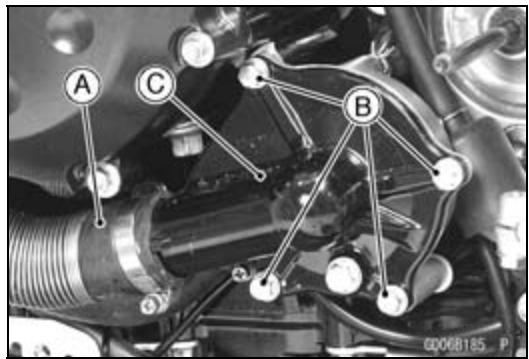
- Remove the radiator hose [A] and the air bleeder hose [B] for the water pump body.
- Remove the water pump body [C] with impeller [D].

Water Pump Installation
- Turn the pump drive gear shaft so that the slot [A] in its shaft fits onto the projection [B] of the impeller shaft.

- Install the radiator hose [A] and the air bleeder hose [B] for the water pump body as shown.

natural_image
Close-up of a mechanical fan component with labeled parts A and B (no readable text or symbols beyond labels)
Water Pump
- Install the water pump cover [A].
- Tighten:
Torque - Water Pump Cover Bolts: 9.8 N·m (1.0 kgf·m, 87 in·lb)
- Install the water hose [B] as shown.

Water Pump Impeller Inspection
- Visually inspect the water pump impeller [A].
★If the surface is corroded or if the blades are damaged, replace the water pump assy.
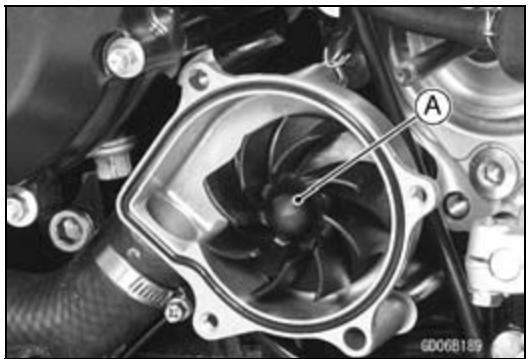
natural_image
Close-up of a mechanical fan or turbine component with labeled section A (no readable text or symbols beyond label)
Radiator
Radiator and Radiator Fan Removal
-
Remove:
Middle Fairings (see Middle Fairing Removal in the Frame chapter)
Coolant (Drain, see Coolant Change in the Periodic Maintenance chapter)
Reservoir Tank Hose [A]
Air Bleeder Hose [B] for Thermostat Housing
Radiator Hose [C]
Oil Cooler Outlet Hose [D]
Radiator Upper Bolt [E]
-
Remove:
Radiator Fan Lead Connector [A]
Radiator Hose [B]
Radiator Lower Bolt [C]
Radiator Upper Bolt [D]
- Remove the radiator [E].
CAUTION
Do not touch the radiator core. This could damage the radiator fins, resulting in loss of cooling efficiency.
- Remove:
Radiator Fan Mounting Bolts [A]
Radiator Fan [B]
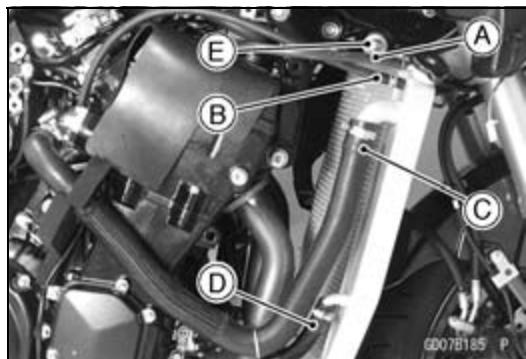

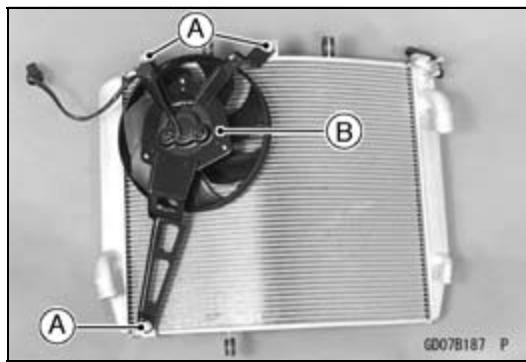
Radiator
Radiator and Radiator Fan Installation
- Be sure that the trim seals [A] are in position on the radiator as shown.
- Install the dampers [B], radiator bracket collars [C] and bolts as shown.

Radiator Inspection
- Check the radiator core.
★If there are obstructions to air flow, remove them.
★If the corrugated fins [A] are deformed, carefully straighten them.
★If the air passages of the radiator core are blocked more than 20% by unremovable obstructions or irreparably deformed fins, replace the radiator with a new one.

CAUTION
When cleaning the radiator with steam cleaner, be careful of the following to prevent radiator damage: Keep the steam gun [A] away more than 0.5 m (1.6 ft) [B] from the radiator core.
Hold the steam gun perpendicular [C] (not oblique [D]) to the core surface.
Run the steam gun, following the core fin direction.

Radiator
Radiator Cap Inspection
- Remove:
Right Middle Fairing (see Middle Fairing Removal in the Frame chapter)
Radiator Cap
- Check the condition of the bottom [A] and top [B] valve seals and valve spring [C].
★If any one of them shows visible damage, replace the cap with a new one.
- Install the cap [A] on a cooling system pressure tester [B].
NOTE
○Wet the cap sealing surfaces with water or coolant to prevent pressure leaks.
- Watching the pressure gauge, pump the pressure tester to build up the pressure until the relief valve opens: the gauge needle flicks downward. Stop pumping and measure leak time at once. The relief valve must open within the specified range in the table below and the gauge hand must remain within the same range at least 6 seconds.
Radiator Cap Relief Pressure
Standard: 93 \~ 123 kPa (0.95 \~ 1.25 kgf/cm², 13 \~ 18 psi)
★If the cap can not hold the specified pressure or if it holds too much pressure, replace it with a new one.
Radiator Filler Neck Inspection
- Remove the right middle fairing (see Middle Fairing Removal in the Frame chapter).
- Remove the radiator cap.
- Check the radiator filler neck for signs of damage.
- Check the condition of the top and bottom sealing seats [A] in the filler neck. They must be smooth and clean for the radiator cap to function properly.


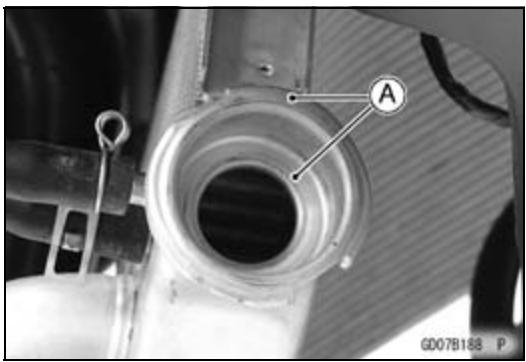
natural_image
Close-up of a mechanical component with labeled section A, showing internal structure and mounting bracket (no readable text or symbols beyond label)
Thermostat
Thermostat Removal
- Drain the coolant (see Coolant Change in the Periodic Maintenance chapter).
- Remove:
Fuel Tank (see Fuel Tank Removal in the Fuel System (DFI) chapter)
Throttle Body Assy (see Throttle Body Assy Removal in the Fuel System (DFI) chapter)
Thermostat Housing Mounting Bolts [A]
Radiator Hose [B]
Air Bleeder Hoses [C]
Thermostat Housing [D]
- Remove:
Thermostat Housing Cover Bolts [A]
Thermostat Housing Cover [B]
Thermostat

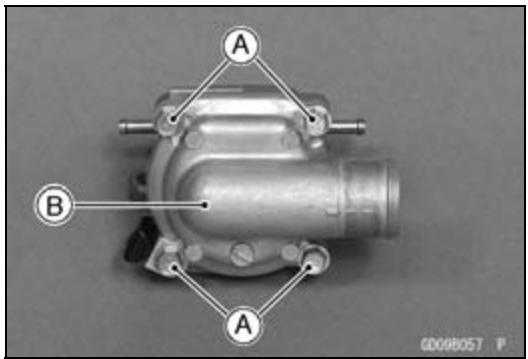
Thermostat Installation
- Install the thermostat [A] in the housing so that the air bleeder hole [B] is on top.
- Install a new O-ring into the housing.
- Tighten the thermostat housing cover bolts and the thermostat housing mounting bolts.
Torque - Thermostat Housing Cover Bolts: 5.9 N·m (0.60 kgf·m, 52 in·lb)
Thermostat Housing Mounting Bolts: 9.8 N·m (1.0 kgf·m, 87 in·lb)
- Fill the radiator with coolant (see Coolant Change in the Periodic Maintenance chapter).

Thermostat Inspection
- Remove the thermostat, and inspect the thermostat valve [A] at room temperature.
★If the valve is open, replace the thermostat with a new one.

Thermostat
- To check valve opening temperature, suspend the thermostat [A] in a container of water and raise the temperature of the water.
The thermostat must be completely submerged and must not touch the container sides or bottom. Suspend an accurate thermometer [B] in the water so that the heat sensitive portions [C] are located in almost the same depth. It must not touch the container, either.
★If the measurement is out of the specified range, replace the thermostat with a new one.
Thermostat Valve Opening Temperature
58 \~ 62°C (136 \~ 144°F)

Hoses and Pipes
Hose Installation
- Install the hoses and pipes, being careful to follow bending direction. Avoid sharp bending, kinking, flattening or twisting.
- Run the hoses (see Cable, Wire, and Hose Routing section in the Appendix chapter).
- Install the clamp [A] as near as possible to the hose end to clear the raised rib of the fitting. This will prevent the hoses from working loose.
○The clamp screws should be positioned correctly to prevent the clamps from contacting the other parts.
Torque - Radiator Hose Clamp Screws: 2.0 N·m (0.20 kgf·m, 18 in·lb)
Hose Inspection
- Refer to the Radiator Hose and Connection Inspection in the Periodic Maintenance chapter.
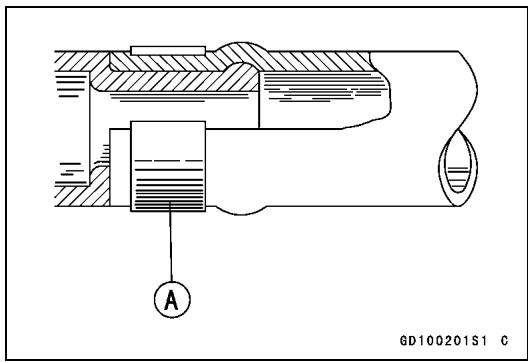
Water Temperature Sensor
CAUTION
The water temperature sensor should never be allowed to fall on a hard surface. Such a shock to their parts can damage them.
Water Temperature Sensor Removal
- Refer to the Water Temperature Sensor Removal in the Fuel System (DFI) chapter.
Water Temperature Sensor [A]
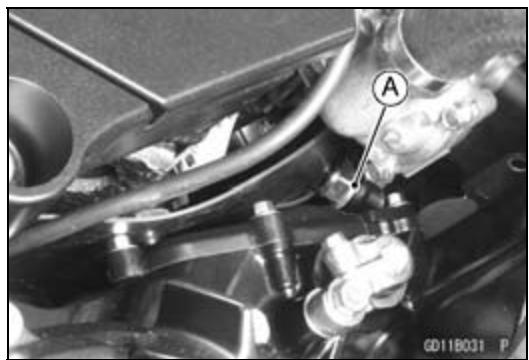
natural_image
Close-up of a car engine component with labeled parts (A) and no visible text or symbols beyond the label.
Water Temperature Sensor Inspection
- Refer to the Water Temperature Sensor Inspection in the Electrical System chapter.
Engine Top End
Table of Contents
Exploded View 5-2
Exhaust System.... 5-6
Specifications 5-8
Special Tools and Sealant 5-9
Clean Air System.... 5-11
Air Suction Valve Removal 5-11
Air Suction Valve Installation 5-11
Air Suction Valve Inspection 5-12
Air Switching Valve Removal 5-12
Air Switching Valve Installation 5-12
Air Switching Valve Operation Test 5-12
Air Switching Valve Unit Test 5-12
Clean Air System Hose Inspection 5-12
Cylinder Head Cover 5-13
Cylinder Head Cover Removal 5-13
Cylinder Head Cover Installation 5-13
Camshaft Chain Tensioner 5-15
Camshaft Chain Tensioner Removal 5-15
Camshaft Chain Tensioner Installation 5-15
Camshaft, Camshaft Chain 5-17
Camshaft Removal 5-17
Camshaft Installation 5-17
Camshaft, Camshaft Cap Wear 5-20
Camshaft Runout 5-21
Cam Wear 5-21
Camshaft Chain Removal 5-21
Camshaft Chain Installation 5-22
Cylinder Head 5-23
Cylinder Compression Measurement.... 5-23
Cylinder Head Removal 5-24
Cylinder Head Installation 5-24
Cylinder Head Warp 5-25
Valves 5-26
Valve Clearance Inspection 5-26
Valve Removal 5-26
Valve Installation 5-26
Valve Guide Removal 5-26
Valve Guide Installation 5-27
Valve-to-Guide Clearance Measurement (Wobble Method) 5-28
Valve Seat Inspection 5-29
Valve Seat Repair 5-29
Throttle Body Holder 5-34
Throttle Body Holder Installation 5-34
Muffler 5-35
Muffler Body Removal/Installation 5-35
Exhaust Pipe Removal 5-36
Exhaust Pipe Installation.... 5-36

Exploded View
| No. | Fastener | Torque | Remarks |
| N·m | kgf·m | ft·lb |
| 1 | Air Suction Valve Cover Bolts | 9.8 | 1.0 | 87 in·lb | L |
| 2 | Cylinder Head Cover Bolts | 9.8 | 1.0 | 87 in·lb | S |
| 3 | Camshaft Cap Bolts | 12 | 1.2 | 106 in·lb | S |
| 4 | Camshaft Chain Guide Bolts | 12 | 1.2 | 106 in·lb | S |
| 5 | Cylinder Head Bolts (M11, First) | 39 | 4.0 | 29 | MO, S |
| Cylinder Head Bolts (M11, Final) | 71 | 7.2 | 52 | MO, S |
| 6 | Cylinder Head Bolts (M6) | 12 | 1.2 | 106 in·lb | S |
| 7 | Water Passage Plugs | 20 | 2.0 | 15 | L |
| 8 | Throttle Body Holder Bolts | 9.8 | 1.0 | 87 in·lb | S |
| 9 | Throttle Body Assy Holder Clamp Bolts | 2.0 | 0.20 | 18 in·lb | |
| 10 | Camshaft Position Sensor Bolt | 9.8 | 1.0 | 87 in·lb | |
| 11 | Front Camshaft Chain Guide Bolt (Upper) | 25 | 2.5 | 18 | |
| 12 | Front Camshaft Chain Guide Bolt (Lower) | 12 | 1.2 | 106 in·lb | |
| 13 | Camshaft Chain Tensioner Mounting Bolts | 9.8 | 1.0 | 87 in·lb | |
| 14 | Spark Plugs | 13 | 1.3 | 115 in·lb | |
| 15 | Cam Sprocket Mounting Bolts | 15 | 1.5 | 11 | L |
| 16 | Engine Bracket Bolts | 25 | 2.5 | 18 | R, S |
| 17 | Front Engine Mounting Bolts | 59 | 6.0 | 44 | R, S |
| 18 | Plug | - | - | - | Hand-tighten |
| 19 | Water Temperature Sensor | 25 | 2.5 | 18 | |
G: Apply grease.
L: Apply a non-permanent locking agent.
M: Apply molybdenum disulfide grease.
MO: Apply molybdenum disulfide oil.
(mixture of the engine oil and molybdenum disulfide grease in a weight ratio 10 : 1)
R: Replacement Parts
S: Follow the specific tightening sequence.
SS: Apply silicone sealant (Kawasaki Bond: 92104-0004).

Exploded View
| No. | Fastener | Torque | Remarks |
| N·m | kgf·m | ft·lb |
| 1 | Muffler Body Mounting Bolts | 34 | 3.5 | 25 | |
| 2 | Crankshaft Sensor Cover Bolts | 9.8 | 1.0 | 87 in·lb | L (1) |
- Muffler Body Clamp Bolts
- Exhaust Pipe Manifold Holder Nuts
L: Apply a non-permanent locking agent.
R: Replacement Parts
Exhaust System
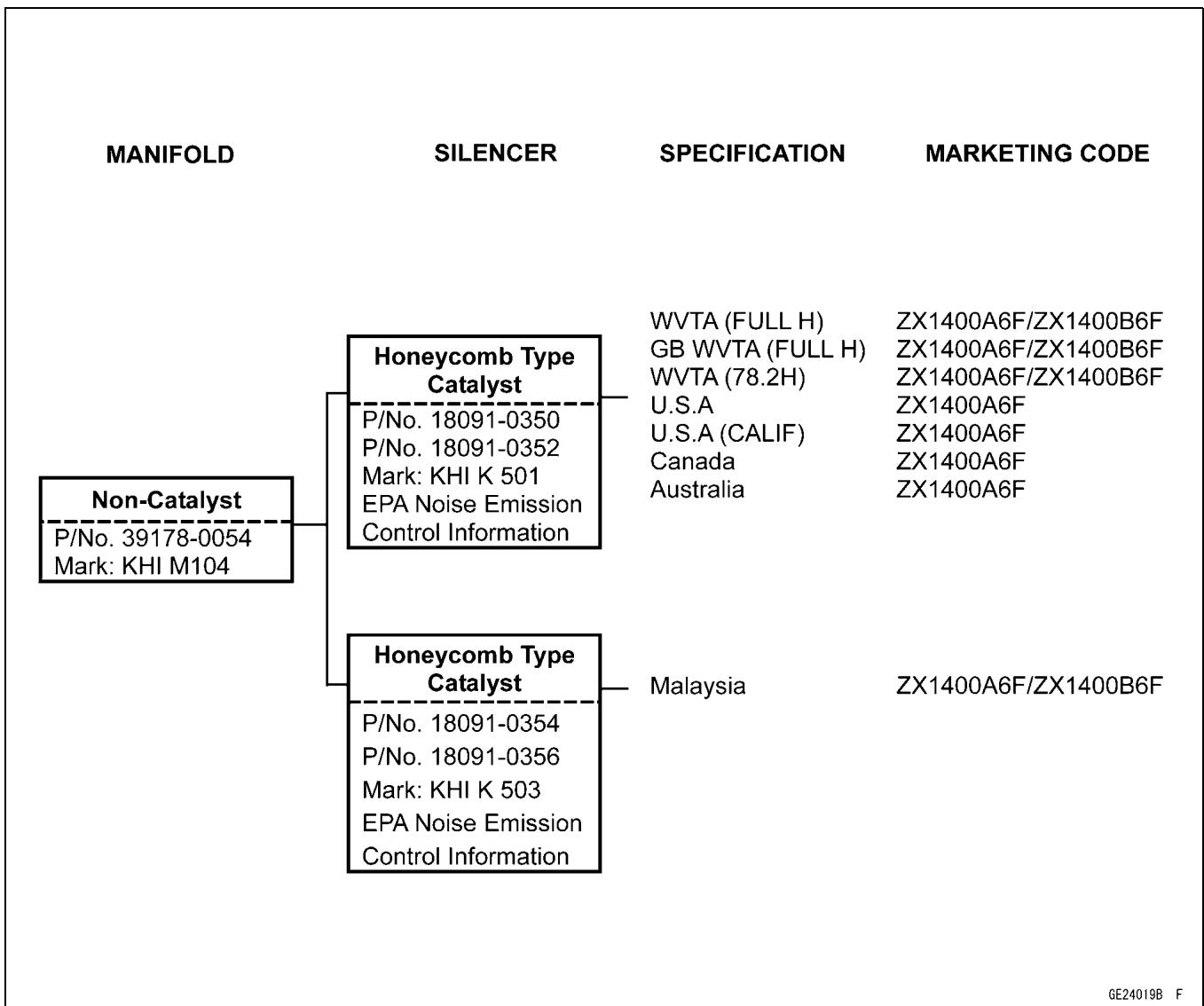
flowchart
graph TD
    A["MANIFOLD"] --> B["Non-Catalyst"]
    B --> C["Honeycomb Type Catalyst"]
    C --> D["P/No. 18091-0350"]
    C --> E["P/No. 18091-0352"]
    C --> F["Mark: KHI K 501"]
    C --> G["EPA Noise Emission Control Information"]
    A --> H["SILENCER"]
    H --> I["WVTA (FULL H)"]
    H --> J["GB WVTA (FULL H)"]
    H --> K["WVTA (78.2H)"]
    H --> L["U.S.A"]
    H --> M["U.S.A (CALIF)"]
    H --> N["Canada"]
    H --> O["Australia"]
    A --> P["Honeycomb Type Catalyst"]
    P --> Q["P/No. 18091-0354"]
    P --> R["P/No. 18091-0356"]
    P --> S["Mark: KHI K 503"]
    P --> T["EPA Noise Emission Control Information"]
    P --> U["Malaysia"]
    P --> V["ZX1400A6F/ZX1400B6F"]
    P --> W["ZX1400A6F/ZX1400B6F"]
    P --> X["ZX1400A6F/ZX1400B6F"]
    P --> Y["ZX1400A6F"]
    P --> Z["ZX1400A6F"]
    P --> AA["ZX1400A6F"]
    P --> AB["ZX1400A6F"]
    P --> AC["ZX1400A6F"]
Full: Full Power
H: Honeycomb Type Catalyst
78.2: Hosepower 78.2 kW (106.3 ps)
Manifold Mark Position [A]

Exhaust System
Silencer Mark Position [A]

Honeycomb Type Catalyst [A]

natural_image
3D model of a vehicle exhaust pipe with labeled component A (no text or symbols beyond label)
Specifications
| Item | Standard | Service Limit |
| Camshafts | | |
| Cam Height: | | |
| Exhaust | 34.442 ~ 34.556 mm (1.3560 ~ 1.3605 in.) | 34.34 mm (1.352 in.) |
| Inlet | 34.943 ~ 35.057 mm (1.3757 ~ 1.3802 in.) | 34.84 mm (1.372 in.) |
| Camshaft Journal, Camshaft Cap Clearance | 0.038 ~ 0.081 mm (0.0015 ~ 0.0032 in.) | 0.17 mm (0.0067 in.) |
| Camshaft Journal Diameter | 23.940 ~ 23.962 mm (0.9425 ~ 0.9434 in.) | 23.91 mm (0.941 in.) |
| Camshaft Bearing Inside Diameter | 24.000 ~ 24.021 mm (0.9449 ~ 0.9457 in.) | 24.08 mm (0.948 in.) |
| Camshaft Runout | TIR 0.02 mm (0.0008 in.) or less | TIR 0.1 mm (0.004 in.) |
| Cylinder Head | | |
| Cylinder Compression | (Usable Range) | |
| 1 030 ~ 1 569 kPa (10.5 ~ 16.0 kgf/cm2, 149 ~ 228 psi) @300 r/min (rpm) | -- -- |
| Cylinder Head Warp | -- -- | 0.05 mm (0.002 in.) |
| Valves | | |
| Valve Clearance: | | |
| Exhaust | 0.22 ~ 0.27 mm (0.0087 ~ 0.0106 in.) | -- -- |
| Inlet | 0.15 ~ 0.20 mm (0.0059 ~ 0.0079 in.) | -- -- |
| Valve Head Thickness: | | |
| Exhaust | 0.8 mm (0.031 in.) | 0.7 mm (0.0276 in.) |
| Inlet | 0.5 mm (0.020 in.) | 0.25 mm (0.001 in.) |
| Valve Stem Bend | TIR 0.01 mm (0.0004 in.) or less | TIR 0.05 mm (0.002 in.) |
| Valve Stem Diameter: | | |
| Exhaust | 4.955 ~ 4.970 mm (0.1951 ~ 0.1957 in.) | 4.94 mm (0.194 in.) |
| Inlet | 4.975 ~ 4.990 mm (0.1959 ~ 0.1965 in.) | 4.96 mm (0.195 in.) |
| Valve Guide Inside Diameter: | | |
| Exhaust | 5.000 ~ 5.012 mm (0.1969 ~ 0.1973 in.) | 5.077 mm (0.200 in.) |
| Inlet | 5.000 ~ 5.012 mm (0.1969 ~ 0.1973 in.) | 5.077 mm (0.200 in.) |
| Valve/valve Guide Clearance (Wobble Method): | | |
| Exhaust | 0.10 ~ 0.18 mm (0.0039 ~ 0.0071 in.) | 0.39 mm (0.015 in.) |
| Inlet | 0.03 ~ 0.12 mm (0.0012 ~ 0.0047 in.) | 0.33 mm (0.013 in.) |
| Valve Seat Cutting Angle | 45°, 32°, 60° | -- -- |
| Valve Seating Surface: | | |
| Width: | | |
| Exhaust | 0.8 ~ 1.2 mm (0.031 ~ 0.047 in.) | -- -- |
| Inlet | 0.5 ~ 1.0 mm (0.020 ~ 0.039 in.) | -- -- |
| Outside Diameter: | | |
| Exhaust | 27.6 ~ 27.8 mm (1.087 ~ 1.094 in.) | -- -- |
| Inlet | 32.6 ~ 32.8 mm (1.283 ~ 1.291 in.) | -- -- |
| Valve Spring Free Length: | | |
| Exhaust | 39.10 mm (1.539 in.) | 37.4 mm (1.472 in.) |
| Inlet | 38.72 mm (1.524 in.) | 37.1 mm (1.461 in.) |
Compression Gauge, 20 kgf/cm²: 57001-221

natural_image
Technical line drawing of a pressure gauge with no text or symbols on the device itself
Valve Spring Compressor Assembly: 57001-241
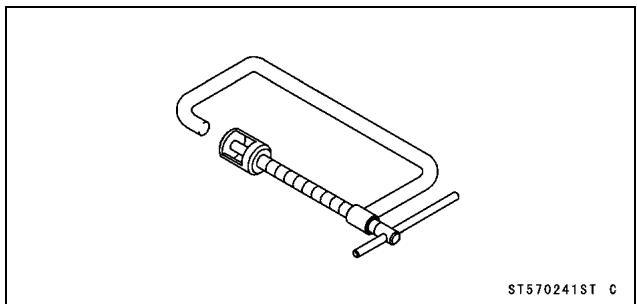
natural_image
Line drawing of a mechanical clamp or spring with a cylindrical component attached (no text or symbols)
Valve Seat Cutter, 45° - φ35: 57001-1116
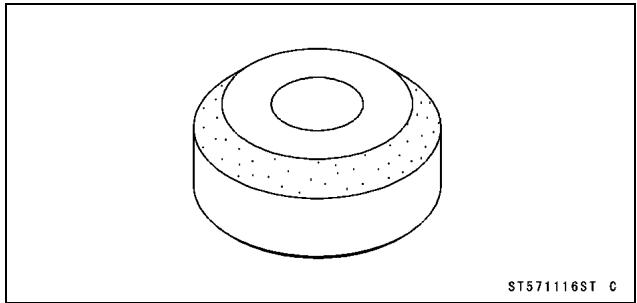
natural_image
Isometric line drawing of a cylindrical object with concentric rings and dotted inner layer, labeled ST571116ST C (no text or symbols on the object itself)
Valve Seat Cutter, 32° - φ30: 57001-1120

natural_image
Isometric line drawing of a cylindrical mechanical part with concentric rings and textured top surface (no text or symbols)
Valve Seat Cutter, 32° - φ35: 57001-1121

natural_image
Isometric line drawing of a cylindrical mechanical part with concentric rings and dotted inner layer (no text or symbols)
Valve Seat Cutter, 60° - φ30: 57001-1123

natural_image
Line drawing of a conical object with circular top and dotted base, no text or symbols present
Valve Seat Cutter Holder Bar: 57001-1128

natural_image
Simple line drawing of a cylindrical object with a curved end, labeled 'ST571128ST C' at the bottom (no other text or symbols)
Valve Seat Cutter, 45° - φ30: 57001-1187
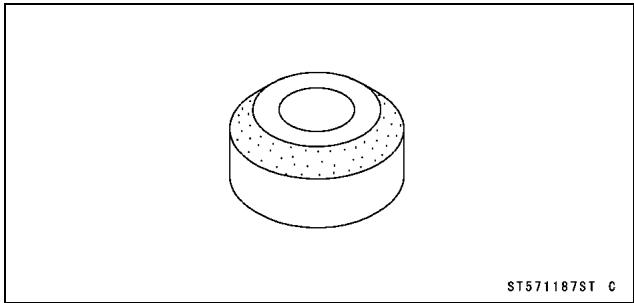
natural_image
Isometric line drawing of a cylindrical object with concentric rings and a dotted inner layer, labeled 'ST571187ST C' at the bottom (no other text or symbols)
Valve Guide Arbor, φ5 : 57001-1203
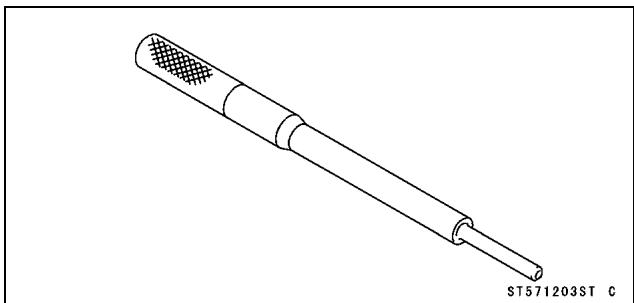
natural_image
Technical line drawing of a cylindrical electronic component with a textured top and shaft (no text or symbols)
Valve Guide Reamer, φ5 : 57001-1204

natural_image
Technical line drawing of a mechanical tool or rod with no visible text or symbols
Valve Seat Cutter Holder, φ5 : 57001-1208
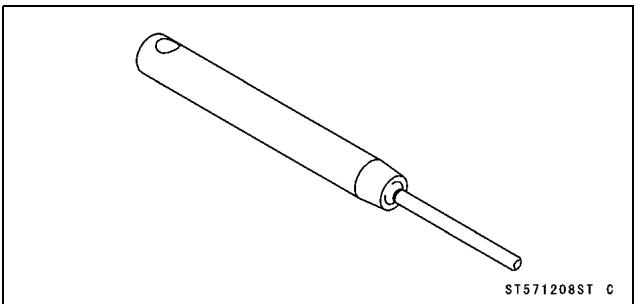
natural_image
Technical line drawing of a cylindrical mechanical component with a protruding rod (no text or symbols)
Valve Seat Cutter, 60° - φ33: 57001-1334

natural_image
Isometric line drawing of a conical object with circular top and textured base, no text or symbols present
Valve Guide Driver: 57001-1564

natural_image
Technical line drawing of two electronic components with no visible text or symbols
Valve Spring Compressor Adapter, φ24 : 57001-1586

natural_image
Technical line drawing of a mechanical component (no text or symbols)
Compression Gauge Adapter, M10 × 1.0: 57001-1601
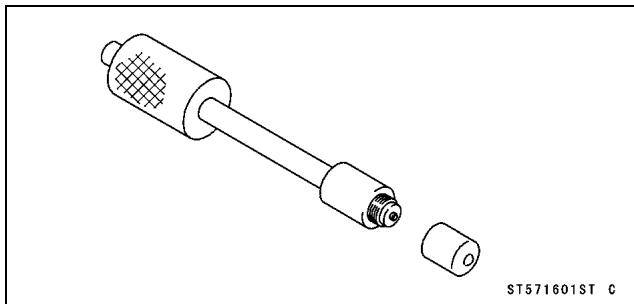
natural_image
Technical line drawing of a mechanical component with two parts, one showing internal structure and the other a separate cylindrical part (no text or symbols)
L-Shape Hose: 57001-1606

natural_image
Technical line drawing of a mechanical connector or fitting (no text or symbols)
Valve Guide Driver Attachment, E: 57001-1677

natural_image
Technical line drawing of a cylindrical electronic component with threaded ends and a central shaft (no text or symbols)
Kawasaki Bond (Silicone Sealant): 92104-0004
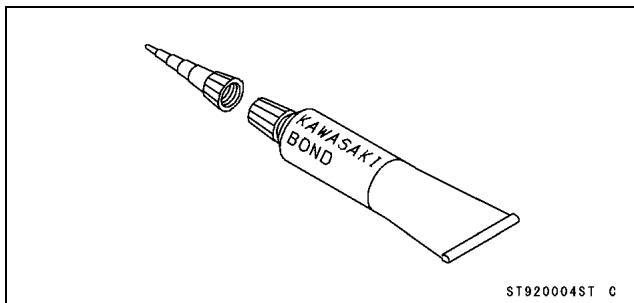
Clean Air System
Air Suction Valve Removal
- Remove:
Middle Fairings (see Middle Fairing Removal in the Frame chapter)
- Pull out the hoses [A].
- Disconnect the connector [B].
- Remove the air switching valve [C] with the hoses.
- Remove the following from the bracket [A]. Rivets [B] Bolts [C]
- Remove:
Air Suction Valve Cover Bolts [A]
Air Suction Valve Cover [B]
Air Suction Valve [C]
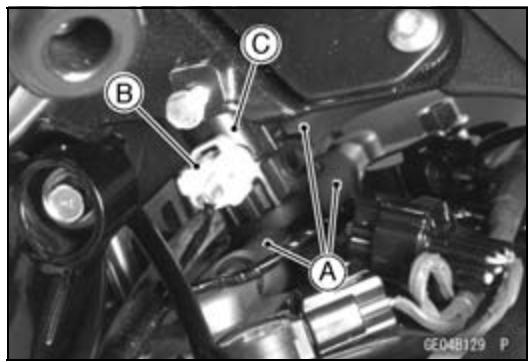


Air Suction Valve Installation
- Install the air suction valve so that opening [A] of the reed faces the rear and downward.
- Apply a non-permanent locking agent to the threads of the air suction valve cover bolts, and tighten them with the specified torque.
Torque - Air Suction Valve Cover Bolts: 9.8 N·m (1.0 kgf·m, 87 in·lb)
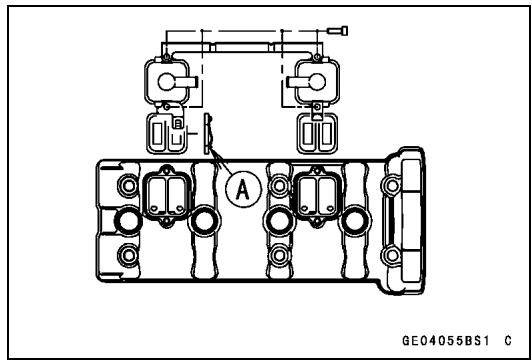
Clean Air System
Air Suction Valve Inspection
- Remove the air suction valve (see Air Suction Valve Removal).
- Visually inspect the reeds [A] for cracks, folds, warps, heat damage, or other damage.
★ If there is any doubt as to the condition of the reed, replace the air suction valve as an assembly.
- Check the reed contact areas [B] of the valve holder for grooves, scratches, any sings of separation from the holder, or heat damage.
★If there is any doubt as to the condition of the reed contact areas, replace the air suction valve as an assembly.
- If any carbon or other foreign particles have accumulated between the reed and the reed contact area, wash the valve assembly with a high flash-point solvent.
CAUTION
Do not scrape off the deposits with a scraper as this could damage the rubber, requiring replacement of the suction valve assembly.
Air Switching Valve Removal
- Remove:
Middle Fairings (see Middle Fairing Removal in the Frame chapter)
Connector [A]
Air Switching Valve [B]
CAUTION
Never drop the switch especially on a hard surface. Such a shock to the switch can damage it.
Air Switching Valve Installation
- Install the air switching valve so that the air duct [A] faces left side.
- Route the hoses correctly (see Cable, Wire, and Hose Routing section in the Appendix chapter).
Air Switching Valve Operation Test
- Refer to the Air Switching Valve Operation Test in the Electrical System chapter.
Air Switching Valve Unit Test
- Refer to the Air Switching Valve Unit Test in the Electrical System chapter.
Clean Air System Hose Inspection
- Be certain that all the hoses are routed without being flattened or kinked, and are connected correctly to the air cleaner housing, air switching valve and air suction valve covers.
★If they are not, correct them. Replace them if they are damaged.


natural_image
Close-up of a mechanical pipe fitting with a labeled component (A) and no visible text or symbols on the main subject.
Cylinder Head Cover
Cylinder Head Cover Removal
- Remove:
Middle Fairings (see Middle Fairing Removal in the Frame chapter)
Throttle Body Assy (see Throttle Body Assy Removal in the Fuel System (DFI) chapter)
Air Switching Valve (see Air Switching Valve Removal)
- Free the heat insulation rubber plate.
- Remove:
Stick Coils (see Stick Coil (Ignition Coil together with Spark Plug Cap) Removal in the Electrical System chapter)
Air Suction Valve Covers (see Air Suction Valve Removal)
- Remove the cylinder head cover bolts [A].
- Remove the cylinder head cover to backward floating it a little up.
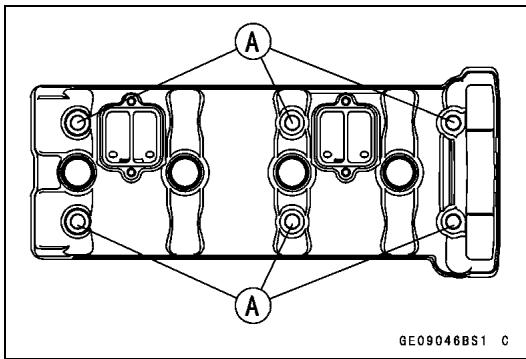
Cylinder Head Cover Installation
- Replace the head cover gasket with a new one.
- Apply silicone sealant [A] to the cylinder head as shown.
Sealant - Kawasaki Bond (Silicone Sealant): 92104-0004

- Install:
Dowel Pins [A]
Plug Hole Gaskets [B]

Cylinder Head Cover
- Install the washer [A] with the metal side faces upward.
- Tighten the cover bolts, following the sequence numbers on the cover.
Torque - Cylinder Head Cover Bolts [B]: 9.8 N·m (1.0 kgf·m, 87 in·lb)
- Install the removed parts (see appropriate chapters).

Camshaft Chain Tensioner
Camshaft Chain Tensioner Removal
CAUTION
Do not turn over the crankshaft while the tensioner is removed. This could upset the camshaft chain timing, and damage the valves.
- Remove the right middle fairing (see Middle Fairing Removal in the Frame chapter).
- Remove the mounting bolts [A] and take off the camshaft chain tensioner [B].

Camshaft Chain Tensioner Installation
- Remove the cylinder head cover (see Cylinder Head Cover Removal).
- Pinching [A] the stopper [B], release it and push [C] the push rod [D] into the interior of tensioner body [E].

- Pushing [A] the push rod, slide the snap ring [B] into the groove [C] of smaller diameter from the groove [D] of larger diameter.
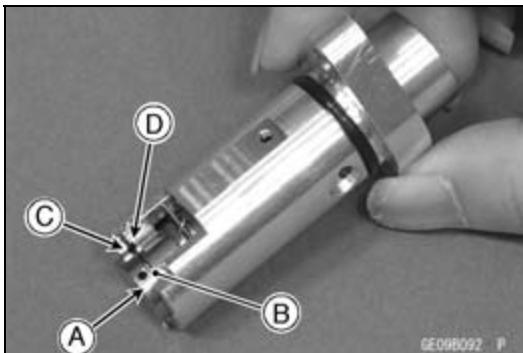
- Install the tensioner body so that the stopper [A] faces upward.
- Tighten the tensioner mounting bolts.
Torque - Camshaft Chain Tensioner Mounting Bolts: 9.8 N·m (1.0 kgf·m, 87 in·lb)

natural_image
Close-up of a mechanical assembly with a hand holding a metallic cylindrical component, labeled 'A' (no readable text or symbols beyond label)
Camshaft Chain Tensioner
- Lightly hit the push rod head [A] with a minus screw driver [B] to move out the push rod.
NOTE
○You hear of the sound from which the push rod moves out.
- Turn the crankshaft 2 turns clockwise to allow the tensioner to expand and recheck the camshaft chain timing.
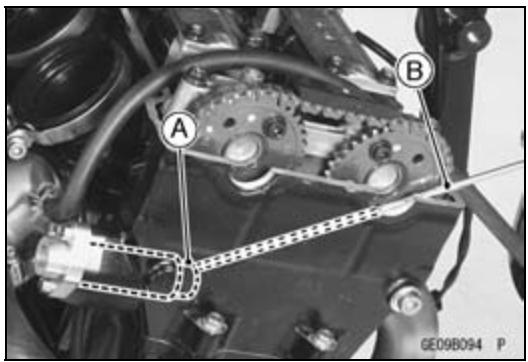
Camshaft, Camshaft Chain
Camshaft Removal
- Remove:
Cylinder Head Cover (see Cylinder Head Cover Removal)
Crankshaft Sensor Cover
-
Position the crankshaft at #1, 4 piston TDC.
TDC mark [A] for #1, 4 Pistons
Timing Mark (crankcase halves mating surface) [B]
-
Remove:
Camshaft Chain Tensioner (see Camshaft Chain Tensioner Removal)
Camshaft Cap Bolts [A]
Chain Guide
Camshaft Caps [B]
Camshafts [C]
- Stuff a clean cloth into the chain tunnel to keep any parts from dropping into the crankcase.
- Remove the cam sprocket mounting bolts [A].
- Remove the cam sprocket.
CAUTION
The crankshaft may be turned while the camshafts are removed. Always pull the chain taut while turning the crankshaft. This avoids kinking the chain on the lower (crankshaft) sprocket. A kinked chain could damage both the chain and the sprocket.
Camshaft Installation
4 Cam Positions [A]
Inlet Cam Sprocket [B]
Exhaust Cam Sprocket [C]
- Apply a non-permanent locking agent to the threads and tighten the bolts.
Torque - Cam Sprocket Mounting Bolts: 15 N·m (1.5 kgf·m, 11 ft·lb)
![KAWASAKI ZZR 1400 - Cam Positions [A] - 1](/content/2025/01/145983/images/2a38062228cc2c27594e9d4c6ba42f23c6cf8cd4292c59e1376b81f4407bb591.jpg)
natural_image
Mechanical assembly diagram showing a gear-like component with labeled parts A and B, no readable text or symbols beyond labels
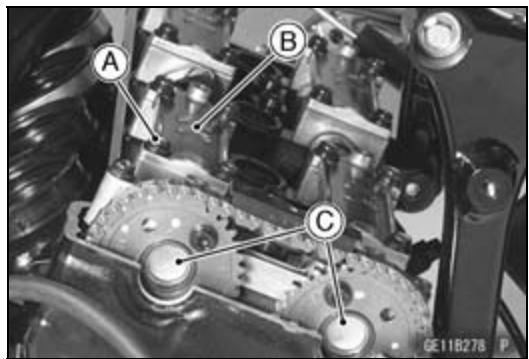
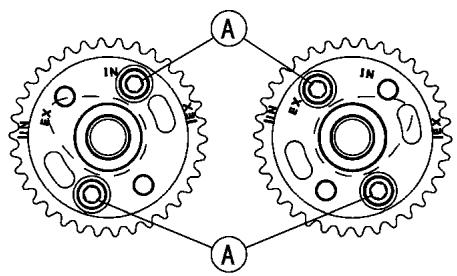
GE11189BS1 C
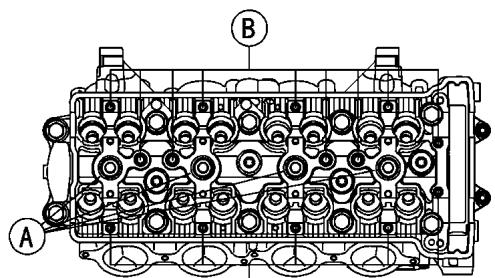
B
GE11190BS1 C
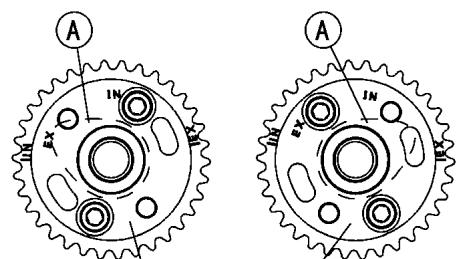
B
©
GE11191BS1 C
Camshaft, Camshaft Chain
- Apply engine oil to all cam parts and journals.
- If a new camshaft is to be used, apply a thin coat of molybdenum disulfide grease to the cam surfaces.
NOTE
○The exhaust camshaft has a 1090 EX mark [A] and the inlet camshaft has a 1090 IN mark [B]. Be careful not to mix up these shafts.

natural_image
Close-up of two mechanical gears labeled A and B, showing teeth and shaft structure (no text or symbols beyond labels)
NOTE
○The exhaust camshaft has the projection [A] for camshaft position sensor.

- Position the crankshaft at #1, 4 piston TDC.
- Pull the tension side (exhaust side) [A] of the chain taut to install the chain.
- Engage the camshaft chain with the camshaft sprockets so that the timing marks on the sprockets are positioned as shown.
○The timing marks of #1, 4T must be aligned with the lower surface of crankcase of rear side [B].

Camshaft, Camshaft Chain
○The timing marks must be aligned with the cylinder head upper surface [A].
EX mark [B]
IN mark [C]

Camshaft, Camshaft Chain
- Install the camshaft cap, following the identification No. [A] and chain guide [B].
○First tighten the camshaft cap and all chain guide bolts evenly to seat the camshaft in place, then tighten all bolts following the specified tightening sequence.
Torque - Camshaft Cap Bolts (1 \~ 16, 17, 18): 12 N·m (1.2 kgf·m, 106 in·lb)
Camshaft Chain Guide Bolts (19, 20): 12 N·m (1.2 kgf·m, 106 in·lb)
- Install the camshaft chain tensioner (see Camshaft Chain Tensioner Installation).

Camshaft, Camshaft Cap Wear
- Remove:
Camshaft Chain Guide
Camshaft Cap (see Camshaft Removal)
- Cut strips of plastigage to journal width. Place a strip on each journal parallel to the camshaft installed in the correct position.
- Measure each clearance between the camshaft journal and the camshaft cap using plastigage (press gauge) [A].
- Tighten:
Torque - Camshaft Cap Bolts: 12 N·m (1.2 kgf·m, 106 in·lb)
Camshaft Chain Guide Bolts: 12 N·m (1.2 kgf·m, 106 in·lb) (see Camshaft Installation)
NOTE
○Do not turn the camshaft when the plastigage is between the journal and camshaft cap.
Camshaft Journal, Camshaft Cap Clearance
Standard: 0.038 \~ 0.081 mm (0.0015 \~ 0.0032 in.)
Service Limit: 0.17 mm (0.0067 in.)

Camshaft, Camshaft Chain
★If any clearance exceeds the service limit, measure the diameter of each camshaft journal with a micrometer.
Camshaft Journal Diameter
Standard: 23.940 \~ 23.962 mm (0.9425 \~ 0.9434 in.)
Service Limit: 23.91 mm (0.941 in.)
★If the camshaft journal diameter is less than the service limit, replace the camshaft with a new one and measure the clearance again.
★If the clearance still remains out of the limit, replace the cylinder head unit.
Camshaft Runout
- Remove the camshaft (see Camshaft Removal).
- Set the camshaft in a camshaft alignment jig or on V blocks.
- Measure runout with a dial gauge at the specified place as shown.
★If the runout exceeds the service limit, replace the shaft.
Camshaft Runout
Standard: TIR 0.02 mm (0.0008 in.) or less
Service Limit: TIR 0.1 mm (0.004 in.)

Cam Wear
- Remove the camshaft (see Camshaft Removal).
● Measure the height [A] of each cam with a micrometer.
★If the cams are worn down past the service limit, replace the camshaft.
Cam Height
Standard:
Exhaust 34.442 \~ 34.556 mm (1.3560 \~ 1.3605 in.)
Inlet 34.943 \~ 35.057 mm (1.3757 \~ 1.3802 in.)
Service Limit:
Exhaust 34.34 mm (1.352 in.)
Inlet 34.84 mm (1.372 in.)
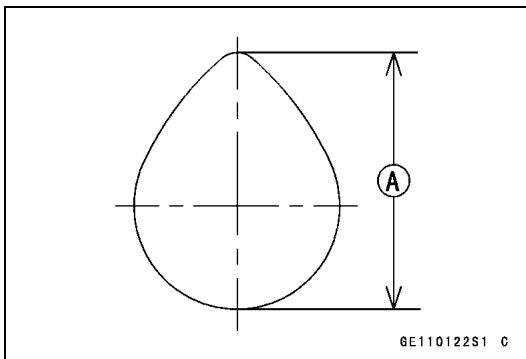
Camshaft Chain Removal
- Remove:
Camshafts (see Camshaft Removal)
Timing Rotor [A] (see Timing Rotor Removal in the Electrical System chapter)
Front Camshaft Chain Guide Bolts [B]
Front Camshaft Chain Guide [C]
Dowel Pin [D]
Rear Camshaft Chain Guide [E]

Camshaft, Camshaft Chain
- Remove the crankshaft sprocket [A].
- Pull out the camshaft chain [B] from downward.

natural_image
Mechanical assembly diagram showing gear and components labeled A and B (no readable text or symbols beyond labels)
Camshaft Chain Installation
- Install the camshaft chain from head side.
- Install the crankshaft sprocket [A] on the crankshaft [B] with their teeth [C] aligned.
- Install the front camshaft chain guide, and tighten the bolts.
Torque - Front Camshaft Chain Guide Bolt (Upper): 25 N·m (2.5 kgf·m, 18 ft·lb)
Front Camshaft Chain Guide Bolt (Lower): 12 N·m (1.2 kgf·m, 106 in·lb)
- Install the removed parts (see appropriate chapters).
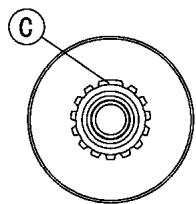
B
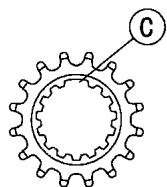
A
GE11096BS1 C
Cylinder Head
Cylinder Compression Measurement
NOTE
○Use the battery which is fully charged.
- Warm up the engine thoroughly.
- Stop the engine.
- Remove:
Stick Coils (see Stick Coil (Ignition Coil together with Spark Plug Cap) Removal in the Electrical System chapter)
Spark Plugs (see Spark Plug Replacement in the Periodic Maintenance chapter)
Owner's Tool - Spark Plug Wrench: 92110-1132
- Attach the compression gauge [A] and adapter [B] firmly into the spark plug hole.
○Using the starter motor, turn the engine over with the throttle fully open until the compression gauge stops rising; the compression is the highest reading obtainable.
Special Tools - Compression Gauge, 20 kgf/cm²: 57001-221
Compression Gauge Adapter, M10 × 1.0: 57001-1601
L-Shape Hose: 57001-1606 [C]
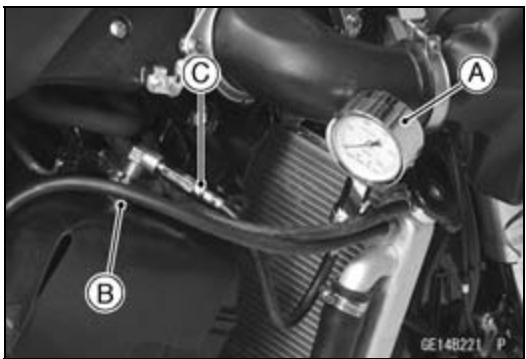
Cylinder Compression
Usable Range: 1 030 \~ 1 569 kPa (10.5 \~ 16.0 kgf/cm², 149 \~ 228 psi) @300 r/min (rpm)
- Repeat the measurement for the other cylinders.
- Install the spark plugs.
Torque - Spark Plugs: 13 N·m (1.3 kgf·m, 115 in·lb)
The following table should be consulted if the obtainable compression reading is not within the usable range.
| Problem | Diagnosis | Remedy (Action) |
| Cylinder compression is higher than usable range | Carbon accumulation on piston and in combustion chamber possibly due to damaged valve stem oil seal and/or damaged piston oil rings (This may be indicated by white exhaust smoke). | Remove the carbon deposits and replace damaged parts if necessary. |
| Incorrect cylinder head gasket thickness | Replace the gasket with a standard part. |
| Cylinder compression is lower than usable range | Gas leakage around cylinder head | Replace damaged check gasket and cylinder head warp. |
| Bad condition of valve seating | Repair if necessary. |
| Incorrect valve clearance | Adjust the valve clearance. |
| Incorrect piston/cylinder clearance | Replace the piston and/or cylinder. |
| Piston seizure | Inspect the cylinder and replace/repair the cylinder and/or piston as necessary. |
| Bad condition of piston ring and/or piston ring grooves | Replace the piston and/or the piston rings. |
Cylinder Head Removal
- Drain the coolant (see Coolant Change in the Periodic Maintenance chapter).
- Remove:
Fuel Tank (see Fuel Tank Removal in the Fuel System (DFI) chapter)
Throttle Body Assy (see Throttle Body Assy Removal in the Fuel System (DFI) chapter)
Exhaust Pipe (see Exhaust Pipe Removal)
Cylinder Head Cover (see Cylinder Head Cover Removal)
Camshafts (see Camshaft Removal)
Front Camshaft Chain Guide
Rear Camshaft Chain Guide
- Remove:
Front Engine Mounting Bolts [A]
Engine Bracket Mounting Bolts [B]
Engine Brackets [C]
- Remove the M6 cylinder head bolts [B], and then the M11 cylinder head bolts [A].
- Take off the cylinder head.


Cylinder Head Installation
NOTE
○The camshaft cap is machined with the cylinder head, so if a new cylinder head is installed, use the cap that is supplied with the new head.
- Install a new cylinder head gasket and dowel pins.
- Replace the cylinder head bolt washers with new ones.
- Apply molybdenum disulfide oil solution to both sides [A] of the cylinder head bolt washers [B] and the thread of head bolts [C].

Cylinder Head
- Tighten the M11 cylinder head bolts following the tightening sequence [1 \~ 10].
Torque - Cylinder Head Bolts (M11):
First: 39 N·m (4.0 kgf·m, 29 ft·lb)
Final: 71 N·m (7.2 kgf·m, 52 ft·lb)
- Tighten the M6 cylinder head bolts [11 \~ 12].
Torque - Cylinder Head Bolts (M6): 12 N·m (1.2 kgf·m, 106 in·lb)
- Install:
Dowel Pin [A]
Rear Camshaft Chain Guide [B]
Front Camshaft Chain Guide [C]
O-ring [D]
Collar [E]
- Tighten:
Torque - Front Camshaft Chain Guide Bolt (Upper) [F]: 25 N·m (2.5 kgf·m, 18 ft·lb)
Front Camshaft Chain Guide Bolt (Lower) [G]: 12 N·m (1.2 kgf·m, 106 in·lb)
- Replace the following bolts with new bolts pre-coated with locking agent and torque them.
Engine Bracket Bolts
Front Engine Mounting Bolts
Subframe Bolts
Torque - Front Bracket Bolts: 25 N·m (2.5 kgf·m, 18 ft·lb)
Front Engine Mounting Bolts: 59 N·m (6.0 kgf·m, 44 ft·lb)
Subframe Bolts: 23 N·m (2.3 kgf·m, 17 ft·lb)
- Install the removed parts (see appropriate chapters).
Cylinder Head Warp
- Clean the cylinder head.
- Lay a straightedge across the lower surface of the cylinder head at several positions.
- Use a thickness gauge [A] to measure the space between the straightedge [B] and the head.
Cylinder Head Warp
Standard: ---
Service Limit: 0.05 mm (0.002 in.)
★If the cylinder head is warped more than the service limit, replace it.
★If the cylinder head is warped less than the service limit, repair the head by rubbing the lower surface on emery paper secured to a surface plate (first No. 200, then No. 400).

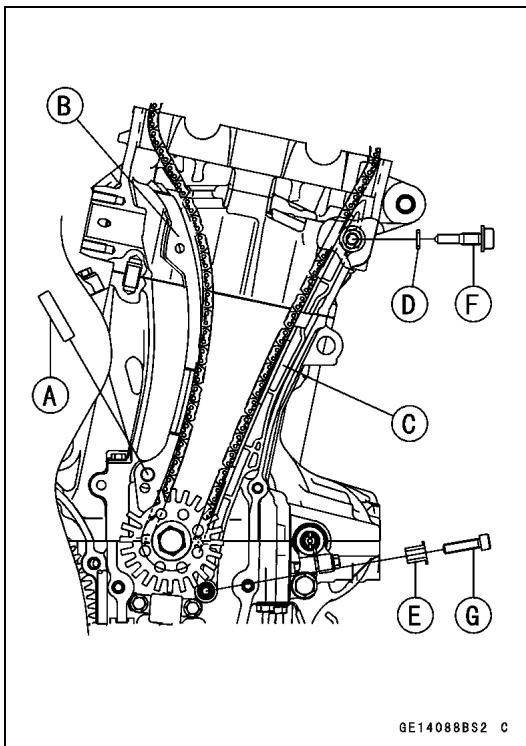

Valves
Valve Clearance Inspection
- Refer to the Valve Clearance Inspection in the Periodic Maintenance chapter.
Valve Removal
- Remove the cylinder head (see Cylinder Head Removal).
- Remove the valve lifter and shim.
○Mark and record the valve lifter and shim locations so they can be installed in their original positions.
- Using the valve spring compressor assembly, remove the valve.
Special Tools - Valve Spring Compressor Assembly: 57001 -241 [A]
Adapter, φ24 : 57001-1586 [B]
Valve Installation
CAUTION
Do not lap the exhaust valve to the exhaust valve seat, using the grinding compound. It will come off oxide film treated surface of the valve.
- Replace the oil seal with a new one.
- Apply a thin coat of molybdenum disulfide grease to the valve stem before valve installation.
- Install the springs so that the closed coil end faces downwards.
Valve Stem [A]
Oil Seal [B]
Spring Seat [C]
Closed Coil End [D]
Valve Spring [E]:
EX-White Paint
IN-Red Paint
Retainer [F]
Split Keepers [G]
Valve Guide Removal
- Remove:
Valve (see Valve Removal)
Oil Seal
Spring Seat
- Heat the area around the valve guide to 120 \~ 150°C (248 \~ 302°F), and hammer lightly on the valve guide arbor [A] to remove the guide from the top of the head.
CAUTION
Do not heat the cylinder head with a torch. This will warp the cylinder head. Soak the cylinder head in oil and heat the oil.
Special Tool - Valve Guide Arbor, φ5 : 57001-1203


Valves
Valve Guide Installation
- Apply oil to the valve guide outer surface before installation.
- Heat the area around the valve guide hole to about 120 \~ 150°C (248 \~ 302°F).
CAUTION
Do not heat the cylinder head with a torch. This Will warp the cylinder head. Soak the cylinder head and heat the oil.
- Assembly the valve guide driver parts (Holder and attachment E).
- Insert the rod of the driver into the valve guide bore and hammer the end of the driver until it bottoms.
Valve Guide Driver Attachment E [A]
Valve Guide Driver (Holder) [B]
Valve Guide [C]
Cylinder Head [D]
Valve Guide Installed Height = 13 mm [E]
Special Tools - Valve Guide Driver: 57001-1564
Valve Guide Driver Attachment, E: 57001-1677
- Ream the valve guide with valve guide reamer [A], even if the old guide is reused.
Special Tool - Valve Guide Reamer, φ5 : 57001-1204
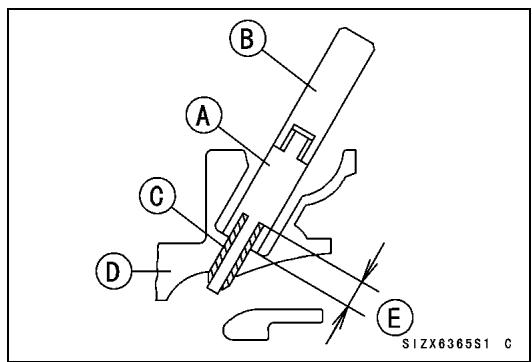

Valves
Valve-to-Guide Clearance Measurement (Wobble Method)
If a small bore gauge is not available, inspect the valve guide wear by measuring the valve to valve guide clearance with the wobble method as indicated below.
- Insert a new valve [A] into the guide [B] and set a dial gauge against the stem perpendicular to it as close as possible to the cylinder head mating surface.
- Move the stem back and forth [C] to measure valve/valve guide clearance.
- Repeat the measurement in a direction at a right angle to the first.
★If the reading exceeds the service limit, replace the guide.

NOTE
○The reading is not actual valve/valve guide clearance because the measuring point is above the guide.
Valve/Valve Guide Clearance (Wobble Method)
Standard:
Exhaust 0.10 \~ 0.18 mm (0.0039 \~ 0.0071 in.)
Inlet 0.03 \~ 0.12 mm (0.0012 \~ 0.0047 in.)
Service Limit:
Exhaust 0.39 mm (0.015 in.)
Inlet 0.33 mm (0.013 in.)
Valves
Valve Seat Inspection
- Remove the valve (see Valve Removal).
- Check the valve seating surface [A] between the valve [B] and valve seat [C].
○Measure the outside diameter [D] of the seating pattern on the valve seat.
★If the outside diameter is too large or too small, repair the seat (see Seat Repair).
Valve Seating Surface Outside Diameter
Standard:
Exhaust 27.6 \~ 27.8 mm (1.087 \~ 1.094 in.)
Inlet 32.6 \~ 32.8 mm (1.283 \~ 1.291 in.)
○Measure the seat width [E] of the portion where there is no build-up carbon (white portion) of the valve seat with a vernier caliper.
Good [F]
★If the width is too wide [G], too narrow [H] or uneven [J], repair the seat (see Valve Seat Repair).
Valve Seating Surface Width
Standard:
Exhaust 0.8 \~ 1.2 mm (0.031 \~ 0.047 in.)
Inlet 0.5 \~ 1.0 mm (0.020 \~ 0.039 in.)
Valve Seat Repair
- Repair the valve seat with the valve seat cutters [A].
Special Tools - Valve Seat Cutter Holder, φ5 : 57001-1208
[B]
Valve Seat Cutter Holder Bar: 57001-1128
[C]
For Exhaust Valve Seat
Valve Seat Cutter, 45° - φ30: 57001-1187
Valve Seat Cutter, 32° - φ30: 57001-1120
Valve Seat Cutter, 60° - φ30: 57001-1123
For Inlet Valve Seat
Valve Seat Cutter, 45° - φ35: 57001-1116
Valve Seat Cutter, 32° - φ35: 57001-1121
Valve Seat Cutter, 60° - φ33: 57001-1334
★If the manufacturer's instructions are not available, use the following procedure.
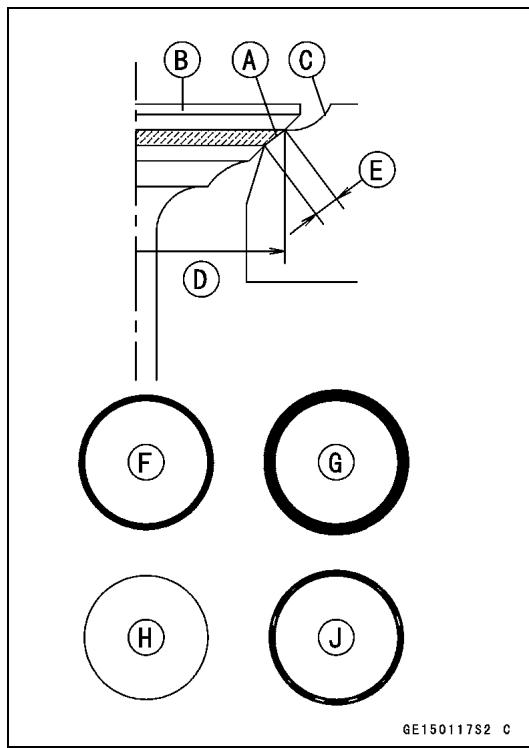

Valves
Seat Cutter Operation Care
- This valve seat cutter is developed to grind the valve for repair. Therefore the cutter must not be used for other purposes than seat repair.
- Do not drop or shock the valve seat cutter, or the diamond particles may fall off.
- Do not fail to apply engine oil to the valve seat cutter before grinding the seat surface. Also wash off ground particles sticking to the cutter with washing oil.
NOTE
○Do not use a wire brush to remove the metal particles from the cutter. It will take off the diamond particles.
- Setting the valve seat cutter holder in position, operate the cutter in one hand. Do not apply too much force to the diamond portion.
NOTE
- Prior to grinding, apply engine oil to the cutter and during the operation, wash off any ground particles sticking to the cutter with washing oil.
- After use, wash it with washing oil and apply thin layer of engine oil before storing.
Marks Stamped on the Cutter
The marks stamped on the back of the cutter [A] represent the following.
60irc …… Cutter angle [B]
φ37.5 Outer diameter of cutter [C]

Operating Procedures
- Clean the seat area carefully.
- Coat the seat with machinist's dye.
- Fit a 45° cutter into the holder and slide it into the valve guide.
- Press down lightly on the handle and turn it right or left. Grind the seating surface only until it is smooth.
CAUTION
Do not grind the seat too much. Overgrinding will reduce valve clearance by sinking the valve into the head. If the valve sinks too far into the head, it will be impossible to adjust the clearance, and the cylinder head must be replaced.
Valves
- Measure the outside diameter of the seating surface with a vernier caliper.
★If the outside diameter of the seating surface is too small, repeat the 45irc grind until the diameter is within the specified range.
Widened Width [A] of engagement by machining with 45irc cutter
Ground Volume [B] by 32° cutter
32irc [C]
Correct Width [D]
Ground Volume [E] by 60° cutter
60irc [F]
- Measure the outside diameter of the seating surface with a vernier caliper.
★If the outside diameter of the seating surface is too small, repeat the 45irc grind [A] until the diameter is within the specified range.
Original Seating Surface [B]
NOTE
○Remove all pittings of flaws from 45° ground surface.
After grinding with 45irc cutter, apply thin coat of machinist's dye to seating surface. This makes seating surface distinct and 32irc and 60irc grinding operation easier.
○When the valve guide is replaced, be sure to grind with 45irc cutter for centering and good contact.
★If the outside diameter [A] of the seating surface is too large, make the 32irc grind described below.
★ If the outside diameter of the seating surface is within the specified range, measure the seat width as described below.
- Grind the seat at a 32° angle [B] until the seat O.D. is within the specified range.
To make the 32irc grind, fit a 32irc cutter into the holder, and slide it into the valve guide.
○Turn the holder one turn at a time while pressing down very lightly. Check the seat after each turn.
CAUTION
The 32° cutter removes material very quickly. Check the seat outside diameter frequently to prevent overgrinding.
○After making the 32irc grind, return to the seat O.D. measurement step above.
- To measure the seat width, use a vernier caliper to measure the width of the 45irc angle portion of the seat at several places around the seat.
★If the seat width is too narrow, repeat the 45irc grind until the seat is slightly too wide, and then return to the seat O.D. measurement step above.

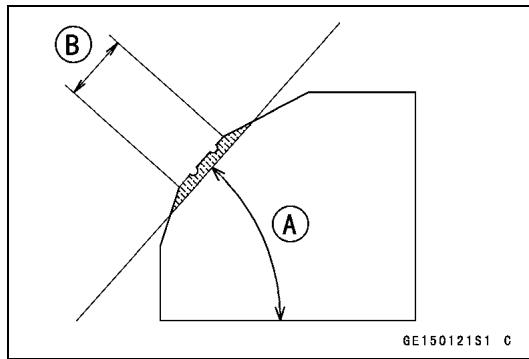

Valves
★If the seat width is too wide, make the 60irc [A] grind described below.
★If the seat width is within the specified range, lap the valve to the seat as described below.
- Grind the seat at a 60irc angle until the seat width is within the specified range.
To make the 60irc grind, fit 60irc cutter into the holder, and slide it into the valve guide.
○Turn the holder, while pressing down lightly.
○After making the 60irc grind, return to the seat width measurement step above.
Correct Width [B]
CAUTION
Do not lap the exhaust valve to the exhaust valve seat, using the grinding compound. It will come off oxide film treated surface of the valve.
- Lap the inlet valve to the inlet valve seat, once the seat width and O.D. are within the ranges specified above.
- Put a little coarse grinding compound on the face of the valve in a number of places around the valve head.
○Spin the valve against the seat until the grinding compound produces a smooth, matched surface on both the seat and the valve.
○Repeat the process with a fine grinding compound.
Lapper [A]
Valve Seat [B]
Valve [C]
- The seating area should be marked about in the middle of the valve face.
★If the seat area is not in the right place on the valve, check to be sure the valve is the correct part. If it is, it may have been refaced too much; replace it.
- Be sure to remove all grinding compound before assembly.
- When the engine is assembled, be sure to adjust the valve clearance (see Valve Clearance Inspection in the Periodic Maintenance chapter).
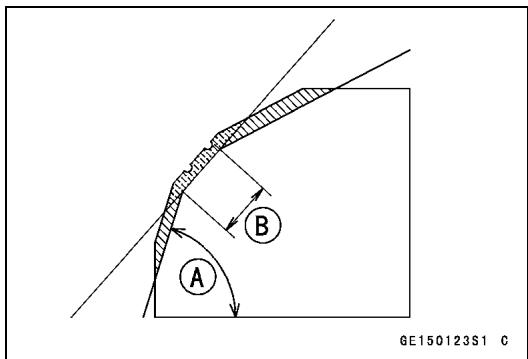
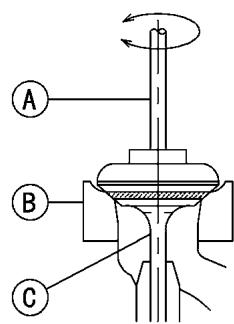
GE150120S1 C
Valves

flowchart
graph TD
    A["START"] --> B["Machinist's dye on seat"]
    B --> C["45° Grind"]
    C --> D["Measure Seating Area O.D."]
    D --> E{Tool: Vernier Caliper\nPurpose: check seat O.D.\nagainst spec.}
    E --> F["Results"]
    F --> G["Too small"]
    F --> H["OK"]
    F --> I["Too big"]
    G --> J["45° Grind\nTool: 45° Cutter\nPurpose: increase O.D. of\ncat area to spec."]
    H --> K["Measure Seating Width\nTool: Vernier Caliper\nPurpose: check seat width\nagainst spec."]
    I --> L["Machinist's dye on seat"]
    L --> M["32° Grind\nTool: 32° Cutter\nPurpose: reduce O.D. of\ncat area to spec."]
    M --> N{Results}
    N -->|Too narrow| O["45° Grind\nTool: 45° Cutter\nPurpose: increase width of seat\ncat area beyond spec. to\nincrease O.D."]
    N -->|OK| P["Lap Valve\nTool: Valve Lapper,\nGrinding Compound\nPurpose: perfectly match inlet\nvalve and inlet valve\ncat are; check valve\head for damage."]
    N --> Q["Too wide"]
    Q --> R["Machinist's dye on seat"]
    R --> S["60° Grind\nTool: 60° Cutter\nPurpose: reduce seat\width to spec."]
    S --> T["FINISHED"]
Throttle Body Holder
Throttle Body Holder Installation
- Be sure to install the O-rings [A].
- Install the clamps [B] as shown.
- Tighten the holder bolts following the tightening sequence [1 \~ 3].
Torque - Throttle Body Holder Bolts [C]: 9.8 N·m (1.0 kgf·m, 87 in·lb)
Throttle Body Assy Holder Clamp Bolts [D]: 2.0 N·m (0.20 kgf·m, 18 in·lb)
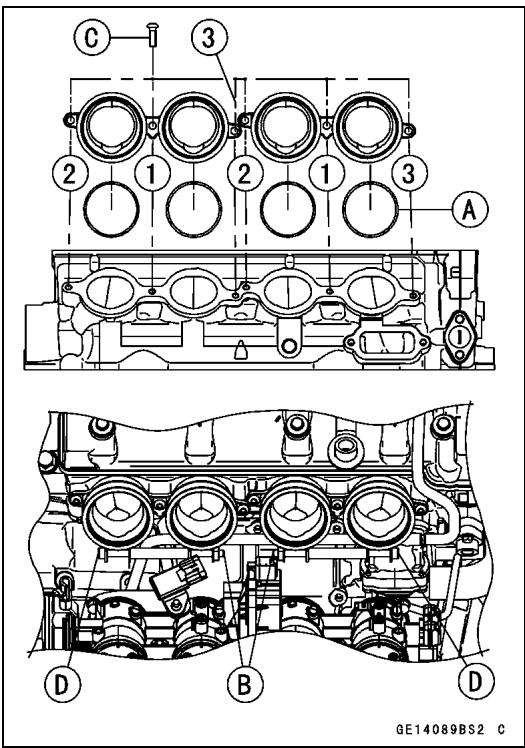
Muffler

WARNING
To avoid a serious burn, do not remove the muffler when the engine is still hot. Wait until the muffler cool down.
Muffler Body Removal/Installation
- Remove:
Lower Fairings (see Lower Fairing Removal in the Frame chapter)
Rear Fairing (see Rear Fairing Removal in the Frame chapter)
Muffler Clamp Bolts [A]
Muffler Mounting Bolts and Nuts [B]
- Pull the muffler body [C] backward.
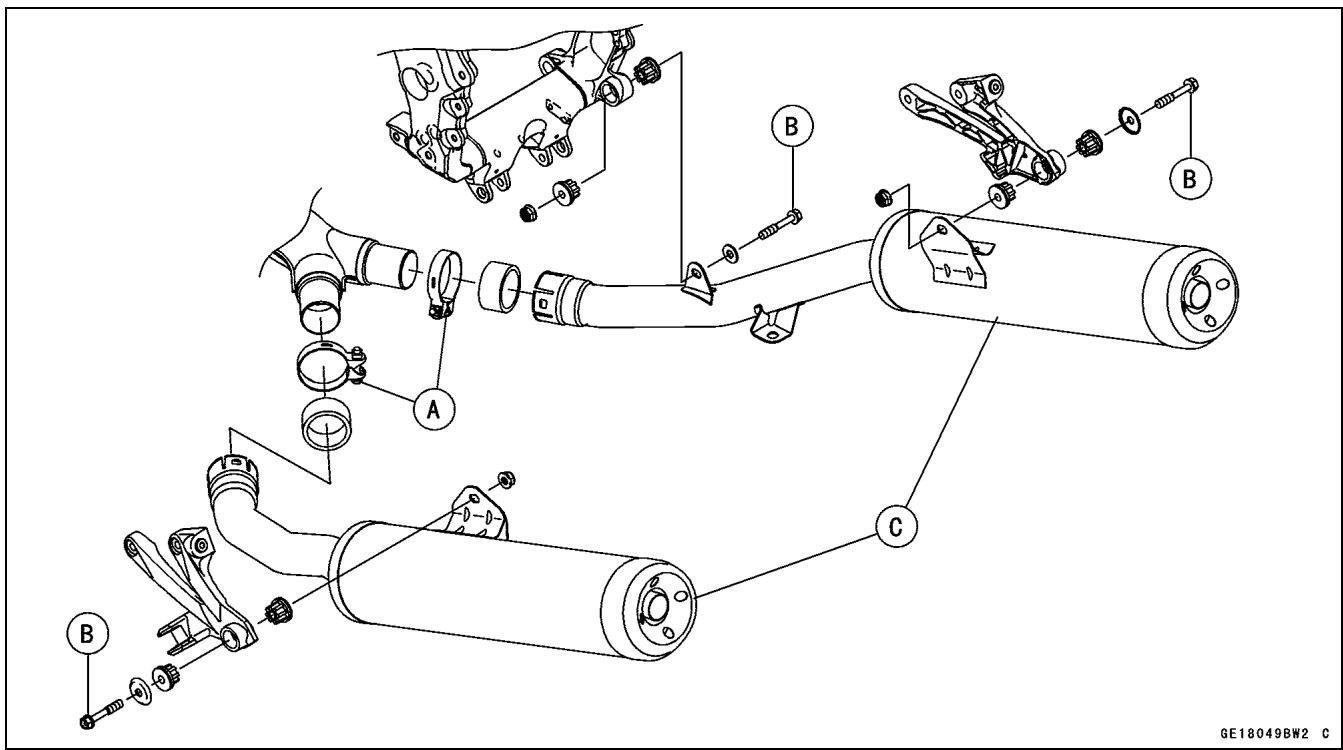
- Replace the muffler gaskets [A] with new ones.
○Install the gaskets until they are bottomed [B].
○Install the gaskets so that their chamfer sides [C] face the front.
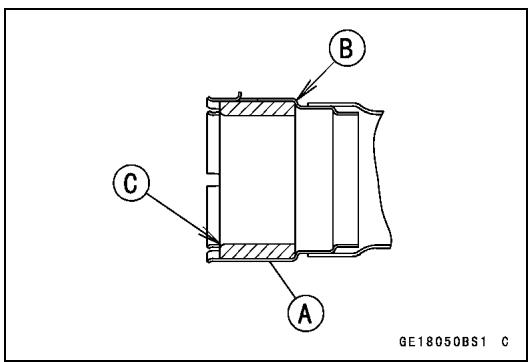
Muffler
- Align [A] the projections on the muffler bodies with the hoses on the muffler clamps.

- Tighten:
Torque - Muffler Body Mounting Bolts: 34 N·m (3.5 kgf·m, 25 ft·lb)
Exhaust Pipe Removal
- Remove:
Radiator (see Radiator Removal in the Cooling System chapter)
Right and Left Muffler Body (see Muffler Body Removal/Installation)
- Remove the exhaust pipe manifold holder nuts [A].
- Remove the exhaust pipe manifold [B].
Exhaust Pipe Installation
- Replace the exhaust pipe gaskets [A], muffler gasket with new ones and install them.
○Install the muffler gasket until it is bottomed so that the chamfer side faces front (see Muffler Body Removal/Installation).
- Tighten:
Torque - Muffler Body Mounting Bolts: 34 N·m (3.5 kgf·m, 25 ft·lb)

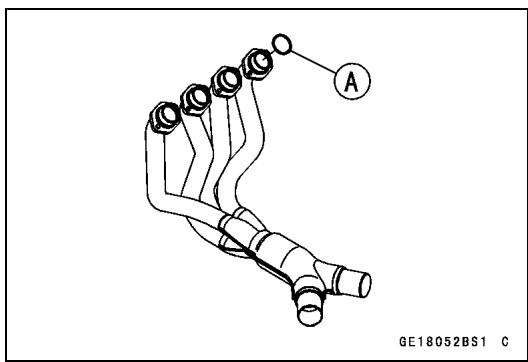
natural_image
Technical line drawing of a mechanical assembly with labeled component A (no text or symbols beyond labels)
Clutch
Table of Contents
Exploded View 6-2
Specifications 6-4
Special Tools and Sealant 6-5
Clutch Master Cylinder 6-6
Clutch Lever Adjustment.... 6-6
Clutch Master Cylinder Removal 6-6
Clutch Master Cylinder Installation 6-6
Clutch Master Cylinder Disassembly 6-7
Clutch Master Cylinder Assembly 6-7
Clutch Master Cylinder Inspection 6-7
Clutch Slave Cylinder 6-8
Clutch Slave Cylinder Removal 6-8
Clutch Slave Cylinder Installation 6-9
Clutch Slave Cylinder Disassembly 6-9
Clutch Slave Cylinder Assembly 6-9
Clutch Fluid.... 6-10
Clutch Fluid Level Inspection 6-10
Clutch Fluid Change 6-10
Bleeding the Clutch Line 6-10
Clutch Hose Removal/Installation 6-11
Clutch Hose and Connection Inspection.... 6-11
Clutch Cover 6-12
Clutch Cover Removal 6-12
Clutch Cover Installation 6-12
Clutch 6-13
Clutch Removal.... 6-13
Clutch Installation.... 6-14
Clutch Plate Assembly Inspection.... 6-16
Clutch Plate Assembly Adjustment 6-16
Clutch Plate, Wear, Damage Inspection 6-17
Clutch Plate Warp Inspection.... 6-17
Clutch Spring Free Length Measurement 6-17

Exploded View
| No. | Fastener | Torque | Remarks |
| N·m | kgf·m | ft·lb |
| 1 | Clutch Lever Pivot Bolt | 1.0 | 0.10 | 8.9 in·lb | |
| 2 | Clutch Lever Pivot Bolt Locknut | 5.9 | 0.60 | 52 in·lb | |
| 3 | Clutch Master Cylinder Bleed Valve | 7.8 | 0.80 | 69 in·lb | |
| 4 | Clutch Slave Cylinder Bleed Valve | 7.8 | 0.80 | 69 in·lb | |
| 5 | Clutch Slave Cylinder Bolts | - | - | - | L |
| 6 | Clutch Hose Banjo Bolt | 25 | 2.5 | 18 | |
| 7 | Clutch Master Cylinder Clamp Bolts | 8.8 | 0.90 | 78 in·lb | S |
| 8 | Clutch Cover Bolts | 9.8 | 1.0 | 87 in·lb | L (1) |
| 9 | Clutch Spring Bolts | 8.8 | 0.9 | 78 in·lb | |
| 10 | Clutch Hub Nut | 135 | 14 | 100 | R |
| 11 | Oil Filler Cap | - | - | - | Hand-tighten |
C: Apply clutch fluid.
EO: Apply engine oil.
L: Apply a non-permanent locking agent.
M: Apply molybdenum disulfide grease.
R: Replacement Parts
S: Follow the specific tightening sequence.
Si: Apply silicone grease.
Specifications
| Item | Standard | Service Limit |
| Clutch Fluid:Grade | DOT4 | -- -- |
| Clutch Lever:Clutch Lever PositionClutch Lever Free Play | 5-way adjustable (to suit rider)Non-adjustable | -- ---- -- -- |
| Clutch:Friction Plate Thickness(13088-0030, 13088-0031)Friction Plate Thickness(13088-0032)Friction and Steel Plate WarpFriction Plate Warp(only 13088-0030)Clutch Spring Free Length | 2.92 ~ 3.08 mm (0.115 ~ 0.121 in.)3.72 ~ 3.88 mm (0.146 ~ 0.153 in.)0.15 mm (0.0059 in.) or less0.2 mm (0.008 in.) or less65.0 mm (2.56 in.) | 2.7 mm (0.106 in.)3.5 mm (0.138 in.)0.3 mm (0.012 in.)0.3 mm (0.012 in.)62.0 mm (2.44 in.) |
Inside Circlip Pliers:
57001-143

natural_image
Line drawing of a pair of pliers (no text or symbols on the diagram itself)
Clutch Holder:
57001-1243

natural_image
Technical line drawing of a mechanical clamp or bracket component (no text or symbols)
Clutch Gear Setting Screw:
57001-1671
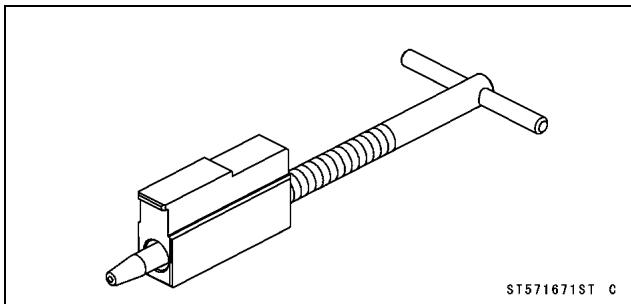
natural_image
Technical line drawing of a mechanical assembly with a coiled spring and rectangular base (no text or symbols)
Kawasaki Bond (Silicone Sealant):
92104-0004
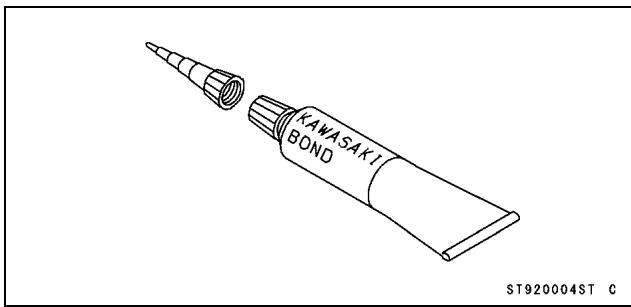
Clutch Master Cylinder
Clutch Lever Adjustment
- The adjuster has 5 positions so that the clutch lever position can be adjusted to suit the operator's hand.
- Push the lever forward and turn the adjuster [A] to align the number with the triangular mark [B] on the lever holder (front view).
○The distance from the grip to the lever is minimum at Number 5 and maximum at Number 1.
Clutch Master Cylinder Removal
- Disconnect the starter lockout switch connector [A] (rear view).
- Drain the clutch fluid from the reservoir (see Clutch Fluid Change in the Periodic Maintenance chapter).
- Remove:
Bracket Bolt [A]
Clutch Reservoir Bolt [B]
- Remove the banjo bolt [C] to disconnect the clutch hose from the master cylinder (rear view).
- Unscrew the clamp bolts [D], and take off the master cylinder as an assembly with the clutch reservoir, clutch lever, and starter lockout switch installed.
CAUTION
Clutch fluid quickly ruins painted surface; any spilled fluid should be completely washed away immediately.
Clutch Master Cylinder Installation
- Align the punch mark [A] on the handlebar with the mating surface [B] of the master cylinder clamp (left view). Front [C]
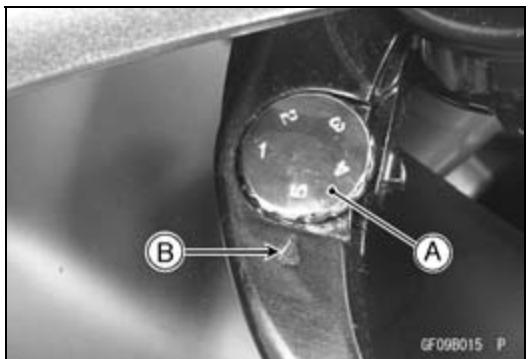


Clutch Master Cylinder
- Install the master cylinder clamp with the triangular mark [A] up.
- Tighten the upper clamp bolt [B] first, and then the lower clamp bolt [C]. There will be a gap at the lower part of the clamp after tightening.
Torque - Clutch Master Cylinder Clamp Bolts: 8.8 N·m (0.90 kgf·m, 78 in·lb)
- Use a new flat washer on each side of the clutch hose fitting.
Torque - Clutch Hose Banjo Bolt: 25 N·m (2.5 kgf·m, 18 ft·lb)
- Replenish the clutch fluid into the reservoir and bleed the clutch line (See Bleeding the Clutch Line in this chapter).
- Check that the clutch line has proper fluid pressure and no fluid leakage.
Clutch Master Cylinder Disassembly
- Refer to the Clutch Master Cylinder Cap and Dust Seal Replacement in the Periodic Maintenance chapter.
Clutch Master Cylinder Assembly
- Refer to the Clutch Master Cylinder Cap and Dust Seal Replacement in the Periodic Maintenance chapter.
Clutch Master Cylinder Inspection
- Disassemble the clutch master cylinder (see Clutch Master Cylinder Cap and Dust Seal Replacement in the Periodic Maintenance chapter).
Special Tool - Inside Circlip Pliers: 57001-143
- Check that there are no scratches, rust or pitting on the inside of the master cylinder [A] and on the outside of the piston [B].
★If the master cylinder or piston shows any damage, replace them.
- Inspect the primary cup [C] and secondary cup [D].
★If a cup is worn, damaged, softened (rotted), or swollen, the piston assembly should be replaced to renew the cup.
- If fluid leakage is noted at the clutch lever, the piston assembly should be replaced to renew the cup.
- Check the dust cover [E] for damage.
- If it is damaged, replace the piston assembly.
- Check that the relief [F] and supply [G] ports are not plugged.
★If the small relief port becomes plugged, the clutch will drag. Blow the ports clean with compressed air.
- Check the piston return spring [H] for any damage.
★If the spring is damaged, replace it.


Clutch Slave Cylinder
Clutch Slave Cylinder Removal
- Remove:
Left Lower Fairing (see Lower Fairing Removal Frame chapter)
Left Middle Fairing (see Middle Fairing Removal in the Frame chapter)
Banjo Bolt [A]
Clutch Slave Cylinder Bolts [B]
Slave Cylinder [C]
CAUTION
Immediately wash away any clutch fluid that spills. It may damage painted surfaces.
- Pull off the clutch pipe [A] by prying the dampers [B] out of the grooves of the frame. This prevents the pipe from distorting.
- Perform the following if the clutch slave cylinder is to be removed but not disassembled.
CAUTION
If the clutch slave cylinder is removed and left alone, the piston will be pushed out by spring force and the clutch fluid will drain out.
○Remove the clutch slave cylinder from the engine with the pipe installed. Push [A] the piston into the cylinder as far as it will go.
○Apply the clutch lever [A] slowly and hold it with a band [B].
NOTE
○Holding the clutch lever keeps the piston from coming out.
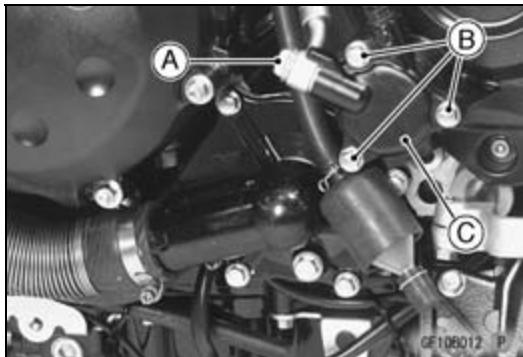


natural_image
Illustration of hands assembling a mechanical component with an arrow indicating upward motion (no text or symbols)
GF100101S1 C

Clutch Slave Cylinder
Clutch Slave Cylinder Installation
Torque - Clutch Pipe Banjo Bolt: 25 N·m (2.5 kgf·m, 18 ft·lb)
- Check the fluid level in the master cylinder reservoir, and bleed the air in the clutch line.
- Check the clutch operation.
- Install the removed parts.
Coolant Reserve Tank
Left Lower Fairing (see Lower Fairing Installation in the Frame chapter)
Clutch Slave Cylinder Disassembly
- Refer to Rubber Parts of Clutch Master Cylinder/Slave Cylinder Replacement in the Periodic Maintenance chapter.
Clutch Slave Cylinder Assembly
- Refer to Rubber Parts of Clutch Master Cylinder/Slave Cylinder Replacement in the Periodic Maintenance chapter.
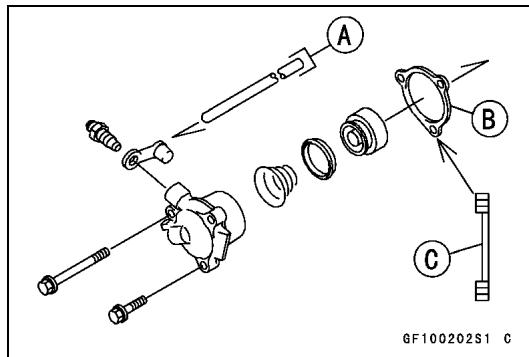

Clutch Fluid Level Inspection
- Refer to the Clutch Fluid Level Inspection in the Periodic Maintenance chapter.
Clutch Fluid Change
- Refer to the Clutch Fluid Change in the Periodic Maintenance chapter.
Bleeding the Clutch Line
WARNING
Be sure to bleed the air from the clutch line whenever clutch lever action feels soft or spongy after the clutch fluid is changed, or whenever a clutch line fitting has been loosened for any reason.
CAUTION
Clutch fluid quickly ruins painted or plastic surfaces; any spilled fluid should be completely wiped up immediately with wet cloth.
- Remove:
Screw [A]
Clamp [B]
Clutch Reservoir Cap [C]
Diaphragm Plate
Diaphragm
- Fill the reservoir with fresh clutch fluid to the upper level line in the reservoir.
NOTE
○ Tap the clutch hose lightly going from the lower end to upper end and bleed the air off the reservoir.
- With the reservoir cap off, slowly pump the clutch lever several times until no air bubbles can be seen rising up through the fluid from the holes at the bottom of the reservoir.
- Bleed the air completely from the master cylinder by this operation.
- Remove the rubber cap from the bleed valve on the master cylinder.
- Attach a clear plastic hose [A] to the bleed valve, and run the other end of the hose into a container.


natural_image
Close-up of a mechanical assembly with a wrench tool inserted, showing components like a valve and engine (no visible text or symbols)
Clutch Fluid
- Bleed the clutch line and the master cylinder.
-
Repeat this operation until no more air can be seen coming out into the plastic hose.
-
Pump the clutch lever until it becomes hard, and apply the clutch lever and hold it [C].
- Quickly open and close [B] the bleed valve while holding the clutch lever applied.
- Release the clutch lever [A].
NOTE
☐ The fluid level must be checked often during the bleeding operation and replenished with fresh clutch fluid as necessary. If the fluid in the reservoir runs completely out any time during bleeding, the bleeding operation must be done over again from the beginning since air will have entered the line.
- Remove the clear plastic hose.
- Tighten the bleed valve, and install the rubber cap.
Torque - Clutch Master Cylinder Bleed Valve: 7.8 N·m (0.80 kgf·m, 69 in·lb)
- Remove the left lower fairing (see Lower Fairing Removal in the Frame chapter).
- Remove the rubber cap from the bleed valve.
- Attach a clear plastic hose [A] to the bleed valve on the clutch slave cylinder, and run the other end of the hose into a container.
-
Bleed the clutch line as follows:
○Repeat this operation until no more air can be seen coming out into the plastic hose.
-
Pump the clutch lever a few times until it becomes hard and then hold it applied [D].
- Quickly open and close [C] the bleed valve.
- Release the clutch lever [B].
NOTE
○Check the fluid level in the reservoir often, replenishing it as necessary.
○If the fluid in the reservoir runs completely out any time during bleeding, the bleeding operation must be done over again from the beginning since air will have entered the line.
WARNING
Do not mix different grades and brands of fluid.
- Remove the clear plastic hose.
Torque - Clutch Slave Cylinder Bleed Valve: 7.8 N·m (0.80 kgf·m, 69 in·lb)
Clutch Hose Removal/Installation
- Refer to the Clutch Hose and Pipe Replacement in the Periodic Maintenance chapter.
Clutch Hose and Connection Inspection
- Refer to the Clutch Hose Damage and Installation Connection Inspection in the Periodic Maintenance chapter.

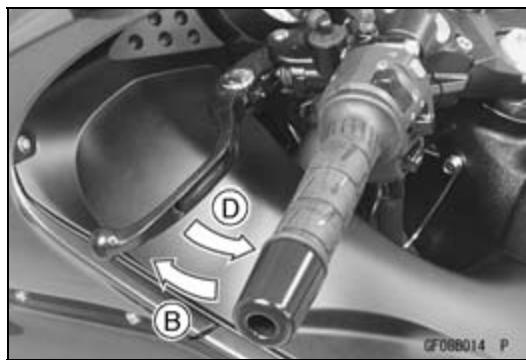
natural_image
Close-up of a mechanical component with labeled parts (A, B, C, D) and directional arrows indicating motion or flow (no readable text or symbols beyond labels)

Clutch Cover
Clutch Cover Removal
- Remove:
Engine Oil (Drain, see Engine Oil Change in the Periodic Maintenance chapter)
Right Lower Fairing (see Lower Fairing Removal in the Frame chapter)
Clutch Cover Bolts [A]
Clutch Cover [B]
Clutch Cover Installation
- Apply silicone sealant to the area [A] where the mating surface of the crankcase touches the clutch cover gasket.
Sealant - Kawasaki Bond (Silicone Sealant): 92104-0004


- Replace the clutch cover gasket with a new one.
- Tighten the clutch cover mounting bolts.
○Apply a non-permanent locking agent to only one clutch cover mounting bolt [A] shown in figure.
Torque - Clutch Cover Mounting Bolts: 9.8 N·m (1.0 kgf·m, 87 in·lb)
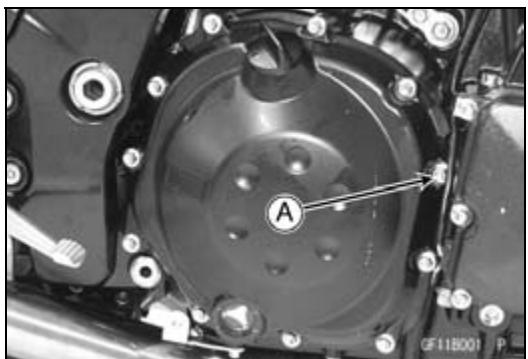
natural_image
Close-up mechanical component with labeled point A and arrow indicator (no readable text or symbols)
- If the oil gauge [A] is removed, press the gauge so that its projection [B] faces the inside, using lubricant.

Clutch
Clutch Removal
-
Remove:
Right Lower Fairing (see Lower Fairing Removal in the Frame chapter)
Clutch Cover (see Clutch Cover Removal)
Clutch Spring Bolts [A]
Clutch Springs
Clutch Spring Plate [B] (with thrust bearing, pusher [C] and washer)
-
Remove:
Friction Plates [A]
Steel Plates
Spring
Spring Seat
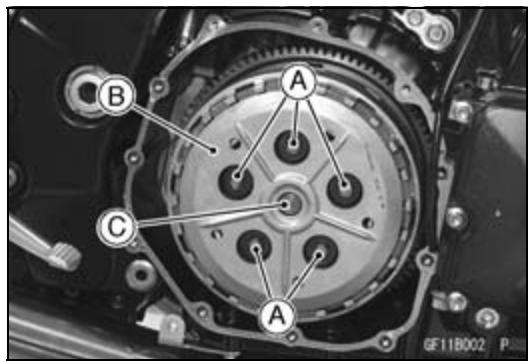
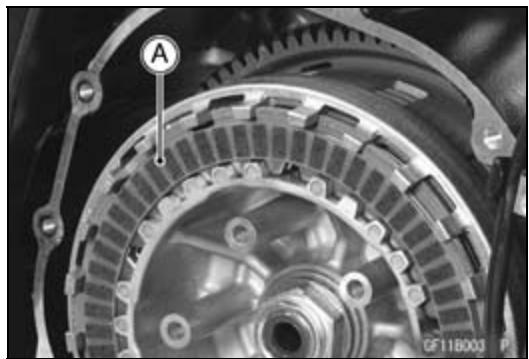
natural_image
Close-up of a mechanical gear assembly with labeled component A (no readable text or symbols beyond label)
○Holding the clutch hub [A], remove the nut [B] and washers [C]
Special Tool - Clutch Holder: 57001-1243 [D]
- Remove:
Clutch Hub
Washer

- Insert the clutch gear setting screw to the hole of the clutch housing (see Clutch Installation).
○Position the hole of the clutch housing at the front side of the engine so that the tip of the gear setting does not hit the crankcase wall.
○Align the teeth of the clutch housing gears by the gear setting.
Special Tool - Clutch Gear Setting Screw: 57001-1671
- Pull out the sleeve [B] from the clutch housing [D], and remove the housing.
○If the sleeve does not pull out easily, insert M4 bolts [A] into the threaded hole of the sleeve, and pull out the sleeve and needle bearing [C].
- Remove the thrust washer.

Clutch
Clutch Installation
- Install the thrust washer [A] by facing its chamfered side [B] towards the crankcase.
- Align the teeth of the clutch housing gears by the gear setting screw [A].
○Install the clutch housing so that the hole position forward of the engine.
Special Tool - Clutch Gear Setting Screw: 57001-1671
- Install:
Clutch Housing
Needle Bearing
Sleeve
Washer [A]
○Apply engine oil to the needle bearing and the sleeve before installation.
- Install the clutch hub and two washers [A].
○The outside washer has the OUT SIDE mark [B].
- Replace the clutch hub nut with a new one.
- Holding the clutch hub, tighten the clutch hub nut with the torque wrench.
Special Tool - Clutch Holder: 57001-1243
Torque - Clutch Hub Nut: 135 N·m (14 kgf·m, 100 ft·lb)
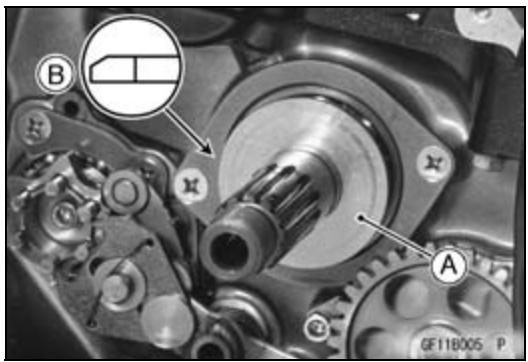

natural_image
Close-up of a mechanical gear assembly with labeled component A (no readable text or symbols beyond label)

natural_image
Close-up of a mechanical assembly with labeled component A, showing internal gears and housing (no readable text or symbols beyond label)
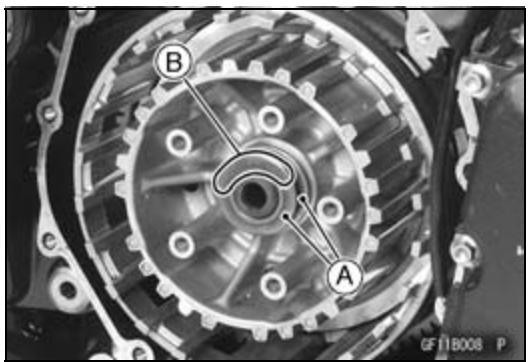
Clutch
- Install the spring seat [A], spring [B], friction plates [C] [D] [E] and steel plates [F] as shown.
NOTE
○The inside diameter of first friction plates are larger than the others because the spring seat and spring are equipped to decrease the judder noise as shown.
Clutch Hub [G]
CAUTION
If new dry friction plates and steel plates are installed, apply engine oil to the surfaces of each plate to avoid clutch plate seizure.
○Install outer-end friction plate, that has the large lining blocks [A] among others.


○Install the last friction plate [A] fitting the tangs in the grooves in the housing as shown.

- Apply molybdenum disulfide grease [M] to the outside surface of the pusher [A], then install the pusher into the drive shaft.

- Install the spring, and tighten the clutch spring bolts evenly.
Torque - Clutch Spring Bolts: 8.8 N·m (0.90 kgf·m, 78 in·lb)
- Install the clutch cover (see Clutch Cover Installation).
Clutch
Clutch Plate Assembly Inspection
- Inspect the friction plate thickness (see Clutch Plate, Wear, Damage Inspection).
- Measure the length [A] of the clutch plate assembly as shown.
○Assemble:
Clutch Hub [B]
Spring Seat [C]
Spring [D]
Friction Plates [E] [F] [G]
Steel Plates [H]
Spring Plate [J]
Springs [K]
Spring Bolts [L]
Torque - Clutch Spring Bolts: 8.8 N·m (0.90 kgf·m, 78 in·lb)
Clutch Plate Assembly Length
Standard: 53.52 \~ 54.52 mm (2.11 \~ 2.15 in.)
★If the length is not within the specified range, adjust the length (see Clutch Plate Assembly Adjustment).
Clutch Plate Assembly Adjustment
- Inspect the clutch plate assembly length, and then replace the steel plate(s) which brings the length within the specified range.
○Remove:
Spring Bolts
Springs
Spring Plate
Clutch Plates
○Replace the following steel plate(s).
| Part No. | Thickness |
| 13089-0019 | 2.3 mm (0.091 in.) |
| 13089-0018 | 2.6 mm (0.102 in.) (STD) |
| 13089-0020 | 2.9 mm (0.114 in.) |
NOTE
○Do not use the steel plate of 2.9 mm (0.114 in.) and 2.3 mm (0.091 in.) thickness at the same time.
- Install the removed parts, and inspect the clutch plate assembly length.
Torque - Clutch Spring Bolts: 8.8 N·m (0.90 kgf·m, 78 in·lb)

Clutch
Clutch Plate, Wear, Damage Inspection
- Visually inspect the friction and steel plates for signs of seizure, overheating (discoloration), or uneven wear.
- Measure the thickness of each friction plate [A] at several points.
★If any plates show signs of damage, or if they have worn past the service limit, replace them with new ones.
Friction Plate Thickness (13088-0030, 13088-0031)
Standard: 2.92 \~ 3.08 mm (0.115 \~ 0.121 in.)
Service Limit: 2.7 mm (0.106 in.)
Friction Plate Thickness (13088-0032)
Standard: 3.72 \~ 3.88 mm (0.146 \~ 0.153 in.)
Service Limit: 3.5 mm (0.138 in.)
Clutch Plate Warp Inspection
- Place each friction plate or steel plate on a surface plate and measure the gap between the surface plate [A] and each friction plate or steel plate [B] with a thickness gauge [C]. The gap is the amount of friction or steel plate warp.
★If any plate is warped over the service limit, replace it with a new one.
Friction and Steel Plate Warp
Standard: 0.15 mm (0.0059 in.) or less
Service Limit: 0.3 mm (0.012 in.)
Friction Plate Warp (only 13088-0030)
Standard: 0.2 mm (0.008 in.) or less
Service Limit: 0.3 mm (0.012 in.)
Clutch Spring Free Length Measurement
- Measure the free length of the clutch springs [A].
★If any spring is shorter than the service limit, it must be replaced.
Clutch Spring Free Length
Standard: 65.0 mm (2.56 in.)
Service Limit: 62.0 mm (2.44 in.)


Engine Lubrication System
Table of Contents
Exploded View 7-2
Engine Oil Flow Chart.... 7-4
Specifications 7-6
Special Tools and Sealant 7-7
Engine Oil and Oil Filter 7-8
Oil Level Inspection.... 7-8
Engine Oil Change 7-8
Oil Filter Replacement 7-8
Oil Pan 7-9
Oil Pan Removal 7-9
Oil Pan Installation 7-9
Oil Pressure Relief Valve 7-11
Oil Pressure Relief Valve Removal 7-11
Oil Pressure Relief Valve Installation 7-11
Oil Pressure Relief Valve Inspection 7-11
Oil Pump 7-12
Oil Pump Removal 7-12
Oil Pump Installation 7-12
Oil Cooler 7-14
Oil Cooler Removal 7-14
Oil Cooler Installation 7-14
Oil Pressure Measurement 7-15
Oil Pressure Measurement 7-15
Oil Pressure Switch 7-16
Oil Pressure Switch Removal 7-16
Oil Pressure Switch Installation 7-16
Exploded View

Exploded View
| No. | Fastener | Torque | Remarks |
| N·m | kgf·m | ft·lb |
| 1 | Engine Oil Drain Bolt | 30 | 3.0 | 22 | |
| 2 | Oil Filter | 31 | 3.2 | 23 | G, R |
| 3 | Holder Mounting Bolt | 35 | 3.6 | 26 | L |
| 4 | Oil Pan Bolts | 9.8 | 1.0 | 87 in·lb | |
| 5 | Oil Pressure Relief Valve | 15 | 1.5 | 11 | L |
| 6 | Oil Pressure Switch | 15 | 1.5 | 11 | SS |
| 7 | Oil Pressure Switch Terminal Bolt | 1.5 | 0.15 | 13 in·lb | G |
| 8 | Oil Passage Plug | 20 | 2.0 | 15 | L |
| 9 | Oil Pump Cover Bolts | 9.8 | 1.0 | 87 in·lb | |
| 10 | Oil Cooler Mounting Bolts | 12 | 1.2 | 106 in·lb | S |
| 11 | Oil Pan Plate Bolts | 9.8 | 1.0 | 87 in·lb | L |
EO: Apply engine oil.
G: Apply grease.
L: Apply a non-permanent locking agent.
MO: Apply molybdenum disulfide oil.
(mixture of the engine oil and molybdenum disulfide grease in a weight ratio 10 : 1)
R: Replacement Parts
SS: Apply silicone sealant (Kawasaki Bond: 56019-120).
Engine Oil Flow Chart

Engine Oil Flow Chart

Specifications
| Item | Standard |
| Engine Oil | |
| Type | API SE, SF or SG |
| API SH, SJ or SL with JASO MA |
| Viscosity | SAE 10W-40 |
| Capacity | 3.7 L (3.9 US gt) (when filter is not removed) |
| 4.1 L (4.3 US gt) (when filter is removed) |
| 4.5 L (4.8 US gt) (when engine is completely dry) |
| Level | Between upper and lower level lines |
| Oil Pressure Measurement | |
| Oil Pressure @4 000 r/min (rpm), Oil Temperature 90°C (194°F) | 245 ~ 343 kPa (2.5 ~ 3.5 kgf/cm2, 36 ~ 50 psi) |
Oil Pressure Gauge, 10 kgf/cm²: 57001-164
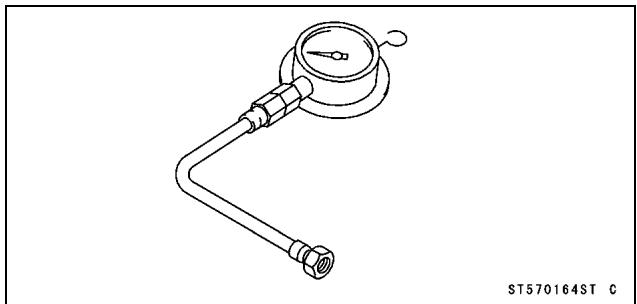
natural_image
Technical line drawing of a dial indicator with attached tubing (no text or symbols)
Oil Pressure Gauge Adapter, PT3/8 × 19/in.: 57001-1233

natural_image
Technical line drawing of a mechanical connector (no text or symbols on the component itself)
Oil Filter Wrench: 57001-1249

natural_image
Technical line drawing of a mechanical knob or dial with a central hub (no text or symbols)
Kawasaki Bond (Silicone Sealant): 56019-120
Engine Oil and Oil Filter

WARNING
Motorcycle operation with insufficient, deteriorated, or contaminated engine oil will cause accelerated wear and may result in engine or transmission seizure, accident, and injury.
Oil Level Inspection
- Check that the engine oil level is between the upper [A] and lower [B] levels in the gauge.
NOTE
○Situate the motorcycle so that it is perpendicular to the ground.
○If the motorcycle has just been used, wait several minutes for all the oil to drain down.
○If the oil has just been changed, start the engine and run it for several minutes at idle speed. This fills the oil filter with oil. Stop the engine, then wait several minutes until the oil settles.
CAUTION
Racing the engine before the oil reaches every part can cause engine seizure.
If the engine oil gets extremely low or if the oil pump or oil passages clog up or otherwise do not function properly, the oil pressure warning light will light. If this light stays on when the engine is running above idle speed, stop the engine immediately and find the cause.
Engine Oil Change
- Refer to the Engine Oil Change in the Periodic Maintenance chapter.
Oil Filter Replacement
- Refer to the Oil Filter Replacement in the Periodic Maintenance chapter.
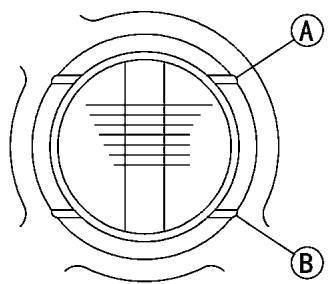
GG050108S1 C
Oil Pan
Oil Pan Removal
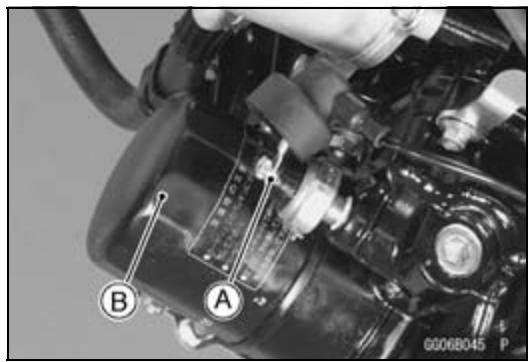

- Remove:
Oil Screen [A]
Oil Pipe [B]
Oil Pressure Relief Valve [C] (if necessary)
CAUTION
Do not remove the relief valve with the oil pipe installed on the lower crankcase half. The oil pipe will be damaged.
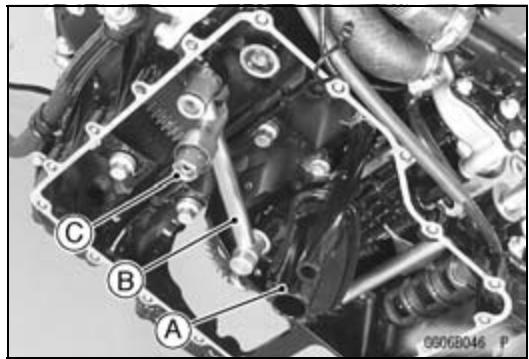
Oil Pan Installation
- Clean the oil screen [A].
- Install the oil screen so that the crankcase rib [B] fits the notch [C] of oil screen.
- Apply grease the oil pipe O-rings and install the oil pipe.
★If the oil pressure relief valve was removed, install it.
○Apply a non-permanent locking agent to the threads of the oil pressure relief valve, and tighten it.
CAUTION
Do not apply too much non-permanent locking agent to the threads. This may block the oil passage.
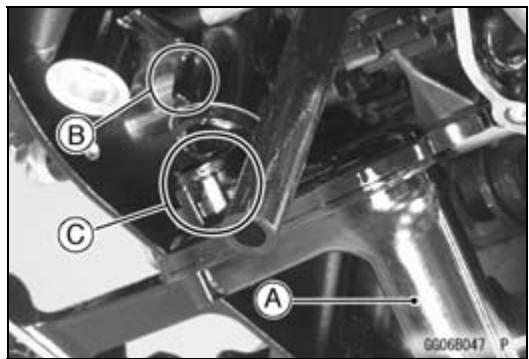
Torque - Oil Pressure Relief Valve: 15 N·m (1.5 kgf·m, 11 ft·lb)
Oil Pan
- Put new O-ring [A] on the lower crankcase [B] as shown. Oil Pipe [C]

- Install the brackets [A] as shown.
- Replace the oil pan gasket [B] with a new one.
- Tighten:
Torque - Oil Pan Bolts: 9.8 N·m (1.0 kgf·m, 87 in·lb)

Oil Pressure Relief Valve
Oil Pressure Relief Valve Removal
• See Oil Pan Removal.
Oil Pressure Relief Valve Installation
- See Oil Pan Installation.
Oil Pressure Relief Valve Inspection
- Check to see if the valve [A] slides smoothly when pushing it in with a wooden or other soft rod, and see if it comes back to its seat by spring [B] pressure.
NOTE
○Inspect the valve in its assembled state. Disassembly and assembly may change the valve performance.
★If any rough spots are found during above inspection, wash the valve clean with a high-flash point solvent and blow out any foreign particles that may be in the valve with compressed air.
WARNING
Clean the oil pressure relief valve in a well-ventilated area, and take care that there is no spark or flame anywhere near the working area. Because of the danger of highly flammable liquids, do not use gasoline or low-flash point solvent.
★If cleaning does not solve the problem, replace the oil pressure relief valve as an assembly. The oil pressure relief valve is precision made with no allowance for replacement of individual parts.
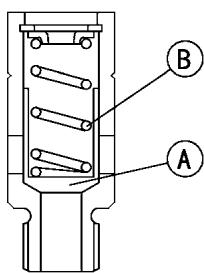
GG080602S1 C
Oil Pump
Oil Pump Removal
- Drain:
Coolant (see Coolant Change in the Periodic Maintenance chapter)
Engine Oil (see Engine Oil Change in the Periodic Maintenance chapter)
- Remove:
Clutch (see Clutch Removal in the Clutch chapter)
- Remove the oil pump cover bolts [A].
- Remove the oil pump cover [B] with oil pump shaft.
- Remove the outer rotor and inner rotor.
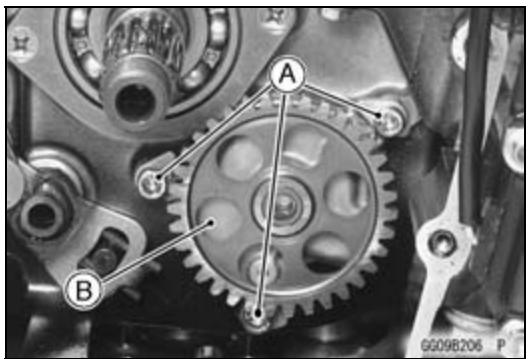
Oil Pump Installation
- Apply molybdenum disulfide oil solution to the journal portions [A] on the oil pump drive gear shaft [B].
- Insert the outer rotor [A] the dowel pin [B] into the crankcase.
- Insert the pump cover [A], washer [B], pin [C] and inner rotor [D] to the oil pump shaft [E].


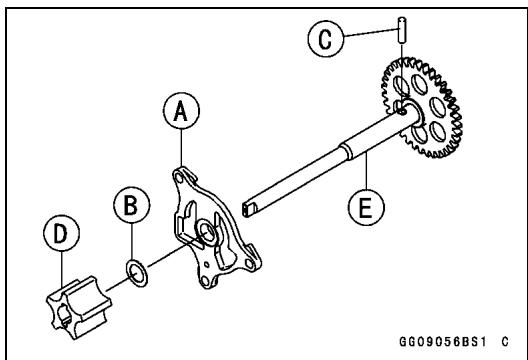
Oil Pump
- Install the oil pump shaft with inner rotor.
○Turn the pump shaft [A] so that the projection [B] in its shaft fits onto the slot [C] of the water pump shaft [D].
○Fit the pin of the oil pump cover into the hole in the crankcase. (in the photo, the oil pan have been removed for clarity)
- Tighten:
Torque - Oil Pump Cover Bolts [A]: 9.8 N·m (1.0 kgf·m, 87 in·lb)


natural_image
Close-up mechanical assembly showing internal components and mounting holes (no visible text or symbols)
Oil Cooler
Oil Cooler Removal
- Remove:
Lower Fairings (see Lower Fairing Removal in the Frame chapter)
- Drain:
Coolant (see Coolant Change in the Periodic Maintenance chapter)
Engine Oil (see Engine Oil Change in the Periodic Maintenance chapter)
- Remove the water hoses from the oil cooler.
- Unscrew the oil cooler mounting bolts [A], and remove the oil cooler [B].
Oil Cooler Installation
- Apply grease to new O-ring [A] before installation.
-
Install the oil cooler to the oil cooler case, and tighten the bolts, following the specified tightening sequence [1 \~ 4].
Torque - Oil Cooler Mounting Bolts [B]: 12 N·m (1.2 kgf·m, 106 in·lb)
-
Install the water hoses as shown.
White Mark [A]
- Tighten:
Torque - Water Hose Clamp Screws: 2.0 N·m (0.20 kgf·m, 18 in·lb)
- Pour:
Engine Oil (see Engine Oil Change in the Periodic Maintenance chapter)
Coolant (see Coolant Change in the Periodic Maintenance chapter)
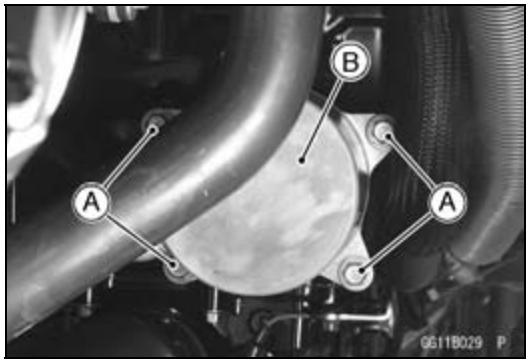


Oil Pressure Measurement
Oil Pressure Measurement
- Remove the left lower fairing (see Lower Fairing Removal in the Frame chapter).
- Remove the oil passage plug, and attach the adapter [A] and gauge [B] to the plug hole.
Special Tools - Oil Pressure Gauge, 10 kgf/cm²: 57001-164
Oil Pressure Gauge Adapter, PT3/8 × 19/in.: 57001-1233
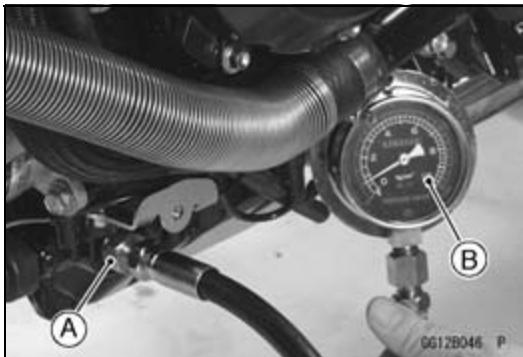
- Start the engine and warm up the engine.
- Run the engine at the specified speed, and read the oil pressure gauge.
★If the oil pressure is much lower than the standard, check the oil pump, relief valve, and/or crankshaft bearing insert wear immediately.
★If the reading is much higher than the standard, check the oil passages for clogging.
Oil Pressure
Standard:
245 \~ 343 kPa (2.5 \~ 3.5 kgf/cm², 36 \~ 50
psi) @ 4 000 r/min (rpm), oil temperature 90°C (194°F)
- Stop the engine.
- Remove the oil pressure gauge and adapter.
WARNING
Take care against burns form hot engine oil that will drain through the oil passage when the gauge adapter is removed.
- Apply a non-permanent locking agent to the oil passage plug, and install it.
Torque - Oil Passage Plug: 20 N·m (2.0 kgf·m, 15 ft·lb)
Oil Pressure Switch
Oil Pressure Switch Removal
- Remove:
Engine Oil (Drain, see Engine Oil Change in the Periodic Maintenance chapter)
Left Lower Fairing (see Lower Fairing Removal in the Frame chapter)
Switch Cover [A]
Switch Terminal [B]
Oil Pressure Switch [C]
Oil Pressure Switch Installation
- Apply silicone sealant to the threads of the oil pressure switch and tighten it.
Sealant - Kawasaki Bond (Silicone Sealant): 56019-120
Torque - Oil Pressure Switch: 15 N·m (1.5 kgf·m, 11 ft·lb)
- Install the switch lead direction [A] upward.
- Apply grease [B] to the terminal.
- Tighten the terminal bolt.
Torque - Oil Pressure Switch Terminal Bolt: 1.5 N·m (0.15 kgf·m, 13 in·lb)


NOTE
○Apply a small amount grease to the terminal so that grease should not close two breather holes [A] for switch diaphragm.

Engine Removal/Installation
Table of Contents
Exploded View 8-2
Engine Removal/Installation 8-4
Engine Removal 8-4
Engine Installation.... 8-6
Exploded View

Exploded View
| No. | Fastener | Torque | Remarks |
| N·m | kgf·m | ft·lb |
| 1 | Engine Mounting Nuts (M12) | 59 | 6.0 | 44 | S |
| 2 | Adjusting Collars | 25 | 2.5 | 18 | M |
| 3 | Front Engine Mounting Bolts (M10) | 59 | 6.0 | 44 | S, R |
| 4 | Engine Bracket Bolts (M8) | 25 | 2.5 | 18 | S, R |
| 5 | Subframe Bolts | 23 | 2.3 | 17 | R |
M: Apply molybdenum sulfide grease.
R: Replacement Parts
S: Follow the specified tightening sequence.
Engine Removal/Installation
Engine Removal
- Support the rear part of the swingarm with a stand.
- Squeeze the brake lever slowly and hold it with a band [A].
WARNING
Be sure to hold the front brake when removing the engine, or the motorcycle may fall over. It could cause an accident and injury.

natural_image
Close-up of a mechanical component with labeled parts (A and GH04B381 P), no readable text or symbols beyond labels.
CAUTION
Be sure to hold the front brake when removing the engine, or the motorcycle may fall over. The engine or the motorcycle could be damaged.
- Drain:
Engine Oil (see Engine Oil Change in the Periodic Maintenance chapter)
Coolant (see Coolant Change in the Periodic Maintenance chapter)
- Remove:
Lower Fairings (see Lower Fairing Removal in the Frame chapter)
Middle Fairings (see Middle Fairing Removal in the Frame chapter)
Fuel Tank (see Fuel Tank Removal in the Fuel System (DFI) chapter)
Coolant Reserve Tank
Clutch Slave Cylinder (see Clutch Slave Cylinder Removal in the Clutch chapter)
Radiator (see Radiator and Radiator Fan Removal in the Cooling System chapter)
Muffler Bodies (see Muffler Body Removal/Installation in the Frame chapter)
Exhaust Pipe (see Exhaust Pipe Removal in the Engine Top End chapter)
Shift Pedal (see Shift Pedal Removal in the Crankshaft/Transmission chapter)
- Disconnect:
Sidestand Switch Lead Connector [A]
Oil Pressure Switch/Gear Position Switch Leads Connector [B]

Engine Removal/Installation
- Disconnect the alternator lead conductor [A].
- Remove:
Connector [A] of Subharness for Sensor and Valve (disconnect)
Subframe Bolts [B]
Subframe Bracket Bolt [C]
- Remove the subframe [D] with the clutch pipe [E].
- Disconnect:
Throttle Body Subharness Connector [A]
Breather Hose [B]
Fuel Hose [C] on the Delivery Pipe
Throttle Cable Lower Ends [D]
- Remove the bracket Bolt [A].
- Disconnect:
Air Switching Valve Connector [B]
Stick Coil Subharness Connector [C]
- Remove the air switching valve [A] with hoses.
- Remove the air suction cover (see Air Suction Valve Removal in the Engine Top End chapter).
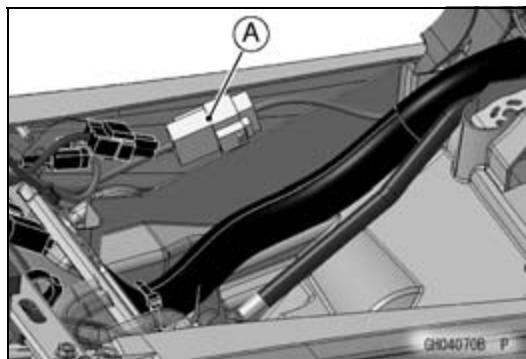
natural_image
Mechanical assembly diagram showing a car wheel with labeled component A (no readable text or symbols)


natural_image
Close-up of a mechanical assembly with labeled component A (no readable text or symbols beyond label)
Engine Removal/Installation
- Remove the engine sprocket [A] (see Engine Sprocket Removal in the Final Drive chapter).
- Support the engine with a suitable stand [B].
○Put a plank [C] onto the suitable stand for engine balance.
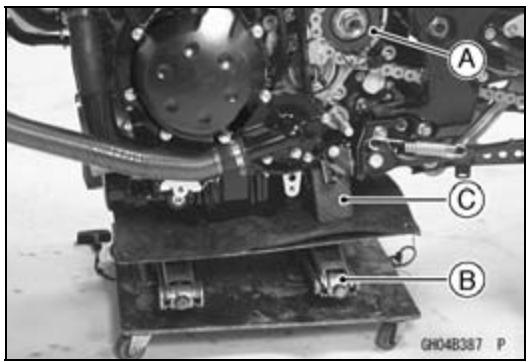
- Remove:
Engine Bracket Bolts [A]
Front Engine Mounting Bolts [B]
Engine Bracket [C]

- Remove: Engine Mounting Nuts [A]
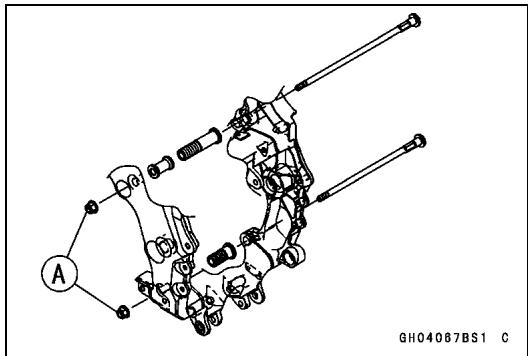
natural_image
Mechanical assembly diagram showing interconnected components and a labeled point A (no readable text or symbols)
- Disconnect the engine ground terminal [A].
- Using a hexagon wrench, turn the engine mounting bolts [B] clockwise to make the gap between the engine and frame.

- Remove the drive chain from the output shaft.
- Remove the starter motor cable terminal nut [A].
- Using the stand, take out the engine.

natural_image
Close-up of a mechanical assembly with labeled component A, showing pipes and fittings (no readable text or symbols beyond label)
Engine Installation
- Support the engine with a suitable stand.
- Put a plank onto the suitable stand for engine balance.
- Install the heat insulation rubber plate.
Engine Removal/Installation
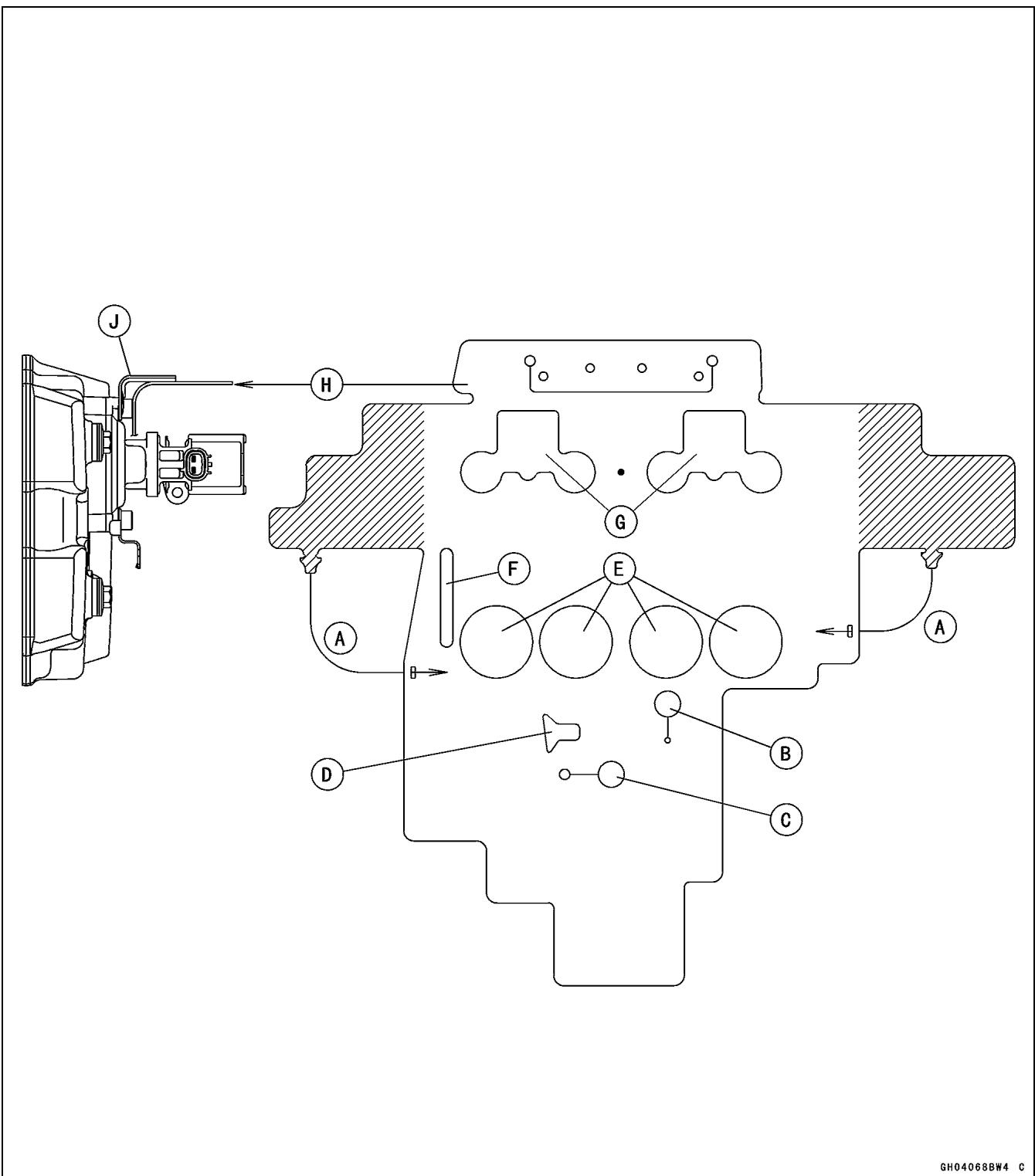
flowchart
graph TD
    A["Component A"] --> B["Component B"]
    B --> C["Component C"]
    C --> D["Component D"]
    D --> E["Component E"]
    E --> F["Component F"]
    F --> G["Component G"]
    G --> H["Component H"]
    H --> I["Component I"]
    I --> J["Component J"]
    style A fill:#f9f,stroke:#333
    style B fill:#ccf,stroke:#333
    style C fill:#cfc,stroke:#333
    style D fill:#fcc,stroke:#333
    style E fill:#cff,stroke:#333
    style F fill:#ffc,stroke:#333
    style G fill:#fcf,stroke:#333
    style H fill:#cff,stroke:#333
    style I fill:#ffc,stroke:#333
    style J fill:#cfc,stroke:#333
A: After installation, set the projection in the hole.
B: To Water Temperature Sensor
C: To Breather Hose
D: To Throttle Body Subharness Bracket
E: To throttle Body Holder
F: To Throttle Pulley
G: To Air Suction Valve and Stick Coils
H: Only put the heat insulation rubber plate on the cylinder head cover.
J: Bracket on Air Suction Valve Cover
GH04068BW4 C
Engine Removal/Installation
- Before installing the engine. Confirm the routing of the water temperature sensor lead [A].
○Run [B] the water temperature sensor lead between the #3 and #4 cylinder and connect the water temperature sensor body.

GH02075BW2 C
- Install the engine mounting bolts and nuts, following the specified installing sequence.
○Apply molybdenum disulfide grease [A] to the thread of adjusting collars.
○First, tighten the adjusting collars fully by hand.
Upper Adjusting Collar [B]
Upper Crankcase [C]
Lower Adjusting Collar [D]
Lower Crankcase [E]

Engine Removal/Installation
○Secondly, insert the mounting bolts [A] until they fit [B] in the adjusting collars [C].
○Be sure that the collar [D] is in position.
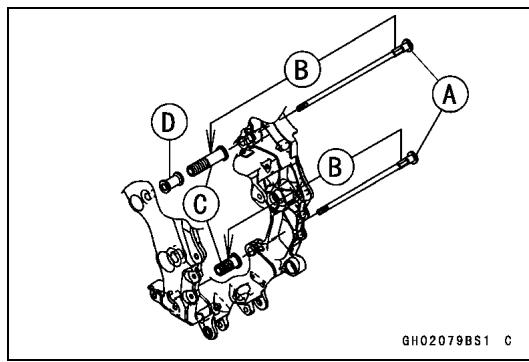
NOTE
○Replace the following bolts with new bolts pre-coated with locking agent.
Engine Bracket Bolts (P/No. 92153-1724)
Front Engine Mounting Bolts (P/No. 92153-1723)
Subframe Bolts (P/No. 92153-1722)
○Thirdly, install the left engine bracket [A] and temporally tighten the left engine bracket bolts [B].
○Fourthly, tighten the left front engine mounting bolt [C].
○Fourthly, turn the mounting bolts [A] counterclockwise with specified torque until the clearance [B] between the crankcase [C] and swingarm [D] comes to zero mm [E]. Adjusting Collars [F]

Torque - Adjusting Collars: 25 N·m (2.5 kgf·m, 18 ft·lb)
○Do not exceed the specified torque of adjusting collars.

Engine Removal/Installation
Engine Bracket Upper Side
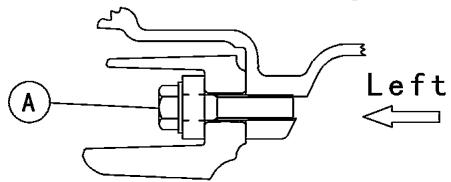

Engine Bracket Lower Side

This bolt has already been tightened fourthly
Upper Crankcase Side

Lower Crankcase Side

GH02080BW3 C
○Fifthly, tighten the left engine bracket bolts [A].
○Sixthly, tighten the upper engine mounting nut [B] and then the lower engine mounting nut [C].
○Seventhly, install the right engine bracket and tighten the right engine bracket bolts [D] and the right front engine mounting bolt [E].
○Torque:
Torque - Engine Mounting Nut (M12): 59 N·m (6.0 kgf·m, 44 ft·lb)
NOTE
○Hold the upper and lower engine mounting bolts with an Allen wrench, and torque them.
○Torque:
Torque - Engine Bracket Bolts (M8): 25 N·m (2.5 kgf·m, 18 ft·lb)
Front Engine Mounting Bolts (M10): 59 N·m (6.0 kgf·m, 44 ft·lb)
Engine Removal/Installation
- Run the leads, cable and hoses correctly (see Cable, Wire, and Hose Routing section in the Appendix chapter).
- Install the removed parts (see appropriate chapters).
- Adjust:
Throttle Cables (see Throttle Control System Inspection in the Periodic Maintenance chapter)
Drive Chain (see Drive Chain Slack Inspection in the Periodic Maintenance chapter)
- Fill the engine with engine oil (see Engine Oil Change in the Periodic Maintenance chapter).
- Fill the engine with coolant and bleed the air from the cooling system (see Coolant Change in the Periodic Maintenance chapter).
Crankshaft/Transmission
Table of Contents
Exploded View.... 9-2
Specifications 9-6
Special Tools and Sealants 9-9
Crankcase Splitting.... 9-10
Crankcase Splitting 9-10
Crankcase Assembly 9-11
Crankshaft and Connecting Rods..... 9-15
Crankshaft Removal 9-15
Crankshaft Installation 9-15
Connecting Rod Removal 9-16
Connecting Rod Installation...... 9-16
Crankshaft/Connecting Rod Cleaning 9-19
Connecting Rod Bend.... 9-19
Connecting Rod Twist.... 9-20
Connecting Rod Big End Side Clearance.... 9-20
Connecting Rod Big End Bearing Insert/Crankpin Wear 9-20
Crankshaft Side Clearance.... 9-22
Crankshaft Runout.... 9-23
Crankshaft Main Bearing
Insert/Journal Wear.... 9-23
Pistons.... 9-26
Piston Removal.... 9-26
Piston Installation.... 9-27
Cylinder Wear (Upper Crankcase).... 9-28
Piston Wear 9-28
Piston Ring, Piston Ring Groove Wear.... 9-28
Piston Ring Groove Width.... 9-29
Piston Ring Thickness 9-29
Piston Ring End Gap 9-29
Balancer 9-30
Front Balancer Removal 9-30
Front Balancer Installation ...... 9-30
Rear Balancer Removal.... 9-31
Rear Balancer Installation.... 9-32
Balancer Adjustment.... 9-34
Balancer Damper Inspection...... 9-34
Starter Motor Clutch and Torque
Limiter 9-35
Starter Motor Clutch Removal..... 9-35
Starter Motor Clutch Installation... 9-35
Starter Motor Clutch Disassembly 9-35
Starter Motor Clutch Assembly .... 9-36
Starter Clutch Inspection.... 9-36
Torque Limiter Removal 9-36
Torque Limiter Installation 9-37
Transmission 9-38
Shift Pedal Removal 9-38
Shift Pedal Installation 9-38
External Shift Mechanism
Removal 9-38
External Shift Mechanism
Installation.... 9-39
External Shift Mechanism
Inspection.... 9-39
Transmission Shaft Removal ..... 9-39
Transmission Shaft Installation .... 9-40
Transmission Shaft Disassembly. 9-40
Transmission Shaft Assembly..... 9-41
Shift Drum and Fork Removal..... 9-44
Shift Drum and Fork Installation... 9-44
Shift Drum Disassembly.... 9-44
Shift Drum Assembly 9-44
Shift Fork Bending 9-45
Shift Fork/Gear Groove Wear ..... 9-45
Shift Fork Guide Pin/Drum
Groove Wear.... 9-45
Gear Dog and Gear Dog Hole Damage.... 9-45
Exploded View

Exploded View
| No. | Fastener | Torque | Remarks |
| N·m | kgf·m | ft·lb |
| 1 | Breather Cover Bolts | 9.8 | 1.0 | 87 in·lb | |
| 2 | Breather Plate Screws | 9.8 | 1.0 | 87 in·lb | L |
| 3 | Crankcase Bolts (M10, L = 90 mm) | 47 | 4.8 | 35 | MO, S |
| 4 | Crankcase Bolts (M10, L = 120 mm) | 47 | 4.8 | 35 | MO, S |
| 5 | Crankcase Bolt (M7, L = 110 mm) | 20 | 2.0 | 15 | S |
| 6 | Crankcase Bolt (M7, L = 85 mm) | 20 | 2.0 | 15 | S |
| 7 | Crankcase Bolts (M7, L = 60 mm) | 20 | 2.0 | 15 | S |
| 8 | Crankcase Bolt (M7, L = 50 mm) | 20 | 2.0 | 15 | S |
| 9 | Crankcase Bolts (M7, L = 45 mm) | 20 | 2.0 | 15 | S |
| 10 | Crankcase Bolts (M8, L = 80 mm) | 27 | 2.8 | 20 | S |
| 11 | Crankcase Bolts (M8, L = 70 mm) | 27 | 2.8 | 20 | S |
| 12 | Crankcase Bolts (M7, L = 65 mm) | 20 | 2.0 | 15 | S |
| 13 | Crankcase Bolt (M6, L = 65 mm) | 12 | 1.2 | 106 in·lb | S |
| 14 | Crankcase Bolt (M6, L = 50 mm) | 12 | 1.2 | 106 in·lb | S |
| 15 | Crankcase Bolts (M6, L = 40 mm) | 12 | 1.2 | 106 in·lb | S |
| 16 | Crankcase Bolts (M6, L = 25 mm) | 12 | 1.2 | 106 in·lb | S |
| 17 | Shift Drum Bearing Holder Screws | 4.9 | 0.50 | 43 in·lb | L |
| 18 | Bearing Position Plate Screws | 4.9 | 0.50 | 43 in·lb | L |
| 19 | Oil Passage Plug | 20 | 2.0 | 15 | L |
| 20 | Connecting Rod Big End Nuts | see the text | ← | ← | ← |
| 21 | Timing Rotor Bolt | 39 | 4.0 | 29 | |
| 22 | Gear Position Switch Lead Clamp Bolt | 9.8 | 1.0 | 87 in·lb | |
| 23 | Drive Shaft Cover Bolts | 25 | 2.5 | 18 | L |
- "R" marked side faces up.
- "RN" marked side faces up.
- Hollow mark faces forward.
- Do not apply any grease or oil.
G: Apply grease.
L: Apply a non-permanent locking agent.
LG: Apply liquid gasket (Kawasaki Bond: 92104-1064).
M: Apply molybdenum disulfide grease.
MO: Apply molybdenum disulfide oil.
(mixture of engine oil and molybdenum disulfide grease in a weight ratio is 10:1)
R: Replacement Parts
S: Follow the specified tightening sequence.
Exploded View

G102165BW5 C
Exploded View
| No. | Fastener | Torque | Remarks |
| N·m | kgf·m | ft·lb |
| 1 | Balancer Shaft Clamp Bolts | 9.8 | 1.0 | 87 in·lb | |
| 2 | Balancer Shaft Clamp Lever Bolts | 25 | 2.5 | 18 | |
| 3 | Starter Clutch Shaft Bolt | 9.8 | 1.0 | 87 in·lb | L |
| 4 | Starter Clutch Shaft Plate Bolt | 9.8 | 1.0 | 87 in·lb | L |
| 5 | Torque Limiter Bolt | 25 | 2.5 | 18 | L |
| 6 | Shift Drum Cam Holder Bolt | 12 | 1.2 | 106 in·lb | L |
| 7 | Gear Position Switch Screws | 2.9 | 0.30 | 26 in·lb | L |
| 8 | Gear Positioning Lever Bolt | 12 | 1.2 | 106 in·lb | |
| 9 | Shift Shaft Return Spring Pin | 29 | 3.0 | 21 | L |
- Front Balancer
- Rear Balancer
- Install the bearing into the drive shaft cover so that the shield side faces in.
EO: Apply engine oil.
M: Apply molybdenum disulfide grease.
MO: Apply molybdenum disulfide oil.
(mixture of engine oil and molybdenum disulfide grease in a weight ratio is 10:1)
G: Apply grease.
L: Apply a non-permanent locking agent.
R: Replacement Parts
Specifications
| Item | Standard | Service Limit |
| Crankcase, Crankshaft, Connecting Rods | | |
| Connecting Rod Bend | -- -- | TIR 0.2/100 mm(0.008/3.94 in.) |
| Connecting Rod Twist | -- -- | TIR 0.2/100 mm(0.008/3.94 in.) |
| Connecting Rod Big End Side Clearance | 0.13 ~ 0.38 mm(0.0051 ~ 0.0150 in.) | 0.58 mm(0.023 in.) |
| Connecting Rod Big End Bearing Insert/crankpin Clearance | 0.048 ~ 0.086 mm(0.0019 ~ 0.0034 in.) | 0.12 mm(0.0047 in.) |
| Crankpin Diameter: | 37.984 ~ 38.000 mm(1.4954 ~ 1.4961 in.) | 37.97 mm(1.4949 in.) |
| Marking | None | 37.984 ~ 37.992 mm(1.4954 ~ 1.4957 in.) | -- -- |
| ○ | 37.993 ~ 38.000 mm(1.4958 ~ 1.4961 in.) | -- -- |
| Connecting Rod Big End Inside Diameter: | 41.000 ~ 41.016 mm(1.6142 ~ 1.6148 in.) | -- -- |
| Marking | None | 41.000 ~ 41.008 mm(1.6142 ~ 1.6145 in.) | -- -- |
| ○ | 41.009 ~ 41.016 mm(1.6145 ~ 1.6148 in.) | -- -- |
| Connecting Rod Big End Bearing Insert Thickness: | | |
| Brown | 1.475 ~ 1.480 mm(0.05807 ~ 0.05827 in.) | -- -- |
| Black | 1.480 ~ 1.485 mm(0.05827 ~ 0.05846 in.) | -- -- |
| Blue | 1.485 ~ 1.490 mm(0.05846 ~ 0.05866 in.) | -- -- |
| Connecting Rod Bolt Stretch: | (Usable Range) | |
| New Connecting Rod | 0.25 ~ 0.34 mm(0.0098 ~ 0.0134 in.) | -- -- |
| Used Connecting Rod | 0.25 ~ 0.34 mm(0.0098 ~ 0.0134 in.) | -- -- |
| Crankshaft Side Clearance | 0.05 ~ 0.24 mm(0.0020 ~ 0.0094 in.) | 0.30 mm(0.0118 in.) |
| Crankshaft Runout | TIR 0.03 mm (0.0012 in.) or less | TIR 0.08 mm(0.0031 in.) |
| Crankshaft Main Bearing Insert/journal Clearance | 0.031 ~ 0.063 mm(0.0012 ~ 0.0025 in.) | 0.09 mm(0.0035 in.) |
| Crankshaft Main Journal Diameter: | 37.984 ~ 38.000 mm(1.4954 ~ 1.4961 in.) | 37.96 mm(1.4945 in.) |
| Marking | None | 37.984 ~ 37.992 mm(1.4954 ~ 1.4957 in.) | -- -- |
| 1 | 37.993 ~ 38.000 mm(1.4958 ~ 1.4961 in.) | -- -- |
| Crankcase Main Bearing Inside Diameter: | 41.000 ~ 41.016 mm(1.6142 ~ 1.6148 in.) | -- -- |
Specifications
| Item | Standard | Service Limit |
| Marking ○ | 41.000 ~ 41.008 mm(1.6142 ~ 1.6145 in.) | -- -- |
| None | 41.009 ~ 41.016 mm(1.6145 ~ 1.6148 in.) | -- -- |
| Crankshaft Main Bearing Insert Thickness: | | |
| Brown | 1.490 ~ 1.494 mm(0.0587 ~ 0.0588 in.) | -- -- |
| Black | 1.494 ~ 1.498 mm(0.0588 ~ 0.0590 in.) | -- -- |
| Blue | 1.498 ~ 1.502 mm(0.0590 ~ 0.0591 in.) | -- -- |
| Pistons | | |
| Cylinder (Upper Crankcase) Inside Diameter | 83.994 ~ 84.006 mm(3.3068 ~ 3.3073 in.) | 84.10 mm(3.3110 in.) |
| Piston Diameter | 83.959 ~ 83.974 mm(3.3055 ~ 3.3061 in.) | 83.81 mm(3.2996 in.) |
| Piston/Cylinder Clearance | 0.020 ~ 0.047 mm(0.0008 ~ 0.0019 in.) | -- -- |
| Piston Ring/Groove Clearance: | | |
| Top | 0.03 ~ 0.07 mm(0.0012 ~ 0.0028 in.) | 0.17 mm(0.0067 in.) |
| Second | 0.02 ~ 0.06 mm(0.0008 ~ 0.0024 in.) | 0.16 mm(0.0063 in.) |
| Piston Ring Groove Width: | | |
| Top | 0.92 ~ 0.94 mm(0.0362 ~ 0.0370 in.) | 1.02 mm(0.040 in.) |
| Second | 1.01 ~ 1.03 mm(0.0398 ~ 0.0406 in.) | 1.11 mm(0.044 in.) |
| Piston Ring Thickness: | | |
| Top | 0.87 ~ 0.89 mm(0.0343 ~ 0.0350 in.) | 0.80 mm(0.032 in.) |
| Second | 0.97 ~ 0.99 mm(0.0382 ~ 0.0390 in.) | 0.90 mm(0.035 in.) |
| Piston Ring End Gap: | | |
| Top | 0.20 ~ 0.30 mm(0.0079 ~ 0.0118 in.) | 0.6 mm(0.024 in.) |
| Second | 0.40 ~ 0.55 mm(0.0157 ~ 0.0217 in.) | 0.8 mm(0.031 in.) |
| Transmission | | |
| Shift Fork Ear Thickness | 5.74 ~ 6.00 mm(0.2260 ~ 0.2362 in.) | 5.6 mm(0.220 in.) |
| Gear Groove Width | 6.05 ~ 6.15 mm(0.238 ~ 0.242 in.) | 6.25 mm(0.246 in.) |
| Shift Fork Guide Pin Diameter | 6.9 ~ 7.0 mm(0.272 ~ 0.276 in.) | 6.8 mm(0.268 in.) |
| Shift Drum Groove Width | 7.05 ~ 7.20 mm(0.278 ~ 0.283 in.) | 7.3 mm(0.287 in.) |
Specifications
Connecting Rod Big End Bearing Insert Selection
| Con-rod Big End Bore Diameter Marking | Crankpin Diameter Marking | Bearing Insert |
| Size Color | Part Number |
| None | ○ | Brown | 92139-0131 |
| None | None | Black | 92139-0130 |
| ○ | ○ |
| ○ | None | Blue | 92139-0129 |
Crankshaft Main Bearing Insert Selection
| Crankcase Main Bearing Inside Diameter Marking | Crankshaft Main Journal Diameter Marking | Bearing Insert |
| Size Color | Part Number | Journal Nos. |
| ○ | 1 | Brown | 92139-0134 | 1, 3, 5 |
| 92139-0137 | 2, 4 |
| None | 1 | Black | 92139-0133 | 1, 3, 5 |
| ○ | None | 92139-0136 | 2, 4 |
| None | None | Blue | 92139-0132 | 1, 3, 5 |
| 92139-0135 | 2, 4 |
Bearing Puller:
57001-135
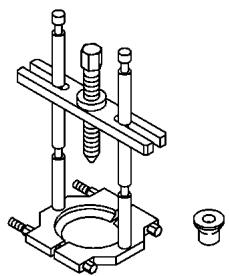
natural_image
Technical line drawing of a mechanical clamp assembly with no visible text or symbols
ST570135ST C
Bearing Puller Adapter:
57001-317

ST570317ST C
Piston Pin Puller Assembly:
57001-910

natural_image
Technical line drawing of a cylindrical mechanical component with multiple bolted pins and a cross-sectional view (no text or symbols)
ST570910ST C
Piston Ring Compressor Grip:
57001-1095
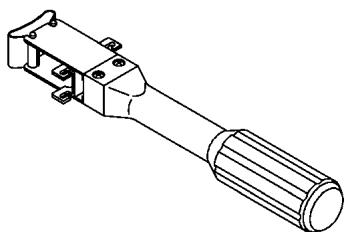
natural_image
Technical line drawing of a mechanical component with flanged ends and cylindrical body (no text or symbols)
ST571095ST C
Piston Ring Compressor Belt, φ 80 φ 91
57001-1320

natural_image
Pure mechanical component diagram without any text, numbers, or symbols
ST571320ST C
Kawasaki Bond (Silicone Sealant):
56019-120

ST560120ST C
Kawasaki Bond:
92104-1064

natural_image
Line drawing of a KAWASAK! BOND tool with threaded tip and body (no text or symbols on the object itself)
ST921064ST C
Crankcase Splitting
Crankcase Splitting
- Remove the engine (see Engine Removal/Installation in the Engine Removal/Installation chapter).
- Set the engine on a clean surface and hold the engine steady while parts are being removed.
- Remove:
Clutch (see Clutch Removal in the Clutch chapter)
Starter Motor (see Starter Motor Removal in the Electrical System chapter)
Oil Pump (see Oil Pump Removal in the Engine Lubrication System chapter)
Alternator Rotor (see Alternator Rotor Removal in the Electrical System chapter)
Oil Cooler (see Oil Cooler Removal in the Engine Lubrication System chapter)
Oil Pan (see Oil Pan Removal in the Engine Lubrication System chapter)
External Shift Mechanism (see External Shift Mechanism Removal)
- Remove the upper crankcase bolts.
○First loosen the M6 bolts.
M6 Bolts [A]
M7 Bolt [B]
M7 Bolt with Clamp [C]
M8 Bolts with Washers [D]
- Remove the lower crankcase bolts.
○First loosen the M7 bolts [A].
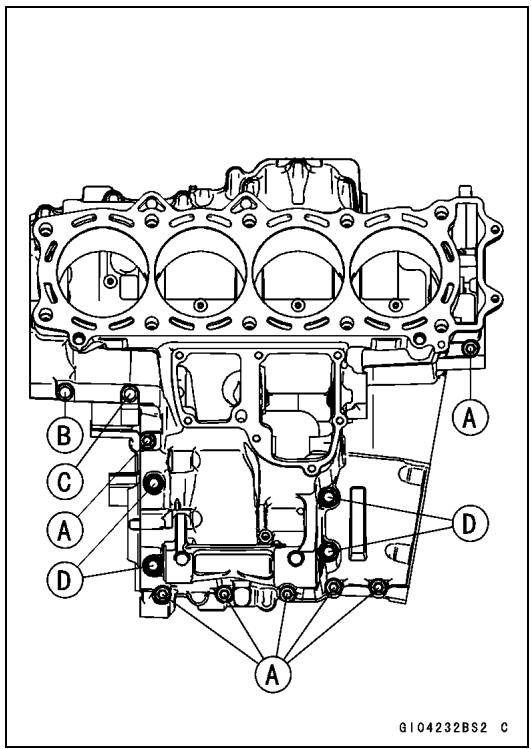

Crankcase Splitting
○Next, loosen the M10 Bolts [1\~10] (sequence numbers).
★If the crankshaft is to be removed, remove the pistons (see Piston Removal).
- Tap lightly around the crankcase mating surface with a plastic mallet, and split the crankcase. Take care not to damage the crankcase.
- Remove the front balancer [A] on the lower crankcase half [B] (see Front Balancer Removal).
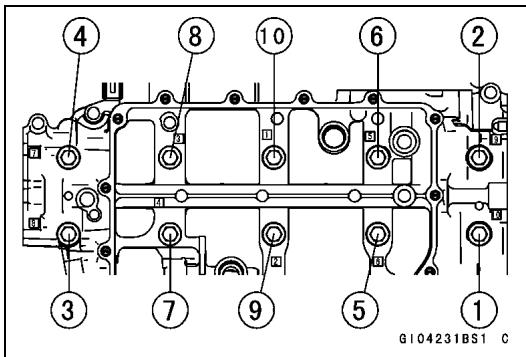

natural_image
Mechanical assembly diagram showing gear and shaft components (no readable text or symbols)
Crankcase Assembly
CAUTION
The upper and lower crankcase halves are machined at the factory in the assembled state, so the crankcase halves must be replaced as a set.
NOTE
○When replacing the crankcase halves, install the thrust washers (t = 2.5 mm, 0.0984 in.) on the upper crankcase half.
- With a high-flash point solvent, clean off the mating surfaces of the crankcase halves and wipe dry.
- Using compressed air, blow out the oil passages in the crankcase halves.
- Install the new drive shaft bearing [A] so that its stepped side [B] faces as shown using a press.
- Install the bearing plate [C] with the screws [D].
○Apply a non-permanent locking agent to the bearing plate screw and tighten them.
Torque - Bearing Position Plate Screws: 4.9 N·m (0.50 kgf·m, 43 in·lb)
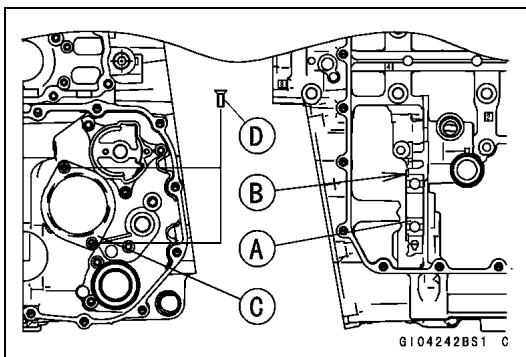
Crankcase Splitting
- Install the new needle bearing [A] for the shift shaft so that its marked side [B] faces as shown, using a press.
- Install the new oil seal [C] so that its surface [D] is flush with the surface of the crankcase [E].
- Install: Crankshaft, Pistons and Connecting Rods Transmission Shaft and Gears Dowel Pins [A]
- Install the front balancer [A] on the upper crankcase half [B] (see Balancer Installation).
- Before fitting the lower case on the upper case, check the following.
○Check to see that the shift drum and transmission gears are in the neutral position.
- Apply liquid gasket [A] to the mating surface of the lower crankcase half.
Sealant - Kawasaki Bond: 92104-1064
NOTE
○Aster tightening the crankcase bolts, wipe up the liquid gasket seeping out the output shaft bearing hole [D].
○Make the application finish within 20 minutes when the liquid gasket to the mating surface of the lower crankcase half is applied.
CAUTION
Do not apply liquid gasket to the grooves [B] inside from the crankshaft main bearing inserts, and balancer bearing.
CAUTION
Do not plug the inside of breather hole [C] with liquid gasket.
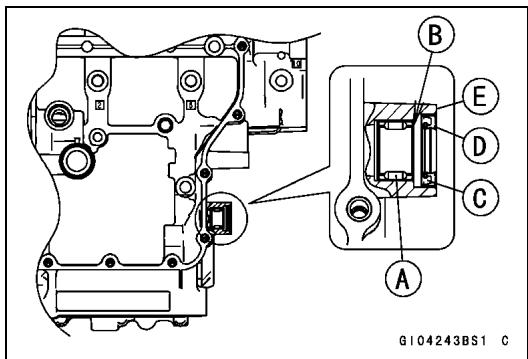


natural_image
Mechanical gear assembly with labeled components A and B (no text or symbols beyond labels)
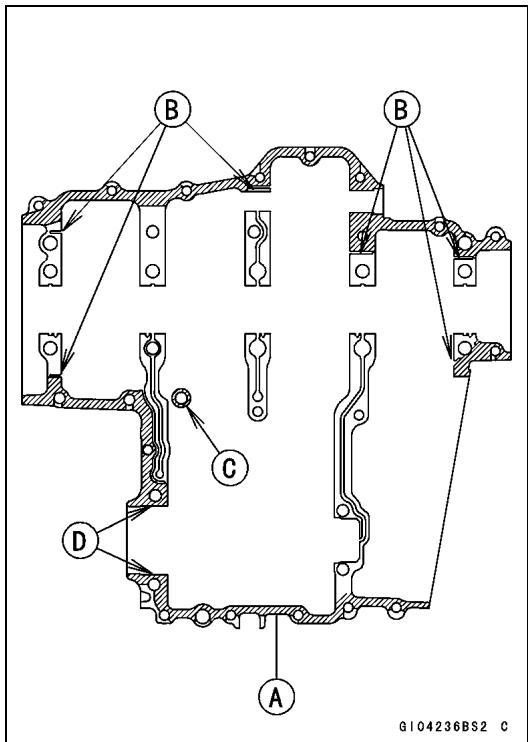
Crankcase Splitting
- Fit the lower crankcase half to the upper crankcase half.
-
Be sure that the breather hole [A] on the upper crankcase [B] is not plugged with liquid gasket.
-
The M10 bolts have washers, replace them with new ones.
- Apply molybdenum disulfide oil solution to the seating surfaces [A] of the washers and the threads [B] of the M10 bolts.
- Tighten the lower crankcase bolts using the following steps.
○Following the sequence numbers on the lower crankcase half, tighten the M10 bolts [1 \~ 10] with washers.
Torque - Crankcase Bolts (M10): 47 N·m (4.8 kgf·m, 35 ft·lb)
○Tighten the M7 bolts [A].
Torque - Crankcase Bolts (M7): 20 N·m (2.0 kgf·m, 15 ft·lb)

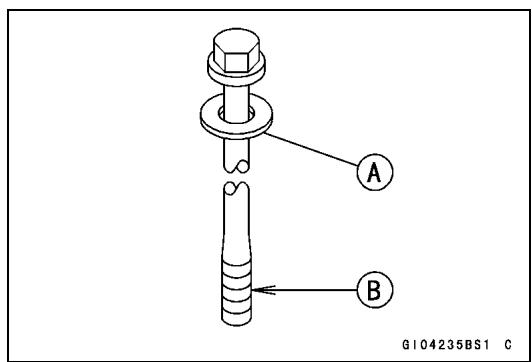


Crankcase Splitting
- Tighten the upper crankcase bolts in the order listed.
○The M8 bolts have washers, replace them with new ones.
○Tighten:
M8 Bolts with Washers [A]
M7 Bolt with the clamp [B]
M7 Bolt [C]
M6 Bolts [D]
Torque - Crankcase Bolts (M8): 27 N·m (2.8 kgf·m, 20 ft·lb)
Crankcase Bolts (M7): 20 N·m (2.0 kgf·m, 15 ft·lb)
Crankcase Bolts (M6): 12 N·m (1.2 kgf·m, 106 in·lb)

- After tightening all crankcase bolts, check the following items.
○Crankshaft and transmission shafts turn freely.
○While spinning the output shaft, gears shift smoothly from the 1st to neutral, and neutral to 1st.
Crankshaft and Connecting Rods
Crankshaft Removal
- Split the crankcase (see Crankcase Splitting).
- Remove the crankshaft (see Connecting Rod Removal).
Crankshaft Installation
CAUTION
If the crankshaft, bearing inserts, or crankcase halves are replaced with new ones, select the bearing inserts and check clearance with a plastigage (press gauge) before assembling engine to be sure the correct bearing inserts are installed.
NOTE
○When replacing the crankcase halves, install the thrust washers (t = 2.5 mm, 0.0984 in.) on the upper crankcase half.
- Apply molybdenum disulfide oil solution to the crankshaft main bearing inserts.
- Follow the next procedure to insert the thrust washers on the upper crankcase half, after installing connecting rod on the crankshaft (see Connecting Rod Installation).
- Apply molybdenum disulfide grease to the outside surfaces [A] of both thrust washers [B].
- Slide [C] one thrust washer into the upper crankcase half.
- Move the crankshaft to the left or right and then slide the other washer into the upper crankcase half.
NOTE
○Slide the thrust washers so that the oil grooves [D] face outward. Make sure that the blue-painted edges [E] are positioned as shown in figure.
Front [F]
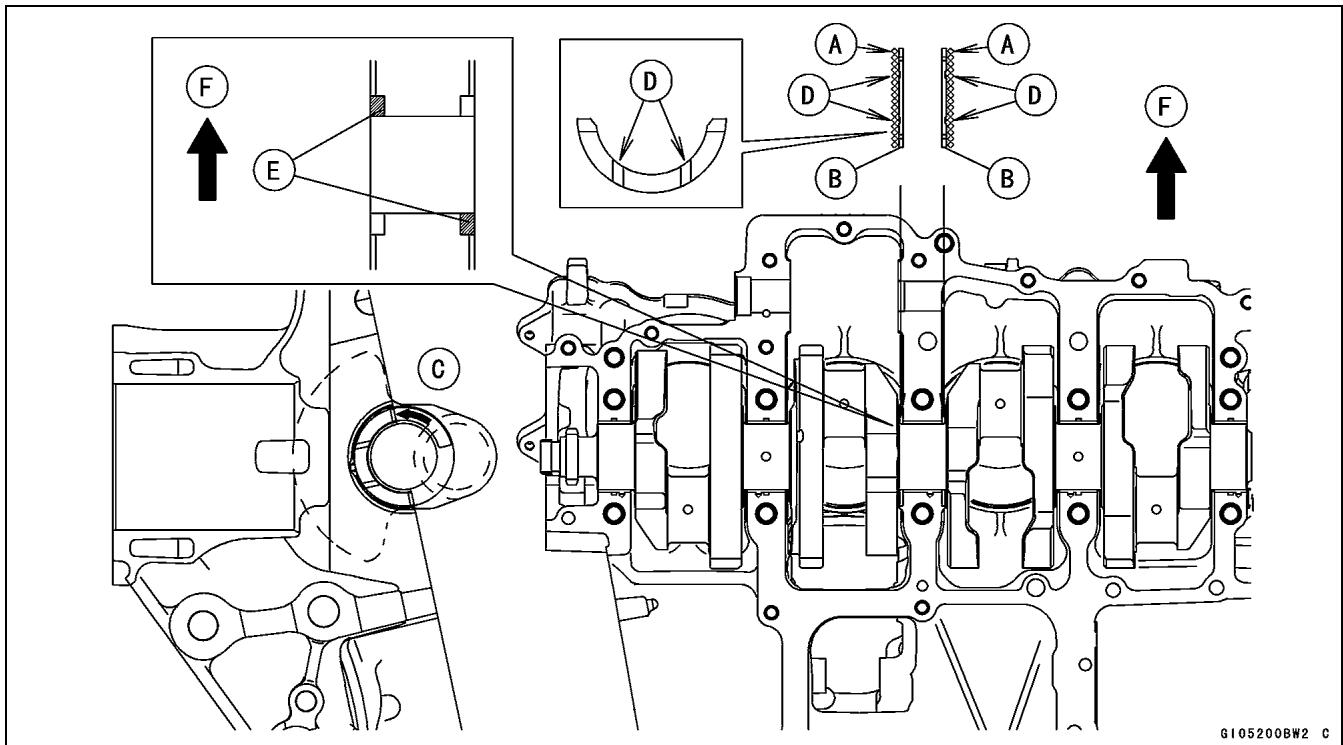
Crankshaft and Connecting Rods
Connecting Rod Removal
- Split the crankcase (see Crankcase Splitting).
- Remove the connecting rod nuts [A].
- Remove the crankshaft.
NOTE
○Mark and record the locations of the connecting rods and their big end caps so that they can be reassembled in their original positions.
- Remove the piston (see Piston Removal).
CAUTION
Discard the connecting rod bolts. To prevent damage to the crankpin surfaces, do not allow the connecting rod bolts to bump against the crankpins.
Connecting Rod Installation
CAUTION
To minimize vibration, the connecting rods should have the same weight mark.
Big End Cap [A]
Connecting Rod [B]
Weight Mark, Alphabet [C]
Diameter Mark [D]: “○” or no mark
CAUTION
If the connecting rods, big end bearing inserts, or crankshaft are replaced with new ones, select the bearing insert and check clearance with a plastigage (press gauge) before assembling engine to be sure the correct bearing inserts are installed.
- Apply molybdenum disulfide oil to the inner surface of the upper and lower bearing inserts [A].
- Apply molybdenum disulfide oil to the threads [B] and seating surface [C] of the connecting rod nuts.
- Install the inserts so that their nails [D] are on the same side and fit them into the recess of the connecting rod and cap.
CAUTION
Wrong application of oil and grease could cause bearing damage.
When installing the inserts [A], be careful not to damage the insert surface with the edge of the connecting rod [B] or the cap [C]. One way to install inserts is as follows.
Installation [D] to Cap
Installation [E] to Connecting Rod
Push [F]
Spare Dowel Pin [G]
Connecting Rod Bolts [H]
- Remove debris and clean the surface of inserts.
- Install the cap on the connecting rod, aligning the weight and diameter marks.

natural_image
Close-up of mechanical gear assembly with labeled component A (no readable text or symbols beyond label)

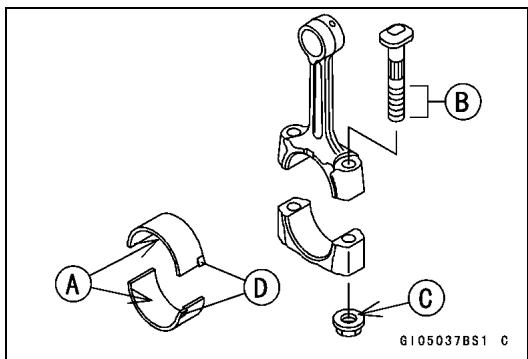

Crankshaft and Connecting Rods
- Install the crankshaft (see Crankshaft Installation).
- Install each connecting rod on its original crankpin.
○The connecting rod big end is bolted using the “plastic region fastening method”.
○This method precisely achieves the needed clamping force without exceeding it unnecessarily, allowing the use of thinner, lighter bolts further decreasing connecting rod weight.
- There are two types of the plastic region fastening. One is a bolt length measurement method and other is a rotation angle method. Observe one of the following two, but the bolt length measurement method is preferable because this is a more reliable way to tighten the big end nuts.
CAUTION
The connecting rod bolts are designed to stretch when tightened. Never reuse the connecting rod bolts. See the table below for correct bolt and nut usage.
CAUTION
Be careful not to overtighten the nuts.
The bolts must be positioned on the seating surface correctly to prevent the bolt heads from hitting the crankcase.
(1) Bolt Length Measurement Method
- Be sure to clean the bolts, nuts, and connecting rods thoroughly with a high-flash point solvent, because the new connecting rods, bolts, and nuts are treated with an anti-rust solution.
WARNING
Clean the bolts, nuts, and connecting rods in a well-ventilated area, and take care that there is no spark or flame anywhere near the working area. This includes any appliance with a pilot light. Because of the danger of highly flammable liquids, do not use gasoline or low-flash point solvents to clean them.
CAUTION
Immediately dry the bolts and nuts with compressed air after cleaning.
Clean and dry the bolts and nuts completely.
Crankshaft and Connecting Rods
- Install new bolts in reused connecting rods.
- Dent both bolt head and bolt tip with a punch as shown.
- Before tightening, use a point micrometer to measure the length of new connecting rod bolts and record the values to find the bolt stretch.
Connecting Rod [A]
Dent here with a punch [B].
Nuts [C]
Fit micrometer pins into dents [D].
- Apply a small amount of molybdenum disulfide oil to the following.
Threads of Nuts and Bolts
Seating Surfaces of Nuts and Connecting rods
- Tighten the big end nuts until the bolt elongation reaches the length specified in the table.
- Check the length of the connecting rod bolts.
★If the stretch is more than the usable range, the bolt has stretched too much. An overelongated bolt may break in use.
Bolt Length after tightening - Bolt Length before tightening = Bolt Stretch
| Connecting Rod Assy | Bolt | Nut | Usable Range of Connecting Rod Bolt Stretch |
| New | Use the bolts attached to new con-rod. | Attached to new con-rod | 0.25 ~ 0.34 mm(0.0098 ~ 0.0134 in.) |
| New |
| Used | Replace the bolts with new ones. | Used | 0.25 ~ 0.34 mm(0.0098 ~ 0.0134 in.) |
| New |
(2) Rotation Angle Method
★If you don't have a point micrometer, you may tighten the nuts using the "Rotation Angle Method".
- Be sure to clean the bolts, nuts and connecting rods thoroughly with a high-flash point solvent, because the new connecting rods, bolts and nuts are treated with an anti-rust solution.
WARNING
Clean the bolts, nuts and connecting rods in a well-ventilated area, and take care that there is no spark or flame anywhere near the working area. This includes any appliance with a pilot light. Because of the danger or highly flammable liquids, do not use gasoline or low-flash point solvents to clean them.
CAUTION
Immediately dry the bolts and nuts with compressed air after cleaning.
Clean and dry the bolts and nuts completely.
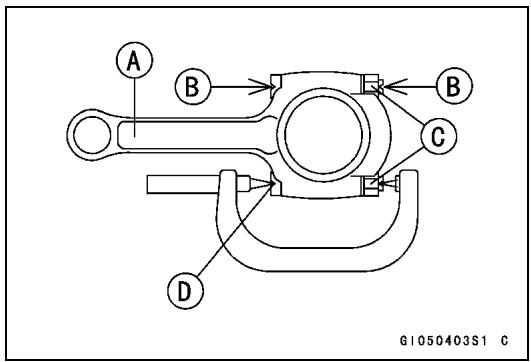
Crankshaft and Connecting Rods
- Install new bolts in reused connecting rods.
-
Apply a small amount of molybdenum disulfide oil to the following.
Threads [A] of Nuts and Bolts
Seating Surfaces [B] of Nuts and Connecting Rods
-
First, tighten the nuts to the specified torque. See the table below.
- Next, tighten the nuts 120irc ± 5irc .
○Mark [A] the connecting rod big end caps and nuts so that nuts can be turned 120irc [B] properly.
| Connecting Rod Assy | Bolt | Nut | Torque + Angle N·m (kgf·m, ft·lb) |
| New | Use the bolts attached to new con-rod. | Attached to new con-rod | 21.6 (2.2, 16) + 120° |
| New | 21.6 (2.2, 16) + 120° |
| Used | Replace the bolts with new ones | Used | 21.6 (2.2, 16) + 120° |
| New | 21.6 (2.2, 16) + 120° |

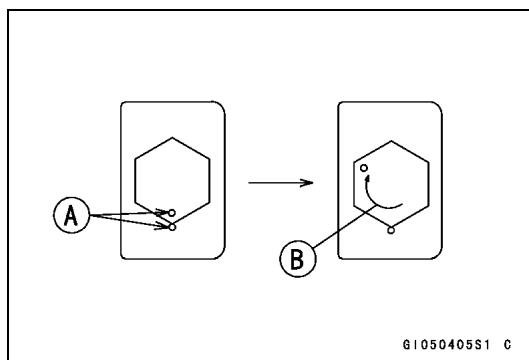
chemical
Chemical reaction diagram showing transformation of compound A to compound B with curved arrow indicating electron movement
Crankshaft/Connecting Rod Cleaning
- After removing the connecting rods from the crankshaft, clean them with a high-flash point solvent.
- Blow the crankshaft oil passages with compressed air to remove any foreign particles or residue that may have accumulated in the passages.
Connecting Rod Bend
- Remove the connecting rod big end bearing inserts, and reinstall the connecting rod big end cap.
- Select an arbor [A] of the same diameter as the connecting rod big end, and insert the arbor through the connecting rod big end.
- Select an arbor of the same diameter as the piston pin and at least 100 mm (3.94 in.) long, and insert the arbor [B] through the connecting rod small end.
- On a surface plate, set the big-end arbor on V block [C].
- With the connecting rod held vertically, use a height gauge to measure the difference in the height of the arbor above the surface plate over a 100 mm (3.94 in.) length to determine the amount of connecting rod bend.
★If connecting rod bend exceeds the service limit, the connecting rod must be replaced.
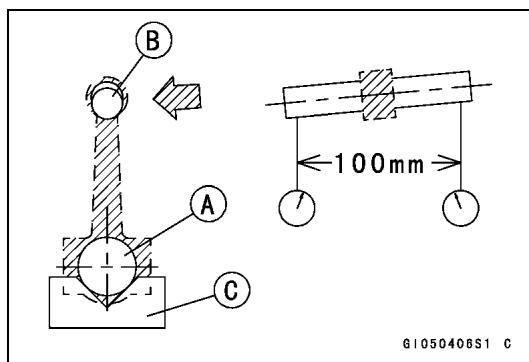
Connecting Rod Bend
Service Limit: TIR 0.2/100 mm (0.008/3.94 in.)
Crankshaft and Connecting Rods
Connecting Rod Twist
- With the big-end arbor [A] still on V block [C], hold the connecting rod horizontally and measure the amount that the arbor [B] varies from being paralleled with the surface plate over a 100 mm (3.94 in.) length of the arbor to determine the amount of connecting rod twist.
★If connecting rod twist exceeds the service limit, the connecting rod must be replaced.
Connecting Rod Twist
Service Limit: TIR 0.2/100 mm (0.008/3.94 in.)
Connecting Rod Big End Side Clearance
- Measure connecting rod big end side clearance.
○Insert a thickness gauge [A] between the big end and either crank web to determine clearance.
Connecting Rod Big End Side Clearance
Standard: 0.13 \~ 0.38 mm (0.0051 \~ 0.0150 in.)
Service Limit: 0.58 mm (0.023 in.)
★ If the clearance exceeds the service limit, replace the connecting rod with new one and then check clearance again. If clearance is too large after connecting rod replacement, the crankshaft also must be replaced.
Connecting Rod Big End Bearing Insert/Crankpin Wear
- Measure the bearing insert/crankpin [B] clearance with plastigage [A].
- Tighten the big end nuts to the specified torque (see Connecting Rod Installation).
NOTE
○Do not move the connecting rod and crankshaft during clearance measurement.
CAUTION
After measurement, replace the connecting rod bolts.
Connecting Rod Big End Bearing Insert/Crankpin Clearance
Standard: 0.048 \~ 0.086 mm (0.0019 \~ 0.0034 in.)
Service Limit: 0.12 mm (0.0047 in.)

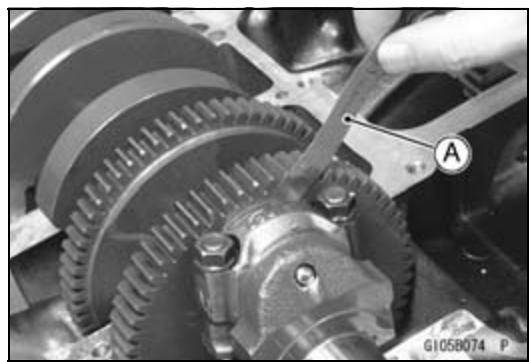
natural_image
Close-up of a mechanical gear assembly with a hand using a caliper (no visible text or symbols)

Crankshaft and Connecting Rods
★If the clearance is within the standard, no bearing replacement is required.
★If the clearance is between 0.087 mm (0.0034 in.) and the service limit (0.12 mm, 0.0047 in.), replace the bearing inserts [A] with inserts painted blue [B]. Check insert/crankpin clearance with the plastigage. The clearance may exceed the standard slightly, but it must not be less than the minimum in order to avoid bearing seizure.
★If the clearance exceeds the service limit, measure the diameter of the crankpins.
Crankpin Diameter
Standard: 37.984 \~ 38.000 mm (1.4954 \~ 1.4961 in.)
Service Limit: 37.97 mm (1.4949 in.)
★If any crankpin has worn past the service limit, replace the crankshaft with a new one.
★If the measured crankpin diameters are not less than the service limit, but do not coincide with the original diameter markings on the crankshaft, make new marks on it.
Crankpin Diameter Marks
None 37.984 \~ 37.992 mm (1.4954 \~ 1.4957 in.)
37.993 \~ 38.000 mm (1.4958 \~ 1.4961 in.)
△: Crankpin Diameter Marks, "○" or no mark.
- Measure the connecting rod big end inside diameter, and mark each connecting rod big end in accordance with the inside diameter.
- Tighten the connecting rod big end nuts to the specified torque (see Connecting Rod Installation).
NOTE
○ The mark already on the big end should almost coincide with the measurement.
Connecting Rod Big End Inside Diameter Marks
None 41.000 \~ 41.008 mm (1.6142 \~ 1.6145 in.)
☐ 41.009 \~ 41.016 mm (1.6145 \~ 1.6148 in.)
Big End Cap [A]
Connecting Rod [B]
Weight Mark, Alphabet [C]
Diameter Mark (Around Weight Mark) [D]: “○” or no mark
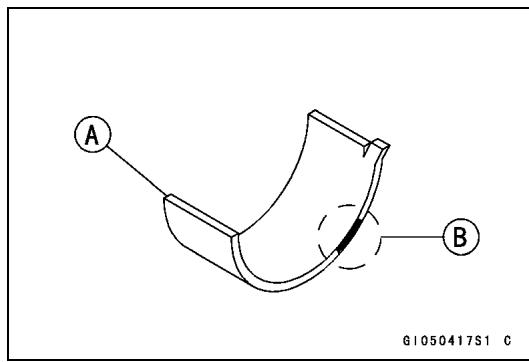
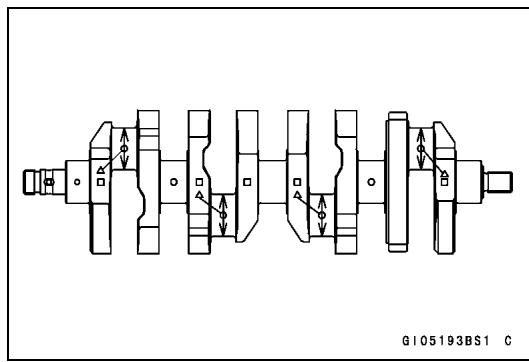
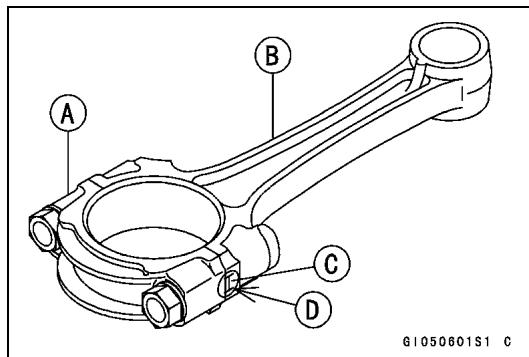
Crankshaft and Connecting Rods
- Select the proper bearing insert [A] in accordance with the combination of the connecting rod and crankshaft coding. Size Color [B]
| Con-rod Big End Inside Diameter Marking | Crankpin Diameter Marking | Bearing Insert |
| Size Color | Part Number |
| None | ○ | Brown | 92139-0131 |
| None | None | Black | 92139-0130 |
| ○ | ○ |
| ○ | None | Blue | 92139-0129 |
- Install the new inserts in the connecting rod and check insert/crankpin clearance with the plastigage.
Crankshaft Side Clearance
- Move [A] the crankshaft to the side of the camshaft chain.
- Insert a thickness gauge [B] between the thrust washer [C] and the crank web [D] at the No. 3 main journal to determine clearance.
Crankshaft Side Clearance
Standard: 0.05 \~ 0.24 mm (0.0020 \~ 0.0094 in.)
Service Limit: 0.30 mm (0.0118 in.)
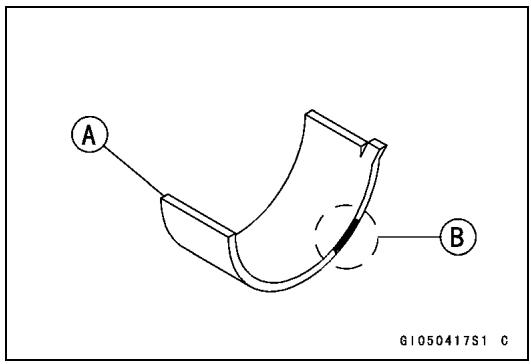
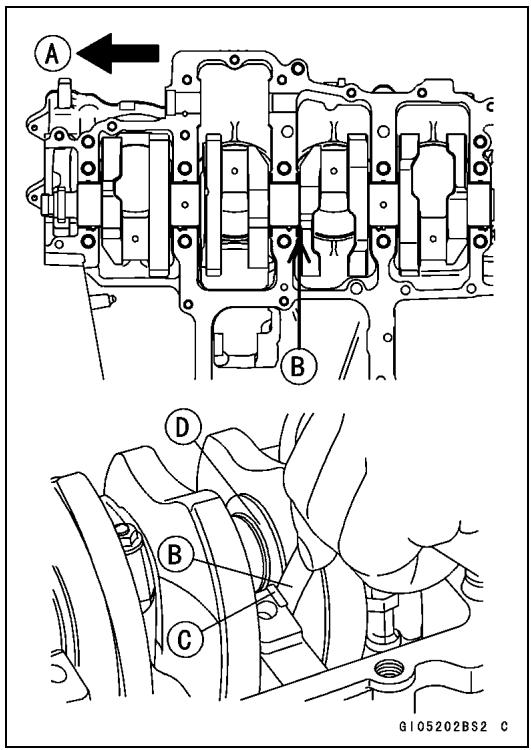
★If the clearance exceeds the service limit, replace the thrust washer as a set.
- Measure the width [A] of the both thrust washers.
★ If the thrust washers (t = 2.5 mm, 0.0984 in.) are installed on the upper crankcase half, replace them with new thrust washer (t = 2.5 mm, 0.0984 in.) as a set.
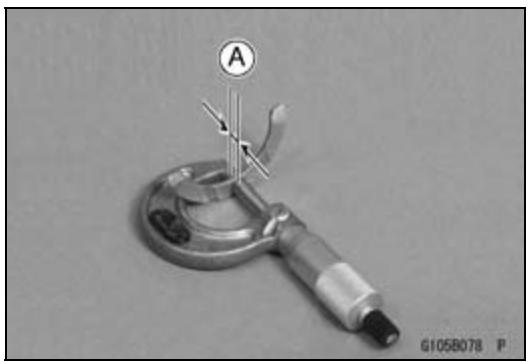
natural_image
Mechanical component with labeled point A and directional arrows, no readable text or symbols beyond labels
Crankshaft and Connecting Rods
★ If the thrust washers (t = 4.0 mm, 0.1575 in.) are installed on the upper crankcase half, replace them with new thrust washer (t = 4.0 mm, 0.1575 in.) as a set.
| Thrust Washer P/No. | Thickness | Edge Colar |
| 92200-0331 | 2.45 ~ 2.50 mm(0.0965 ~ 0.0984 in.) | Blue |
| 92200-0332 | 3.95 ~ 4.00 mm(0.1555 ~ 0.1575 in.) | Blue |
NOTE
○For the crankcase, only crankcase set (P/No. 14001-0089) be available as spare parts.
- Check the width of the crankshaft #3 main journal.
- Measure the crankshaft #3 main journal width [A].
★If the measurement exceeds the standard, replace the crankshaft [B].
Crankshaft #3 Main Journal Width
Standard: 27.45 \~ 27.50 mm (1.0807 \~ 1.0827 in.)

Crankshaft Runout
- Measure the crankshaft runout.
★ If the measurement exceeds the service limit, replace the crankshaft.
Crankshaft Runout
Standard: TIR 0.03 mm (0.0012 in.) or less
Service Limit: TIR 0.08 mm (0.0031 in.)
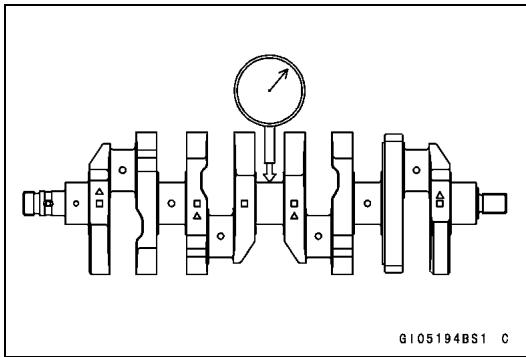
Crankshaft Main Bearing Insert/Journal Wear
- Using a plastigage (press gauge) [A], measure the bearing insert/journal [B] clearance.
NOTE
○ Tighten the crankcase bolts to the specified torque (see Crankcase Assembly).
○Do not turn the crankshaft during clearance measurement.
○Journal clearance less than 0.025 mm (0.00098 in.) can not be measured by plastigage, however, using genuine parts maintains the minimum standard clearance.
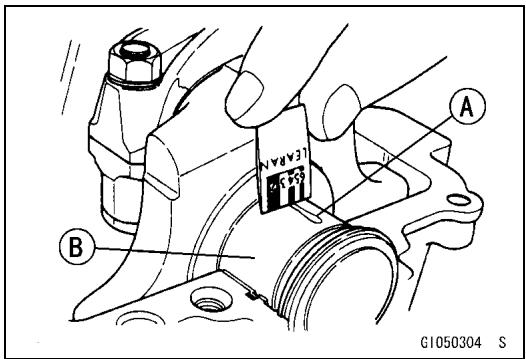
Crankshaft and Connecting Rods
Crankshaft Main Bearing Insert/Journal Clearance
Standard: 0.031 \~ 0.063 mm (0.0012 \~ 0.0025 in.)
Service Limit: 0.09 mm (0.0035 in.)
★If the clearance is within the standard, no bearing replacement is required.
★If the clearance is between 0.064 mm (0.0025 in.) and the service limit (0.09 mm, 0.0035 in.), replace the bearing inserts [A] with inserts painted blue [B]. Check insert/journal clearance with the plastigage. The clearance may exceed the standard slightly, but it must not be less than the minimum in order to avoid bearing seizure.
★If the clearance exceeds the service limit, measure the diameter of the crankshaft main journal.
Crankshaft Main Journal Diameter
Standard: 37.984 \~ 38.000 mm (1.4954 \~ 1.4961 in.)
Service Limit: 37.96 mm (1.4945 in.)
★If any journal has worn past the service limit, replace the crankshaft with a new one.
★If the measured journal diameters are not less than the service limit, but do not coincide with the original diameter markings on the crankshaft, make new marks on it.
Crankshaft Main Journal Diameter Marks
None 37.984 \~ 37.992 mm (1.4954 \~ 1.4957 in.)
1 37.993 \~ 38.000 mm (1.4958 \~ 1.4961 in.)
☐: Crankshaft Main Journal Diameter Marks, "1" or no mark.
- Measure the main bearing inside diameter, and mark the upper crankcase half in accordance with the inside diameter.
A: Crankcase Main Bearing Inside Diameter Marks, "○" mark or no mark.
- Tighten the crankcase bolts to the specified torque (see Crankcase Assembly).
NOTE
○The mark already on the upper crankcase half should almost coincide with the measurement.
Crankcase Main Bearing Inside Diameter Marks
☐ 41.000 \~ 41.008 mm (1.6142 \~ 1.6145 in.)
None 41.009 \~ 41.016 mm (1.6145 \~ 1.6148 in.)
- Select the proper bearing insert [A] in accordance with the combination of the crankcase and crankshaft coding. Size Color [B]

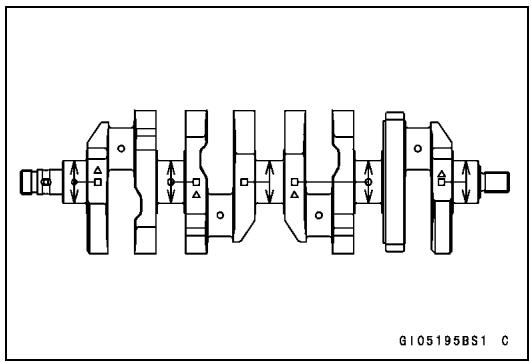


Crankshaft and Connecting Rods
| Crankcase Main Bearing Inside Diameter Marking | Crankshaft Main Journal Diameter Marking | Bearing Insert |
| Size Color | Part Number | Journal Nos. |
| ○ | 1 | Brown | 92139-0134 | 1, 3, 5 |
| 92139-0137 | 2, 4 |
| None | 1 | Black | 92139-0133 | 1, 3, 5 |
| ○ | None | 92139-0136 | 2, 4 |
| None | None | Blue | 92139-0132 | 1, 3, 5 |
| 92139-0135 | 2, 4 |
- Install the new inserts in the crankcase halves and check insert/journal clearance with the plastigage.
Pistons
Piston Removal
- Remove the piston pin snap ring [A].

natural_image
Close-up of a mechanical gear assembly with labeled component A (no readable text or symbols beyond label)

natural_image
Close-up of an internal combustion engine block with visible internal components and a white arrow indicating a specific part (no text or symbols present)

natural_image
Close-up of an internal combustion engine piston head (no text or symbols visible)
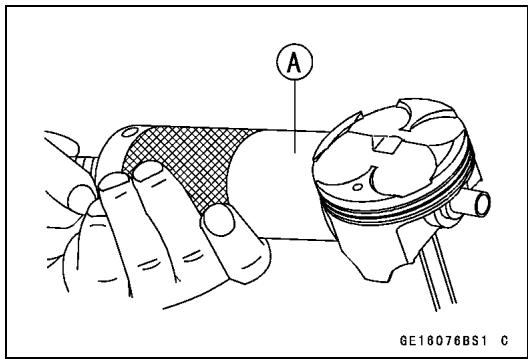

Pistons
Piston Installation
- Apply molybdenum disulfide oil solution to the oil ring expander, and install the oil ring expander [A] in the bottom piston ring groove so the ends [B] butt together.
- Apply molybdenum disulfide oil solution to the oil ring steel rails, and install the oil ring steel rails, one above the expander and one below it.
- Spread the rail with your thumbs, but only enough to fit the rail over the piston.
○Release the rail into the bottom piston ring groove.

chemical
Chemical structure diagram of a polymer chain with labeled components A and B, showing repeating units and directional arrow
NOTE
○The oil ring rails have no "top" or "bottom".
- Do not mix up the top and second ring.
- Install the top ring [A] so that the "R" mark [B] faces up.
- Install the second ring [C] so that the "RN" mark [D] faces up.
○Apply molybdenum disulfide oil solution to the piston rings.

NOTE
○If a new piston is used, use new piston ring.
- Fit a new piston pin snap ring into the side of the piston so that the ring opening [A] does not coincide with the slit [B] of the piston pin hole.
○Apply molybdenum disulfide oil solution to the piston pins and piston journals.
When installing the piston pin snap ring, compress it only enough to install it and no more.

CAUTION
Do not reuse snap rings, as removal weakens and deforms them. They could fall out and score the cylinder wall.
- The piston ring openings must be positioned as shown in the figure. The openings of the oil ring steel rails must be about 30-40° of angle from the opening of the top ring.
Top Ring [A]
Second Ring [B]
Oil Ring Steel Rails [C]
Oil Ring Expander [D]
Hollow [E]
30 40irc [F]

Pistons
- Install the piston with its marking hollow facing exhaust side.
- Using the piston ring compressor assy [A] to install the piston from the cylinder head side.
Special Tools - Piston Ring Compressor Grip: 57001-1095
Piston Ring Compressor Belt, φ 80 φ 91 : 57001-1320
- Install the crankshaft.
- Install the connecting rod to the crankshaft (see Connecting Rod Installation).
Cylinder Wear (Upper Crankcase)
- Since there is a difference in cylinder wear (upper crankcase) in different directions, take a side-to-side and a front-to-back measurement at each of the two locations (total of four measurements) shown in the figure.
★If any of the cylinder inside diameter measurements exceeds the service limit, replace the crankcase.
10 mm (0.39 in.) [A]
60 mm (2.36 in.) [B]
Cylinder Inside Diameter
Standard: 83.994 \~ 84.006 mm (3.3068 \~ 3.3073 in.)
Service Limit: 84.10 mm (3.3110 in.)
Piston Wear
- Measure the outside diameter [A] of each piston 10 mm (0.39 in.) [B] up from the bottom of the piston at a right angle to the direction of the piston pin.
★If the measurement is under service limit, replace the piston.
Piston Diameter
Standard: 83.959 \~ 83.974 mm (3.3055 \~ 3.3061 in.)
Service Limit: 83.81 mm (3.2996 in.)
Piston Ring, Piston Ring Groove Wear
- Check for uneven groove wear by inspecting the ring seating.
★The rings should fit perfectly parallel to groove surfaces. If not, replace the piston and all the piston rings.
- With the piston rings in their grooves, make several measurements with a thickness gauge [A] to determine piston ring/groove clearance.
Piston Ring/Groove Clearance
Standard:
Top 0.03 \~ 0.07 mm (0.0012 \~ 0.0028 in.)
Second 0.02 \~ 0.06 mm (0.0008 \~ 0.0024 in.)
Service Limit:
Top 0.17 mm (0.0067 in.)
Second 0.16 mm (0.0063 in.)

natural_image
Close-up of an internal combustion engine cylinder head with labeled component A (no text or symbols beyond label)

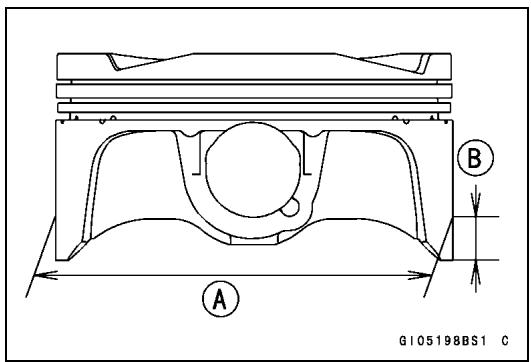

Pistons
Piston Ring Groove Width
- Measure the piston ring groove width.
○Use a vernier caliper at several points around the piston.
Piston Ring Groove Width
Standard:
Top [A] 0.92 \~ 0.94 mm (0.0362 \~ 0.0370 in.)
Second [B] 1.01 \~ 1.03 mm (0.0398 \~ 0.0406 in.)
Service Limit:
Top [A] 1.02 mm (0.040 in.)
Second [B] 1.11 mm (0.044 in.)
★If the width of any of the two grooves is wider than the service limit at any point, replace the piston.
Piston Ring Thickness
- Measure the piston ring thickness.
○Use the micrometer to measure at several points around the ring.
Piston Ring Thickness
Standard:
Top [A] 0.87 \~ 0.89 mm (0.0343 \~ 0.0350 in.)
Second [B] 0.97 \~ 0.99 mm (0.0382 \~ 0.0390 in.)
Service Limit:
Top [A] 0.80 mm (0.032 in.)
Second [B] 0.90 mm (0.035 in.)
★If any of the measurements is less than the service limit on either of the rings, replace all the rings.
NOTE
○When using new rings in a used piston, check for uneven groove wear. The rings should fit perfectly parallel to the groove sides. If not, replace the piston.
Piston Ring End Gap
- Place the piston ring [A] inside the cylinder (upper crankcase), using the piston to locate the ring squarely in place. Set it close to the bottom of the cylinder, where cylinder wear is low.
- Measure the gap [B] between the ends of the ring with a thickness gauge.
Piston Ring End Gap
Standard:
Top 0.20 \~ 0.30 mm (0.0079 \~ 0.0118 in.)
Second 0.40 \~ 0.55 mm (0.0157 \~ 0.0217 in.)
Service Limit:
Top 0.6 mm (0.024 in.)
Second 0.8 mm (0.031 in.)
★If the end gap of either ring is greater than the service limit, replace all the rings.

flowchart
graph TD
    A["A"] --> B["B"]
    B --> C["Output Path"]
    style A fill:#f9f,stroke:#333
    style B fill:#ccf,stroke:#333
    style C fill:#cfc,stroke:#333


Balancer
Front Balancer Removal
- Split the crankcase (see Crankcase Splitting).
- Unscrew:
Balancer Shaft Clamp Bolt [A]
Balancer Shaft Clamp Lever Bolt [B]
- Remove the front balancer [C] from the lower crankcase half [D]
Front Balancer Installation
- Check that the rubber dampers [A] are in place as shown.
- Apply molybdenum disulfide oil solution to the damper contact portions of the balancer weight.
-
Install the balancer weight [A] into the gear [B].
○Align the mark [C] of the balancer weight to the groove [D] of the gear.
-
Apply molybdenum disulfide oil solution to the needle bearings. Insert the needle bearings.
- Fit the copper washers [A] on both ends of the weight and gear assembly. The projected sides [B] face inward.

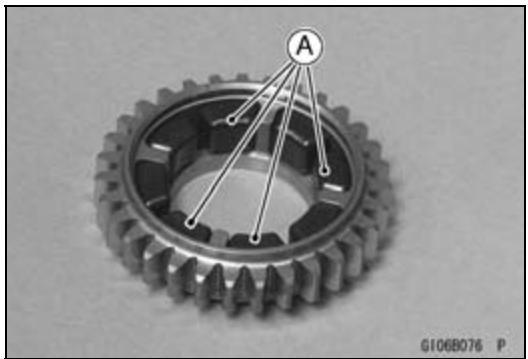
natural_image
Mechanical gear assembly with labeled point A (no text or symbols beyond label)


Balancer
- Position the crankshaft at 2, 3 position TDC.
- Insert the pin [A] as shown.
- Set the front balancer on the upper crankcase half.
○Align the punch mark [B] on the balancer gear [C] with the mark [D] on the balancer drive gear [E] of crankshaft.

G106B078W1 C
- Assemble the crankcase (see Crankcase Assembly).
- Install the new oil seal [A] so that its surface [B] is flush with the surface of the crankcase [C].
○Fill the oil seal lips with grease.
- Tighten the balancer shaft clamp lever bolt [D]
Torque - Balancer Shaft Clamp Lever Bolt: 25 N·m (2.5 kgf·m, 18 ft·lb)
- Turn the balancer shaft so that its mark [E] is aligned with the crankcase mating line [F].
- Tighten the balancer shaft clamp bolt [G]
Torque - Balancer Shaft Clamp Bolt: 9.8 N·m (1.0 kgf·m, 87 in·lb)

G106B079W1 C
Rear Balancer Removal
- Remove the engine (see Engine Removal in the Engine Removal/Installation chapter).
- Remove:
Breather Cover Bolts [A]
Breather Cover [B]
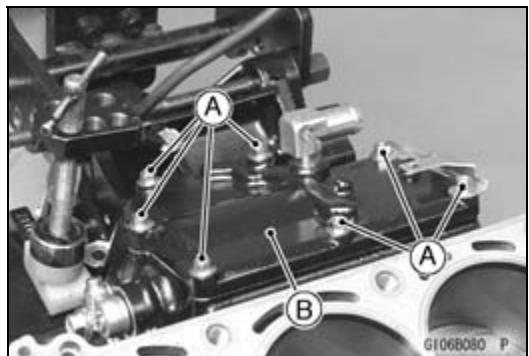
Balancer
- Unscrew the balancer shaft clamp bolt [A], and balancer shaft clamp lever bolt [B], and pull off the clamp lever [C].
- Pull the balancer shaft [D] out of the crankcase. The balancer weight and gear assembly [E] come off with needle bearings and copper washers.
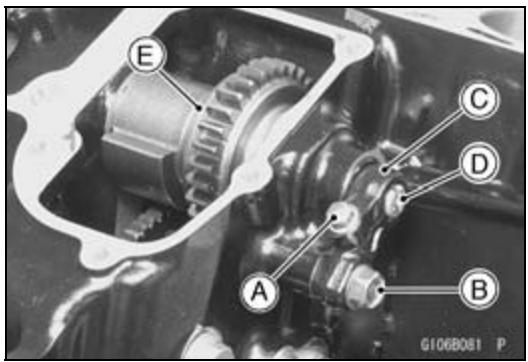
Rear Balancer Installation
- Check that the rubber dampers [A] are in place as shown.

natural_image
Mechanical gear assembly with labeled point A (no text or symbols beyond label)
- Apply molybdenum disulfide oil solution to the damper contact portions of the balancer weight.
- Install the balancer weight [A] into the gear [B].
○Align the mark [C] of the balancer weight to the groove [D] of the gear.

- Apply molybdenum disulfide oil solution to the needle bearings. Insert the needle bearings.
- Fit the copper washers [A] on both ends of the weight and gear assembly. The projected sides [B] face inward.
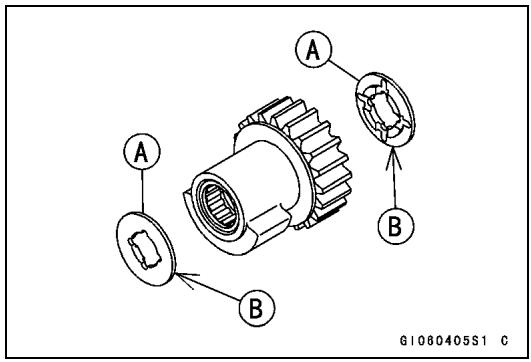
Balancer
- Position the crankshaft at # 2, 3 position TDC or at # 1, 4 position TDC.
- Aligin the mark [A] on the balancer gear [B] with the mating surface [C] of the upper crankcase half.
- Install the balancer shaft [D] and then align the balancer gear with the starter motor clutch gear.
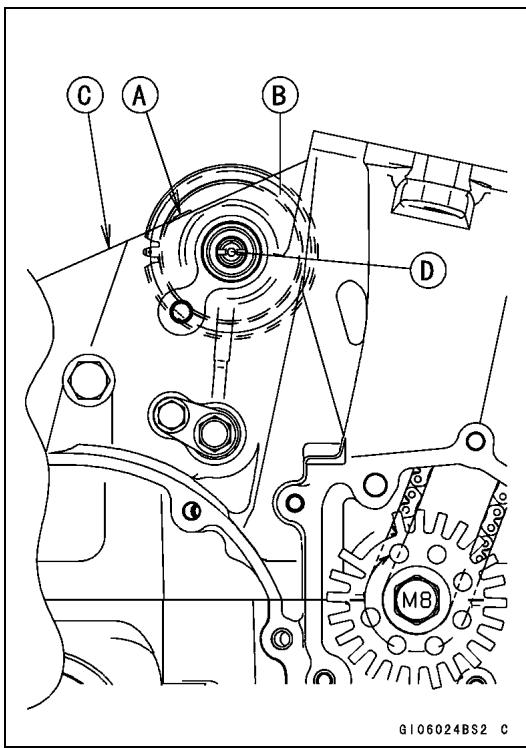
- Install the new oil seal [A] so that its surface [B] is flush with the surface of crankcase [C].
○Fill the oil seal lips with grease.
- Tighten the balancer shaft clamp lever bolt [D].
Torque - Balancer Shaft Clamp Lever Bolt: 25 N·m (2.5 kgf·m, 18 ft·lb)
- Turn the balancer shaft so that its mark [E] is in position as shown.
- Tighten the balancer shaft clamp bolt [F].
Torque - Balancer Shaft Clamp Bolt: 9.8 N·m (1.0 kgf·m, 87 in·lb)
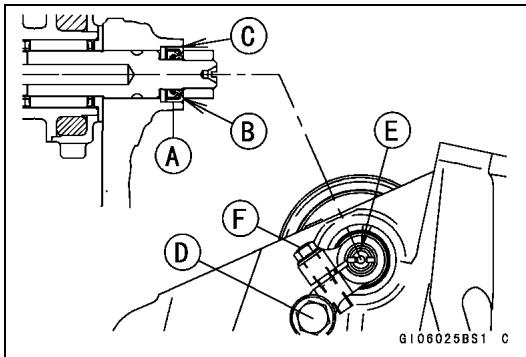
Balancer
Balancer Adjustment
- First, adjust the front balancer [A], next the rear balancer [B].
○For the front balancer adjustment, remove the lower fairing (see Lower Fairing Removal in the Frame chapter).
- Start the engine and warm it up thoroughly.
- Adjust the balancer gear backlash with the engine idling. The amount of backlash can be changed by turning the balancer shaft which has eccentric journals.
○Start the engine and let it idle.
○Loosen the clamp bolt [C] and turn the balancer shaft [D] clockwise [E] until the balancer gear makes a whining sound.
○Turn the shaft counter-clockwise [F] until the balancer gear whining sound disappears and tighten the clamp bolt.
Torque - Balancer Shaft Clamp Bolt: 9.8 N·m (1.0 kgf·m, 98 in·lb)
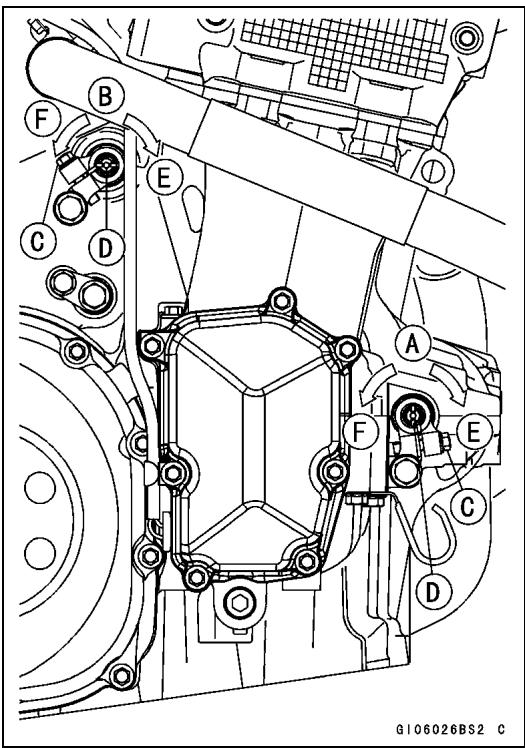
Balancer Damper Inspection
- Remove the balancer and disassemble the weight and gear assembly.
- Visually inspect the rubber dampers [A].
★If they appear damaged or deteriorated, replace them.
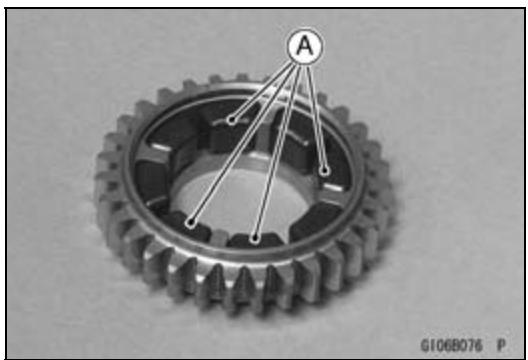
natural_image
Mechanical gear assembly with labeled point A (no text or symbols beyond label)
Starter Motor Clutch and Torque Limiter
Starter Motor Clutch Removal

natural_image
Close-up of mechanical components with a labeled section A, no readable text or symbols present

Starter Motor Clutch Installation
- Install:
Coller (Long) [A]
Starter Motor Clutch [B]
Coller (Short) [C]
Starter Motor Clutch Shaft [D]
○Apply molybdenum disulfide grease [E] to the starter motor clutch shaft.
- Align [F] the starter motor clutch gear with the torque limiter gear.
- Apply a non-permanent locking agent to the threads of the starter clutch shaft plate bolt, and tighten it.
Torque - Starter Clutch Shaft Plate Bolt [G]: 9.8 N·m (1.0 kgf·m, 87 in·lb)
★If the shaft bolt removed, tighten it.
○Apply a non-permanent locking agent to the threads of the shaft bolt.
Torque - Starter Clutch Shaft Bolt [H]: 9.8 N·m (1.0 kgf·m, 87 in·lb)

Starter Motor Clutch Disassembly
- Remove the starter motor clutch.
- Pull the driven gear out off from the drive gear.
- Remove:
Flat Washer [A]
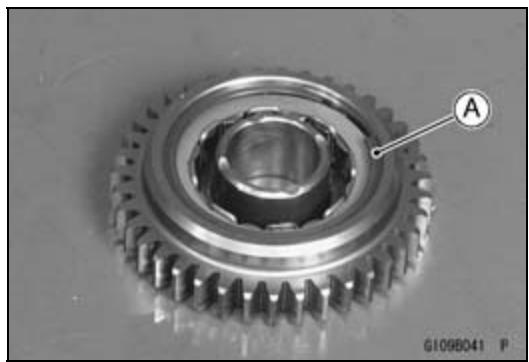
natural_image
Close-up of a mechanical gear with visible teeth and central bore, labeled point A (no text or symbols beyond label)
Starter Motor Clutch and Torque Limiter
- Holding the drive gear [A] with a hand, take off the one -way clutch [B] from the gear by using the screw driver [C].

Starter Motor Clutch Assembly
- Be sure to install the one-way clutch [A] so that its arrow [B] faces the side of the flat washer.
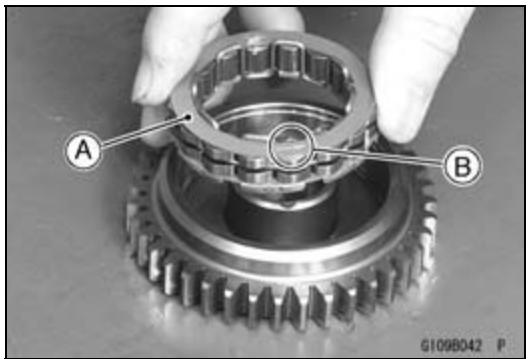
natural_image
Close-up of hands assembling a mechanical gear assembly (no text or symbols visible)
- Turn in the driven gear [A] to the drive gear [B]. Counterclockwise [C]

Starter Clutch Inspection
- Remove the rear balancer (see Rear Balancer Removal).
- Turn the starter idle gear [A] by hand. When viewed from the rear side of the engine, the starter idle gear should turn forward [B] freely, but should not turn backward [C].
★If the clutch does not operate as it should or if it makes noise, disassemble the starter clutch, examine each part visually, and replace any worn or damaged parts.
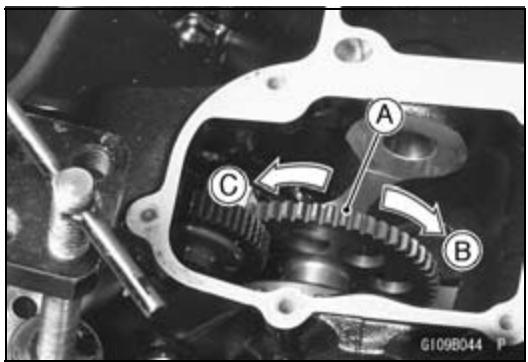
Torque Limiter Removal
- Remove:
Rear Balancer (see Rear Balancer Removal)
Starter Motor Clutch (see Starter Motor Clutch Removal).
- Remove the torque limiter bolt [A].

Starter Motor Clutch and Torque Limiter
- Holding the torque limiter [A], remove the torque limiter shaft [B] and the torque limiter.
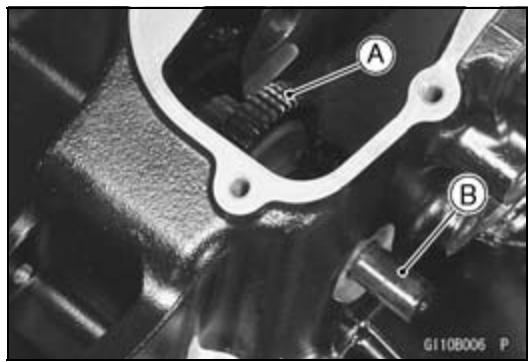
Torque Limiter Installation
- Replace the O-ring with a new one.
- Apply engine oil to the new O-ring.
- Apply molybdenum disulfide grease to the torque limiter shaft.
- Install the torque limiter bolt.
○Apply a non-permanent locking agent to the bolt.
Torque - Torque Limiter Bolt: 25 N·m (2.5 kgf·m, 18 ft·lb)
Transmission
Shift Pedal Removal
- Remove:
Shift Lever Bolt [A]
Shift Lever [B]
Shift Pedal Installation
- Install the shift pedal.
○Align [A] the punch mark [B] on the shift shaft with the upper surface [C] of shift lever slit.
○Tighten the shift pedal bolt securely.
External Shift Mechanism Removal
- Remove:
Shift Pedal (see Shift Pedal Removal)
Snap Ring [A] and Washer [B]
Clutch (see Clutch Removal in the Clutch chapter)
- Remove the shift shaft assembly [A] while pulling the shift mechanism arm.
- Remove:
Gear Positioning Lever Bolt [A]
Gear Positioning Lever [B], Collar and Spring
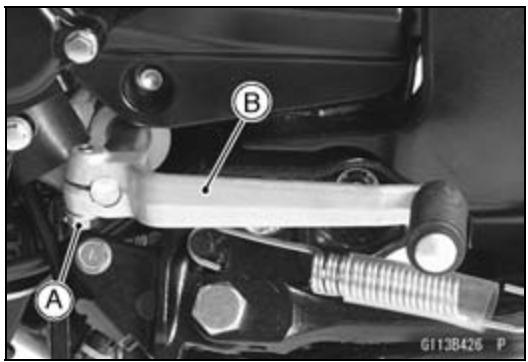
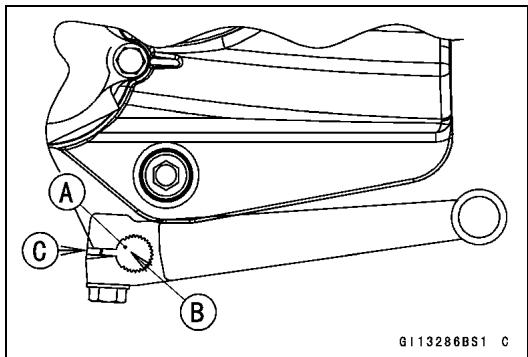
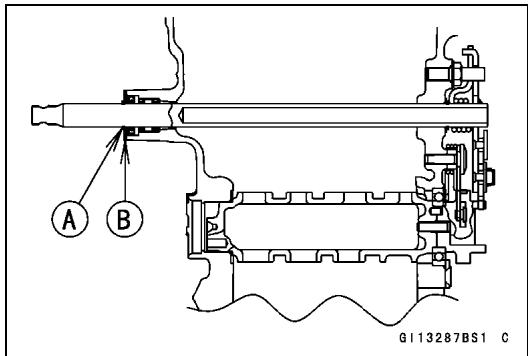
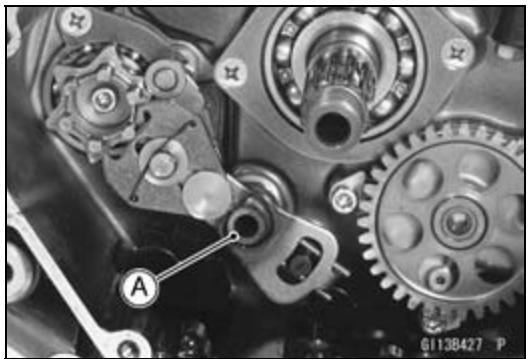
natural_image
Mechanical gear assembly with labeled component A (no readable text or symbols)
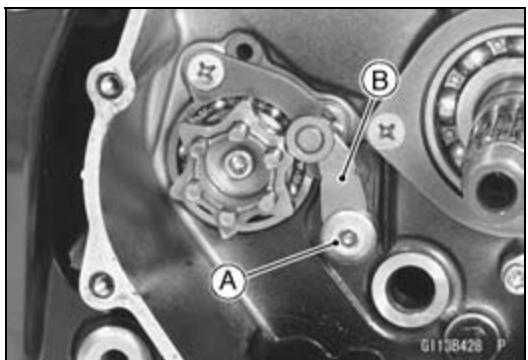
Transmission
External Shift Mechanism Installation
- Install the gear positioning lever [A] as shown.
Spring [B]
Collar [C]
Bolt [D]
- Tighten:
Torque - Gear Positioning Lever Bolt: 12 N·m (1.2 kgf·m, 106 in·lb)
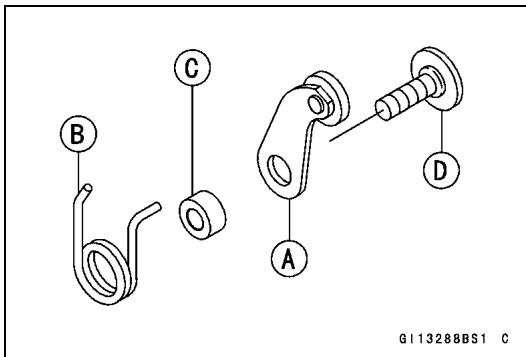
External Shift Mechanism Inspection
- Examine the shift shaft [A] for any damage.
★If the shaft is bent, straighten or replace it.
★If the serration [B] are damaged, replace the shaft.
★If the springs [C] are damaged in any way, replace them.
★If the shift mechanism arm [D] is damaged in any way, replace the arm.
- Check the return spring pin [A] is not loose.
★If it is loose, unscrew it, apply a non-permanent locking agent to the threads, and tighten it.
Torque - Shift Shaft Return Spring Pin: 29 N·m (3.0 kgf·m, 21 ft·lb)
- Check the gear positioning lever [B] and its spring for breaks or distortion.
★If the lever or spring are damaged in any way, replace them.
- Visually inspect the shift drum cam [C].
★ If they are badly worn or if they show any damage, replace it.
Transmission Shaft Removal
- Split the crankcase (see Crankcase Splitting).
- Remove the output shaft [A].


natural_image
Mechanical gear assembly with labeled component A, showing internal gears and housing (no readable text or symbols)
Transmission
- Remove the cover bolts [A] and cover [B].
- Remove the shift forks (see Shift Drum and Fork Removal).
- Pull out the drive shaft.
Transmission Shaft Installation
- Check to see that the set pin [A] and set ring [B] are in place.
- Install the output shaft into the upper crankcase half.
- Apply engine oil to the bearing.
○The bearing set pin and ring must match properly with the hole or groove in the bearing outer races. When they are properly matched, there is no clearance between the crankcase and the bearing outer races.
- Install the drive shaft into the lower crankcase half.
- Apply grease to the O-ring.
- Install the cover.
- Apply a non-permanent locking agent to the drive shaft cover bolts and tighten them.
Torque - Drive Shaft Cover Bolts [A]: 25 N·m (2.5 kgf·m, 18 ft·lb)
- Assemble the crankcase.
- Press in the oil seal [A] onto collar [B] so that the surface of the oil seal is flush with the counterbore bottom surface [C] of the crankcase.


natural_image
Close-up of an internal combustion engine cylinder head with labeled components (A and B), no readable text or symbols beyond labels.

natural_image
Mechanical assembly diagram showing a gear-like component with labeled point A (no readable text or symbols beyond label)
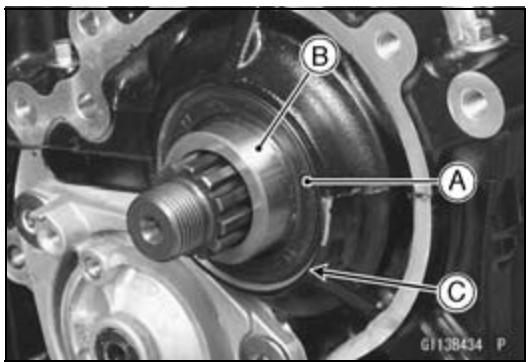
Transmission Shaft Disassembly
- Remove the transmission shafts (see Transmission Shaft Removal).
- Remove the circlips, disassemble the transmission shafts.
- The 5th gear [A] on the output shaft has three steel balls assembled into it for the positive neutral finder mechanism. Remove the 5th gear.
○Set the output shaft in a vertical position holding the 3rd gear [B].
○Spin the 5th gear quickly [C] and pull it off upward.

Transmission
- Remove the ball bearing [A] from each shafts.
Special Tools - Bearing Puller [B]: 57001-135
Bearing Puller Adapter [C]: 57001-317
- Discard the bearing.
Transmission Shaft Assembly
- Apply engine oil to the bushings, ball bearings and shafts.
- Install the gear bushings [A] on the shaft with their holes [B] aligned.
- Replace any circlips removed with new ones.
- Install the circlips [A] so that the opening [B] of it is aligned with spline grooves [C].
- Install the circlips so that the mark [D] on them faces to each gear side.
- The drive shaft gears can be recognized by size: the gear with the smallest diameter is 1st gear, and the largest one is 6th gear. Be sure that all parts are put back in the correct sequence and all circlips and washers are properly in place.
- Install the 3rd/4th gear onto the drive shaft with their oil holes aligned.
- Install the 6th gear bushing onto the drive shaft with their oil holes aligned.
- The output shaft gears can be recognized by size: the gear with the largest diameter is 1st gear, and the smallest one is 6th gear. Be sure that all parts are put back in the correct sequence and all circlips and washers are properly in place.
- Install the 5th and 6th gears onto the output shaft with their oil holes aligned.
- Install the 3rd/4th gear bushings onto the output shaft with their oil holes aligned.


Transmission
- Fit the steel balls into the 5th gear holes in the output shaft, aligning three oil holes [D].
5th Gear [A]
Output Shaft [B]
Steel Balls [C]
CAUTION
Do not apply grease to the balls to hold them in place. This will cause the positive neutral finder mechanism to malfunction.
After assembling the 5th gear with steel balls in place on the output shaft, check the ball-locking effect that the 5th gear doesn't come out of the output shaft when moving it up and down by hand.
- Check that each gear spins or slides freely on the transmission shafts without binding after assembly.

Transmission

- Output Shaft
- Collar
- Ball Bearing
- Bushing
- 2nd Gear
- Toothed Washer, φ30 mm (1.18 in.)
- Circlip
- 6th (Top) Gear
- 4th Gear
- Toothed Washer, φ43 mm (1.69 in.)
- Toothed Washer, 39.7 mm (1.56 in.)
-
3rd Gear
-
5th Gear
- Thrust Washer, φ 35 mm (1.38 in.)
- 1st Gear
- Needle Bearing
- Bearing Outer Race
- Needle Bearing
- Snap Ring, φ25.5 mm (1.00 in.)
- Toothed Washer, 35.5 mm (1.40 in.)
- Snap Ring, 33 mm (1.30 in.)
- Toothed Washer, 40.5 mm (1.59 in.)
- Toothed Washer, 37 mm (1.46 in.)
- Drive Shaft
When the tangs [A] of the toothed washer [11] shall be assembled, they shall be installed into the notches [B] of the toothed washer [10].
When the tangs [C] of the toothed washer [23] shall be assembled, they shall be installed into the notches [D] of the toothed washer [22].
Transmission
Shift Drum and Fork Removal
- Remove:
Lower Crankcase Half (see Crankcase Splitting)
External Shift Mechanism (see External Shift Mechanism Removal)
Screws [A]
Shift Drum Bearing Holder [B]
- Pull out the shift rods [C], and take off the shift forks.
- Pull out the shift drum [D].
Shift Drum and Fork Installation
- Apply engine oil to the shift drum, forks and rods.
- Install the shift rods [A], noting the groove position.
○Position the one with shortest ears [B] on the drive shaft and place the pin in the center groove in the shift drum.
○The two forks [C] on the output shaft are identical.
NOTE
○The forks have marks (029 [D], 030 [E]), and position them so that so that their marks face the engine left side.
- Install the forks as shown.
- Apply a non-permanent locking agent to the threads of the shift drum bearing holder screws and tighten them.
Torque - Shift Drum Bearing Holder Screws: 4.9 N·m (0.50 kgf·m, 43 in·lb)

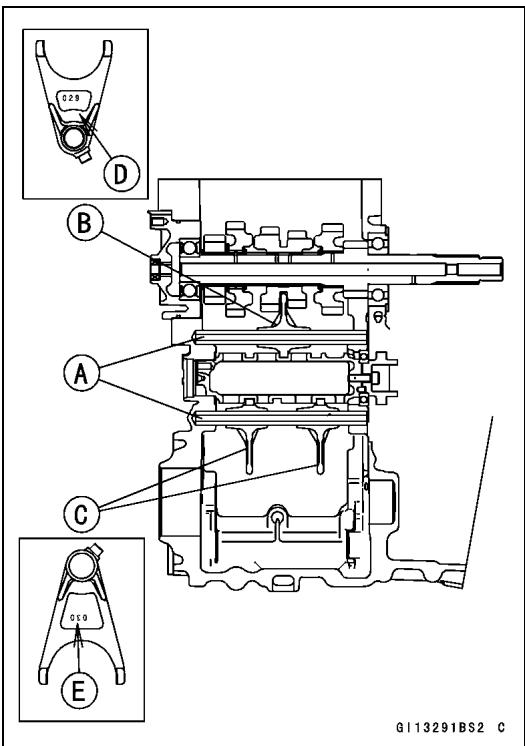
Shift Drum Disassembly
- Remove the shift drum (see Shift Drum and Fork Removal).
- While holding the shift drum with a vise, remove the shift drum cam holder bolt.
Shift Drum Cam Holder Bolt [A]
Dowel Pin [B]

Shift Drum Assembly
- Be sure to install the dowel pin.
- Apply a non-permanent locking agent to the threads of the shift drum cam holder bolt, and tighten it.
Torque - Shift Drum Cam Holder Bolt: 12 N·m (1.2 kgf·m, 106 in·lb)
Transmission
Shift Fork Bending
- Visually inspect the shift forks, and replace any fork that is bent. A bent fork could cause difficulty in shifting, or allow the transmission to jump out of gear when under power. 90° [A]

Shift Fork/Gear Groove Wear
- Measure the thickness of the shift fork ears [A], and measure the width [B] of the gear grooves.
★If the thickness of a shift fork ear is less than the service limit, the shift fork must be replaced.
Shift Fork Ear Thickness
Standard: 5.74 \~ 6.000 mm (0.2260 \~ 0.2362 in.)
Service Limit: 5.6 mm (0.220 in.)
★If the gear groove is worn over the service limit, the gear must be replaced.

Gear Groove Width
Standard: 6.05 \~ 6.15 mm (0.238 \~ 0.242 in.)
Service Limit: 6.25 mm (0.246 in.)
Shift Fork Guide Pin/Drum Groove Wear
- Measure the diameter of each shift fork guide pin [A], and measure the width [B] of each shift drum groove.
★If the guide pin on any shift fork is less than the service limit, the fork must be replaced.
Shift Fork Guide Pin Diameter
Standard: 6.9 \~ 7.0 mm (0.272 \~ 0.276 in.)
Service Limit: 6.8 mm (0.268 in.)
★If any shift drum groove is worn over the service limit, the drum must be replaced.
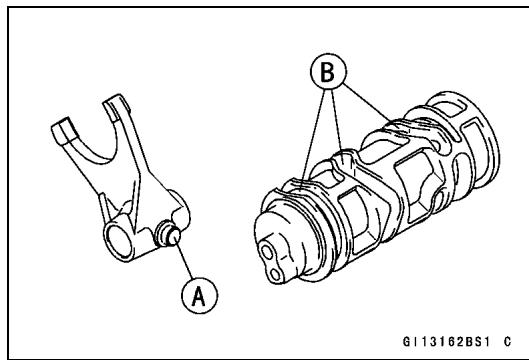
Shift Drum Groove Width
Standard: 7.05 \~ 7.20 mm (0.278 \~ 0.283 in.)
Service Limit: 7.3 mm (0.287 in.)
Gear Dog and Gear Dog Hole Damage
- Visually inspect the gear dogs [A] and gear dog holes [B].
★Replace any damaged gears or gears with excessively worn dogs or dog holes.
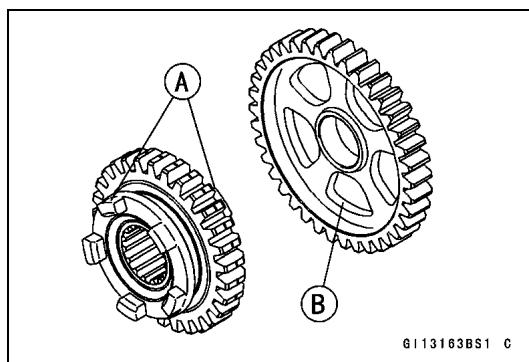
Wheels/Tires
Table of Contents
Exploded View 10-2
Specifications 10-4
Special Tools 10-5
Wheels (Rims) 10-6
Front Wheel Removal 10-6
Front Wheel Installation 10-6
Rear Wheel Removal 10-7
Rear Wheel Installation.... 10-8
Wheel Inspection 10-10
Axle Inspection.... 10-10
Balance Inspection.... 10-11
Balance Adjustment.... 10-11
Balance Weight Removal.... 10-11
Balance Weight Installation.... 10-12
Tires.... 10-14
Air Pressure Inspection/Adjustment 10-14
Tire Inspection 10-14
Tire Removal.... 10-14
Tire Installation.... 10-14
Tire Repair 10-16
Hub Bearing.... 10-17
Hub Bearing Removal 10-17
Hub Bearing Installation.... 10-17
Hub Bearing Inspection.... 10-17
Hub Bearing Lubrication 10-18
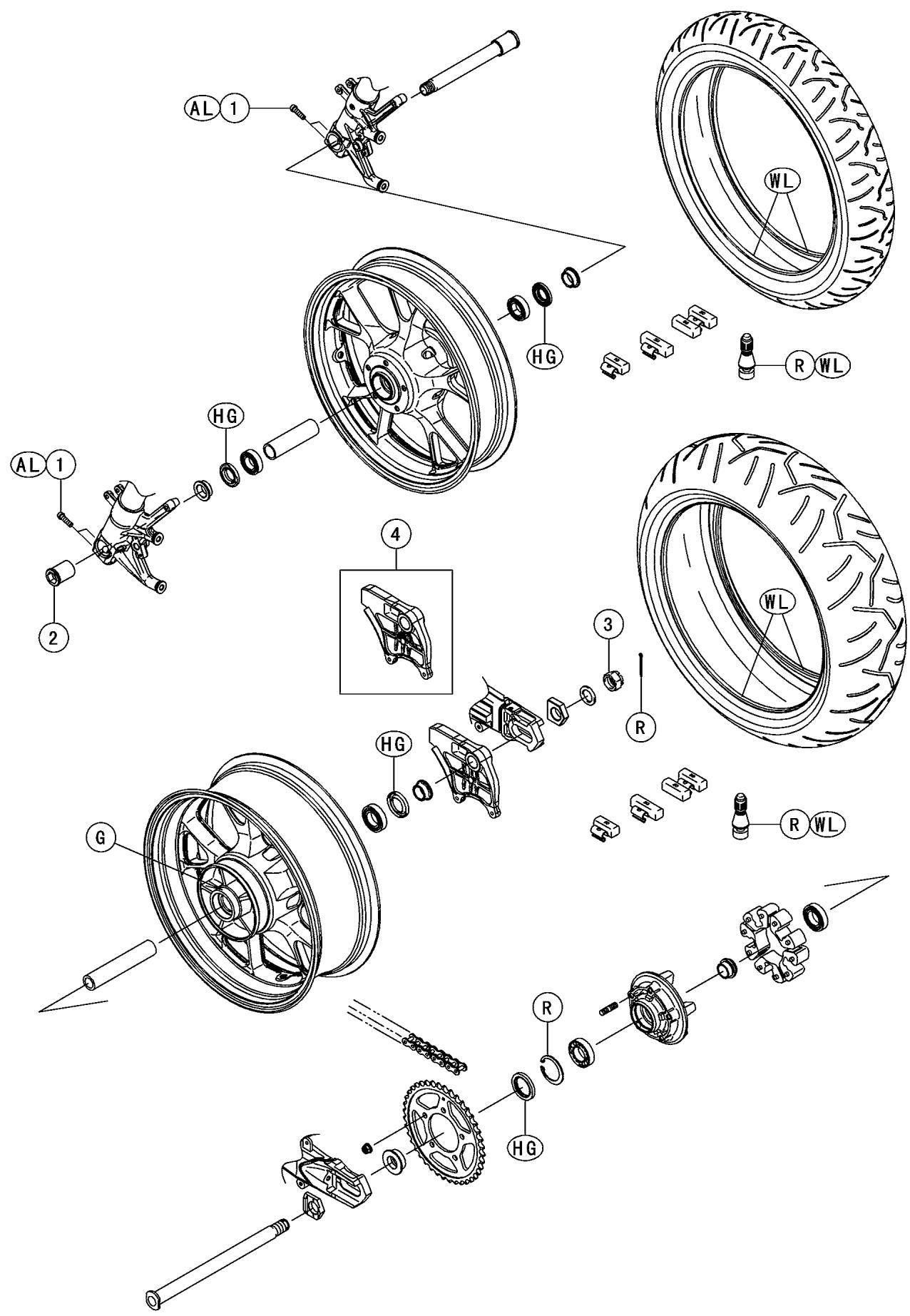
Exploded View
| No. | Fastener | Torque | Remarks |
| N·m | kgf·m | ft·lb |
| 1 | Front Axle Clamp Bolts | 20 | 2.0 | 15 | AL |
| 2 | Front Axle Nut | 127 | 13.0 | 94 | |
| 3 | Rear Axle Nut | 127 | 13.0 | 94 | |
4. Caliper Bracket (ZX1400B Models)
AL: Tighten the two clamp bolts alternately two time to ensure even tightening.
G: Apply grease.
HG: Apply high-temperature grease.
R: Replacement Parts
WL: Apply soap and water solution or rubber lubricant.
Specifications
| Item | Standard | Service Limit |
| Wheels (Rims) | | |
| Rim Runout: | | |
| Axial | TIR 0.5 mm (0.02 in.) or less | TIR 1.0 mm (0.04 in.) |
| Radial | TIR 0.8 mm (0.03 in.) or less | TIR 1.0 mm (0.04 in.) |
| Axle Runout/100 mm (3.94 in.) | TIR 0.03 mm (0.0012 in.) or less | TIR 0.2 mm (0.01 in.) |
| Wheel Balance | 10 g (0.35 oz.) or less | - - - |
| Balance Weights | 10 g (0.35 oz.), 20 g (0.71 oz.), 30 g (1.06 oz.) | - - - |
| Rim Size: | | |
| Front | 17 × 3.50 | - - - |
| Rear | 17 × 6.00 | - - - |
| Tires | | |
| Air Pressure (when Cold): | | |
| Front | Up to 180 kg (397 lb) load: | - - - |
| 290 kPa (2.9 kgf/cm2, 42 psi) |
| Rear | Up to 180 kg (397 lb) load: | - - - |
| 290 kPa (2.9 kgf/cm2, 42 psi) |
| Tread Depth: | | |
| Front | 3.8 mm (0.15 in.) | 1 mm (0.04 in.) |
| (AT, CH, DE) 1.6 mm (0.06 in.) |
| Rear | 4.8 mm (0.19 in.) | Up to 130 km/h (80 mph): 2 mm (0.08 in.)Over 130 km/h (80 mph): 3 mm (0.12 in.) |
| Standard Tires: | Make, Type | Size |
| Front | BRIDGESTONE, BATTLAX BT014 F RADIAL SL | 120/70 ZR17 M/C (58 W) |
| Rear | BRIDGESTONE, BATTLAX BT014 R RADIAL L | 190/50 ZR17 M/C (73 W) |
WARNING
Use the same manufacturer's tires on both front and rear wheels.
Bearing Driver Set:
57001-1129

natural_image
Isometric line drawing of a box containing various mechanical components (no text or symbols)
Jack:
57001-1238

natural_image
Technical line drawing of a mechanical suspension or lifting device (no text or symbols)
Bearing Remover Head, φ25 × φ28 :
57001-1346
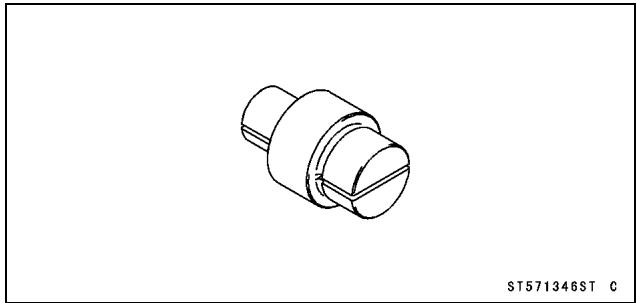
natural_image
Technical line drawing of a mechanical connector (no text or symbols)
Bearing Remover Shaft, φ 13:
57001-1377
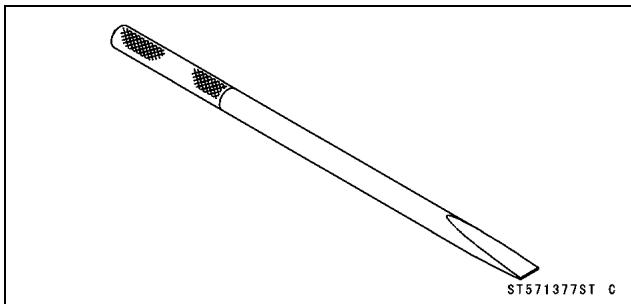
natural_image
Technical line drawing of a tool or tool with textured surface and labeled base (no text or symbols on the object itself)
Jack Attachment:
57001-1608

natural_image
Technical line drawings of two mechanical fasteners with cylindrical bases, no text or symbols present
Wheels (Rims)
Front Wheel Removal
- Remove:
Front Caliper Mounting Bolts [A]
Front Calipers [B]
- Loosen:
Axle Clamp Bolts [A] (Left Side)
Axle Nut [B]
Axle Clamp Bolts (Right Side)
- Remove the lower fairings (see Lower Fairing Removal in the Frame chapter).
- Raise the front wheel off the ground with the jack.
Special Tools - Jack: 57001-1238
Jack Attachment: 57001-1608
- Remove the axle nut and pull out the axle to the right and drop the front wheel out of the forks.
CAUTION
Do not lay the wheel down on one of the discs. This can damage or warp the disc. Place blocks under the wheel so that the disc does not touch the ground.
Front Wheel Installation
NOTE
○The direction of the wheel rotation [A] is shown by an arrow [B] on the wheel spoke.
- Check the wheel rotation mark on the front wheel and install it.


natural_image
Mechanical assembly diagram showing two labeled components A and B, with no readable text or symbols beyond labels.

Wheels (Rims)
- Apply high-temperature grease to the grease seal lip.
- Fit the collars [A] on the both sides of the hub.
○The collars are identical.
- Insert the axle from the right side.
- Tighten the axle nut [B].
Right Axle Clamp Bolts [C]
Left Axle Clamp Bolts [D]
Viewed from Rear [E]
Torque - Front Axle Nut: 127 N·m (13.0 kgf·m, 94 ft·lb)
- Before tightening the axle clamp bolts on the right front fork leg, pump the front fork up and down 4 or 5 times to all on the right front fork leg to seat on the front axle.
NOTE
○Put a block in front of the front wheel to stop moving.
- Tighten the axle clamp bolts on the right fork leg first. Next, tighten the left axle clamp bolts.
Torque - Front Axle Clamp Bolts: 20 N·m (2.0 kgf·m, 15 ft·lb)
NOTE
○ Tighten the two clamp bolts alternately two times to ensure even tightening torque.
- Install the lower fairings (see Lower Fairing Installation in the Frame chapter).
- Install the front calipers (see Caliper Installation in the Brakes chapter).
- Check the front brake effectiveness (see Brake Operation Inspection in the Periodic Maintenance chapter).
WARNING
Do not attempt to drive the motorcycle until a full brake lever is obtained by pumping the brake lever until the pads are against the disc. The brake will not function on the first application of the lever if this is not done.
Rear Wheel Removal
- Raise the rear wheel off the ground with the stand [A].


natural_image
Close-up of a motorcycle wheel mounted on a metal frame, with a labeled component 'A' pointing to the wheel (no text or symbols beyond label)
Wheels (Rims)
- Remove:
Rear Caliper Mounting Bolts [A]
Rear Caliper [B]
- Remove the rear wheel rotation sensor from the caliper bracket (see Rear Wheel Rotation Sensor Removal in the Brakes chapter) (ZX1400B Models).
- Remove:
Cotter Pin [A]
Axle Nut [B]
Washer [C]
Axle [D] (from Left Side)
- Remove the drive chain [A] from the rear sprocket toward the left.
- Move the rear wheel back and remove it.
CAUTION
Do not lay the wheel on the ground with the disc facing down. This can damage or warp the disc. Place blocks under the wheel so that the disc does not touch the ground.
Rear Wheel Installation
- Apply high-temperature grease to the grease seal lips.
- Fit the collars on the both sides of the hub.
Right Side Collar [A]
Left Side Collar [B]

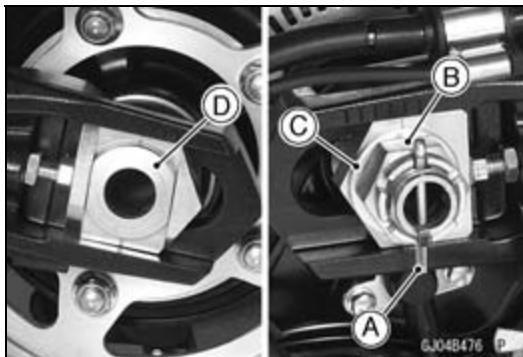

natural_image
Close-up of a mechanical gear assembly with labeled component A, no readable text or symbols present

natural_image
Close-up of mechanical components showing two views (A and B) with no visible text or symbols
- Engage the drive chain with the rear sprocket.
- Install the caliper bracket [A] onto the swingarm stop [B].
- Insert the axle from the left side of the wheel, and tighten the axle nut.
Torque - Rear Axle Nut: 127 N·m (13.0 kgf·m, 94 ft·lb)

Wheels (Rims)
- Insert a new cotter pin [A].
NOTE
○When inserting the cotter pin, if the slots in the nut do not align with the cotter pin hole in the axle, tighten the nut clockwise [B] up to next alignment.
○It should be within 30°.
○Loosen once and tighten again when the slot goes past the nearest hole.
- Bend the cotter pin [A] over the nut.
WARNING
If the rear axle nut is not securely tightened or the cotter pin is not installed, an unsafe riding condition may result.
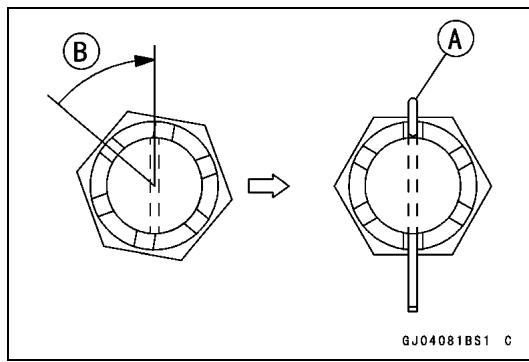

- Adjust the drive chain slack after installation (see Drive Chain Slack Inspection in the Periodic Maintenance chapter).
- Install the rear caliper (see Caliper Installation in the Brakes chapter).
- Install the rear wheel rotation sensor (see Rear Wheel Rotation Sensor Installation in the Brakes chapter) (ZX1400B Models).
- Check the rear brake effectiveness (see Brake Operation Inspection in the Periodic Maintenance chapter).
WARNING
Do not attempt to drive the motorcycle until a full brake pedal is obtained by pumping the brake pedal until the pads are against the disc. The brake will not function on the first application of the pedal if this is not done.
Wheels (Rims)
Wheel Inspection
- Raise the front/rear wheel off the ground.
Special Tools - Jack: 57001-1238
Jack Attachment: 57001-1608
- Spin the wheel lightly, and check for roughness or binding.
★If roughness or binding is found, replace the hub bearings (see Hub Bearing Removal/Installation).
- Inspect the wheel for small cracks, dents, bending, or warp.
★If there is any damage to the wheel, replace the wheel.
- Remove the wheel, and support it with the tire by the axle.
- Measure the rim runout, axial [A] and radial [B], with a dial gauge.
★ If rim runout exceeds the service limit, check the hub bearings (see Hub Bearing Inspection).
★If the problem is not due to the bearings, replace the wheel.
Rim Runout (with tire installed)
Standard:
Axial TIR 0.5 mm (0.02 in.) or less
Radial TIR 0.8 mm (0.03 in.) or less
Service Limit:
Axial TIR 1.0 mm (0.04 in.)
Radial TIR 1.0 mm (0.04 in.)

WARNING
Never attempt to repair a damaged wheel. If there is any damage besides wheel bearings, the wheel must be replaced to insure safe operational condition.
Axle Inspection
- Remove the front and rear axles (see Front/Rear Wheel Removal).
- Visually inspect the front and rear axle for damages.
★If the axle is damaged or bent, replace it.
- Place the axle in V blocks that are 100 mm (3.94 in.) [A] apart, and set a dial gauge [B] on the axle at a point halfway between the blocks. Turn [C] the axle to measure the runout. The difference between the highest and lowest dial readings is the amount of runout.
★If axle runout exceeds the service limit, replace the axle.
Axle Runout/100 mm (3.94 in.)
Standard: TIR 0.03 mm (0.0012 in.) or less
Service Limit: TIR 0.2 mm (0.01 in.)


Wheels (Rims)
Balance Inspection
- Remove the front and rear wheels (see Front/Rear Wheel Removal).
- Support the wheel so that it can be spun freely.
- Spin the wheel lightly, and mark [A] the wheel at the top when the wheel stops.
○Repeat this procedure several times. If the wheel stops of its own accord in various positions, it is well balanced.
★If the wheel always stops in one position, adjust the wheel balance (see Balance Adjustment).
Balance Adjustment
- If the wheel always stops in one position, provisionally attach a balance weight [A] on the rim at the marking using adhesive tape.
- Rotate the wheel 1/4 turn [B], and see whether or not the wheel stops in this position. If it does, the correct balance weight is being used.
★If the wheel rotates and the weight goes up, replace the weight with the next heavier size. If the wheel rotates and the weight goes down, replace the weight with the next lighter size. Repeat these steps until the wheel remains at rest after being rotated 1/4 turn.
- Rotate the wheel another 1/4 turn and then another 1/4 turn to see if the wheel is correctly balanced.
- Repeat the entire procedure as many times as necessary to achieve correct wheel balance.
- Permanently install the balance weight.
Balance Weight Removal
- Insert a regular tip screwdrivers [A] [B] between the rib [C] and weight [D] as shown.
- Pry the balance weight with two screwdrivers and remove the balance weight.
- Discard the used balance weight.
CAUTION
Do not tap the screwdrivers. The rim could be damaged.


Wheels (Rims)
Balance Weight Installation
- Check if the weight portion has any play on the blade [A] and clip [B].
★If it does, discard it.
WARNING
If the balance weight has any play on the rib of the rim, the blade and/or clip have been stretched. Replace the loose balance weight.
Do not reuse used balance weight.
Unbalanced wheels can create an unsafe riding condition.
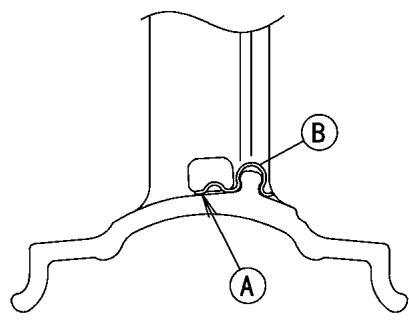

GJ04158BS2 C
Balance Weight
| Part Number | Weight |
| 41075-0007 | 10 g (0.35 oz.) |
| 41075-0008 | 20 g (0.71 oz.) |
| 41075-0017 | 30 g (1.06 oz.) |
NOTE
○Balance weights are available from Kawasaki dealers in 10, 20, and 30 grams (0.35 oz., 0.71 oz., and 1.06 oz.) sizes. An imbalance of less than 10 grams (0.35 oz.) will not usually affect running stability.
☐Do not use four or more balance weight (more than 90 gram, 3.2 oz.). If the wheel requires an excess balance weight, disassemble the wheel to find the cause.
Wheels (Rims)
- Slip the balance weight [A] on to the rib [B], by pushing or lightly hammering [C] the clip [D].
○Install the balance weight at the left side of the motorcycle.
Left Side [E]
Right Side [F]

flowchart
graph TD
    A["A"] --> B["B"]
    B --> C["C"]
    C --> D["D"]
    D --> E["E"]
    E --> F["F"]
    subgraph Top-Left
        direction TB
        C --> D
    end
    subgraph Bottom-Right
        direction TB
        C --> D
        D --> B
    end
    style Top-Left fill:#f9f,stroke:#333
    style Bottom-Right fill:#f9f,stroke:#333
- Check that the blade [A] and clip [B] are fully seated on the rim [C] and that the clip is hooked over the rib [D].
Left Side [E]
Right Side [F]

Tires
Air Pressure Inspection/Adjustment
- Refer to the Air Pressure Inspection in the Periodic Maintenance chapter.
Tire Inspection
- Refer to the Wheel/Tire Damage Inspection in the Periodic Maintenance chapter.
Tire Removal
- Remove:
Wheel (see Front/Rear Wheel Removal)
Valve Core (Let out the air)
- To maintain wheel balance, mark the valve stem position on the tire with chalk so that the tire can be reinstalled in the same position.
Chalk Mark or Yellow Mark [A]
Air Valve [B]
Align [C]
- Lubricate the tire beads and rim flanges on both sides with a soap and water solution or rubber lubricant. This helps the tire beads slip off the rim flanges.
CAUTION
Never lubricate with engine oil or petroleum distillates because they will deteriorate the tire.
- Remove the tire from the rim using a suitable commercially available tire changer.
NOTE
○The tires cannot be removed with hand tools because they fit the rims too tightly.
Tire Installation

WARNING
Use the same manufacture's on both front and rear wheels.
- Inspect the rim and tire, and replace them if necessary.
- Clean the sealing surfaces of the rim and tire, and smooth the sealing surfaces of the rim with a fine emery cloth if necessary.
- Remove the air valve and discard it.
CAUTION
Replace the air valve whenever the tire is replaced. Do not reuse the air valve.

Tires
- Install a new valve in the rim.
○Remove the valve cap, lubricate the stem seal [A] with a soap and water solution or rubber lubricant, and pull [B] the valve stem through the rim from the inside out until it snaps into place.
CAUTION
Do not use engine oil or petroleum distillates to lubricate the stem because they will deteriorate the rubber.
○The air valve is shown in the figure.
Valve Cap [A]
Valve Core [B]
Stem Seal [C]
Valve Stem [D]
Valve Seat [E]
Valve Opened [F]
- Check the tire rotation mark on the front and rear tires and install them on the rim accordingly.
Tire Rotation Mark [A]
Rotating Direction [B]
- Position the tire on the rim so that the valve [A] align with the tire balance mark [B] (the chalk mark made during removal, or the yellow paint mark on a new tire).
- Install the tire bead over the rim flange using a suitable commercially available tire changer.
- Lubricate the tire beads and rim flanges with a soap and water solution or rubber lubricant to help seat the tire beads in the sealing surfaces of the rim while inflating the tire.
- Center the rim in the tire beads, and inflate the tire with compressed air until the tire beads seat in the sealing surfaces.
WARNING
Be sure to install the valve core whenever inflating the tire, and do not inflate the tire to more than 400 kPa (4.0 kgf/cm 2 , 57 psi). Overinflation can explode the tire with possibility of injury and loss of life.
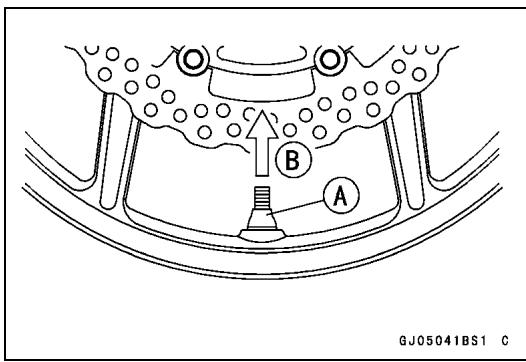

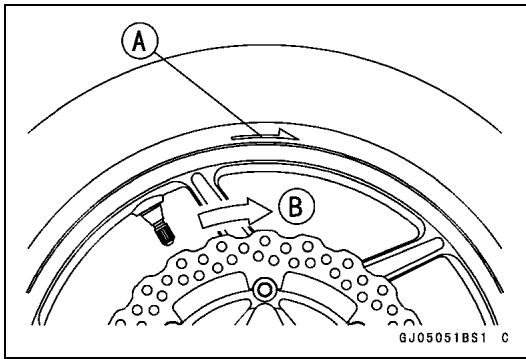
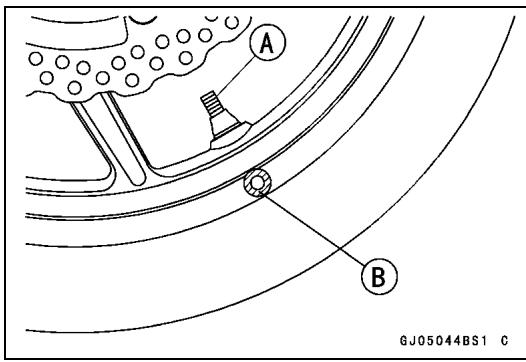
Tires
- Check to see that the rim lines [A] on both sides of the tire sidewalls are parallel with the rim flanges.
★ If the rim flanges and tire sidewall rim lines are not parallel, remove the valve core.
- Lubricate the rim flanges and tire beads.
- Install the valve core and inflate the tire again.
- After the tire beads seat in the rim flanges, check for air leakage.
○Inflate the tire slightly above standard inflation.
○Use a soap and water solution or submerge the tire, and check for bubbles that would indicate leakage.
- Adjust the air pressure to the specified pressure (see Air Pressure Inspection in the Periodic Maintenance chapter).
- Install the air valve cap.
- Adjust the wheel balance (see Balance Adjustment).
Tire Repair
Currently two types of repair for tubeless tires have come into wide use. One type is called a temporary (external) repair which can be carried out without removing the tire from the rim, and the other type is called permanent (internal) repair which requires tire removal. It is generally understood that higher running durability is obtained by permanent (internal) repairs than by temporary (external) ones. Also, permanent (internal) repairs have the advantage of permitting a thorough examination for secondary damage not visible from external inspection of the tire. For these reasons, Kawasaki does not recommend temporary (external) repair. Only appropriate permanent (internal) repairs are recommended. Repair methods may vary slightly from make to make. Follow the repair methods indicated by the manufacturer of the repair tools and materials so that safe results can be obtained.
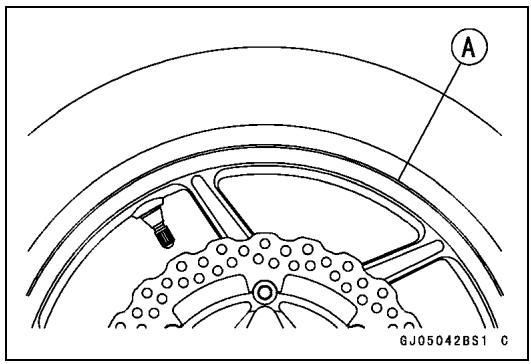
Hub Bearing
Hub Bearing Removal
- Remove the wheel (see Front/Rear Wheel Removal), and take out the following.
Collars
Coupling (Out of rear hub)
Grease Seals
- Use the bearing remover to remove the hub bearing [A].
CAUTION
Do not lay the wheel on the ground with the disc facing down. This can damage or warp the disc. Place blocks under the wheel so that the disc does not touch the ground.
Special Tools - Bearing Remover Head, φ 25 × φ 28 [B]: 57001-1346
Bearing Remover Shaft, φ13 [C]: 57001-1377
Hub Bearing Installation
- Before installing the hub bearings, blow any dirt or foreign particles out of the hub with compressed air to prevent contamination of the bearings.
- Replace the bearings with new ones.
- Install the bearings by using the bearing driver set which does not contact the bearing inner race.
- Press in each right the bearing [A] until they are bottomed.
Special Tool - Bearing Driver Set [B]: 57001-1129
- Replace the grease seals with new ones.
- Press in the grease seals [A] so that the seal surface is flush [B] with the end of the hole.
○Apply high-temperature grease to the grease seal lips.
Special Tool - Bearing Driver Set [C]: 57001-1129
Hub Bearing Inspection
Since the hub bearings are made to extremely close tolerances, the clearance can not normally be measured.
NOTE
○Do not remove any bearings for inspection. If any bearings are removed, they will need to be replaced with new ones.
- Turn each bearing in the hub back and forth [A] while checking for plays, roughness, or binding.
★If bearing play, roughness or binding is found, replace the bearing.
- Examine the bearing seal [B] for tears or leakage.
★If the seal is torn or is leaking, replace the bearing.

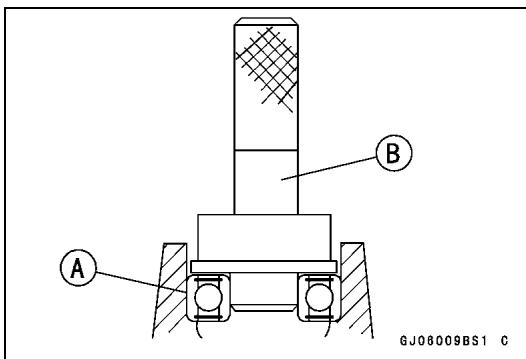

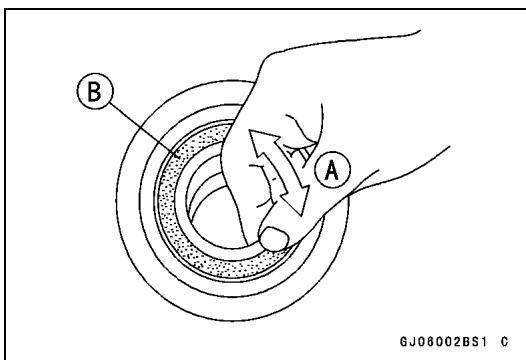
Hub Bearing Lubrication
NOTE
○Since the hub bearings are packed with grease and sealed, lubrication is not required.
Final Drive
Table of Contents
Exploded View 11-2
Specifications 11-4
Special Tools 11-5
Drive Chain.... 11-6
Drive Chain Slack Inspection 11-6
Drive Chain Slack Adjustment 11-6
Wheel Alignment Inspection/Adjustment 11-6
Drive Chain Wear Inspection 11-6
Drive Chain Lubrication.... 11-6
Drive Chain Removal 11-6
Drive Chain Installation 11-6
Sprocket, Coupling 11-7
Engine Sprocket Removal 11-7
Engine Sprocket Installation 11-7
Rear Sprocket Removal.... 11-8
Rear Sprocket Installation.... 11-8
Coupling Installation.... 11-8
Coupling Bearing Removal 11-9
Coupling Bearing Installation 11-9
Coupling Bearing Inspection 11-10
Coupling Bearing Lubrication.... 11-10
Coupling Damper Inspection.... 11-10
Sprocket Wear Inspection.... 11-10
Rear Sprocket Warp Inspection 11-11
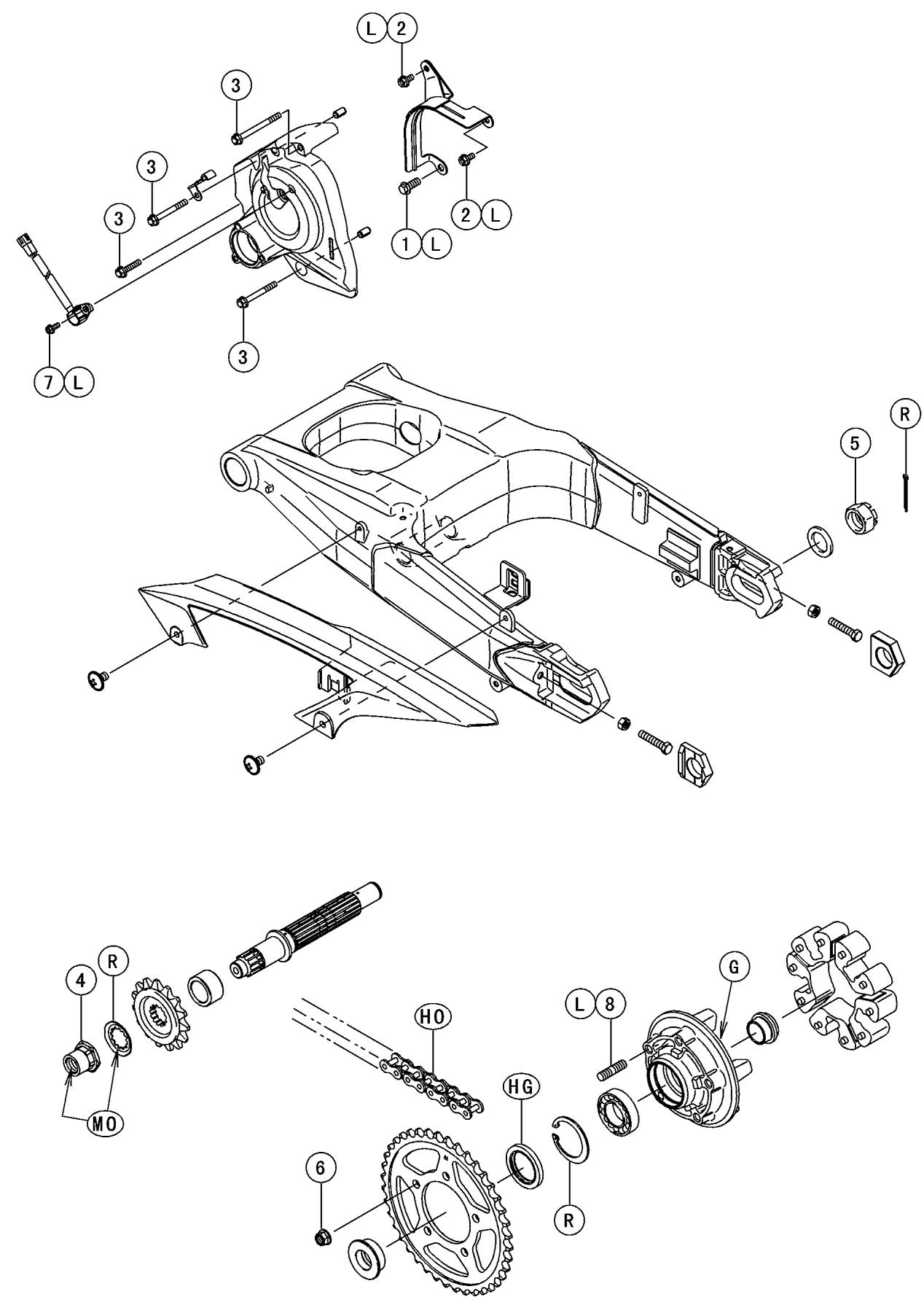
Exploded View
| No. | Fastener | Torque | Remarks |
| N·m | kgf·m | ft·lb |
| 1 | Chain Guide Bolt | 12 | 1.2 | 106 in·lb | L |
| 2 | Chain Guide Bolts | 9.8 | 1.0 | 87 in·lb | L |
| 3 | Engine Sprocket Cover Bolts | 9.8 | 1.0 | 87 in·lb | |
| 4 | Engine Sprocket Nut | 125 | 13.0 | 92 | MO |
| 5 | Rear Axle Nut | 127 | 13.0 | 94 | |
| 6 | Rear Sprocket Nuts | 69 | 7.0 | 51 | |
| 7 | Speed Sensor Bolt | 3.9 | 0.40 | 35 in·lb | L |
| 8 | Stud Bolts | 14.7 | 1.5 | 11 | L |
G: Apply grease.
HG: Apply high-temperature grease.
HO: Apply heavy oil.
L: Apply a non-permanent locking agent.
MO: Apply molybdenum disulfide oil solution.
(mixture of the engine oil and molybdenum disulfide grease in a weight ratio 10 : 1)
R: Replacement Parts
Specifications
| Item | Standard | Service Limit |
| Drive Chain | | |
| Drive Chain Slack | 32 ~ 38 mm (1.3 ~ 1.5 in.) | -- -- |
| Drive Chain Wear (20-link Length) | 317.5 ~ 318.2 mm (12.50 ~ 12.53 in.) | 323 mm (12.7 in.) |
| Standard Chain: | | |
| Make | DAIDO | -- -- |
| Type | DID50ZVM4 GC&B | -- -- |
| Link | 116 links | -- -- |
| Sprockets | | |
| Rear Sprocket Warp | 0.4 mm (0.016 in.) or less | 0.5 mm (0.020 in.) |
Inside Circlip Pliers: 57001-143

natural_image
Line drawing of a pair of pliers (no text or symbols on the diagram itself)
Bearing Driver Set: 57001-1129

natural_image
Isometric line drawing of a box containing multiple circular components, no text or symbols present
Drive Chain
Drive Chain Slack Inspection
- Refer to the Drive Chain Slack Inspection in the Periodic Maintenance chapter.
Drive Chain Slack Adjustment
- Refer to the Drive Chain Slack Adjustment in the Periodic Maintenance chapter.
Wheel Alignment Inspection/Adjustment
- Refer to the Wheel Alignment Inspection in the Periodic Maintenance chapter.
Drive Chain Wear Inspection
- Refer to the Drive Chain Wear Inspection in the Periodic Maintenance chapter.
Drive Chain Lubrication
- Refer to the Drive Chain Lubrication Condition Inspection in the Periodic Maintenance chapter.
Drive Chain Removal
- Remove the chain cover screws [A] and chain cover [B].
○Clear the chain cover from the swingarm.
- Remove:
Rear Wheel (see Rear Wheel Removal in the Wheels/Tires chapter)
Engine Sprocket (see Engine Sprocket Removal)
Swingarm (see Swingarm Removal in the Suspension chapter)
- Remove the drive chain [A] from the output shaft [B], and take it off the chassis.


natural_image
Mechanical gear assembly with labeled components A and B (no text or symbols beyond labels)
Drive Chain Installation
- Install the drive chain to the output shaft.
- Install:
Swingarm (see Swingarm Installation in the Suspension chapter)
Engine Sprocket (see Engine Sprocket Installation)
Rear Wheel (see Rear Wheel Installation in the Wheels/Tires chapter)
Chain Cover
- Adjust the drive chain slack after installing the chain (see Drive Chain Slack Adjustment in the Periodic Maintenance chapter).
Sprocket, Coupling
Engine Sprocket Removal
-
Remove:
Left Lower Fairing (see Lower Fairing Removal in the Frame chapter)
Speed Sensor [A] (see Speed Sensor Removal in the Electrical System chapter)
Clutch Slave Cylinder [B] (see Clutch Slave Cylinder in the Clutch chapter)
Engine Sprocket Cover Bolts [C]
Engine Sprocket Cover [D]
-
Flatten out the bended washer [A].
- Remove the engine sprocket nut [B].
NOTE
○When loosening the engine sprocket nut, hold the rear brake on.
Engine Sprocket Installation
- Replace the sprocket washer and axle cotter pin.
- Install the engine sprocket onto the output shaft.
- Apply a non-permanent locking agent to the threads of the chain guide bolts.
- Install the chain guide, and tighten the bolts.
Torque - Chain Guide Bolt: 12 N·m (1.2 kgf·m, 106 in·lb)
Chain Guide Bolts: 9.8 N·m (1.0 kgf·m, 87 in·lb)
- Apply molybdenum disulfide oil solution to the threads of the output shaft and the seating surface of the engine sprocket nut.
- After torquing the engine sprocket nut, bend the one side of the washer [A] over the nut.
NOTE
○ Tighten the nut while applying the rear brake.
Torque - Engine Sprocket Nut: 125 N·m (13.0 kgf·m, 92 ft·lb)
- Adjust the drive chain slack after installing the engine sprocket (see Drive Chain Slack Adjustment in the Periodic Maintenance chapter).
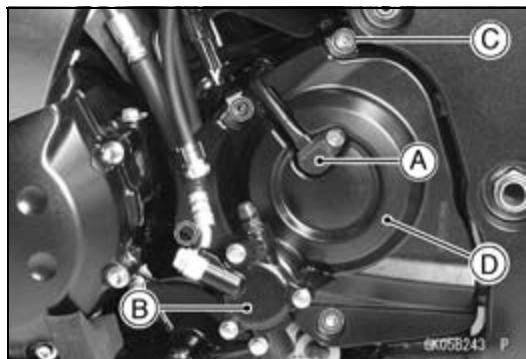

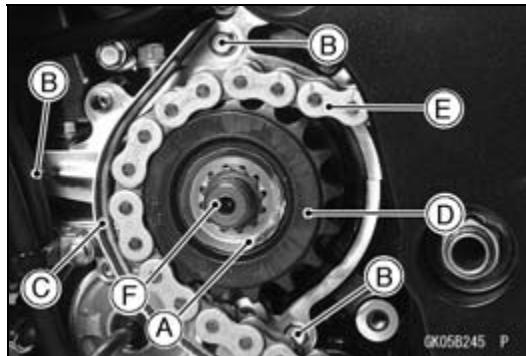

natural_image
Close-up of a mechanical gear assembly with labeled component A (no readable text or symbols beyond label)
Sprocket, Coupling
- Install the engine sprocket cover.
- Install the clamp [A] as shown in the figure, and tighten the cover bolts.
Torque - Engine Sprocket Cover Bolts: 9.8 N·m (1.0 kgf·m, 87 in·lb)
- Bend the end of axle cotter pin surely after tightening the axle nut (see Rear Wheel Installation in the Wheels/Tires chapter).
- Install the removed parts (see appropriate chapters).
Rear Sprocket Removal
- Remove the rear wheel (see Rear Wheel Removal in the Wheels/Tires chapter).
CAUTION
Do not lay the wheel on the ground with the disc facing down. This can damage or warp the disc. Place blocks under the wheel so that the disc does not touch the ground.
- Remove the rear sprocket nuts [A].
- Remove the rear sprocket [B].
Rear Sprocket Installation
- Install the sprocket facing the tooth number marking [A] outward.
- Tighten the rear sprocket nuts.
Torque - Rear Sprocket Nuts: 69 N·m (7.0 kgf·m, 51 ft·lb)
- Install the rear wheel (see Rear Wheel Installation in the Wheels/Tires chapter).
Coupling Installation
● High-temperature grease the following.
Coupling Grease Seal Lips [A]
Coupling Internal Surface [B]

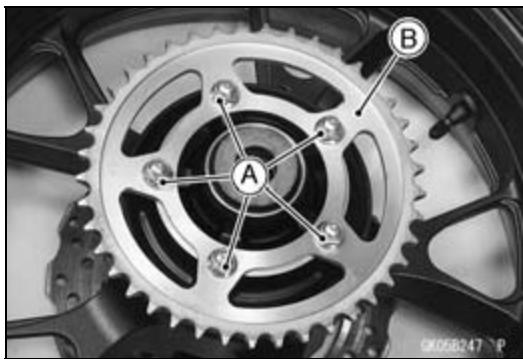
natural_image
Close-up of a mechanical gear assembly with labeled points A and B, showing teeth and central hub (no text or symbols beyond labels)
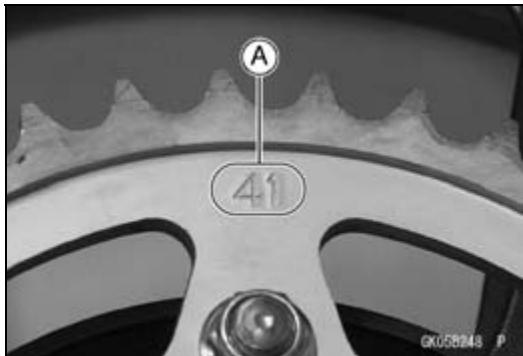
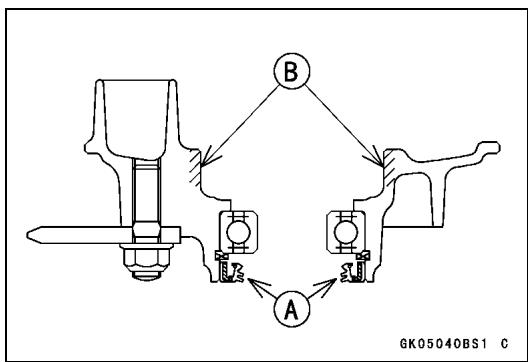
Sprocket, Coupling
- Install the collar [A].
- Install the coupling.
Coupling Bearing Removal
- Remove:
Coupling
Grease Seal
Circlip [A]
Special Tool - Inside Circlip Pliers: 57001-143
- Remove the bearing [A] by tapping from the wheel side. Special Tool - Bearing Driver Set [B]: 57001-1129

natural_image
Close-up of a mechanical gear assembly with labeled component A, showing internal gears and shafts (no text or symbols beyond label)

natural_image
Close-up of a mechanical component with concentric rings and a labeled section A (no readable text or symbols beyond label)

Coupling Bearing Installation
- Replace the bearing with a new one.
NOTE
○Install the bearing so that the marked side faces out.
- Press in the bearing [A] until it is bottomed.
Special Tool - Bearing Driver Set [B]: 57001-1129
- Replace the circlip with a new one.
Special Tool - Inside Circlip Pliers: 57001-143
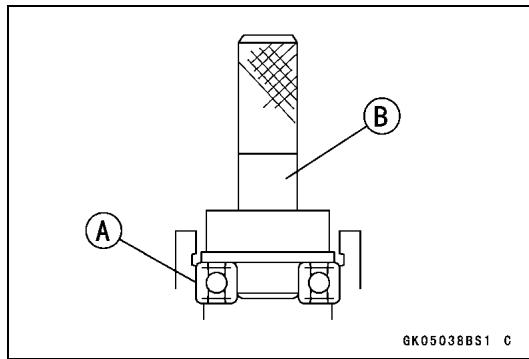
- Replace the grease seal with a new one.
- Press in the grease seal so that the seal surface is flush with the end of the hole.
○Apply high-temperature grease to the grease seal lips.
Special Tool - Bearing Driver Set: 57001-1129
Sprocket, Coupling
Coupling Bearing Inspection
Since the coupling bearing is made to extremely close tolerances, the clearance can not normally be measured.
NOTE
- It is not necessary to remove the coupling bearing for inspection. If the bearing is removed, it will need to be replaced with a new one.
- Turn the bearing in the coupling back and forth [A] while checking for plays, roughness or binding.
★If the bearing play, roughness or binding is found, replace the bearing.
- Examine the bearing seal [B] for tears or leakage.
★If the seal is torn or is leaking, replace the bearing.
Coupling Bearing Lubrication
NOTE
○Since the coupling bearing is packed with grease and sealed, lubrication is not required.
Coupling Damper Inspection
- Remove the rear wheel coupling, and inspect the rubber dampers [A].
- Replace the damper if it appears damaged or deteriorated.
Sprocket Wear Inspection
- Visually inspect the engine and rear sprocket teeth for wear and damage.
★If the teeth are worn as illustrated, replace the sprocket, and inspect the drive chain wear (see Drive Chain Wear Inspection in the Periodic Maintenance chapter).
Worn Tooth (Engine Sprocket) [A]
Worn Tooth (Rear Sprocket) [B]
Direction of Rotation [C]
NOTE
○If a sprocket requires replacement, the chain is probably worn also. When replacing a sprocket, inspect the chain.


natural_image
Close-up of a mechanical component with central hub labeled 'A', showing concentric rings and bolted joints (no readable text or symbols)
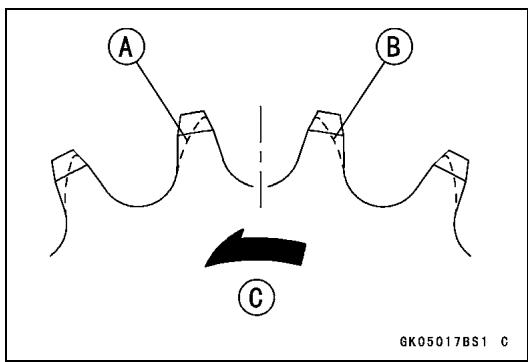
Sprocket, Coupling
Rear Sprocket Warp Inspection
- Raise the rear wheel off the ground with the stand so that it will turn freely.
- Set a dial gauge [A] against the rear sprocket [B] near the teeth as shown in the figure, and rotate [C] the rear wheel to measure the sprocket runout (warp). The difference between the highest and lowest dial gauge readings is the amount of runout (warp).
★If the runout exceeds the service limit, replace the rear sprocket.

Rear Sprocket Warp
Standard: 0.4 mm (0.016 in.) or less
Service Limit: 0.5 mm (0.020 in.)
Brakes
Table of Contents
Exploded View 12-3
Specifications 12-12
Special Tools 12-13
Brake Lever, Brake Pedal 12-14
Brake Lever Position Adjustment.... 12-14
Brake Pedal Position Inspection 12-14
Brake Pedal Position Adjustment 12-14
Brake Pedal Removal 12-14
Brake Pedal Installation 12-15
Calipers 12-16
Front Caliper Removal 12-16
Rear Caliper Removal.... 12-16
Caliper Installation 12-17
Front Caliper Disassembly 12-17
Front Caliper Assembly 12-17
Rear Caliper Disassembly 12-17
Rear Caliper Assembly 12-17
Caliper Fluid Seal Damage 12-18
Caliper Dust Seal Damage 12-18
Caliper Piston and Cylinder Damage.... 12-19
Brake Pads 12-20
Front Brake Pad Removal.... 12-20
Front Brake Pad Installation.... 12-20
Rear Brake Pad Removal 12-21
Rear Brake Pad Installation 12-21
Brake Pad Wear Inspection 12-21
Master Cylinder 12-22
Front Master Cylinder Removal 12-22
Front Master Cylinder Installation 12-22
Rear Master Cylinder Removal.... 12-22
Rear Master Cylinder Installation.... 12-23
Front Master Cylinder Disassembly 12-23
Rear Master Cylinder Disassembly.... 12-23
Master Cylinder Assembly 12-23
Master Cylinder Inspection (Visual Inspection) 12-23
Brake Disc 12-25
Brake Disc Removal 12-25
Brake Disc Installation 12-25
Brake Disc Wear 12-25
Brake Disc Warp 12-25
Brake Fluid 12-26
Brake Fluid Level Inspection.... 12-26
Brake Fluid Change 12-26
Brake Line Bleeding.... 12-26
Brake Hose.... 12-30
Brake Hose and Pipe Removal/Installation.... 12-30
Brake Hose and Pipe Inspection.... 12-30
Anti-Lock Brake System (Equipped Models) 12-31
ABS Servicing Precautions 12-34
ABS Troubleshooting Outline.... 12-36
Inquiries to Rider 12-39
Self-diagnosis Outline 12-41
Self-diagnosis Procedures 12-41
Service Code Clearing Procedures.... 12-42
How to Read Service Codes.... 12-45
How to Erase Service Codes 12-45
ABS Indicator Light (LED) Inspection 12-47
ABS Indicator Light (LED) is Unlit (When the Ignition Switch turned to ON) 12-47
ABS Indicator Light (LED) Lights (When the Motorcycle is Running, - No Service Code) 12-48
Solenoid Valve Inspection (Service Code 13,14,17,18).... 12-48
ABS Solenoid Valve Relay Inspection (Service Code 19) 12-48
Front, Rear Wheel Rotation Difference Abnormal (Service Code 25) 12-50
ABS Pump Motor Relay Inspection (Service Code 35).... 12-50
Front Wheel Rotation Sensor Signal Abnormal (Service Code 42) 12-51
Front Wheel Rotation Sensor Wiring Inspection (Service Code 43).... 12-52
Rear Wheel Rotation Sensor Signal Abnormal (Service Code 44).... 12-53
Rear Wheel Rotation Sensor Wiring Inspection (Service Code 45).... 12-54
Power Supply Voltage Abnormal (Under-Voltage) (Service Code 52).... 12-54
Power Supply Voltage Abnormal (Over-Voltage) (Service Code 53).... 12-55
ECU Inspection (Service Code 55).... 12-56
ABS Hydraulic Unit Removal 12-56
ABS Hydraulic Unit Installation 12-58
ABS Hydraulic Unit Inspection 12-59
Front Wheel Rotation Sensor Removal 12-59
Front Wheel Rotation Sensor Installation 12-59
Rear Wheel Rotation Sensor Removal 12-60
Rear Wheel Rotation Sensor Installation 12-60
Wheel Rotation Sensor Inspection.... 12-61
Wheel Rotation Sensor Air Gap Inspection 12-61
Wheel Rotation Sensor Rotor Inspection 12-62
ABS Solenoid Valve Relay Fuse (20 A) Removal 12-62
ABS Motor Relay Fuse (30 A) Removal 12-62
ABS ECU Fuse (10 A) Removal 12-62
Fuse Installation.... 12-63
Fuse Inspection.... 12-63
Exploded View
Dummy Page
ZX1400A Models

Exploded View
| No. | Fastener | Torque | Remarks |
| N·m | kgf·m | ft·lb |
| 1 | Bleed Valves | 7.8 | 0.80 | 69 in·lb | |
| 2 | Brake Hose Banjo Bolts | 25 | 2.5 | 18 | |
| 3 | Brake Lever Pivot Bolt | 1.0 | 0.10 | 9 in·lb | Si |
| 4 | Brake Lever Pivot Bolt Locknut | 5.9 | 0.60 | 52 in·lb | |
| 5 | Front Brake Disc Mounting Bolts | 27 | 2.8 | 20 | L |
| 6 | Front Brake Light Switch Screw | 1.2 | 0.12 | 11 in·lb | |
| 7 | Front Brake Pad Pins | 17.2 | 1.8 | 13 | |
| 8 | Front Brake Reservoir Cap Stopper Screw | 1.2 | 0.12 | 11 in·lb | |
| 9 | Front Caliper Assembly Bolts | 27 | 2.8 | 20 | L |
| 10 | Front Caliper Mounting Bolts | 34 | 3.5 | 25 | |
| 11 | Front Master Cylinder Bleed Valve | 7.8 | 0.80 | 69 in·lb | |
| 12 | Front Master Cylinder Clamp Bolts | 8.8 | 0.90 | 78 in·lb | S |
B: Apply brake fluid.
L: Apply a non-permanent locking agent.
R: Replacement Parts
S: Follow the specified tightening sequence.
Si: Apply silicone grease (ex. PBC grease).
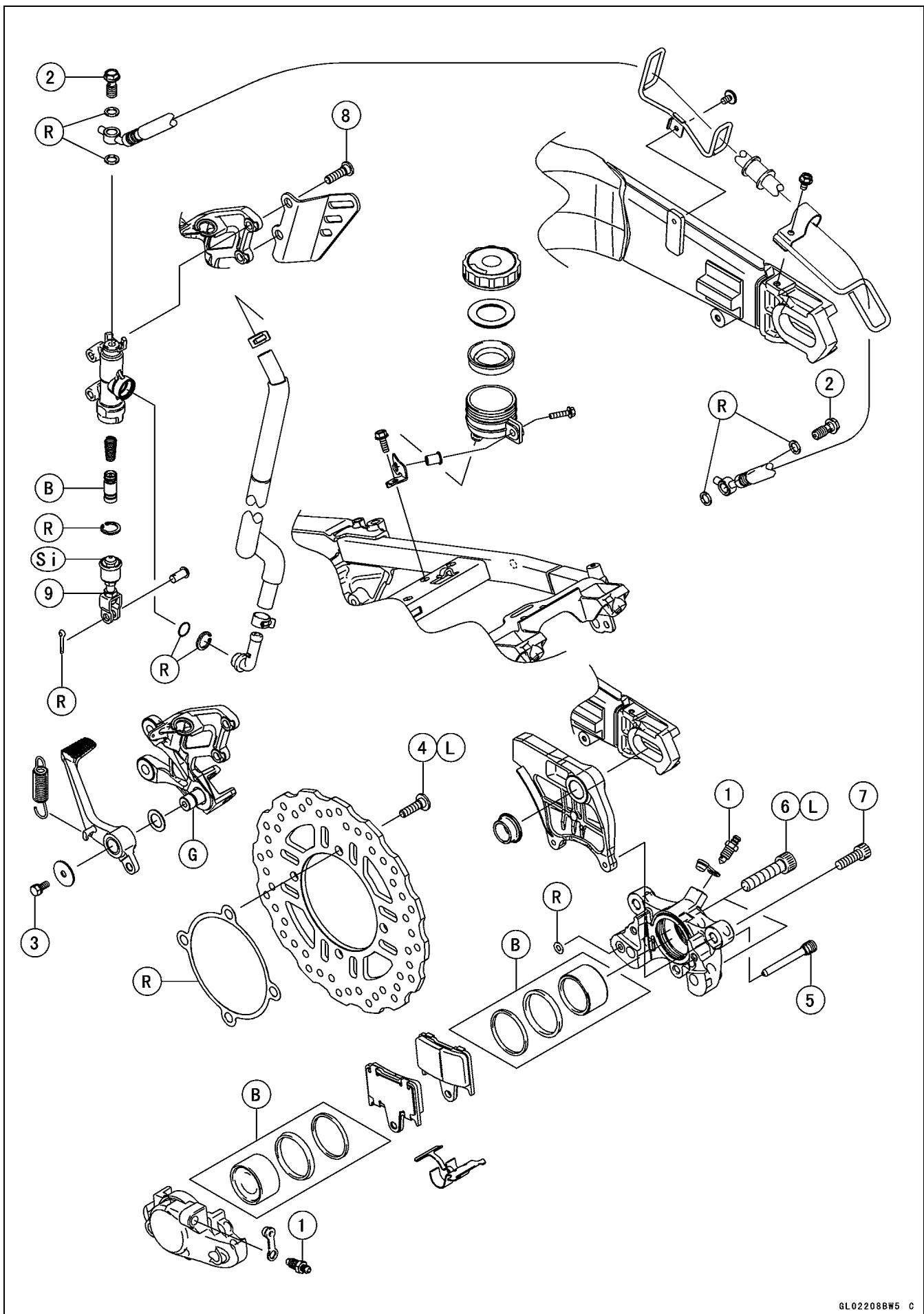
Exploded View
| No. | Fastener | Torque | Remarks |
| N·m | kgf·m | ft·lb |
| 1 | Bleed Valves | 7.8 | 0.80 | 69 in·lb | |
| 2 | Brake Hose Banjo Bolts | 25 | 2.5 | 18 | |
| 3 | Brake Pedal Bolt | 8.8 | 0.90 | 78 in·lb | |
| 4 | Rear Brake Disc Mounting Bolts | 27 | 2.5 | 18 | L |
| 5 | Rear Brake Pad Pin | 17.2 | 1.8 | 13 | |
| 6 | Rear Caliper Assembly Bolts | 37 | 3.8 | 27 | L |
| 7 | Rear Caliper Mounting Bolts | 25 | 2.5 | 18 | |
| 8 | Rear Master Cylinder Mounting Bolts | 25 | 2.5 | 18 | |
| 9 | Rear Master Cylinder Push Rod Locknut | 17.2 | 1.8 | 13 | |
B: Apply brake fluid.
G: Apply grease.
L: Apply a non-permanent locking agent.
R: Replacement Parts
Si: Apply silicone grease (ex. PBC grease).
ZX1400B Models

Exploded View
| No. | Fastener | Torque | Remarks |
| N·m | kgf·m | ft·lb |
| 1 | Bleed Valves | 7.8 | 0.80 | 69 in·lb | |
| 2 | Brake Hose Banjo Bolts | 25 | 2.5 | 18 | |
| 3 | Brake Lever Pivot Bolt | 1.0 | 0.10 | 9 in·lb | Si |
| 4 | Brake Lever Pivot Bolt Locknut | 5.9 | 0.60 | 52 in·lb | |
| 5 | Brake Pipe Joint Nuts | 18 | 1.8 | 13 | |
| 6 | Front Brake Disc Mounting Bolts | 27 | 2.8 | 20 | L |
| 7 | Front Brake Light Switch Screw | 1.2 | 0.12 | 11 in·lb | |
| 8 | Front Brake Pad Pins | 17.2 | 1.8 | 13 | |
| 9 | Front Brake Reservoir Cap Stopper Screw | 1.2 | 0.12 | 11 in·lb | |
| 10 | Front Caliper Assembly Bolts | 27 | 2.8 | 20 | L |
| 11 | Front Caliper Mounting Bolts | 34 | 3.5 | 25 | |
| 12 | Front Master Cylinder Bleed Valve | 7.8 | 0.80 | 69 in·lb | |
| 13 | Front Master Cylinder Clamp Bolts | 8.8 | 0.90 | 78 in·lb | S |
B: Apply brake fluid.
L: Apply a non-permanent locking agent.
R: Replacement Parts
S: Follow the specified tightening sequence.
Si: Apply silicone grease (ex. PBC grease).

Exploded View
| No. | Fastener | Torque | Remarks |
| N·m | kgf·m | ft·lb |
| 1 | Bleed Valves | 7.8 | 0.80 | 69 in·lb | |
| 2 | Brake Hose Banjo Bolts | 25 | 2.5 | 18 | |
| 3 | Brake Pedal Bolt | 8.8 | 0.90 | 78 in·lb | |
| 4 | Brake Pipe Joint Nuts | 18 | 1.8 | 13 | |
| 5 | Rear Brake Disc Mounting Bolts | 27 | 2.8 | 20 | L |
| 6 | Rear Brake Pad Pin | 17.2 | 1.8 | 13 | |
| 7 | Rear Caliper Assembly Bolts | 37 | 3.8 | 27 | L |
| 8 | Rear Caliper Mounting Bolts | 25 | 2.5 | 18 | |
| 9 | Rear Master Cylinder Mounting Bolts | 25 | 2.5 | 18 | |
| 10 | Rear Master Cylinder Push Rod Locknut | 17.2 | 1.8 | 13 | |
B: Apply brake fluid.
G: Apply grease.
L: Apply a non-permanent locking agent.
R: Replacement Parts
Si: Apply silicone grease (ex. PBC grease).
Specifications
| Item | Standard | Service Limit |
| Brake Lever, Brake Pedal | | |
| Brake Lever Position | 6-way adjustable (to suit rider) | - - - |
| Brake Lever Free Play | Non-adjustable | - - - |
| Pedal Free Play | Non-adjustable | - - - |
| Pedal Position | About 45 mm (1.8 in.) below footpeg top | - - - |
| Brake Pads | | |
| Lining Thickness: | | |
| Front | 4.0 mm (0.16 in.) | 1 mm (0.04 in.) |
| Rear | 5.0 mm (0.20 in.) | 1 mm (0.04 in.) |
| Brake Discs | | |
| Thickness: | | |
| Front | 4.8 ~ 5.2 mm (0.19 ~ 0.20 in.) | 4.5 mm (0.18 in.) |
| Rear | 5.8 ~ 6.2 mm (0.23 ~ 0.24 in.) | 5.5 mm (0.22 in.) |
| Runout | TIR 0.15 mm (0.006 in.) or less | TIR 0.3 mm (0.01 in.) |
| Brake Fluid | | |
| Grade | DOT4 | - - - |
Inside Circlip Pliers:
57001-143

natural_image
Line drawing of a pair of pliers (no text or symbols on the diagram itself)
Jack:
57001-1238

natural_image
Technical line drawing of a mechanical support structure (no text or symbols)
Hand Tester:
57001-1394

natural_image
Technical line drawing of a mechanical housing or enclosure with internal components and mounting holes (no text or symbols)
Jack Attachment:
57001-1608

natural_image
Technical line drawing of two mechanical fasteners with threaded end caps and cylindrical base (no text or symbols)
Brake Lever Position Adjustment
The brake lever adjuster has 6 positions so that the brake lever position can be adjusted to suit the operator's hand.
- Push the lever forward and turn the adjuster [A] to align the number with the arrow mark [B] on the lever holder.
○The distance from the grip to the lever is minimum at number 6 and maximum at number 1.
Brake Pedal Position Inspection
- Check that the brake pedal [A] is in the correct position. Footpeg [B]
Pedal Position
Standard: About 45 mm (1.8 in.) [C] below top of footpeg
★If it is incorrect, adjust the brake pedal position.
Brake Pedal Position Adjustment
NOTE
○Usually it is not necessary to adjust the pedal position, but always adjust it when push rod locknut has been loosened.
- Loosen the locknut [A] and turn the push rod with the hex head [B] to achieve the correct pedal position.
★If the length [C] shown is 80 ± 1 mm ( 3.1 ± 0.04 in.), the pedal position will be within the standard range.
- Tighten:
Torque - Rear Master Cylinder Push Rod Locknut: 17.2 N·m (1.8 kgf·m, 13 ft·lb)
- Check the brake light switch operation (see Brake Light Switch Operation Inspection in the Periodic Maintenance chapter).
Brake Pedal Removal
- Remove:
Rear Master Cylinder Mounting Bolts [A]
Right Footpeg Bracket Bolts [B]

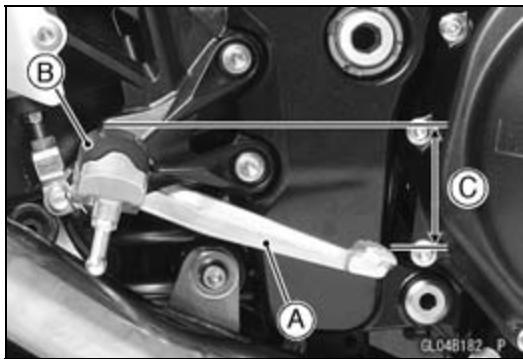

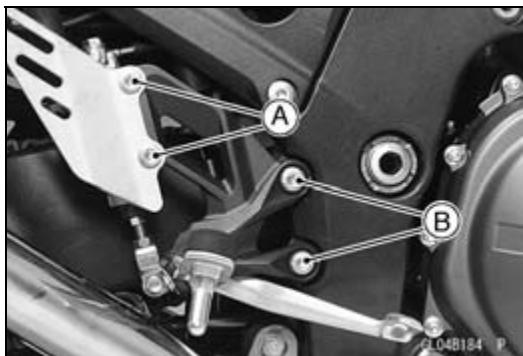
Brake Lever, Brake Pedal
- Remove:
Cotter Pin [A]
Joint Pin [B]
Rear Brake Light Switch Spring [C]
Return Spring [D]
- Remove the mounting bolt [E] and take out the brake pedal.
Brake Pedal Installation
- Apply grease to the pivot shaft [A] and install the washer [B].
- Install:
Brake Pedal [C]
Washer [D]
Brake Pedal Bolt [E]
Torque - Brake Pedal Bolt: 8.8 N·m (0.90 kgf·m, 78 in·lb)
- Install the right footpeg bracket.
Torque - Front Footpeg Bracket Bolts: 25 N·m (2.5 kgf·m, 18 ft·lb)
○Depress the brake pedal [A] and then align the bolts holes of the master cylinder [B].
Torque - Rear Master Cylinder Mounting Bolts: 25 N·m (2.5 kgf·m, 18 ft·lb)
- Check the brake pedal position (see Brake Pedal Position Inspection).

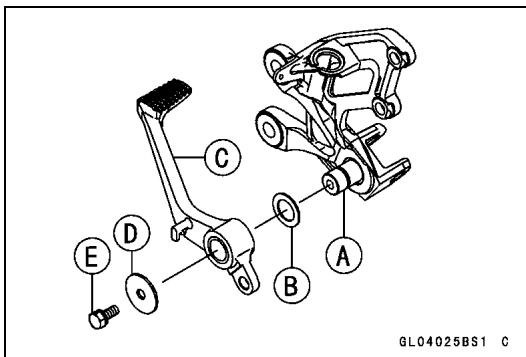
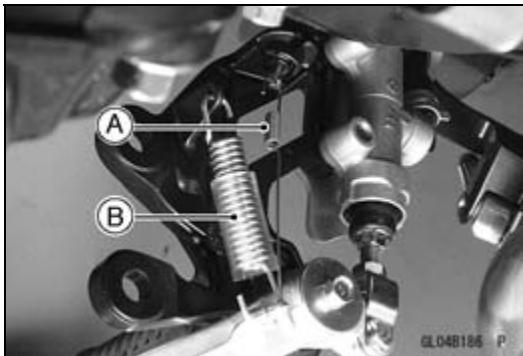


Calipers
Front Caliper Removal
- Loosen the banjo bolt [A] at the brake hose lower end, and tighten it loosely.
- Unscrew the caliper mounting bolts [B], and detach the caliper [C] from the disc.
CAUTION
Do not loosen the caliper assembly bolts. Take out only the caliper mounting bolts for caliper removal. Loosening the caliper assembly bolts will cause brake fluid leakage.
- Unscrew the banjo bolt and remove the brake hoses [D] from the caliper (see Brake Hose Removal/Installation).
CAUTION
Immediately wash away any brake fluid that spills.
NOTE
○If the caliper is to be disassembled after removal and if compressed air is not available, disassemble the caliper before the brake hose is removed (see Front Caliper Disassembly).
Rear Caliper Removal
- Loosen the banjo bolt [A] at the brake hose lower end, and tighten it loosely.
- Unscrew the caliper mounting bolts [B], and detach the caliper [C] from the disc.
CAUTION
Do not loosen the caliper assembly bolts. Take out only the caliper mounting bolts for caliper removal. Loosening the caliper assembly bolts will cause brake fluid leakage.
- Unscrew the banjo bolt and remove the brake hose [D] from the caliper (see Brake Hose Removal/Installation).
CAUTION
Immediately wash away any brake fluid that spills.
NOTE
○If the caliper is to be disassembled after removal and if compressed air is not available, disassemble the caliper before the brake hose is removed (see Rear Caliper Disassembly).

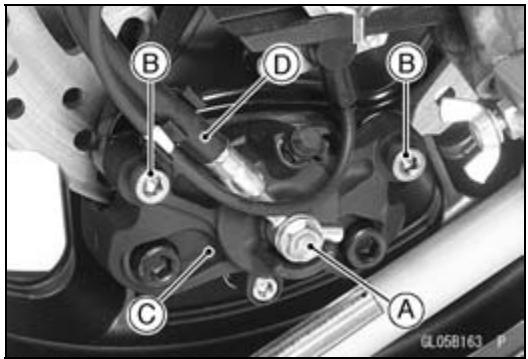
Calipers
Caliper Installation
● Install the caliper and brake hose lower end.
○Replace the washers on each side of hose fitting with new ones.
- Tighten:
Torque - Caliper Mounting Bolts
Front: 34 N·m (3.5 kgf·m, 25 ft·lb)
Rear: 25 N·m (2.5 kgf·m, 18 ft·lb)
Brake Hose Banjo Bolts: 25 N·m (2.5 kgf·m, 18 ft·lb)
- Check the fluid level in the brake reservoirs.
- Bleed the brake line (see Brake Line Bleeding).
- Check the brake for good braking power, no brake drag, and no fluid leakage.
WARNING
Do not attempt to drive the motorcycle until a full brake lever or pedal is obtained by pumping the brake lever or pedal until the pads are against the disc. The brakes will not function on the first application of the lever or pedal if this is not done.
Front Caliper Disassembly
- Refer to the Caliper Rubber Parts Replacement in the Periodic Maintenance chapter.
Front Caliper Assembly
- Refer to the Caliper Rubber Parts Replacement in the Periodic Maintenance chapter.
Rear Caliper Disassembly
- Refer to the Caliper Rubber Parts Replacement in the Periodic Maintenance chapter.
Rear Caliper Assembly
- Refer to the Caliper Rubber Parts Replacement in the Periodic Maintenance chapter.
Calipers
Caliper Fluid Seal Damage
The fluid seal (piston seal) [A] is placed around the piston to maintain clearance between the pad and the disc. If the seal is in a poor condition, it could lead the pad to wear excessively or the brake to drag, which may cause the temperature of the discs or the brake fluid to increase.
- Replace the fluid seal if it exhibits any of the conditions listed below.
○Brake fluid leakage around the pad.
○Brakes overheat.
○Considerable difference in inner and outer pad wear.
○Seal and piston are stuck together.
★If the fluid seal is replaced, replace the dust seal [B] as well. Also, replace all seals every other time the pads are changed.
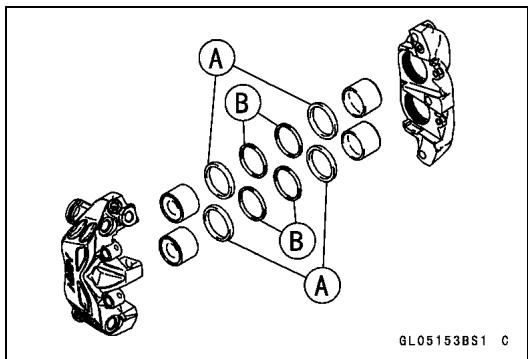

Caliper Dust Seal Damage
- Check that the dust seals [A] are not cracked, worn, swollen, or otherwise damaged.
★ If they show any damage, replace the dust seals with new ones.
Pistons [B]
Fluid Seals [C]

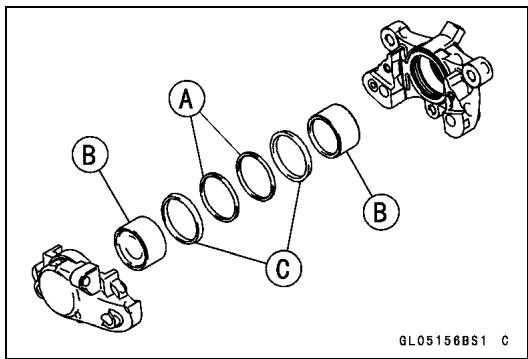
Calipers
Caliper Piston and Cylinder Damage
- Visually inspect the pistons [A] and cylinder surfaces [B].
★Replace the caliper if the cylinder and piston are badly scores or rusty.


Brake Pads
Front Brake Pad Removal
- Loosen the pad pins [A].
- Remove:
Pad Pins [A]
Pad Springs [B]
Brake Pads [C]

natural_image
Close-up of a Nissan brake caliper assembly with labeled components (no readable text or symbols beyond branding)
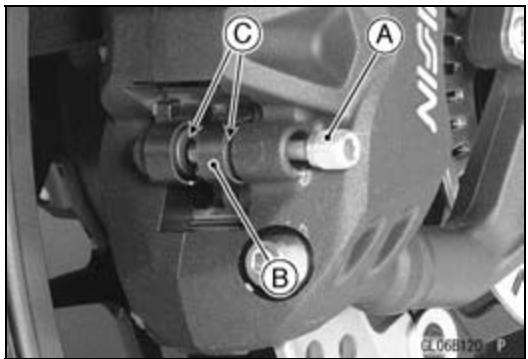
Front Brake Pad Installation
- Push the caliper pistons in by hand as far as they will go.
- Install the outside pad [A] and insert the pad pin [B] as shown in the figure.

- Set:
Inside Pad [A]
Pad Spring [B]
- Pushing the pin holder [C] to hole of the pad and insert the pad pin.
Torque - Front Brake Pad Pins: 17.2 N·m (1.8 kgf·m, 13 ft·lb)
WARNING
Do not attempt to drive the motorcycle until a full brake lever is obtained by pumping the brake lever and the pads are against the disc. The brake will not function on the first application of the lever if this is not done.

Brake Pads
Rear Brake Pad Removal
- Loosen the pad pin [A].
- Unscrew the caliper mounting bolts [B].
- Remove the caliper with the hose installed.
- Remove:
Pad Pin [A]
Pad Spring [B]
Brake Pads [C]
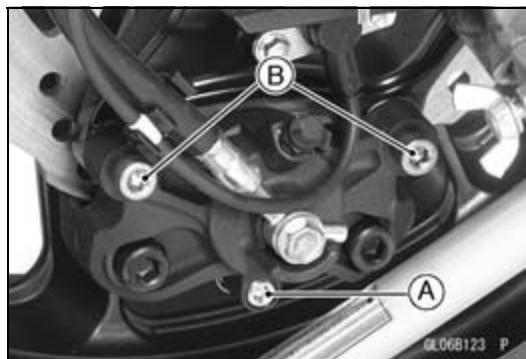

Rear Brake Pad Installation
- Push the caliper pistons in by hand as far as they will go.
- Install the outside pad [A] and insert the pad pin [B] as shown in the figure.

- Set:
Inside Pad [A]
Pad Spring [B]
- Pushing the pin holder [C] to hole of the pad and insert the pad pin.
- Install the caliper (see Caliper Installation).
- Tighten the pad pin.
Torque - Rear Brake Pad Pin: 17.2 N·m (1.8 kgf·m, 13 ft·lb)
WARNING
Do not attempt to drive the motorcycle until a full brake pedal is obtained by pumping the brake pedal until the pads are against the disc. The brake will not function on the first application of the pedal if this is not done.
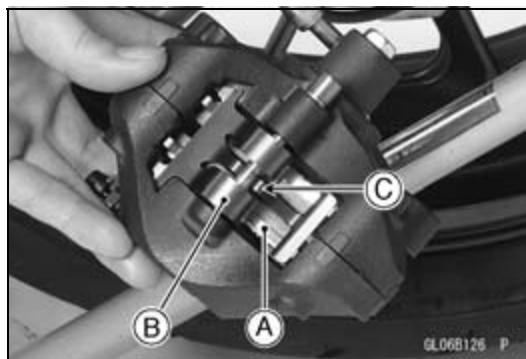
Brake Pad Wear Inspection
- Refer to the Brake Pad Wear Inspection in the Periodic Maintenance chapter.
Front Master Cylinder Removal
- Remove the reservoir bracket bolt [A].
- Remove the banjo bolt [B] to disconnect the brake hose from the master cylinder (see Brake Hose Removal/Installation).
- Unscrew the clamp bolts [C], and take off the master cylinder [D] as an assembly with the reservoir, brake lever, and brake switch installed.
- Disconnect the front brake light switch connector [E].
CAUTION
Immediately wash away any brake fluid that spills.
- Remove:
Brake Lever Pivot Bolt [A] and Nut
Brake Lever [B]
Clamp [C] (Slide Out)
Brake Hose [D]
Front Brake Light Switch [E]


Front Master Cylinder Installation
- Set the front master cylinder to match its mating surface [A] to the punch mark [B] of the handlebar.
- The master cylinder clamp must be installed with the arrow mark [C] upward.
- Tighten the upper clamp bolt first, and then the lower clamp bolt.
Torque - Front Master Cylinder Clamp Bolts: 8.8 N·m (0.90 kgf·m, 78 in·lb)
- Replace the washers that are on each side of the hose fitting with new ones.
- Tighten:
Torque - Brake Hose Banjo Bolt: 25 N·m (2.5 kgf·m, 18 ft·lb)
- Bleed the brake line (see Brake Line Bleeding).
- Check the brake for good braking power, no brake drag, and no fluid leakage.

Rear Master Cylinder Removal
- Unscrew the brake hose banjo bolt [A] and brake hose [B].
- Remove:
Cotter Pin [C]
Joint Pin [D]
Bolts [E]
Foot Guard [F]
Rear Master Cylinder
- Slide out the clamp [G].
- Pull off the reservoir hose lower end, and drain the brake fluid into a container.

Master Cylinder
Rear Master Cylinder Installation
- Replace the cotter pin with a new one.
- Replace the washers that are on each side of hose fitting with new ones.
- Tighten:
Torque - Rear Master Cylinder Mounting Bolts: 25 N·m (2.5 kgf·m, 18 ft·lb)
Brake Hose Banjo Bolt: 25 N·m (2.5 kgf·m, 18 ft·lb)
- Bleed the brake line (see Brake Line Bleeding).
- Check the brake for good braking power, no brake drag, and no fluid leakage.
Front Master Cylinder Disassembly
- Refer to the Master Cylinder Rubber Parts Replacement in the Periodic Maintenance chapter.
Rear Master Cylinder Disassembly
- Refer to the Master Cylinder Rubber Parts Replacement in the Periodic Maintenance chapter.
Master Cylinder Assembly
- Refer to the Master Cylinder Rubber Parts Replacement in the Periodic Maintenance chapter.
Master Cylinder Inspection (Visual Inspection)
- Remove the master cylinders (see Front/Rear Master Cylinder Removal).
- Disassemble the front and rear master cylinders (see Master Cylinder Rubber Parts Replacement in the Periodic Maintenance chapter).
- Check that there are no scratches, rust or pitting on the inner wall [A] of each master cylinder and on the outside of each piston [B].
★If a master cylinder or piston shows any damage, replace them.
- Inspect the primary cup [C] and secondary cup [D].
★If a cup is worn, damaged softened (rotted), or swollen, the piston assembly should be replaced to renew the cups.
★If fluid leakage is noted at the brake lever, the piston assembly should be replaced to renew the cups.
Front Master Cylinder [J]

Master Cylinder
- Check the dust covers [E] for damage.
★If they are damaged, replace them.
- Check the piston return spring [F] for any damage.
★If the springs are damaged, replace them.
- Check that relief port [G] and supply port [H] are not plugged.
★If the relief port becomes plugged, the brake pads will drag on the disc. Blow the ports clean with compressed air.
Rear Master Cylinder [K]
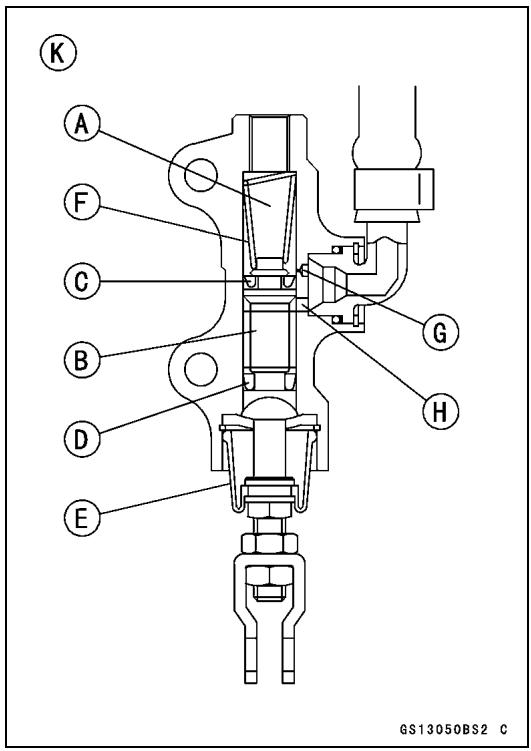
Brake Disc
Brake Disc Removal
- Remove the wheels (see Front/Rear Wheel Removal in the Wheels/Tires chapter).
- Unscrew the mounting bolts, and take off the disc.
○Remove the sensor rotor (ZX1400B Models).
Brake Disc Installation
- Install the brake disc on the wheel so that the marked side [A] faces out.
○Install the sensor rotor on the brake disc so that the marked side faces out (ZX1400B Models).
- Apply a non-permanent locking agent to the threads of the rear brake disc mounting bolts [B].
- Tighten:
Torque - Brake Disc Mounting Bolts: 27 N·m (2.8 kgf·m, 20 ft·lb)
Brake Disc Wear
- Measure the thickness of each disc [A] at the point where it has worn the most.
★If the disc has worn past the service limit, replace it. Measuring Area [B]
Brake Discs Thickness
Standard:
| Front | 4.8 ~ 5.2 mm (0.19 ~ 0.20 in.) |
| Rear | 5.8 ~ 6.2 mm (0.23 ~ 0.24 in.) |
Service Limit:
| Front | 4.5 mm (0.18 in.) |
| Rear | 5.5 mm (0.22 in.) |

natural_image
Close-up of a mechanical clutch disc with labeled points A and B, showing internal components and mounting holes (no text or symbols beyond labels)

Brake Disc Warp
- Raise the front/rear wheel off the ground.
Special Tools - Jack: 57001-1238
Jack Attachment: 57001-1608
○For front disc inspection, turn the handlebar fully to one side.
- Set up a dial gauge against the disc [A] as shown and measure disc runout, while turning [B] the wheel by hand.
★If runout exceeds the service limit, replace the disc.

Disc Runout
Standard: TIR 0.15 mm (0.006 in.) or less
Service Limit: TIR 0.3 mm (0.01 in.)
Brake Fluid Level Inspection
- Refer to the Brake Fluid Level Inspection in the Periodic Maintenance chapter.
Brake Fluid Change
- Refer to the Brake Fluid Change in the Periodic Maintenance chapter.
Brake Line Bleeding
The brake fluid has a very low compression coefficient so that almost all the movement of the brake lever or pedal is transmitted directly to the caliper for braking action. Air, however, is easily compressed. When air enters the brake lines, brake lever or pedal movement will be partially used in compressing the air. This will make the lever or pedal feel spongy, and there will be a loss in braking power.

WARNING
Be sure to bleed the air from the brake line whenever brake lever or pedal action feels soft or spongy after the brake fluid is changed, or whenever a brake line fitting has been loosened for any reason.
NOTE
○The procedure to bleed the front brake line is as follows. Bleeding the rear brake line is the same as for the front brake.
- Remove:
Screw [A]
Clamp [B]
Front Brake Reservoir Cap [C]
Diaphragm Plate
Diaphragm
- Fill the reservoir with fresh brake fluid to the upper level line in the reservoir.
- Slowly pump the brake lever several times until no air bubbles can be seen rising up through the fluid from the holes at the bottom of the reservoir.
○Bleed the air completely from the master cylinder by this operation.
- Remove the rubber cap from the bleed valve on the front master cylinder.
- Attach a clear plastic hose [A] to the bleed valve, and run the other end of the hose into a container.


natural_image
Close-up of a mechanical assembly with labeled component A, no readable text or symbols present
Brake Fluid
- Bleed the brake line and the master cylinder.
-
Repeat this operation until no more air can be seen coming out into the plastic hose.
-
Pump the brake lever until it becomes hard, and apply the brake and hold it [A].
- Quickly open and close [B] the bleed valve while holding the brake applied.
- Release the brake [C].
NOTE
○The fluid level must be checked often during the bleeding operation and replenished with fresh brake fluid as necessary. If the fluid in the reservoir runs completely out any time during bleeding, the bleeding operation must be done over again from the beginning since air will have entered the line.
- Remove the clear plastic hose.
- Tighten the bleed valve, and install the rubber cap.
Torque - Front Master Cylinder Bleed Valve: 7.8 N·m (0.80 kgf·m, 69 in·lb)
- Remove the rubber cap [A] from the bleed valve on the caliper.
-
Attach a clear plastic hose [B] to the bleed valve, and run the other end of the hose into a container.
-
Bleed the brake line and the caliper.
-
Repeat this operation until no more air can be seen coming out into the plastic hose.
-
Pump the brake lever until it becomes hard, and apply the brake and hold it [A].
- Quickly open and close [B] the bleed valve while holding the brake applied.
- Release the brake [C].
NOTE
☐ The fluid level must be checked often during the bleeding operation and replenished with fresh brake fluid as necessary. If the fluid in the reservoir runs completely out any time during bleeding, the bleeding operation must be done over again from the beginning since air will have entered the line.
○ Tap the brake hose lightly from the caliper to the reservoir for more complete bleeding.
○Front Brake: First bleeding the right caliper then repeat the above steps for the left caliper.
- Remove the clear plastic hose.


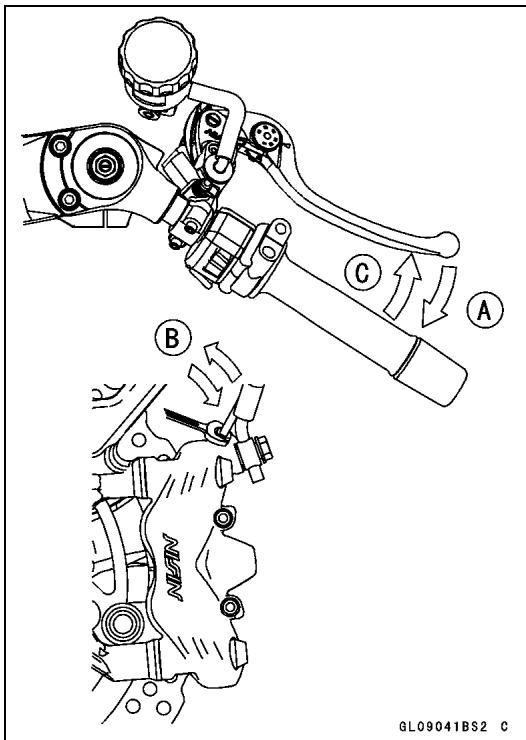
Brake Fluid
- Install:
Diaphragm
Diaphragm Plate
Front Brake Reservoir Cap [A]
Clamp [B]
Screw [C]
- Follow the procedure below to install the front/rear brake fluid reservoir cap correctly.
○First, tighten the brake fluid reservoir cap [B] clockwise [C] by hand until slight resistance is felt indicating that the cap is seated on the reservoir body, then tighten the cap an additional 1/6 turn [D] while holding the brake fluid reservoir body [A].
- Tighten:
Torque - Front Brake Reservoir Cap Stopper Screw: 1.2 N·m (0.12 kgf·m, 11 in·lb)
- Tighten the bleed valve, and install the rubber cap.
Torque - Bleed Valve: 7.8 N·m (0.80 kgf·m, 69 in·lb)
- Check the fluid level (see Brake Fluid Level Inspection in the Periodic Maintenance chapter).
- After bleeding is done, check the brake for good braking power, no brake drag, and no fluid leakage.

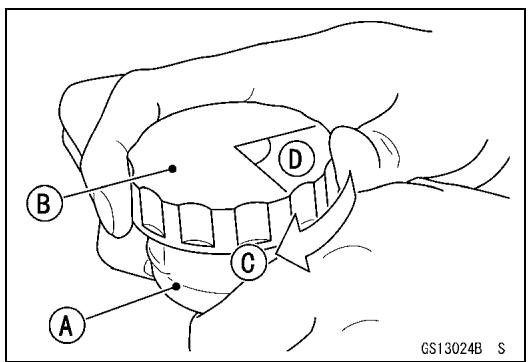
WARNING
When working with the disc brake, observe the precautions listed below.
- Never reuse old brake fluid.
- Do not use fluid from a container that has been left unsealed or that has been open for a long time.
- Do not mix two types and brands of fluid for use in the brake. This lowers the brake fluid boiling point and could cause the brake to be ineffective. It may also cause the rubber brake parts to deteriorate.
- Don't leave the reservoir cap off for any length of time to avoid moisture contamination of the fluid.
- Don't change the fluid in the rain or when a strong wind is blowing.
- Except for the disc pads and disc, use only disc brake fluid, isopropyl alcohol, or ethyl alcohol for cleaning of the brake parts. Do not use any other fluid for cleaning these parts. Gasoline, engine oil, or any other petroleum distillate will cause deterioration of the rubber parts. Oil spilled on any part will be difficult to wash off completely and will eventually deteriorate the rubber used in the disc brake.
- When handling the disc pads or disc, be careful that no disc brake fluid or any oil gets on them. Clean off any fluid or oil that inadvertently gets on the pads or disc with a high-flash point solvent. Do not use one which will leave an oily residue. Replace the pads with new ones if they cannot be cleaned satisfactorily.
- Brake fluid quickly ruins painted surfaces; any spilled fluid should be completely wiped up immediately.
- If any of the brake line fittings or the bleed valve is opened at any time, the AIR MUST BE BLED FROM THE BRAKE LINE.
Brake Hose
Brake Hose and Pipe Removal/Installation
- Refer to the Brake Hose and Pipe Replacement in the Periodic Maintenance chapter.
Brake Hose and Pipe Inspection
- Refer to the Brake Hose and Pipe Damage and Installation Condition Inspection in the Periodic Maintenance chapter.
Anti-Lock Brake System (Equipped Models)
Parts Location

- Front Wheel Rotation Sensor
- Front Wheel Rotation Sensor Rotor
- Rear Wheel Rotation Sensor
- Rear Wheel Rotation Sensor Rotor
- ABS Indicator Light (LED)
- ABS Hydraulic Unit
- ABS Fuse Box
- ABS Kawasaki Self-diagnosis System Connector
Anti-Lock Brake System (Equipped Models)
ABS System Wiring Diagram

flowchart
graph TD
    A["②"] --> B["①"]
    B --> C["③"]
    C --> D["④"]
    A --> E["②3"]
    B --> F["②"]
    C --> G["②"]
    E --> H["②0"]
    F --> I["②19"]
    G --> J["②18"]
    H --> K["②18"]
    I --> L["②18"]
    J --> M["②18"]
    K --> N["②18"]
    L --> O["②18"]
    M --> P["②18"]
    N --> Q["②18"]
    O --> R["②18"]
    P --> S["②18"]
    Q --> T["②18"]
    R --> U["②18"]
    S --> V["②18"]
    T --> W["②18"]
    U --> X["②18"]
    V --> Y["②18"]
    W --> Z["②18"]
    X --> AA["②18"]
    Y --> AB["②18"]
    Z --> AC["②18"]
    AA --> AD["②18"]
    AB --> AE["②18"]
    AC --> AF["②18"]
    AD --> AG["②18"]
    AE --> AH["②18"]
    AF --> AI["②18"]
    AG --> AJ["②18"]
    AH --> AK["②18"]
    AI --> AL["②18"]
    AJ --> AM["②18"]
    AK --> AN["②18"]
    AL --> AO["②18"]
    AM --> AP["②18"]
    AN --> AQ["②18"]
    AO --> AR["②18"]
    AP --> AS["②18"]
    AQ --> AT["②18"]
    AR --> AU["②18"]
    AS --> AV["②18"]
    AT --> AW["②18"]
    AU --> AX["②18"]
    AV --> AY["②18"]
    AW --> AZ["②18"]
    AX --> BA["②18"]
    AY --> BB["②18"]
    BA --> BC["②18"]
    BB --> BD["②18"]
    BC --> BE["②18"]
    BD --> BF["②18"]
    BE --> BG["②18"]
    BF --> BH["②18"]
    BG --> BI["②18"]
    BH --> BJ["②18"]
    BI --> BK["②18"]
    BJ --> BL["②18"]
    BK --> BM["②18"]
    BL --> BN["②18"]
    BM --> BO["②18"]
    BN --> BP["②18"]
    BO --> BQ["②18"]
    BP --> BR["②18"]
    BQ --> BS["②18"]
    BR --> BT["②18"]
- Ignition Switch
- Joint Connector 1
- Front Brake Switch
- Water-proof Joint 1
- Rear Brake Switch
- Frame Ground
- Battery 12 V 14 Ah
- Main Fuse 30 A
- Joint Connector 2
- Main Relay
- Relay Box
- ECU Fuse 15 A
- ABS Motor Relay Fuse 30 A
- ABS Solenoid Valve Relay Fuse 20 A
- ABS ECU Fuse 10 A
- Ignition Fuse 10 A
- Fuse Box 2
- Meter Unit
- ABS Hydraulic Unit
- ABS Kawasaki Self-diagnosis System Connector
- Front Wheel Rotation Sensor
- Rear Wheel Rotation Sensor
- ABS Self-diagnosis Terminal
Anti-Lock Brake System (Equipped Models)
Terminal Names
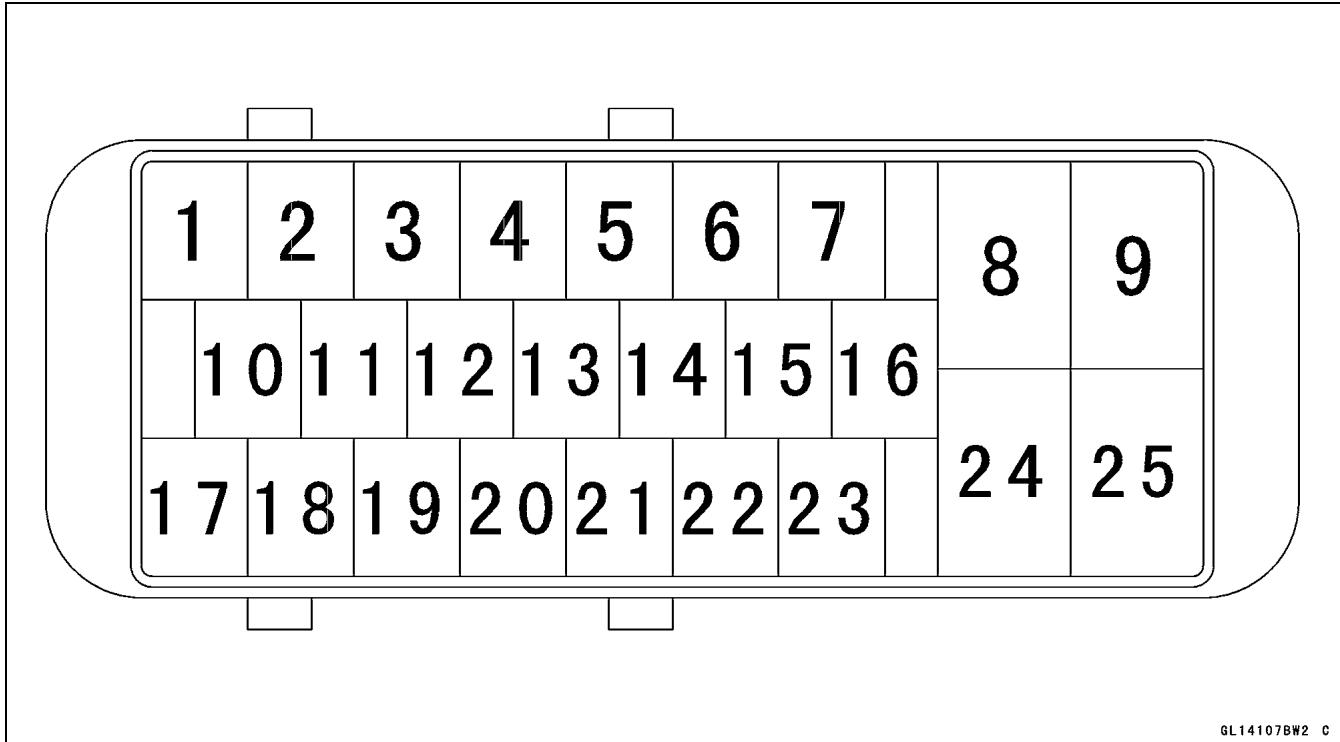
- Unused
- Power Supply to Rear Wheel Rotation Sensor
- Front Wheel Rotation Sensor Signal
- Front and Rear Brake Light Switch
- Unused
- Unused
- Unused
- Power Supply to ABS Solenoid Valve Relay
- Power Supply to ABS Motor Relay
- ABS Kawasaki Self-diagnosis System Terminal
- Unused
- Power Supply to Front Wheel Rotation Sensor
- ABS Self-diagnosis Terminal
- Unused
- Unused
- Power Supply
- Unused
- Rear Wheel Rotation Sensor Signal
- Unused
- Unused
- ABS Indicator Light (LED)
- Unused
- Unused
- Ground
- Ground to Motor
GL14107BW2 C
Anti-Lock Brake System (Equipped Models)
ABS Servicing Precautions
There are a number of important precautions that should be followed servicing the ABS system.
- This ABS system is designed to be used with a 12 V sealed battery as its power source. Do not use any other battery except for a 12 V sealed battery as a power source.
- Do not reverse the battery cable connections. This will damage the ABS hydraulic unit.
To prevent damage to the ABS parts, do not disconnect the battery cables or any other electrical connections when the ignition switch is ON or while the engine is running.
○Take care not to short the leads that are directly connected to the battery positive (+) terminal to the chassis ground.
- Do not turn the ignition switch ON while any of the ABS electrical connectors are disconnected. The ABS hydraulic unit memorizes service codes.
- Do not spray water on the electrical parts, ABS parts, connectors, leads and wiring.
○If a transceiver is installed on the motorcycle, make sure that the operation of the ABS system is not influenced by electric wave radiated from the antenna. Locate the antenna as far as possible away from the ABS hydraulic unit.
○Whenever the ABS electrical connections are to be disconnected, first turn off the ignition switch.
- The ABS parts should never be struck sharply, as with a hammer, or allowed to fall on a hard surface. Such a shock to the parts can damage them.
○The ABS parts cannot be disassembled. Even if a fault is found, do not try to disassemble and repair the ABS parts, replace it.
The ABS has many brake lines, pipes, and leads. And the ABS cannot detect problems with the conventional braking system (brake disc wear, unevenly worn brake pad, and other mechanical faults). To prevent trouble, check the brake lines and pipes for correct routing and connection, the wiring for correct routing, and the brakes for proper braking power. Be sure to check for fluid leakage, and bleed the brake line thoroughly.
WARNING
If any of the brake line fittings, including the ABS hydraulic unit joint nuts, or the bleed valve is opened at any time, the air must be bled completely from the brake line.
CAUTION
Do not ride the motorcycle with air in the brake line, or the ABS could malfunction.
Anti-Lock Brake System (Equipped Models)
○The ABS indicator light (LED) [A] may light if the tire pressure is incorrect, a non-recommended tire is installed, or the wheel is deformed. If the indicator light lights, remedy the problem and clear the service code.
WARNING
Use of non-recommended tires may cause malfunctioning of ABS and can lead to extended braking distance. The rider could have an accident as a result. Always use recommended standard tires for this motorcycle.
The ABS indicator light (LED) may come on if the engine is run with the motorcycle on its stand and the transmission in gear. If the indicator light comes on, just turn the ignition switch OFF, then clear service code 42, which indicates a “Faulty front wheel rotation sensor”.
When the ABS operates, the ABS makes noise and the rider feels the reaction force on the brake lever and brake pedal. This is a normal condition. It informs the rider that the ABS is operating normally.
○Service codes detected once by the ABS hydraulic unit will be memorized in the ABS hydraulic unit. Therefore, after maintenance work is finished, be sure to erase the service codes. Do not erase the service codes during troubleshooting. Wait until all the checks and repair work are finished to prevent duplication of previous service codes and unnecessary maintenance work.
Before delivering the motorcycle to the customer, be sure to erase any service codes which might be stored in the ABS hydraulic unit. Using the self-diagnosis feature, make sure that the ABS indicator light (LED) lights. A fully charged battery is a must for conducting reliable self-diagnosis. Test run the motorcycle at a speed of more than 20 km/h (12 mph) to see that the ABS indicator light (LED) does not come on. Finally, test run the motorcycle at a speed of more than 30 km/h (20 mph) and brake suddenly to see that the motorcycle stops without loss of steering control and the ABS operates normally (The reaction force generated is felt in the brake lever and pedal.). This completes the final inspection.
○Color Codes:
BK: Black
BL: Blue
BR: Brown
CH: Chocolate
DG: Dark Green
G: Green
GY: Gray
LB: Light Blue
LG: Light Green
O: Orange
P: Pink
PU: Purple
R: Red
W: White
Y: Yellow

Anti-Lock Brake System (Equipped Models)
ABS Troubleshooting Outline
When an abnormality in the system occurs, the ABS indicator light (LED) lights up to alert the rider. In addition, the nature of the fault is stored in the memory of the ABS hydraulic unit and when in the self-diagnosis mode, the service code [A] is indicated by the number of times the ABS indicator light (LED) blinks. The service codes stored in memory are not erased until the mode has been changed to the fault erase mode after the fault has been corrected. Therefore, after correcting the problem, always erase the service codes and then run the self-diagnosis program to confirm normal signal output. When, due to a malfunction, the ABS indicator light (LED) remains lit, get a thorough understanding of the background before starting the repair work. Ask the rider about the conditions [B] under which the problem occurred and try to determine the cause [C]. Do not rely solely on the ABS self-diagnosis function, use common sense; check the brakes for proper braking power, and brake fluid level, search for leaks, etc.


Even when the ABS is operating normally, the ABS indicator light (LED) may light up under the conditions listed below. Turn the ignition switch OFF to stop the indicator light. If the motorcycle runs without erasing the service code, the light may light up again.
○After continuous riding on a rough road.
When the engine is started with the stand raised and the transmission engaged, and the rear wheel turns.
- When accelerating so abruptly that the front wheel leaves the ground.
- When the ABS has been subjected to strong electrical interference.
○When tire pressure is abnormal. Adjust tire pressure.
When a tire different in size from the standard size is being used. Replace with standard size.
○When the wheel is deformed. Replace the wheel.
Much of the ABS troubleshooting work consists of confirming continuity of the wiring. The ABS parts are assembled and adjusted by the manufacturer, so there is no need to disassemble or repair them. Replace the ABS hydraulic unit.
The basic troubleshooting procedures are listed below.
- Carry out pre-diagnosis inspections as a preliminary inspection.
- Determine the fault using the self-diagnosis function.
- Check wiring and connections from the ABS hydraulic unit connector to the suspected faulty ABS part, using the hand tester.
Special Tool - Hand Tester: 57001-1394
Anti-Lock Brake System (Equipped Models)
- Visually inspect the wiring for signs of burning or fraying.
★If any wiring is poor, replace the damaged wiring.
- Pull each connector [A] apart and inspect it for corrosion, dirt and damage.
★If the connector is corroded or dirty, clean it carefully. If it is damaged, replace it.
- Check the wiring for continuity.
○Use the wiring diagram to find the ends of the lead which is suspected of being a problem.
○Connect the hand tester between the ends of the leads.
○Set the tester to the × 1 Ω range, and read the tester.
★If the tester does not read 0 Ω, the lead is defective. Replace the main harness [B] if necessary.
- Narrow down suspicious parts and close in on the faulty ABS part by repeating the continuity tests.
★If no abnormality is found in the wiring or connectors, the ABS parts are the next likely suspects. Check each part one by one.
★If an abnormality is found, replace the affected ABS part.
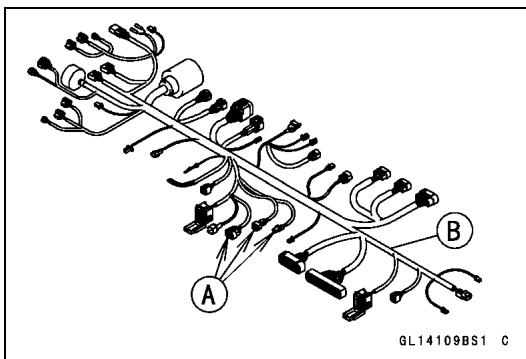
Anti-Lock Brake System (Equipped Models)
ABS Diagnosis Flow Chart

flowchart
graph TD
    A["Problem occurs."] --> B["Confirm problems."]
    B --> C["Gather information from rider."]
    C --> D["Conduct pre-diagnosis inspection 1, 2."]
    D --> E["Conduct self-diagnosis."]
    E --> F["Check by other than self-diagnosis."]
    E --> G["Check by self-diagnosis."]
    F --> H["If harness or connector is faulty."]
    H --> I["Repair or replace"]
    G --> J["If ABS part is faulty."]
    J --> K["Check ABS parts."]
    K --> L["Replace"]
    L --> M["Final inspection."]
    M --> N["OK"]
    N --> O["End"]
    M -->|NG| E
Anti-Lock Brake System (Equipped Models)
Inquiries to Rider
○Each rider reacts to problems in different ways, so it is important to confirm what kind of condition the rider is dissatisfied with.
- Try to find out exactly what problem occurs under exactly what conditions by asking the rider; knowing this information may help you reproduce the problem in the shop.
○The diagnosis sheet will help prevent you from overlooking any keys, so always use it.
Sample Diagnosis Sheet
| Rider name: | Registration No. (license plate No.): |
| Year of initial registration: | Model: |
| Engine No.: | Frame No.: |
| Date problem occurred: | Frequency: |
| Weather: | Mileage: |
| Phenome-non | ☐ Brake lever vibration or noise | ☐ Indicator light blinks | ☐ Braking distance too long | ☐ Abnormal brake lever movement | ☐ ABS not working | ☐ ABS works but indicator light doesn't light up | ☐ ABS operating too frequently |
| ☐ Pedal vibration or noise | ☐ Indicator light remains lit up | ☐ Abnormal pedal movement |
| Engine conditions at problem | ☐ At start-up ☐ After starting ☐ At 5 000 r/min (rpm) or more |
| Road conditions | ☐ Slippery road (☐ snow, ☐ gravel, ☐ other )☐ Rough surface☐ Other |
| Driving conditions | ☐ High-speed cornering☐ Driving 10 km/h (6 mph) or above☐ Driving below 10 km/h (6 mph)☐ When stopping☐ When turning |
| Brake application | ☐ Gradual☐ Abrupt |
| Other conditions | ☐ Large brake lever stroke☐ Large pedal stroke |
Anti-Lock Brake System (Equipped Models)
Pre-Diagnosis Inspection 1
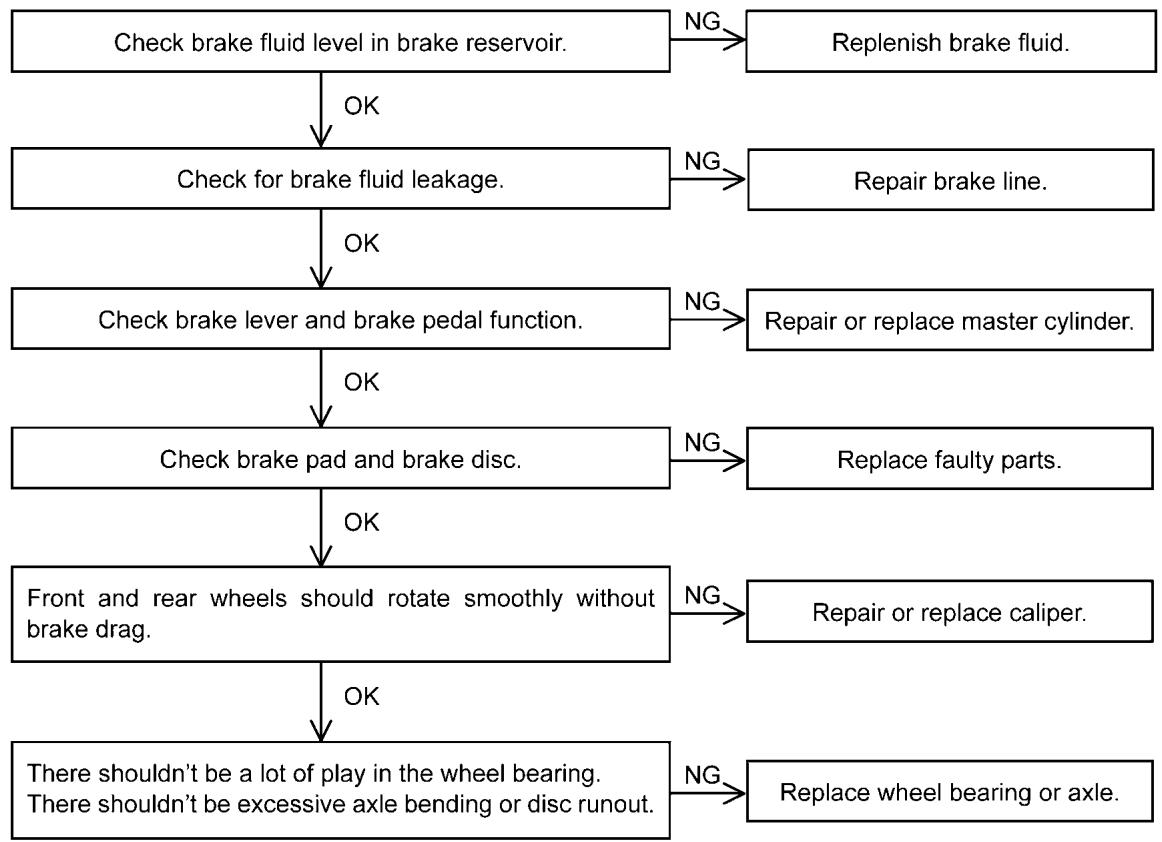
flowchart
graph TD
    A["Check brake fluid level in brake reservoir."] -->|OK| B["Check for brake fluid leakage."]
    B -->|OK| C["Check brake lever and brake pedal function."]
    C -->|OK| D["Check brake pad and brake disc."]
    D -->|OK| E["Front and rear wheels should rotate smoothly without brake drag."]
    E -->|OK| F["There shouldn't be a lot of play in the wheel bearing. There shouldn't be excessive axle bending or disc runout."]
    A -->|NG| G["Replenish brake fluid."]
    B -->|NG| H["Repair brake line."]
    C -->|NG| I["Repair or replace master cylinder."]
    D -->|NG| J["Replace faulty parts."]
    E -->|NG| K["Repair or replace caliper."]
    F -->|NG| L["Replace wheel bearing or axle."]
GL14012B F
Anti-Lock Brake System (Equipped Models)
Pre-Diagnosis Inspection 2
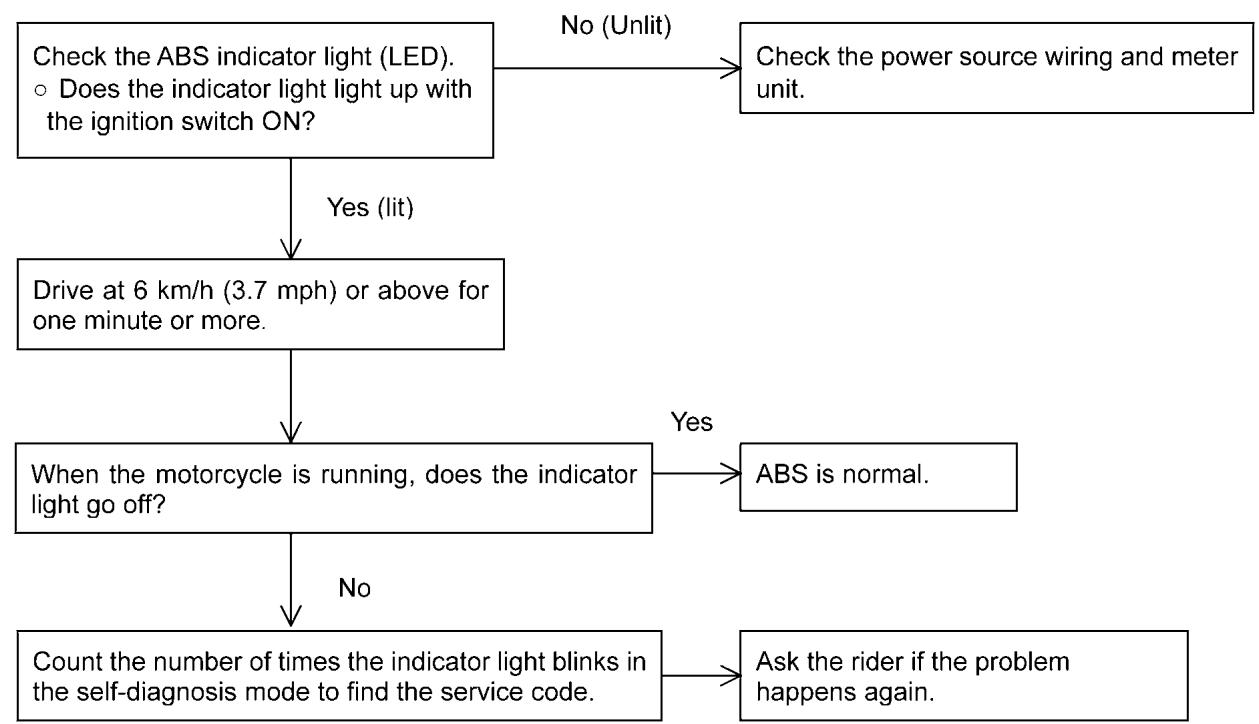
flowchart
graph TD
    A["Check the ABS indicator light (LED). <br>○ Does the indicator light light up with the ignition switch ON?"] -->|No (Unlit)| B["Check the power source wiring and meter unit."]
    A -->|Yes (lit)| C["Drive at 6 km/h (3.7 mph) or above for one minute or more."]
    C --> D["When the motorcycle is running, does the indicator light go off?"]
    D -->|Yes| E["ABS is normal."]
    D -->|No| F["Count the number of times the indicator light blinks in the self-diagnosis mode to find the service code."]
    E --> G["Ask the rider if the problem happens again."]
GL14111B F
Self-diagnosis Outline
When the indicator light has blinked or come on, the ABS hydraulic unit memorizes and stores the service code for the service person to troubleshoot easily. The service code memory is powered directly by the battery and cannot be canceled by the ignition switch.
The ABS hydraulic unit can memorize up to all service codes (14 codes). Further service codes are memorized after erasing the preceding all service codes (14 codes). If there is no fault, the ABS indicator light (LED) lights, indicating that “The ABS is normal”.
Self-diagnosis Procedures
When a problem occurs with the ABS system, the ABS indicator light (LED) [A] lights.
NOTE
○Use a fully charged battery when conducting self-diagnosis. Otherwise, the light blinks very slowly or doesn't blink.
○The motorcycle is stopped.
- Keep the self-diagnosis terminal grounded during self-diagnosis, with an auxiliary lead.

Anti-Lock Brake System (Equipped Models)
- Remove the seat (see Seat Removal in the Frame chapter).
- Ground the self-diagnosis terminal [A] (Gray) to the ground terminal [B] (Black/Yellow), using a lead.
- Turn on the ignition switch.
○Count the blinks of the light to read the service code. Keep the auxiliary lead ground until you finish reading the service code.

Service Code Clearing Procedures
- Start the service code erase mode with the following procedure.
○The erase mode starts when the ABS self-diagnosis terminal is disconnected from the ground terminal after starting the self-diagnosis mode.
The service code can be erased by grounding and ungrounding (each time for at least one second) the ABS self-diagnosis terminal three times or more within about 12.5 seconds after starting the erase mode.
○The ABS indicator light (LED) remains lit during the erase mode.
○After erasing, the ABS indicator light (LED) blinks and lights.
Once erasing is finished, enter the self-diagnosis mode again to confirm that the service codes have been erased. If the ABS has been reset and all codes have been erased, the ABS indicator light (LED) lights.
Anti-Lock Brake System (Equipped Models)

flowchart
graph LR
    A["Permit of Service Code Erase"] --> B["Start of Service Code Erase"]
    B --> C["End of Service Code Erase"]
    D["ABS Indicator Light (LED)"] --> E["ON OFF"]
    F["ABS Self-diagnosis Terminal"] --> G["Open Ground"]
    H["1S or more"] --> I["2 S"]
    J["Within 12.5S"] --> K["3 S"]
    L["0.4S"] --> M["0.4S"]
    N["0.4S"] --> O["0.4S"]
    P["The signal to inform of the erase completion of service code."] --> Q["Start of Service Code Erase"]
Self-diagnosis Flow Chart
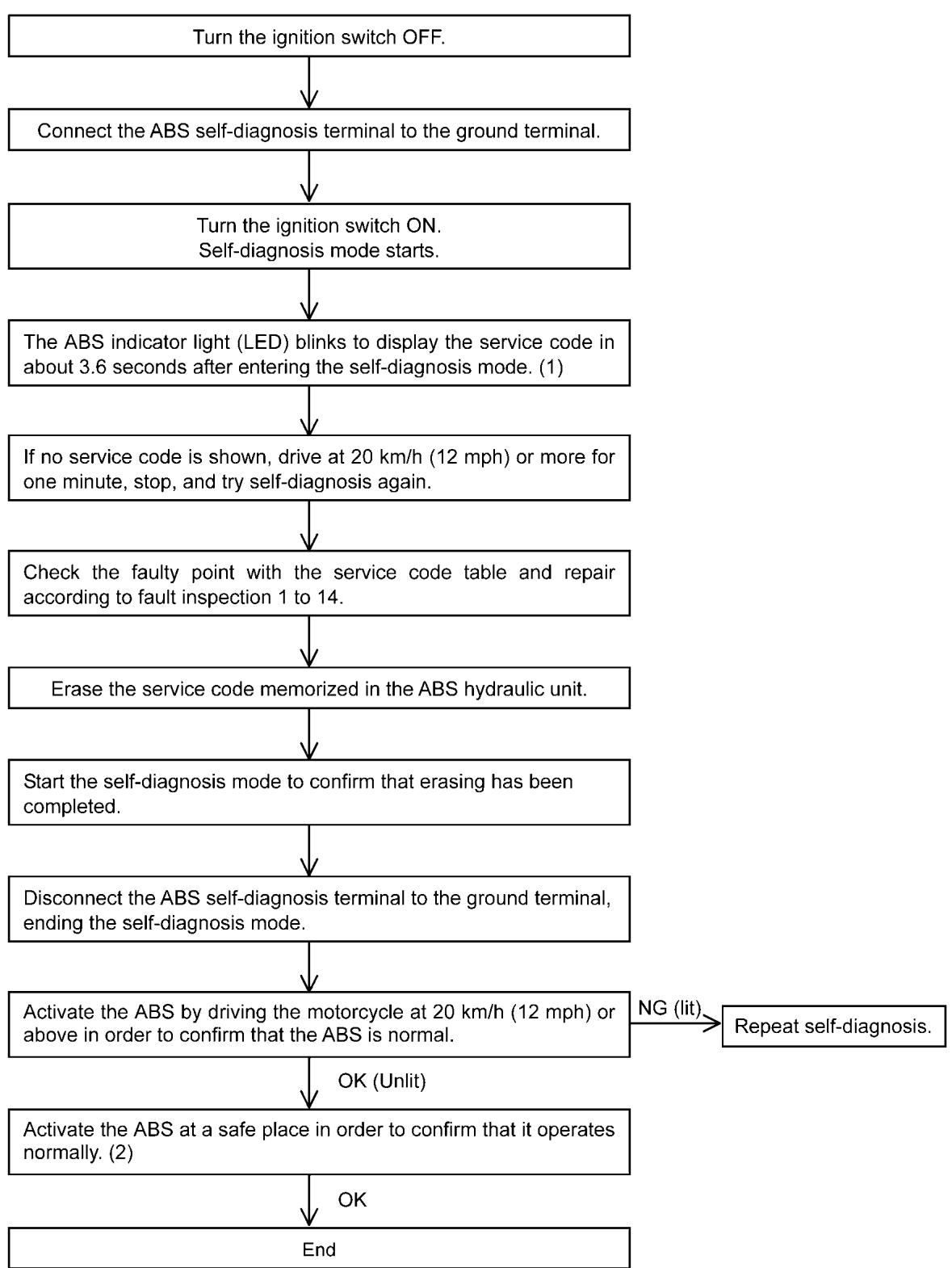
flowchart
graph TD
    A["Turn the ignition switch OFF."] --> B["Connect the ABS self-diagnosis terminal to the ground terminal."]
    B --> C["Turn the ignition switch ON. Self-diagnosis mode starts."]
    C --> D["The ABS indicator light (LED) blinks to display the service code in about 3.6 seconds after entering the self-diagnosis mode. (1)"]
    D --> E["If no service code is shown, drive at 20 km/h (12 mph) or more for one minute, stop, and try self-diagnosis again."]
    E --> F["Check the faulty point with the service code table and repair according to fault inspection 1 to 14."]
    F --> G["Erase the service code memorized in the ABS hydraulic unit."]
    G --> H["Start the self-diagnosis mode to confirm that erasing has been completed."]
    H --> I["Disconnect the ABS self-diagnosis terminal to the ground terminal, ending the self-diagnosis mode."]
    I --> J["Activate the ABS by driving the motorcycle at 20 km/h (12 mph) or above in order to confirm that the ABS is normal."]
    J --> K{NG (lit)}
    K -->|Yes| L["Repeat self-diagnosis."]
    K -->|No| M["NG (Lit)"]
    M --> N["Activate the ABS at a safe place in order to confirm that it operates normally. (2)"]
    N --> O{OK}
    O -->|Yes| P["End"]
(1): The self-diagnosis mode ends following.
When the ignition switch is OFF.
When the motorcycle is driven while in the self-diagnosis mode.
When the self-diagnosis terminal disconnects.
(2): Apply brake suddenly at 30 km/h (19 mph) or more to confirm that the motorcycle stops smoothly and steady with pulsation on the brake lever and pedal.
Anti-Lock Brake System (Equipped Models)
How to Read Service Codes
○Service codes are shown by a series of long and short blinks of the ABS indicator light (LED) as shown below.
○Read 10th digit and unit digit as the ABS indicator light (LED) blinks.
When there are a number of faults, a maximum of all service codes (14 codes) can be stored and the display will begin starting from the small number code entered.
☐For the display pattern, first the smallest number code is shown, next up to all service codes (14 codes) starting with the last one stored, then the display is repeated from the smallest number code once again.

flowchart
graph LR
    A["Service code 13"] --> B["Service code 14"]
    B --> C["Service code 17"]
    C --> D["Service code 53"]
    D --> E["Service code 55"]
    F["Repeat"] --> A
○If there is no fault, the ABS indicator light (LED) lights as shown in the figure.
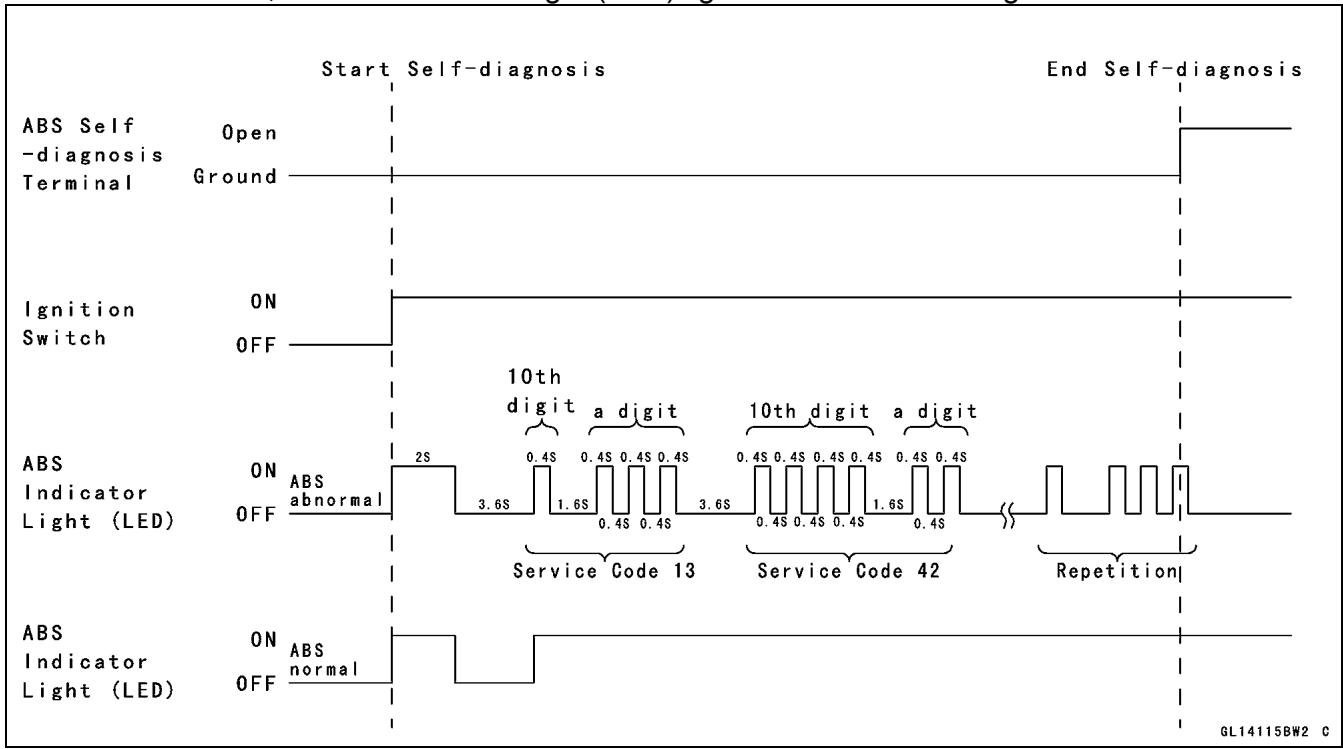
other
| Signal Type | Time Segment | Value |
| ----------------------- | --------------------------------- | --------- |
| ABS Self-diagnosis Terminal | Open | - |
| Ignition Switch | ON/OFF | - |
| ABS Indicator Light (LED) | ON/OFF | 2S |
| ABS Indicator Light (LED) | OFF | 3.6S |
| 10th digit | a digit | 0.4S |
| 10th digit | a digit | 0.4S |
| 10th digit | a digit | 0.4S |
| Service Code 13 | 13 | 0.4S |
| Service Code 13 | 42 | 0.4S |
| Repetition | - | - |
| ABS Indicator Light (LED) | ON/OFF | - |
| ABS Indicator Light (LED) | OFF | - |
How to Erase Service Codes
○Even if the ignition switch is turned OFF, the battery or the ABS hydraulic unit are disconnected, all service codes remain in the ABS hydraulic unit.
○Refer to the Service Code Clearing Procedure for the service code erasure.
Anti-Lock Brake System (Equipped Models)
Service Code Table
| Service Code | ABS Indicator Light (LED) | Problems | Light State |
| 13 |  | Rear inlet solenoid valve trouble (shorted or open, stuck valve (ON)) | ON |
| 14 |  | Rear outlet solenoid valve trouble (shorted or open, stuck valve (ON)) | ON |
| 17 |  | Front inlet solenoid valve trouble (shorted or open, stuck valve (ON)) | ON |
| 18 |  | Front outlet solenoid valve trouble (shorted or open, stuck valve (ON)) | ON |
| 19 |  | ABS solenoid valve relay trouble (wiring shorted or open, stuck relay (ON or OFF)) | ON |
| 25 |  | Front, rear tire abnormal (substandard tire, deformation wheel, sensor rotor teeth number wrong) | ON |
| 35 |  | ABS motor relay trouble (wiring shorted, open or lock, stuck relay (ON or OFF) | ON |
| 42 |  | Front wheel rotation sensor signal abnormal (sensor or rotor missing, too large clearance, rotor tooth worn or missing) | ON |
| 43 |  | Front wheel rotation sensor wiring abnormal (wiring shorted or open) | ON |
| 44 |  | Rear wheel rotation sensor signal abnormal (sensor or rotor missing, too large clearance, rotor tooth worn or missing) | ON |
| 45 |  | Rear wheel rotation sensor wiring abnormal (wiring shorted or open) | ON |
| 52 |  | Power supply voltage abnormal (under-voltage) | ON |
| 53 |  | Power supply voltage abnormal (over-voltage) | ON |
| 55 |  | ECU trouble (ECU operation abnormal) | ON |
Anti-Lock Brake System (Equipped Models)
ABS Indicator Light (LED) Inspection
- Turn the ignition switch ON.
★If the ABS indicator light (LED) [A] lights, it is normal.
★If the ABS indicator light (LED) does not light, go to step "ABS Indicator Light (LED) is Unlit (When the Ignition Switch turned to ON)".
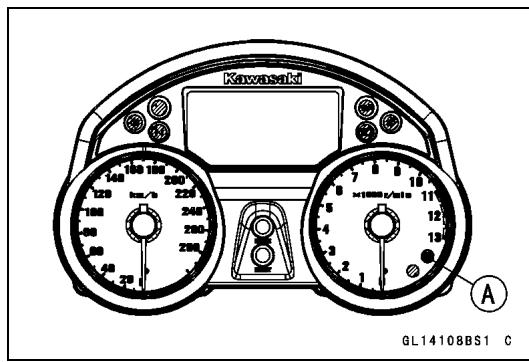
- Turn the ignition switch OFF.
★If the ABS indicator light (LED) [A] does not light, it is normal.
★If the ABS indicator light (LED) lights, go to step "ABS Indicator Light (LED) Lights (When the Motorcycle is Running, - No Service Code)".
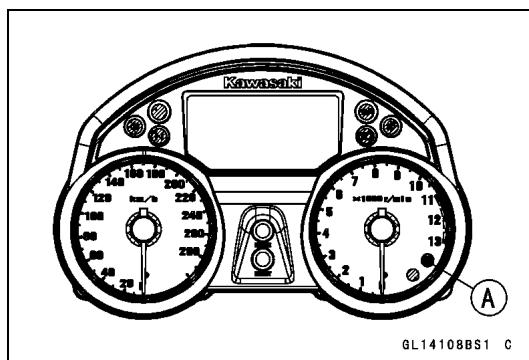
ABS Indicator Light (LED) is Unlit (When the Ignition Switch turned to ON)
- Do the 1st step test.
○Check the terminal voltage between the black/white lead terminal of the meter connector [A] and ground.
Special Tool - Hand Tester: 57001-1394
○Turn the ignition switch ON.
Terminal Voltage
Standard: About 10 V
★If the terminal voltage is not within the specification, 2nd step.
★If the terminal voltage correct, replace the meter assembly.
- Do the 2nd step test.
○Disconnect the meter connector.
○Check for continuity between the black/white lead terminal of the main harness side connector [A] and ground.
★If there is the continuity in the lead, replace or repair the main harness.
★If there is not the continuity in the lead, 3rd step.


Anti-Lock Brake System (Equipped Models)
- Do the 3rd step test.
○Disconnect the ABS hydraulic unit connector.
○Check for continuity between the black/white lead terminal of the main harness side connector [A] and black/white lead terminal of the main harness side connector [B].
★If there is the continuity in the lead, replace the ABS hydraulic unit.
★If there is not the continuity in the lead, replace or repair the main harness.
ABS Indicator Light (LED) Lights (When the Motorcycle is Running, - No Service Code)
- Do the 1st step test.
○Disconnect the ABS hydraulic unit connector and meter connector.
○Check for continuity between the black/white lead terminal of the main harness side connector [A] and black/white lead terminals of the main harness side connector [A].
Special Tool - Hand Tester: 57001-1394
★If there is the continuity in the lead, replace the ABS hydraulic unit.
★If there is not the continuity in the lead, replace or repair the main harness.
Solenoid Valve Inspection (Service Code 13,14,17,18)
- Do the 1st step test.
○Recheck the service code indication; erase the service code, perform the pre-diagnosis inspection 1 and 2, and retrieve the service code.
★If the ABS indicator light (LED) [A] lit, faulty solenoid valve in the ABS hydraulic unit. Replace the ABS hydraulic unit.
★If the ABS indicator light (LED) unlit, ABS system is normal (service code is not stored; temporary failure.).
ABS Solenoid Valve Relay Inspection (Service Code 19)
- Do the 1st step test.
○Check the ABS solenoid valve relay fuse (20 A) [A].
★If the fuse blown, 2nd step.
★If the fuse correct, 4th step.
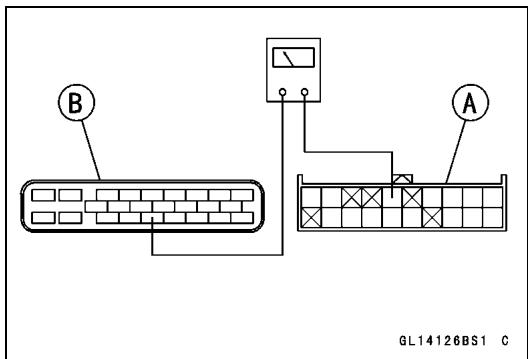
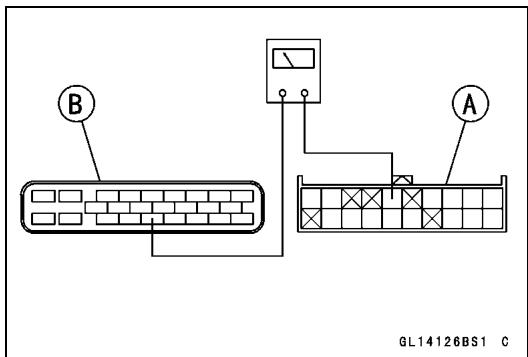


natural_image
Close-up of a mechanical component with labeled parts (A) and part number GL14B026, showing internal structure without any readable text or symbols.
Anti-Lock Brake System (Equipped Models)
- Do the 2nd step test.
○Disconnect the ABS hydraulic unit connector [A].
○Check for continuity between the light green and black/yellow lead terminals of the ABS hydraulic unit connector.
★If there is the continuity in the lead, replace the ABS hydraulic unit.
★If there is not the continuity in the lead, 3rd step.
- Do the 3rd step test.
○Check for continuity between the light green lead terminal of the main harness side connector [A] and light green lead terminal of the fuse box [B].
★If there is the continuity in the lead, replace the fuse.
★If there is not the continuity in the lead, replace or repair the main harness.
- Do the 4th step test.
○Check the battery terminal voltage between the light green lead terminal of the fuse box [A] and ground.
Special Tool - Hand Tester 57001-1394
Battery Terminal Voltage
Standard: Battery Voltage
★If the battery terminal voltage is not within the specification, 5th step.
★If the battery terminal voltage correct, 6th step.
- Do the 5th step test.
○Check for continuity between the positive cable [A] of the battery and light green lead terminal of the main harness side connector [B].
★If there is the continuity in the lead, 4th step.
★If there is not the continuity in the lead, replace or repair the main harness.
- Do the 6th step test.
○Recheck the service code indication; erase the service code, perform the pre-diagnosis inspection 1 and 2, and retrieve the service code.
★If the ABS indicator light (LED) [A] lit, faulty ABS solenoid valve relay in the ABS hydraulic unit. Replace the ABS hydraulic unit.
★If the ABS indicator light (LED) unlit, ABS system is normal (service code is not stored; temporary failure.).


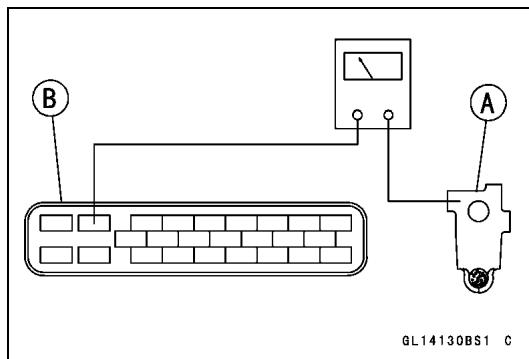

Anti-Lock Brake System (Equipped Models)
Front, Rear Wheel Rotation Difference Abnormal (Service Code 25)
- Do the 1st step test.
○Check the following and correct the faulty part.
Incorrect the tire pressure.
Tires not recommended for the motorcycle were installed (incorrect tire size).
Deformation of the wheel or tire.
Sensor rotor for missing teeth and clogging with foreign matter.
★If the all parts correct, 2nd step.
- Do the 2nd step test.
○ Recheck the service code indication; erase the service code, perform the pre-diagnosis inspection 1 and 2, and retrieve the service code.
★If the ABS indicator light (LED) [A] lit, faulty ECU in the ABS hydraulic unit. Replace the ABS hydraulic unit.
★If the ABS indicator light (LED) unlit, ABS system is normal (service code is not stored; temporary failure.).
ABS Pump Motor Relay Inspection (Service Code 35)
- Do the 1st step test.
○Check the ABS pump motor relay fuse (30 A) [A].
★If the fuse blown, 2nd step.
★If the fuse correct, 4th step.
- Do the 2nd step test.
○Disconnect the ABS hydraulic unit connector.
○Check for continuity between the red and light blue lead terminals of the ABS hydraulic unit connector [A].
★If there is the continuity in the lead, replace the ABS hydraulic unit.
★If there is not the continuity in the lead, 3rd step.
- Do the 3rd step test.
○Check for continuity between the red lead terminal of the main harness side connector [A] and red lead terminal of the fuse box [B].
★If there is the continuity in the lead, replace the fuse.
★If there is not the continuity in the lead, replace or repair the main harness.
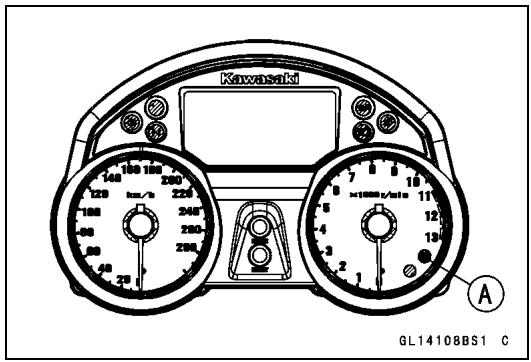
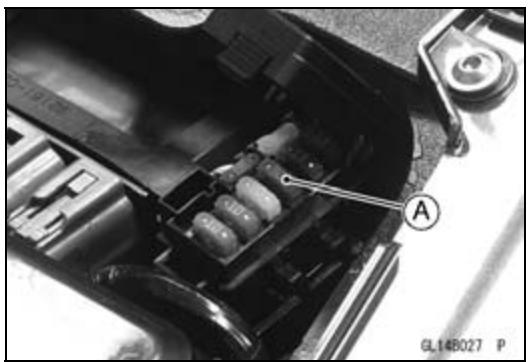
natural_image
Close-up of a mechanical component with labeled parts (A) and no visible text or symbols beyond the label.
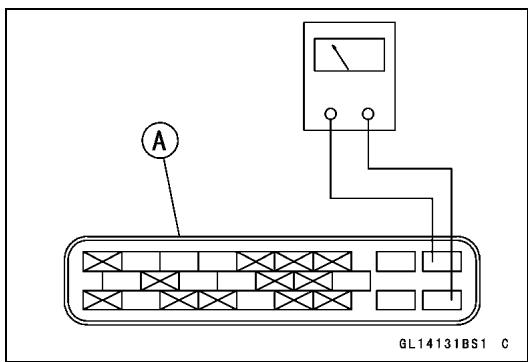

Anti-Lock Brake System (Equipped Models)
- Do the 4th step test.
○Check the battery terminal voltage between the red lead terminal of the fuse box [A] and ground.
Special Tool - Hand Tester: 57001-1394
Battery Terminal Voltage
Standard: Battery Voltage
★If the battery terminal voltage is not within the specification, 5th step.
★If the battery terminal voltage correct, 6th step.
- Do the 5th step test.
○Check for continuity between the positive cable [A] of the battery and red lead terminal of the main harness side connector [B].
★If there is the continuity in the lead, 4th step.
★If there is not the continuity in the lead, replace or repair the main harness.
- Do the 6th step test.
○Recheck the service code indication; erase the service code, perform the pre-diagnosis inspection 1 and 2, and retrieve the service code.
★If the ABS indicator light (LED) [A] lit, faulty ABS pump motor relay in the ABS hydraulic unit. Replace the ABS hydraulic unit.
★If the ABS indicator light (LED) unlit, ABS system is normal (service code is not stored; temporary failure.).
Front Wheel Rotation Sensor Signal Abnormal (Service Code 42)
- Do the 1st step test.
○Measure the air gap between the front wheel rotation sensor and sensor rotor.
Thickness Gauge [A]
Air Gap
Standard: 0.7 \~ 0.9 mm (0.028 \~ 0.035 in.)
★If the measurement is over standard, check each part for deformation and looseness and correct accordingly. Recheck the air gap.
★If the measurement is correct, 2nd step.

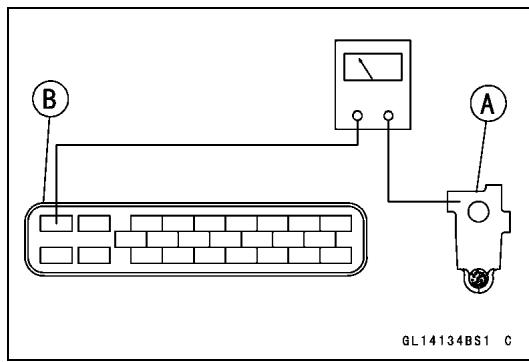
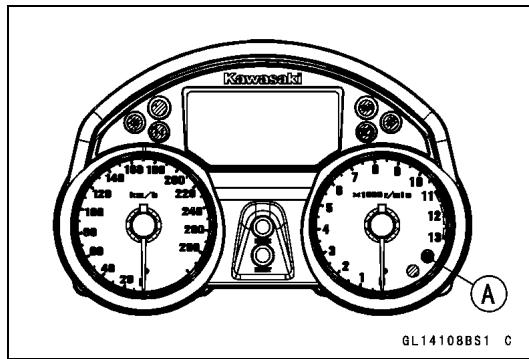

natural_image
Close-up mechanical assembly showing a Nissan NISIN brand brake caliper and keyway (no text or symbols visible)
Anti-Lock Brake System (Equipped Models)
-
Do the 2nd step test.
○Check that there is iron or other magnetic deposits between the sensor [A] and sensor rotor [B], and the sensor rotor slots for obstructions.
○Check the installation condition of the sensor for looseness.
○Check the sensor and sensor rotor tip for deformation or damage (e.g., chipped sensor rotor teeth).
★ If the sensor and sensor rotor in bad condition, remove the any deposits. Install the properly or replace faulty part.
★If the all correct, 3rd step.
-
Do the 3rd step test.
○Recheck the service code indication; erase the service code, perform the pre-diagnosis inspection 1 and 2, and retrieve the service code.
★If the ABS indicator light (LED) [A] lit, faulty ECU in the ABS hydraulic unit. Replace the ABS hydraulic unit.
★If the ABS indicator light (LED) unlit, ABS system is normal (service code is not stored; temporary failure.).

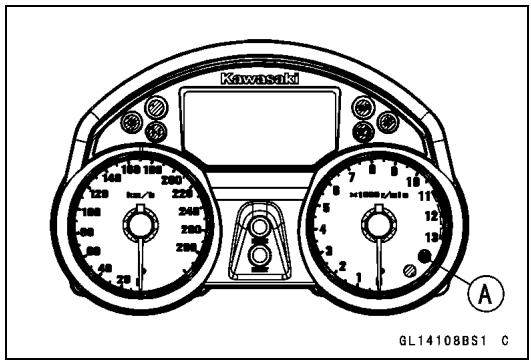
Front Wheel Rotation Sensor Wiring Inspection (Service Code 43)
- Do the 1st step test.
○Disconnect the ABS hydraulic unit connector and front wheel rotation sensor connector.
○Short the brown and green lead terminals of the main harness side connector [A] with a jumper lead, and check for continuity between the brown and green lead terminals of the main harness side connector [B].
★If there is the continuity in the lead, 2nd step.
★If there is not the continuity in the lead, replace or repair the main harness.
- Do the 2nd step test.
○ Check for continuity between the black lead terminal of the sensor connector [A] and ground, and white lead terminal of the sensor connector and ground.
★ If there is the continuity in the lead, replace the front wheel rotation sensor.
★If there is not the continuity in the lead, 3rd step.
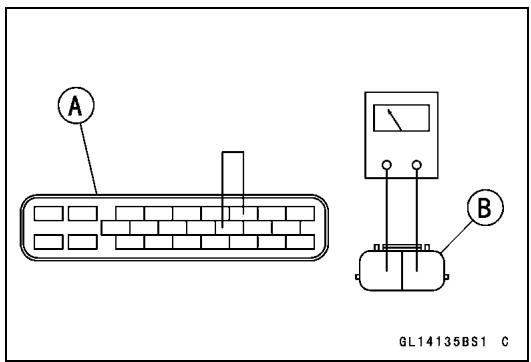
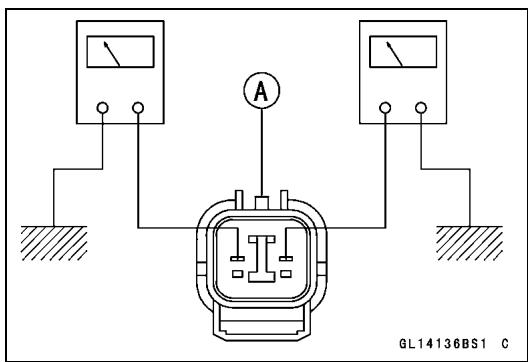
Anti-Lock Brake System (Equipped Models)
- Do the 3rd step test.
○Recheck the service code indication; erase the service code, perform the pre-diagnosis inspection 1 and 2, and retrieve the service code.
★If the ABS indicator light (LED) [A] lit, faulty ECU in the ABS hydraulic unit. Replace the ABS hydraulic unit.
★If the ABS indicator light (LED) unlit, ABS system is normal (service code is not stored; temporary failure.).
Rear Wheel Rotation Sensor Signal Abnormal (Service Code 44)
- Do the 1st step test.
○Measure the air gap between the rear wheel rotation sensor and sensor rotor.
Thickness Gauge [A]
Air Gap
Standard: 0.7 \~ 0.9 mm (0.028 \~ 0.035 in.)
★If the measurement is over standard, check each part for deformation and looseness and correct accordingly. Recheck the air gap.
★If the measurement is correct, 2nd step.
- Do the 2nd step test.
○Check that there is iron or other magnetic deposits between the sensor [A] and sensor rotor [B], and the sensor rotor slots for obstructions.
○Check the installation condition of the sensor for looseness.
○Check the sensor and sensor rotor tip for deformation or damage (e.g., chipped sensor rotor teeth).
★ If the sensor and sensor rotor in bad condition, remove the any deposits. Install the properly or replace faulty part.
★If the all correct, 3rd step.
- Do the 3rd step test.
○Recheck the service code indication; erase the service code, perform the pre-diagnosis inspection 1 and 2, and retrieve the service code.
★If the ABS indicator light (LED) [A] lit, faulty ECU in the ABS hydraulic unit. Replace the ABS hydraulic unit.
★If the ABS indicator light (LED) unlit, ABS system is normal (service code is not stored; temporary failure.).
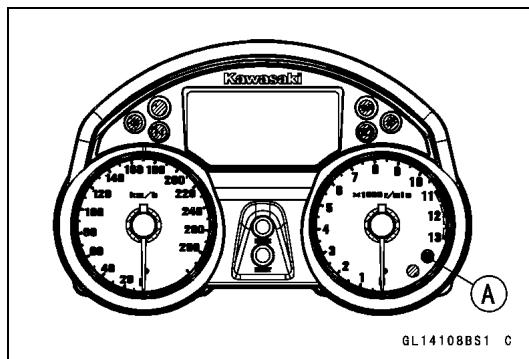
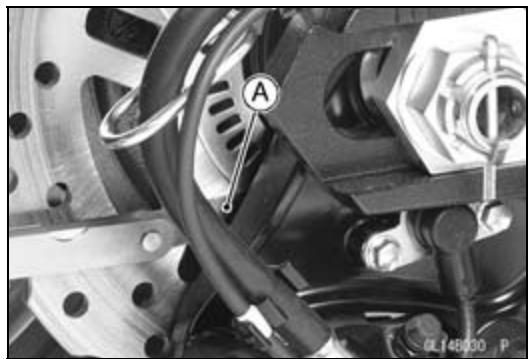
natural_image
Close-up of mechanical components with visible wiring and a labeled section (A), no readable text or symbols present.
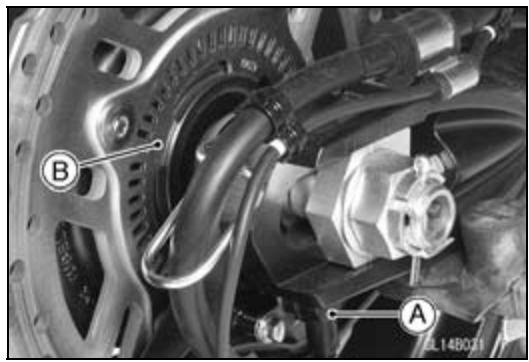

Anti-Lock Brake System (Equipped Models)
Rear Wheel Rotation Sensor Wiring Inspection (Service Code 45)
- Do the 1st step test.
○Disconnect the ABS hydraulic unit connector and rear wheel rotation sensor connector.
○Short the black and white/red lead terminals of the main harness side connector [A] with a jumper lead, and check for continuity between the black and white/red lead terminals of the main harness side connector [B].
★If there is the continuity in the lead, 2nd step.
★If there is not the continuity in the lead, replace or repair the main harness.
-
Do the 2nd step test.
○Check for continuity between the black lead terminal of the sensor connector [A] and ground, and white lead terminal of the sensor connector and ground.
★ If there is the continuity in the lead, replace the rear wheel rotation sensor.
★If there is not the continuity in the lead, 3rd step.
-
Do the 3rd step test.
○Recheck the service code indication; erase the service code, perform the pre-diagnosis inspection 1 and 2, and retrieve the service code.
★If the ABS indicator light (LED) [A] lit, faulty ECU in the ABS hydraulic unit. Replace the ABS hydraulic unit.
★If the ABS indicator light (LED) unlit, ABS system is normal (service code is not stored; temporary failure.).
Power Supply Voltage Abnormal (Under-Voltage) (Service Code 52)
- Do the 1st step test.
○Disconnect the ignition switch connector and ABS hydraulic unit connector.
○Check for continuity between the brown lead terminal of the main harness side connector [A] and yellow lead terminal of the main harness side connector [B].
★If there is the continuity in the lead, 2nd step.
★If there is not the continuity in the lead, inspect the ABS ECU fuse (10 A) (see Fuse Inspection in the Electrical System chapter) and replace or repair the main harness.


Anti-Lock Brake System (Equipped Models)
- Do the 2nd step test.
○Connect the ignition switch connector and ABS hydraulic unit connector.
○Check the battery terminal voltage, connect the hand tester to the brown terminal of ignition switch connector [A] and ground.
Special Tool - Hand Tester: 57001-1394
○Turn the ignition switch ON.
Battery Terminal Voltage
Standard: 10 V or more
★If the battery terminal voltage is not within the specification, 3rd step.
★If the battery terminal voltage correct, 4th step.
- Do the 3rd step test.
○Inspect the following parts.
Battery (see Charging Condition Inspection in the Electrical System chapter)
Ignition Switch (see Switch Inspection in the Electrical System chapter)
Main Harness (see Wiring Inspection in the Electrical System chapter)
Main Fuse 30 A (see Fuse Inspection in the Electrical System chapter)
- Do the 4th step test.
○Recheck the service code indication; erase the service code, perform the pre-diagnosis inspection 1 and 2, and retrieve the service code.
★If the ABS indicator light (LED) [A] lit, faulty ECU in the ABS hydraulic unit. Replace the ABS hydraulic unit.
★If the ABS indicator light (LED) unlit, ABS system is normal (service code is not stored; temporary failure.).
Power Supply Voltage Abnormal (Over-Voltage) (Service Code 53)
- Do the 1st step test.
○Disconnect the ignition switch connector and ABS hydraulic unit connector.
○Check for continuity between the brown lead terminal of the main harness side connector [A] and yellow lead terminal of the main harness side connector [B].
★If there is the continuity in the lead, 2nd step.
★If there is not the continuity in the lead, inspect the ABS ECU fuse (10 A) (see Fuse Inspection in the Electrical System chapter) and replace or repair the main harness.
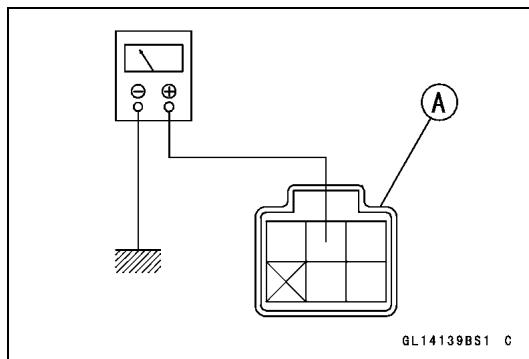
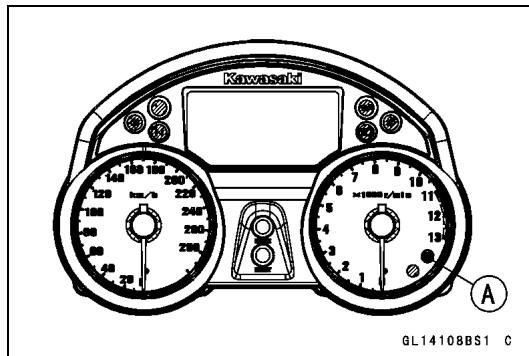
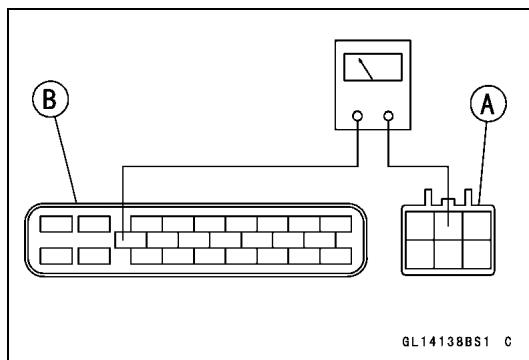
Anti-Lock Brake System (Equipped Models)
- Do the 2nd step test.
○Connect the ignition switch connector and ABS hydraulic unit connector.
○Check the battery terminal voltage, connect the hand tester to the brown terminal of ignition switch connector [A] and ground.
Special Tool - Hand Tester: 57001-1394
○Turn the ignition switch ON.
Battery Terminal Voltage
Standard: 16 V or less
★If the battery terminal voltage is not within the specification, 3rd step.
★If the battery terminal voltage correct, 4th step.
- Do the 3rd step test.
○Check the battery condition and regulator/rectifier (see Charging Condition Inspection, Regulator/Rectifier Inspection in the Electrical System chapter).
- Do the 4th step test.
○Recheck the service code indication; erase the service code, perform the pre-diagnosis inspection 1 and 2, and retrieve the service code.
★If the ABS indicator light (LED) [A] lit, faulty ECU in the ABS hydraulic unit. Replace the ABS hydraulic unit.
★If the ABS indicator light (LED) unlit, ABS system is normal (service code is not stored; temporary failure.).
ECU Inspection (Service Code 55)
- Do the 1st step test.
○Recheck the service code indication; erase the service code, perform the pre-diagnosis inspection 1 and 2, and retrieve the service code.
★If the ABS indicator light (LED) [A] lit, faulty ECU in the ABS hydraulic unit. Replace the ABS hydraulic unit.
★If the ABS indicator light (LED) unlit, ABS system is normal (service code is not stored; temporary failure.).
ABS Hydraulic Unit Removal
CAUTION
The ABS hydraulic unit [A] has been adjusted and set with precision at the factory. Therefore, it should be handled carefully, never struck sharply, as with a hammer, or allowed to fall on a hard surface.
Be careful not to get water or mud on the ABS hydraulic unit.
- Drain the brake fluid from the front and rear brake lines.
- Drain the brake fluid through the bleed valve by pumping the brake lever and pedal.


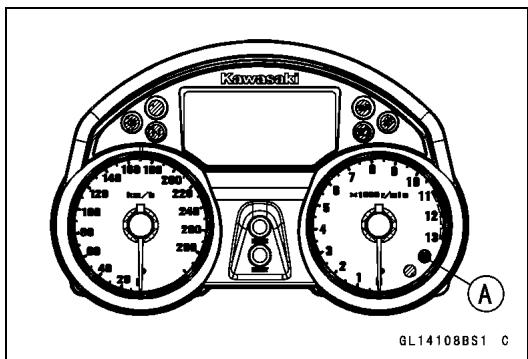

natural_image
Close-up of a mechanical assembly with labeled component A (no readable text or symbols beyond label)
Anti-Lock Brake System (Equipped Models)
- Remove:
Fuel Tank (see Fuel Tank Removal in the Fuel System (DFI) chapter)
Battery (see Battery Removal in the Electrical System chapter)
Bolts [A]
Cover [B]
- Clean the ABS hydraulic unit.
CAUTION
Clean all fittings on the ABS hydraulic unit and the rear master cylinder because dirt around the banjo bolts could contaminate the brake fluid in the line during removal/installation.
Spread out a shop towel around the ABS hydraulic unit before removing the brake line so that brake fluid does not leak on the parts.
- Remove the brake pipe joint nuts [A] [B] [C] [D].
- Tape the brake line opening to prevent brake fluid leakage or contamination by foreign matter.
CAUTION
Brake fluid quickly ruins painted plastic surfaces; any spilled fluid should be completely washed away immediately.

natural_image
Close-up of a mechanical component with labeled points A and B, showing wiring and tubing (no readable text or symbols beyond labels)


natural_image
Close-up of automotive engine components with labeled parts (A) and pipe connections, no readable text or symbols beyond labels
Anti-Lock Brake System (Equipped Models)
- Remove the bolts [A] and bracket [B].
CAUTION
The ABS hydraulic unit has been adjusted and set with precision at the factory. Do not try to disassemble and repair the ABS hydraulic unit.
ABS Hydraulic Unit Installation
- Install the ABS hydraulic unit to the bracket.
CAUTION
Brake fluid quickly ruins painted plastic surfaces; any spilled fluid should be completely washed away immediately.
- Insert the bolts [A] into the grommets [B].
- Route the lead correctly, and connector [A] securely.
- Lock the joint lock [B] as shown in the figure.
- Install the brake pipes correctly as shown in the figure.
48irc [A]
71irc [B]
30irc [C]
38.5° [D]
- Tighten the joint nuts.
Torque - Brake Pipe Joint Nuts: 18 N·m (1.8 kgf·m, 13 ft·lb)
- Bleed the brake line (see Brake Line Bleeding).
- Check the brake for good braking power, no brake drag, and no fluid leakage.
- Install the removed parts (see appropriate chapters).


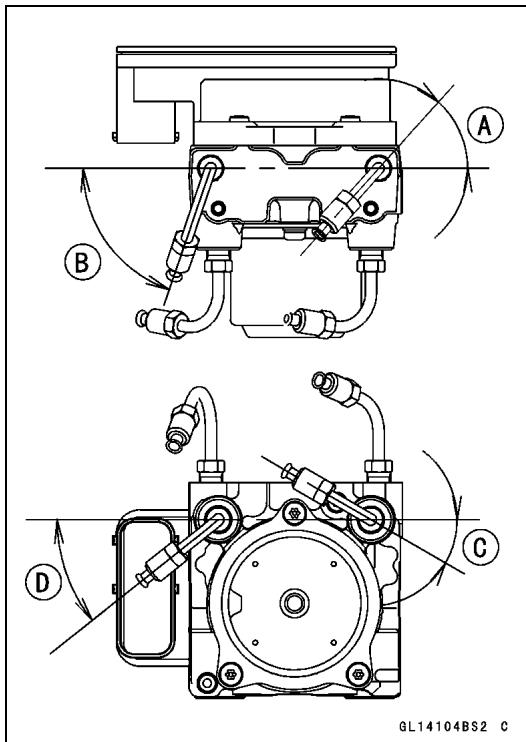
Anti-Lock Brake System (Equipped Models)
ABS Hydraulic Unit Inspection
- Remove the ABS hydraulic unit (see ABS Hydraulic Unit Removal).
- Visually inspect the ABS hydraulic unit.
★Replace the ABS hydraulic unit if any of them are cracked, or otherwise damaged.
- Visually inspect the connector terminals [A].
★Replace the ABS hydraulic unit or main harness if either of the terminals are cracked, bent, or otherwise damaged.
★If the ABS hydraulic unit connector is clogged with mud or dust, blow it off with compressed air.
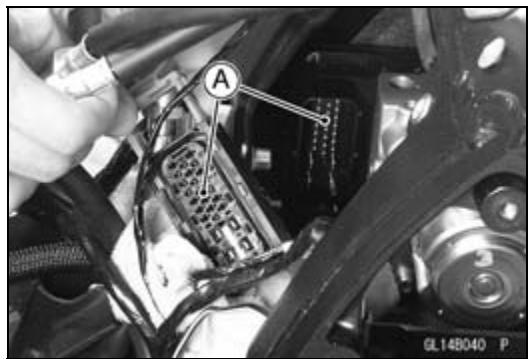
Front Wheel Rotation Sensor Removal
CAUTION
The wheel rotation sensor should be handled carefully, never struck sharply, as with a hammer, or allowed to fall on a hard surface since the wheel rotation sensor is precision made. Be careful not to get water or mud on the wheel rotation sensor. Do not try to disassemble or repair the wheel rotation sensor.

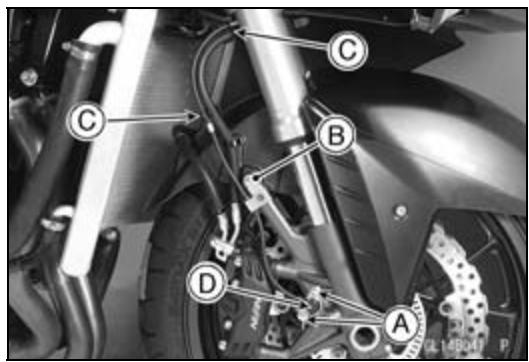
Front Wheel Rotation Sensor Installation
- Installation is the reverse of removal.
- Route the lead correctly (see Cable, Wire, and Hose Routing section in the Appendix chapter).
Anti-Lock Brake System (Equipped Models)
Rear Wheel Rotation Sensor Removal
CAUTION
The wheel rotation sensor should be handled carefully, never struck sharply, as with a hammer, or allowed to fall on a hard surface since the wheel rotation sensor is precision made. Be careful not to get water or mud on the wheel rotation sensor. Do not try to disassemble or repair the wheel rotation sensor.
- Remove:
Fuel Tank (see Fuel Tank Removal in the Fuel System (DFI) chapter)
Connector [A] (Disconnect)
- Clear the connector from the bracket.
- Remove:
Bracket Bolts [A]
Clamps [B]
Bolts [C]
Rear Wheel Rotation Sensor [D]

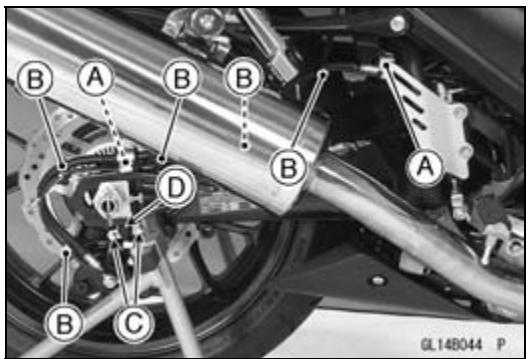
Rear Wheel Rotation Sensor Installation
● Installation is the reverse of removal.
- Route the lead correctly (see Cable, Wire, and Hose Routing section in the Appendix chapter).
- Installation is the reverse of removal.
○Route the lead correctly (see Cable, Wire, and Hose Routing section in the Appendix chapter).
Anti-Lock Brake System (Equipped Models)
Wheel Rotation Sensor Inspection
- Remove the front wheel rotation sensor [A] from the front fork.
- Remove the rear wheel rotation sensor [B] from the caliper bracket.
- Visually inspect the wheel rotation sensors.
★Replace the wheel rotation sensor if it is cracked, bent, or otherwise damaged.
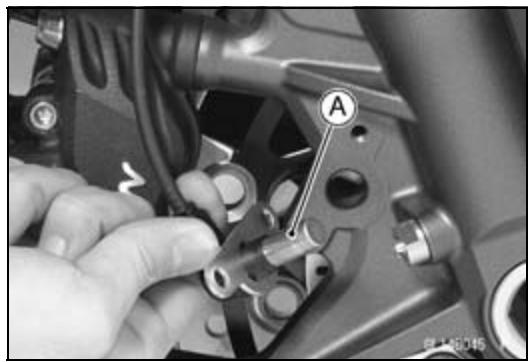
natural_image
Close-up of a hand adjusting a mechanical component with labeled parts (no readable text or symbols)

natural_image
Close-up of a hand adjusting automotive components with labeled parts (B), no readable text or symbols present.
Wheel Rotation Sensor Air Gap Inspection
- Raise the front/rear wheel off the ground (see Front/Rear Wheel Removal in the Wheels/Tires chapter).
- Measure the air gap between the sensor and sensor rotor at several points by turning the wheel slowly.
Thickness Gauge [A]

natural_image
Close-up mechanical assembly showing NISIN brand and labeled component A (no readable text or symbols beyond branding)
Air Gap
Standard:
Front 0.7 \~ 0.9 mm (0.028 \~ 0.035 in.)
Rear 0.7 \~ 0.9 mm (0.028 \~ 0.035 in.)
NOTE
○ The sensor air gap cannot be adjusted.
★If the air gap is not within the specification, inspect the hub bearing (see Hub Bearing Inspection in the Wheels/Tires chapter), sensor installation condition and sensor (see Wheel Rotation Sensor Inspection).
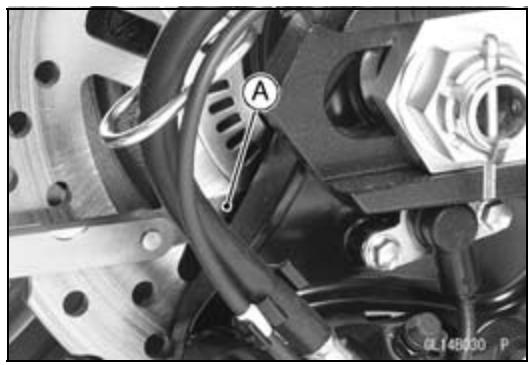
natural_image
Close-up mechanical assembly with visible components and a labeled section (A), no readable text or symbols present.
Anti-Lock Brake System (Equipped Models)
Wheel Rotation Sensor Rotor Inspection
- Remove:
Wheels (see Front/Rear Wheel Removal in the Wheels/Tires chapter)
Brake Disc Mounting Bolts [A]
Sensor Rotor [B]

natural_image
Close-up of a mechanical clutch assembly with labeled points A and B, showing internal components and mounting holes (no text or symbols beyond labels)
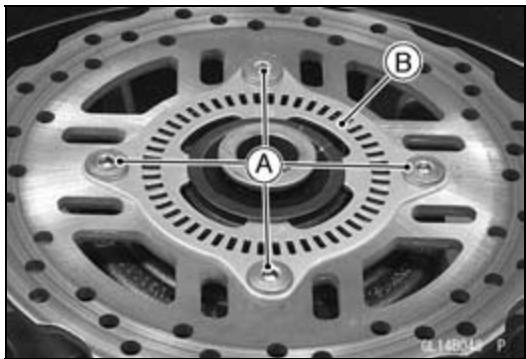
natural_image
Close-up of a mechanical clutch disc with labeled points A and B, showing internal components and mounting holes (no text or symbols beyond labels)
- Visually inspect the wheel rotation sensor rotor.
★If the rotor is deformed or damaged (chipped teeth [A]), replace the sensor rotor with a new one.
★If there is iron or other magnetic deposits [B], remove the deposits.


ABS Solenoid Valve Relay Fuse (20 A) Removal
- Refer to the Fuse Box Fuse Removal in the Electrical System chapter.
ABS Motor Relay Fuse (30 A) Removal
- Refer to the Fuse Box Fuse Removal in the Electrical System chapter.
ABS ECU Fuse (10 A) Removal
- Refer to the Fuse Box Fuse Removal in the Electrical System chapter.
Anti-Lock Brake System (Equipped Models)
Fuse Installation
- If a fuse fails during operation, inspect the electrical system to determine the cause, and then replace it with a new fuse of proper amperage (see Fuse Installation in the Electrical System chapter).
Fuse Inspection
- Remove the fuses (see ABS Solenoid Valve Relay Fuse (20 A) /ABS Motor Relay Fuse (30 A) Removal).
- Refer to the Fuse Inspection in the Electrical System chapter.
Suspension
Table of Contents
Exploded View 13-2
Specifications 13-6
Special Tools 13-7
Front Fork 13-9
Rebound Damping Force Adjustment.... 13-9
Compression Damping Force Adjustment 13-9
Spring Preload Adjustment 13-10
Front Fork Removal (Each Fork Leg) 13-10
Front Fork Installation 13-11
Front Fork Oil Change 13-11
Front Fork Disassembly 13-16
Front Fork Assembly 13-16
Inner Tube Inspection 13-17
Dust Seal Inspection 13-18
Spring Tension 13-18
Rear Shock Absorber 13-19
Rebound Damping Force Adjustment.... 13-19
Compression Damping Force Adjustment 13-19
Spring Preload Adjustment 13-19
Rear Shock Absorber Removal 13-20
Rear Shock Absorber Installation 13-21
Rear Shock Absorber Inspection 13-21
Rear Shock Absorber Scrapping 13-22
Swingarm.... 13-23
Swingarm Removal.... 13-23
Swingarm Installation 13-24
Swingarm Bearing Removal 13-25
Swingarm Bearing Installation 13-25
Swingarm Bearing, Sleeve Inspection 13-26
Chain Guide Inspection.... 13-27
Tie-Rod, Rocker Arm 13-28
Tie-Rod Removal 13-28
Tie-Rod Installation 13-28
Rocker Arm Removal 13-28
Rocker Arm Installation.... 13-29
Tie-Rod and Rocker Arm Bearing Removal 13-29
Tie-Rod and Rocker Arm Bearing Installation.... 13-29
Rocker Arm/Tie-Rod Bearing, Sleeve Inspection 13-31
Rocker Arm/Tie-Rod Bearing Lubrication 13-31

Exploded View
| No. | Fastener | Torque | Remarks |
| N·m | kgf·m | ft·lb |
| 1 | Front Axle Clamp Bolts | 20 | 2.0 | 15 | AL |
| 2 | Front Fork Bottom Allen Bolts | 23 | 2.3 | 17 | L |
| 3 | Front Fork Clamp Bolts (Lower) | 30 | 3.1 | 22 | AL |
| 4 | Front Fork Clamp Bolts (Upper) | 20 | 2.0 | 15 | |
| 5 | Front Fork Top Plugs | 22 | 2.2 | 16 | |
| 6 | Piston Rod Nuts | 28 | 2.9 | 21 | |
AL: Tighten the two clamp bolts alternately two times to ensure even tightening torque.
G: Apply grease.
L: Apply a non-permanent locking agent.
R: Replacement Parts
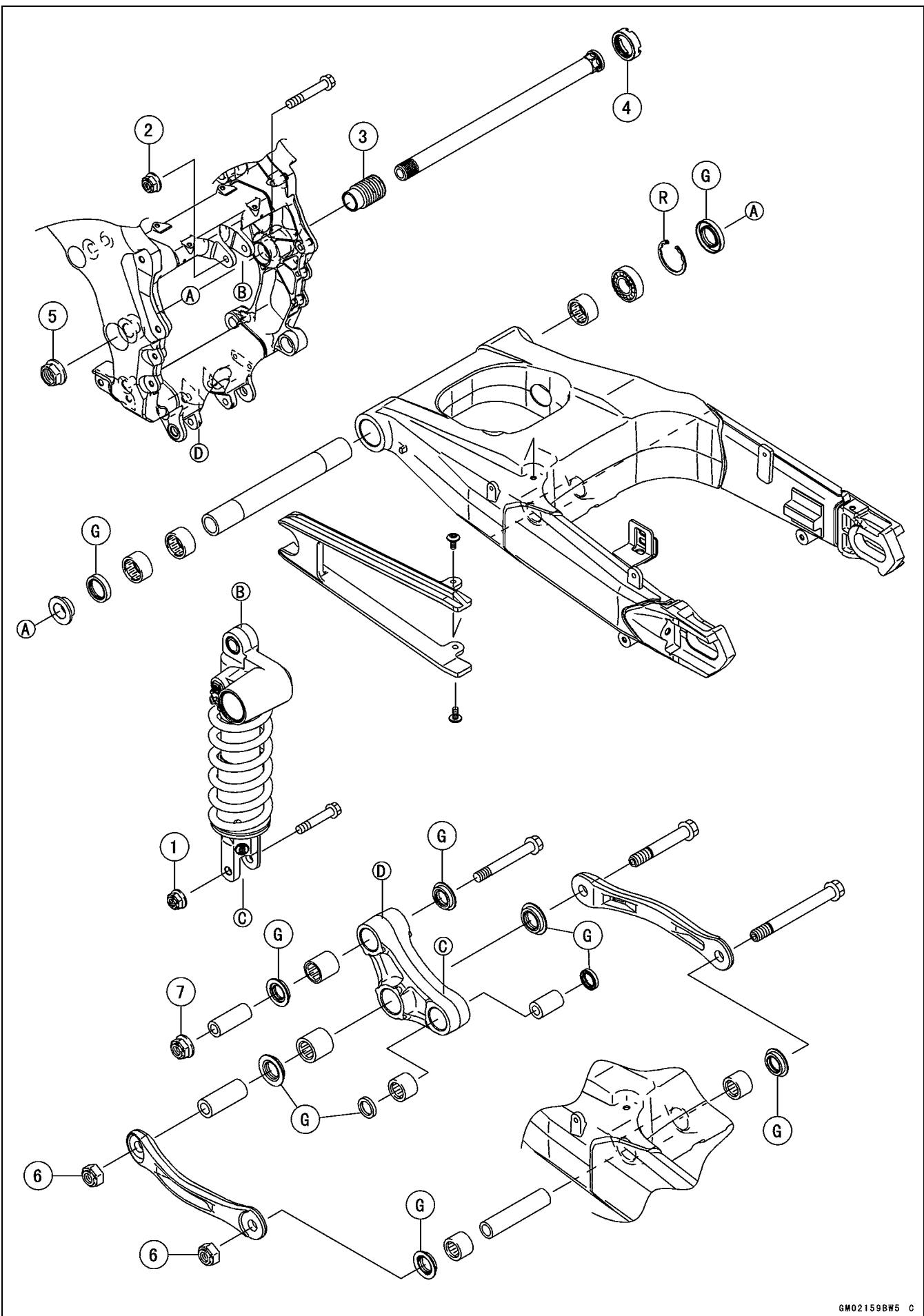
Exploded View
| No. | Fastener | Torque | Remarks |
| N·m | kgf·m | ft·lb |
| 1 | Rear Shock Absorber Nut (Lower) | 34 | 3.5 | 25 | |
| 2 | Rear Shock Absorber Nut (Upper) | 34 | 3.5 | 25 | |
| 3 | Swingarm Pivot Adjusting Collar | 20 | 2.0 | 15 | |
| 4 | Swingarm Pivot Adjusting Collar Locknut | 98 | 10.0 | 72 | |
| 5 | Swingarm Pivot Shaft Nut | 108 | 11.0 | 80 | |
| 6 | Tie-Rod Nuts | 59 | 6.0 | 44 | |
| 7 | Uni-Trak Rocker Arm Nut | 34 | 3.5 | 25 | |
G: Apply grease.
R: Replacement Parts
Specifications
| Item | Standard |
| Front Fork (Per One Unit) | |
| Fork Inner Tube Diameter | φ 43 mm (1.7 in.) |
| Air Pressure | Atmospheric pressure (non-adjustable) |
| Rebound Damper Setting | 5th click from the 1st click of the fully clockwise position(Usable range: 0 11 clicks ) |
| Compression Damper Setting | 10th click from the 1st click of the fully clockwise position(Usable range: 0 13 clicks ) |
| Fork Spring Preload Setting | Adjuster protrusion is 15 mm (0.59 in.)(Usable range: 4 ~ 19 mm) (0.16 ~ 0.75 in.) |
| Fork Oil: | |
| Viscosity | KAYABA 01 (KHL15-10) or equivalent SAE 5W |
| Amount | Approx. 480 mL (16.2 US oz.) (when changing oil)563 ±4 mL (19.0 ±0.14 US oz.) (after disassembly and completely dry) |
| Fork Oil Level | 88 ±2 mm (3.46 ±0.08 in.) (fully compressed, without fork spring,below from inner tube top) |
| Fork Spring Free Length | 257 mm (10.12 in.) (Service Limit: 252 mm (9.92 in.)) |
| Rear Shock Absorber | |
| Rebound Damper Set | 1 2/4 turns out from the fully clockwise position(Usable range: 0 2 2/4 turns out ) |
| Compression Damper Set | 2 1/4 turns out from the fully clockwise position(Usable range: 0 4 turns out ) |
| Spring Preload Setting | |
| Position: | |
| Standard | Spring length: 175.5 mm (6.9 in.) |
| Usable Range | Spring length: 175.5 ~ 191.5 mm (6.909 ~ 7.539 in.)(weaker to stronger) |
| Gas Pressure | 1 080 kPa ( 11.0 kgf/cm2 , 156 psi, non-adjustable) |
Inside Circlip Pliers: 57001-143
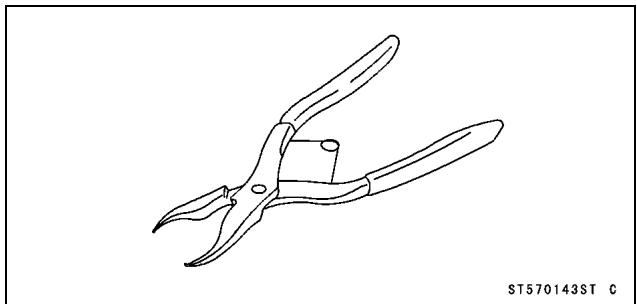
natural_image
Line drawing of a pair of pliers (no text or symbols on the diagram itself)
Oil Seal & Bearing Remover: 57001-1058

natural_image
Technical line drawing of mechanical components including shafts, bolts, and flanges (no text or symbols)
Bearing Driver Set: 57001-1129

natural_image
Isometric line drawing of a box containing various mechanical parts (no text or symbols)
Jack:
57001-1238

natural_image
Technical line drawing of a mechanical clamp or support structure (no text or symbols)
Fork Cylinder Holder: 57001-1287

natural_image
Technical line drawing of a mechanical tool or bracket with two arms and a base (no text or symbols)
Fork Piston Rod Puller, M12 × 1.25: 57001-1289

natural_image
Technical line drawing of a cylindrical mechanical component with textured end caps (no text or symbols)
Fork Oil Level Gauge: 57001-1290

natural_image
Technical line drawing of a mechanical assembly with cylindrical components and a spring-like extension (no text or symbols)
Bearing Remover Head, φ20 × φ22 : 57001-1293
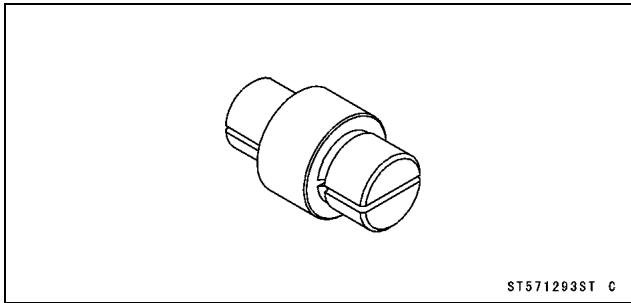
natural_image
Technical line drawing of a mechanical connector (no text or symbols)
Bearing Remover Shaft, φ 13:57001-1377

natural_image
Technical line drawing of a mechanical tool or tool with textured surface and pointed tip (no text or symbols)
Hook Wrench T=3.2 R37:57001-1522

natural_image
Technical line drawing of a mechanical tool or bracket (no text or symbols)
Fork Oil Seal Driver, φ43 : 57001-1530
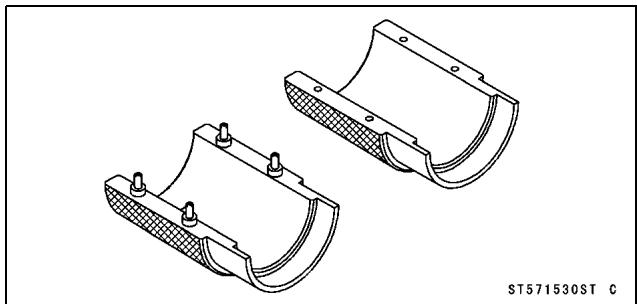
natural_image
Technical line drawing of two mechanical components with hatched surfaces and mounting holes (no text or symbols)
Fork Spring Compressor: 57001-1540
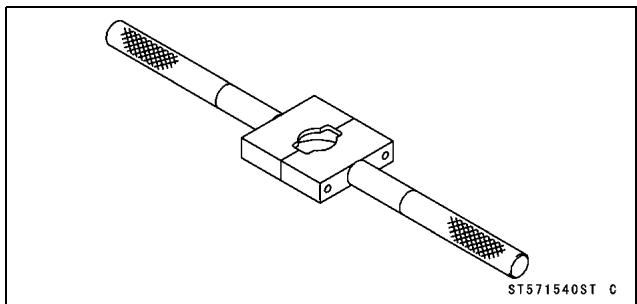
natural_image
Technical line drawing of a mechanical component with a central square and flanged ends (no text or symbols)
Fork Spring Compressor: 57001-1587

natural_image
Technical illustration of mechanical components including a cylindrical shaft, threaded bolts, and two base blocks (no text or symbols)
Swingarm Pivot Nut Wrench: 57001-1597

natural_image
Technical line drawing of a mechanical component with circular cutouts and stepped features (no text or symbols)
Jack Attachment: 57001-1608
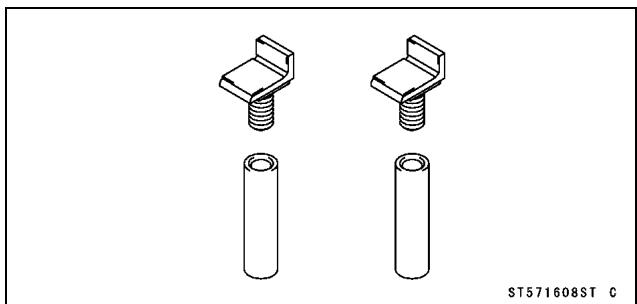
natural_image
Technical line drawings of two mechanical fasteners and two cylindrical components (no text or symbols)
Needle Bearing Driver, φ17/φ18 : 57001-1609
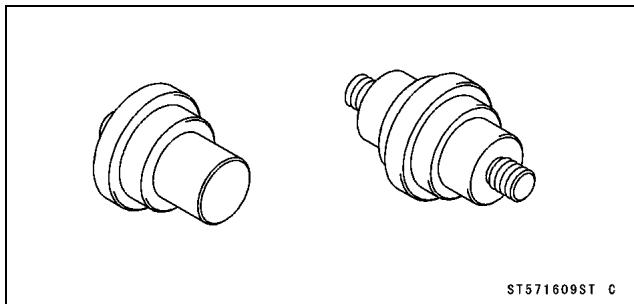
natural_image
Technical line drawing of two mechanical fasteners (no text or symbols on the parts themselves)
Stem Bearing Driver, φ28 : 57001-1610
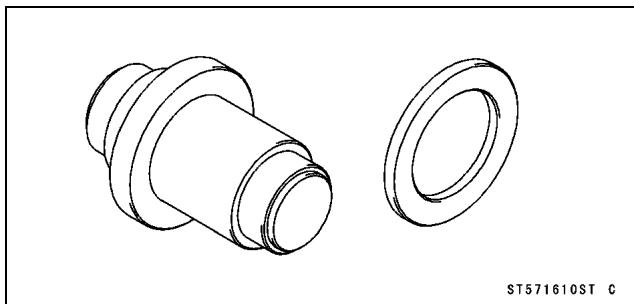
natural_image
Technical line drawing of a mechanical component with two views: top and side (no text or symbols)
Spacer, φ18 : 57001-1636

natural_image
Simple line drawing of a ring shape with no text or symbols
Spacer φ 28: 57001-1663

natural_image
Three identical isometric views of a ring component, shown in different angles (no text or symbols)
Needle Bearing Driver, φ20 & Spacer, φ28 : 57001-1678
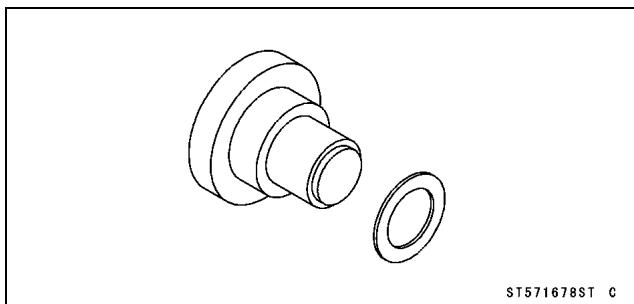
natural_image
Technical line drawing of a mechanical component with two views: one showing a flanged cylindrical part and the other showing a hollow ring (no text or symbols)
Front Fork
Rebound Damping Force Adjustment
- To adjust the rebound damping force, turn the rebound damping adjuster [A] until you feel a click.
☐The standard adjuster setting for the average-build rider of 68 kg (150 lb) with no passenger and no accessories is the 5th click from the 1st click of the fully clockwise position.
WARNING
If both adjusters are not adjusted equally, handling may be impaired and a hazardous condition may result.
☐The damping force can be left soft for average riding. But it should be adjusted harder for high speed riding or riding with a passenger. If the damping feels too soft or too stiff, adjust it in accordance with the following table.
Rebound Damping Force Adjustment
| Adjuster Position | Damping Force | Setting | Load | Road | Speed |
| 11 | Weak | Soft | Light | Good | Low |
| ↑ | ↑ | ↑ | ↑ | ↑ | ↑ |
| ↓ | ↓ | ↓ | ↓ | ↓ | ↓ |
| 0 | Strong | Hard | Heavy | Bad | High |
Compression Damping Force Adjustment
- To adjust the compression damping force, turn the compression damping adjuster [A] until you feel a click.
The standard adjuster setting for the average-build rider of 68 kg (150 lb) with no passenger and no accessories is the 10th click from the 1st click of the fully clockwise position.
WARNING
If both adjusters are not adjusted equally, handling may be impaired and a hazardous condition may result.
○The damping force can be left soft for average riding. But it should be adjusted harder for high speed riding or riding with a passenger. If the damping feels too soft or too stiff, adjust it in accordance with the following table.
Compression Damping Force Adjustment
| Adjuster Position | Damping Force | Setting | Load | Road | Speed |
| 13 | Weak | Soft | Light | Good | Low |
| ↑ | ↑ | ↑ | ↑ | ↑ | ↑ |
| ↓ | ↓ | ↓ | ↓ | ↓ | ↓ |
| 0 | Strong | Hard | Heavy | Bad | High |

natural_image
Close-up of a mechanical component with labeled parts (A and 200) and no readable text or symbols beyond labels

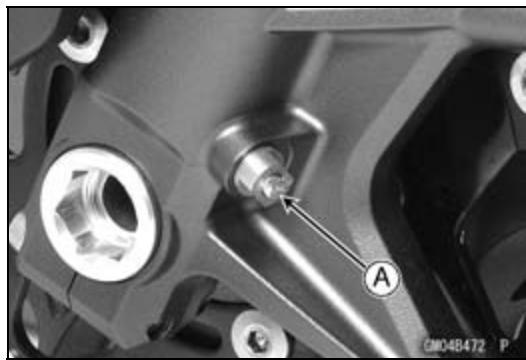
natural_image
Close-up of a mechanical component with a labeled section (A) and a circular arrow pointing to a bolted part, no readable text or symbols present.

Front Fork
Spring Preload Adjustment
- Turn the spring preload adjuster [A] to change spring preload setting.
☐The standard adjuster setting for the average-build rider of 68 kg (150 lb) with no passenger and no accessories is the 15 mm (0.59 in.) [B] from top as shown in the figure.
Adjuster Protrusion (from top)
Standard: 15 mm (0.59 in.)
Usable Range: 4 \~ 19 mm (0.16 \~ 0.75 in.)
WARNING
If both adjusters are not adjusted equally, handling may be impaired and a hazardous condition may result.
○The spring preload can be left soft for average riding. But it should be adjusted harder for high speed riding or riding with a passenger. If the spring action feels too soft or too stiff, adjust it in accordance with the following table.
Spring Action
| Adjuster Position | Damping Force | Setting | Load | Road | Speed |
| 19 mm | Weak | Soft | Light | Good | Low |
| ↑ | ↑ | ↑ | ↑ | ↑ | ↑ |
| ↓ | ↓ | ↓ | ↓ | ↓ | ↓ |
| 4 mm | Strong | Hard | Heavy | Bad | High |
Front Fork Removal (Each Fork Leg)
- Remove:
Middle Fairings (see Middle Fairing Removal in the Frame chapter)
Inner Covers (see Inner Cover Removal in the Frame chapter)
Front Wheel (see Front Wheel Removal in the Wheels/Tires chapter)
Front Fender (see Front Fender Removal in the Frame chapter)
★Loosen the upper fork clamp bolt [A] and fork top plug [B] beforehand if the fork leg is to be disassembled.
NOTE
○Loosen the top plug after loosening the upper fork clamp bolt.
- Loosen the upper fork clamp bolt and lower fork clamp bolts [C].
- With a twisting motion, work the fork leg down and out.
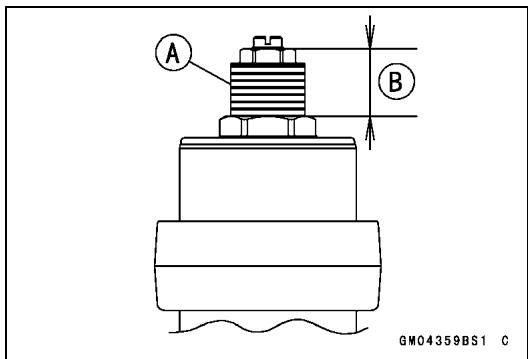

natural_image
Close-up of a motorcycle's front wheel and dashboard components, labeled A and B (no readable text or symbols beyond labels)

natural_image
Mechanical assembly diagram showing a bracket with labeled component 'C' and directional arrows (no readable text or symbols)
Front Fork
Front Fork Installation
- Install the fork so that the top end [A] of the outer tube as shown in the figure.
21.5 mm (0.85 in.) [B]
- Tighten the lower fork clamp bolts and fork top plug.
Torque - Front Fork Clamp Bolts (Lower): 30 N·m (3.1 kgf·m, 22 ft·lb)
Front Fork Top Plug: 22 N·m (2.2 kgf·m, 16 ft·lb)
- Tighten the upper fork clamp bolt.
Torque - Front Fork Clamp Bolt (Upper): 20 N·m (2.0 kgf·m, 15 ft·lb)
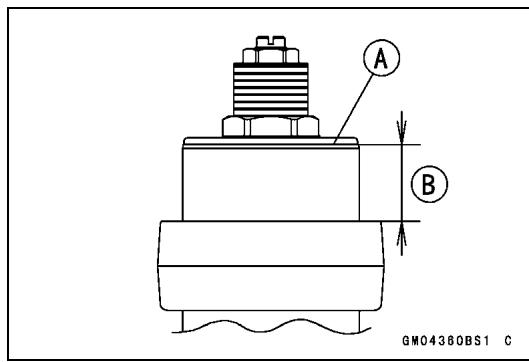
NOTE
○ Tighten the two clamp bolts alternately two times to ensure even tightening torque.
○ Tighten the top plug before tightening the upper fork clamp bolt.
- Install the removed parts (see appropriate chapters).
- Adjust the spring preload and the damping force.
Front Fork Oil Change
- Remove the front fork (see Front Fork Removal).
- Hold the inner tube lower end in a vise.
- Unscrew the top plug [A] out of the outer tube.
- Install the clamps [A] as shown in the figure.
NOTE
○Set the clamps so that the cutout [B] of the upper side does not touch the tongue shape of stopper, pull up the outer tube [C] to hold it by the clamps, and then tighten the two bolts [D]. The outer tube is used as a guide.
Special Tools - Fork Spring Compressor: 57001-1540
Fork Spring Compressor: 57001-1587

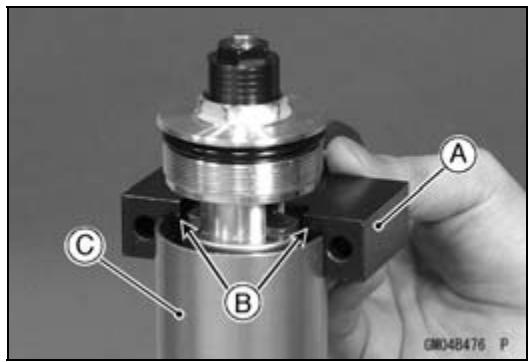
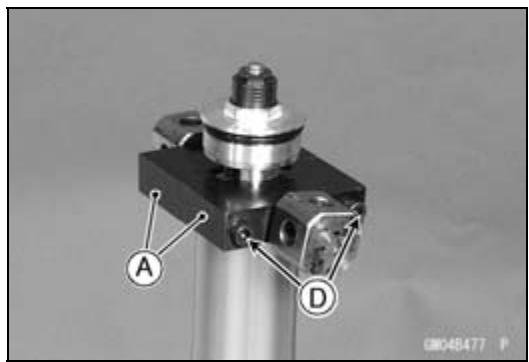
natural_image
Mechanical component with labeled parts A and D, no visible text or symbols beyond labels
Front Fork
- Insert the holder bar [A] into the axle hole of the front fork [B].
- Insert the compression shaft and install the nut.
- Insert the lower end of the compression shaft [A] into the hole [B] of the holder bar.
- Screw the adjust nut [A] onto the compression shaft as shown in the figure.
- Screw the locknut [B]. About 20 mm (0.79 in.) [C]
- Set the other side compression shaft same process.
- Set the holder bar [A] and compression shafts [B].
- Screw in nuts [A] come out the piston rod nut.


natural_image
Mechanical assembly with two labeled parts (A) and a central cylindrical component, mounted on a base with threaded rods (no text or symbols visible)
Front Fork
- Holding the piston rod nut with a wrench [A], remove the top plug [B] from the piston rod.
- Remove:
Washer [A]
Collar [B]
Rebound Damping Adjuster Rod [C]
Fork Spring [D]
- Drain the fork oil into a suitable container.
○Pump the piston rod [A] up and down at least ten times to expel the oil from the fork.
Special Tool - Fork Piston Rod Puller, M12 × 1.25 [B]: 57001-1289
- Hold the fork tube upright, press the inner tube [A] and the piston rod all the way down.
- Pour in the type and amount of fork oil specified.
Fork Oil
Viscosity: KAYABA 01 (KHL15-10) or equivalent SAE 5W
Amount (per side):
When changing oil: Approx. 480 mL (16.2 US oz.)
After disassembly and completely dry:
563 ±4 mL (19.0 ±0.14 US oz.)
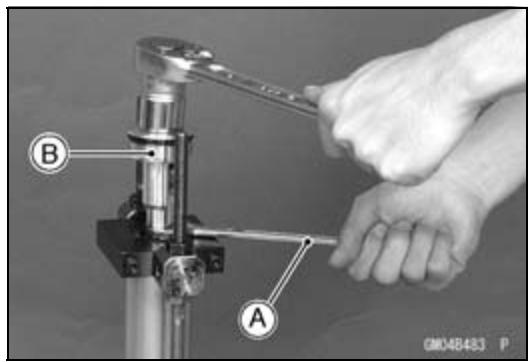
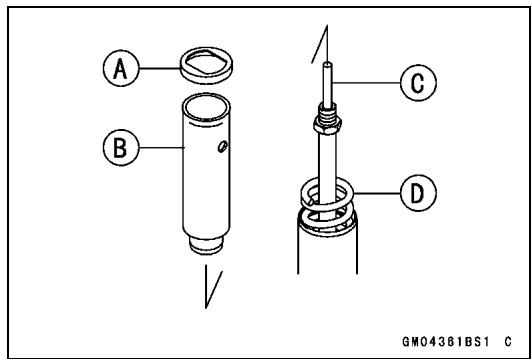


Front Fork
★If necessary, measure the oil level as follows.
○Hold the inner tube vertically in a vise.
○Pump the inner tube several times to expel air bubbles.
○Using the piston rod puller [A], move the piston rod [B] up and down more than ten times in order to expel all the air from the fork oil.
Special Tool - Fork Piston Rod Puller, M12 × 1.25: 57001-1289
○Remove the piston rod puller.
○Wait until the oil level settles.
With the fork fully compressed and the piston rod fully pushed in, insert a tape measure or rod into the inner tube, and measure the distance from the top of the inner tube to the oil.
Oil Level (fully compressed, without spring)
Standard: 88 ±2 mm (3.46 ±0.08 in.)
(from the top of the inner tube)
NOTE
○Fork oil lever may also be measured using the fork oil level gauge.
Special Tool - Fork Oil Level Gauge [A]: 57001-1290
With the fork fully compressed and without fork spring, insert the gauge tube into the inner tube [B] and position the stopper across the top end [C] of the inner tube.
○Set the gauge stopper [D] so that its lower side shows the oil level distance specified [E].
- Pull the handle slowly to pump out the excess oil until the oil no longer comes out.
★If no oil is pumped out, there is insufficient oil in the inner tube. Pour in enough oil, then pump out the excess oil as shown above.
- Screw the fork piston rod puller onto the end of the piston rod.
Special Tool - Fork Piston Rod Puller, M12 × 1.25: 57001-1289
- Pull the puller up above the outer tube top.
- Install the fork spring [A] with the smaller end facing [B] upward.
- Install:
Collar
Washer
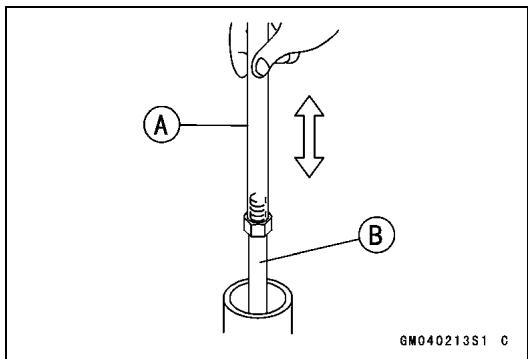

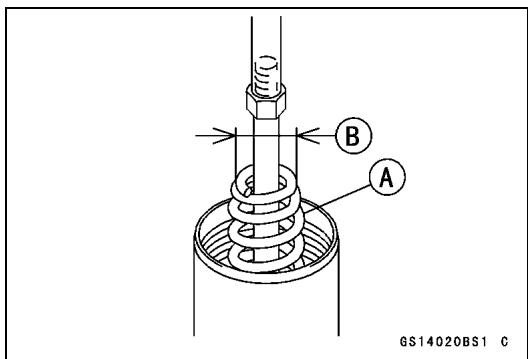
Front Fork
- Screw the rod nut [A] onto the piston rod [B] as shown in the figure.
11 mm (0.43 in.) [C]
- Check the distance between the bottom end [A] of the top plug and rebound damping adjuster [B] with a pair of vernier caliper.
13 mm (0.51 in.) [C]
- Set the fork spring compressor on the washer using the outer tube as a guide.
Special Tools - Fork Spring Compressor: 57001-1540
Fork Spring Compressor: 57001-1587
NOTE
○ Set the clamps so that the cutout of the upper side does not fit the hole of washer, pull up the outer tube to hold it by the clamps, and then tighten the two bolts. The outer tube is used as a guide.
- Hold the piston rod nut [A].
- Remove the piston rod puller [B].
- Install the rebound damping adjuster rod.
- Screw in the top plug [A] stopped onto the piston rod.
- Check the O-ring [B] on the top plug and replace it with a new one if damaged.
- Holding the top plug with a wrench, tighten the piston rod nut [C] against the top plug.
Torque - Piston Rod Nut: 28 N·m (2.9 kgf·m, 21 ft·lb)
- While holding up the washer with the clamps, loosen the fork spring compressor nuts.
- Remove the fork spring compressor.
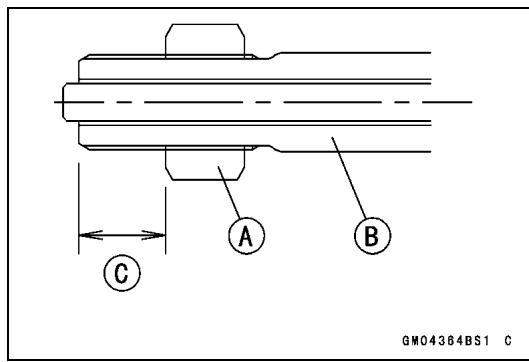

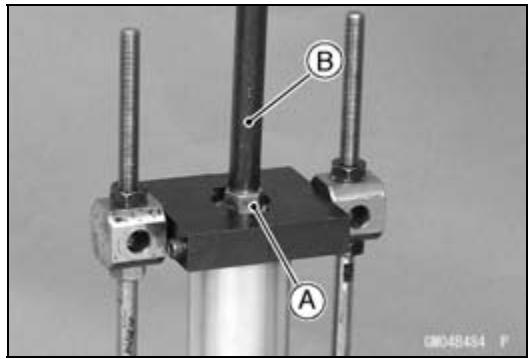

Front Fork
- Raise the outer tube and screw the top plug into it and install it to the steering stem.
- Screw in the spring preload adjuster [A] of the top plug so that the distance between the adjuster top and the top plug surface is 15 mm (0.59 in.) [B].
- Turn in the rebound damping adjuster until the fully tightened position and turn backward the 5th click.
- Install the front fork (see Front Fork Installation).
Front Fork Disassembly
Front Fork Assembly
- Replace the following parts with a new one.
Oil Seal
Bottom Allen Bolt Gasket
- Insert the cylinder unit [A] into the inner tube [B].
- Stop the cylinder from turning by using the fork cylinder holder.
Special Tool - Fork Cylinder Holder: 57001-1287
- Apply a non-permanent locking agent to the thread of the Allen bolt, and tighten it.
Torque - Front Fork Bottom Allen Bolt: 23 N·m (2.3 kgf·m, 17 ft·lb)


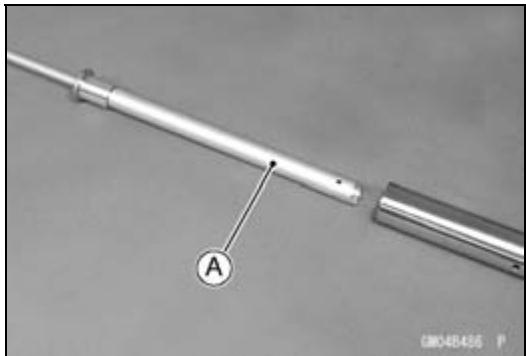
natural_image
Close-up of a metallic rod with labeled point A, attached to a cylindrical component (no text or symbols beyond label)
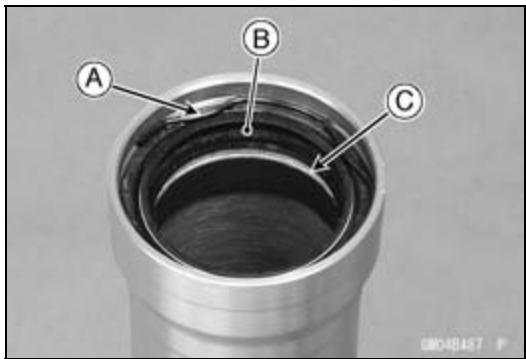
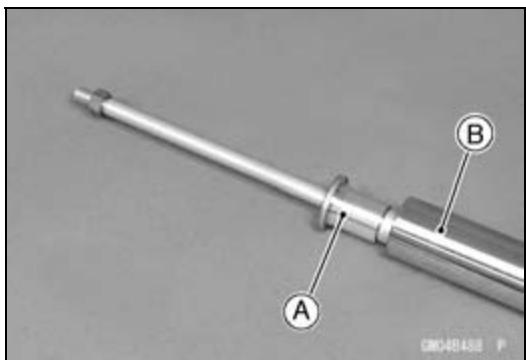
Front Fork
Inner Tube Inspection
- Visually inspect the inner tube [A], and repair any damage.
- Nicks or rust damage can sometimes be repaired by using a wet-stone to remove sharp edges or raised areas which cause seal damage.
★If the damage is not repairable, replace the inner tube. Since damage to the inner tube damages the oil seal, replace the oil seal whenever the inner tube is repaired or replaced.
CAUTION
If the inner tube is badly bent or creased, replace it. Excessive bending, followed by subsequent straightening, can weaken the inner tube.
- Temporarily assemble the inner and outer tubes, and pump them back and forth manually to check for smooth operation.
- If you feel binding or catching, the inner and outer tubes must be replaced.
WARNING
A straightened inner or outer fork tube may fall in use, possibly causing an accident. Replace a badly bent or damaged inner or outer tube and inspect the other tube carefully before reusing it.
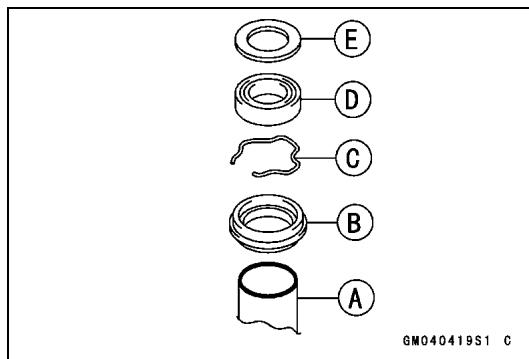
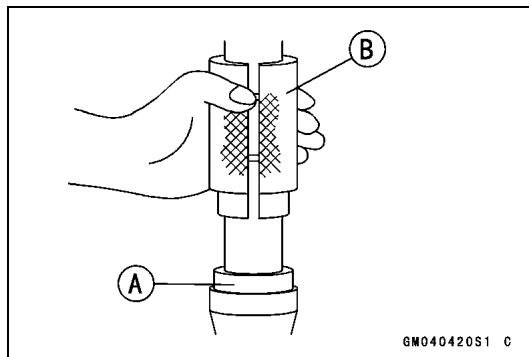
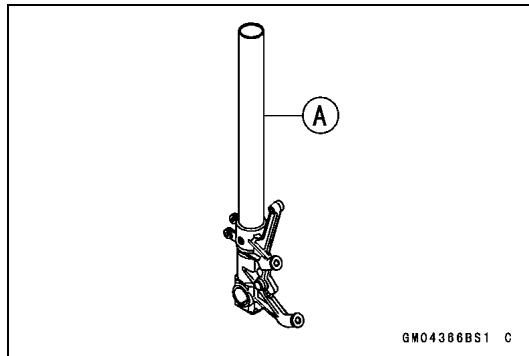
Front Fork
Dust Seal Inspection
- Inspect the dust seal [A] for any signs of deterioration or damage.
★Replace it if necessary.
Spring Tension
- Since a spring becomes shorter as it weakens, check its free length [A] to determine its condition.
★If the spring of either fork leg is shorter than the service limit, it must be replaced. If the length of a replacement spring and that of the remaining spring vary greatly, the remaining spring should also be replaced in order to keep the fork legs balanced for motorcycle stability.
Spring Free Length
Standard: 257 mm (10.12 in.)
Service Limit: 252 mm (9.92 in.)
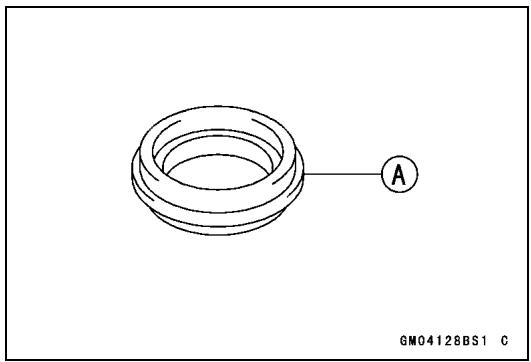
natural_image
Technical line drawing of a coiled component with a labeled point A (no text or symbols beyond label)
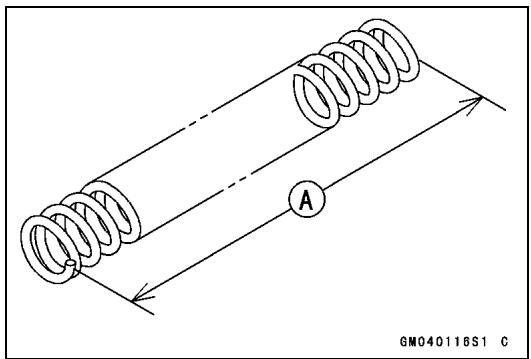
Rear Shock Absorber
Rebound Damping Force Adjustment
- To adjust the rebound damping force, turn the lower damping adjuster [A] to the desired position, until you feel a click.
○The standard adjuster setting for an average-build rider of 68 kg (150 lb) with no passenger and no accessories is the 1 2/4 turns out from the fully clockwise position.
Rebound Damping Force Adjustment
| Adjuster Position | Damping Force | Setting | Load | Road | Speed |
| 2 2/4 Turns Out | Weak | Soft | Light | Good | Low |
| ↑ | ↑ | ↑ | ↑ | ↑ | ↑ |
| ↓ | ↓ | ↓ | ↓ | ↓ | ↓ |
| 0 | Strong | Hard | Heavy | Bad | High |

natural_image
Close-up of mechanical components with labeled section A (no readable text or symbols)

flowchart
graph TD
    A["(Counterclockwise) Softer"] --> B["STD"]
    B --> C["1"]
    C --> D["Seated position, adjuster turned fully clockwise."]
    D --> E["2"]
    E --> F["Harder"]
    style A fill:#f9f,stroke:#333
    style B fill:#ccf,stroke:#333
    style C fill:#cfc,stroke:#333
    style D fill:#fcc,stroke:#333
    style E fill:#ffc,stroke:#333
    style F fill:#fcc,stroke:#333
Compression Damping Force Adjustment
- To adjust the compression damping force, turn the upper damping adjuster [A] to the desired position until you feel a click.
○The standard adjuster setting for the average-build rider of 68 kg (150 lb) with no passenger and no accessories is the 2 1/4 turns out from the fully clockwise position.
Rebound Damping Force Adjustment
| Adjuster Position | Damping Force | Setting | Load | Road | Speed |
| 4 Turns Out | Weak | Soft | Light | Good | Low |
| ↑ | ↑ | ↑ | ↑ | ↑ | ↑ |
| ↓ | ↓ | ↓ | ↓ | ↓ | ↓ |
| 0 | Strong | Hard | Heavy | Bad | High |


Spring Preload Adjustment
- Remove the rear shock absorber from the frame (see Rear Shock Absorber Removal).
- Loosen the locknut and turn out the adjusting nut to free the spring.
Special Tool - Hook Wrench T=3.2 R37: 57001-1522
Rear Shock Absorber
- To adjust the spring preload, turn in the adjusting nut [A] to the desired position and tighten the locknut [B]. Spring Length [C]
Spring Preload Setting
Standard: Spring length 175.5 mm (6.9 in.)
Usable Range: Spring length 175.5 \~ 191.5 mm (6.909 \~ 7.539 in.)
☐The standard adjusting nut setting for an average-build rider of 68 kg (150 lb) with no passenger and no accessories is 175.5 mm (6.9 in.) spring length.
- Remove the chain cover [A] (see Drive Chain Removal in the Final Drive chapter).
- Remove the bolts [B] and left foot guard [C] for turning the hook wrench easily.
- To adjust the spring preload, turn in the adjusting nut to the desired position and tighten the locknut by using hook wrenches [A] with the rear shock absorber attached the frame.
Special Tool - Hook Wrench T=3.2 R37: 57001-1522
★If the spring action feels too soft or too stiff, adjust it.
Spring Adjustment
| Adjuster Position | Damping Force | Setting | Load | Road | Speed |
| 191.5 mm (7.539 in.) | Weak | Soft | Light | Good | Low |
| ↑ | ↑ | ↑ | ↑ | ↑ | ↑ |
| ↓ | ↓ | ↓ | ↓ | ↓ | ↓ |
| 175.5 mm (6.909 in.) | Strong | Hard | Heavy | Bad | High |
Rear Shock Absorber Removal
- Remove:
Rear Fairing (see Rear Fairing Removal in the Frame chapter)
Bolts [A] (Both Sides)
Bracket [B]
Lower Fairings (see Lower Fairings Removal in the Frame chapter).
- Raise the rear wheel off the ground with the jack.
Special Tools - Jack: 57001-1238
Jack Attachment: 57001-1608


Rear Shock Absorber
- Squeeze the brake lever slowly and it with a band [A].
WARNING
Be sure to hold the front brake when removing the shock absorber, or the motorcycle may fall over. It could cause an accident and injury.
- Remove:
Lower Shock Absorber Nut and Bolt [A]
Upper Tie-Rod Nut and Bolt [B]
- Remove the upper shock absorber nut and bolt [A]
- Remove the shock absorber downward.

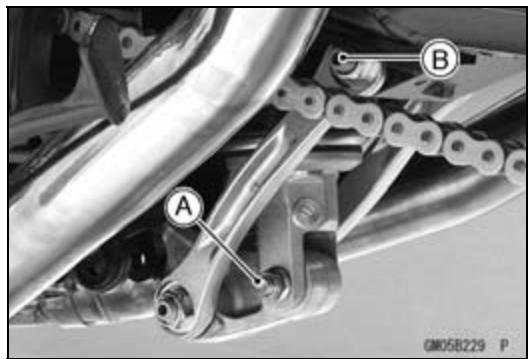

natural_image
Close-up of a mechanical component with labeled parts (A and P), no readable text or symbols beyond labels
Rear Shock Absorber Installation
- Tighten:
Torque - Rear Shock Absorber Nuts: 34 N·m (3.5 kgf·m, 25 ft·lb)
Tie-Rod Nuts: 59 N·m (6.0 kgf·m, 44 ft·lb)
Rear Shock Absorber Inspection
- Remove the rear shock absorber (see Rear Shock Absorber Removal).
- Visually inspect the following items.
Smooth Stroke
Oil Leakage
Crack or Dent
★ If there is any damage to the rear shock absorber, replace it.
- Visually inspect the rubber bushing.
★If it show any signs of damage, replace it.
Rear Shock Absorber
Rear Shock Absorber Scrapping
WARNING
Since the reservoir tank of the rear shock absorber contains nitrogen gas, do not incinerate the reservoir tank without first releasing the gas or it may explode.
- Remove the rear shock absorber (see Rear Shock Absorber Removal).
- Drill the hole [A] of the reservoir tank using about 2 mm (0.08 in.) drillbit.
WARNING
Since the high pressure gas is dangerous, do not point the drill toward your face or body.

Swingarm
Swingarm Removal
- Remove:
Chain Cover (see Drive Chain Removal in the Final Drive chapter)
Rear Wheel (see Rear Wheel Removal in the Wheels/Tires chapter)
Bolts [A]
Brackets [B]
- Remove:
Upper Tie-Rod Nut and Bolt [A]
Rear Shock Absorber [B] (see Rear Shock Absorber Removal)
- Unscrew the swingarm pivot shaft locknut [A].
- Unscrew the swingarm pivot collar locknut [A] using the nut wrench [B].
Special Tool - Swingarm Pivot Nut Wrench: 57001-1597
- Unscrew the swingarm pivot shaft [A] few times.
○Turn out the swingarm pivot adjusting collar [B].
- Pull out the pivot shaft right side of the motorcycle and remove the swingarm.


natural_image
Close-up of a mechanical component with a labeled bolt (A) and mounting holes, no readable text or symbols present.

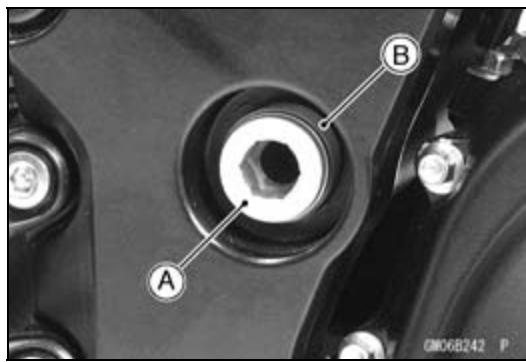
Swingarm
Swingarm Installation

natural_image
Close-up of a mechanical component with a circular hole and labeled point A (no text or symbols beyond label)

- Insert the pivot shaft [A] into the frame from the right side.
- Tighten the pivot shaft so that the clearance between the adjusting collar [B] and the ball bearing [C] come to 0 mm (0 in.).
Torque - Swingarm Pivot Adjusting Collar: 20 N·m (2.0 kgf·m, 15 ft·lb)

- Tighten the adjusting collar locknut [A] with the swingarm pivot nut wrench [B].
Special Tool - Swingarm Pivot Nut Wrench: 57001-1597
Torque - Swingarm Pivot Adjusting Collar Locknut: 98 N·m (10.0 kgf·m, 72 ft·lb)

- Tighten the pivot shaft nut [A].
Torque - Swingarm Pivot Shaft Nut: 108 N·m (11.0 kgf·m, 80 ft·lb)
- Install the removed parts (see appropriate chapters).
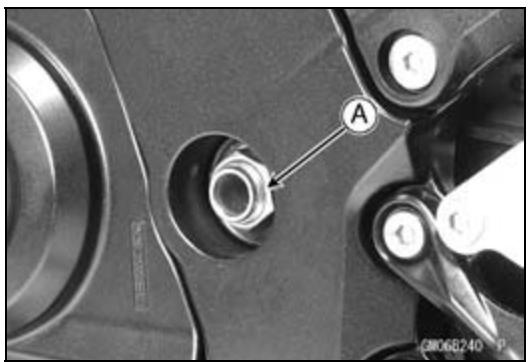
natural_image
Close-up of mechanical components with a labeled bolt (A) and nut (C) assembly, no readable text or symbols beyond the label.
Swingarm
Swingarm Bearing Removal
- Remove:
Swingarm (see Swingarm Removal)
Collar [A]
Oil Seals [B]
Sleeve [C]
Circlip [D] (Right Side)
Special Tool - Inside Circlip Pliers: 57001-143
- Remove the ball bearing and needle bearings.
Special Tool - Oil Seal & Bearing Remover [A]: 57001-1058
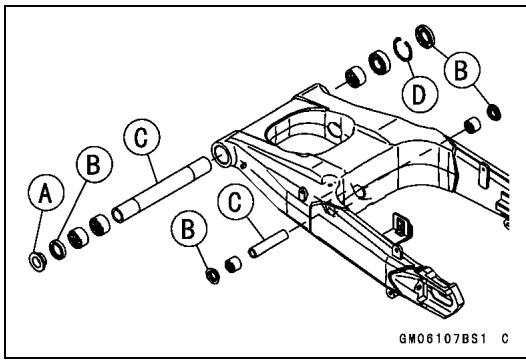

Swingarm Bearing Installation
- Replace the ball and needle bearings [A] with new ones.
- Install the ball and needle bearings so that the manufacturer's marks face out.
Special Tools - Bearing Driver Set: 57001-1129
Needle Bearing Driver, φ28 [B]: 57001-1610
- Install the needle bearings [A], ball bearing [B] and oil seals [C] position as shown in the figure.
Circlip [D]
32 mm (1.26 in.) [E]
17 mm (0.67 in.) [F]
27.5 mm (1.08 in.) [G]
9.5 mm (0.37 in.) [H]

Swingarm Bearing, Sleeve Inspection
CAUTION
Do not remove the bearings for inspection. Removal may damage them.
- Inspect the needle bearings [A] and ball bearing installed in the swingarm.
The rollers and ball in a bearing normally wear very little, and wear is difficult to measure. Instead of measuring, visually inspect the bearing for abrasion, discoloration, or other damage.
★If the needle bearing and sleeve [B] show any sings of abnormal wear, discoloration, or damage, replace them as a set.
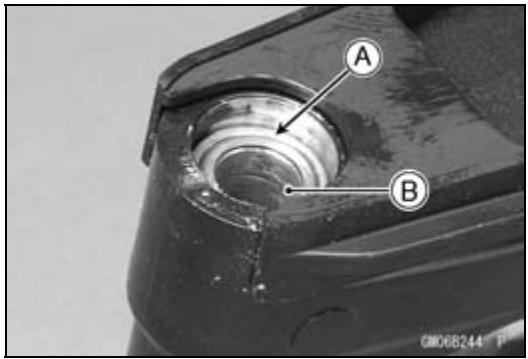
Swingarm
- Turn the bearing in the swingarm back and forth [A] while checking for plays, roughness, or binding.
★If bearing play, roughness, or binding is found, replace the bearing.
- Examine the bearing seal [B] for tears or leakage.
★If the seal is torn or is leaking, replace the bearing.
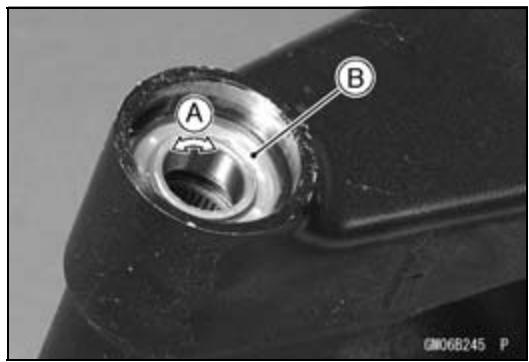
Chain Guide Inspection
- Refer to the Chain Guide Wear Inspection in the Periodic Maintenance chapter.
Tie-Rod, Rocker Arm
Tie-Rod Removal
- Squeeze the brake lever slowly and hold it with a band [A].

- Remove:
Lower Fairings (see Lower Fairing Removal in the Frame chapter)
Rear Fairing (see Rear Fairing Removal in the Frame chapter)
Bracket (see Rear Shock Absorber Removal)
- Raise the rear wheel off the ground with the jack.
Special Tools - Jack: 57001-1238
Jack Attachment: 57001-1608
- Remove:
Upper Tie-Rod Nut and Bolt [A]
Lower Tie-Rod Nut and Bolt [B]
Tie-Rods [C]

Tie-Rod Installation
- Apply grease to the inside of the grease seals.
- Install each tie-rod so that the arrow faces [A] forward.
- Tighten:
Torque - Tie-Rod Nuts: 59 N·m (6.0 kgf·m, 44 ft·lb)
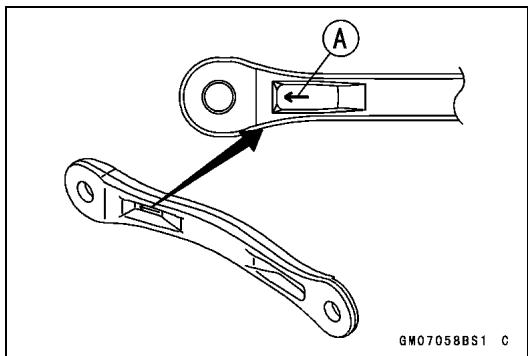
Rocker Arm Removal
- Squeeze the brake lever slowly and hold it with a band.
- Remove:
Lower Fairings (see Lower Fairing Removal in the Frame chapter)
Rear Fairing (see Rear Fairing Removal in the Frame chapter)
Bracket (see Rear Shock Absorber Removal)
Muffler Bodies (see Muffler Body Removal in the Engine Top End chapter)
- Raise the rear wheel off the ground with the jack.
Special Tools - Jack: 57001-1238
Jack Attachment: 57001-1608
- Remove:
Lower Rear Shock Absorber Nut and Bolt [A]
Lower Tie-Rod Nut and Bolt [B]
Rocker Arm Nut and Bolt [C]
Rocker Arm [D]
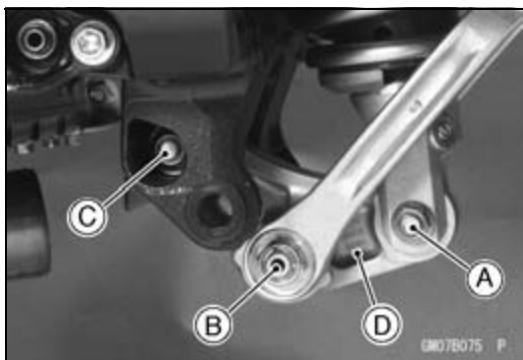
Tie-Rod, Rocker Arm
Rocker Arm Installation
- Apply grease to the inside of the grease seals.
- Tighten:
Torque - Uni-Trak Rocker Arm Nut: 34 N·m (3.5 kgf·m, 25 ft·lb)
Tie-Rod Nuts: 59 N·m (6.0 kgf·m, 44 ft·lb)
Rear Shock Absorber Nut (Lower): 34 N·m (3.5 kgf·m, 25 ft·lb)
Tie-Rod and Rocker Arm Bearing Removal
- Remove:
Tie-Rods (see Tie-Rod Removal)
Rocker Arm (see Rocker Arm Removal)
Sleeves [A]
Oil Seals [B]
Swingarm [C] (see Swingarm Removal)
- Remove the needle bearings [D], using the bearing remover head and bearing remover shaft.
Special Tools - Bearing Remover Head, φ 20× φ 22 : 57001
-1293
Bearing Remover Shaft, φ 13: 57001-1377

Tie-Rod and Rocker Arm Bearing Installation
- Replace the needle bearing and oil seals with new ones.
- Apply plenty of grease to the lips of the oil seals.
- Install the needle bearings and oil seals position as shown in the figure.
Tie-Rod, Rocker Arm
○Screw the needle bearing driver [A] into the driver holder [B].
○Insert the needle bearing driver into the needle bearing [C] and press the needle bearing into the housing until the driver contacts the end surface of the housing.
Bearing Pressing Depth: 5.5 mm (0.22 in.) [D]
5.0 mm (0.20 in.) [E]
NOTE
○For a bearing of inner diameter φ 18, select the pressing side of the needle bearing driver according to its pressing depth.
Special Tools - Bearing Driver Set: 57001-1129
Needle Bearing Driver, φ17/φ18 : 57001
-1609
Spacer, φ 18 [F]: 57001-1636
Needle Bearing Driver, φ20 & Spacer, φ28 :
57001-1678
NOTE
○Install the needle bearings so that the marked side faces in.
Needle Bearing [A]
Oil Seals [B]
Front [C]
Right Side [D]
Left Side [E]
Rear Shock Absorber [F]
Tie-Rods [G]
Rocker Arm [H]
7.5 mm (0.30 in.) [l]
10 mm (0.39 in.) [J]
5.5 mm (0.22 in.) [K]
5.0 mm (0.20 in.) [L]


Tie-Rod, Rocker Arm
Rocker Arm/Tie-Rod Bearing, Sleeve Inspection
CAUTION
Do not remove the bearings for inspection. Removal may damage them.
- Visually inspect the locker arm, or tie-rod sleeves [A] and needle bearings [B].
- The rollers in a needle bearing normally wear very little, and wear is difficult to measure. Instead of measuring, inspect the bearing for abrasion, color change, or other damage.
★If there is any doubt as to the condition of any of the needle bearings or sleeve, replace the sleeve and needle bearings as a set.
Rocker Arm/Tie-Rod Bearing Lubrication
NOTE
○Since the bearings are packed with grease, lubrication is not required.
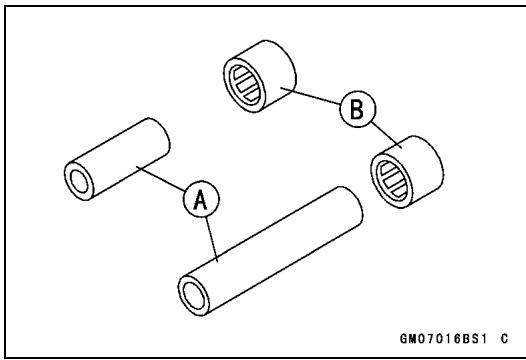
flowchart
graph TD
    A["Top Cylinder"] --> B["Terminal Node B"]
    A --> C["Bottom Cylinder"]
    style A fill:#f9f,stroke:#333
    style B fill:#ccf,stroke:#333
    style C fill:#cfc,stroke:#333
Steering
Table of Contents
Exploded View 14-2
Special Tools 14-4
Steering 14-5
Steering Inspection 14-5
Steering Adjustment.... 14-5
Steering Stem.... 14-6
Stem, Stem Bearing Removal.... 14-6
Stem, Stem Bearing Installation.... 14-7
Steering Stem Bearing Lubrication 14-9
Steering Stem Warp.... 14-9
Stem Cap Deterioration, Damage 14-9
Handlebar 14-10
Handlebar Removal 14-10
Handlebar Installation 14-10

Exploded View
| No. | Fastener | Torque | Remarks |
| N·m | kgf·m | ft·lb |
| 1 | Front Fork Clamp Bolts (Lower) | 30 | 3.1 | 22 | AL |
| 2 | Front Fork Clamp Bolts (Upper) | 20 | 2.0 | 15 | |
| 3 | Handlebar Bolts | 34 | 3.5 | 25 | L |
| 4 | Handlebar Holder Bolts | 25 | 2.5 | 18 | AL |
| 5 | Steering Stem Head Nut | 78 | 8.0 | 58 | |
| 6 | Steering Stem Nut | 23 | 2.3 | 17 | |
| 7 | Switch Housing Screws | 3.5 | 0.36 | 31 in·lb | |
AD: Apply adhesive.
AL: Tighten the two clamp bolts alternately two times to ensure even tightening torque.
G: Apply grease.
L: Apply a non-permanent locking agent.
R: Replacement Parts
Head Pipe Outer Race Press Shaft: 57001-1075

natural_image
Technical line drawing of a mechanical component with threaded ends and a shaft (no text or symbols)
Steering Stem Nut Wrench: 57001-1100

natural_image
Line drawing of a mechanical wrench with no text or symbols on the tool itself
Bearing Driver Set: 57001-1129

natural_image
Isometric line drawing of a box containing various mechanical parts (no text or symbols)
Steering Stem Bearing Driver, φ42.5:57001-1344
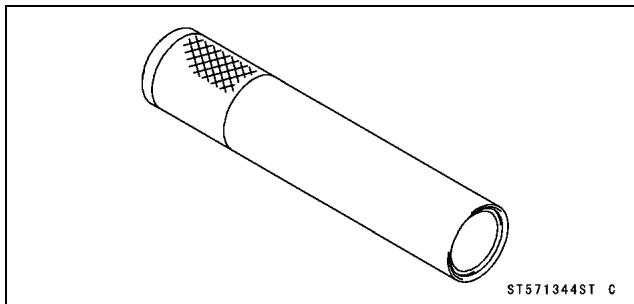
natural_image
Technical line drawing of a cylindrical mechanical component with a textured inner surface (no text or symbols)
Steering Stem Bearing Driver Adapter, φ41.5:57001-1345
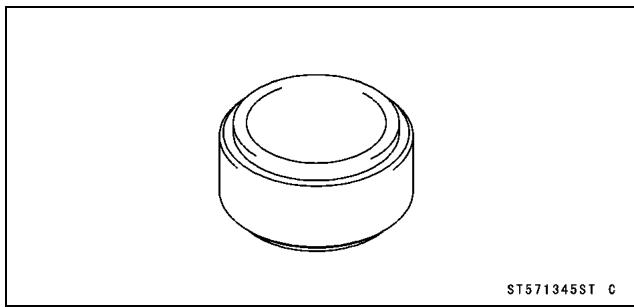
natural_image
Simple line drawing of a cylindrical mechanical component (no text or symbols)
Head Pipe Outer Race Driver, φ55 : 57001-1446
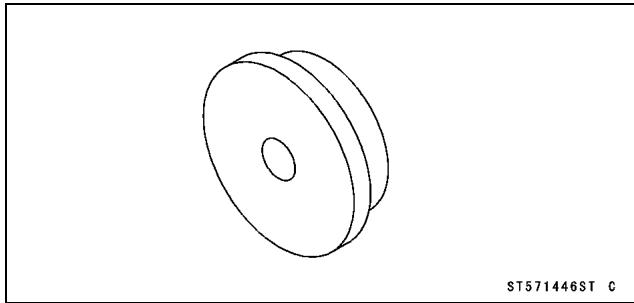
natural_image
Technical line drawing of a pulley or wheel component (no text or symbols)
Steering
Steering Inspection
- Refer to the Steering Play Inspection in the Periodic Maintenance chapter.
Steering Adjustment
- Refer to the Steering Play Adjustment in the Periodic Maintenance chapter.
Steering Stem
Stem, Stem Bearing Removal
- Remove:
Upper Fairing (see Upper Fairing Removal in the Frame chapter)
Front Wheel (see Front Wheel Removal in the Wheels/Tires chapter)
Handlebars (see Handlebar Removal)
Front Forks (see Front Fork Removal in the Suspension chapter)
Bracket Bolts [A]
Cover Bolts [B] and Cover [C]
- Remove:
Steering Stem Head Nut [A] and Washer [B]
Steering Stem Head [C]
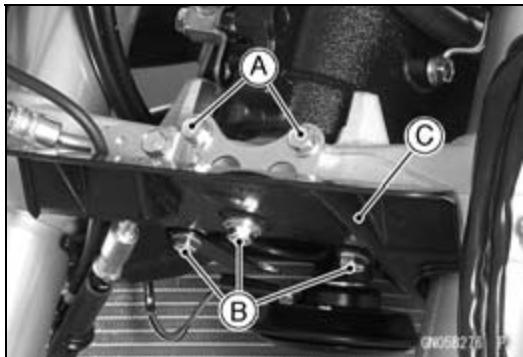

- Bend the claws [A] of lock washer straighten.
- Remove the steering stem locknut [B].
Special Tool - Steering Stem Nut Wrench: 57001-1100
- Remove the lock washer.
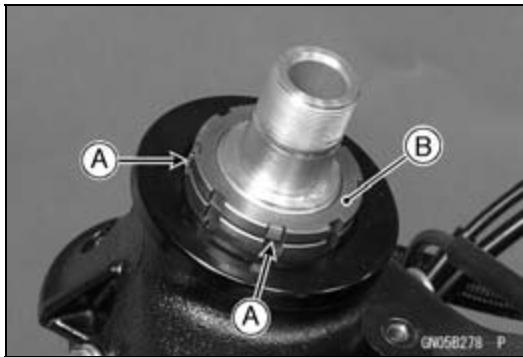
- Pushing up the stem base, and remove the steering stem nut [A] with stem cap [B].
Special Tool - Steering Stem Nut Wrench [C]: 57001-1100
- Remove:
Steering Stem [D]
Upper Ball Bearing Inner Race and Ball Bearing
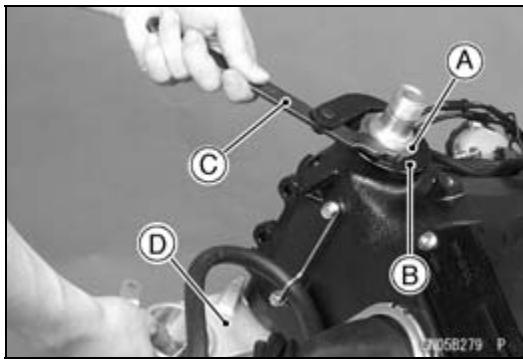
- To remove the ball bearing outer races [A] pressed into the head pipe [B], insert a bar [C] into the recesses [D] of head pipe, and applying it to both recess alternately hammer it to drive the race out.
NOTE
○If either steering stem bearing is damaged, it is recommended that both the upper and lower bearings (including outer races) should be replaced with new ones.

Steering Stem
- Remove the lower ball bearing inner race (with its oil seal) [A] which is pressed onto the steering stem with a suitable commercially available chisel [B].
Stem, Stem Bearing Installation
- Replace the bearing outer races with new ones.
- Drive them into the head pipe at the same time.
Special Tools - Head Pipe Outer Race Press Shaft [A]: 57001-1075
Bearing Driver Set: 57001-1129
Head Pipe Outer Race Driver, φ55 [B]: 57001-1446
- Apply grease to the outer races.
- Replace the bearing inner races and oil seal with new ones.
- Apply grease to the oil seal.
- Install the oil seal [A] on the steering stem, and drive the lower ball bearing inner race [B] applied the grease onto the stem.
Special Tools - Steering Stem Bearing Driver, φ42.5 [C]: 57001-1344
Steering Stem Bearing Driver Adapter, φ41.5 [D]: 57001-1345
- Install the lower ball bearing [A] onto the stem.
- Grease the following.
Inner and Outer Races
Lower and Upper Ball Bearings
○The lower and upper ball bearings are identical.
- Install the stem [A] through the head pipe and install the ball bearing [B] and inner race [C] on it.
- Install:
Stem Cap [D]
Steering Stem Nut [E]


natural_image
Mechanical component with labeled section A, showing a cylindrical shaft and flange (no text or symbols beyond label)

Steering Stem
- Settle the bearings in place as follows.
○Tighten the steering stem nut with 55 N·m (5.6 kgf·m, 41 ft·lb) of torque first, and loosen it a fraction of a turn until it turns lightly. Afterward tighten it again with specified torque using a steering stem nut wrench [A].
Special Tool - Steering Stem Nut Wrench: 57001-1100
Torque - Steering Stem Nut: 23 N·m (2.3 kgf·m, 17 ft·lb)
- Install the lock washer so that claw [A] of washer fit the notch [B] of steering stem locknut [C].
- First tighten the steering stem locknut by hand until the resistance is felt fully, then tighten the steering stem lock nut so that align the claw [A] of stem lock nut to the notch [B] of stem nut by hand.
- Check that there is no play and the steering stem turns smoothly without rattles. If not, the steering stem bearing may be damaged.
- Bend the claw of lock washer to steering stem nut notch.
- Install the stem head [A] to the steering stem [B].
- Install the washer, and temporary tighten the stem head nut [C].
- Install the front forks (see Front Fork Installation in the Suspension chapter).


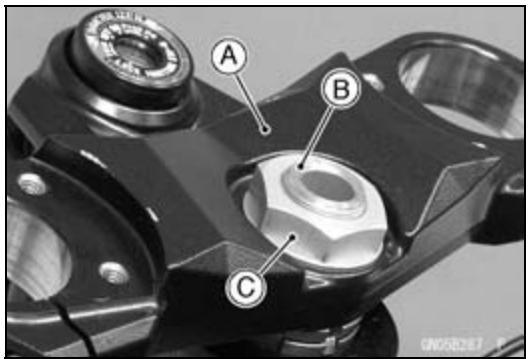
Steering Stem
NOTE
○ Tighten the upper front fork clamp bolts [A] first, next the stem head nut [B], last the lower front fork clamp bolts [C].
○ Tighten the two lower fork clamp bolts alternately two times to ensure even tightening torque.
Torque - Front Fork Clamp Bolts (Upper): 20 N·m (2.0 kgf·m, 15 ft·lb)
Steering Stem Head Nut: 78 N·m (8.0 kgf·m, 58 ft·lb)
Front Fork Clamp Bolts (Lower): 30 N·m (3.1 kgf·m, 22 ft·lb)
WARNING
Do not impede the handlebar turning by routing the cables, harnesses and hoses improperly (see Cable, Wire, and Hose Routing section in the Appendix chapter).
- Install the removed parts (see appropriate chapters).
Steering Stem Bearing Lubrication
- Refer to the Steering Stem Bearing Lubrication in the Periodic Maintenance chapter.
Steering Stem Warp
- Whenever the steering stem is removed, or if the steering can not be adjusted for smooth action, check the steering stem for straightness.
★If the steering stem [A] is bent, replace the steering stem.
Stem Cap Deterioration, Damage
★Replace the stem cap if its oil seal [A] shows damage.


natural_image
Mechanical assembly showing a car wheel and attached bracket with labeled component 'C' (no text or symbols beyond label)

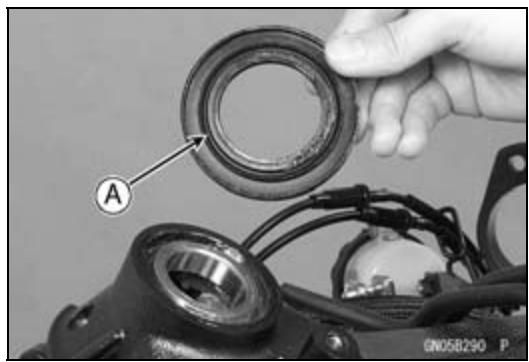
natural_image
Close-up of a hand holding a mechanical bearing with labeled component A (no text or symbols beyond label)
Handlebar
Handlebar Removal
-
Remove:
Clutch Lever Clamp Bolts [A]
Clutch Lever Assembly [B]
Left Switch Housing [C]
Handlebar Weight [D]
-
Remove:
Front Master Cylinder [A] (see Front Master Cylinder Removal in the Brakes chapter)
Right Switch Housing [B]
Throttle Case [C]
Handlebar Weight [D]
Throttle Grip [E]
-
Unscrew the handlebar holder bolts [A].
-
Remove each handlebar holder [B] with handlebar [C].
-
Hold the handlebar in a vise, and unscrew the handlebar bolt [A].
- Remove the handlebar.
- Remove the left handlebar grip.

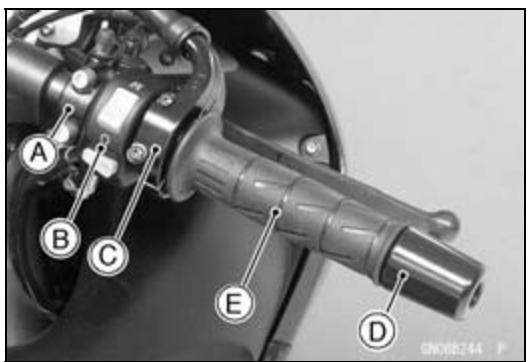
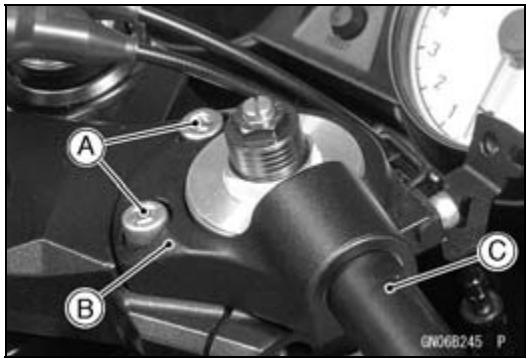
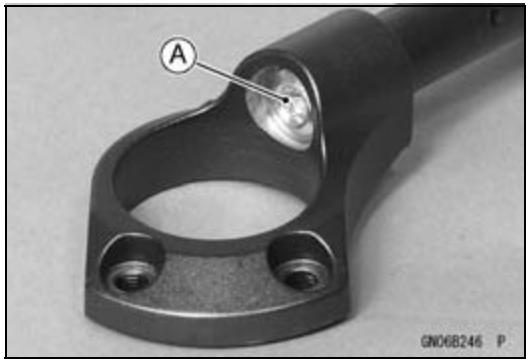
natural_image
Close-up of a mechanical component with labeled point A and reference number GN06B246 P (no text or symbols on the object itself)
Handlebar Installation
- Apply adhesive cement to the inside of the left handlebar grip.
- Fit the pin [A] of the handlebar to the recess [B] of the handlebar holder.
- Apply a non-permanent locking agent to the threads of the handlebar bolts.
- Tighten:
Torque - Handlebar Bolts: 34 N·m (3.5 kgf·m, 25 ft·lb)
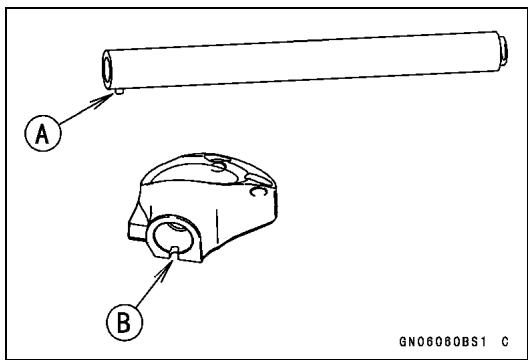
Handlebar
- Install the handlebar holder with handlebar on the steering stem head.
- Tighten the handlebar holder bolts.
NOTE
○ Tighten the handlebar holder bolt [A] first, next the handlebar holder bolt [B].
○ Tighten the two handlebar holder bolts alternately two times to ensure even tightening torque.
Torque - Handlebar Holder Bolts: 25 N·m (2.5 kgf·m, 18 ft·lb)
- Install the front master cylinder (see Front Master Cylinder Installation in the Brakes chapter).
- Install:
Throttle Grip
Throttle Cable Tips [A]
Throttle Cases [B]
○Fit the projection into a small hole in the handlebar.
- Apply a non-permanent locking agent to the threads of the handlebar weight bolts, and tighten them.
- Install the left and right switch housings.
○Fit the projection [A] into a small hole [B] in the handlebar.
Torque - Switch Housing Screws: 3.5 N·m (0.36 kgf·m, 31 in·lb)
- Install the clutch lever (see Clutch Lever Installation in the Clutch chapter).


Frame
Table of Contents
Exploded View 15-2
Seat 15-10
Seat Removal 15-10
Seat Installation 15-10
Fairings.... 15-11
Lower Fairing Removal 15-11
Lower Fairing Installation 15-11
Fairing Cover Removal 15-11
Middle Fairing Removal 15-11
Middle Fairing Installation 15-12
Windshield Removal 15-12
Windshield Installation 15-13
Upper Fairing Removal 15-13
Upper Fairing Disassembly.... 15-13
Upper Fairing Assembly.... 15-13
Upper Fairing Installation 15-14
Inner Cover Removal 15-14
Inner Cover Installation 15-14
Upper Inner Fairing Removal.... 15-14
Upper Inner Fairing Installation.... 15-15
Upper Fairing Bracket Removal 15-15
Upper Fairing Bracket Installation.... 15-15
Inner Fairing Removal 15-15
Inner Fairing Installation.... 15-15
Rear Fairing Removal 15-15
Rear Fairing Installation 15-15
Seat Cover 15-16
Seat Cover Removal 15-16
Seat Cover Installation 15-16
Fenders 15-18
Front Fender Removal 15-18
Front Fender Installation 15-18
Flap and Rear Fender Removal.... 15-18
Flap and Rear Fender Installation.... 15-19
Frame 15-20
Rear Frame Removal.... 15-20
Rear Frame Installation.... 15-20
Frame Inspection 15-20
Center Stand, Sidestand 15-21
Center Stand Removal (Equipped Models) 15-21
Center Stand Installation (Equipped Models) 15-21
Sidestand Removal 15-21
Sidestand Installation 15-21
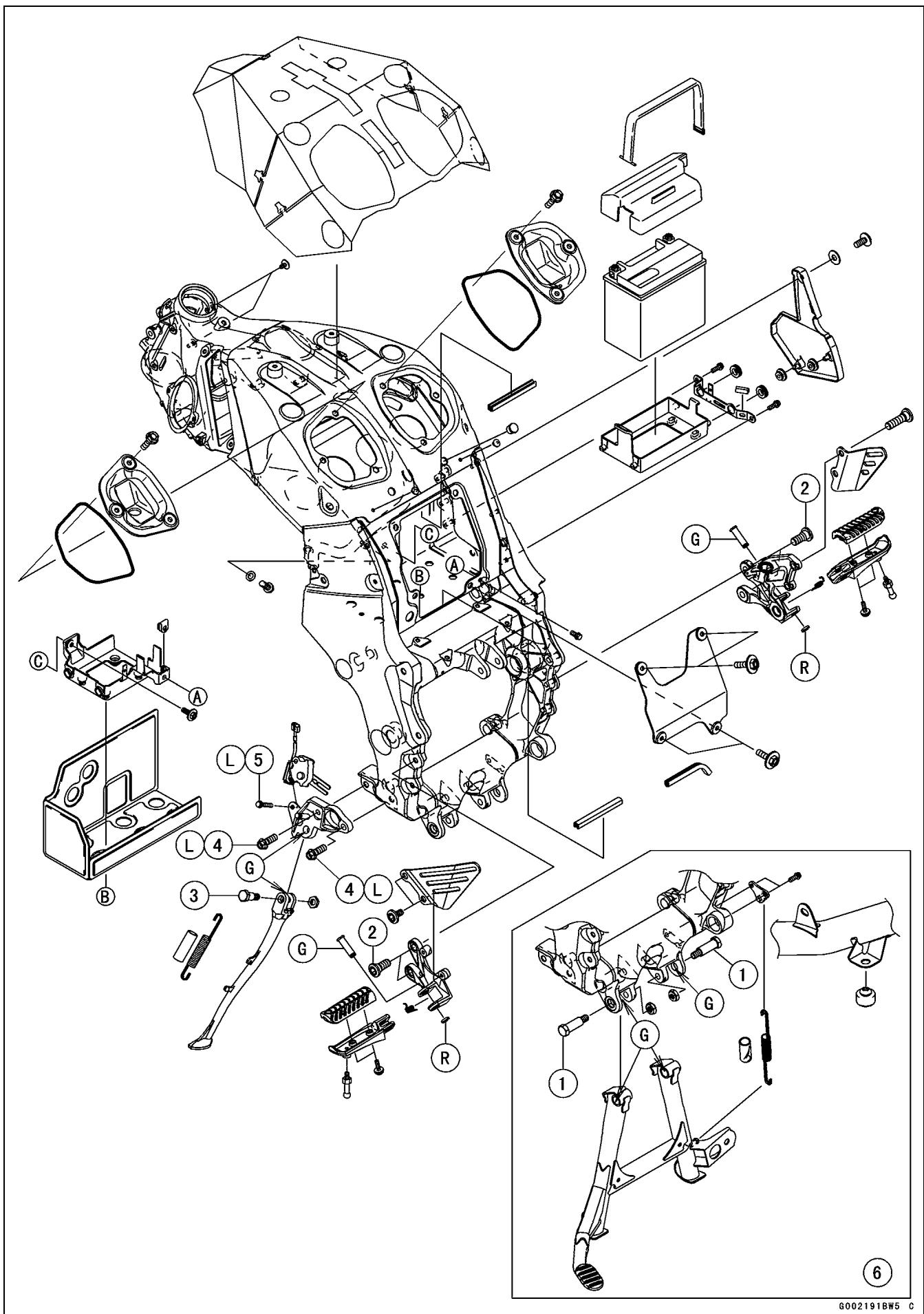
Exploded View
| No. | Fastener | Torque | Remarks |
| N·m | kgf·m | ft·lb |
| 1 | Center Stand Bolts | 44 | 4.5 | 32 | |
| 2 | Front Footpeg Bracket Bolts | 25 | 2.5 | 18 | |
| 3 | Sidestand Bolt | 44 | 4.5 | 32 | |
| 4 | Sidestand Bracket Bolts | 49 | 5.0 | 36 | L |
| 5 | Sidestand Switch Bolt | 8.8 | 0.90 | 78 in·lb | L |
- Center Stand (Equipped Models)
G: Apply grease.
L: Apply a non-permanent locking agent.
R: Replacement Parts
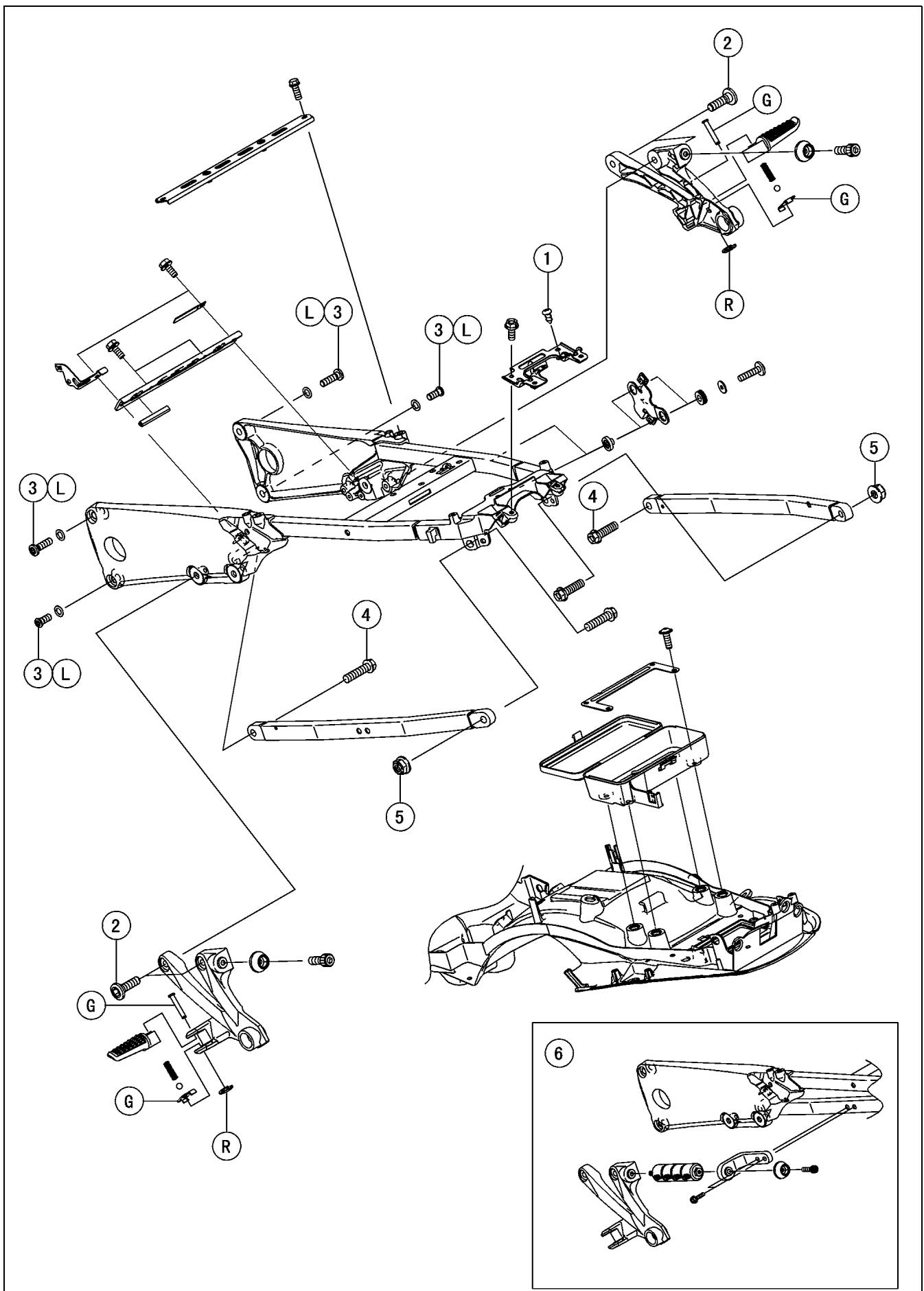
G002192BW5 C
Exploded View
| No. | Fastener | Torque | Remarks |
| N·m | kgf·m | ft·lb |
| 1 | Rear Fender Mounting Screws | 1.2 | 0.12 | 11 in·lb | |
| 2 | Rear Footpeg Bracket Bolts | 25 | 2.5 | 18 | |
| 3 | Rear Frame Bolts | 44 | 4.5 | 32 | L |
| 4 | Rear Frame Pipe Bolts | 44 | 4.5 | 32 | |
| 5 | Rear Frame Pipe Nuts | 44 | 4.5 | 32 | |
- Center Stand Grip (Equipped Models)
G: Apply grease.
L: Apply a non-permanent locking agent.
R: Replacement Parts
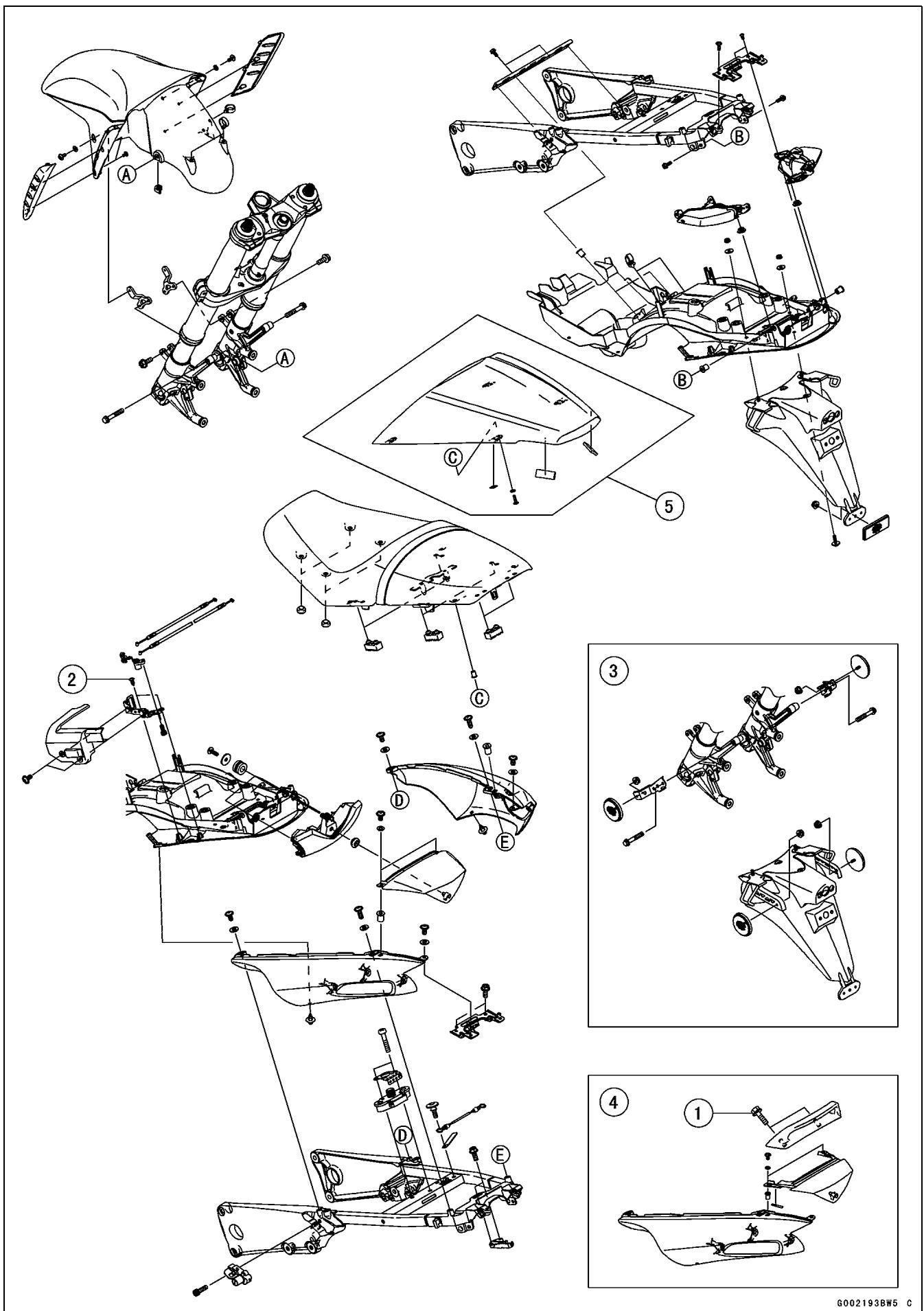
G002193BW5 C
Exploded View
| No. | Fastener | Torque | Remarks |
| N·m | kgf·m | ft·lb |
| 1 | Grab Rail Mounting Bolts | 25 | 2.5 | 18 | |
| 2 | Seat Lock Bracket Screws | 1.2 | 0.12 | 11 in·lb | |
- Reflector (United States and Canada Models)
- Grab Rail (Equipped Models)
- Seat Cover (Equipped Models)

Exploded View
| No. | Fastener | Torque | Remarks |
| N·m | kgf·m | ft·lb |
| 1 | Windshield Mounting Bolts | 0.42 | 0.043 | 3.7 in·lb | |
Seat
Seat Removal
- Insert the ignition switch key [A] into the seat lock, turning the key counterclockwise, pulling up on the rear of the seat [B], and pulling the seat backward.
- For seat cover equipped models; note the following.
- Remove:
Bolts [A]
Seat Cover [B]
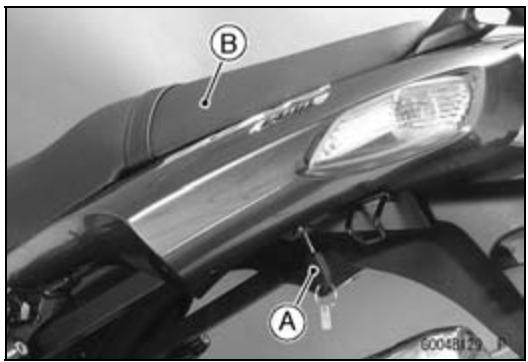

Seat Installation
- Insert the brackets [A] of the fuel tank into the slots [B] of the seat.
- Insert the projections [A] of the seat into the slots [B] of the frame, and insert the seat hook [C] into the slot [D] of the frame.
- Push down the rear part of the seat until the lock clicks.


Fairings
Lower Fairing Removal
- Pull up the core by the thin blade driver.
- Remove the quick rivet [A].
- Remove the bolts [B] with washers.
- Clear the hook portions from the slots.
- Separate the left lower fairing from the right lower fairing.

Lower Fairing Installation
- Insert the hook portions [A] into the slots [B].
- Tighten the bolts with washers.
- Set the quick rivet and push the core.

Fairing Cover Removal
- Remove the bolts [A].
- Pull out the fairing cover [B], and clear the stoppers.

- Insert the projections [A] into the holes [B].
- Tighten the bolts.

Middle Fairing Removal
- Remove:
Lower Fairings (see Lower Fairing Removal)
Fairing Covers (see Fairing Cover Removal)
Inner Covers (see Inner Cover Removal)
Fuel Tank Cover (see Fuel Tank Removal in the Fuel System (DFI) chapter)
- Push the central pin, and then remove the quick rivets [A].

natural_image
Close-up of a motorcycle's side panel with labeled component A (no readable text or symbols beyond label)
Fairings
- Remove:
Bolts [A] with Washers
Turn Signal Lead Connector
- Remove each middle fairing.
○Clear the hook [B] from the bracket.


- Remove: Inner Fairing (see Inner Fairing Removal)
Screws
Bracket
Turn Signal Light
Middle Fairing Installation
- Install the turn signal light to the middle fairing, and tighten the screws.
- Install the inner fairing (see Inner Fairing Installation).
- Connect the turn signal lead connector.
- Hang the hook of the middle fairing to the bracket.
- Install the washers and bolts.
- Install the quick rivets.
- Install the removed parts (see appropriate chapters).
Windshield Removal
- Remove: Bolts [A] with Washers Windshield [B]

Fairings
Windshield Installation
- Put the front tongue [A] into the hollow [B].
- Tighten:
Torque - Windshield Mounting Bolts: 0.42 N·m (0.043 kgf·m, 3.7 in·lb)

Upper Fairing Removal
- Remove:
Lower Fairings (see Lower Fairing Removal)
Fairing Covers (see Fairing Cover Removal)
Inner Covers (see Inner Cover Removal)
Middle Fairings (see Middle Fairing Removal)
Windshield (see Windshield Removal)
Vehicle-down Sensor Lead Connector
Immobilizer Amplifier Lead Connector (Equipped Models)

natural_image
Close-up of a mechanical component with labeled part A, showing internal parts and wiring (no readable text or symbols)
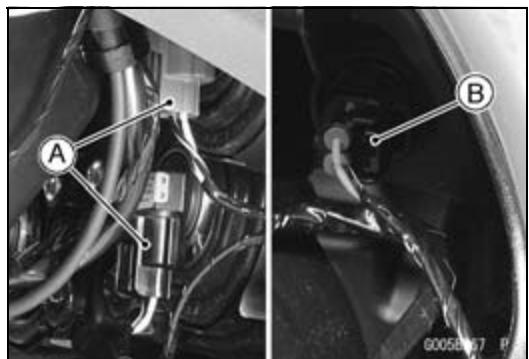
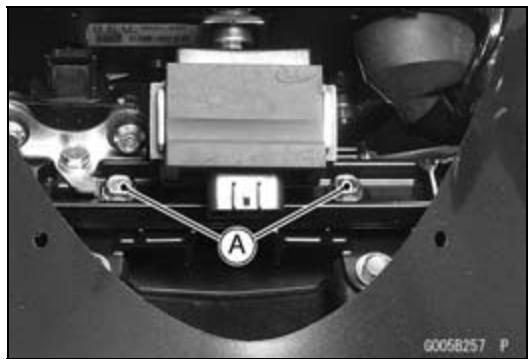
natural_image
Close-up of a mechanical device with labeled component A and a person wearing a helmet (no readable text or symbols)
Upper Fairing Disassembly
- Remove:
Upper Fairing (see Upper Fairing Removal)
Upper Inner Fairing (see Upper Inner Fairing Removal)
Headlights [A] (see Headlight Removal in the Electrical System chapter)
Nuts [B] and Rear View Mirrors (Both Sides)

Upper Fairing Assembly
- Installation is the reverse of removal.
Fairings
Upper Fairing Installation
- Installation is the reverse of removal.
Inner Cover Removal
- Remove the bolts [A].
- Remove the inner cover [B].
○Pull the inner cover backward, and clear the hooks.
Inner Cover Installation
- Insert the hooks [A] into the slots [B].
- Tighten the bolts.


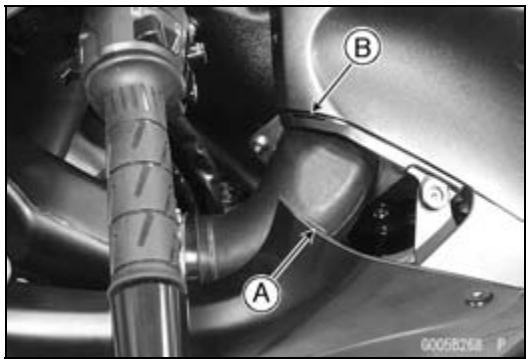
Upper Inner Fairing Removal
- Remove:
Upper Fairing (see Upper Fairing Removal)
Bolt [A]
Upper Inner Fairing [B]
○Slide out the upper inner fairing backward.

Fairings
Upper Inner Fairing Installation
- Insert the slots [A] of the upper inner fairing into the hooks [B] of the upper fairing.
- Tighten the bolt.

Upper Fairing Bracket Removal
- Remove:
Upper Fairing (see Upper Fairing Removal)
Front and Middle Inlet Ducts (see Front and Middle Inlet Duct Removal in the Fuel System (DFI) chapter)
Rear Inlet Ducts (see Rear Inlet Duct Removal in the Fuel System (DFI) chapter)
Meter Unit (see Meter Unit Removal in the Electrical System chapter)
Headlight Relays [A]
Bolts [B]
Upper Fairing Bracket [C]
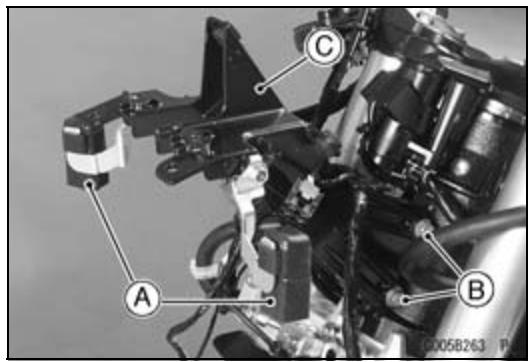
Upper Fairing Bracket Installation
- Installation is the reverse of removal.
Inner Fairing Removal
- Remove:
Middle Fairings (see Middle Fairing Removal)
Quick Rivet [A]
Bolts [B]
Inner Fairing [C]
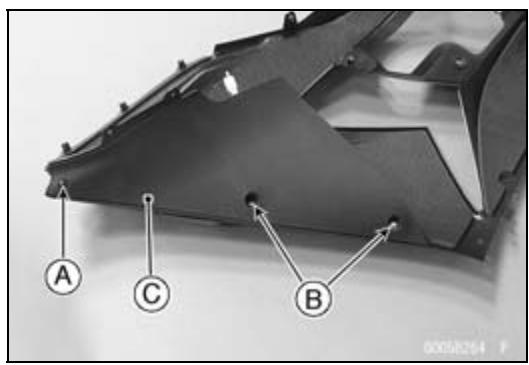
Inner Fairing Installation
- Installation is the reverse of removal.
Rear Fairing Removal
- Remove:
Bolts [A]
Rear Fairing [B]

Rear Fairing Installation
- Installation is the reverse of removal.
Seat Cover
Seat Cover Removal
- Remove:
Seat (see Seat Removal)
Bolts [A]
Screws [B]
Grab Rail [C] (Equipped Models)
Center Seat Cover [D]
- Remove the quick rivets [A].
- Remove the bolts [A].
- Clear the side seat covers [B] from the rear fender.
- Disconnect the turn signal lead connectors, and remove each side seat cover.
- Remove:
Screws [A]
Turn Signal Light [B]
Seat Cover Installation
- Connect the turn signal lead connector.
- Insert the hole [A] to the projection [B].
- Install the bolts and quick rivets.
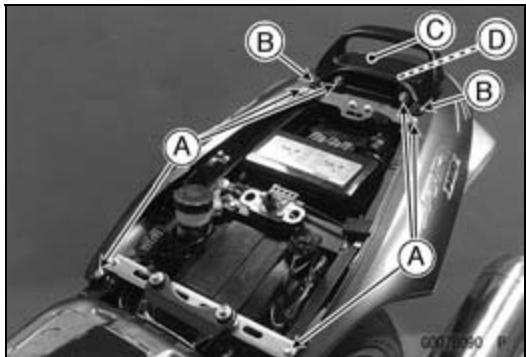
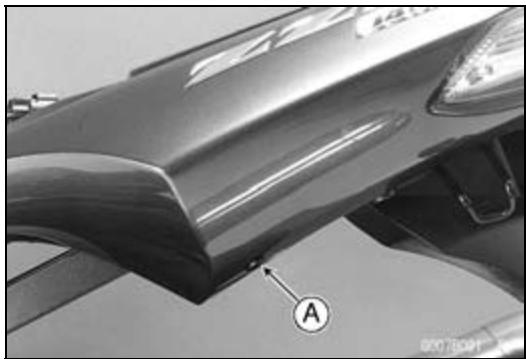
natural_image
Close-up of a car's front bumper with a labeled point A pointing to the edge (no text or symbols beyond the label)

- Insert the projection [A] into the hole [B].
- Tighten the screws.
- Install the grab rail (equipped models).
- Tighten:
Torque - Grab Rail Mounting Bolts: 25 N·m (2.5 kgf·m, 18 ft·lb)

Fenders
Front Fender Removal
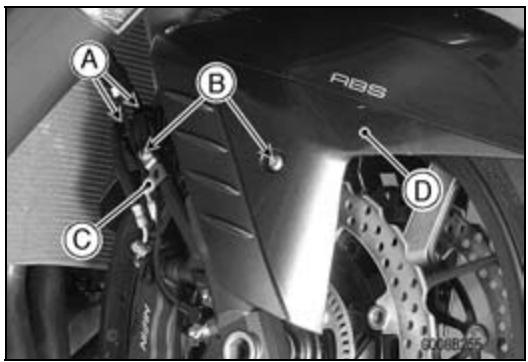

Front Fender Installation
- Install the front fender covers to the front fender.
○Insert the hooks [A] of the front fender cover into the slots [B] of the front fender.

- Install the front fender assy to the front fork.
- Install the brake hose clamps to the front fender holes.
Flap and Rear Fender Removal
- Remove:
Seat (see Seat Removal)
Seat Covers (see Seat Cover Removal)
Fuel Tank (see Fuel Tank Removal in the Fuel System (DFI) chapter)
Tool Kit Case [A] (see ECU Removal in the Fuel System (DFI) chapter)
Relay Box [B] (see Relay Box Removal in the Electrical System chapter)
ECU (see ECU Removal in the Fuel System (DFI) chapter)
Rear Wheel (see Rear Wheel Removal in the Wheels/Tires chapter)
Fuse Box [C]
Bolts [D] and Cover [E]
Seat Lock
Bolts [F]
Screws [G]
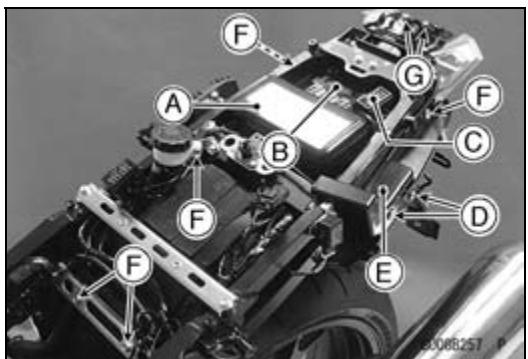
Fenders
- Remove:
Nuts [A]
License Light Connector (Disconnect)
Flap (with License Light)
Tail/Brake Light (LED) (see Tail/Brake Light (LED) Removal in the Electrical System chapter)
- Pull out the rear fender [B] backward and downward.
Flap and Rear Fender Installation
- Hang the hook [A] of the rear fender to the slot [B] of the rear frame.
- Tighten:
Torque - Rear Fender Mounting Screws: 1.2 N·m (0.12 kgf·m, 11 in·lb)
- Install the removed parts (see appropriate chapters).
- Run the harness correctly (see Cable, Wire, and Hose Routing section in the Appendix chapter).

natural_image
Interior view of a mechanical device with labeled components (A and B), no visible text or symbols beyond labels
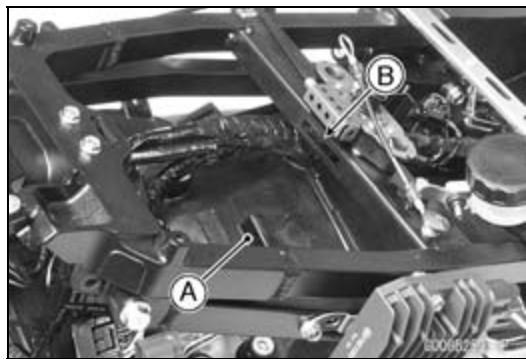
natural_image
Close-up of mechanical components with labeled parts A and B, no readable text or symbols present
Frame
Rear Frame Removal
- Remove:
Rear Fender (see Rear Fender Removal)
Regulator/Rectifier [A] (see Regulator/Rectifier Inspection in the Electrical System chapter)
Tail/Brake Light (see Tail/Brake Light Removal in the Electrical System chapter)
Bolts [B] (Both Sides)
Rear Footpeg Bracket Bolts [C] and Brackets (Both Sides)
Frame Bolts [D]
Rear Frame Installation
- Apply a non-permanent locking agent to the thread of the rear frame bolt, and tighten them.
Torque - Rear Frame Bolts: 44 N·m (4.5 kgf·m, 32 ft·lb)
Rear Footpeg Bracket Bolts: 25 N·m (2.5 kgf·m, 18 ft·lb)
- Install the removed parts (see appropriate chapters).
Frame Inspection
- Visually inspect the frame [A] for cracks, dents, bending, or warp.
★If there is any damage to the frame, replace it.
WARNING
A repaired frame may fail in use, possibly causing an accident. If the frame is bent, dented, cracked, or warped, replace it.


G009025BS1 C
Center Stand, Sidestand
Center Stand Removal (Equipped Models)
- Remove:
Muffler Bodies (see Muffler Body Removal in the Engine Top End chapter)
Spring [A]
Bolts [B]
Bolts [C] and Nuts
Center Stand [D]

Center Stand Installation (Equipped Models)
- Apply grease to the sliding area [A] of the center stand [B].
- Tighten the bolts [C] and lock them with the nuts.
Torque - Center Stand Bolts: 44 N·m (4.5 kgf·m, 32 ft·lb)
- Hook the spring [D] so that face the long spring end upward.
○Install the spring hook direction as shown in the figure.

Sidestand Removal
- Raise the rear wheel off the ground with the stand.
- Remove:
Sidestand Switch Bolt [A]
Spring [B]
Sidestand Bolt [C]
Sidestand [D]
Sidestand Bracket Bolts [E]

Sidestand Installation
- Apply grease to the sliding area [A] of the sidestand [B].
- Tighten the bolt and lock them with the nut.
Torque - Sidestand Bracket Bolts [C]: 49 N·m (5.0 kgf·m, 36 ft·lb)
Sidestand Bolt [D]: 44 N·m (4.5 kgf·m, 32 ft·lb)
- Hook the spring [E] so that face the long spring end upward.
○Install the spring hook direction as shown in the figure.
- Install the sidestand switch.
○Apply a non-permanent locking agent to the thread of the switch bolt, and tighten it.
Torque - Sidestand Switch Bolt [F]: 8.8 N·m (0.90 kgf·m, 78 in·lb)

Electrical System
Table of Contents
Exploded View 16-4
Parts Location.... 16-10
Wiring Diagram (United States, Canada, New Zealand and Colombia).... 16-12
Wiring Diagram (Other than United States, Canada, New Zealand and Colombia)...... 16-14
Wiring Diagram (ZX1400B Models).... 16-16
Specifications 16-18
Special Tools and Sealant 16-19
Precautions.... 16-21
Electrical Wiring 16-22
Wiring Inspection 16-22
Battery 16-23
Battery Removal 16-23
Battery Installation 16-24
Battery Activation 16-24
Precautions 16-27
Interchange 16-27
Charging Condition Inspection.... 16-27
Refreshing Charge.... 16-28
Charging System 16-29
Alternator Cover Removal 16-29
Alternator Cover Installation.... 16-29
Stator Coil Removal 16-29
Stator Coil Installation 16-30
Alternator Rotor Removal 16-30
Alternator Rotor Installation 16-30
Alternator Inspection 16-31
Regulator/Rectifier Inspection.... 16-33
Charging Voltage Inspection 16-34
Ignition System.... 16-36
Crankshaft Sensor Removal 16-37
Crankshaft Sensor Installation 16-38
Crankshaft Sensor Inspection.... 16-38
Crankshaft Sensor Peak Voltage Inspection.... 16-38
Stick Coil (Ignition Coil together with Spark Plug Cap) Removal.... 16-39
Stick Coil (Ignition Coil together with Spark Plug Cap) Installation.... 16-39
Stick Coil (Ignition Coil together with Spark Plug Cap) Inspection.... 16-40
Stick Coil Primary Peak Voltage 16-40
Spark Plug Removal 16-41
Spark Plug Installation 16-41
Spark Plug Condition Inspection.... 16-41
Camshaft Position Sensor Removal 16-42
Camshaft Position Sensor Installation 16-42
Camshaft Position Sensor Inspection 16-42
Camshaft Position Sensor Peak Voltage Inspection.... 16-43
Interlock Operation Inspection 16-43
IC Igniter Inspection 16-44
Electric Starter System 16-46
Starter Motor Removal 16-46
Starter Motor Installation 16-46
Starter Motor Disassembly.... 16-47
Starter Motor Assembly 16-47
Brush Inspection 16-48
Commutator Cleaning and Inspection.... 16-49
Armature Inspection.... 16-49
Brush Lead Inspection 16-49
Right-hand End Cover Assembly Inspection 16-50
Starter Relay Inspection.... 16-50
Lighting System.... 16-52
Headlight Beam Horizontal Vertical Adjustment 16-52
Headlight Beam Vertical Adjustment.... 16-52
Headlight Bulb Replacement 16-52
City Light Bulb Replacement.... 16-53
Headlight Removal/Installation 16-53
Headlight Relay Inspection 16-54
Tail/Brake Light (LED) Removal 16-54
Tail/Brake Light (LED) Installation.... 16-55
License Plate Light Bulb Replacement 16-55
Turn Signal Light Bulb Replacement 16-56
Turn Signal Relay Inspection 16-58
Air Switching Valve 16-60
Air Switching Valve Operation Test 16-60
Air Switching Valve Unit Test 16-60
Radiator Fan System.... 16-61
Fan Motor Inspection 16-61
Meter, Gauge, Indicator Unit.... 16-62
Meter Unit Removal 16-62
Meter Unit Installation 16-62
Meter Unit Disassembly 16-63
Meter Unit Inspection 16-63
Immobilizer System (Equipped Models) 16-80
Operational Cautions 16-80
Key Registration.... 16-80
Immobilizer System Parts Replacement 16-96
ECU (Electric Control Unit) Replacement (for Immobilizer Models) 16-97
Immobilizer System Inspection 16-98
Switches and Sensors.... 16-100
Brake Light Timing Inspection.... 16-100
Brake Light Timing Adjustment 16-100
Switch Inspection 16-100
Water Temperature Sensor Inspection 16-101
Speed Sensor Removal 16-101
Speed Sensor Installation 16-101
Speed Sensor Inspection 16-102
Fuel Level Sensor Inspection.... 16-102
Fuel Reserve Switch Inspection.... 16-103
Gear Position Switch Removal 16-104
Gear Position Switch Installation 16-105
Gear Position Switch Inspection 16-105
Relay Box 16-106
Relay Box Removal 16-106
Relay Circuit Inspection 16-106
Diode Circuit Inspection 16-107
Fuse.... 16-109
30 A Main Fuse Removal.... 16-109
Fuse Box Fuse Removal.... 16-109
15 A ECU Fuse Removal 16-110
Fuse Installation.... 16-110
Fuse Inspection.... 16-111
Exploded View
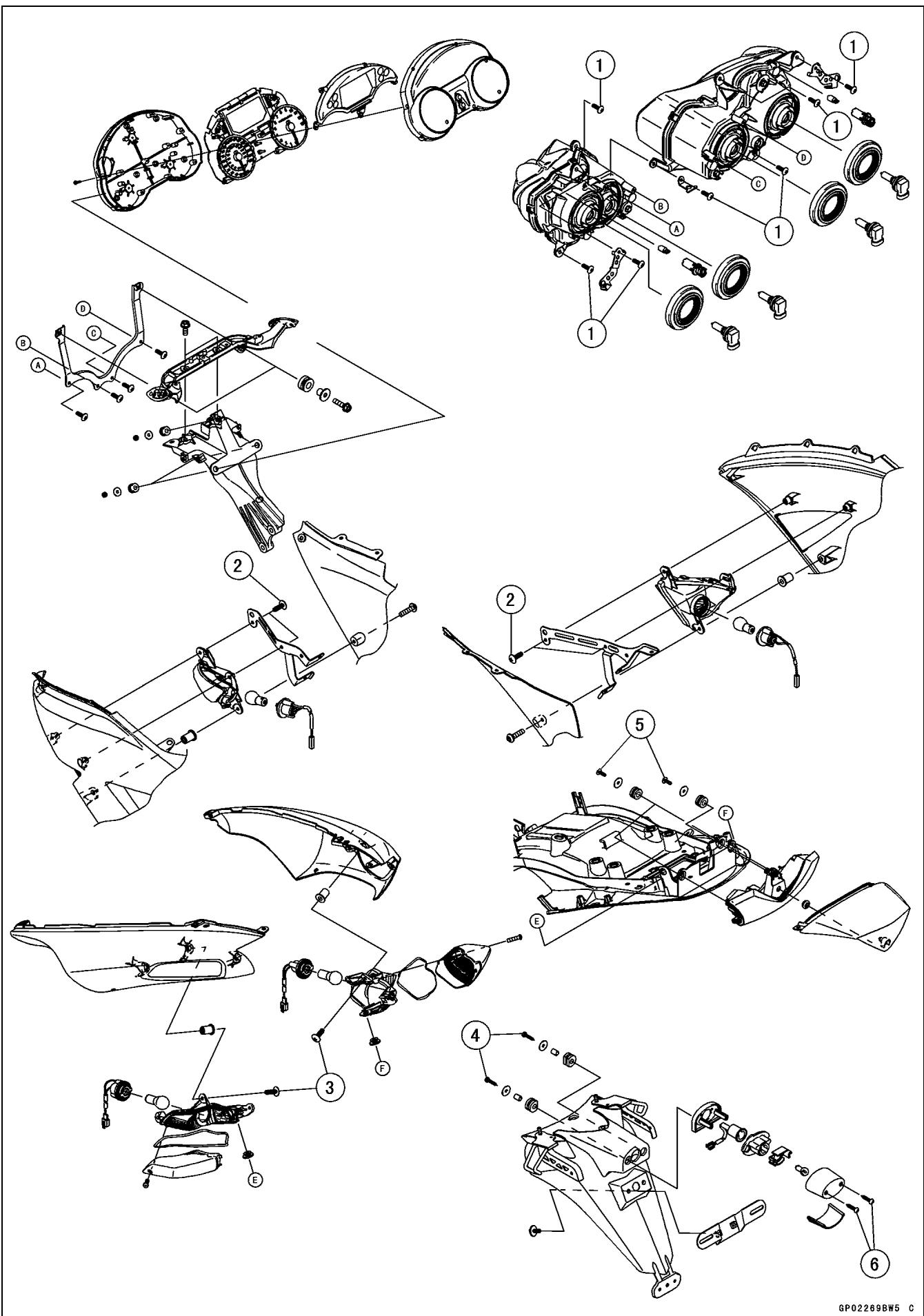
Exploded View
| No. | Fastener | Torque | Remarks |
| N·m | kgf·m | ft·lb |
| 1 | Headlight Mounting Screws | 1.2 | 0.12 | 11 in·lb | |
| 2 | Front Turn Signal Light Mounting Screws | 1.2 | 0.12 | 11 in·lb | |
| 3 | Rear Turn Signal Light Mounting Screws | 1.2 | 0.12 | 11 in·lb | |
| 4 | License Plate Light Mounting Screws | 1.2 | 0.12 | 11 in·lb | |
| 5 | Tail/Brake Light Mounting Screws | 1.2 | 0.12 | 11 in·lb | |
| 6 | License Plate Light Cover Mounting Screws | 0.9 | 0.09 | 8 in·lb | |
Exploded View

Exploded View
| No. | Fastener | Torque | Remarks |
| N·m | kgf·m | ft·lb |
| 1 | Camshaft Position Sensor Bolt | 9.8 | 1.0 | 87 in·lb | |
| 2 | Water Temperature Sensor | 25 | 2.5 | 18 | |
| 3 | Gear Position Switch Screws | 2.9 | 0.30 | 26 in·lb | L |
| 4 | Gear Position Switch Lead Clamp Bolts | 9.8 | 1.0 | 87 in·lb | |
| 5 | Spark Plugs | 13 | 1.3 | 115 in·lb | |
| 6 | Stator Coil Bolts | 12 | 1.2 | 106 in·lb | |
| 7 | Alternator Rotor Bolt (First) | 69 | 7.0 | 51 | S |
| Alternator Rotor Bolt (Final) | 110 | 11.2 | 81 | S |
| 8 | Crankshaft Sensor Bolts | 5.9 | 0.60 | 52 in·lb | L |
| 9 | Regulator/Rectifier Bolts | 9.8 | 1.0 | 87 in·lb | |
| 10 | Engine Ground Terminal Bolt | 9.8 | 1.0 | 87 in·lb | |
| 11 | Speed Sensor Bolt | 3.9 | 0.40 | 35 in·lb | L |
| 12 | Alternator Cover Bolts | 9.8 | 1.0 | 87 in·lb | |
| 13 | Alternator Lead Holding Plate Bolts | 8.3 | 0.85 | 73 in·lb | L |
| 14 | Crankshaft Sensor Cover Bolts | 9.8 | 1.0 | 87 in·lb | L (1) |
| 15 | Fuel Level Sensor Bolts | 6.9 | 0.70 | 61 in·lb | L |
- Battery
- ECU
- Relay Box
- Headlight Relay (Low)
- Headlight Relay (Hi)
- Turn Signal Relay
G: Apply grease.
L: Apply a non-permanent locking agent.
R: Replacement Parts
S: Follow the specified tighten sequence.
SS: Apply silicone sealant.
Exploded View

GP02271BW5 C
Exploded View
| No. | Fastener | Torque | Remarks |
| N·m | kgf·m | ft·lb |
| 1 | Front Brake Light Switch Screw | 1.2 | 0.12 | 11 in·lb | |
| 2 | Right Switch Housing Screws | 3.5 | 0.36 | 31 in·lb | |
| 3 | Left Switch Housing Screws | 3.5 | 0.36 | 31 in·lb | |
| 4 | Starter Motor Mounting Bolts | 9.8 | 1.0 | 87 in·lb | |
| 5 | Sidestand Switch Bolt | 8.8 | 0.90 | 78 in·lb | L |
| 6 | Starter Motor Cable Mounting Bolt | 3.9 | 0.40 | 35 in·lb | |
| 7 | Starter Motor Cable Terminal Nut | 5.9 | 0.60 | 52 in·lb | |
| 8 | Starter Lockout Switch Screw | 0.7 | 0.07 | 6 in·lb | |
| 9 | Starter Motor Terminal Locknut | 6.9 | 0.70 | 61 in·lb | |
| 10 | Starter Motor Through Bolts | 3.4 | 0.35 | 30 in·lb | |
-
Immobilizer Models
-
ZX1400B Models
-
Other than France and Malaysia Models
-
France and Malaysia Models
G: Apply grease.
L: Apply a non-permanent locking agent.
R: Replacement Parts
Parts Location
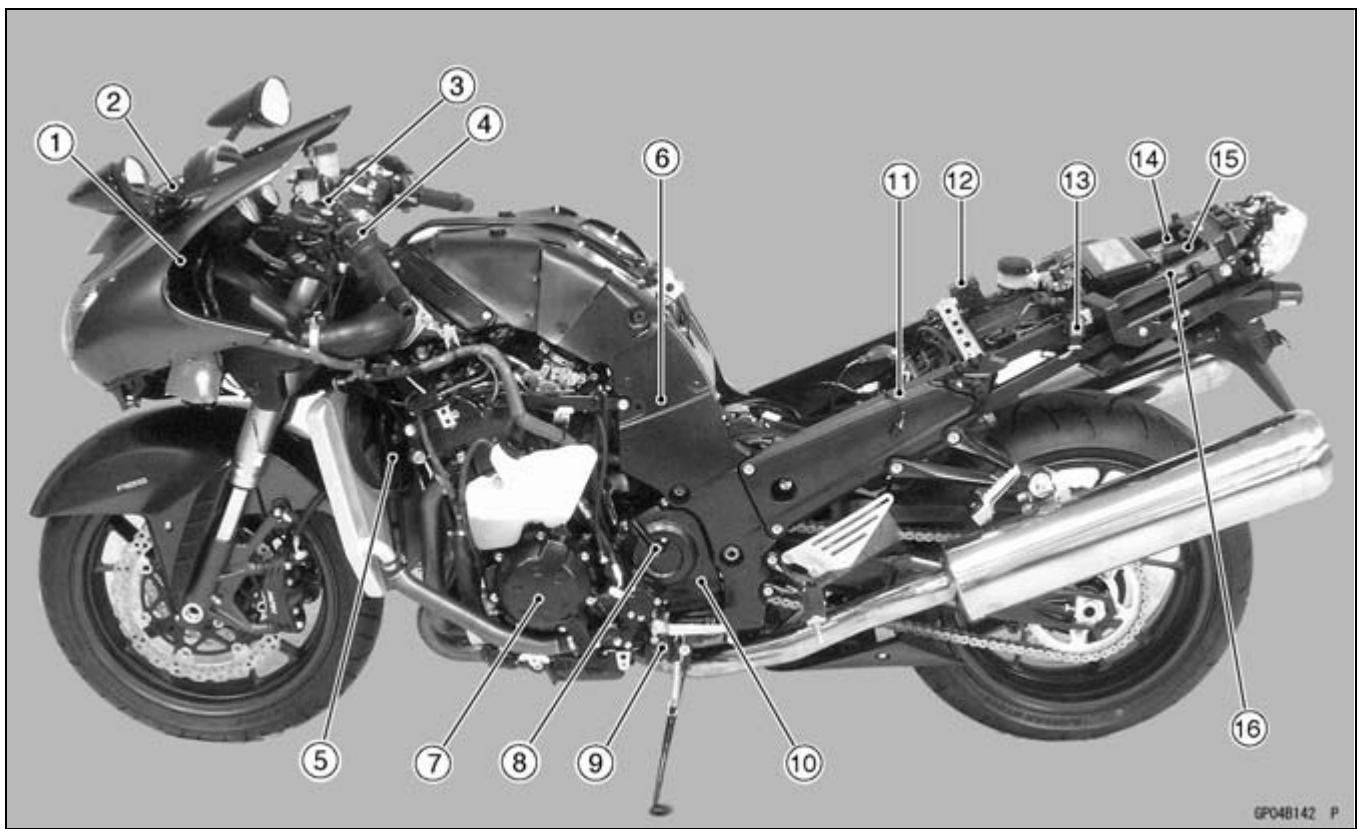
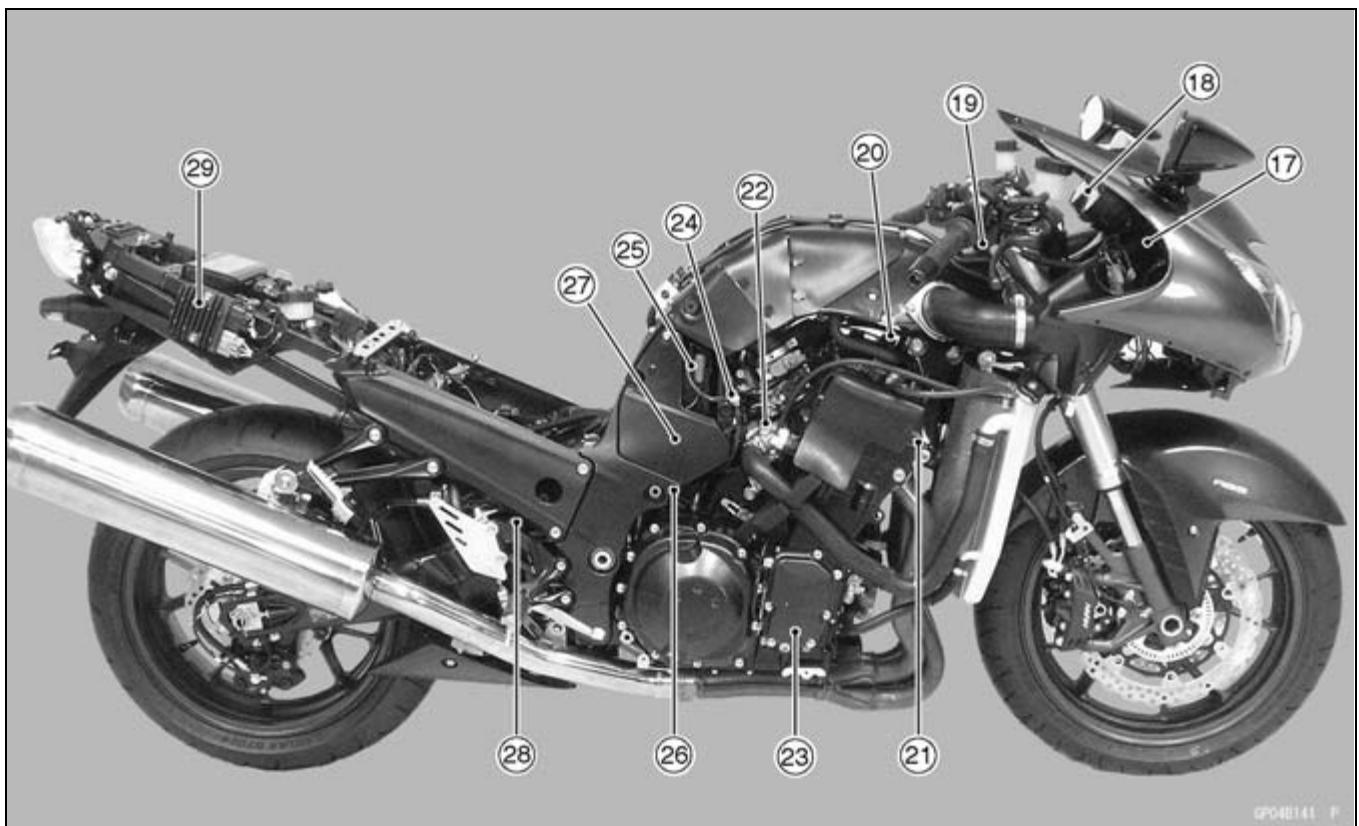
Parts Location
- Headlight Relay (High)
- Immobilizer Amplifier (Immobilizer Models)
- Ignition Switch with Immobilizer Antenna (Immobilizer Models)
- Starter Lockout Switch
- Fan Motor
- Starter Relay with Main Fuse 30 A
- Alternator
- Speed Senor
- Sidestand Switch
- Gear Position Switch
- Frame Ground 1
- Fuse Box 1
- Turn Signal Relay
- Relay Box
- Fuse Box 2 with ECU Fuse 15 A
- ECU (Electric Control Unit)
- Headlight Relay (Low)
- Meter Unit
- Front Brake Light Switch
- Air Switching Valve
- Camshaft Position Sensor
- Water Temperature Sensor
- Crankshaft Sensor
- Frame Ground 2
- Battery 12 V 14 Ah
- Engine Ground
- Starter Motor
- Rear Brake Light Switch
- Regulator/Rectifier
Wiring Diagram (United States, Canada, New Zealand and Colombia)
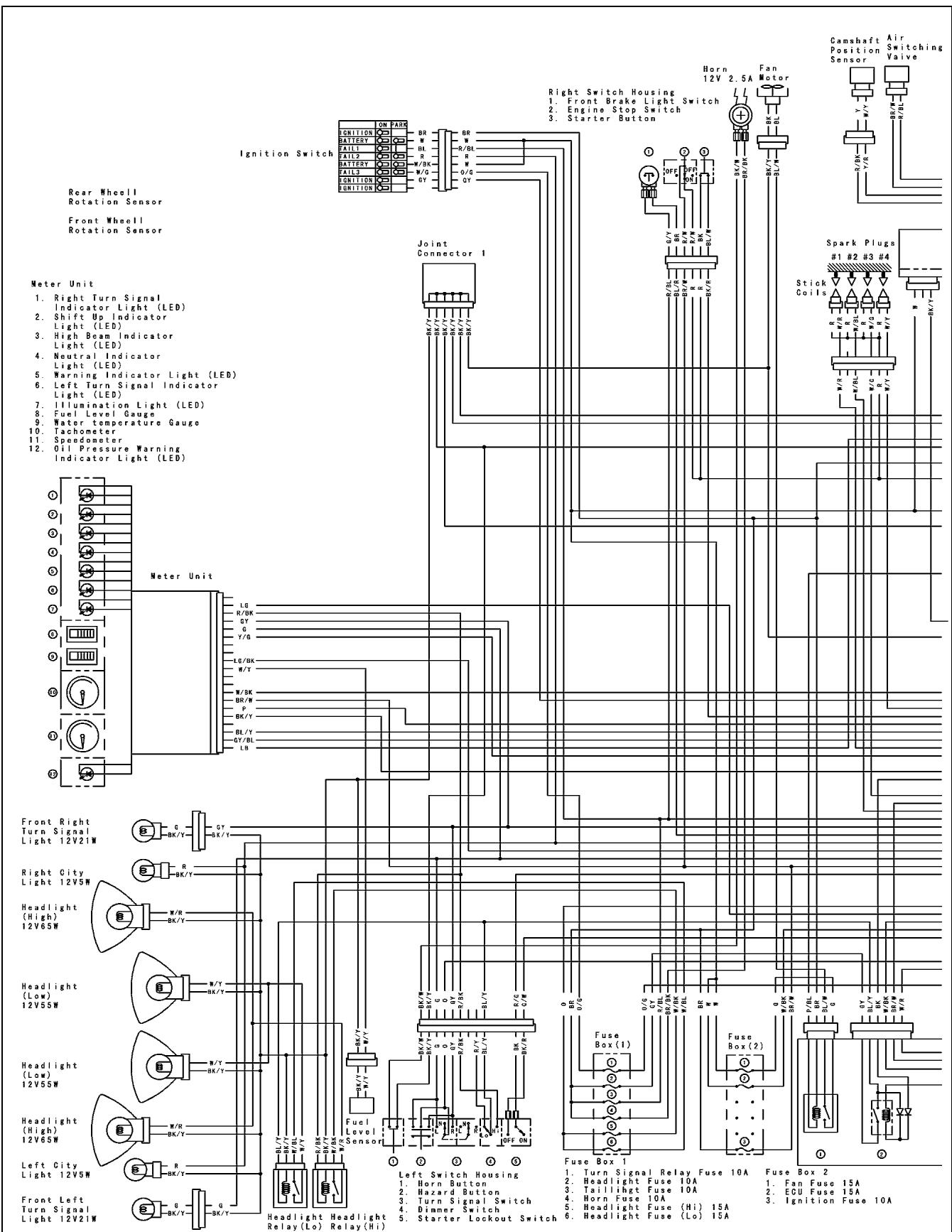
| LEFT HANDLEBAR SWITCH CONNECTIONS | |
| Horn Button | Hazard Button | Turn Signal Switch | Dimmer Switch | Starter Lockout Switch | |
| Color | BK/W | BK/Y | Color | G | O | GY | Color | G | O | GY | Color | R/BK | BL/Y | R/Y | Color | BK | BK/R |
| | | | | | | L | | | | HI | | | | Clutch Lever | | |
| Push | | | Push | | | | OFF(Push) | | | | | | | | Released | | |
| | | OFF(Push) | | | | R | | | | LO | | | | Pulled in | | |
W2L0229EW5 C
Wiring Diagram (United States, Canada, New Zealand and Colombia)

| IGNITION SWITCH CONNECTIONS |
| Ignition | Battery | Tail1 | Tail2 | Battery | Tail3 | Ignition | Ignition |
| Color | BR | W | BL | R | W/BK | W/G | BR | |
| OFF, Lock | | | | | | | | |
| ON | | | | | | | | |
| P (PARK) | | | | | | | | |
| RIGHT HANDLEBAR SWITCH CONNECTIONS |
| Front Brake Light Switch | Engine Stop Switch | Starter Button |
| Color | G/Y | BR | Color | R/W | R/W | Color | BL/W | BK |
| Brake Lever | | | OFF | | | Free | | |
| Pulled In | | | RUN | | | Push | | |
| Color Code |
| BK | Black |
| BL | Blue |
| BR | Brown |
| G | Green |
| GY | Gray |
| LB | Light Blue |
| LG | Light Green |
| O | Orange |
| P | Pink |
| PU | Purple |
| R | Red |
| W | White |
| Y | Yellow |
W2R0229EW5 C
Wiring Diagram (Other than United States, Canada, New Zealand and Colombia)

| LEFT HANDLEBAR SWITCH CONNECTIONS | | |
| Horn Button | Hazard Button | Turn Signal Switch | Dimmer Switch | Starter Lockout Switch | Passing Button | |
| Color | BK/W | BK/Y | Color | G | O | GY | Color | G | O | GY | Color | R/BK | BL/Y | R/Y | Color | BK | BK/R | Color | BL/Y | R/BK |
| | | | | | | L | | | | HI | | | | Clutch Lever | | | | | |
| Push | | | Push | | | | OFF(Push) | | | | | | | | Released | | | Push | | |
| | | OFF(Push) | | | | R | | | | LO | | | | Pulled in | | | | | |
W2L0247EW5 C
Wiring Diagram (Other than United States, Canada, New Zealand and Colombia)

| IGNITION SWITCH CONNECTIONS |
| Ignition | Battery | Tail1 | Tail2 | Battery | Tail3 |
| Color | BR | W | BL | R | W/BK | W/G |
| OFF, Lock | | | | | | |
| ON | | | | | | |
| P (PARK) | | | | | | |
| RIGHT HANDLEBAR SWITCH CONNECTIONS |
| Front Brake Light Switch | Engine Stop Switch | Starter Button |
| Color | G/Y | BR | Color | R/W | R/W | Color | BL/W | BK |
| Brake Lever | | | OFF | | | Free | | |
| Pulled In | | | RUN | | | Push | | |
| Color Code |
| BK | Black |
| BL | Blue |
| BR | Brown |
| G | Green |
| GY | Gray |
| LB | Light Blue |
| LG | Light Green |
| O | Orange |
| P | Pink |
| PU | Purple |
| R | Red |
| W | White |
| Y | Yellow |
W2R0247EW5 C
Wiring Diagram (ZX1400B Models)

| LEFT HANDLEBAR SWITCH CONNECTIONS |
| Horn Button | Hazard Button | Turn Signal Switch | Dimmer Switch | Starter Lockout Switch | Passing Button |
| Color | BK/W | BK/Y | Color | G | O | GY | Color | G | O | GY | Color | R/BK | BL/Y | R/Y | Color | BK | BK/R | Color BL/Y R/BK |
| | | | | | | L | | | | HI | | | | Clutch Lever | | | |
| Push | | | Push | | | | OFF (Push) | | | | | | | | Released | | | Push |
| | | OFF (Push) | | | | R | | | | LO | | | | Pulled in | | | |
W2L0231EW5 C
Wiring Diagram (ZX1400B Models)

| IGNITION SWITCH CONNECTIONS |
| Ignition | Battery | Tail1 | Tail2 | Battery | Tail3 |
| Color | BR | W | BL | R | W/BK | W/G |
| OFF, Lock | | | | | | |
| ON | | | | | | |
| P (PARK) | | | | | | |
| RIGHT HANDLEBAR SWITCH CONNECTIONS |
| Front Brake Light Switch | Engine Stop Switch | Starter Button |
| Color | G/Y | BR | Color | R/W | R/W | Color | BL/W | BK |
| Brake Lever | | | OFF | | | Free | | |
| Pulled In | | | RUN | | | Push | | |
| Color Code |
| BK | Black |
| BL | Blue |
| BR | Brown |
| G | Green |
| GY | Gray |
| LB | Light Blue |
| LG | Light Green |
| O | Orange |
| P | Pink |
| PU | Purple |
| R | Red |
| W | White |
| Y | Yellow |
W2R0231EW5 C
Specifications
| Item | Standard |
| Battery | |
| Type | Sealed battery |
| Model Name | FTZ14-BS |
| Capacity | 12 V 14 Ah |
| Voltage | 12.6 V or more |
| Charging System | |
| Type | Three-phase AC |
| Alternator Output Voltage | 51 V or more @4 000 r/min (rpm) |
| Stator Coil Resistance | 0.05 ~ 0.5 Ω |
| Charging Voltage (Regulator/Rectifier Output Voltage) | 14.2 ~ 15.2 V |
| Ignition System | |
| Crankshaft Sensor Resistance | 376 ~ 564 Ω |
| Crankshaft Sensor Peak Voltage | 2.4 V or more |
| Camshaft Position Sensor Resistance | 400 ~ 460 Ω |
| Camshaft Position Sensor Peak Voltage | 2.8 V or more |
| Spark Plug Gap | 0.8 ~ 0.9 mm (0.031 ~ 0.035 in.) |
| Stick Coil: | |
| Primary Winding Resistance | 1.2 ~ 1.6 Ω |
| Secondary Winding Resistance | 8.5 ~ 11.5 kΩ |
| Primary Peak Voltage | 72 V or more |
| Electric Starter System | |
| Starter Motor: | |
| Brush Length | 10 mm (0.39 in.), Service limit 5.0 mm (0.20 in.) |
| Commutator Diameter | 28 mm (1.10 in.), Service limit 27 mm (1.06 in.) |
| Air Switching Valve | |
| Resistance | 18 ~ 22 Ω at 20°C (68°F) |
| Meter, Gauge, Indicator Unit | |
| Can Communication Line Resistance (at Meter Unit) | 122 ~ 126 Ω |
| Speed Sensor Supply Voltage | about 12 V |
| Switch and Sensor | |
| Rear Brake Light Switch Timing | ON after about 10 mm (0.39 in.) pedal travel |
| Engine Oil Pressure Switch Connections | When engine is stopped: ON |
| When engine is running: OFF |
| Water Temperature Sensor Resistance | In the text |
| Fuel Level Sensor Resistance: | |
| Full Position | 9 ~ 11 Ω |
| Empty Position | 213 ~ 219 Ω |
Hand Tester:
57001-1394
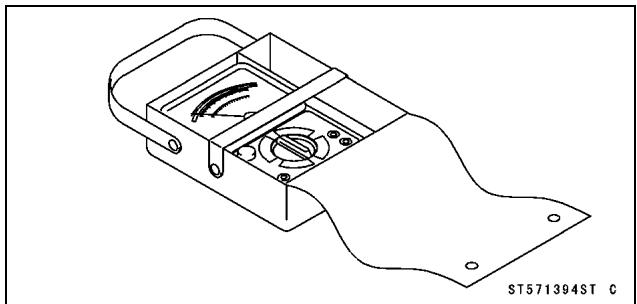
natural_image
Technical line drawing of a mechanical housing or enclosure with internal components and mounting holes (no text or symbols)
Flywheel Puller Assembly, M38 × 1.5/M35 × 1.5:57001-1405
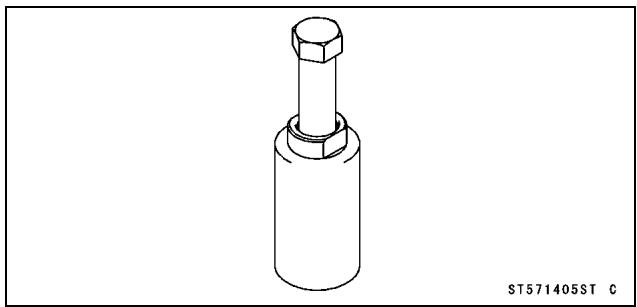
natural_image
Technical line drawing of a mechanical component with a cylindrical body and hexagonal end (no text or symbols)
Peak Voltage Adapter: 57001-1415

natural_image
Pure electrical circuit lines without any symbols
Lead Wire - Peak Voltage Adapter: 57001-1449

natural_image
Pure electrical connector diagram without any text, numbers, or symbols
Needle Adapter Set: 57001-1457
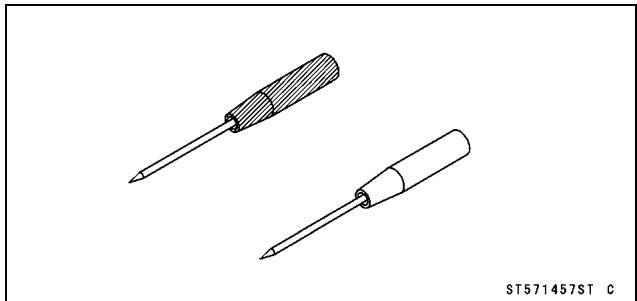
natural_image
Technical line drawing of two screwdriver tips (no text or symbols on the diagrams)
Harness Adapter: 57001-1562
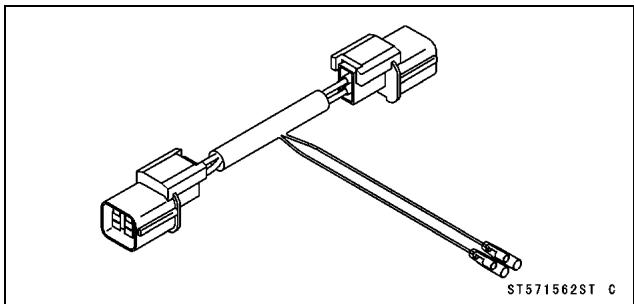
natural_image
Technical line drawing of a mechanical connector assembly (no text or symbols)
Key Registration Unit: 57001-1582
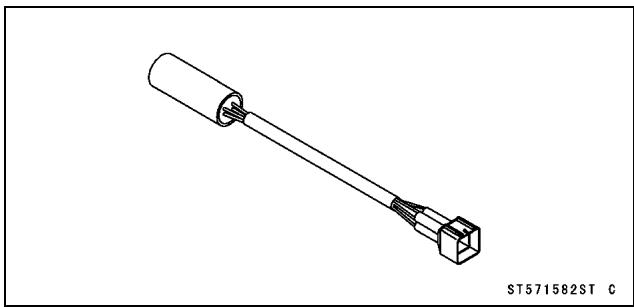
natural_image
Technical line drawing of a cylindrical connector with a terminal pin (no text or symbols on the component itself)
Grip:
57001-1591

natural_image
Technical line drawing of a metal bracket with two bolt holes and two threaded bolts (no text or symbols)
Rotor Holder: 57001-1672
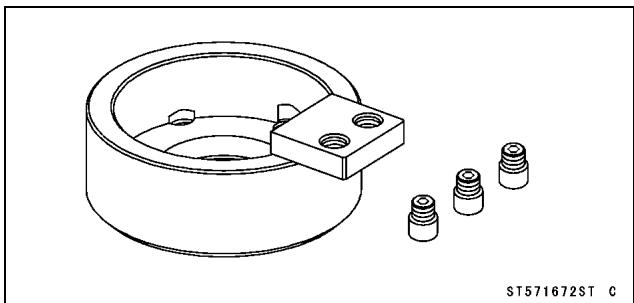
natural_image
Technical line drawing of a mechanical component with multiple threaded pins and a cylindrical housing (no text or symbols)
Stopper: 57001-1679
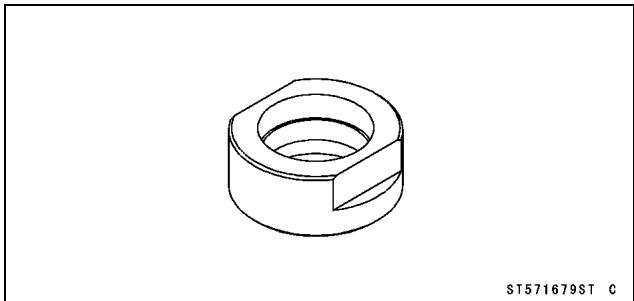
natural_image
Technical line drawing of a mechanical nut component (no text or symbols)
Kawasaki Bond (Silicone Sealant): 92104-0004

Precautions
There are a number of important precautions that are musts when servicing electrical systems. Learn and observe all the rules below.
- Do not reverse the battery cable connections. This will burn out the diodes on the electrical parts.
○Always check battery condition before condemning other parts of an electrical system. A fully charged battery is a must for conducting accurate electrical system tests.
○The electrical parts should never be struck sharply, as with a hammer, or allowed to fall on a hard surface. Such a shock to the parts can damage them.
To prevent damage to electrical parts, do not disconnect the battery cables or any other electrical connections when the ignition switch is on, or while the engine is running.
Because of the large amount of current, never keep the starter button pushed when the starter motor will not turn over, or the current may burn out the starter motor windings.
- Do not use a meter illumination bulb rated for other than voltage or wattage specified in the wiring diagram, as the meter or gauge panel could be warped by excessive heat radiated from the bulb.
○Take care not to short the cables that are directly connected to the battery positive (+) terminal to the chassis ground.
○Troubles may involve one or in some cases all items. Never replace a defective part without determining what CAUSED the failure. If the failure was caused by some other item or items, they must be repaired or replaced, or the new replacement will soon fail again.
○Make sure all connectors in the circuit are clean and tight, and examine wires for signs of burning, fraying, etc. Poor wires and bad connections will affect electrical system operation.
○Measure coil and winding resistance when the part is cold (at room temperature).
○Color Codes:
BK: Black
G: Green
P: Pink
BL: Blue
GY: Gray
PU: Purple
BR: Brown
LB: Light Blue
R: Red
CH: Chocolate
LG: Light Green
W: White
DG: Dark Green
O: Orange
Y: Yellow
Electrical Wiring
Wiring Inspection
- Visually inspect the wiring for signs of burning, fraying, etc.
★If any wiring is poor, replace the damaged wiring.
- Pull each connector [A] apart and inspect it for corrosion, dirt, and damage.
★If the connector is corroded or dirty, clean it carefully. If it is damaged, replace it.
- Check the wiring for continuity.
○Use the wiring diagram to find the ends of the lead which is suspected of being a problem.
○Connect the hand tester between the ends of the leads.
Special Tool - Hand Tester: 57001-1394
○Set the tester to the × 1 Ω range, and read the tester.
★If the tester does not read 0 Ω, the lead is defective. Replace the lead or the wiring harness [B] if necessary.


natural_image
Pure electrical circuit lines without any symbols
Battery
Battery Removal
- Turn off the ignition switch.
-
Remove:
Right Fairing Cover (see Fairing Cover Removal in the Frame chapter)
Bolt [A]
Battery Compartment Cover [B]
○Clear the stoppers from the frame.
-
Remove:
Bolt [A]
Bracket Bolts [B]
Bracket [C]
Connector [D] (Disconnect)
CAUTION
Be sure to disconnect the negative (−) cable first.
- Slightly pull out the battery tray [A].
- Unhook the band [B].
-
Remove the battery cover [C].
-
Slide the red cap [A] out.
- Disconnect the positive (+) cable [B].
-
Remove the battery tray with battery [C].
-
Disconnect the negative (−) cable [A].
- Remove the battery [B] from the battery tray.


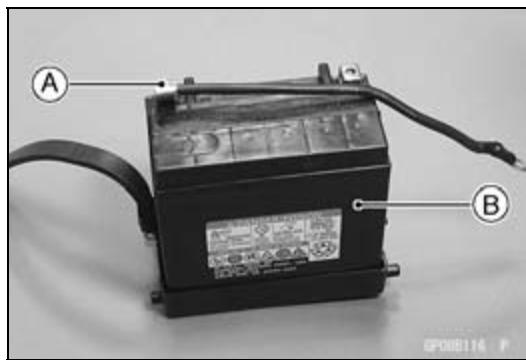
Battery
Battery Installation
- Place the battery in the tray.
- Connect the negative (−) cable to the battery.
- Apply a light coat of grease on the terminals to prevent corrosion.
- Insert the battery tray along with the battery into the battery compartment.
- Connect the positive (+) cable to the battery.
-
Cover the (+) terminal with its red cap [A].
-
Install the battery cover on the battery, and hook the band.
- Be sure insert the battery tray along with the battery into the battery compartment.
- Put the holes [A] of the bracket to the projections [B] of the battery tray.
- Tighten the bracket bolts.
- Connect the connector.
- Connect the negative (−) cable to the frame.
- Put the projections of the battery compartment cover into the holes of the frame.
- Install:
Bolt
Right Fairing Cover (see Fairing Cover Installation in the Frame chapter)
Battery Activation
Electrolyte Filling
- Make sure that the model name [A] of the electrolyte container matches the model name [B] of the battery. These names must be the same.
Battery Model Name for ZX1400A/B: FTZ14-BS
CAUTION
Be sure to use the electrolyte container with the same model name as the battery since the electrolyte volume and specific gravity vary with the battery type. This is to prevent overfilling of the electrolyte, shorting the battery life, and deterioration of the battery performance.
CAUTION
Do not remove the aluminum sealing sheet [A] from the filler ports [B] until just prior to use. Be sure to use the dedicated electrolyte container for correct electrolyte volume.
- Place the battery on a level surface.
- Check to see that the sealing sheet has no peeling, tears, or holes in it.
- Remove the sealing sheet.
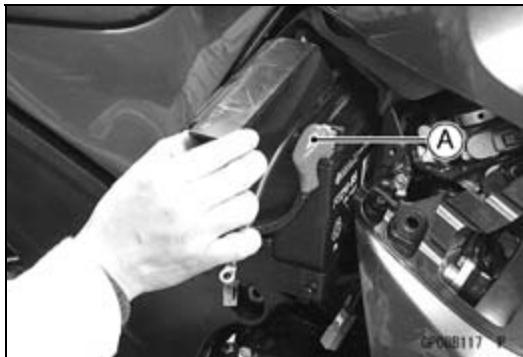
natural_image
Close-up of a hand adjusting the engine compartment of a car hood (no visible text or symbols)


natural_image
Isometric line drawing of a battery casing with mounting brackets and a label pointing to a section (no text or symbols present)
GP080204S1 C

GP08003BS1 C
NOTE
○The battery is vacuum sealed. If the sealing sheet has leaked air into the battery, it may require a longer initial charge.
Battery
- Remove the electrolyte container from the vinyl bag.
- Detach the strip of caps [A] from the container and set aside, these will be used later to seal the battery.
NOTE
○Do not pierce or otherwise open the sealed cells [B] of the electrolyte container. Do not attempt to separate individual cells.
- Place the electrolyte container upside down with the six sealed cells into the filler ports of the battery. Hold the container level, push down to break the seals of all six cells. You will see air bubbles rising into each cell as the ports fill.
NOTE
○Do not tilt the electrolyte container
- Check the electrolyte flow.
★If no air bubbles [A] are coming up from the filler ports, or if the container cells have not emptied completely, tap the container [B] a few times.
- Keep the container in place for 20 minutes or more. Don't remove the container from the battery until it's empty, the battery requires all the electrolyte from the container for proper operation.
CAUTION
Removal of the container before it is completely empty can shorten the service life of the battery. Do not remove the electrolyte container until it is completely empty and 20 minutes have elapsed.
- Gently remove the container from the battery.
- Let the battery sit for 60 minutes prior to charging to allow the electrolyte to permeate into the plates for optimum performance.
NOTE
○Charging the battery immediately after filling can shorten service life. Let the battery sit for at least 60 minutes after filling.

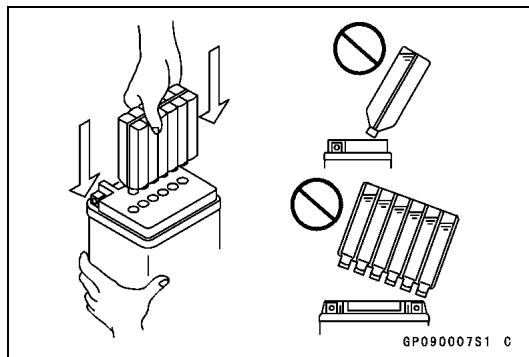

Battery
Initial Charge
- Place the strip [A] of caps loosely over the filler ports.
- Newly activated sealed batteries require an initial charge.
Standard Charge: 1.4 A × 5 \~ 10 hours
★If using a recommended battery charger, follow the charger's instructions for newly activated sealed battery.
Kawasaki-recommended chargers:
Optimate III
Yuasa 1.5 Amp Automatic Charger
Battery Mate 150-9
★If the above chargers are not available, use equivalent one.
NOTE
○Charging rates will vary depending on how long the battery has been stored, temperature, and the type of charger used. Let battery sit 30 minutes after initial charge, then check voltage using a voltmeter. If it is not at least 12.6 volts, repeat charging cycle.
- After charging is completed, press down firmly with both hands to seat the strip of caps [A] into the battery (don't pound or hammer). When properly installed, the strip of the caps will be level with the top of the battery.
CAUTION
Once the strip of the caps is installed onto the battery, never remove the caps, nor add water or electrolyte to the battery.


NOTE
To ensure maximum battery life and customer satisfaction, it is recommended the battery be load tested at three times its amp-hour rating for 15 seconds. Re-check voltage and if less than 12.6 volts repeat the charging cycle and load test. If still below 12.6 volts the battery is defective.
Battery
Precautions
1) No need of topping-up
No topping-up is necessary in this battery until it ends its life under normal use. Forcibly prying off the seal cap to add water is very dangerous. Never do that.
2) Refreshing charge
If an engine will not start, a horn sounds weak, or lamps are dim, it indicates the battery has been discharged. Give refresh charge for 5 to 10 hours with charge current shown in the specification (see this chapter).
When a fast charge is inevitably required, do it following precisely the maximum charge current and time conditions indicated on the battery.
CAUTION
This battery is designed to sustain no unusual deterioration if refresh-charged according to the method specified above. However, the battery's performance may be reduced noticeably if charged under conditions other than given above. Never remove the seal cap during refresh charge.
If by chance an excessive amount of gas is generated due to overcharging, the relief valve releases the gas to keep the battery normal.
3) When you do not use the motorcycle for months:
Give a refresh charge before you store the motorcycle and store it with the negative cable removed. Give a refresh charge once a month during storage.
4) Battery life:
If the battery will not start the engine even after several refresh charges, the battery has exceeded its useful life. Replace it (Provided, however, the vehicle's starting system has no problem).
WARNING
Keep the battery away from sparks and open flames during charging, since the battery gives off an explosive gas mixture of hydrogen and oxygen. When using a battery charger, connect the battery to the charger before turning on the charger.
This procedure prevents sparks at the battery terminals which could ignite any battery gases.
No fire should be drawn near the battery, or no terminals should have the tightening loosened.
The electrolyte contains sulfuric acid. Be careful not to have it touch your skin or eyes. If touched, wash it off with liberal amount of water. Get medial attention if severe.
Interchange
A sealed battery can fully display its performance only when combined with a proper vehicle electric system. Therefore, replace a sealed battery only on a motorcycle which was originally equipped with a sealed battery.
Be careful, if a sealed battery is installed on a motorcycle which had an ordinary battery as original equipment, the sealed battery's life will be shortened.
Charging Condition Inspection
○Battery charging condition can be checked by measuring battery terminal voltage with a digital voltmeter [A].
- Remove:
Battery (see Battery Removal)
- Measure the battery terminal voltage.
NOTE
○Measure with a digital voltmeter which can be read one decimal place voltage.
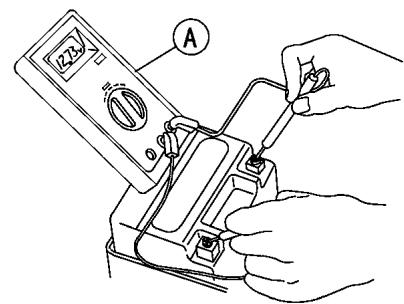
GP080108S1 C
Battery
★If the reading is 12.6 V or more, no refresh charge is required, however, if the read is below the specified, refresh charge is required.
Battery Terminal Voltage
Standard: 12.6 V or more
Refreshing Charge
- Remove the battery [A] (see Battery Removal).
- Do refresh charge by following method according to the battery terminal voltage.
WARNING
This battery is sealed type. Never remove sealing cap [B] even at charging. Never add water. Charge with current and time as stated below.
Terminal Voltage: 11.5 \~ less than 12.6 V
Standard Charge 1.4 A × 5 \~ 10 h (see following chart)
Quick Charge 7 A × 1 h
CAUTION
If possible, do not quick charge. If quick charge is done unavoidably, do standard charge later on.
Terminal Voltage: less than 11.5 V
Charging Method: 1.4 A × 20 h
NOTE
○ Increase the charging voltage to a maximum voltage of 25 V if the battery will not accept current initially. Charge for no more than 5 minutes at the increased voltage then check if the battery is drawing current. If the battery will accept current decrease the voltage and charge by the standard charging method described on the battery case. If the battery will not accept current after 5 minutes, replace the battery.
Battery [A]
Battery Charger [B]
Standard Value [C]
Current starts to flow [D]
- Determine the battery condition after refresh charge.
○Determine the condition of the battery left for 30 minutes after completion of the charge by measuring the terminal voltage according to the table below.
| Criteria | Judgement |
| 12.6 V or higher | Good |
| 12.0 ~ lower than 12.6 V | Charge insufficient → Recharge |
| lower than 12.0 V | Unserviceable → Replace |

line
| Battery Charge (%) | Terminal Voltage (V) |
| ------------------ | -------------------- |
| 0 | 11.5 |
| 25 | 12.0 |
| 50 | 12.5 |
| 75 | 13.0 |
| 100 | 13.5 |


line
| Battery Terminal Voltage (V) | Charge Time (h) |
| ---------------------------- | --------------- |
| 11.6 | 10 |
| 12.0 | 6 |
| 12.4 | 4 |
| 12.6 | 0 |
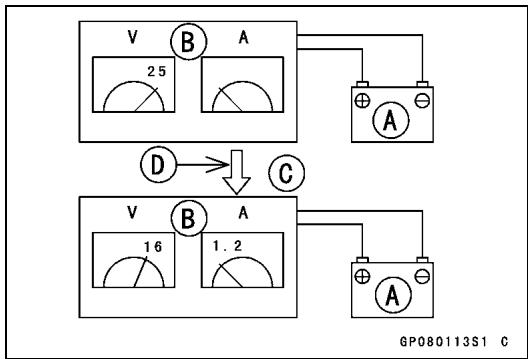
flowchart
graph TD
    A["Measurement Input"] --> B["V = 2.5"]
    A --> C["A = 1.2"]
    B --> D["Capacitor A"]
    C --> E["Capacitor A"]
    D --> F["Output C"]
    E --> G["Output C"]
    style A fill:#f9f,stroke:#333
    style B fill:#ccf,stroke:#333
    style C fill:#ccf,stroke:#333
    style D fill:#cfc,stroke:#333
    style E fill:#cfc,stroke:#333
    style F fill:#ffc,stroke:#333
    style G fill:#ffc,stroke:#333
Charging System
Alternator Cover Removal
- Pull the alternator lead out of between the engine and frame.


Alternator Cover Installation
- Apply silicone sealant to the alternator lead grommet and crankcase halves mating surface [A] on the front and rear sides of the cover mount.
Sealant - Kawasaki Bond (Silicone Sealant): 92104-0004
- Check that dowel pins [B] are in place on the crankcase.
- Install a new gasket and the alternator cover.
- Tighten:
Torque - Alternator Cover Bolts: 9.8 N·m (1.0 kgf·m, 87 in·lb)
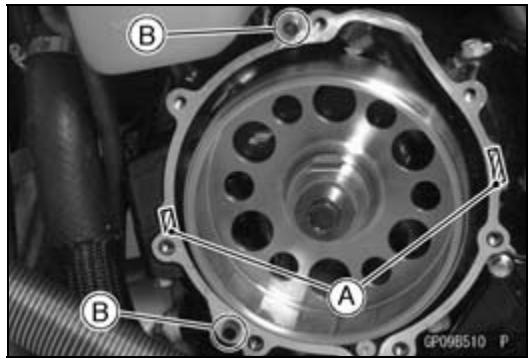
Stator Coil Removal
- Remove:
Alternator Cover (see Alternator Cover Removal)
Holding Plate Bolts [A] and Plate
Alternator Lead Grommet [B]
Stator Coil Bolts [C]
- Remove the stator coil [D] from the alternator cover.
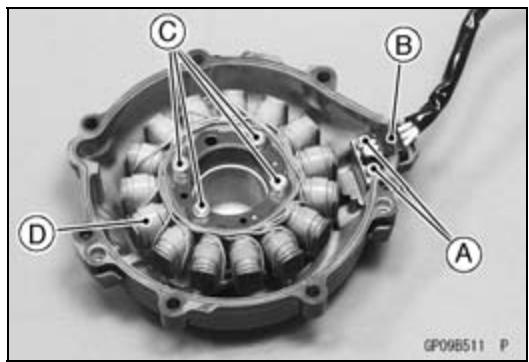
Charging System
Stator Coil Installation
- Tighten the stator coil bolts to the specified torque.
Torque - Stator Coil Bolts: 12 N·m (1.2 kgf·m, 106 in·lb)
- Apply silicone sealant to the circumference of the alternator lead grommet, and fit the grommet into the notch of the cover securely.
Sealant - Kawasaki Bond (Silicone Sealant): 92104-0004
- Secure the alternator lead with a holding plate [A], and apply a non-permanent locking agent to the thread of the plate bolts and tighten them.
Torque - Alternator Lead Holding Plate Bolts: 8.3 N·m (0.85 kgf·m, 73 in·lb)
- Install the alternator cover (see Alternator Cover Installation).
Alternator Rotor Removal
- Remove the alternator cover (see Alternator Cover Removal).
- Clean off the oil from the outer circumference of the rotor.
- Hold the alternator rotor steady with the rotor holder [A], and remove the rotor bolt [B] and washer.
Special Tools - Grip [C]: 57001-1591
Rotor Holder: 57001-1672
Stopper [D]: 57001-1679
- Using the flywheel puller [A], remove the alternator rotor from the crankshaft.
Special Tool - Flywheel Puller, M38 × 1.5: 57001-1405
CAUTION
Do not attempt to strike the alternator rotor itself. Striking the rotor can cause the magnets to lose their magnetism.
Alternator Rotor Installation
- Using a cleaning fluid, clean off any oil or dirt on the following portions and dry them with a clean cloth.
Crankshaft Tapered Portion [A]
Alternator Rotor Tapered Portion [B]
- Install the alternator rotor.

natural_image
Close-up of a hand holding a mechanical component with threaded pins and coiled spring (no visible text or symbols)


natural_image
Close-up of a mechanical component with labeled section A, showing internal gears and a bolted shaft (no readable text or symbols)

natural_image
Close-up of a mechanical assembly showing a flanged disc and internal components (no visible text or symbols)
Charging System
- Using a cleaning fluid, clean off any oil or dirt on the washer [A] and dry if with a clean cloth.
- Install the washer so that its chamfer side [B] faces the rotor bolt [C].

NOTE
○Confirm the alternator rotor fit or not to the crankshaft before tightening it with specified torque.
- Install the rotor bolt [B] and tighten it with 69 N·m (7.0 kgf·m, 51 ft·lb) of torque.
- Remove the rotor bolt and washer.
-
Check the tightening torque with flywheel puller [A].
★If the rotor is not pulled out with 20 N·m (2.0 kgf·m, 15 ft·lb) of drawing torque, it is installed correctly.
★If the rotor is pulled out with under 20 N·m (2.0 kgf·m, 15 ft·lb) of drawing torque, clean off any oil dirt or flaw of the crankshaft and rotor tapered portion, and dry them with a clean cloth. Then, confirm that it is not pulled out with above torque.
-
Install the rotor bolt and washer.
- Tighten the alternator rotor bolt [A] while holding the alternator rotor steadily with the holder [B].
Special Tools - Grip [C]: 57001-1591
Rotor Holder: 57001-1672
Stopper [D]: 57001-1679
Torque - Alternator Rotor Bolt: 110 N·m (11.2 kgf·m, 81 ft·lb)
- Install the alternator cover (see Alternator Cover Installation).
Alternator Inspection
There are three types of alternator failures: short, open (wire burned out), or loss in rotor magnetism. A short or open in one of the coil wires will result in either a low output, or no output at all. A loss in rotor magnetism, which may be caused by dropping or hitting the alternator, by leaving it near an electromagnetic field, or just by aging, will result in low output.

natural_image
Close-up of a mechanical component with labeled parts A and B, showing internal gears and shafts (no readable text or symbols beyond labels)

natural_image
Close-up of a mechanical assembly with hoses and a dial, no visible text or symbols
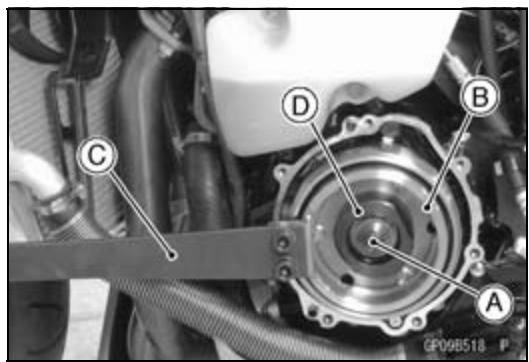
Charging System
- To check the alternator output voltage, do the following procedures.
○Turn off the ignition switch.
○Remove the right seat cover (see Seat Cover Removal in the Frame chapter).
○Disconnect the alternator lead connector [A].
○Connect the hand tester as shown in the table 1.
Special Tool - Hand Tester: 57001-1394
○Start the engine.
○Run it at the rpm given in the table 1.
○Note the voltage readings (total 3 measurements).
Table 1 Alternator Output Voltage
| Tester Range | Connections | Reading @4 000 rpm |
| Tester (+) to | Tester (−) to |
| 250 V AC | One Black Lead | Another Black Lead | 51 V or more |
★If the output voltage shows the value in the table, the alternator operates properly.
★If the output voltage shows a much higher than the value in the table, the regulator/rectifier is damaged. A much lower reading than that given in the table indicates that the alternator is defective.
- Check the stator coil resistance as follows.
○Stop the engine.
○Connect the commercially available tester as shown in the table 2.
○Note the readings (total 3 measurement).
Table 2 Stator Coil Resistance
at 20°C (68°F)
| Tester Range | Connections | Reading |
| Tester (+) to | Tester (−) to |
| × 1 Ω | One Black Lead | Another Black Lead | 0.05 ~ 0.5 Ω |
★If there is more resistance than shown in the table, or no tester reading (infinity) for any two leads, the stator has an open lead and must be replaced. Much less than this resistance means the stator is shorted, and must be replaced.
- Using the highest resistance range of the hand tester, measure the resistance between each of the black leads and chassis ground.
★Any hand tester reading less than infinity ( ∞ ) indicates a short, necessitating stator replacement.
★If the stator coils have normal resistance, but the voltage check showed the alternator to be defective; then the rotor magnets have probably weakened, and the rotor must be replaced.

natural_image
Close-up of a car engine bay with visible components and a labeled component (A), no readable text or symbols beyond the label.
Charging System
Regulator/Rectifier Inspection
- Remove:
Right Seat Cover (see Seat Cover Removal in the Frame chapter)
Connectors [A]
Regulator/Rectifier Bolts [B]
Regulator/Rectifier [C]
- Set the hand tester to the × 1 kΩ range and make the measurements shown in the table.
Special Tool - Hand Tester: 57001-1394
- Connect the hand tester to the regulator rectifier.
★If the tester readings are not as specified, replace the regulator/rectifier.
CAUTION
Use only Kawasaki Hand Tester 57001-1394 for this test. A tester other than the Kawasaki Hand Tester may show different readings.
If a megger or a meter with a large capacity battery is used, the regulator/rectifier will be damaged.
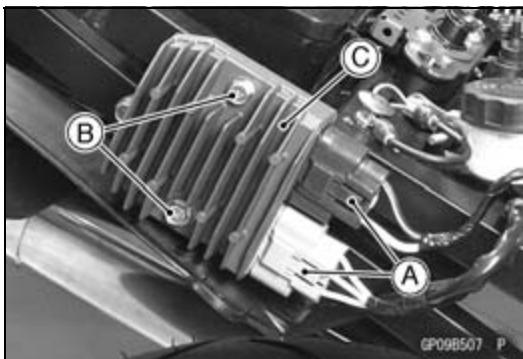

GP09164BS1 C
Regulator/Rectifier Resistance
(Unit: kΩ)
| Tester (+) Lead Connection |
| Terminal | W | BK1 | BK2 | BK3 |
| (-)* | W | - | 20 ~ 300 | 20 ~ 300 | 20 ~ 200 | 20 ~ 750 |
| BK1 | 0 ~ 5 | - | 20 ~ 300 | 20 ~ 200 | 20 ~ 750 |
| BK2 | 0 ~ 5 | 20 ~ 300 | - | 20 ~ 200 | 20 ~ 750 |
| BK3 | 0 ~ 5 | 20 ~ 300 | 20 ~ 300 | - | 20 ~ 750 |
| BK/Y | 5 ~ 20 | 5 ~ 20 | 5 ~ 20 | 5 ~ 20 | - |
(-)*: Tester (-) Lead Connection
- Install the regulator/rectifier.
Torque - Regulator/Rectifier Bolts: 9.8 N·m (1.0 kgf·m, 87 in·lb)
Charging System
Charging Voltage Inspection
- Check the battery condition (see Charging Condition Inspection).
- Warm up the engine to obtain actual alternator operating conditions.
- Remove the right fairing cover (see Fairing Cover Removal in the Frame chapter).
- Check that the ignition switch is turned off, and connect the hand tester [A] to the battery (+) terminal and ground.
Special Tool - Hand Tester: 57001-1394
- Start the engine, and note the voltage readings at various engine speeds with the headlight turned on and then turned off (To turn off the headlight, disconnect the headlight connector on the headlight unit.). The readings should show nearly battery voltage when the engine speed is low, and, as the engine speed rises, the readings should also rise. But they must be kept under the specified voltage.
Charging Voltage
| Tester Range | Connections | Reading |
| Tester (+) to | Tester (−) to |
| 25 V DC | Battery (+) | Ground | 14.2 ~ 15.2 V |
- Turn off the ignition switch to stop the engine, and disconnect the hand tester.
★If the charging voltage is kept between the values given in the table, the charging system is considered to be working normally.
★If the charging voltage is much higher than the values specified in the table, the regulator/rectifier is defective or the regulator/rectifier leads are loose or open.
★If the charging voltage does not rise as the engine speed increases, then the regulator/rectifier is defective or the alternator output is insufficient for the loads. Check the alternator and regulator/rectifier to determine which part is defective.

Charging System
Charging System Circuit

flowchart
graph TD
    1["①"] --> BR1["BR W"]
    BR1 --> BR2["W"]
    BR2 --> BR3["W"]
    BR3 --> BR4["W"]
    BR4 --> BR5["W"]
    BR5 --> BR6["W"]
    BR6 --> BR7["W"]
    BR7 --> BR8["W"]

    2["②"] --> BK1["BK Y"]
    BK1 --> BK2["BK Y"]
    BK2 --> BK3["BK Y"]
    BK3 --> BK4["BK Y"]
    BK4 --> BK5["BK Y"]
    BK5 --> BK6["BK Y"]

    3["③"] --> Y["Y"]
    Y --> Y1["Y"]
    Y1 --> Y2["Y"]
    Y2 --> Y3["Y"]

    4["④"] --> Box["Box"]
    Box --> Box1["W"]
    Box1 --> Box2["W"]
    Box2 --> Box3["W"]
    Box3 --> Box4["W"]
    Box4 --> Box5["W"]

    5["⑤"] --> +[+]
    + --> -["-"]
    - --> +
    + --> +
    - --> +
    + --> +
    - --> +
    + --> +
    - --> +
    + --> +
    + --> +

    6["⑥"] --> +
    + --> -["-"]
    - --> +
    + --> +
    - --> +
    + --> +

    7["⑦"] --> +
    + --> -["-"]
    - --> +
    + --> +
    - --> +
    + --> +
    - --> +
    + --> +

    8["⑧"] --> BK/Y["BK Y"]
    BK/Y --> BK/Y1["BK/Y"]
    BK/Y1 --> BK/Y2["BK/Y"]

    9["⑨"] --> +
    + --> -["-"]
    - --> +
    + --> +
    - --> +
    + --> +

    10["⑩"] --> +
    + --> -["-"]
GP09165BW2 C
- Ignition Switch
- Regulator/Rectifier
- Alternator
- Load
- Main Fuse 30 A
- Frame Ground 1
- Battery 12 V 14 Ah
- Joint Connector 1
- Frame Ground 2
- Engine Ground
Ignition System
Ignition System Troubleshooting

flowchart
graph TD
    A["Faulty ignition (No spark)"] --> B["Battery Inspection"]
    B -->|Good| C["Ignition system wiring and connector inspection"]
    B -->|No good| D["Charge or replace battery."]
    C -->|Good| E["Spark plug inspection"]
    C -->|No good| F["Repair or replace damaged part."]
    E -->|Good| G["Stick coil winding resistance inspection"]
    E -->|No good| H["Replace spark plug."]
    G -->|Good| I["Stick coil primary peak voltage inspection"]
    G -->|No good| J["Replace stick coil."]
    I -->|Good| K["Stick coil is defective. Replace stick coil."]
    I -->|No good| L["Voltage is zero or almost zero."]
    L --> M["Inspect: 1. Adapter connection is incorrect, or adapter is defective.<br>2. Ignition switch and engine stop switch<br>3. Crankshaft sensor peak voltage<br>4. Camshaft position sensor peak voltage"]
    M -->|No good| N["Replace bad parts."]
    M -->|Yes| O["ECU is defective. Replace ECU."]
    N --> P["Replace bad parts or inspect them with KAWASAKI Hand Tester."]
    O --> Q["Replace bad parts or inspect them with KAWASAKI Hand Tester."]
    Q --> R["Inspect: 1. Lower resistance in a hand tester. (Use KAWASAKI Hand Tester)<br>2. Crankshaft sensor peak voltage<br>3. Camshaft position sensor peak voltage"]
    R --> S["No good"]
    R --> T["No good"]
Ignition System
WARNING
The ignition system produces extremely high voltage. Do not touch the spark plugs or stick coils while the engine is running, or you could receive a severe electrical shock.
CAUTION
Do not disconnect the battery cables or any other electrical connections when the ignition switch is on, or while the engine is running. This is to prevent ECU damage.
Do not install the battery backwards. The negative side is grounded. This is to prevent damage to the ECU.
Crankshaft Sensor Removal
- Remove:
Right Lower Fairing (see Lower Fairing Removal in the Frame chapter)
Right Middle Fairing (see Middle Fairing Removal in the Frame chapter)
Crankshaft Sensor Lead Connector [A]
- Remove:
Crankshaft Sensor Cover Bolts
Crankshaft Sensor Cover
Crankshaft Sensor Bolts [A]
Crankshaft Sensor [B]

natural_image
Close-up of an automotive engine bay with visible hoses, springs, and a labeled component (no readable text or symbols)
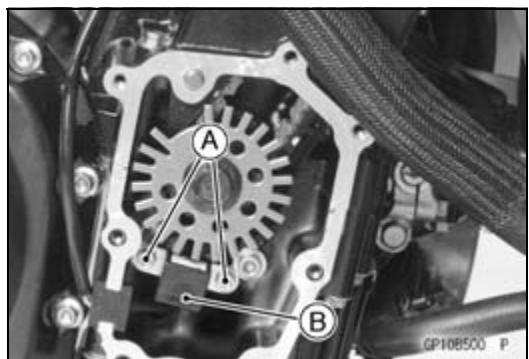
Ignition System
Crankshaft Sensor Installation
- Apply a non-permanent locking agent to the threads of the crankshaft sensor bolts [A], and tighten it.
Torque - Crankshaft Sensor Bolts: 5.9 N·m (0.60 kgf·m, 52 in·lb)
- Apply silicone sealant to the circumference of the crankshaft sensor lead grommet [B], and fit the grommet into the notch of the crankcase securely.
- Apply silicone sealant to the mating surface [C] of crankcase halves.
Sealant - Kawasaki Bond (Silicone Sealant): 92104-0004
- Replace the O-ring [D] with a new one.
- Install the crankshaft sensor cover.
- Apply a non-permanent locking agent to only one crank-shaft sensor cover bolt [E] shown in figure.
- Tighten the crankshaft sensor cover bolts.
Torque - Crankshaft Sensor Cover Bolts: 9.8 N·m (1.0 kgf·m, 87 in·lb)
- Route the crankshaft sensor lead correctly (see Cable, Wire, and Hose Routing section in the Appendix chapter).
- Install the removed parts (see appropriate chapters).
Crankshaft Sensor Inspection
- Remove the right fairing cover (see Fairing Cover Removal in the Frame chapter).
- Disconnect the crankshaft sensor lead connector (see Crankshaft Sensor Removal).
- Set the hand tester [A] to the × 100 Ω range and connect it to the crankshaft sensor lead connector [B].
Special Tool - Hand Tester: 57001-1394
Crankshaft Sensor Resistance: 376 \~ 564 Ω
★If there is more resistance than the specified value, the coil has an open lead and must be replaced. Much less than this resistance means the coil is shorted, and must be replaced.
- Using the highest resistance range of the tester, measure the resistance between the crankshaft sensor leads and chassis ground.
★Any tester reading less than infinity ( ∞ ) indicates a short, necessitating replacement of the crankshaft sensor.
Crankshaft Sensor Peak Voltage Inspection
NOTE
○Be sure the battery is fully charged.
○Using the peak voltage adapter is a more reliable way to determine the condition of the crankshaft sensor than crankshaft sensor internal resistance measurements.
- Disconnect the crankshaft sensor lead connector (see Crankshaft Sensor Removal).


Ignition System
- Set the hand tester [A] to the × 25 V DC range, and connect the peak voltage adapter [B].
Special Tools - Hand Tester: 57001-1394
Peak Voltage Adapter: 57001-1415
Type: KEK-54-9-B
Connections:
| Crankshaft Sensor Connector [C] | Adapter | Hand Tester |
| Black | ← | Black → | (−) |
| Yellow | ← | Red → | (+) |
- Turn the ignition switch and engine stop switch ON.
- Pushing the starter button, turn the engine 4 \~ 5 seconds with the transmission gear in neutral to measure the crankshaft sensor peak voltage.
- Repeat the measurement 5 or more times.
Crankshaft Sensor Peak Voltage
Standard: 2.4 V or more
★If the tester reading is not specified one, check the crankshaft sensor.
Stick Coil (Ignition Coil together with Spark Plug Cap) Removal
- Remove:
Middle Fairings (see Middle Fairing Removal in the Frame chapter)
- Disconnect the stick coil connectors [A].
- Pull the stick coils [B] off the spark plugs.
CAUTION
Do not pry the connector part of the coil while removing the coil.
Stick Coil (Ignition Coil together with Spark Plug Cap) Installation
- Apply grease to the stick coils.
- Insert the stick coils [A] as shown being careful of the coil heads directions.
○Align the lines [B] of the cylinder head cover and coil heads.
CAUTION
Do not tap the coil head while installing the coil.
- Connect the stick coil connectors.
- Run the hoses and harness correctly (see Cable, Wire, and Hose Routing section in Appendix chapter).
- Install the removed parts (see appropriate chapters).


natural_image
Close-up of an automotive engine bay with labeled parts A and B (no readable text or symbols beyond labels)

GP10353BS1 C
Ignition System
Stick Coil (Ignition Coil together with Spark Plug Cap) Inspection
- Remove the stick coils (see Stick Coil (Ignition Coil together with Spark Plug Cap) Removal).
- Measure the primary winding resistance [A] as follows.
○Connect the hand tester between the coil terminals.
○Set the tester to the × 1 Ω range, and read the tester.
- Measure the secondary winding resistance [B] as follows.
○Connect the tester between the plug terminal and (−) coil terminal.
○Set the tester to the × 1 kΩ range and read the tester.
Stick Coil Winding Resistance
Primary Windings: 1.2 \~ 1.6 Ω
Secondary Windings: 8.5 \~ 11.5 kΩ
★If the tester does not read as specified, replace the coil.
Stick Coil Primary Peak Voltage
NOTE
○Be sure the battery is fully charged.
- Remove the stick coils (see Stick Coil (Ignition Coil together with Spark Plug Cap) Removal).
○Do not remove the spark plug.
● Measure the primary peak voltage as follows.
○Install the new spark plug [A] into each stick coil [B], and ground them onto the engine.
○Connect the peak voltage adapter [C] to the hand tester [D] which is set to the × 250 V DC range.
○Connect the adapter to the lead wire-peak voltage adapter [E] which is connected between the stick coil connector and stick coil.
ECU [F]
Battery [G]
Special Tools - Hand Tester: 57001-1394
Peak Voltage Adapter: 57001-1415
Type: KEK-54-9-B
Lead Wire-Peak Voltage Adapter: 57001 -1449
Primary Lead Connection
Adapter (R, +) to lead wire-peak voltage adapter (W)
Adapter (BK, -) to lead wire-peak voltage adapter (R)
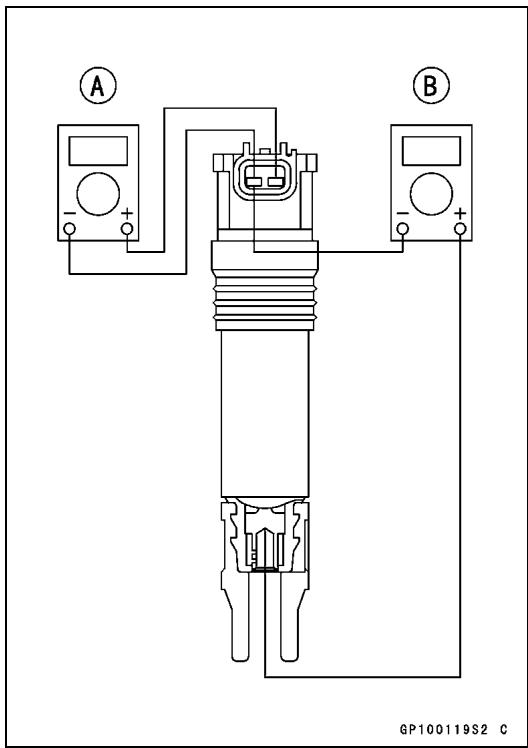


flowchart
graph TD
    G["Source"] --> E["Relay E"]
    E --> R["R"]
    R --> B["Relay B"]
    B --> A["A"]
    A --> GP10283BS1_C["Output"]
    E --> F["Relay F"]
    F --> B
    B --> D["Measurement Instrument D"]
    D --> BK["BK"]
    BK --> C["C"]
    C --> E
    style G fill:#f9f,stroke:#333
    style F fill:#f9f,stroke:#333
    style BK fill:#ccf,stroke:#333
    style D fill:#ccf,stroke:#333
    style C fill:#ccf,stroke:#333
Ignition System
WARNING
To avoid extremely high voltage shocks, do not touch the spark plugs or tester connections.
- Turn the ignition switch and engine stop switch ON.
- Pushing the starter button, turn the engine 4 \~ 5 seconds with the transmission in neutral to measure the primary peak voltage.
- Repeat the measurements 5 times for one stick coil.
Stick Coil Primary Peak Voltage
Standard: 72 V or more
- Repeat the test for the other stick coils.
★If the reading is less than the specified value, check the following.
Stick Coils (see Stick Coil (Ignition Coil together with Spark Plug Cap) Inspection)
Crankshaft Sensor (see Crankshaft Sensor Inspection) ECU (see ECU Power Supply Inspection in the Fuel System (DFI) chapter)
Spark Plug Removal
- Refer to the Spark Plug Replacement in the Periodic Maintenance chapter (see Spark Plug Replacement in the Periodic Maintenance chapter).
Spark Plug Installation
- Refer to the Spark Plug Replacement in the Periodic Maintenance chapter (see Spark Plug Replacement in the Periodic Maintenance chapter).
Spark Plug Condition Inspection
- Visually inspect the spark plugs.
★If the spark plug center electrode [A] and/or side electrode [B] are corroded or damaged, or if the insulator [C] is cracked, replace the plug.
★If the spark plug is dirtied or the carbon is accumulated, replace the spark plug.
- Measure the gap [D] with a wire-type thickness gauge.
★If the gap is incorrect, replace the spark plug.
Spark Plug Gap: 0.8 \~ 0.9 mm (0.031 \~ 0.035 in.)
- Use the standard spark plug or its equivalent.
Spark Plug: CR9EIA-9
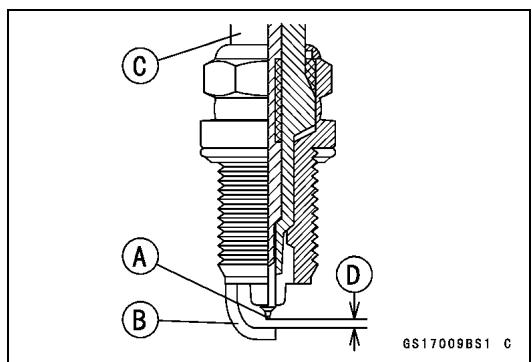
Ignition System
Camshaft Position Sensor Removal
- Remove:
Fuel Tank Cover (see Fuel Tank Removal in the Fuel System (DFI) chapter)
Right Middle Fairing (see Middle Fairing Removal in the Frame chapter)
- Disconnect the camshaft position sensor lead connector [A].
- Remove:
Camshaft Position Sensor Bolt [A]
Camshaft Position Sensor [B]

natural_image
Close-up of an automotive engine bay with visible hoses and components (no text or symbols)

natural_image
Close-up of a mechanical component with labeled parts A and B, no readable text or symbols beyond labels
Camshaft Position Sensor Installation
- Replace the O-ring of the camshaft position sensor.
- Apply grease to the new O-ring.
- Tighten:
Torque - Camshaft Position Sensor Bolt: 9.8 N·m (1.0 kgf·m, 87 in·lb)
- Route the camshaft position sensor lead correctly (see Cable, Wire, and Hose Routing section in the Appendix chapter).
Camshaft Position Sensor Inspection
- Disconnect the camshaft position sensor lead connector (see Camshaft Position Sensor Removal).
- Set the hand tester to the × 10 Ω range and connect it to the terminals.
Special Tool - Hand Tester: 57001-1394
Camshaft Position Sensor Resistance: 400 \~ 460 Ω
★If there is more resistance than the specified value, the sensor coil has an open lead and must be replaced. Much less than this resistance means the sensor coil is shorted, and must be replaced.
- Using the highest resistance range of the tester, measure the resistance between the camshaft position sensor leads and chassis ground.
★Any tester reading less than infinity ( ∞ ) indicates a short, necessitating replacement of the camshaft position sensor.

Ignition System
Camshaft Position Sensor Peak Voltage Inspection
- Disconnect the camshaft position sensor lead connector [A] (see Camshaft Position Sensor Removal).
- Connect the harness adapter [B] between the camshaft position sensor lead connector and harness connector [C].
- Connect the peak voltage adapter [D] to the hand tester [E] which is set to the × 10 V range.
- Connect the adapter to the harness adapter. [F] Camshaft Position Sensor
Special Tools - Hand Tester: 57001-1394
Peak Voltage Adapter: 57001-1415
Type: KEK-54-9-B
Harness Adapter: 57001-1562
Connections:
| Harness Adapter | Peak Voltage Adapter | Hand Tester |
| Black/White | ← | Black | → | (−) |
| Red | ← | Red | → | (+) |
- Turn the ignition switch and engine stop switch ON.
- Pushing the starter button, run the engine with the transmission gear in neutral to measure the camshaft position sensor peak voltage.
- Repeat the measurement 5 or more times.
Camshaft Position Sensor Peak Voltage
Standard: 2.8 V or more
★If the peak voltage is lower than the standard, inspect the camshaft position sensor.
Interlock Operation Inspection
- Using the stand [A], raise the rear wheel off the ground.


natural_image
Close-up of a motorcycle wheel mounted on a metal frame, with a labeled component 'A' pointing to the wheel (no text or symbols beyond label)
1st Check
- Start the engine to the following conditions.
Condition:
Transmission Gear → 1st Position
Clutch Lever → Release
Sidestand → Down or Up
○Turn the ignition switch ON and push the starter button.
- Then the starter motor should not turn when the starter system circuit is normality.
★If the engine is start, inspect the starter lockout switch, gear position switch, and relay box.
★If their parts are normality replace the ECU.
Ignition System
2nd Check
- Start the engine to the following conditions.
Condition:
Transmission Gear → 1st Position
Clutch Lever → Pulled in
Sidestand → Up
○Turn the ignition switch ON and push the starter button.
○Then the starter motor should turn when the starter system circuit is normality.
★If the starter motor is not turn, inspect the starter lockout switch, gear position switch, sidestand switch and relay box.
★If their parts are normality replace the ECU.
3rd Check
- Inspect the engine for its secure stop after the following operations are completed.
- Run the engine to the following conditions.
Condition:
Transmission Gear → 1st Position
Clutch Lever → Release
Sidestand → Up
- Set the sidestand on the ground, then the engine will stop.
★ If whichever may not be stopped, inspect the gear position switch, starter lockout switch, sidestand switch and relay box.
★If their parts are normality, replace the ECU.
IC Igniter Inspection
○The IC igniter is built in the ECU [A].
- Refer to the following items.
Interlock Operation Inspection (see Interlock Operation Inspection)
Ignition System Troubleshooting (see Ignition System section)
ECU Power Supply Inspection (see ECU Power Supply Inspection in the Fuel System (DFI) chapter)

natural_image
Close-up of an automotive battery pack with visible internal components and labeled parts (no readable text or symbols)
Ignition System
Ignition System Circuit
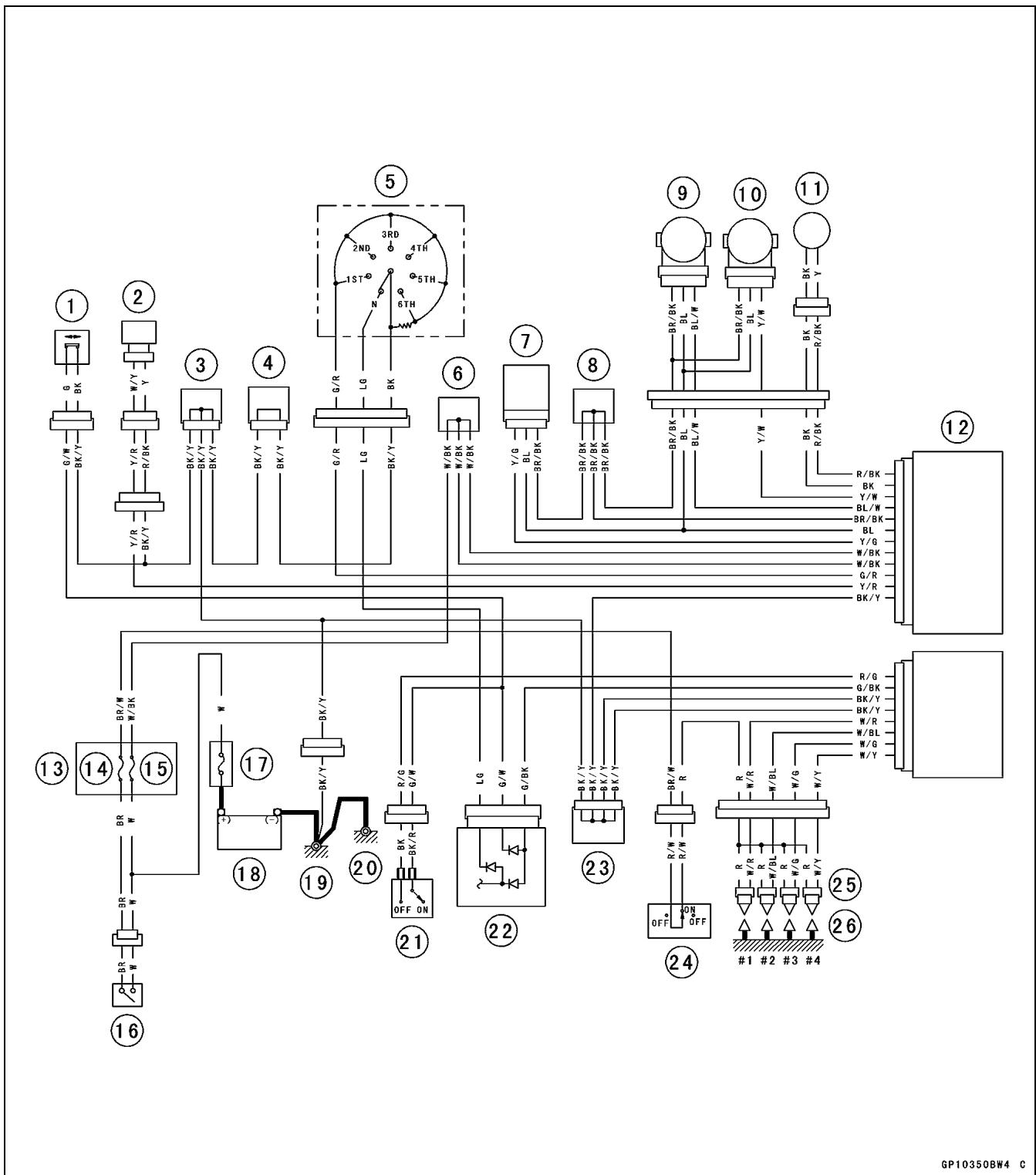
flowchart
graph TD
    A["1"] --> B["2"]
    B --> C["3"]
    C --> D["4"]
    D --> E["5"]
    E --> F["6"]
    F --> G["7"]
    G --> H["8"]
    H --> I["9"]
    I --> J["10"]
    J --> K["11"]
    K --> L["12"]
    L --> M["13"]
    M --> N["14"]
    N --> O["15"]
    O --> P["16"]
    P --> Q["17"]
    Q --> R["18"]
    R --> S["19"]
    S --> T["20"]
    T --> U["21"]
    U --> V["22"]
    V --> W["23"]
    W --> X["24"]
    X --> Y["25"]
    Y --> Z["26"]

    subgraph Component 1
        A
        B
        C
        D
        E
        F
        G
        H
        I
        J
        K
        L
    end

    subgraph Component 2
        A
        B
        C
        D
        E
        F
        G
        H
        I
        J
        K
        L
        M
        N
        O
        P
        Q
        R
        S
        T
        U
        V
        W
    end

    subgraph Component 3
        A
        B
        C
        D
        E
        F
        G
        H
        I
        J
        K
        L
    end

    subgraph Component 4
        A
        B
        C
        D
        E
        F
        G
        H
    end

    subgraph Component 5
        E
        F
        G
        H
    end

    subgraph Component 6
        F
        G
        H
    end

    subgraph Component 7
        G
        H
    end

    subgraph Component 8
        H
        I
        J
    end

    subgraph Component 9
        I
        J
    end

    subgraph Component 10
        K
        L
    end

    subgraph Component 11
        K
        L
    end

    subgraph Component 12
        L
    end

    subgraph Component 13
        M
        N
    end

    subgraph Component 14
        M
        N
    end

    subgraph Component 15
        N
    end

    subgraph Component 16
        O
    end

    subgraph Component 17
        P
    end

    subgraph Component 18
        Q
    end

    subgraph Component 19
        R
    end

    subgraph Component 20
        S
    end

    subgraph Component 21
        T
    end

    subgraph Component 22
        U
    end

    subgraph Component 23
        V
    end

    subgraph Component 24
        W
    end

    subgraph Component 25
        X
    end

    subgraph Component 26
        Y
    end
- Sidestand Switch
- Camshaft Position Sensor
- Joint Connector 1
- Joint Connector 2
- Gear Position Switch
- Water-proof Joint 1
- Vehicle-down Sensor
- Water-proof Joint 2
- Sub-throttle Sensor
- Main Throttle Sensor
- Crankshaft Sensor
- ECU
-
Fuse Box 2
-
Ignition Fuse 10 A
- ECU Fuse 15 A
- Ignition Switch
- Main Fuse 30 A
- Battery 12 V 14 Ah
- Frame Ground 2
- Engine Ground
- Starter Lockout Switch
- Relay Box
- Joint Connector 3
- Engine Stop Switch
- Stick Coils
- Spark Plugs
Starter Motor Removal
- Remove:
Engine Sprocket Cover (see Engine Sprocket Removal in the Final Drive chapter)
● Take off the heat insulation rubber plate [A].
- Slide out the rubber cap [B].
- Remove the starter motor cable terminal nut [C].
- Remove the starter motor mounting bolts [A].
- Pull out the starter motor [B] from the left side.
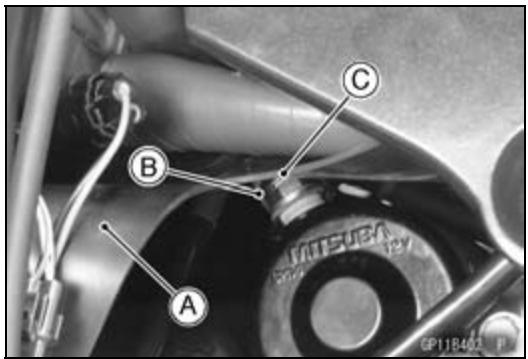

Starter Motor Installation
CAUTION
Do not tap the starter motor shaft or body. Tapping the shaft or body could damage the motor.
- Clean the starter motor legs [A] and crankcase [B] where the starter motor is ground.
- Replace the O-ring [C] with a new one.
- Apply grease to the new O-ring.
- Tighten:
Torque - Starter Motor Mounting Bolts: 9.8 N·m (1.0 kgf·m, 87 in·lb)
- Install the starter motor cable [A] side by side with starter motor [B].
- Tighten:
Torque - Starter Motor Cable Terminal Nut: 5.9 N·m (0.60 kgf·m, 52 in·lb)
- Slide back the rubber cap [C] to the original position.


GP11093BS1 C
Electric Starter System
Starter Motor Disassembly
- Remove the starter motor (see Starter Motor Removal).
- Take off the starter motor through bolts [A] and remove both end covers [B].
- Pull the armature [A] out of the yoke [B].
- Remove:
Brush Plate Terminal Nut, Washer and Insulators [A]
Brush Plate Assembly [B]
Starter Motor Assembly
- Pry the spring end [A] and insert the brush [B].
- Install the brush plate assembly [A] into the right-hand end cover [B].
- Replace the O-ring [C] with a new one.
- Install: Insulators [D] Washer [E]
- Tighten:
Torque - Starter Motor Terminal Locknut [F]: 6.9 N·m (0.70 kgf·m, 61 in·lb)


natural_image
Mechanical component with labeled parts A and B, no visible text or symbols beyond labels

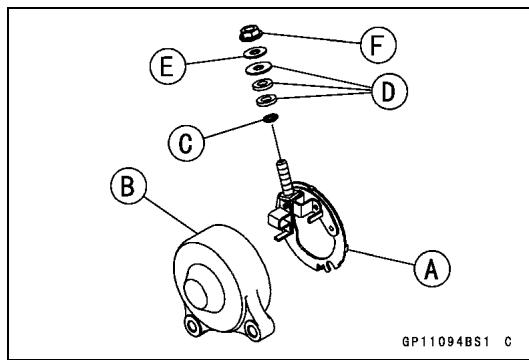
Electric Starter System
- Install the armature [A] into the yoke [B].
- Install thrust washer [C].
- Replace the O-rings [D] with new ones.
- Put the armature [E] among the brushes [F].
- Align the marks [A] to assembly the yoke and the end covers.
- Replace the O-rings [A] with new ones.
-
Tighten:
Torque - Starter Motor Through Bolts [B]: 3.4 N·m (0.35 kgf·m, 30 in·lb)
-
Replace the O-ring [A] with new ones.
- Apply grease to the new O-ring.
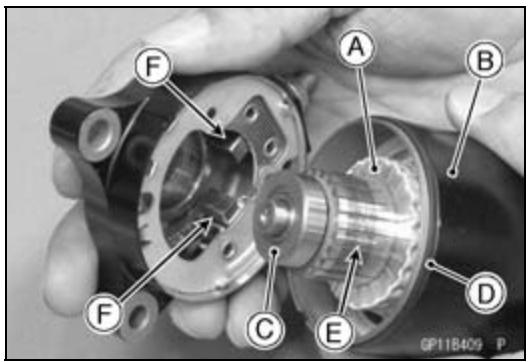

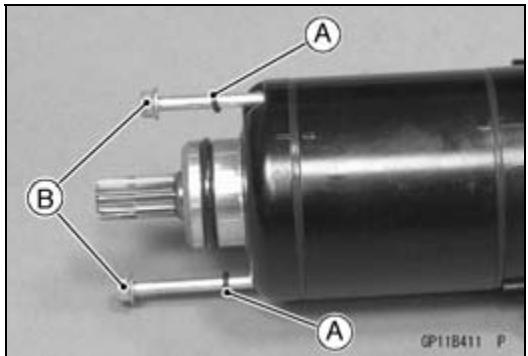
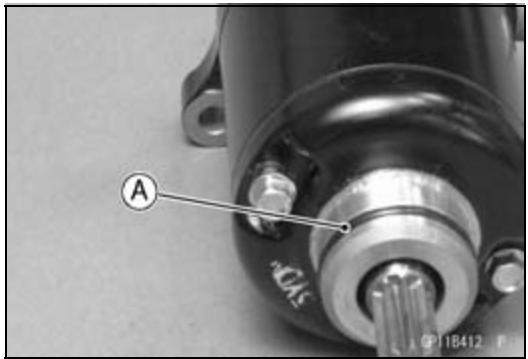
Brush Inspection
- Measure the length [A] of each brush [B].
★If any is worn down to the service limit, replace the brush holder assembly.
Starter Motor Brush Length
Standard: 10 mm (0.39 in.)
Service Limit: 5.0 mm (0.20 in.)

Electric Starter System
Commutator Cleaning and Inspection
- Smooth the commutator surface [A] if necessary with fine emery cloth [B], and clean out the grooves.
- Measure the diameter [A] of the commutator [B].
★If the commutator diameter is less than the service limit, replace the starter motor with a new one.
Commutator Diameter
Standard: 28 mm (1.10 in.)
Service Limit: 27 mm (1.06 in.)


Armature Inspection
- Using the × 1 Ω hand tester range, measure the resistance between any two commutator segments [A].
Special Tool - Hand Tester: 57001-1394
★If there is a high resistance or no reading ( ∞ ) between any two segments, a winding is open and the starter motor must be replaced.
- Using the highest hand tester range, measure the resistance between the segments and the shaft [B].
★If there is any reading at all, the armature has a short and the starter motor must be replaced.

NOTE
○Even if the foregoing checks show the armature to be good, it may be defective in some manner not readily detectable with the hand tester. If all other starter motor and starter motor circuit components check good, but the starter motor still does not turn over or only turns over weakly, replace the starter motor with a new one.
Brush Lead Inspection
- Using the × 1 Ω hand tester range, measure the resistance as shown.
Terminal Bolt and Positive Brush [A]
Right-hand End Cover and Negative Brush [B]
Special Tool - Hand Tester: 57001-1394
★If there is not close to zero ohms, the brush lead has an open. Replace the brush holder assembly.

Electric Starter System
Right-hand End Cover Assembly Inspection
- Using the highest hand tester range, measure the resistance as shown.
Terminal and Right-hand End Cover [A]
Special Tool - Hand Tester: 57001-1394
★ If there is any reading, the right-hand end cover assembly have a short. Replace the right-hand end cover assembly.
Starter Relay Inspection
- Remove the battery (see Battery Removal).
- Disconnect the starter motor cable [A] and battery positive (+) cable [B] from the starter relay.
- Disconnect the connector [C].
- Pull out the starter relay from the damper.
- Connect the hand tester [A] and 12 V battery [B] to the starter relay [C] as shown.
Special Tool - Hand Tester: 57001-1394
★If the relay does not work as specified, the relay is defective. Replace the relay.
Testing Relay
Tester Range: × 1 Ω range
Criteria: When battery is connected → 0 Ω
When battery is disconnected → ∞ Ω
- Tighten:
Torque - Starter Motor Cable Mounting Bolt: 3.9 N·m (0.40 kgf·m, 35 in·lb)


Electric Starter System
Electric Starter Circuit

flowchart
graph TD
    A["①"] --> B["G/BK"]
    B --> C["G/W/BK/Y"]
    C --> D["②"]
    D --> E["OFF ON"]
    E --> F["③"]
    F --> G["R/W/BK/R"]
    G --> H["④"]
    H --> I["BR/W/BR"]
    I --> J["⑤"]
    J --> K["BR/W/BR"]
    K --> L["⑥"]
    L --> M["BR/W/BR"]
    M --> N["⑦"]
    N --> O["BK/Y/BK/Y"]
    O --> P["⑧"]
    P --> Q["BK/Y/BK/Y"]
    Q --> R["⑨"]
    R --> S["LG/BK/LG"]
    S --> T["⑩"]
    T --> U["G/W/R/G"]
    U --> V["⑪"]
    V --> W["LG/R/G/BK/R"]
    W --> X["⑫"]
    X --> Y["M ⑬"]
    Y --> Z["⑭"]
    Z --> AA["⑮"]
    AA --> AB["⑯"]
    AB --> AC["⑰"]
    AC --> AD["GP11091BW3 C"]
-
Sidestand Switch
-
Engine Stop Switch
-
Starter Button
-
Fuse Box 2
-
Ignition Fuse 10 A
-
Ignition Switch
-
Joint Connector 1
-
Joint Connector 2
-
Gear Position Switch
-
Starter Lockout Switch
-
Starter Circuit Relay
-
Relay Box
-
Starter Motor
-
Main Fuse 30 A
-
Starter Relay
-
Battery 12 V 14 Ah
-
Frame Ground 2
-
Engine Ground
Lighting System
This motorcycle adopt the daylight system and have a headlight relay in the relay box. The headlight does not go on when the ignition switch and the engine stop switch are first turned on. The headlight comes on after the starter button is released and stays on until the ignition switch is turned off. The headlight will go out momentarily whenever the starter button is pressed and come back on when the button is released.
Headlight Beam Horizontal Vertical Adjustment
- Refer to the Headlight Aiming Inspection in the Periodic Maintenance chapter.
Headlight Beam Vertical Adjustment
- Refer to the Headlight Aiming Inspection in the Periodic Maintenance chapter.
Headlight Bulb Replacement
- Remove the inner covers (see Inner Cover Removal in the Frame chapter).
- Disconnect the headlight connector [A].
- Turn the headlight bulb [A] counterclockwise and pull out the bulb from the headlight.
CAUTION
When handling the quartz-halogen bulb, never touch the glass portion with bare hands. Always use a clean cloth. Oil contamination from hands or dirty rags can reduce bulb life or cause the bulb to explode.
NOTE
○Clean off any contamination that inadvertently gets on the bulb with alcohol or soap and water solution.
- Replace the headlight bulb.
- Fit the projections [A] of the bulb in the hollows [B] of the headlight.
- Turn the headlight bulb clockwise.
- Connect the headlight connector.
- After installation, adjust the headlight aim (see Headlight Aiming Inspection in the Periodic Maintenance chapter).
○Other Bulbs: Repeat the above steps.
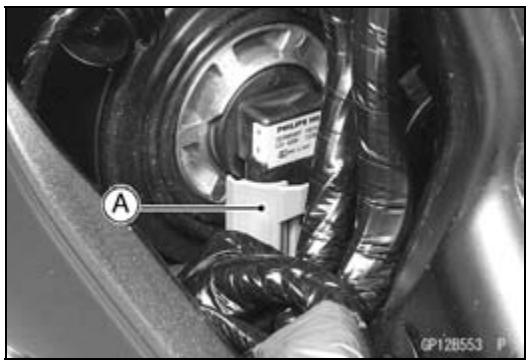
natural_image
Close-up of a mechanical component with labeled parts (A) and no visible text or symbols beyond the label.
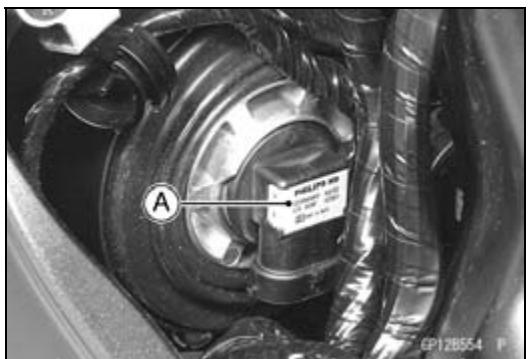

Lighting System
City Light Bulb Replacement
- Remove the inner covers (see Inner Cover Removal in the Frame chapter).
- Unscrew the screw [A].
- Disconnect the city light connector [B].
- Turn the city light bulb counterclockwise and pull out the socket [A] together with the bulb.
- Pull the bulb [A] out of the socket [B].
CAUTION
Do not turn the bulb. Pull the bulb out to prevent damage to the bulb. Do not use bulb rated for greater wattage than the specified value.
- Replace the bulb with a new one.
- Insert the socket and to the headlight.
○Align the projections [A] of the socket and the grooves [B] of the headlight.
- Turn the city light bulb clockwise.
- Connect the city light connector.


natural_image
Close-up of mechanical components with labeled parts (A) and cable, no readable text or symbols beyond labels
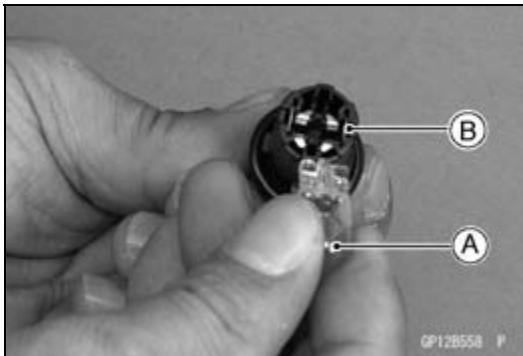
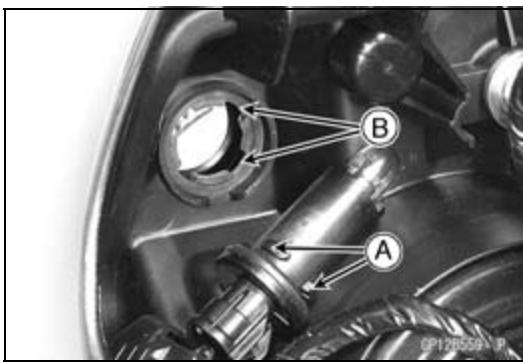
Headlight Removal/Installation
- Remove: Upper Fairing (see Upper Fairing Removal in the Frame chapter)
Upper Inner Fairing (see Upper Inner Fairing Removal in the Frame chapter)
Headlight Mounting Screws [A]
Headlights [B]
- Tighten:
Torque - Headlight Mounting Screws: 1.2 N·m (0.12 kgf·m, 11 in·lb)

Lighting System
Headlight Relay Inspection
- Remove the inner covers (see Inner Cover Removal in the Frame chapter).
- Take off the headlight relay [A] (both sides).
- Set the hand tester to the × 1 Ω range and make the measurements shown in the figure.
Headlight Relay [A]
12 V Battery [B]
Special Tool - Hand Tester [C]: 57001-1394
★If the tester readings are not as specified, replace the headlight relay.
CAUTION
Use only Hand Tester 57001-1394 for this test. An ohmmeter other than the Kawasaki Hand Tester may show different readings. If a megger or a meter with a large-capacity battery is used, the headlight relay will be damaged.
Testing Relay
Criteria
When battery is connected → 0 Ω
When battery is disconnected → ∞ Ω
Tail/Brake Light (LED) Removal
- Remove:
Tool Kit Case [A] (see ECU Removal in the Fuel System (DFI) chapter)
Relay Box [B] (see Relay Box Removal in the Electrical System chapter)
Fuse Box [C]
Screws [D]
- Disconnect the connector [A].
- Remove the tail/brake light [B].

natural_image
Close-up of a mechanical assembly with labeled component A, showing internal components and wiring (no readable text or symbols beyond labels)


natural_image
Close-up of a mechanical component with labeled parts A and B, showing internal structure (no readable text or symbols beyond labels)
Lighting System
Tail/Brake Light (LED) Installation
- Connect the connector.
- Insert the projections [A] of the tail/brake light into the holes [B] of the rear fender.
Torque - Tail/Brake Light Mounting Screws: 1.2 N·m (0.12 kgf·m, 11 in·lb)
- Install the removed parts (see appropriate chapters).
License Plate Light Bulb Replacement
- Remove:
Screws [A]
License Plate Light Cover [B]
- Push and turn the bulb [A] counterclockwise wise and remove it.
- Replace the bulb with a new one.
- Insert the new bulb [A] by aligning its upper and lower pins [B] with the upper and lower grooves [C] in the socket, and turn the bulb clockwise.
○Turn the bulb about 15°.
- Tighten:
Torque - Licence Plate Light Cover Mounting Screws: 0.9 N·m (0.09 kgf·m, 8 in·lb)
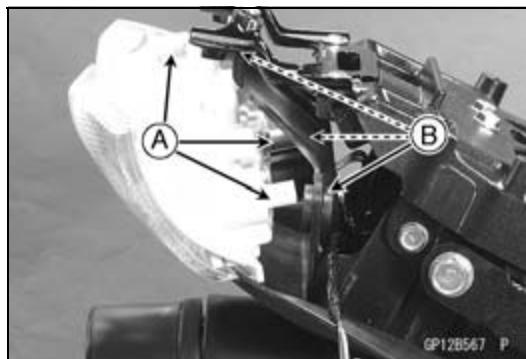
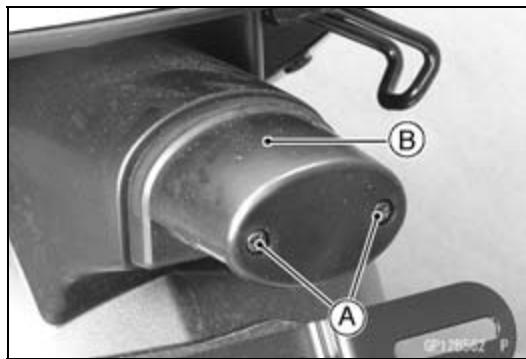

natural_image
Close-up of a mechanical component with labeled section A, no readable text or symbols beyond the label

Headlight/Tail Light Circuit
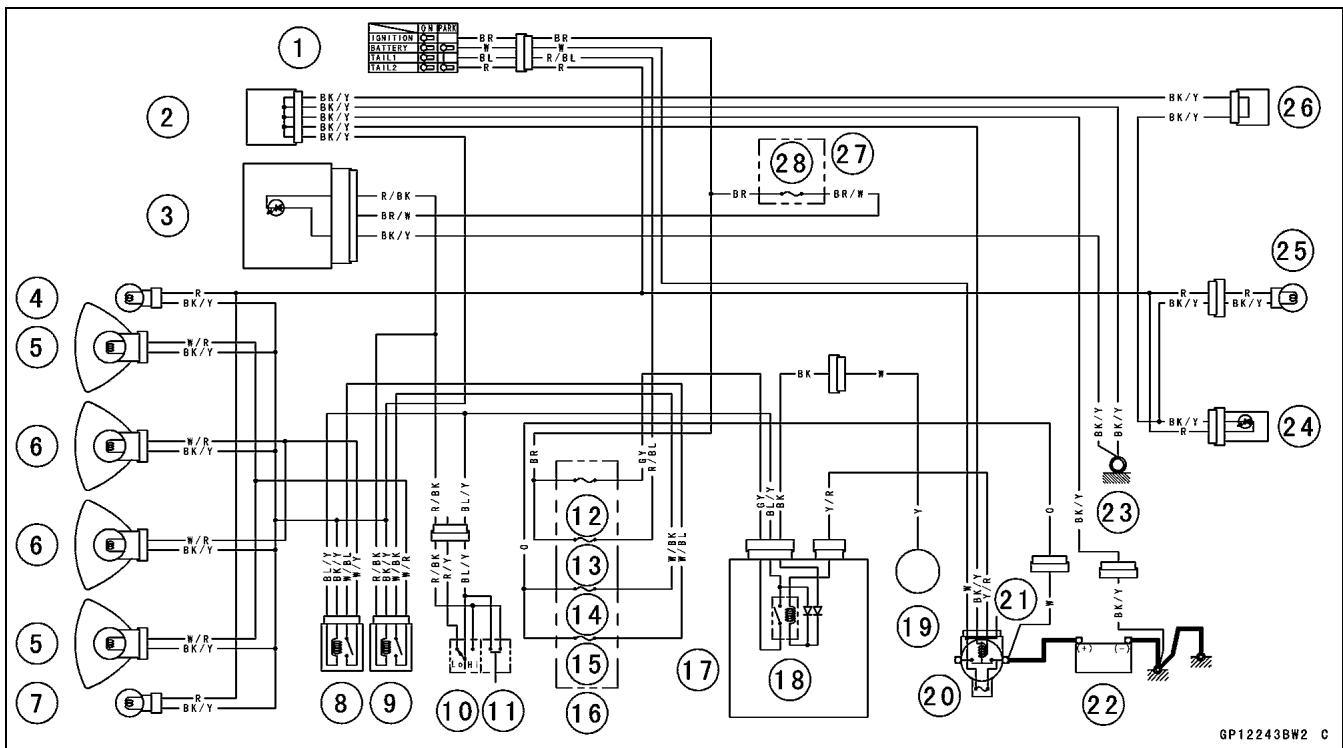
flowchart
graph TD
    A["1"] --> B["ON PAIN"]
    B --> C["BATTERY"]
    B --> D["VALU"]
    B --> E["VALU"]
    B --> F["R/BL"]
    B --> G["R/BL"]
    B --> H["BR"]
    H --> I["BR/Y"]
    H --> J["BR/Y"]
    H --> K["BR/Y"]
    B --> L["BR/W"]
    B --> M["BR/Y"]
    N["2"] --> O["R/BK"]
    N --> P["BR/W"]
    N --> Q["BR/Y"]
    R["3"] --> S["R/BK/Y"]
    T["4"] --> U["R/BK/Y"]
    V["5"] --> W["W/R/BK/Y"]
    X["6"] --> Y["W/R/BK/Y"]
    Z["6"] --> AA["W/R/BK/Y"]
    AB["5"] --> AC["W/R/BK/Y"]
    AD["7"] --> AE["W/R/BK/Y"]
    AF["8"] --> AG["R/BK/Y"]
    AH["9"] --> AI["R/BK/Y"]
    AJ["10"] --> AK["R/BK/Y"]
    AL["11"] --> AM["R/BK/Y"]
    AN["12"] --> AO["R/BK/Y"]
    AP["13"] --> AQ["R/BK/Y"]
    AR["14"] --> AS["R/BK/Y"]
    AT["15"] --> AU["R/BK/Y"]
    AV["16"] --> AW["R/BK/Y"]
    AX["17"] --> AY["R/BK/Y"]
    AZ["18"] --> BA["R/BK/Y"]
    BB["19"] --> BC["R/BK/Y"]
    BD["20"] --> BE["R/BK/Y"]
    BF["21"] --> BG["R/BK/Y"]
    BH["22"] --> BI["R/BK/Y"]
    BJ["23"] --> BK["R/BK/Y"]
    BL["24"] --> BM["R/BK/Y"]
    BN["25"] --> BO["R/BK/Y"]
    BP["26"] --> BQ["R/BK/Y"]
- Ignition Switch
- Joint Connector 1
- High Beam Indicator Light (LED)
- Right City Light
- Headlight (High Beam)
- Headlight (Low Beam)
- Left City Light
- Headlight Relay (Low)
- Headlight Relay (High)
- Dimmer Switch
- Passing Button (Other than US Models)
- Headlight Fuse 10 A
- Taillight Fuse 10 A
-
Headlight Fuse (High) 10 A
-
Headlight Fuse (Low) 10 A
- Fuse Box 1
- Relay Box
- Headlight Circuit Relay
- Alternator
- Main Fuse 30 A
- Starter Relay
- Battery 12 V 14 Ah
- Frame Ground
- Tail/Brake Light (LED)
- License Plate Light
- Joint Connector 2
- Fuse Box 2
- Ignition Fuse 10 A
Turn Signal Light Bulb Replacement Front Turn Signal Light
- Remove:
Middle Fairings (see Middle Fairing Removal in the Frame chapter)
Inner Fairings (see Inner Fairing Removal in the Frame chapter)
- Turn the socket [A] counterclockwise and pull out the socket together with the bulb.

natural_image
Close-up of a mechanical component with labeled parts (A) and no visible text or symbols beyond the label.
Lighting System
- Push and turn the front turn signal light bulb [A] counterclockwise and remove it.
- Replace the bulb with new ones.
- Insert the new bulb [A] by aligning its upper and lower pins [B] with the upper and lower grooves [C] in the socket, and turn the bulb clockwise.
○Turn the bulb about 15irc .
- Pushing the socket and turn it clockwise.
○Fit the projections [A] of the socket into the grooves [B] of the turn signal light.
- Install the middle fairings (see Middle Fairing Installation in the Frame chapter).
Rear Turn Signal Light
- Remove:
Screw [A]
Rear Turn Signal Light Lens [B]
- Push and turn the rear turn signal light bulb [A] counterclockwise and remove it.

natural_image
Close-up of a small electronic component with a spherical lens and wires, labeled 'A' pointing to its tip (no text or symbols on the object itself)


natural_image
Close-up of a car's headlight with labeled component A (no text or symbols beyond label)
Lighting System
- Insert the new bulb [A] by aligning its upper and lower pins [B] with the upper and lower grooves [C] in the socket, and turn the bulb clockwise.
○Turn the bulb about 15°.
- Fit the projections [A] of the lens into the grooves [B] of the turn signal light.
- Tighten the screw.
Turn Signal Relay Inspection
- Remove:
Left Seat Cover (see Seat Cover Removal in the Frame chapter)
Turn Signal Relay [A]
- Disconnect the connector [B].
- Connect one 12 V battery and turn signal lights as indicated in the figure, and count how may times the lights flash for one minute.
Turn Signal Relay [A]
Turn Signal Lights [B]
12 V Battery [C]
★If the lights do not flash as specified, replace the turn signal relay.
Testing Turn Signal Relay
| Load | Flashing Times (c/m*) |
| The Number of Turn Signal Lights | Wattage (W) |
| 1** | 21 or 23 | 140 ~ 250 |
| 2 | 42 or 46 | 75 ~ 95 |
*: Cycle(s) per minute
**: Corrected to "one light burned out".
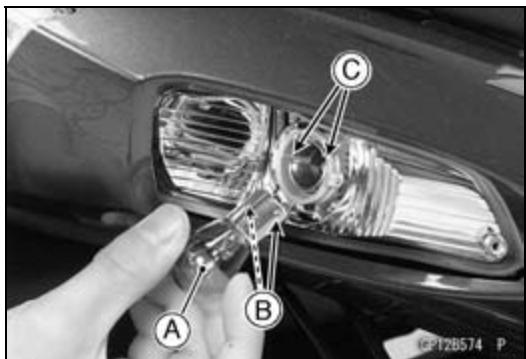


Lighting System
Turn Signal Light Circuit

flowchart
graph TD
    A["① ON PAD"] --> B["② BK/Y"]
    A --> C["③ GY"]
    A --> D["④ BR/W"]
    A --> E["⑤ G Y"]
    A --> F["⑥ G Y"]
    A --> G["⑦ 8 9"]
    A --> H["⑧ 9"]
    A --> I["⑨ 0/6"]
    A --> J["⑩ 0/6"]
    A --> K["⑪ 12"]
    A --> L["⑫ 13"]
    A --> M["⑬ BK/Y"]
    A --> N["⑭ BK/Y"]
    A --> O["⑮ BK/Y"]
    A --> P["⑯ BK/Y"]
    A --> Q["⑰ BK/Y"]
    A --> R["⑱ BK/Y"]
    A --> S["⑲ BK/Y"]
    A --> T["⑳ BK/Y"]
    A --> U["㉑ BK/Y"]
    A --> V["㉒ BK/Y"]
    A --> W["㉓ BK/Y"]
    A --> X["㉔ BK/Y"]
    A --> Y["㉕ BK/Y"]
    A --> Z["㉖ BK/Y"]
    A --> AA["㉗ BK/Y"]
    A --> AB["㉘ BK/Y"]
    A --> AC["㉙ BK/Y"]
    A --> AD["㉚ BK/Y"]
    A --> AE["㉛ BK/Y"]
    A --> AF["㉜ BK/Y"]
    A --> AG["㉝ BK/Y"]
    A --> AH["㉟ BK/Y"]
    A --> AI["㉳ BK/Y"]
    A --> AJ["㉛ BK/Y"]
    A --> AK["㉜ BK/Y"]
    A --> AL["㉝ BK/Y"]
    A --> AM["㉞ BK/Y"]
    A --> AN["㉟ BK/Y"]
    A --> AO["㊱ BK/Y"]
    A --> AP["㊲ BK/Y"]
    A --> AQ["㊳ BK/Y"]
    A --> AR["㊴ BK/Y"]
    A --> AS["㊵ BK/Y"]
    A --> AT["㊶ BK/Y"]
    A --> AU["㊷ BK/Y"]
    A --> AV["㊸ BK/Y"]
    A --> AW["㊹ BK/Y"]
    A --> AX["㊺ BK/Y"]
    A --> AY["㊽ BK/Y"]
- Ignition Switch
- Joint Connector 1
- Turn Signal Indicator Light (LED) (Right)
- Turn Signal Indicator Light (LED) (Left)
- Front Right Turn Signal Light
- Front Left Turn Signal Light
- Other than US Models
- Hazard Button
- Turn Signal Switch
- Turn Signal Fuse 10 A
- Fuse Box 1
- Turn Signal Relay
- Joint Connector 2
- Frame Ground
- Main Fuse 30 A
- Battery 12 V 14 Ah
- Rear Left Turn Signal Light
- Rear Right Turn Signal Light
- Ignition Fuse 10 A
- Fuse Box 2
Air Switching Valve Operation Test
- Refer to the Air Suction System Damage Inspection in the Periodic Maintenance chapter.
Air Switching Valve Unit Test
- Remove the air switching valve (see Air Switching Valve Removal in the Engine Top End chapter).
- Set the hand tester [A] to the × Ω range and connect it to the air switching valve terminals as shown.
Special Tool - Hand Tester: 57001-1394
Air Switching Valve Resistance
Standard: 18 \~ 22 Ω at 20°C (68°F)
★If the resistance reading is except the specified value, replace it with a new one.
- Connect the 12 V battery [A] to the air switching valve terminals as shown.
- Blow the air to the inlet air duct [A], and make sure does not flow the blown air from the outlet air ducts [B].
- Blow the air to the inlet air duct [A], and make sure does not flow the blown air from the outlet air ducts [B].
- Disconnect the 12 V battery.
- Blow the air to the inlet air duct [A] again, and make sure flow the blown air from the outlet air ducts [B].
★If the air switching valve dose not operate as described, replace it with a new one.
NOTE
To check air flow through the air switching valve, just blow through the air switching valve hose (inlet side) [C].

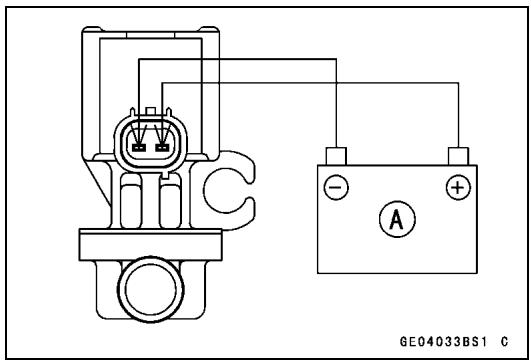


Radiator Fan System
Fan Motor Inspection
- Remove the left fairing cover (see Fairing Cover Removal in the Frame chapter).
- Disconnect the connector [A].
- Using an auxiliary leads, supply battery power to the fan motor.
★If the fan does not rotate, the fan motor is defective and must be replaced.

natural_image
Close-up of a mechanical component with labeled parts (A) and no visible text or symbols beyond the label.
Radiator Fan Circuit
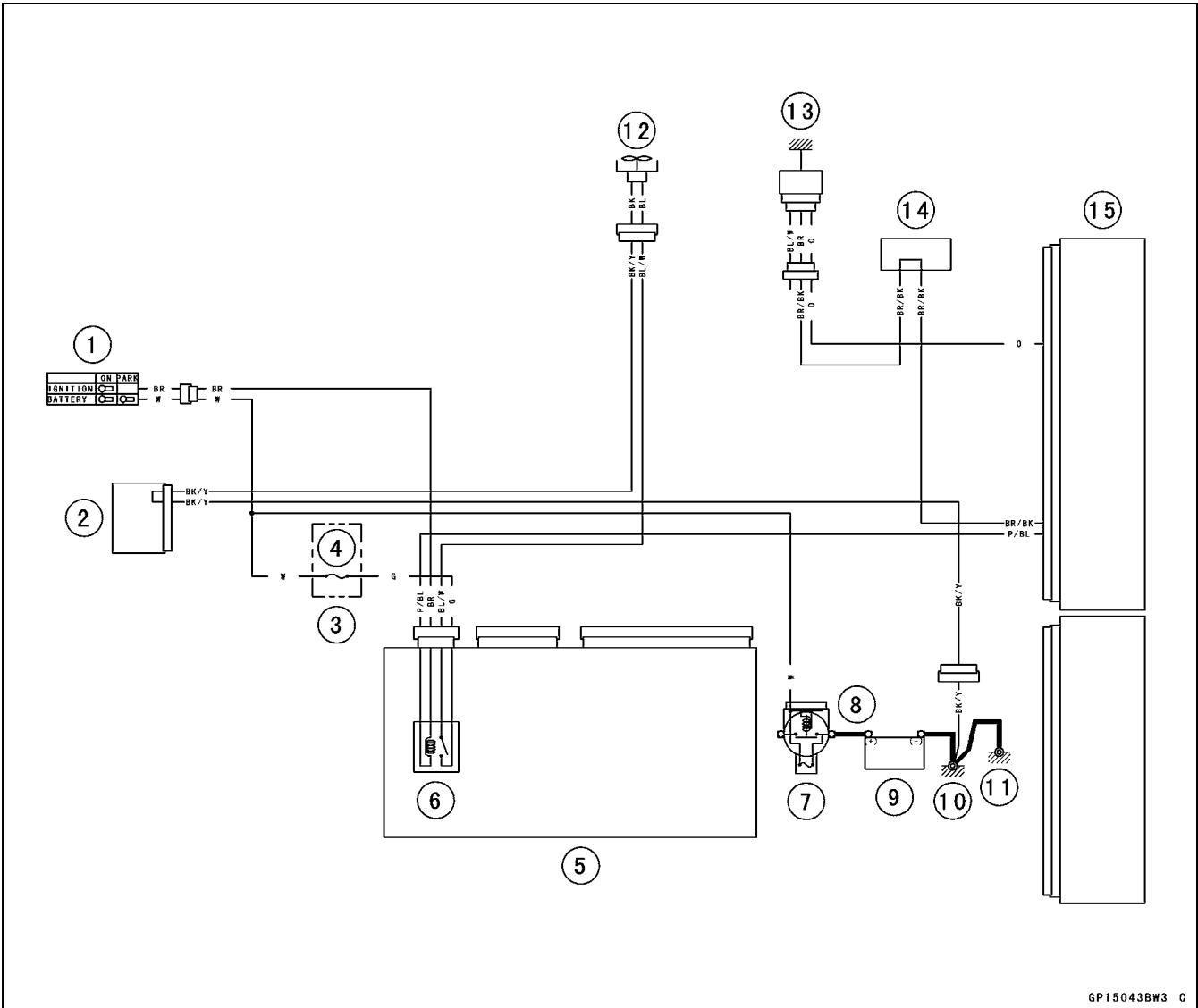
flowchart
graph TD
    A["1"] --> B["ON PARR"]
    B --> C["BATTERY"]
    C --> D["BR"]
    D --> E["SR"]
    E --> F["4"]
    F --> G["3"]
    G --> H["6"]
    H --> I["5"]
    I --> J["7"]
    J --> K["8"]
    K --> L["9"]
    L --> M["10"]
    M --> N["11"]
    N --> O["12"]
    O --> P["BL/WR"]
    P --> Q["BR/BK"]
    Q --> R["BR/BK"]
    R --> S["BR/BK"]
    S --> T["BR/BK"]
    T --> U["BR/BK"]
    U --> V["BR/BK"]
    V --> W["BR/BK"]
    W --> X["BR/BK"]
    X --> Y["BR/BK"]
    Y --> Z["BR/BK"]
    Z --> AA["BR/BK"]
    AA --> AB["BR/BK"]
    AB --> AC["BR/BK"]
    AC --> AD["BR/BK"]
    AD --> AE["BR/BK"]
    AE --> AF["BR/BK"]
    AF --> AG["BR/BK"]
    AG --> AH["BR/BK"]
    AH --> AI["BR/BK"]
    AI --> AJ["BR/BK"]
    AJ --> AK["BR/BK"]
    AK --> AL["BR/BK"]
    AL --> AM["BR/BK"]
    AM --> AN["BR/BK"]
    AN --> AO["BR/BK"]
    AO --> AP["BR/BK"]
    AP --> AQ["BR/BK"]
    AQ --> AR["BR/BK"]
- Ignition Switch
- Joint Connector 1
- Fuse Box 2
- Fan Fuse 15 A
- Relay Box
- Radiator Fan Relay
- Main Fuse 30 A
-
Starter Relay
-
Battery 12 V 14 Ah
- Frame Ground 2
- Engine Ground
- Radiator Fan
- Water Temperature Sensor
- Water-proof Joint 2
- ECU
Meter, Gauge, Indicator Unit
Meter Unit Removal
- Remove:
Windshield (see Windshield Removal in the Frame chapter)
Immobilizer Amplifier [A] (Equipped Models)
- Remove:
Immobilizer Amplifier Bracket and Bolt [A] (Equipped Models)
Vehicle-down Sensor Bracket and Bolt [B]
Meter Lead Connector [C]
- Remove:
Meter Unit Mounting Nuts [A] and Washers Meter Unit [B]
CAUTION
Place the meter unit so that the face is up. If a meter unit is left upside down or sideways for any length of time, it will malfunction.
Meter Unit Installation
- Install:
Meter Unit [A]
Washers [B] and Meter Unit Mounting Nuts [C]
- Install:
Meter Lead Connector
Vehicle-down Sensor Bracket (as shown) and Bolt [A]
Immobilizer Amplifier Bracket and Bolt (Equipped Models)
Immobilizer Amplifier [B] (Equipped Models)
Windshield (see Windshield Installation in the Frame chapter)
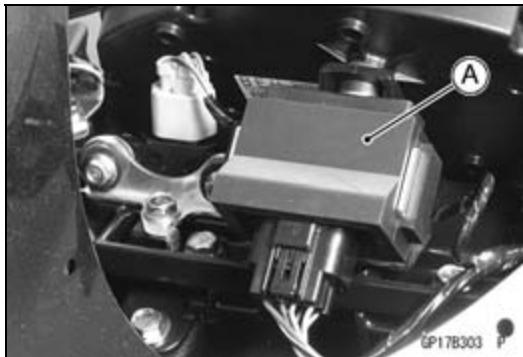
natural_image
Close-up mechanical assembly showing internal components and a labeled component (A), no readable text or symbols present.
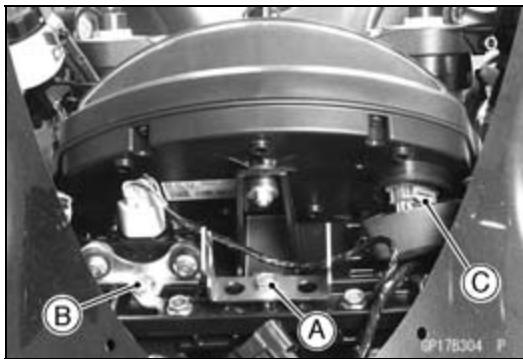
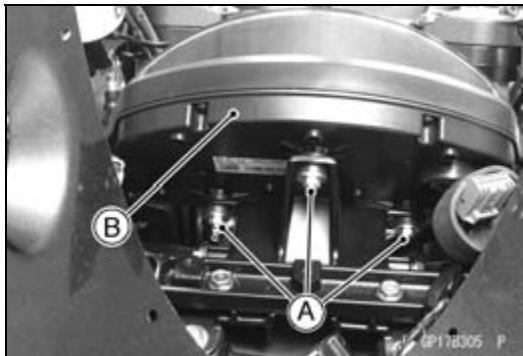


Meter, Gauge, Indicator Unit
Meter Unit Disassembly
- Remove:
Meter Unit (see Meter Unit Removal)
Screws [A]
Lower Meter Cover [B]
- Separate:
Upper Meter Cover [A]
Middle Meter Cover [B]
Meter Assembly [C]

Meter Unit Inspection
- Remove the meter unit (see Meter Unit Removal).
[1] High Beam Indicator Light (LED)
[2] Oil Pressure Warning Indicator Light (LED) (−)
[3] Right Turn Signal Indicator Light (LED) (+)
[4] Neutral Indicator Light (LED) (−)
[5] Unused
[6] ABS Indicator Light (LED) (−)
[7] Unused
[8] Unused
[9] Ignition (+)
[10] Battery (+)
[11] Speed Sensor Supply Voltage (+)
[12] Ground (−)
[13] Speed Sensor Signal
[14] Unused
[15] Fuel Reserve Switch
[16] Fuel Level Sensor
[17] CAN Communication Line (Hight)
[18] CAN Communication Line (Low)
[19] Left Turn Signal Indicator Light (LED) (+)
[20] Unused


CAUTION
Do not drop the meter unit. Place the meter unit so that it faces upward. If the meter assembly is left upside down or sideways for a long time or dropped, it will malfunction. Do not short each terminals.
Meter, Gauge, Indicator Unit
Check 1: CAN Communication Line Resistance Inspection
- Set the hand tester [A] to the ×1 Ω range and connect it to the terminal [17] and [18] in the meter unit.
Special Tool - Hand Tester: 57001-1394
CAN Communication Line Resistance (at Meter Unit)
Standard: 122 \~ 126 Ω
★If the tester reading is not specified, replace the meter assembly.
Check 2: Meter Unit Primary Operation Check
- Using the auxiliary leads, the 12 V battery [A] to the meter unit connector as follows.
○Connect the battery positive (+) terminal to the terminal [10].
○Connect the battery negative (−) terminal to the terminal [12].
- Check that the speedometer and tachometer needles [A] momentarily point their last readings and back to the minimum position.
★If the meter unit does not work, replace the meter assembly.
- Connect terminal [9] to the battery (+) terminal.
- Check that the following items.
○The speedometer and tachometer needles momentarily point their last readings and back to the minimum position.
○The ABS indicator light (LED) [A] (equipped models) should go on.
○The K Kawasaki mark [B] in the LCD appears for three seconds.
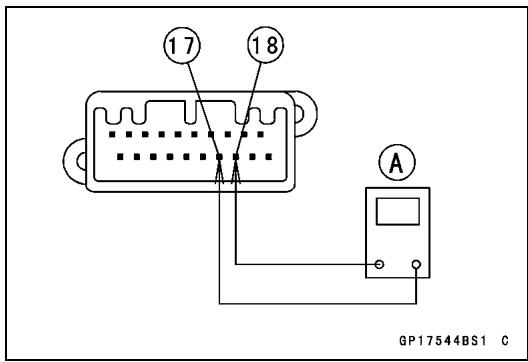
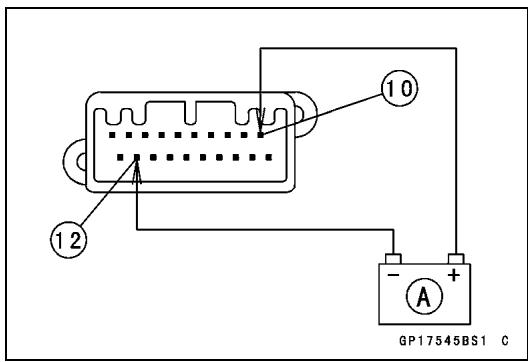
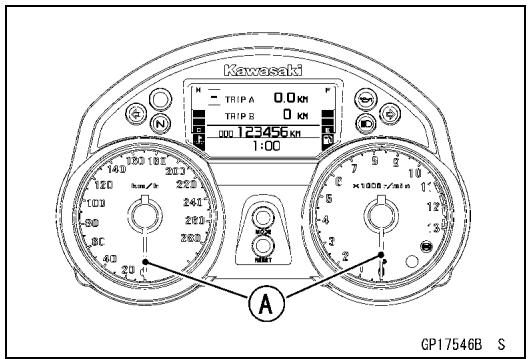


Meter, Gauge, Indicator Unit
○After the K Kawasaki mark appeared, the TRIP A/B meter [A], water temperature gauge [B], fuel level gauge [C], odometer and clock appear in the display [D].
○The ABS indicator light (LED) [E] (equipped models) should go on.
★If the meter unit does not work, replace the meter assembly.
NOTE
○The flashings of the three segments for the water temperature gauge and fuel level gauge do not failure of the meter unit.
○Currently, for the meter is disconnected from the main harness each flashing occur.
○The flashing of water temperature gauge is communication error to the ECU.
○The flashing of the fuel level gauge is open or short of the fuel reserve switch.
○Normally, each flashing disappears when the meter unit is connected to main harness.
- Connect the leads in the same circuit as Check 2.
- By pushing the MODE button [A] each time, check that the display [B] changes as follows.
○This display is ordinary indication.

flowchart
graph LR
    A["TRIP A"] --> B["AVERAGE"]
    B --> C["INST"]
    C --> D["RANGE"]
    D --> E["BATTERY"]
    E --> F["↑"]
GP17543BN3 C
★If the display function does not work, replace the meter assembly.
- Push the MODE button [A] and RESET button [B] for more than two seconds.
- Check that the display changes to the language setting mode [A].
○This display is system menu indication.
- By pushing the RESET button each time, check that the display selects the ENGLISH or FRANCAIS.
★If the display function does not work, replace the meter assembly.
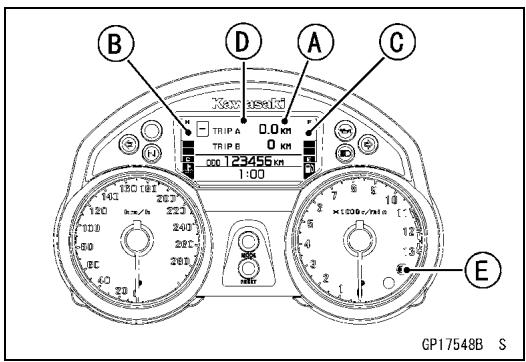


Meter, Gauge, Indicator Unit
- By pushing the MODE button each time at the language setting mode, check that the display [A] selects as follows.

flowchart
graph TD
    A["MILEAGE"] --> B["ENGAGE LAMP"]
    B --> C["SHIFT LAMP"]
    D["ENGLISH FRANCAIS"] --> E["CLOCK"]
    E --> F["LAMP MODE"]
    G["↓"] --> H["↓"]
GP17554BN3 C
★If the display function does not work, replace the meter assembly.
- Select the MILEAGE [A] indication.
- Push the MODE button for more than two seconds, check that the unit setting menu [B] flashes.
- By pushing the RESET button each time, check that the display changes as follows.

flowchart
graph LR
    A["KM/L"] --> B["L/100KM"]
    B --> C["MPG USA"]
    C --> D["MPG UK"]
GP17555BN3 C
- Check that the unit setting menu is decided by the MODE button push.
★If the display function does not work, replace the meter assembly.
- Select the ENGAGE LAMP [A] indication.
- Push the MODE button for more than two seconds, check that the engine speed setting menu [B] flashes.
- By pushing the RESET button each time, check that the display changes as follows.

flowchart
graph TD
    A["OFF"] --> B["3000"]
    B --> C["3100"]
    C --> D["5900"]
    D --> E["6000"]
    E --> F["Return"]
GP17556BN3 C
- Check that the engine speed setting menu is decided by the MODE button pushing.
★If the display function does not work, replace the meter assembly.
- Select the SHIFT LAMP [A] indication.
- Push the MODE button for more than two seconds, check that the engine speed setting menu [B] flashes.
- By pushing the RESET button each time, check that the display changes as follows.

GP17557BN3 C
- Check that the engine speed setting menu is decided by the MODE button pushing.
★If the display function does not work, replace the meter assembly.
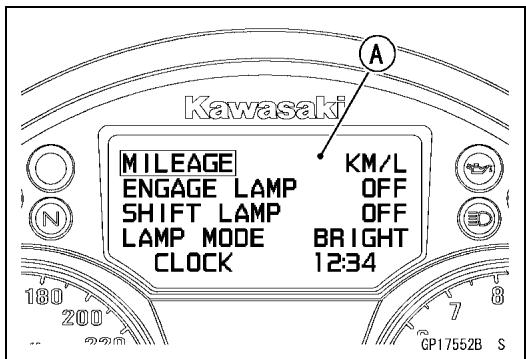


Meter, Gauge, Indicator Unit
- Select the LAMP MODE [A] indication.
- Push the MODE button for more than two seconds, check that the lighting mode setting menu [B] flashes.
- By pushing the RESET button [C] each time, check that the display changes as follows and the indicator light (LED) [D] goes on according to message.

flowchart
graph LR
    A["BRIGHT"] --> B["DIM"]
    B --> C["BLINK"]
    C --> A
GP17558BN3 C
- Check that the lighting mode setting menu is decided by the MODE button pushing.
★If the display function does not work, replace the meter assembly.
- Select the CLOCK [A] indication.
- Push the MODE button for more than two seconds.
○The clock setting menu (hour and minute) [B] should flash.

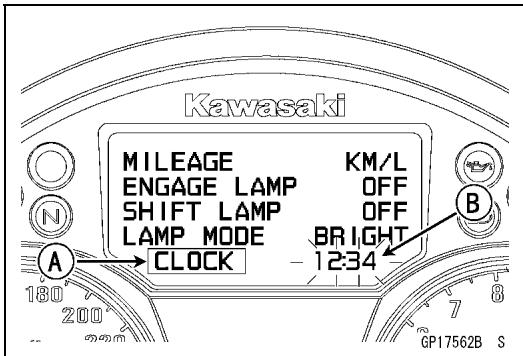
- Push the RESET button.
○The hour display [A] starts flashing.
- By pushing the MODE button each time, check that the hour display changes.

- By pushing the RESET button, check that the hour display decide and minute display [A] starts flashing.
- By pushing the MODE button each time, check that the minute display changes.

Meter, Gauge, Indicator Unit
- By pushing the RESET button, check that the hour and minute display [A] starts flashing.
- By pushing the MODE button, check that the hour and minute display decide.
- When both hour and minute display flashing, by pushing the RESET button, check that the hour display start flashing. This flashing returns the hour setting mode.
★If the display function does not work, replace the meter assembly.
Check 4: Battery Voltage Inspection
- Connect the leads in the same circuit as Check 2.
- 1st, set the BATTERY display.
-
Check that the display indicates the battery voltage.
-
2nd, disconnect the terminal [10].
-
Check that the display changes 9.0 V within about 30 seconds.
-
3rd, connect the terminal [10].
- Check that the display changes the current battery voltage within about 30 seconds.
○The tolerance of the voltage is ±0.4 V.
★If the display function does not work, replace the meter assembly.

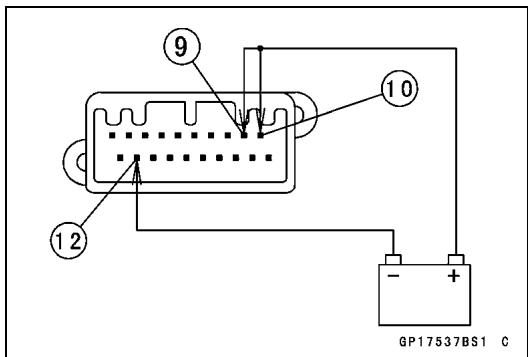


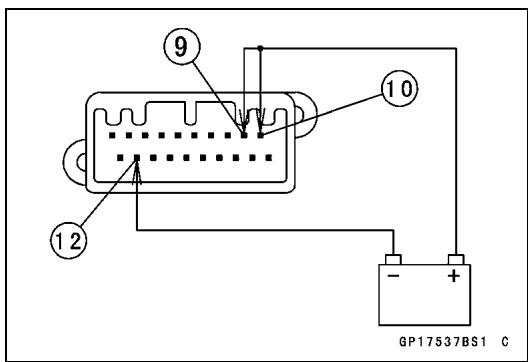
Meter, Gauge, Indicator Unit
Check 5: Immobilizer Flashing Mode Inspection (Equipped Models)
NOTE
☐For this inspection, be sure the battery is 12.4 V or more. Immobilizer Warning Light Flashing Mode does not work, when the battery voltage is less than 12 ± 0.4 V.
- Connect the terminal [9] to the battery (+) terminal.
- And then, disconnect the terminal [9].
- Push the MODE and RESET buttons more than 2 seconds, within 20 seconds after the terminal [9] disconnected.
- Check that the warning light (LED) goes on one second, and then the light starts flashing (Immobilizer Warning Light Flashing Mode).
★If the meter function does not work, replace the meter assembly.
Check 6: High Beam Indicator Light (LED) Inspection
- Connect the leads in the same circuit as Check 2.
- Connect the terminal [1] to the battery (+) terminal.


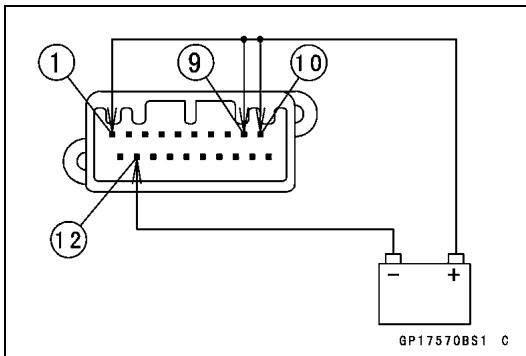
Meter, Gauge, Indicator Unit
- Check that the high beam indicator light (LED) [A] goes on.
★If the indicator light does not go on, replace the meter assembly.

Check 7: Right Turn Signal Indicator Light (LED) Inspection
- Connect the leads in the same circuit as Check 2.
- Connect the terminal [3] to the battery (+) terminal.
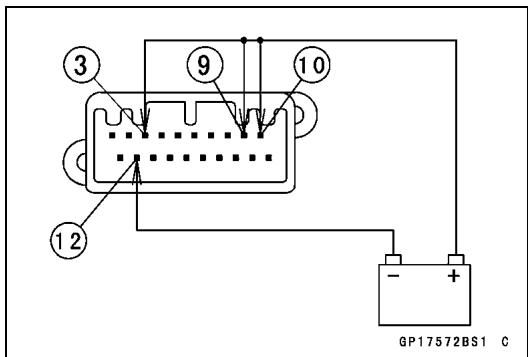
- Check that the right turn signal indicator light (LED) [A] goes on.
★If the indicator light does not go on, replace the meter assembly.
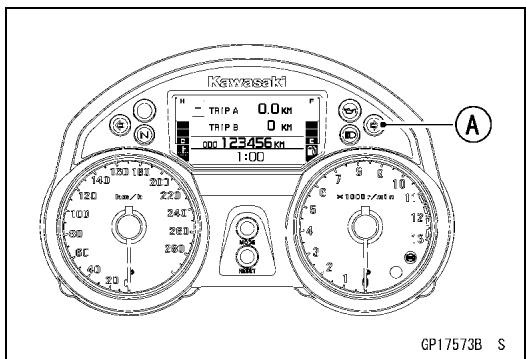
Check 8: Left Turn Signal Indicator Light (LED) Inspection
- Connect the leads in the same circuit as Check 2.
- Connect the terminal [19] to the battery (+) terminal.

- Check that the left turn signal indicator light (LED) [A] goes on.
★If the indicator light does not go on, replace the meter assembly.

Meter, Gauge, Indicator Unit
Check 9: Oil Pressure Warning Indicator Light (LED) Inspection
- Connect the leads in the same circuit as Check 2.
-
Connect the terminal [2] to the battery (−) terminal.
-
Check that the oil pressure warning indicator light (LED) goes on.
★If the indicator light does not go on, replace the meter assembly.
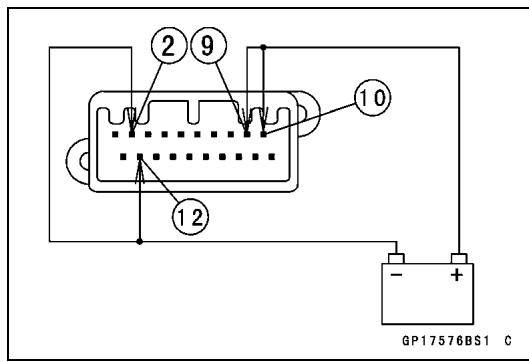
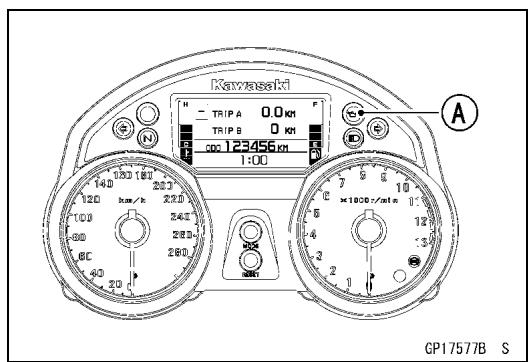
Check 10: Neutral Indicator Light (LED) Inspection
- Connect the leads in the same circuit as Check 2.
- Connect the terminal [4] to the battery (−) terminal.
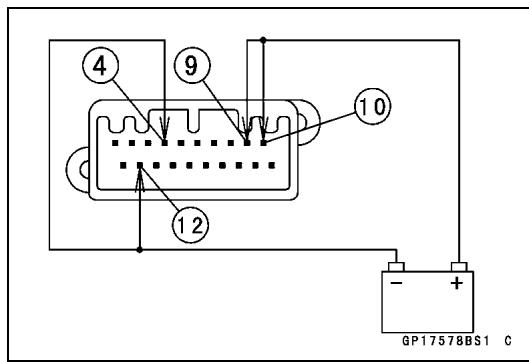
- Check that the neutral indicator light (LED) goes on.
★If the indicator light does not go on, replace the meter assembly.

Check 11: ABS Indicator Light (LED) Inspection (Equipped Models)
- Connect the leads in the same circuit as Check 2.
- Check that the ABS indicator light (LED) [A] goes on.

Meter, Gauge, Indicator Unit
- Connect the terminal [6] to the battery (−) terminal.
- Check that the ABS indicator light (LED) goes off.
★If the indicator light does not go on, replace the meter assembly.

Check 12: Fuel Level Warning Inspection
- Connect the leads in the same circuit as Check 2.
- Connect the variable rheostat [A] (about 22 Ω) to the terminal [15] and the battery (−) terminal.
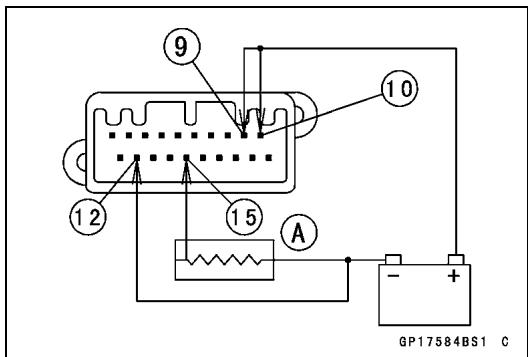
- After about 5 seconds, check that one segment [A] in the fuel gauge starts flashing.
- Check that the FUEL EMPTY [B] and fuel symbol [C] appear alternately in the display.
★If the display function does not work, replace the meter assembly.
○This display is the warning message indication.
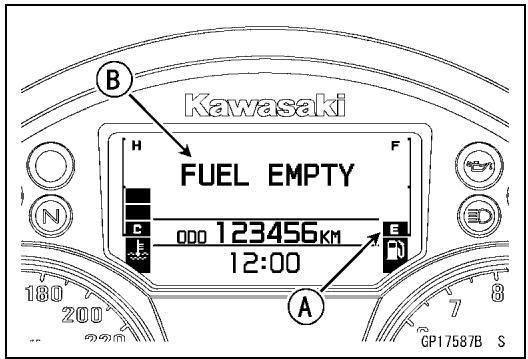

- Push the MODE button [A] more than 2 seconds.
- Check that the warning light (LED) [B] goes on and display changes TRIP A/B meter [C] mode.
○The one segment [D] in the fuel gauge keeps flashing.
- Push the MODE button more than 2 seconds.
- Check that the warning light (LED) goes off and display changes the warning message indication mode.
○The one segment in the fuel gauge keeps flashing.
★If the display function does not work, replace the meter assembly.
- Disconnect the battery to disappear the warning message indication.
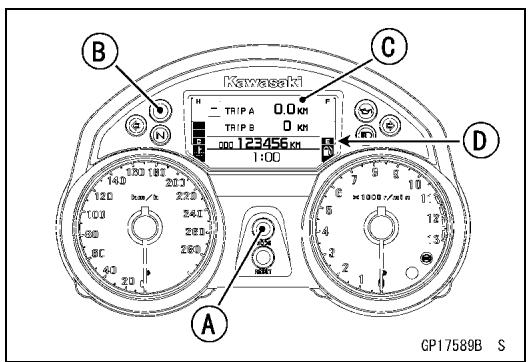
Meter, Gauge, Indicator Unit
Check 13: Fuel Gauge Inspection
- Connect the leads in the same circuit as Check 2.
- Connect the resistor [A] (about 1 kΩ) to the terminal [15] and the battery (−) terminal.
- Connect the variable rheostat [B] to the terminal [16] and the battery (−) terminal.
- Check that the number of segments matches the resistance value of the variable rheostat.
When the terminal [16] is connected, one segment in the fuel level gauge should appear about every 15 seconds.
| Variable Rheostat Resistance (Ω) | Display Segments [A] |
| 10 | 6 |
| 200 | 1 |
★If the display function does not work, replace the meter assembly.

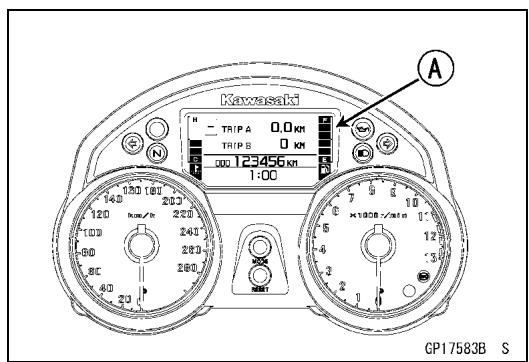
Check 14: Speedometer Inspection
- Connect the leads in the same circuit as Check 2.
- The speed equivalent to the input frequency is indicated in the oscillator [A], if the square wave is input into terminal [13].
○Indicates approximately 60 mph if the input frequency is approximately 131.2 Hz.
○Indicates approximately 60 km/h if the input frequency is approximately 82 Hz.
★If the meter function does not work, replace the meter assembly.

Check 15: Trip A/B Meter Inspection
- Connect the leads in the same circuit as Check 14.
- Set the TRIP A/B meter mode in the display.
- Raise the input frequency of the oscillator to see the result of this inspection.
★ If the value indicated by the trip meter A/B do not increase, replace the meter assembly.
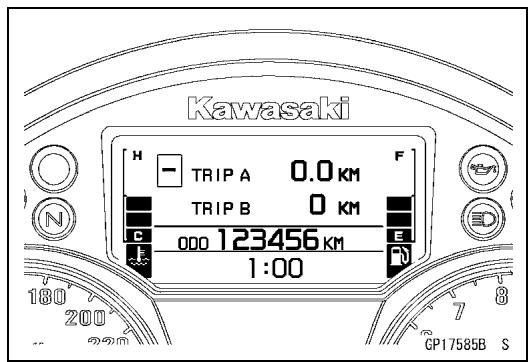
Meter, Gauge, Indicator Unit
- By pushing the RESET button each time, check that the display starts flashing as follows.
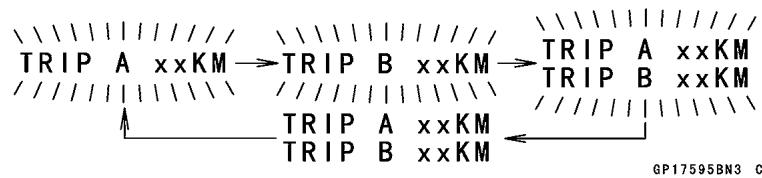
chemical
DNA sequence alignment showing TRIP A and TRIP B with cross-keto KsM binding sites
- When flushing the display, push the RESET button for more than two seconds, check that the display changes 0.0 (TRIP A) and 0 (TRIP B).
★ If the display function does not change, replace the meter assembly.
Check 16: Odometer Inspection
- Connect the leads in the same circuit as Check 14.
- Raise the input frequency of the oscillator to see the result of odometer [A] inspection.
Example: Indicates the increase of approximately 1 mile, if the input frequency is approximately 131.2 Hz for one minute.
Example: Indicates the increase of approximately 1 km/h, if the input frequency is approximately 82 Hz for one minute.
★If the value indicated by the odometer does not increase, replace the meter assembly.
Check 17: Speed Sensor Supply Voltage Inspection
- Connect the leads in the same circuit as Check 2.
- Set the hand tester to the 25 V range and connect it in the meter unit as follows.
Special Tool - Hand Tester: 57001-1394
Connections:
| Hand Tester (+) | → | Terminal [11] |
| Hand Tester (−) | → | Terminal [12] |
Speed Sensor Supply Voltage
Standard: about 12 V
★If the tester reading is not specified, replace the meter assembly.

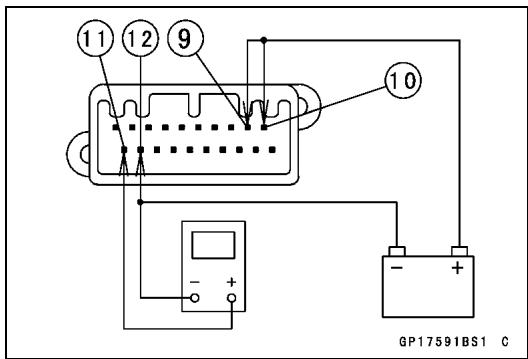
Meter, Gauge, Indicator Unit
Check 18: Water Temperature Gauge Inspection
- Connect the leads in the same circuit as Check 2.
- Connect the CAN communication lines from meter connector [A] to main harness connector [B] as shown.
Connections:
Meter Terminal [17] → Main Harness Terminal [17]
Meter Terminal [18] → Main Harness Terminal [18]
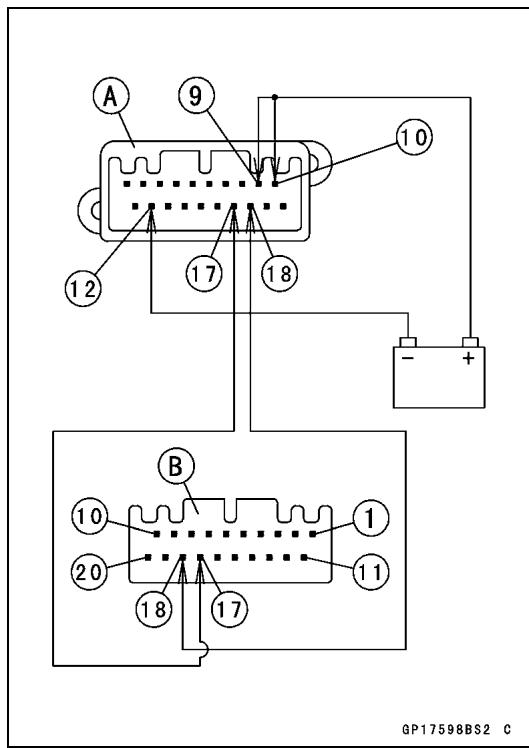
- Turn the ignition switch ON.
- Check that the only symbol [A] appears in the water temperature gauge.
- Turn the ignition switch OFF.
★If the display function does not work, go to the Check 1 and check the following items.
Wiring (see Wiring Inspection)
CAN Communication Line Resistance (at ECU) (see CAN Communication Line Resistance Inspection in the Fuel System (DFI) chapter)
Water Temperature Sensor (see Water Temperature Sensor (Service Code 14) section in the Fuel System (DFI) chapter)
★If the above items are good, replace the meter assembly and/or ECU.
Check 19: FI/IMMOBILIZER Error Inspection
- Connect the leads in the same circuit as Check 18.
- For example, disconnect the atmospheric pressure sensor [A].
- Install the key registration unit [B] (see Key Registration) (Immobilizer equipped model).
Special Tool - Key Registration Unit: 57001-1582

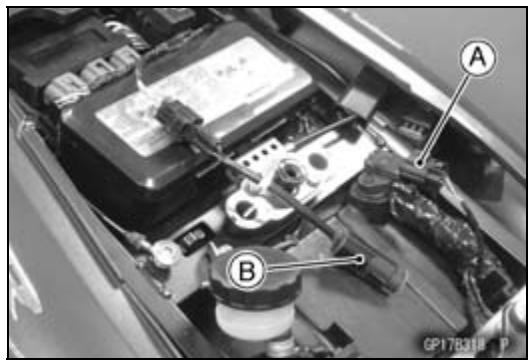
Meter, Gauge, Indicator Unit
- Turn the ignition switch ON by the current key.
- Check that the warning light (LED) [A] starts flashing and the display [B] changes as follows.
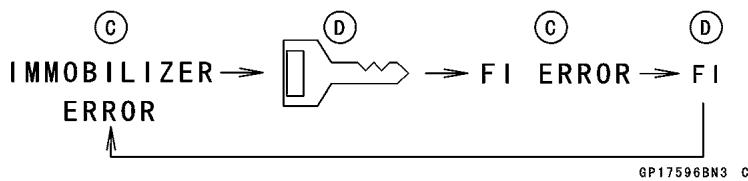
flowchart
graph LR
    A["IMMOBILIZER"] --> B["ERROR"]
    B --> C["FI ERROR"]
    C --> D["FI ERROR"]
    style A fill:#f9f,stroke:#333
    style D fill:#f9f,stroke:#333
[C] Warning Message
[D] Symbol
○This display is the warning message indication.
★If the display function does not work, go to the Check 1 and check the following items.
Wiring (see Wiring Inspection)
CAN Communication Line Resistance (at ECU) (see CAN Communication Line Resistance Inspection in the Fuel System (DFI) chapter)
Example:
Immobilizer System (see Immobilizer Amplifier and Blank Key Detection section in the Fuel System (DFI) chapter)
Atmospheric Pressure Sensor (see Atmospheric Pressure Sensor (Service Code 15) section in the Fuel System (DFI) chapter)
○Refer to Troubleshooting the DFI System section in the Fuel System (DFI) chapter for other DFI parts
★If the above items are good, replace the meter assembly and/or ECU.
- By pushing the MODE button [A] each time, check that the display changes the error messages [B] only.
○During this operating, the symbols do not appear.
○The warning indicator light (LED) keeps flashing.
- Push the MODE and RESET buttons for more than two seconds, check that each ERROR CODE [A] and numbers appears in the display.
○The warning indicator light (LED) keeps flashing.
- Again, push the MODE and RESET buttons for more than two seconds, check that the display returns the warning message indication.
○The warning indicator light (LED) keeps flashing.
★If the display function does not work, replace the meter assembly.

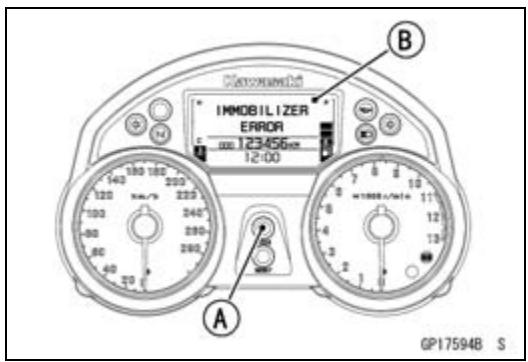

Meter, Gauge, Indicator Unit
Check 20: Tachometer Inspection
- Connect the leads in the same circuit as Check 18.
- Confirm the vehicle down sensor is correct position.
- Start the engine.
- Check that the needle [A] in the tachometer moves.
★If the needle does not move, go to the Check 1 and inspect the following items.
Wiring (see Wiring Inspection)
CAN Communication Line Resistance (at ECU) (see CAN Communication Line Resistance Inspection in the Fuel System (DFI) chapter)
Crankshaft Sensor (see Crankshaft Sensor Inspection)
★If the above items are good, replace the meter assembly and/or ECU.
Check 21: Gear Position Indication Inspection
- Install the meter unit (see Meter Unit Installation).
- Turn the ignition switch ON.
- Check that the N mark [A] appears in the display and neutral indicator light (LED) [B] goes on.
- Set the low gear position, check that the display changes to 1 mark.
- For the other gear position indication;
- Using the stand, raise the rear wheel off the ground (see Interlock Operation Inspection).
- Start the engine, change the gear position.
- Check that the display corresponding to each gear position appears.
- Turn the ignition switch OFF.
★If the display function does not work, go to the Check 1 and check the following items.
Wiring (see Wiring Inspection)
CAN Communication Line Resistance (at ECU) (see CAN Communication Line Resistance Inspection in the Fuel System (DFI) chapter)
Gear Position Switch (see Gear Position Switch (Service Code 25) section in the Fuel System (DFI) chapter)
Speed Sensor (see Speed Sensor (Service Code 24) section in the Fuel System (DFI) chapter)
★If the above items are good, replace the meter assembly and/or ECU.
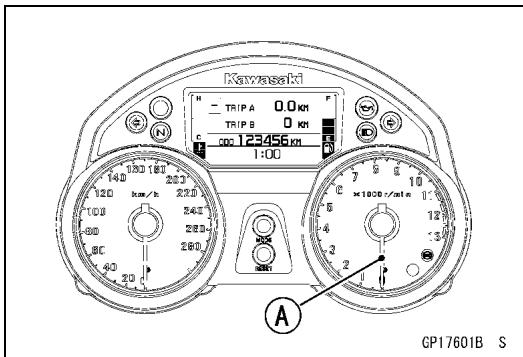

Check 22: Other Inspection
○The following items are displayed while running.
AVERAGE
INST
RANGE
Engage Lamp/Shift Lamp Indication
- When the above item is faulty indication check the following items.
Wiring (see Wiring Inspection)
CAN Communication Line Resistance (see Check 1 and CAN Communication Line Resistance Inspection in the Fuel System (DFI) chapter)
Fuel Injectors (see Fuel Injectors (Service Code 41, 42, 43, 44) section in the Fuel System (DFI) chapter)
Speed Sensor (see Speed Sensor (Service Code 24) section in the Fuel System (DFI) chapter)
Crankshaft Sensor (see Crankshaft Sensor Inspection)
Fuel Level Sensor (see Fuel Level Sensor Inspection)
Fuel Reserve Switch (see Fuel Reserve Switch Inspection)
★If the above items are good, replace the meter assembly and/or ECU.
Meter, Gauge, Indicator Unit
Meter Unit Circuit

flowchart
graph TD
    A["1"] --> B["2"]
    B --> C["3"]
    C --> D["4"]
    D --> E["5"]
    E --> F["6"]
    F --> G["7"]
    G --> H["8"]
    H --> I["9"]
    I --> J["10"]
    J --> K["11"]
    K --> L["12"]
    L --> M["13"]
    M --> N["14"]
    N --> O["15"]
    O --> P["16"]
    P --> Q["17"]
    Q --> R["18"]
    R --> S["19"]
    S --> T["20"]
    T --> U["21"]
    U --> V["22"]
    V --> W["23"]
    W --> X["24"]
    X --> Y["25"]
    Y --> Z["26"]
    Z --> AA["GP17541BW3 C"]
- Meter Unit
- Dimmer Switch (High Beam)
- Turn Signal Switch (Right)
- Turn Signal Switch (Left)
- ABS Hydraulic Unit (Equipped Models)
- Oil Pressure Switch
- Gear Position Switch
- Speed Sensor
-
Fuel Level Sensor
-
Joint Connector 1
-
Joint Connector 2
-
Fuel Reserve Switch
-
Water-proof Joint 2
-
Water Temperature Sensor
- Crankshaft Sensor
- ECU
- Frame Ground 1
- Water-proof Joint 1
- Ignition Fuse 10 A (in Fuse Box 2)
- ECU Fuse 15 A (in Fuse Box 2)
- Ignition Switch
- Main Fuse 30 A
- Battery 12 V 14 Ah
- Frame Ground 2
- Engine Ground
- Immobilizer Amplifier (Equipped Models)
Immobilizer System (Equipped Models)
This motorcycle is equipped with an immobilizer system to protect the motorcycle from theft. This system provides a theft proof device by means of matching a code between the inbuilt key transponder and ECU (Electronic Control Unit). If the code does not match, ignition system, injectors, and sub-throttle valve actuator will not operate and the engine will not start.
Abstract
- Do not keep more than one immobilizer key of any system on a key ring. Jamming of the key code signal may occur and the operation of the system may be affected.
- The warning indicator light (LED) will flash for a period of 24 hours once the ignition switch has been switched off and the key removed. This flashing can be set to on or off as desired by holding the Mode and Reset buttons down for two seconds within twenty seconds of switching the ignition off.
- If all coded keys (master key and user keys) are lost the ECU and ignition switch will have to be replaced.
- The immobilizer system can not function until the master key code is registered in the ECU.
- A total of six keys can be registered in the ECU at any one time (one master key and five user keys).
- If the master key is lost it is not possible to register new user keys.
Operational Cautions
- Do not put two keys of any immobilizer system on the same key ring.
- Do not submerge any key in water.
- Do not expose any key to excessively high temperature.
- Do not place any key close to magnet.
- Do not place a heavy item on any key.
- Do not grind any key or alter its shape.
- Do not disassemble the plastic part of any key.
- Do not drop the key and/or apply any shocks to the key.
- When a user key is lost, the user should go to his dealer to invalidate the lost key registration in the ECU.
- When the master key is lost, the user should go to his dealer and have a new ECU installed and register a new master key and user keys.
NOTE
○No.9 and 10 are strongly recommended to the customer to ensure security of the motorcycle.
Key Registration
Case 1: When the user key has been lost or additional spare user key is required.
● Prepare a new spare user key.
- Cut the key in accordance with the shape of the current user key.
- Remove the seat (see Seat Removal in the Frame chapter).
- Disconnect the immobilizer/Kawasaki diagnostic system connector [A].
- Connect the key registration unit [A].
Special Tool - Key Registration Unit: 57001-1582

natural_image
Close-up of a car's battery compartment with visible circuit breakers and battery housing (no text or symbols)

natural_image
Close-up of a car's internal battery compartment with labeled component A (no readable text or symbols beyond label)
Immobilizer System (Equipped Models)
- Insert the master key to the ignition switch and turn it ON. Verified
○The warning indicator light (LED) [A] blinks to display the registration mode (go to the next step).
Not Verified
○The warning indicator light (LED) [A] blinks to display the collation error (refer to the following failure illustrations). Immobilizer Amplifier Failure
Master Key Collation Error


- Turn the master key OFF and remove the master key.
○The warning indicator light (LED) [A] blinks continuously to display that the ECU is in the registration mode for 15 seconds.
NOTE
○Insert next key and turn ON within 15 seconds after previous key is turned off and removed otherwise registration mode will be ended and the warning indicator light (LED) stops flashing.
To return to the registration mode start the master key verification procedure. This applies to all user key registration.
- Insert the user key 1 to the ignition switch and turn it ON.
NOTE
- Keep the other user key away from the immobilizer antenna.
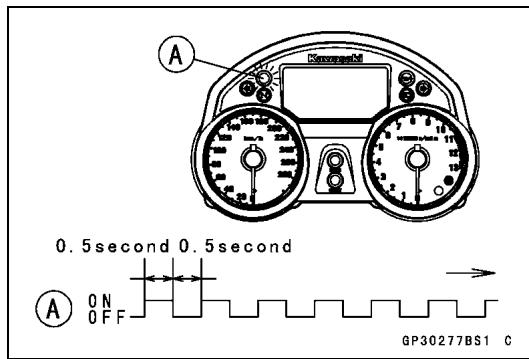
Immobilizer System (Equipped Models)
○If there is any problem in the registration, the warning indicator light (LED) [A] blinks to display the collation error. Immobilizer Amplifier Failure
When Registered User Key is Inserted.
User Key Collation Error
- The user key 1 is successfully registered in the ECU.
○The warning indicator light (LED) [A] blinks 2 times and stops for 1 second and then repeats this cycle.
- Turn the user key 1 OFF and remove the user key 1.
- The warning indicator light (LED) [A] blinks to display the registration mode.
NOTE
Turn off the ignition switch and wait for the period of 15 seconds or more. The registration mode automatically finishes and the warning indicator light (LED) will switch off.
○ This procedure registered the master key and one user key.
○Continue with the procedure to register the second and later keys before the 15 seconds period has elapsed.
- Insert the user key 2 to the ignition switch and turn it ON.
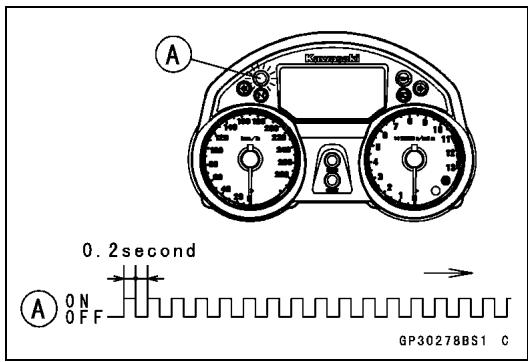


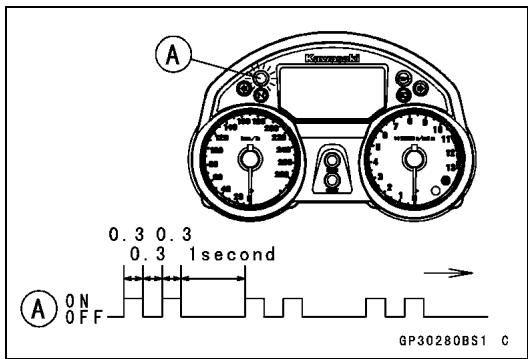
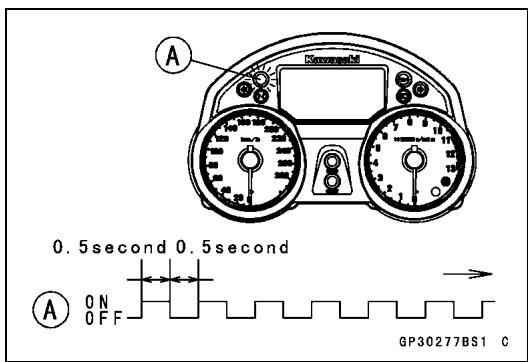
Immobilizer System (Equipped Models)
○If there is any problem in the registration, the warning indicator light [A] blinks to display the collation error.
Immobilizer Amplifier Failure
When Registered User Key is Inserted.
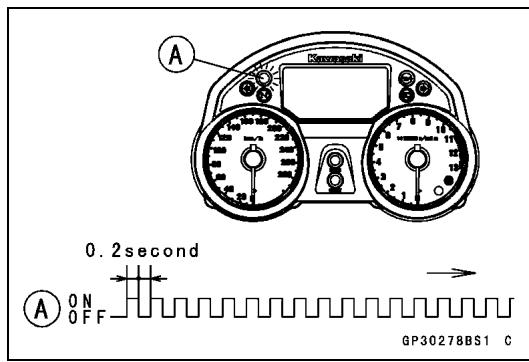
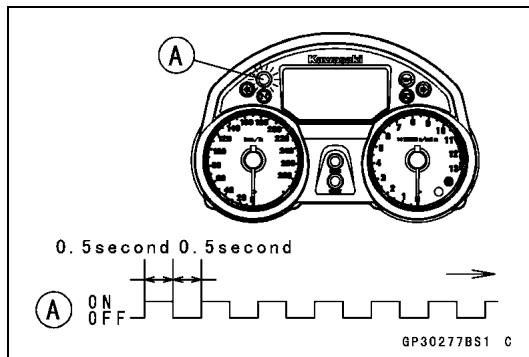
User Key Collation Error

- The user key 2 is registered in the ECU.
○The warning indicator light (LED) [A] blinks 3 times and stops for 1 second and then repeats this cycle.
- This procedure has registered the master key and 2 user keys.
- Continue with the procedure to register an additional 3 user keys.
NOTE
○The ECU can store up the six key codes (master key × 1 and user key × 5).
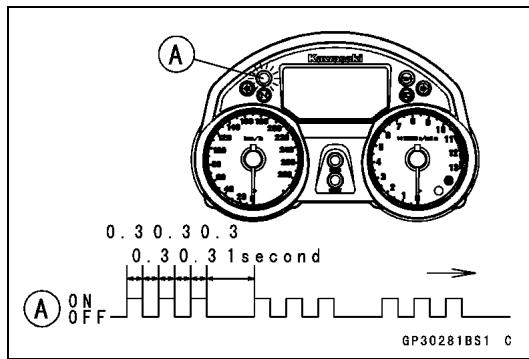
User Key Indicator Light Flashes
| Indicator Light Blinks | Indicator Light Stop | Remarks |
| User Key 3 | 4 times | 1 seconds | Repeat |
| User Key 4 | 5 times | 1 seconds | Repeat |
| User Key 5 | 6 times | 1 seconds | Repeat |
- Turn OFF the ignition switch and wait for period of more than 15 seconds.
- The registration mode automatically ends.
Immobilizer System (Equipped Models)
- Warning indicator light (LED) goes off [A].

- Remove the key registration unit and connect the immobilizer/Kawasaki diagnostic system connector.
NOTE
○Turn the ignition switch ON with the registered user key.
○Check that the engine can be started using all registered user keys.
Immobilizer System (Equipped Models)
Spare User Key Registration Flow Chart

flowchart
graph TD
    A["Start"] --> B["Connect key registration unit"]
    B --> C["Insert master key and turn ON"]
    C --> D{ECU checks immobilizer amplifier (NOTE1)}
    D -->|NG| E["Warning indicator light blinking (NOTE2)"]
    D -->|OK| F{ECU checks master key (NOTE3)}
    F -->|NG| E
    E --> G["Verification"]
    G --> H["Warning indicator light blinking Pattern (2)"]
    H --> I["Tum OFF and remove master key"]
    I --> J["(NOTE4)"]
    J --> K{ECU checks immobilizer amplifier (NOTE1)}
    K -->|NG| L["Warning indicator light blinking (NOTE5)"]
    K -->|OK| M{ECU checks user key 1. (NOTE5)}
    M -->|NG| L
    L --> N["All user key codes in ECU eliminated"]
    N --> O["Registry of user key 1 completed"]
    O --> P["Warning indicator light blinking Pattern (4)"]
    P --> Q["Turn OFF and remove user key 1"]
    Q --> R{Judgment on next user key registration}
    R -->|NG| S["Warning indicator light blinking Pattern (2)"]
    R -->|OK| T["Register (NOTE 4)"]
    T --> U["Insert user key 2-5 and turn ON"]
    U --> V{ECU checks immobilizer amplifier (NOTE1)}
    V -->|NG| W["Warning indicator light blinking (NOTE6)"]
    V -->|OK| X{ECU checks user key 2-5 (NOTE5)}
    X -->|NG| Y["Registry of user key 2-5 completed"]
    Y --> Z["Warning indicator light blinking Pattern (5). (7). (8). (9)"]
    Z --> AA["Turn OFF and remove user key 2-5"]
    AA --> AB{Vacant Register Memory}
    AB --> AC["None"]
    AC --> AD["Warning indicator light goes off"]
    AD --> AE["End"]
Immobilizer System (Equipped Models)
Case 2: When the ignition switch is faulty and to be replaced.
- Prepare a new ignition switch [A] and two new user keys [B].
- These parts are available as a set. Prepare the current master key [C].
- Remove:
Ignition Switch and Immobilizer Antenna (see Immobilizer System Parts Replacement)
Seat (see Seat Removal in the Frame chapter)
- Disconnect the immobilizer/Kawasaki diagnostic system connector.
- Connect the key registration unit [A].
Special Tool - Key Registration Unit: 57001-1582
- Connect:
New Ignition Switch Lead Connector [A] Immobilizer Antenna Lead Connector [B]
NOTE
- Keep the antenna more than 15 cm from the ignition switch.
- Put the current master key [C] at the antenna [D].
- Insert the new user key 1 [E] to the new ignition switch [F] and turn it ON.
Verified
○The warning indicator light (LED) [A] blinks to display the ECU is in the registration mode (go to the next step).

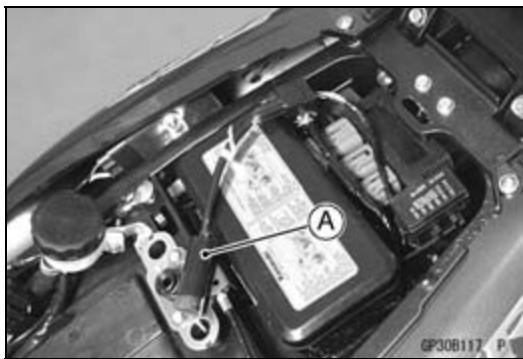
natural_image
Close-up of a car's internal battery compartment with labeled component A (no readable text or symbols beyond label)

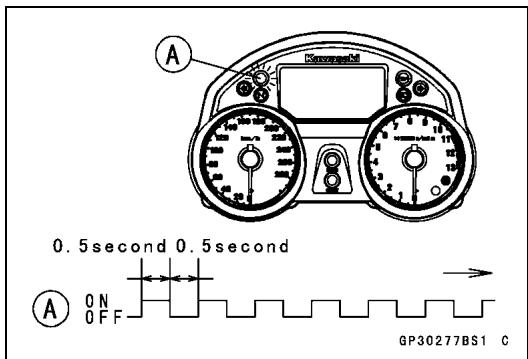
Not Verified
○The warning indicator light (LED) [A] blinks to display the collation error.
Immobilizer Amplifier Failure

Immobilizer System (Equipped Models)
Master Key Collation Error
- Turn OFF and remove the new user key 1.
- Temporarily place the antenna [A] on the new ignition switch [B].
- Insert the user key 1 [C] again into the new ignition switch and turn it ON.


NOTE
○Place the antenna on the ignition switch, insert the next key and turn ON within 15 seconds after previous key is turned off and removed otherwise registration mode will be ended and the warning indicator light (LED) stops flashing.
To return to the registration mode start the master key verification procedure. This applies to all user key registration.
- Keep other user keys away from the immobilizer antenna.
○If there is any problem in the registration, the warning indicator light (LED) [A] blinks to display the collation error. Immobilizer Amplifier Failure

Immobilizer System (Equipped Models)
When Registered User Key is Inserted.
User Key Collation Error
- The user key 1 is successfully registered in the ECU.
The warning indicator light (LED) [A] blinks 2 times and stops for 1 second and then repeats this cycle to indicate successful registering of user key 1.
- Turn OFF and remove user key 1.
○The warning indicator light (LED) [A] blinks to display the registration mode.
NOTE
Turn off the ignition switch and wait for the period more than 15 seconds. The registration mode automatically ends and warning indicator light (LED) goes off.
○ This procedure has, registered the master key and one user key.
○Continue the procedure to program the second and later keys.
- Insert the user key 2 to the ignition switch and turn it ON.

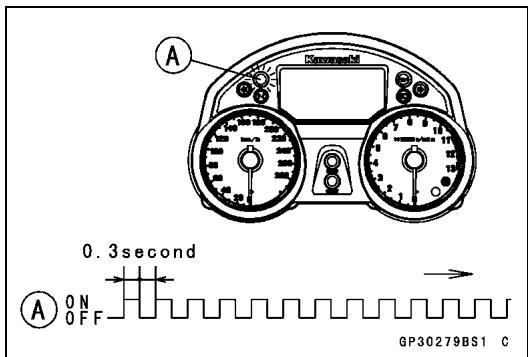


Immobilizer System (Equipped Models)
○If there is any problem in the registration, the warning indicator light (LED) [A] blinks to display the collation error. Immobilizer Amplifier Failure

When Registered User Key is Inserted.

User Key Collation Error

- The user key 2 is successfully registered in the ECU.
The warning indicator light (LED) [A] blinks 3 times and stops for 1 second and then repeat this cycle to indicate successful programming of user key 2.
- Turn OFF the ignition switch and wait for period more than 15 seconds.
- The registration mode automatically ends.

- Warning indicator light (LED) [A] goes off.

Immobilizer System (Equipped Models)
- Remove the key registration unit and connect the immobilizer/Kawasaki diagnostic system connector.
NOTE
- Turn the ignition switch ON with the registered user key.
- Check that the engine can be started using all registered user keys.
- Install the new ignition switch and antenna.
Case 3: When the electric control unit (ECU) is faulty and has to be replaced.
- Prepare a new ECU [A], current master key [B] and current user keys [C].
NOTE
○The key registration unit is not required.
- Replace: ECU [A] (see Immobilizer System Parts Replacement)
- Insert the current master key into the ignition switch and turn it ON.
○If there is any problem in the registration, the warning indicator light (LED) [A] blinks to display the collation error. Immobilizer Amplifier Failure
Master Key Collation Error
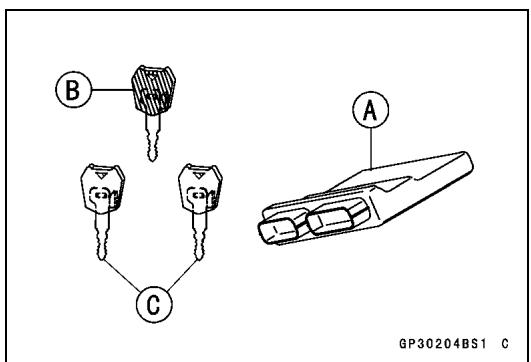

natural_image
Close-up of an electronic device's internal components with visible wiring and connectors (no text or symbols)

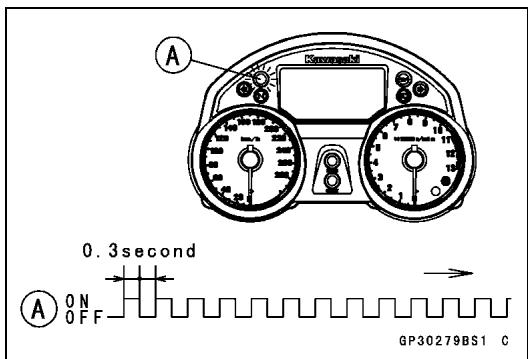
Immobilizer System (Equipped Models)
- The master key is registered in the ECU.
The warning indicator light (LED) [A] blinks 1 time and stops for 1 second and the repeats this cycle to indicate successful registration of the master key.
- Turn OFF the master key and remove it.
○The warning indicator light (LED) [A] blinks to display the registration mode.
NOTE
○Insert next key and turn ON within 15 seconds after previous key is turned off and removed otherwise registration mode will be ended and the warning indicator light (LED) goes off.
To return to the registration mode start the master key verification procedure. This applies to all user key registration.
- Insert the user key 1 to the ignition switch and turn it ON.
NOTE
- Keep the other user keys away from the immobilizer antenna.
○If there is any problem in the registration, the warning indicator light (LED) [A] blinks to display the collation error. Immobilizer Amplifier Failure
When Registered User Key is Inserted.

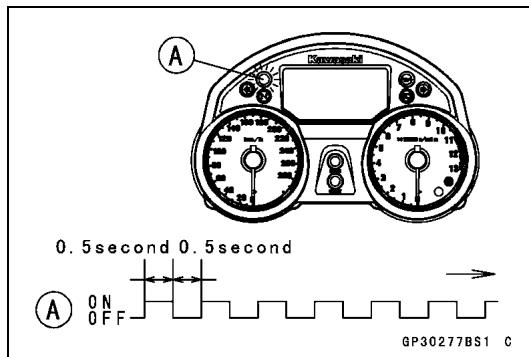


Immobilizer System (Equipped Models)
User Key Collation Error
- The user key 1 is registered in the ECU.
○The warning indicator light (LED) [A] blinks 2 times and stops for 1 second and then repeats this cycle to indicate successful registration of user key.
- Turn OFF and remove the user key 1.
○The warning indicator light (LED) [A] blinks to display the registration mode codes.
NOTE
○Insert next key and turn ON within 15 seconds after previous key is turned off and removed otherwise registration mode will be ended and the warning indicator light goes off.
To return to the registration mode start the master key verification procedure. This applies to all user key registration.
- Insert the user key 2 to the ignition switch and turn it ON.
○If there is any problem in the registration, the warning indicator light (LED) [A] blinks to display the collation error code.
Immobilizer Amplifier Failure


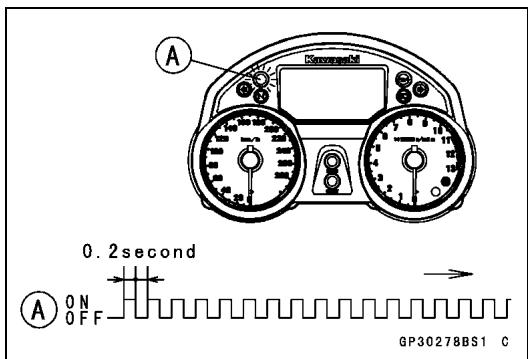
Immobilizer System (Equipped Models)
When Registered User Key is Inserted.
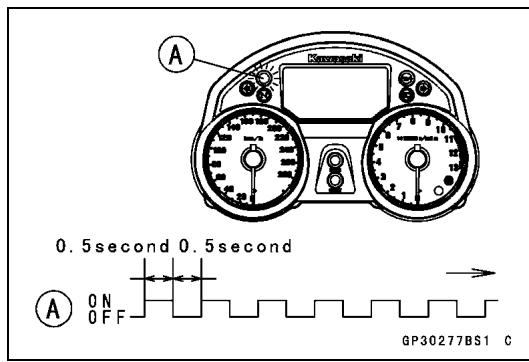
User Key Collation Error
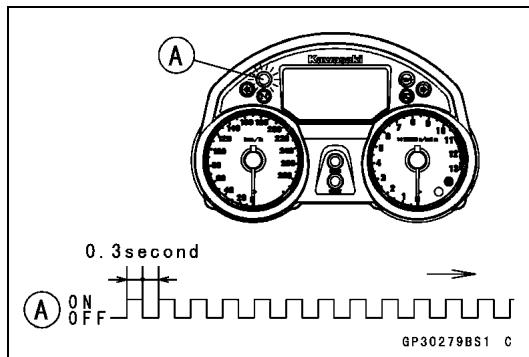
- The user key 2 is registered in the ECU.
○The warning indicator light (LED) [A] blinks 3 times and stops for 1 second and then repeats this cycle to indicate successful registration of user key 2.
- Turn OFF the ignition switch and wait for period more than 15 seconds.
- The registration mode automatically ends.
- Warning indicator light (LED) [A] goes off.
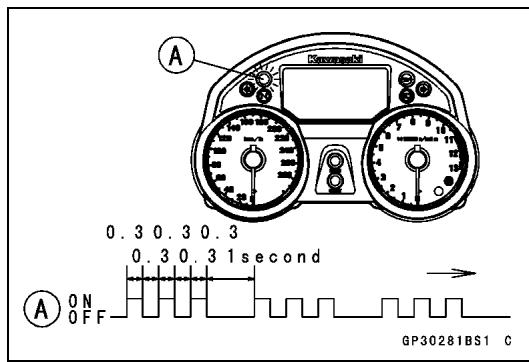

NOTE
○ Turn the ignition switch ON with the registered user key.
○Check that the engine can be started using all registered user keys.
Case 4: When master key is faulty or lost.
The master key replacement is considered very rare case. However if it is required, the following is necessary.
NOTE
○The ECU must be replaced with a new one because the master key code that is registered in the current ECU can not be rewritten.
Immobilizer System (Equipped Models)
- Prepare a new ECU [A], new master key [B] and current user keys [C].
NOTE
○The key registration unit is not required.
○The key registration process is same as the electric control unit replacement.

Case 5: When replacing the antenna.
- Prepare a new antenna.
- Refer to the Immobilizer System Parts Replacement.
NOTE
○No key registration is required.
Immobilizer System (Equipped Models)
All Keys Initial Registration Flow Chart

flowchart
graph TD
    A["Registration of Master Key"] --> B["Start"]
    B --> C["Insert master key and turn it ON."]
    C --> D["Warning indicator light blinking Pattern (2)"]
    D --> E{ECU checks immobilizer amplifier. (NOTE2)}
    E -->|NG| F["Warning indicator light blinking. (NOTE3)"]
    E -->|OK| G{ECU checks master key. (NOTE4)}
    G --> H["Temporary registry of master key 1"]
    H --> I["Warning indicator light blinking Pattern (3)"]
    I --> J["Turn OFF and remove master key."]
    J --> K["Warning indicator light blinking Pattern (2)"]
    K --> L["Insert user key 1 and turn it ON."]
    L --> M{ECU checks immobilizer amplifier. (NOTE2)}
    M -->|NG| N["Warning indicator light blinking. (NOTE5)"]
    M -->|OK| O{ECU checks user key 1. (NOTE6)}
    O --> P["Temporary registry of user key 1"]
    P --> Q["Warning indicator light blinking Pattern (4)"]
    Q --> R["Turn OFF and remove user key 1."]
    R --> S["Warning indicator light blinking Pattern (2)"]
    S --> T["Insert the user key 2 and turn it ON."]
    T --> U{ECU checks immobilizer amplifier (NOTE2)}
    U -->|NG| V["Warning indicator light blinking. (NOTE5)"]
    U -->|OK| W{ECU checks user key 1. (NOTE6)}
    W --> X["Temporary registry of use key 2"]
    X --> Y["Warning indicator light blinking Pattern (5)"]
    Y --> Z["Registered all keys in ECU."]
    Z --> AA["Turn OFF and remove user key 2. (NOTE7)"]
    AA --> AB["Warning indicator light goes off"]
    AB --> AC["End"]

    subgraph Key Registry Action
        direction TB
        D --> AD["Insert master key and turn it ON."]
        D --> AE["Insert master key and turn it ON."]
        E --> AF["Turn OFF and remove master key."]
        F --> AG["Warning indicator light blinking Pattern (3)"]
        AG --> AH["Turn OFF and remove master key."]
        I --> AI["Warning indicator light blinking Pattern (2)"]
        AI --> AJ["Insert user key 1 and turn it ON."]
        AJ --> AK{ECU checks immobilizer amplifier. (NOTE2)}
        AK -->|NG| AL["Warning indicator light blinking. (NOTE5)"]
        AK -->|OK| AM{ECU checks user key 1. (NOTE6)}
        AM --> AN["Temporary registry of user key 1."]
        AN --> AO["Warning indicator light blinking Pattern (4)"]
        AO --> AP["Turn OFF and remove user key 1."]
        AP --> AQ["Warning indicator light blinking Pattern (2)"]
        AQ --> AR["Insert the user key 2 and turn it ON."]
        AR --> AS{ECU checks immobilizer amplifier (NOTE2)}
        AS -->|NG| AT["Warning indicator light blinking. (NOTE5)"]
        AS -->|OK| AU{ECU checks user key 1. (NOTE6)}
        AU --> AV["Temporary registry of use key 2."]
        AV --> AW["Warning indicator light blinking Pattern (5)"]
        AW --> AX["Registered all keys in ECU."]
        AX --> AY["Turn OFF and remove user key 2. (NOTE7)"]
        AY --> AZ["Warning indicator light goes off"]
    end

    %% Note
    note right of A
        Blinking Patterns and Number
        note bottom of A
        NOTE
        note top of A
        Note bottom of A
        Note bottom of A
        Note bottom of A
        Note bottom of A
        Note bottom of A
        Note bottom of A
        Note bottom of A
        Note bottom of A
        Note bottom of A
        Note bottom of A
        Note bottom of A
        Note bottom of A
        Note bottom of A
        Note bottom of A
        Note bottom of A
        Note bottom of A
        Note bottom of A
    end
Immobilizer System (Equipped Models)
Immobilizer System Parts Replacement Immobilizer Antenna
- Remove the left inner cover (see Inner Cover Removal in the Frame chapter).
-
Disconnect the lead connectors [A].
-
Remove:
Steering Stem Head (see Stem, Stem Bearing Removal in the Steering chapter)
-
Using a small chisel or punch [A], turn out the Torx bolts.
-
Cut the band [A].
- Remove the screw [B].
-
Remove the antenna [C] with the cover [D].
○Pull the lower parts [E] of the cover outside to clear the projection [F] of the ignition switch.
-
Tighten a new Torx bolt [A] until the bolt head [B] is broken. [C] Broken Head of Other Side
- Run the leads correctly (see Cable, Wire, and Hose Routing section in the Appendix chapter).
Immobilizer Amplifier Replacement
- Remove the windshield (see Windshield Removal in the Frame chapter).
- Disconnect the connector [A].
- Remove the amplifier [B] from the bracket [C].
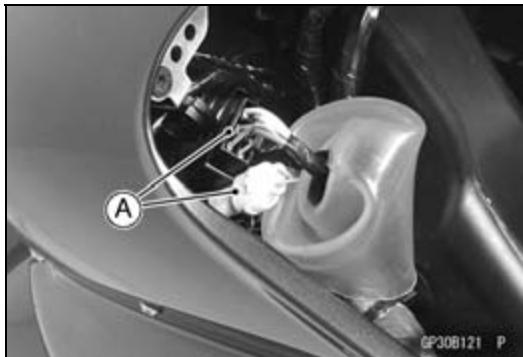

natural_image
Close-up of a mechanical component being adjusted with a tool, labeled point A (no text or symbols on the object itself)


Immobilizer System (Equipped Models)
ECU (Electric Control Unit) Replacement (for Immobilizer Models)
- Remove:
Seat (see Seat Removal in the Frame chapter)
Tool Kit [A]
Fuse Box [B]
- Using small chisel or other suitable tool, cut off the screws [A].
- Remove:
Plate [B]
Tool Kit Case [C]
- Remove:
Relay Box [A]
ECU Connectors [B]
ECU [C]
- Install:
ECU Connectors
Relay Box
- Insert the slits of the rubber protector to the projections [A] of the rear fender front.
- Install: Connector Holder [A]

natural_image
Interior view of a car's internal battery pack and motor housing (no visible text or symbols)

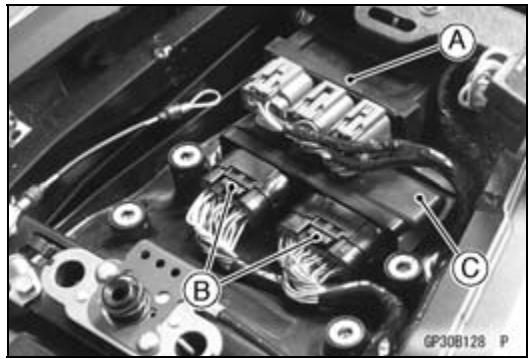
natural_image
Close-up of an automotive engine bay with labeled components (A, B, C), showing wiring and mounting hardware (no readable text or symbols beyond labels)
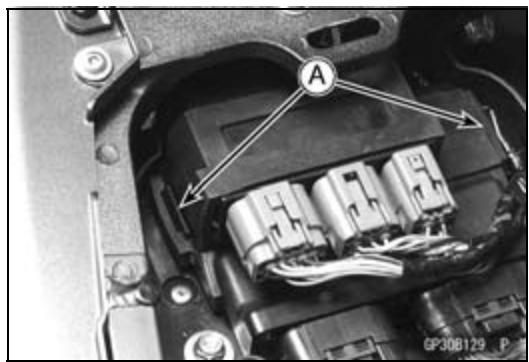
natural_image
Close-up of an electronic component with labeled pins A and GP30B129, showing internal wiring and housing (no readable text beyond labels)

natural_image
Close-up of an electronic device's internal components with visible wiring and connectors (no readable text or symbols)
Immobilizer System (Equipped Models)
- Install:
Tool Kit Case [A]
Plate [B]
- Tighten the new Kawasaki genuine screws [C] of which threads are coated with locking agent.
- Insert the stopper [D] of the fuse box into the groove [E] of the tool kit case.
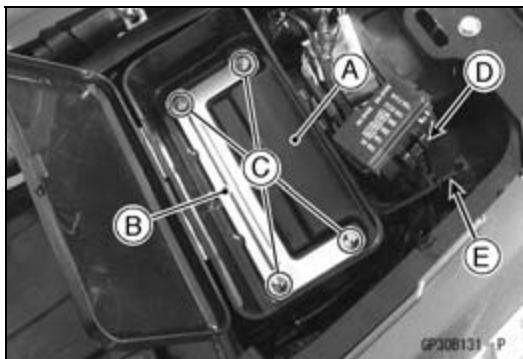
Immobilizer Relational Parts Replacement Chart
| Failed or Lost Part |
| Master Key (Red) | User Key (Black) | Ignition Switch | Antenna | Amplifier | ECU |
| * | Master Key (Red) | ● | | | | | |
| User Key (Black) | | ● | ○ | | | |
| Ignition Switch | | | ● | | | |
| Antenna | | | | ● | | |
| Amplifier | | | | | ● | |
| ECU | ○ | | | | | ● |
| * | Replacement Part |
| ● | Main Replacement Part |
| ○ | Additional Replacement Part |
Immobilizer System Inspection
- Refer to the Immobilizer Amplifier and Blank Key Detection section in Fuel System (DFI) chapter (see Immobilizer Amplifier (Service Code 35) section in the Fuel System (DFI) chapter).
Immobilizer System (Equipped Models)
Immobilizer System Circuit

- Ignition Switch
- Immobilizer Antenna
- Meter Unit
- Immobilizer Amplifier
- Joint Connector 1
- Fuse Box 2
- ECU Fuse 15 A
- Ignition Fuse 10 A
- Main Relay
- Relay Box
- Joint Connector 2
- Main Fuse 30 A
- Starter Relay
- Battery 12 V 14 Ah
- Frame Ground 1
- Frame Ground 2
- Immobilizer/Kawasaki Diagnostic System Connector
- Water-proof Joint 1
- ECU
Brake Light Timing Inspection
- Refer to the Brake Light Switch Operation Inspection in the Periodic Maintenance chapter.
Brake Light Timing Adjustment
- Refer to the Brake Light Switch Operation Inspection in the Periodic Maintenance chapter.
Switch Inspection
- Using a hand tester, check to see that only the connections shown in the table have continuity (about zero ohms).
- For the switch housings and the ignition switch, refer to the tables in the Wiring Diagram.
★If the switch has an open or short, repair it or replace it with a new one.
Special Tool - Hand Tester: 57001-1394
Rear Brake Light Switch Connections
| Rear Brake Light Switch Connections |
| Color | BR | BL |
| When brake pedal is pushed down | ○ | ○ |
| When brake pedal is released | | |
Sidestand Switch Connections
| Sidestand Switch Connections |
| Color | BK | G |
| When sidestand is down | | |
| When sidestand is up | ○— | ○ |
Oil Pressure Switch Connections*
| Oil Pressure Switch Connections * |
| Color | SW.Terminal | Ground |
| When engine is stopped | ○ | ○ |
| When engine is running | | |
*: Engine lubrication system is in good condition.
Switches and Sensors
Water Temperature Sensor Inspection
- Remove the water temperature sensor (see Removal/Installation in the Fuel System (DFI) chapter).
- Suspend the sensor [A] in a container of coolant so that the threaded portion is submerged.
- Suspend an accurate thermometer [B] with temperature sensing portions [C] located in almost the same depth.
NOTE
○The sensor and thermometer must not touch the container side or bottom.
- Place the container over a source of heat and gradually raise the temperature of the coolant while stirring the coolant gently.
- Using the hand tester, measure the internal resistance of the sensor.
- The sensor sends electric signals to the ECU and coolant temperature gauge in the meter unit.
○Measure the resistance across the terminals and the body (for the gauge) at the temperatures shown in the table.
★If the hand tester does not show the specified values, replace the sensor.

Water Temperature Sensor
| Resistance for ECU [D] |
| Temperature | Resistance (kΩ)(Terminal [1]-[3]) |
| 20°C (68°F) | 2.46 +0.115-0.143 |
| 80°C (176°F) | 0.32 ±0.011 |
| 110°C (230°F) | 0.1426 ±0.0041 |
| Resistance for Water Temperature Gauge [E] |
| Temperature | Resistance (Ω)(Terminal [2]-Body) |
| 50°C (122°F) | 210 ±40 |
| 120°C (248°F) | 21.2 ±1.5 |
Speed Sensor Removal
- Loosen the bolt [A].
- Disconnect the speed sensor lead connector [B].
- Remove:
Bolt [C]
Speed Sensor [D]

Speed Sensor Installation
- Apply a non-permanent locking agent to the sensor bolt.
- Install the speed sensor.
Torque - Speed Sensor Bolt: 3.9 N·m (0.40 kgf·m, 35 in·lb)
Switches and Sensors
Speed Sensor Inspection
- Remove the speed sensor (see Speed Sensor Removal).
- Connect the speed sensor lead connector [A] with the battery [B], 10 kΩ resistor [C] and hand tester [D] as shown.
- Set the tester to the DC 25 V range.
Special Tool - Hand Tester: 57001-1394
- Trace [A] each side of the speed sensor surface with the screw driver.
○Then the tester indicator should flick [B].
★If the tester indicator does not flick, replace the speed sensor.
Fuel Level Sensor Inspection
- Remove the fuel tank (see Fuel Tank Removal in the Fuel System (DFI) chapter).
- Open the clamps [A].
- Remove:
Bolts [B]
Fuel Level Sensor [C]
- Check that the float moves up and down smoothly without binding. It should go down under its own weight.
★If the float does not move smoothly, replace the sensor.
Float in Full Position [A]
Float in Empty Position [B]
Float Arm Stoppers [C]
- Using the hand tester [A], measure the resistance across the terminals in the fuel level sensor lead connector [B].
Special Tools - Hand Tester: 57001-1394
Needle Adapter Set: 57001-1457
★If the tester readings are not as specified, or do not change smoothly according as the float moves up and down, replace the sensor.
Fuel Level Sensor Resistance
Standard: Full position [C]: 9 \~ 11 Ω
Empty position: 213 \~ 219 Ω


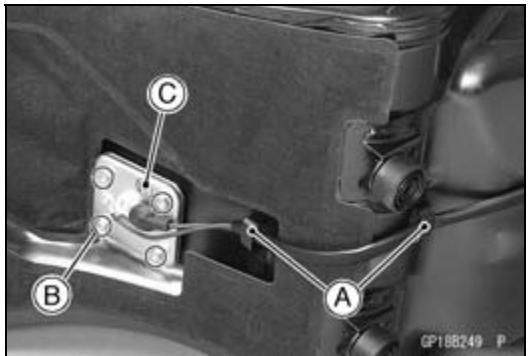

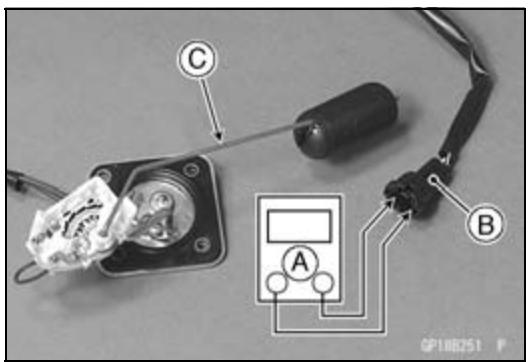
Switches and Sensors
- Install a new gasket [A] on the fuel level sensor as shown.
Hollows [B]
Front [C]
- Apply a non-permanent locking agent to the threads of the level sensor bolts and tighten it.
Torque - Fuel Level Sensor Bolts: 6.9 N·m (0.70 kgf·m, 61 in·lb)

Fuel Reserve Switch Inspection
- Fill the fuel tank with fuel.
- Close the fuel tank cap surely.
- Remove the fuel tank (see Fuel Tank Removal in the Fuel System (DFI) chapter).
- Connect the test light [A] (12 V 3.4 W bulb in a socket with leads) and the 12 V battery [B] to the fuel pump connector [C].
Connections
Battery (+) → 12 V 3.4 W Bulb (one side)
12 V 3.4 W Bulb (other side) → BK/R Lead Terminal
Battery (-) → BK/W Lead Terminal
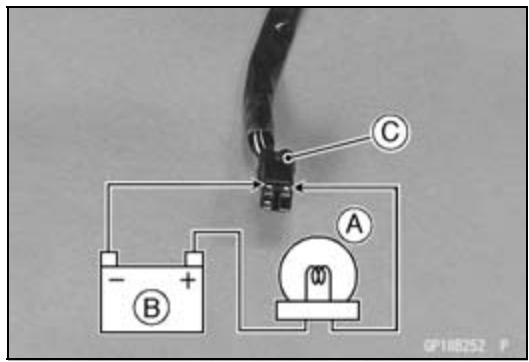
Special Tool - Needle Adapter Set: 57001-1457
★If the test light turn on, the reserve switch is defective. Replace the fuel pump.
- Remove the fuel pump (see Fuel Pump Removal in the Fuel System (DFI) chapter).
- Connect the test light (12 V 3.4 W bulb in a socket with leads) and the 12 V battery to the fuel pump connector as shown.
12 V Battery [A]
Test Light [B]
Fuel Pump Connector [C]
Fuel Reserve Switch [D]
★If the test light doesn't light, replace the fuel pump.

NOTE
- It may take a long time to turn on the test light in case that the fuel reserve switch is inspected just after the fuel pump is removed. Leave the fuel reserve switch with leads for inspection connected for few minutes.
Switches and Sensors
Gear Position Switch Removal
- Remove the lower fairings (see Lower Fairing Removal in the Frame chapter).
- Slide out the rubber boot [A].
- Loosen the oil pressure switch terminal bolt [B], and remove the switch lead [C].
- Open the clamps [A].
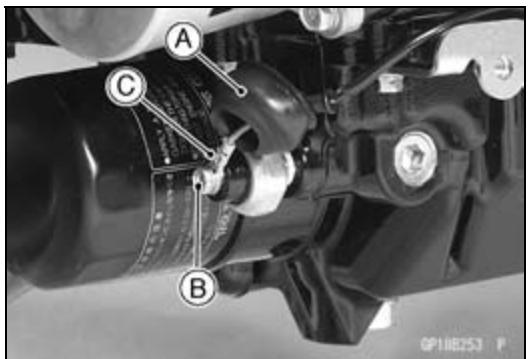

natural_image
Close-up mechanical assembly showing hoses, springs, and a labeled component (A), with no readable text or symbols beyond the label.
- Remove:
Engine Sprocket Cover (see Engine Sprocket Removal in the Final Drive chapter)
Bolt [A]
Clamp [B]
- Disconnect the oil pressure switch/gear position switch lead connector [C].


- Open the clamp [A].
- Remove:
Screws [B]
Gear Position Switch [C]
- Remove the pin [A] and spring from the shift drum.
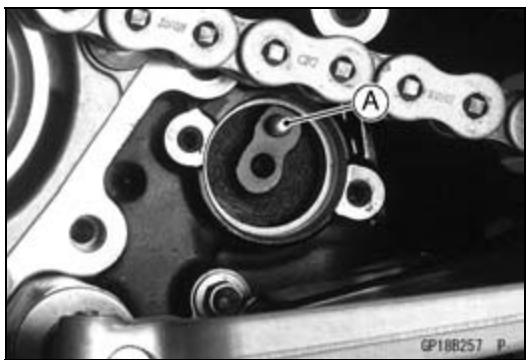
natural_image
Close-up of a mechanical gear assembly with labeled components (no readable text or symbols)
Switches and Sensors
Gear Position Switch Installation
- Securely place the spring [A] and pin [B] into the hole [C] of the shift drum.
- Apply grease to the new O-ring [D].
- Apply a non-permanent locking agent to the gear position switch screws.
- Tighten:
Torque - Gear Position Switch Screws: 3.0 N·m (0.31 kgf·m, 27 in·lb)
Gear Position Switch Lead Clamp Bolt: 9.8 N·m (1.0 kgf·m, 87 in·lb)
- Run the gear position switch and oil pressure switch lead correctly (see Cable, Wire, and Hose Routing section in the Appendix chapter).
- Install the removed parts (see appropriate chapters).
Gear Position Switch Inspection
NOTE
○Be sure the transmission mechanism is good condition.
- Disconnect the connector [A].
- Set the hand tester [A] to the 1 kΩ or × 100 Ω range and connect it to the terminals in the oil pressure switch/gear position switch lead connector [B] and ground.
[C] Internal Circuit
[1] Light Green Lead
[2] Green/Red Lead
[3] Black Lead
Special Tool - Hand Tester: 57001-1394
Gear Position Switch Resistance
kΩ
| Connections |
| Gear Position | [1]-Ground | [2]-Ground | [3]-Ground |
| Neutral | about 0 | - | - |
| 1st | - | 3.00 ~ 3.32 | 11.63 ~ 12.87 |
| 2nd | - | 1.70 ~ 1.89 | 10.33 ~ 11.44 |
| 3rd | - | 1.07 ~ 1.19 | 9.70 ~ 10.74 |
| 4th | - | 0.695 ~ 0.769 | 9.32 ~ 10.32 |
| 5th | - | 0.430 ~ 0.476 | 9.06 ~ 10.03 |
| 6th | - | 0.248 ~ 0.274 | 8.89 ~ 9.81 |
★If the tester reading is not as specified, replace the gear position switch with a new one.

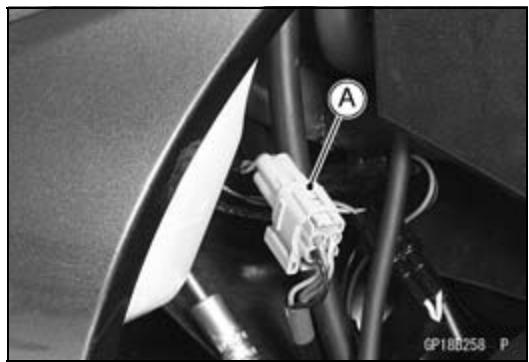
natural_image
Close-up of a white electrical connector with wires and a labeled component (A), no readable text or symbols beyond the label.
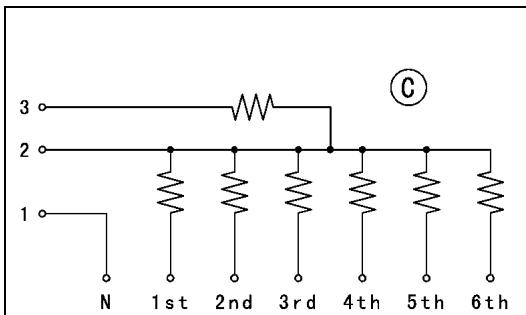
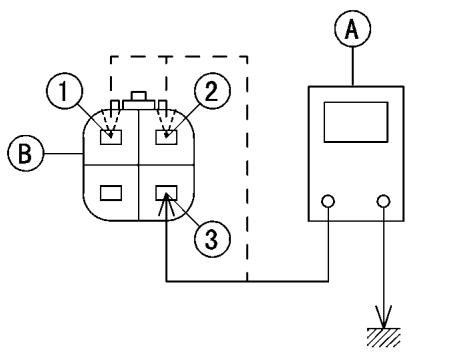
GP18077BS2 C
Relay Box
The relay box [A] has relays and diodes. The relays and diodes can not be removed.

natural_image
Close-up of a car's engine bay with visible battery pack and labeled component (no readable text or symbols)
Relay Box Removal
- Remove the seat (see Seat Removal in the Frame chapter).
- Take out the relay box [A] and disconnect the connectors [B].

Relay Circuit Inspection
NOTE
○The ECU main relay function is included in the ECU.
- Remove the relay box (see Relay Box Removal).
- Check conductivity of the following numbered terminals by connecting the hand tester and one 12 V battery to the relay box as shown (see Relay Box Internal Circuit).
★If the tester does not read as specified, replace the relay box.
Relay Circuit Inspection (with the battery disconnected)
*: The actual reading varies with the hand tester used.
Relay Box
Relay Circuit Inspection (with the battery connected)
| Battery Connection (+) (-) | Tester Connection | Tester Reading (Ω) |
| Main Relay | 2-11 | 1-3 | 0 |
| 4-5 | 7-6 | 0 |
| Fuel Pump Relay | 9-10 | 7-8 | 0 |
| Fan Relay | 18-19 | 17-20 | 0 |
| Battery Connection (+) (-) | Tester Connection DC 25 V Range | Tester Reading (V) |
| Starter Circuit Relay | 16-12 | 11-12 | Battery Voltage |
(+): Apply positive lead.
(-): Apply negative lead.
Diode Circuit Inspection
- Remove the relay box (see Relay Box Removal).
- Check conductivity of the following pairs of terminals (see Relay Box Internal Circuit).
Diode Circuit Inspection
| Tester Connection | 1-11, 2-11, 12-13, 12-15, 12-16, 13-14, 13-15 |
★The resistance should be low in one direction and more than ten times as much in the other direction. If any diode shows low or high in both directions, the diode is defective and the relay box must be replaced.
NOTE
☐ The actual meter reading varies with the meter or tester used and the individual diodes, but generally speaking, the lower reading should be from zero to one half the scale.
Relay Box
Relay Box Internal Circuit
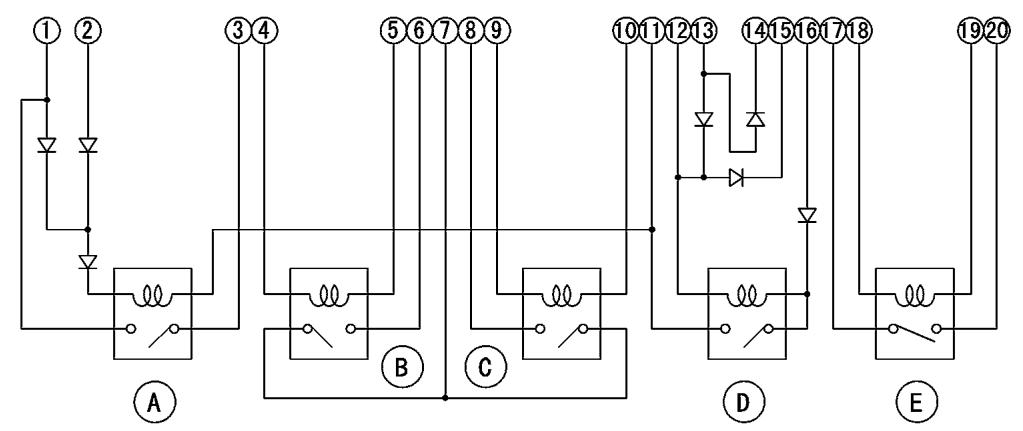
flowchart
graph TD
    A["①"] --> B["Diode"]
    B --> C["Switch"]
    C --> D["③"]
    D --> E["Switch"]
    E --> F["④"]
    F --> G["Switch"]
    G --> H["⑤"]
    H --> I["Switch"]
    I --> J["⑥"]
    J --> K["Switch"]
    K --> L["⑦"]
    L --> M["Switch"]
    M --> N["⑧"]
    N --> O["Switch"]
    O --> P["⑨"]
    P --> Q["Switch"]
    Q --> R["⑩"]
    R --> S["Switch"]
    S --> T["⑪"]
    T --> U["Switch"]
    U --> V["⑫"]
    V --> W["Switch"]
    W --> X["⑬"]
    X --> Y["Switch"]
    Y --> Z["⑭"]
    Z --> AA["Switch"]
    AA --> AB["⑮"]
    AB --> AC["Switch"]
    AC --> AD["⑯"]
    AD --> AE["Switch"]
    AE --> AF["⑰"]
    AF --> AG["Switch"]
    AG --> AH["⑱"]
    AH --> AI["Switch"]
    AI --> AJ["⑲"]
    AJ --> AK["Switch"]
    AK --> AL["⑳"]
    AL --> AM["Switch"]
    AM --> AN["⑴"]
    AN --> AO["Switch"]
    AO --> AP["⑵"]
    AP --> AQ["Switch"]
    AQ --> AR["⑶"]
    AR --> AS["Switch"]
    AS --> AT["⑷"]
    AT --> AU["Switch"]
    AU --> AV["⑧"]
    AV --> AW["Switch"]
    AW --> AX["⑨"]
    AX --> AY["Switch"]
    AY --> AZ["⑩"]
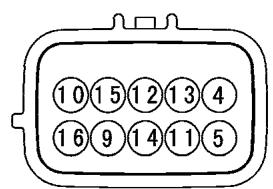
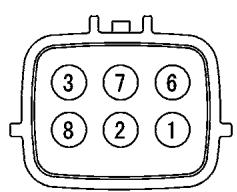

GP19010BW2 C
A. Headlight Circuit Relay
B. Main Relay
C. Fuel Pump Relay
D. Starter Circuit Relay
E. Fan Relay
Fuse
30 A Main Fuse Removal
- Remove:
Fuel Tank (see Fuel Tank Removal in the Fuel System (DFI) chapter)
Bolts [A]
Cover [B]
- Disconnect the 30 A main fuse connector [A].
- Pull out the main fuse [A] from the starter relay with needle nose pliers.
Fuse Box Fuse Removal
- Remove the seat (see Seat Removal in the Frame chapter).
- Unlock the hook [A] to lift up the lid [B].
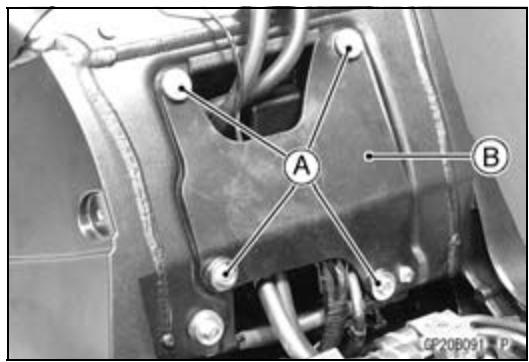
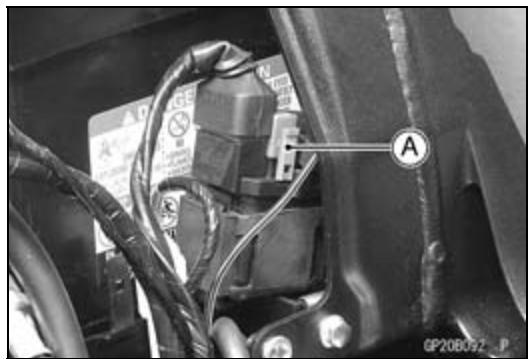
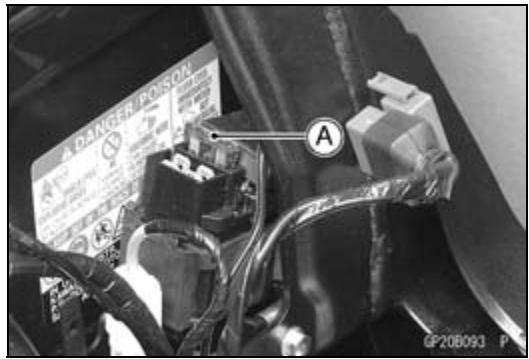


Fuse
- Pull the fuses [A] straight out of the fuse box with needle nose pliers.

natural_image
Close-up of a mechanical assembly with internal components and a labeled section A (no readable text or symbols)

15 A ECU Fuse Removal
- Remove the seat (see Seat Removal in the Frame chapter).
- Unlock the hook [A] to lift up the lid [B].

- Pull out the ECU fuse [A] from the fuse box.

natural_image
Close-up mechanical assembly showing internal components and a labeled section (A), no readable text or symbols present.
Fuse Installation
★If a fuse fails during operation, inspect the electrical system to determine the cause, and then replace it with a new fuse of proper amperage.
- Install the fuse box fuses on the original position as specified on the lid.
Fuse
Fuse Inspection
- Remove the fuse (see 30 A Main/Fuse Box/15 A ECU Fuse Removal).
- Inspect the fuse element.
★If it is blown out, replace the fuse. Before replacing a blown fuse, always check the amperage in the affected circuit. If the amperage is equal to or greater than the fuse rating, check the wiring and related components for a short circuit.
Housing [A]
Fuse Element [B]
Terminals [C]
Blown Element [D]

NOTE
○A mass current flows to the battery according to the state of the battery which needs refreshing charge when the engine is turned causing main fuse blown out.
CAUTION
When replacing a fuse, be sure the new fuse matches the specified fuse rating for that circuit. Installation of a fuse with a higher rating may cause damage to wiring and components.
Appendix
Table of Contents
Cable, Wire, and Hose Routing 17-2
Troubleshooting Guide 17-52
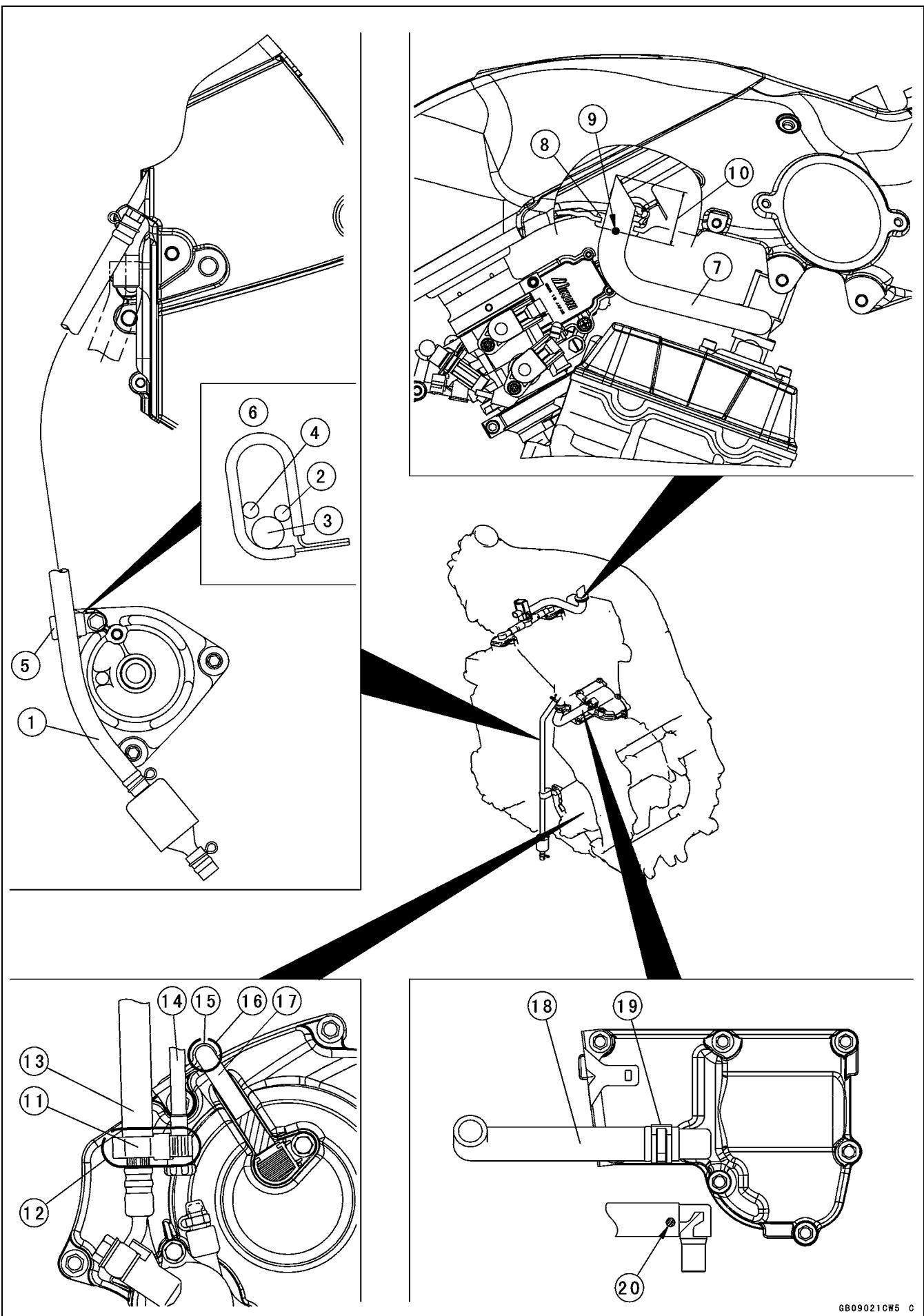
GB09021CW5 C
Cable, Wire, and Hose Routing
- Air Cleaner Drain Hose
- Gear Position Switch Lead
- Air Bleeder Hose for Water Pump
- Sidestand Switch Lead
- Clamp
- Clamp the leads and hose as shown in the figure.
- Tube
- Grommet
- Install the air switching valve hose until white paint is half hidden level.
- Approx. 41 mm (0.02 in.)
- Clamp
- First, put the clamp to the adjuster screw position of shown in the figure, next fix to the clutch hose.
- Clutch Hose
- Idle Adjusting Screw
- Clamp
- Clamp the speed sensor lead.
- Speed Sensor Lead
- Breather Tube
- Clamp
- Align the white paint and the end of the plate.
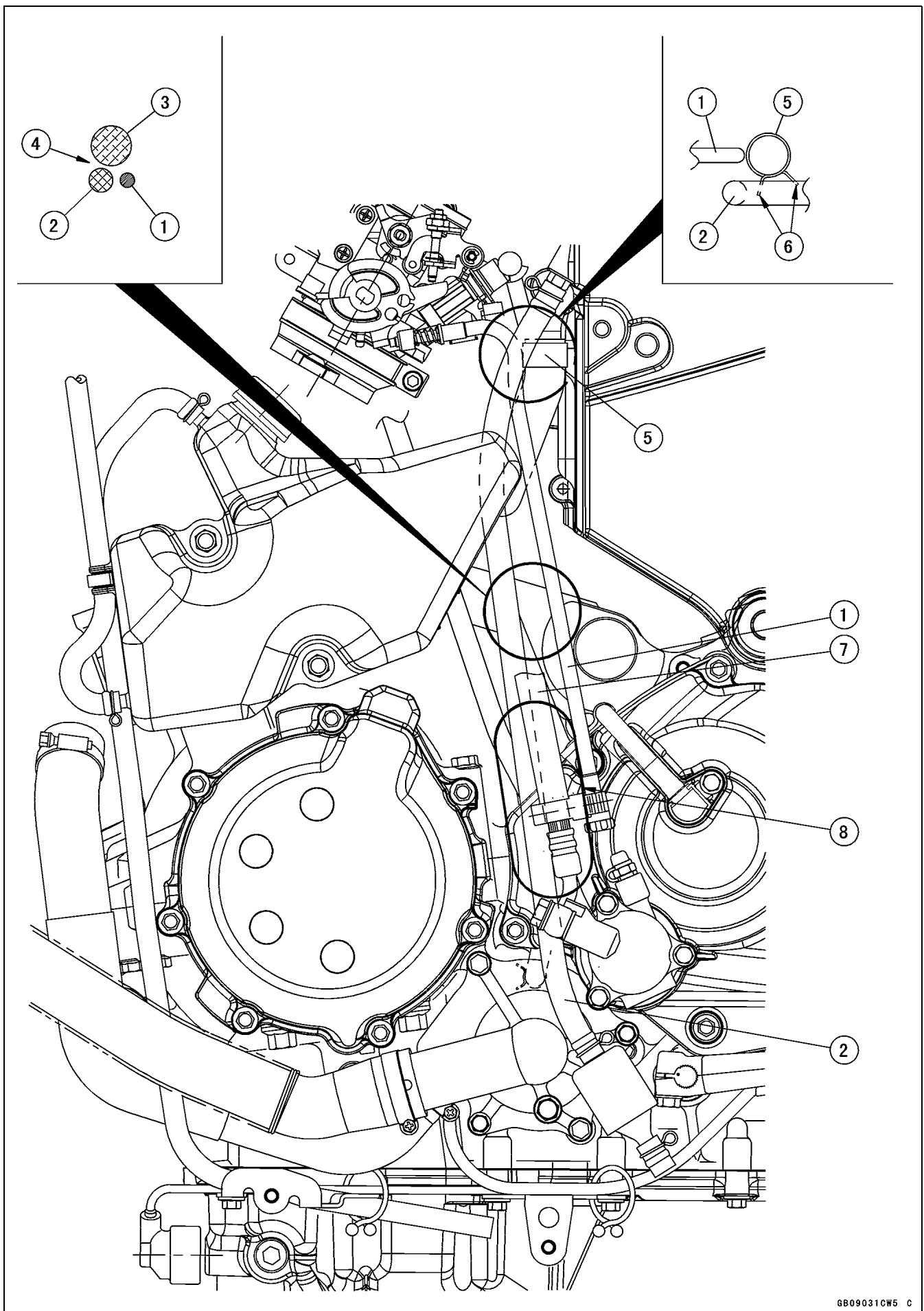
Cable, Wire, and Hose Routing
- Idle Adjusting Screw
- Through the air cleaner drain hose to the front of the clamp.
- Main Harness
- Through the air cleaner drain hose and idle adjusting screw to the outside of the main harness.
- Clamp
- Position the clamp so that its pinch heads do not touch the frame and air cleaner drain hose.
- Clutch Hose
- Through the air cleaner drain hose to the backside of the clutch hose.


Cable, Wire, and Hose Routing
- Reserver Tank Hosel
- Reserver Tank Overflow Hose
- Reserver Tank
- Radiator
- Right View
- Air Bleeder Hose for Thermostat Housing
- Thermostat Housing
- Hose
-
Air Bleeder Hose for Water Pump
-
Outlet Hose
-
Inlet Hose
-
Oil Cooler
-
Water Pump
-
Hose
-
Hose
-
Left View
-
Align the white paint of the hose and mark of the thermostat housing cover.
-
About 45°
-
Clamp
-
Right View
-
Air Bleeder Hose for Water Pump
-
Air Bleeder Hose for Thermostat Housing
-
Align the white paint of the hose and mark of the water pump.
-
Install the hose so that white paint of the hose faces the front side.
-
Insert the air bleeder hose so that straight to the center of the impeller shaft.
-
Left View

Cable, Wire, and Hose Routing
- Clamp
- Reserver Tank
- Clamp
- Clamp
- Install the hose until projection.
- Inlet Hose
- Install the hose so that white paint of the hose faces the front side.
- Install the hose so that white paint of the hose faces the front side.
- Outlet Hose
- Clamp
-
Approx. 20 mm (0.79 in.)
-
Install the clamp so that knob of the clamp faces right side of the frame as shown in the figure.

Cable, Wire, and Hose Routing
- Clamp (Install the clamp from the arrow mark side.)
- Through the reserver tank hose on the air bleeder hose for thermostat housing.
- Through the subharness for sensor and valve between the #3 and #4 of the throttle body.
- Alternator Lead (To the regulator/rectifier connector through the alternator subharness.)
- Through the alternator lead backside of the air bleeder hose for water pump.
- Through the reserver tank hose between the air switching valve and bracket.
- Connect the gear position switch lead and sidestand switch lead to the main harness.
- Air Cleaner Drain Hose
- Through the air cleaner drain hose between the engine sprocket cover and clutch hose.
- Through the air cleaner drain hose on the water pump, put in the space of the lower fairing.
- Through the reserver tank overflow hose into the fairing bracket, and through the hose into the clamp.
- Hose
- Reserver Tank Overflow Hose
- Hose
- Through the reserver tank overflow hose between the hose and hose.
- Through the gear position switch lead backside of the air bleeder hose for water pump.

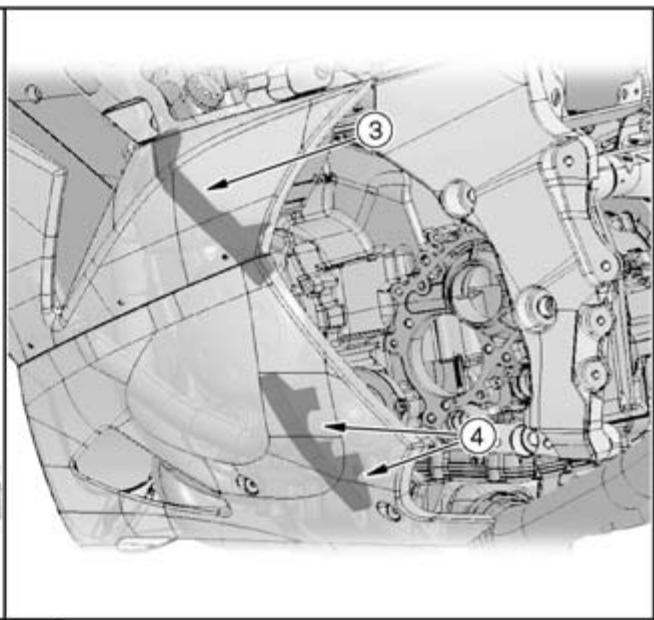

natural_image
Two black-and-white illustrations of a motorcycle, showing front and side views with no visible text or symbols.

natural_image
Technical line drawing of a mechanical assembly with numbered components (no readable text or symbols)

natural_image
Technical line drawing of a mechanical assembly with numbered components (no readable text or symbols)
Cable, Wire, and Hose Routing
- Pad
- Pad
- Fit the groove of the pad to the reserver tank, and fix the pad by the middle fairing.
- Fit the grooves of the pad to the radiator hose and reserver tank drain hose, and fix the pad by the lower fairing.
- Pad
- Fit the groove of the pad to the radiator hose, and fix the pad by the middle fairing.
Cable, Wire, and Hose Routing


natural_image
Side profile illustration of a black motorcycle with visible engine and side-mounted lever (no text or symbols)
natural_image
Side view of a black motorcycle with visible engine and exhaust components (no text or symbols)


Cable, Wire, and Hose Routing
- Band (Clamp the main harness, and insert the band to the rear fender.)
- Frame Ground Lead (Tighten the bolt with lead and bracket.)
- Through the alternator subharness to the outside of the frame ground lead.
- Alternator Connector (Install the alternator connector to the bracket.)
- Connector (Insert the connector to the bracket.)
- Alternator Subharness (Put the alternator subharness between the rear fender and frame.)
- Alternator Lead
- Through the alternator lead under the main harness.
- Align the gray tape and the end of the battery case.
- Fuel Hose
- Main Harness
- Alternator Lead (Through the alternator lead to the inside of the leads and hose.)
- Sidestand Switch Lead Connector
- Band (Clamp the main harness, and insert the band to the bracket.)
- Throttle Body Subharness Connector (Install the connector to the bracket.)
- Speed Sensor Lead Connector
- Oil Pressure Switch/Gear Position Switch Lead Connector
- Through the sidestand switch lead and oil pressure switch/gear position switch lead to the inside of the chain cover from the hole of the notch.
- Clamp (Clamp the fan motor lead.)
- Through the engine harness to the outside of the clutch hose.
- Engine Harness Connector (Install the engine harness connector to the bracket.)
- Band (Clamp the main harness, and insert the band to the bracket.)
- Stick Coil Lead Connector (Install the stick coil lead connector to the bracket of the cylinder head cover.)
- Through the stick coil lead under the throttle cables.
- Band (Clamp the engine harness with the subframe.)
- Clamp (Clamp the fan motor lead connector, and insert the clamp to the subframe.)
- Through the oil pressure switch/gear position switch lead to the inside of the water pump.
- Through the sidestand switch lead to the inside of the water pump.
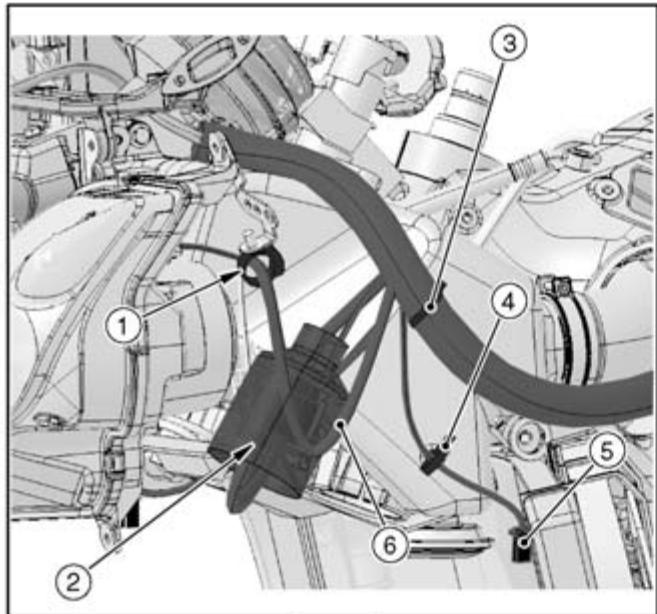
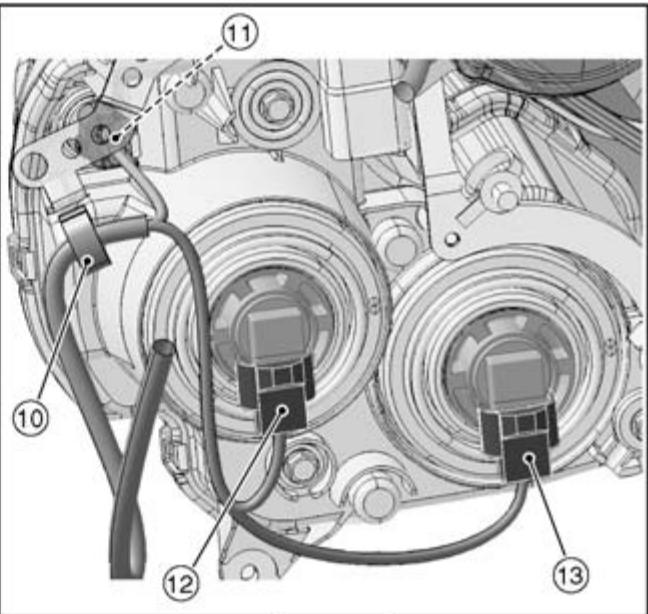
natural_image
Side-by-side comparison of a black motorcycle against a white background, showing front and side views (no text or symbols)

natural_image
Side view of a black and white motorcycle with visible engine and exhaust pipes (no text or symbols)
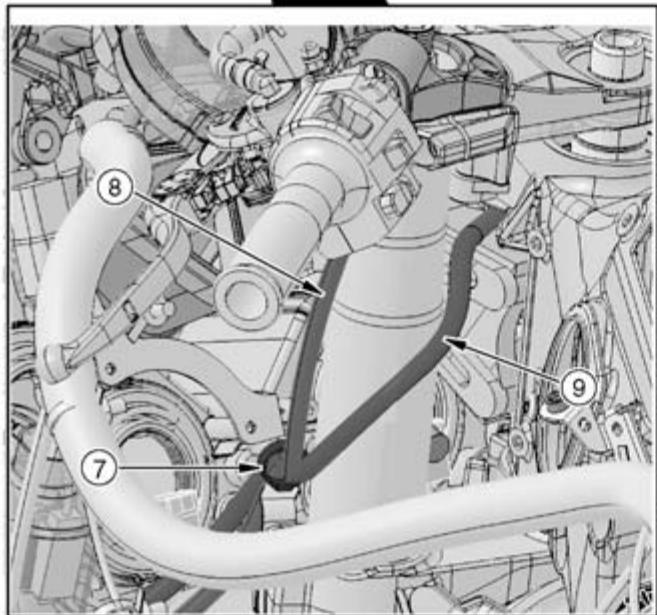
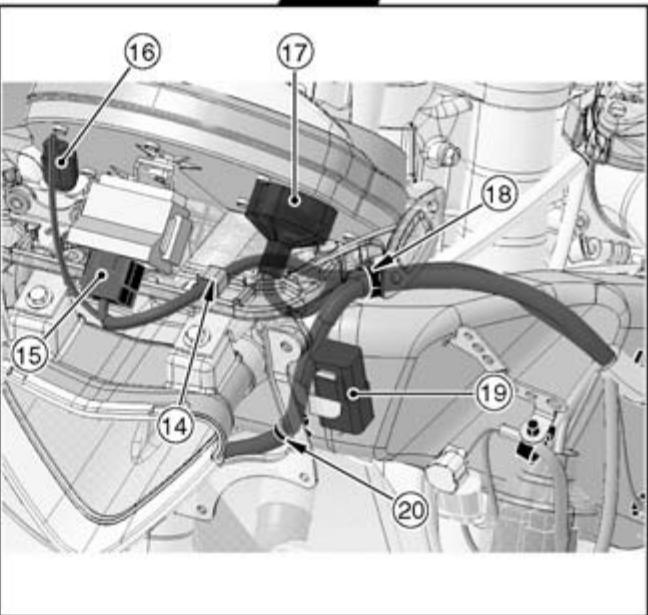
Cable, Wire, and Hose Routing
- Through the headlight lead into the clamp (both sides).
- After ignition switch lead connector and left switch housing lead connector connecting, put the connectors in the water-proof cover.
- Clamp (Clamp the main harness, and insert the clamp to the middle air inlet duct.)
- Clamp (Clamp the left turn signal lead, and insert the clamp to the middle air inlet duct.)
- Left Turn Signal Light Lead Connector
- Headlight Lead
- Through the left switch housing lead and ignition switch lead into the clamp, and insert the clamp to the bracket.
- Through the left switch housing lead to the outside of the front fork, and through the lead into the clamp.
- Through the ignition switch lead to the backside of the front fork from the inside of the front fork, and through the lead into the clamp.
- Clamp
- Left City Light
- Headlight (High)
- Headlight (Low)
- Install the clamp outside as shown in the figure, and clamp the immobilizer amplifier lead.
- Immobilizer Amplifier Lead Connector
- Vehicle-down Sensor Lead Connector
- Meter Unit Lead Connector
- Through the main harness and immobilizer amplifier lead into the clamp.
- Headlight Relay (High)
- Clamp (Clamp the main harness, and insert the clamp to the middle air inlet duct.)
Cable, Wire, and Hose Routing
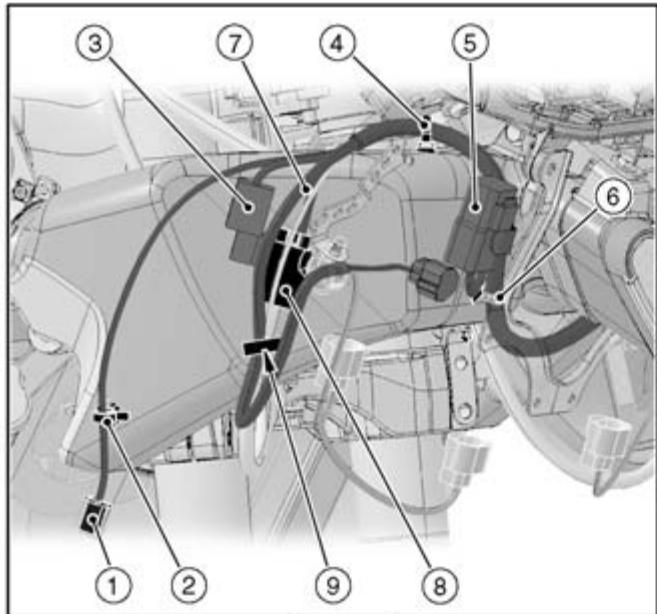

natural_image
Side profile of a black and white motorcycle with visible exhaust pipes and front wheel (no text or symbols)
natural_image
Side profile of a black motorcycle with visible engine and wheel (no text or symbols)


Cable, Wire, and Hose Routing
- Right Turn Signal Light Lead Connector
- Clamp (Clamp the right turn signal lead, and insert the clamp to the middle air inlet duct.)
- *Front Wheel Rotation Sensor Lead Connector
- Clamp (Clamp the main harness, and insert the clamp to the middle air inlet duct.)
- Headlight Relay (Low)
- Clamp (Clamp the main harness, and insert the clamp to the middle air inlet duct.)
- Right Switch Housing Lead and Horn Lead
- Right Switch Housing Lead Connector
- Through the right switch housing lead, horn lead, headlight lead and *front wheel rotation sensor lead into the clamp.
- Clamp (Clamp the horn lead, and insert the clamp to the cover.)
- Through the horn lead to the outside of the front fork.
- Through the right switch housing lead to the outside of the front fork.
- Through the right switch housing lead and horn lead into the clamp.
- Through the rear wheel rotation sensor lead to the inside of the rear brake reservoir tank.
- *Front Wheel Rotation Sensor Lead Connector (Install the front wheel rotation sensor lead connector to the bracket.)
- Through the main harness lead on the rear brake reservoir tank hose.
- Fuse Box 1
- Clamp
- Alternator Subharness
- Fuel Pump Lead Connector
- Fuel Level Sensor Lead Connector
- Clamp
- Clamp (Clamp the rear brake light switch lead and *rear wheel rotation sensor lead.)
- Rear Brake Light Switch Lead Connector
- Through the rear brake light switch lead to the outside of the separator.
- Rear Brake Light Switch Lead Connector
- Clamp (Clamp the rear brake light switch lead.)
* ZX1400B Models only


natural_image
Side view of a black motorcycle with visible engine and exhaust components (no text or symbols)

natural_image
Side profile of a black and white motorcycle with visible engine and wheel (no text or symbols)


Cable, Wire, and Hose Routing
- Turn Signal Relay
- License Plate Light Lead Connector
- Atomospheric Pressure Sensor Lead Connector
- Through the license plate light lead to the inside of the atmospheric pressure sensor.
- License Plate Light Lead
- Through the turn signal relay lead between the rear frame and rear frame pipe.
- Rear Left Turn Signal Light Lead Connector
- Tail/Brake Light Lead Connector
- Rear Right Turn Signal Light Lead Connector
- *ABS Kawasaki Self-diagnosis System Connector (Fix the ABS Kawasaki self-diagnosis system connector with the sponge.)
- Immobilizer/Kawasaki Diagnostic System Connector (Fix the Immobilizer/Kawasaki diagnostic system connector with the sponge.)
- Fuse Box 2
- ECU Lead
- ECU Lead
- Relay Box Leads
- Alternator Subharness
- Alternator Lead
- Clamp (Clamp the alternator lead and alternator subharness.)
- Through the alternator lead and alternator subharness to the outside of the rear frame.
- Through the alternator lead and alternator subharness under the rear brake reservoir tank.
- Fuse Box 1
- Through the alternator subharness under the bracket.
* ZX1400B Models only
Cable, Wire, and Hose Routing

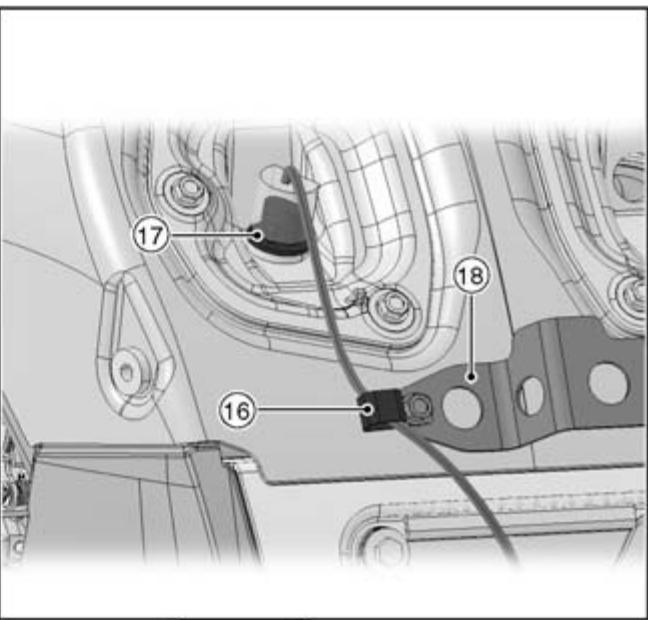
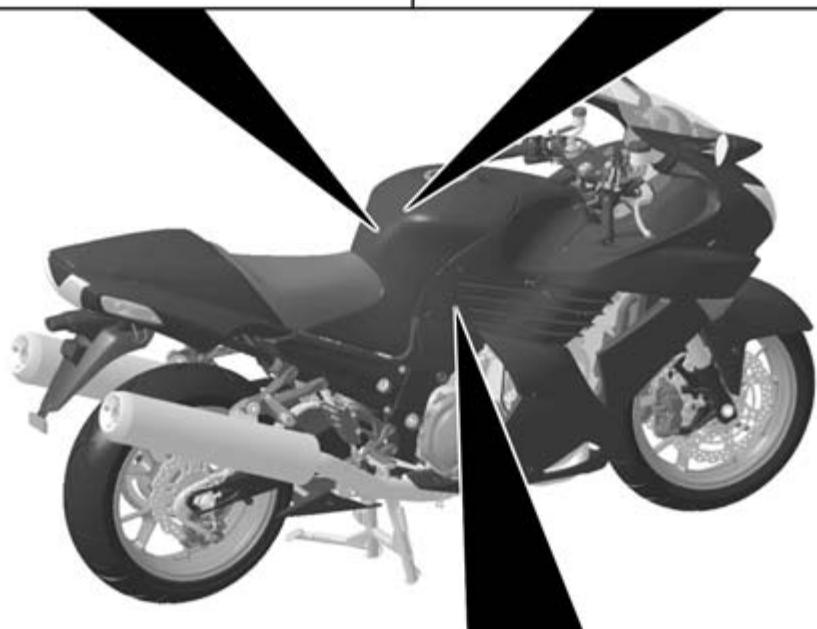
natural_image
Side profile of a black and white motorcycle with visible engine and wheel assembly (no text or symbols)

Cable, Wire, and Hose Routing
- Through the main harness to the hole of the lower side.
- Through the inlet air temperature sensor lead to the hole of the upper side.
- *ABS Hydraulic Unit Lead
- Inlet Air Temperature Sensor Lead
- Battery Negative Lead
- Starter Relay Lead
- Battery Positive Lead Connector (Install the battery positive lead connector to the battery case.)
- Starter Motor Cable
- Battery Negative Lead Connector (Install the battery negative lead connector to the bracket.)
- Battery Positive Cable
- Battery Negative Lead
- Battery Negative Cable
- Direction of Battery Negative Terminal Installation
- Tighten the bolt with battery negative cable and battery negative lead.
- Battery Negative Cable
- Clamp (Clamp the inlet air temperature sensor lead.)
- Inlet Air Temperature Sensor
- *Bracket
* ZX1400B Models only


natural_image
Side view of a black motorcycle with visible engine and wheel assembly (no text or symbols)
natural_image
Side-by-side comparison of a black motorcycle and its side mirror, showing front and rear views (no text or symbols)


natural_image
Technical line drawing of a vehicle's internal components, showing structural parts and a numbered annotation (15), no readable text or symbols beyond the number.
Cable, Wire, and Hose Routing
- Fuel Tank Drain Hose
- Through the fuel tank drain hose under the bracket.
- Position a yellow tape at the rear end of bracket.
- Through the fuel tank drain hose to the backside of the clamp.
- Through the fuel tank drain hose under the fuel hose.
- Through the fuel tank drain hose under the clamp.
- Fuel Tank Drain Hose
- Through the fuel tank drain hose under the starter motor cable.
- Fuel Tank Drain Hose
- Through the fuel tank drain hose under the lower fairing.
- Through the fuel tank drain hose on the speed sensor lead.
- Through the fuel tank drain hose under the heat insulation rubber plate.
- Through the fuel tank drain hose under the clutch hose.
- Position a yellow tape at the end of lower fairing.
- Through the seat lock cable to the rear frame.
ZX1400B Models

Cable, Wire, and Hose Routing
- Through the fuel tank drain hose on the brake pipe.
- Brake Pipe
- Fuel Tank Drain Hose
- Through the fuel tank drain hose on the brake pipe.
- Brake Pipe
- Fuel Tank Drain Hose
Cable, Wire, and Hose Routing

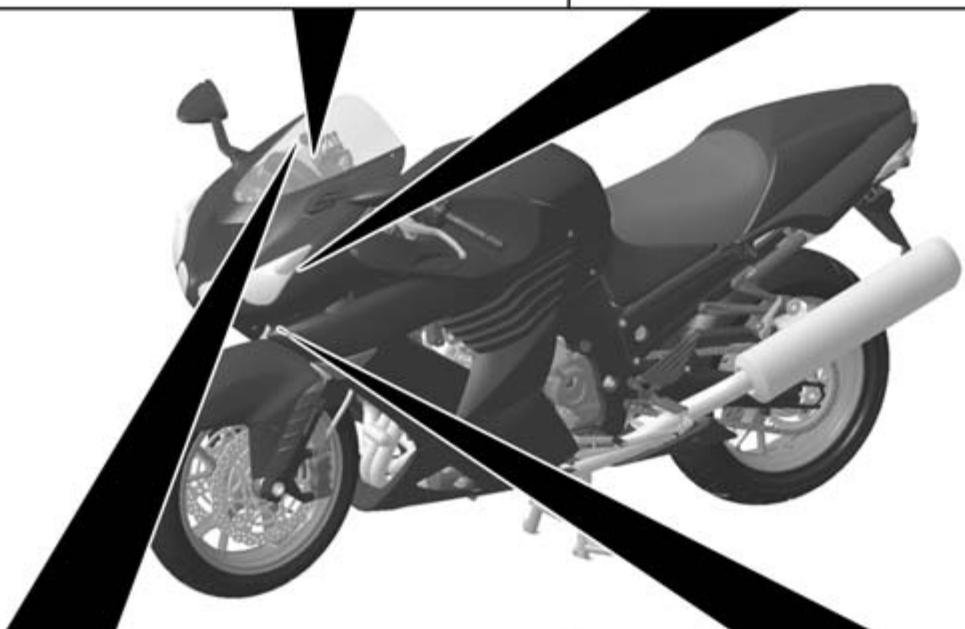
natural_image
Black and white illustration of a motorcycle with visible suspension components, no text or symbols present.
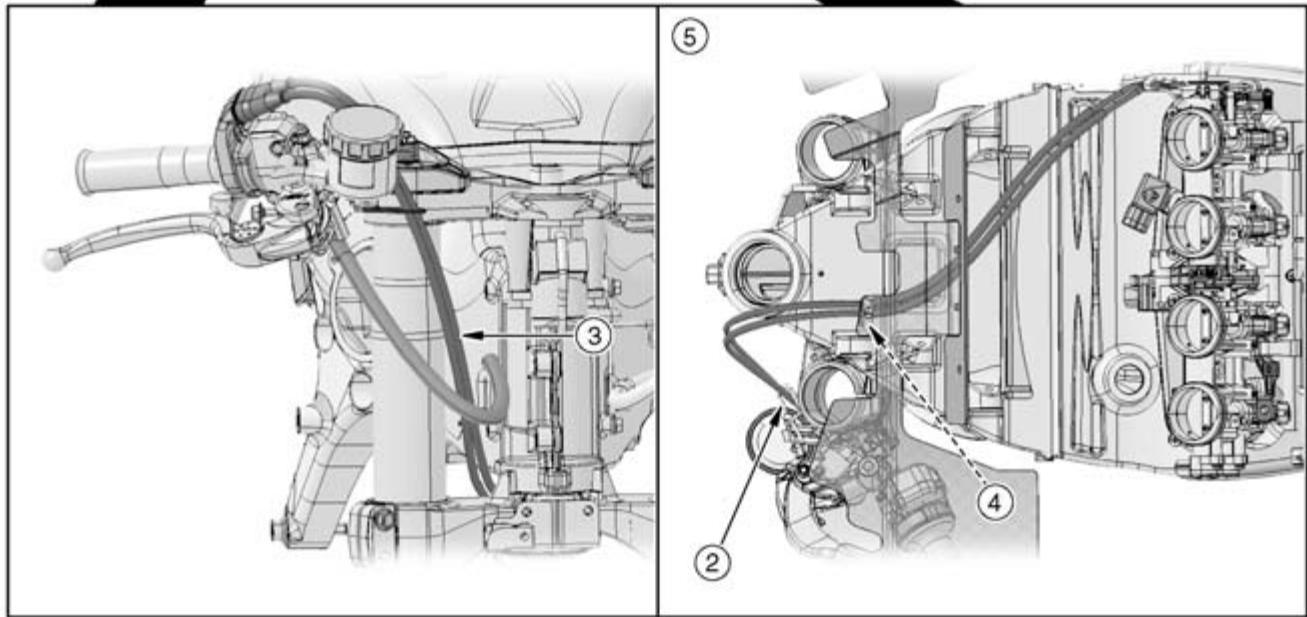
Cable, Wire, and Hose Routing
- Through the throttle cables inside of the brake hose.
- Through the throttle cables to the clamp of the reservoir bracket.
- Through the throttle cables inside of the brake hose.
- Through the throttle cables to the clamp.
- Viewed Bottom
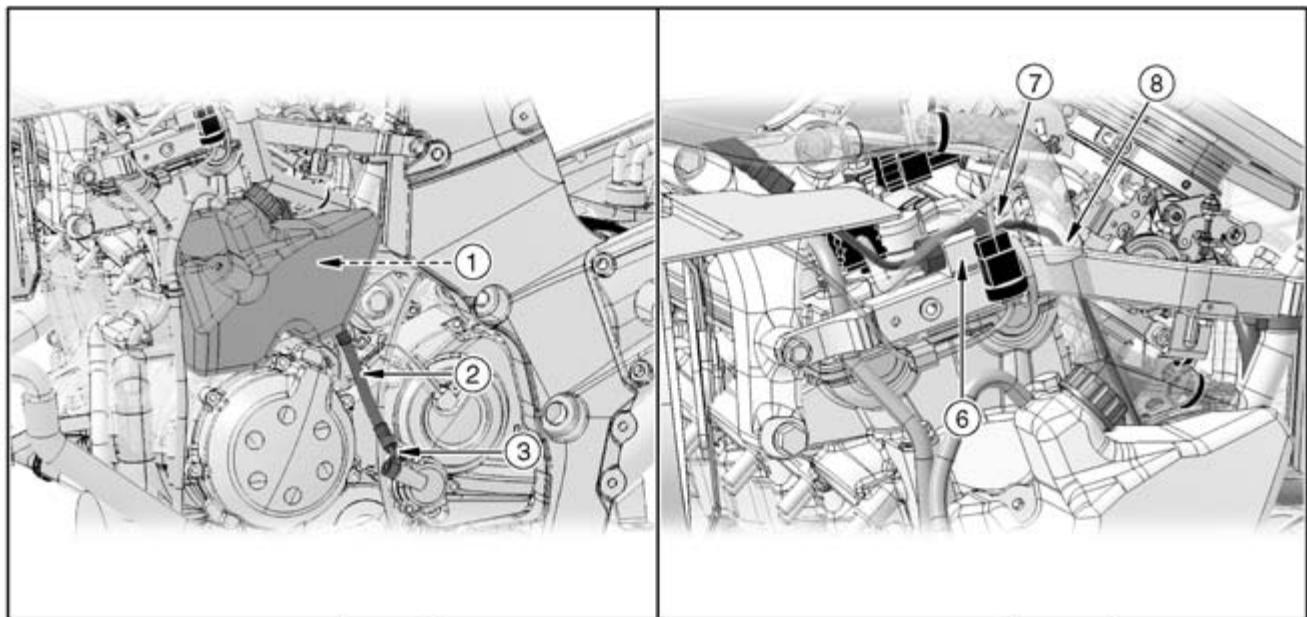

natural_image
Two black-and-white illustrations of a motorcycle, showing front and side views with no visible text or symbols.

Cable, Wire, and Hose Routing
- Through the clutch hose inside the coolant reserver tank.
- Through the clutch hose outside the sidestand switch, speed sensor, oil pressure switch/gear position switch leads.
- Install the cluth hose joint as shown in the figure (face the clutch hose joint pipe inside).
- Through the clutch hose inside the main harness.
- Through the clutch hose outside the sidestand switch, speed sensor and oil pressure switch/gear position switch lead connectors.
- Clamp the clutch hose to the clamp of the subframe.
- Through the clutch hose inside the radiator fan lead.
- Through the clutch hose inside the subframe.
- Through the ignition switch lead upper the clutch hose.
- Through the clutch hose in the clamp.

Cable, Wire, and Hose Routing
- Install the clutch hose joint as shown in the figure (face the projection of the clutch hose joint backward).
- Through the clutch fluid reservoir hose inside the bracket.
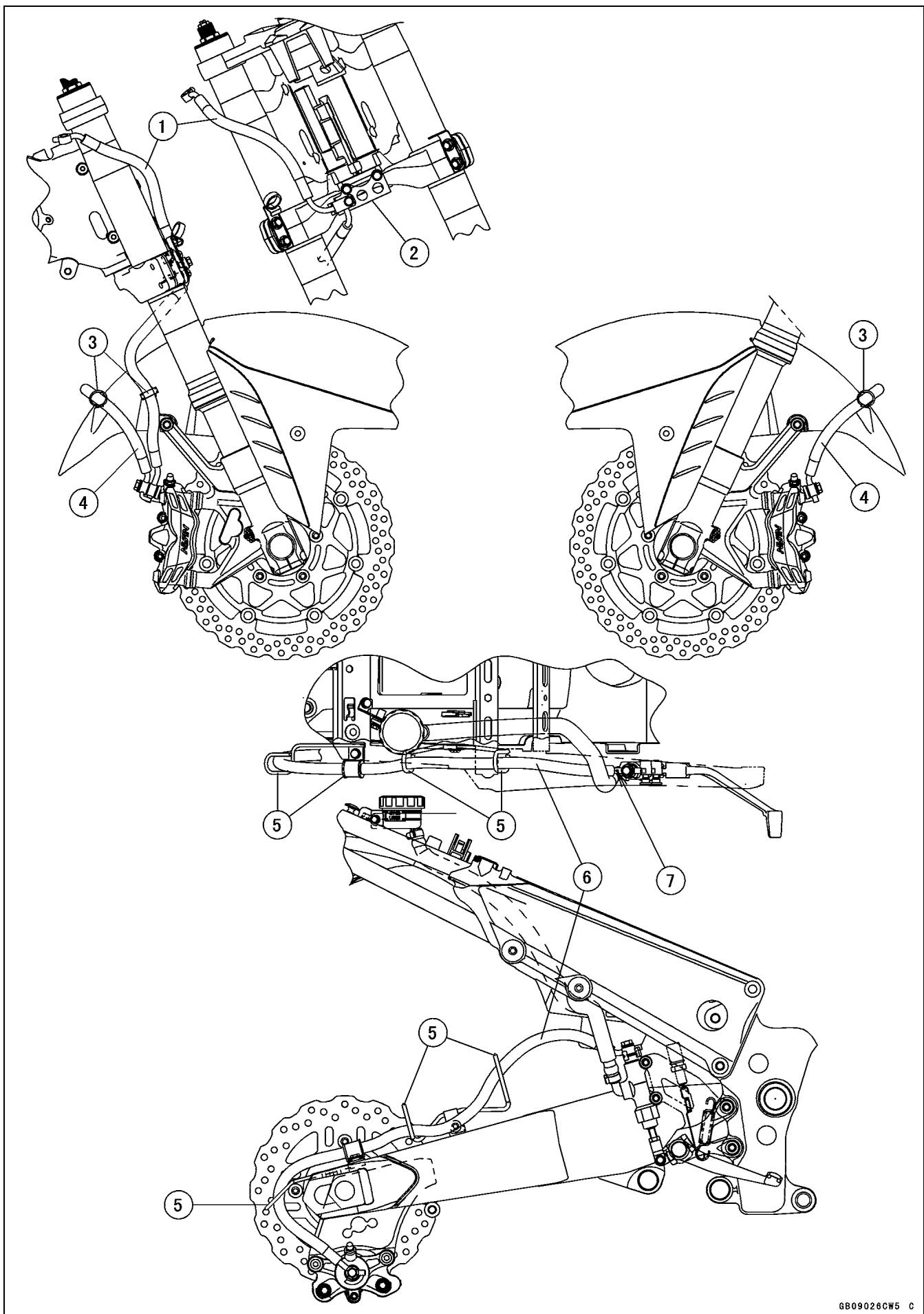
Cable, Wire, and Hose Routing
- Brake Hose
- Bracket
- Clamps (Insert the clamps in the front fender.)
- Brake Hose
- Clamps
- Brake Hose
- Face the white paint mark upward.
ZX1400B Models

Cable, Wire, and Hose Routing
- Clamps
- Brake Hose
- Rear Wheel Rotation Sensor
- Rear Wheel Rotation Sensor Lead
- Rear Wheel Rotation Sensor Lead Connector
- Bracket
- ABS Hydraulic Unit
- Brake Pipes
- Damper
- Front Wheel Rotation Sensor Lead Connector
- Front Wheel Rotation Sensor Lead
- Front Wheel Rotation Sensor
- Brake Hose
- Approx. 38.5°
- Approx. 30°
- Approx. 71°
- Approx. 48°
- Front
- Install the brake hose joint pipes as shown in the figure.
ZX1400B Models
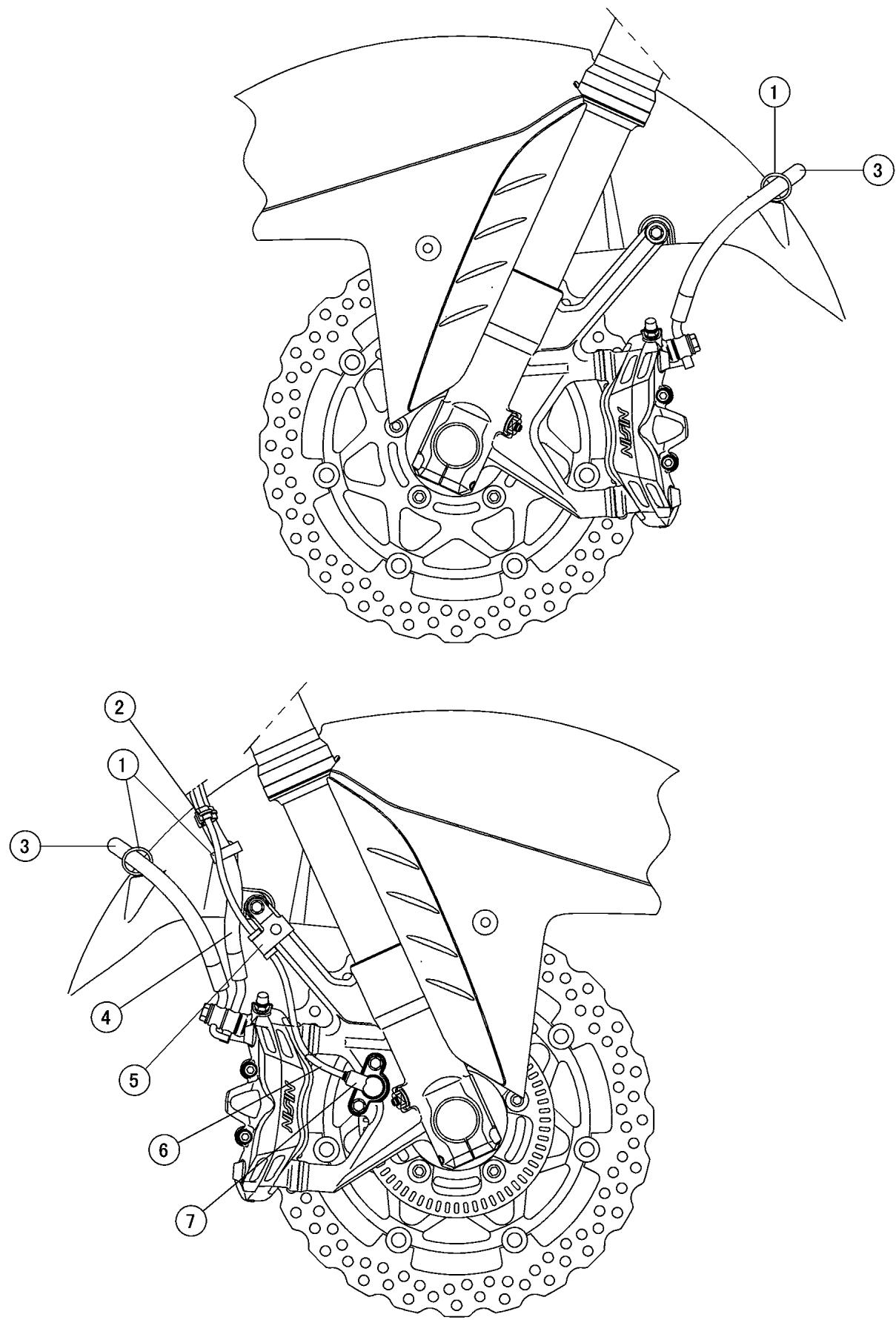
Cable, Wire, and Hose Routing
- Clamps (Insert the clamps in the front fender.)
- Brake Hose
- Brake Hose (Front Master Cylinder \~ Right Front Caliper)
- Clamp (Clamp the front wheel rotation sensor.)
- Front Wheel Rotation Sensor Lead
-
Front Wheel Rotation Sensor
-
Clamp (Clamp the brake hose, and align the clamp with white tape of the front wheel rotation sensor lead.)
ZX1400B Models

Cable, Wire, and Hose Routing
- ABS Hydraulic Unit
- Front
- Bracket
- Brake Pipe (One Blue Paint Mark)
- Brake Pipe (One White Paint Mark)
- Damper
- Brake Hose
- Brake Hose (One Blue Paint Mark)
- Brake Hose Joint Pipe (One Blue Paint Mark)
- Brake Hose (One White Paint Mark)
- Brake Hose Joint Pipe (One White Paint Mark)
- Front Wheel Rotation Sensor Lead
- Clamps (Clamp the front wheel rotation sensor.)
- Clamps (Clamp the brake hose, and align the clamps with white tapes of the front wheel rotation sensor lead.)
- Bracket
- Viewed A
ZX1400B Models

Cable, Wire, and Hose Routing
- ABS Hydraulic Unit
- Brake Pipe (Two White Paint Marks)
- Brake Hose
- Clamps (Through only the brake hose in the clamps.)
- Rear Wheel Rotation Sensor Lead
- Clamps (Clamp the brake hose, and align the clamps with white tape of the rear wheel rotation sensor lead.)
- Clamp (Clamp the brake hose and rear wheel rotation sensor.)
- Clamp (Clamp the brake hose and rear wheel rotation sensor.)
- Brake Pipe (Two Blue Paint Marks)
- Bracket
- Rear Wheel Rotation Sensor
- Viewed Rear Side
- Brake Hose (Two Blue Paint Marks)
- Brake Hose Joint Pipe (Two Blue Paint Marks)
- Brake Hose (Two White Paint Marks)
- Brake Hose Joint Pipe (One White Paint Mark)
ZX1400B Models


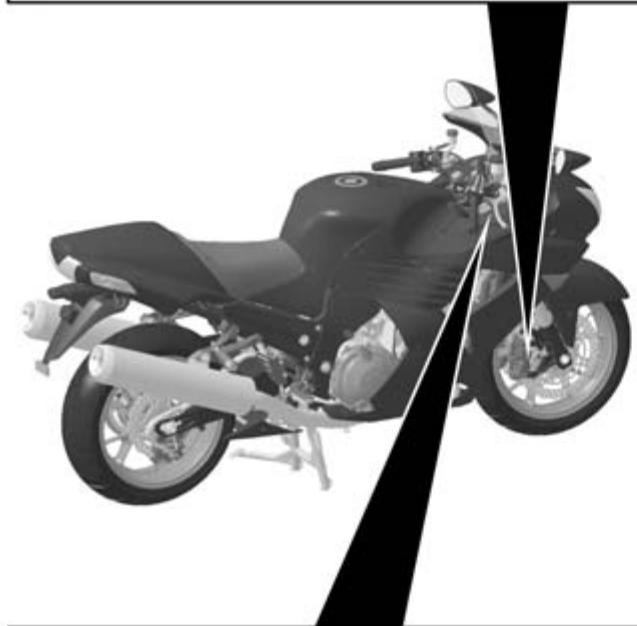
natural_image
Side profile of a black motorcycle with visible engine and wheelbars, shown in 3D rendering (no text or symbols)

natural_image
Black and white illustration of a motorcycle with visible exhaust pipes and front wheel (no text or symbols)


Cable, Wire, and Hose Routing
- Brake Hose
- Clamps (Through the brake hose in the clamp on both sides.)
- Clamps (Clamp the brake hose, and align the clamps with white tapes of the front wheel rotation sensor lead.)
- Brake Hose
- Clamp (Through only the brake hose in the clamp.)
- Clamp
- Front Wheel Rotation Sensor
- Install the brake hose joint as shown in the figure (face the projection of the brake hose joint backward.)
- Brake Hose
- Clamp (Clamp the brake hose, and align the clamp with white tape of the front wheel rotation sensor lead.)
- Clamp
- Front Wheel Rotation Sensor Lead Connector
- Right Middle Air Inlet Duct
- Brake Hose
- Brake Hose
- Clamp
- Braket
- Braket
- Clamp
- Bracket
- Brake Pipe
- Brake Pipe
- Brake Hose
- Brake Hose
ZX1400B Models


natural_image
Side profile of a black and white motorcycle with visible engine and wheel (no text or symbols)

Cable, Wire, and Hose Routing
- Bracket (Push the joint portions of the brake pipe, and clamp them.)
- Brake Pipe (One Blue Paint Mark, ABS Hydraulic Unit Side)
- Align the brake pipes with groove of the frame.
- Brake Pipe (One White Paint Mark, ABS Hydraulic Unit Side)
- Brake Hose (Two White Paint Marks) and Brake Hose Joint Pipe (One White Paint)
- Brake Hose (One White Paint Mark) and Brake Hose Joint Pipe (One White Paint)
- Brake Hose (One Blue Paint Mark) and Brake Hose Joint Pipe (One Blue Paint Mark)
- Brake Hose (Two Blue Paint Marks) and Brake Hose Joint Pipe (Two Blue Paint Mraks)
- Insert the brake pipes to the holes of damper, and fit the projection of damper into the hole of bracket.
- Brake Pipe (Two Blue Paint Marks)
- Brake Pipe (Two White Paint Marks)
ZX1400B Models

Cable, Wire, and Hose Routing
- Clamp
- Brake Hose
- Bracket (Install the bracket from back of the rear frame.)
- Rear Wheel Rotation Sensor Lead Connector
- Clamp the joint portion of the brake hose into the bracket.
- Clamp
- Clamp
- Clamp
- Clamps (Clamp the brake hose, and align the clamps with white tape of the rear wheel rotation sensor lead.)
- Rear Wheel Rotation Sensor Lead
- Clamps (Through only the brake hose in the clamps.)
California Model

Cable, Wire, and Hose Routing
- Throttle Body Assy
- To the fitting of the throttle body #3.
- To the fitting of the throttle body #4.
- Clamps
- Clamp
- Insert the bracket to the holes of clamp.
- Hose (White)
- Hose (Green)
- Hose (White)
- Fittings
- Hose (Red)
- Hose (Blue)
- Hose (Blue)
- Hose (Green)
- Separator
- Clamp
- Fuel Tank
- Canister
- Band
- Connected position of the white hoses and fitting.
- Connected position of the green hoses and fitting.
- Face the paint marks upward.
- Face the paint marks to the right side.
- Through the hoses inside the throttle body subharness.
- Viewed Right Side
- Viewed Upside
Troubleshooting Guide
NOTE
○Refer to the Fuel System chapter for most of DFI trouble shooting guide.
○This is not an exhaustive list, giving every possible cause for each problem listed. It is meant simply as a rough guide to assist the troubleshooting for some of the more common difficulties.
Engine Doesn't Start, Starting Difficulty:
Starter motor not rotating:
Ignition and engine stop switch not ON
Starter lockout switch or gear position switch trouble
Starter motor trouble
Battery voltage low
Starter relay not contacting or operating
Starter button not contacting
Starter system wiring open or shorted
Ignition switch trouble
Engine stop switch trouble
Main 30A or ignition fuse blown
Starter motor rotating but engine doesn't turn over:
Vehicle-down sensor (DFI) coming off
Immobilizer system trouble
Starter clutch trouble
Starter idle gear trouble
Engine won't turn over:
Valve seizure
Connecting rod small end seizure
Connecting rod big end seizure
Transmission gear or bearing seizure
Camshaft seizure
Starter idle gear seizure
Balancer bearing seizure
No fuel flow:
No fuel in tank
Fuel pump trouble
Fuel tank air vent obstructed
Fuel filter clogged
Fuel line clogged
No spark; spark weak:
Vehicle-down sensor (DFI) coming off
Ignition switch not ON
Engine stop switch turned OFF
Clutch lever not pulled in or gear not in neutral
Battery voltage low
Immobilizer system trouble
Spark plug dirty, broken, or gap maladjusted
Spark plug incorrect
Stick coil shorted or not in good contact
Stick coil trouble
ECU trouble
Camshaft position sensor trouble
Gear position, starter lockout, or side stand switch trouble
Crankshaft sensor trouble
Ignition switch or engine stop switch shorted
Starter system wiring shorted or open
Main 30A or ignition fuse blown
Fuel/air mixture incorrect:
Bypass screw and/or idle adjusting screw maladjusted
Air passage clogged
Air cleaner clogged, poorly sealed, or missing
Leak from oil filler cap, crankcase breather hose or air cleaner drain hose.
Compression Low:
Spark plug loose
Cylinder head not sufficiently tightened down
Cylinder, piston worn
Piston ring bad (worn, weak, broken, or sticking)
Piston ring/groove clearance excessive
Cylinder head gasket damaged
Cylinder head warped
Valve spring broken or weak
No valve clearance
Valve not seating properly (valve bent, worn, or carbon accumulation on the seating surface)
Poor Running at Low Speed:
Spark weak:
Battery voltage low
Immobilizer system trouble
Stick coil trouble
Stick coil shorted or not in good contact
Spark plug dirty, broken, or maladjusted
Spark plug incorrect
ECU trouble
Camshaft position sensor trouble
Crankshaft sensor trouble
Fuel/air mixture incorrect:
Bypass screw maladjusted
Air passage clogged
Air bleed pipe bleed holes clogged
Pilot passage clogged
Air cleaner clogged, poorly sealed, or missing
Fuel tank air vent obstructed
Fuel pump trouble
Throttle body assy holder loose
Air duct holder loose
Troubleshooting Guide
Compression low:
Spark plug loose
Cylinder head not sufficiently tightened down
No valve clearance
Cylinder, piston worn
Piston ring bad (worn, weak, broken, or sticking)
Piston ring/groove clearance excessive
Cylinder head gasket damaged
Cylinder head warped
Valve spring broken or weak
Valve not seating properly (valve bent, worn, or carbon accumulation on the seating surface)
Camshaft cam worm
Run-on (dieseling):
Ignition switch trouble
Engine stop switch trouble
Fuel injector trouble
Loosen terminal of battery (−) cable or ECU ground lead
Carbon accumulating on valve seating surface
Engine overheating
Other:
ECU trouble
Throttle body assy not synchronizing
Engine oil viscosity too high
Drive train trouble
Brake dragging
Clutch slipping
Engine overheating
Air suction valve trouble
Air switching valve trouble
Poor Running or No Power at High Speed:
Firing incorrect:
Spark plug dirty, broken, or maladjusted
Spark plug incorrect
Stick coil shorted or not in good contact trouble
Stick coil trouble
ECU trouble
Fuel/air mixture incorrect:
Air cleaner clogged, poorly sealed, or missing
Air duct holder loose
Water or foreign matter in fuel
Throttle body assy holder loose
Fuel to injector insufficient
Fuel tank air vent obstructed
Fuel line clogged
Fuel pump trouble
Compression low:
Spark plug loose
Cylinder head not sufficiently tightened down
No valve clearance
Cylinder, piston worn
Piston ring bad (worn, weak, broken, or sticking)
Piston ring/groove clearance excessive
Cylinder head gasket damaged
Cylinder head warped
Valve spring broken or weak
Valve not seating properly (valve bent, worn, or carbon accumulation on the seating surface.)
Knocking:
Carbon built up in combustion chamber
Fuel poor quality or incorrect
Spark plug incorrect
ECU trouble
Miscellaneous:
Throttle valve won't fully open
Brake dragging
Clutch slipping
Engine overheating
Engine oil level too high
Engine oil viscosity too high
Drive train trouble
Camshaft cam worm
Air suction valve trouble
Air switching valve trouble
Catalytic converter melt down due to muffler overheating (KLEEN)
Overheating:
Firing incorrect:
Spark plug dirty, broken, or maladjusted
Spark plug incorrect
ECU trouble
Muffler overheating:
For KLEEN, do not run the engine even if with only one cylinder misfiring or poor running (Request the nearest service facility to correct it)
For KLEEN, do not push-start with a dead battery (Connect another full-charged battery with jumper cables, and start the engine using the electric starter)
For KLEEN, do not start the engine under misfire due to spark plug fouling or poor connection of the stick coil
For KLEEN, do not coast the motorcycle with the ignition switch off (Turn the ignition switch ON and run the engine)
ECU trouble
Fuel/air mixture incorrect:
Throttle body assy holder loose
Air duct holder loose
Air cleaner poorly sealed, or missing
Troubleshooting Guide
Air cleaner clogged
Compression high:
Carbon built up in combustion chamber
Engine load faulty:
Clutch slipping
Engine oil level too high
Engine oil viscosity too high
Drive train trouble
Brake dragging
Lubrication inadequate:
Engine oil level too low
Engine oil poor quality or incorrect
Oil cooler incorrect:
Oil cooler clogged
Gauge incorrect:
Water temperature gauge broken
Water temperature sensor broken
Coolant incorrect:
Coolant level too low
Coolant deteriorated
Wrong coolant mixed ratio
Cooling system component incorrect:
Radiator fin damaged
Radiator clogged
Thermostat trouble
Radiator cap trouble
Radiator fan relay trouble
Fan motor broken
Fan blade damaged
Water pump not turning
Water pump impeller damaged
Over Cooling:
Gauge incorrect:
Water temperature gauge broken
Water temperature sensor broken
Cooling system component incorrect:
Thermostat trouble
Clutch Operation Faulty:
Clutch slipping:
Friction plate worn or warped
Steel plate worn or warped
Clutch spring broken or weak
Clutch hub or housing unevenly worn
Clutch master cylinder trouble
Clutch slave cylinder trouble
Clutch not disengaging properly:
Clutch plate warped or too rough
Clutch spring compression uneven
Engine oil deteriorated
Engine oil viscosity too high
Engine oil level too high
Clutch housing frozen on drive shaft
Clutch hub nut loose
Clutch hub spline damaged
Clutch friction plate installed wrong
Clutch slave cylinder trouble
Clutch fluid deteriorated
Air in clutch fluid line
Clutch master cylinder primary or secondary cup damage
Clutch master cylinder scratched inside
Gear Shifting Faulty:
Doesn't go into gear; shift pedal doesn't return:
Clutch not disengaging
Shift fork bent or seized
Gear stuck on the shaft
Gear positioning lever binding
Shift return spring weak or broken
Shift return spring pin loose
Shift mechanism arm spring broken
Shift mechanism arm broken
Shift pawl broken
Jumps out of gear:
Shift fork ear worn, bent
Gear groove worn
Gear dogs and/or dog holes worn
Shift drum groove worn
Gear positioning lever spring weak or broken
Shift fork guide pin worn
Drive shaft, output shaft, and/or gear splines worn
Overshifts:
Gear positioning lever spring weak or broken
Shift mechanism arm spring broken
Abnormal Engine Noise:
Knocking:
ECU trouble
Carbon built up in combustion chamber
Fuel poor quality or incorrect
Spark plug incorrect
Overheating
Piston slap:
Cylinder/piston clearance excessive
Cylinder, piston worn
Connecting rod bent
Piston pin, piston pin hole worn
Valve noise:
Valve clearance incorrect
Valve spring broken or weak
Camshaft bearing worn
Valve lifter worn
Other noise:
Connecting rod small end clearance excessive
Connecting rod big end clearance excessive
Piston ring/groove clearance excessive
Troubleshooting Guide
Piston ring worn, broken, or stuck
Piston ring groove worn
Piston seizure, damage
Cylinder head gasket leaking
Exhaust pipe leaking at cylinder head connection
Crankshaft runout excessive
Engine mount loose
Crankshaft bearing worn
Primary gear worn or chipped
Camshaft chain tensioner trouble
Camshaft chain, sprocket, guide worn
Air suction valve damaged
Air switching valve damaged
Alternator rotor loose
Catalytic converter melt down due to muffler overheating (KLEEN)
Abnormal Drive Train Noise:
Clutch noise:
Clutch damper weak or damaged
Clutch housing/friction plate clearance excessive
Clutch housing gear worn
Wrong installation of outside friction plate
Transmission noise:
Bearings worn
Transmission gear worn or chipped
Metal chips jammed in gear teeth
Engine oil insufficient
Drive line noise:
Drive chain adjusted improperly
Drive chain worn
Rear and/or engine sprocket worn
Chain lubrication insufficient
Rear wheel misaligned
Abnormal Frame Noise:
Front fork noise:
Oil insufficient or too thin
Spring weak or broken
Rear shock absorber noise:
Shock absorber damaged
Disc brake noise:
Pad installed incorrectly
Pad surface glazed
Disc warped
Caliper trouble
Other noise:
Bracket, nut, bolt, etc. not properly mounted or tightened
Oil Pressure Warning Light Goes On:
Engine oil pump damaged
Engine oil screen clogged
Engine oil filter clogged
Engine oil level too low
Engine oil viscosity too low
Camshaft bearing worn
Crankshaft bearing worn
Oil pressure switch damaged
Wiring faulty
Relief valve stuck open
O-ring at the oil passage in the crankcase damaged
Exhaust Smokes Excessively:
White smoke:
Piston oil ring worn
Cylinder worn
Valve oil seal damaged
Valve guide worn
Engine oil level too high
Black smoke:
Air cleaner clogged
Brown smoke:
Air duct holder loose
Air cleaner poorly sealed or missing
Handling and/or Stability
Unsatisfactory:
Handlebar hard to turn:
Cable routing incorrect
Hose routing incorrect
Wiring routing incorrect
Steering stem nut too tight
Steering stem bearing damaged
Steering stem bearing lubrication inadequate
Steering stem bent
Tire air pressure too low
Handlebar shakes or excessively vibrates:
Tire worn
Swingarm pivot bearing worn
Rim warped, or not balanced
Wheel bearing worn
Handlebar holder bolt loose
Steering stem nut loose
Front, rear axle runout excessive
Engine mounting bolt loose
Handlebar pulls to one side:
Frame bent
Wheel misalignment
Swingarm bent or twisted
Swingarm pivot shaft runout excessive
Steering maladjusted
Front fork bent
Right and left front fork oil level uneven
Shock absorption unsatisfactory:
(Too hard)
Front fork oil excessive
Front fork oil viscosity too high
Rear shock absorber adjustment too hard
Troubleshooting Guide
Tire air pressure too high
Front fork bent
(Too soft)
Tire air pressure too low
Front fork oil insufficient and/or leaking
Front fork oil viscosity too low
Rear shock adjustment too soft
Front fork, rear shock absorber spring weak
Rear shock absorber oil leaking
Brake Doesn't Hold:
Air in the brake line
Pad or disc worn
Brake fluid leakage
Disc warped
Contaminated pad
Brake fluid deteriorated
Primary or secondary cup damaged in master cylinder
Master cylinder scratched inside
Battery Trouble:
Battery discharged:
Charge insufficient
Battery faulty (too low terminal voltage)
Battery cable making poor contact
Load excessive (e.g., bulb of excessive wattage)
Ignition switch trouble
Alternator trouble
Wiring faulty
Regulator/rectifier trouble
Battery overcharged:
Alternator trouble
Regulator/rectifier trouble
Battery faulty
MODEL APPLICATION
| Year | Model | Beginning Frame No. |
| 2006 | ZX1400A6F | JKBZXNA1□6A000001JKBZXT40AAA000001ZXT40A-000001 |
| 2006 | ZX1400B6F | JKBZXT40ABA000001ZXT40B-000001 |
☐:This digit in the frame number changes from one machine to another.