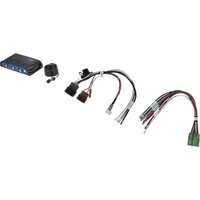
AP4-GM81 - Receiver PAC - Free user manual and instructions
Find the device manual for free AP4-GM81 PAC in PDF.


Pick your language and provide your email: we'll send you a specifically translated version.
| Product Type | Car Stereo Receiver |
| Brand | PAC |
| Model | AP4-GM81 |
| Compatible Vehicles | Select GM vehicles (2006-2013) |
| Form Factor | Double DIN |
| Dimensions (W x H x D) | 7.0 x 4.0 x 6.5 inches |
| Weight | 2.5 lbs |
| Power Source | 12V DC vehicle battery |
| Max Power Output | 4 x 45 Watts RMS |
| Audio Inputs | USB, AUX, Bluetooth |
| Radio Bands | AM/FM |
| Display | LCD dot matrix |
| Key Features | Hands-free calling, music streaming, audio playback |
| Steering Wheel Control Compatible | Yes (with adapter) |
| Maintenance | Wipe with dry cloth; avoid liquids |
| Safety | Fuse protected, heat sink for ventilation |
| Spare Parts | Available via PAC customer service |
| Reparability | Serviceable by authorized technicians |
| Warranty | 1 year limited |
Frequently Asked Questions - AP4-GM81 PAC
Does the PAC AP4-GM81 fit my 2010 Chevrolet Silverado?
Yes, the AP4-GM81 is designed for select GM vehicles from 2006-2013, including the Chevrolet Silverado. Please check your vehicle's specific radio configuration.
Can I use the factory steering wheel controls with this receiver?
Yes, with the appropriate PAC SWI-series adapter (sold separately), you can retain steering wheel control functionality.
Does this receiver support Bluetooth audio streaming?
Yes, the AP4-GM81 features built-in Bluetooth for hands-free calling and wireless audio streaming from your smartphone.
What is the power output of this receiver?
It delivers 4 x 45 Watts RMS, providing ample power for most factory speakers.
Can I connect a backup camera to this unit?
The AP4-GM81 does not have a dedicated backup camera input. You may need an additional video interface.
How do I reset the receiver?
Press and hold the reset button (located behind the faceplate) with a pointed object for 3 seconds.
What file formats are supported via USB?
The USB port supports MP3, WMA, and WAV files. For best compatibility, use a FAT32 formatted drive.
Can I install this receiver myself?
Installation is straightforward for those with basic car audio experience. We recommend using a wiring harness specific to your vehicle.
Does the receiver have a CD/DVD player?
No, the AP4-GM81 is a digital media receiver without an optical disc drive. It relies on USB, Bluetooth, or radio.
How can I update the firmware?
Firmware updates are available on the PAC website. Download the update file to a USB drive and follow the instructions in the manual.
User questions about AP4-GM81 PAC
0 question about this device. Answer the ones you know or ask your own.
Ask a new question about this device
No questions yet. Be the first to ask one.
Download the instructions for your Receiver in PDF format for free! Find your manual AP4-GM81 - PAC and take your electronic device back in hand. On this page are published all the documents necessary for the use of your device. AP4-GM81 by PAC.
USER MANUAL AP4-GM81 PAC


Manual assistant
Powered by Anthropic
Waiting for your message
Product information
Brand : PAC
Model : AP4-GM81
Category : Receiver