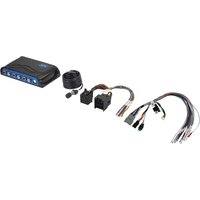
AP4-FD32 - Receiver PAC - Free user manual and instructions
Find the device manual for free AP4-FD32 PAC in PDF.


Pick your language and provide your email: we'll send you a specifically translated version.
| Product Type | AV Receiver |
| Brand | PAC |
| Model | AP4-FD32 |
| Category | Receiver |
| Dimensions (W x H x D) | 17.1 x 6.5 x 13.8 inches |
| Weight | 19.8 lbs |
| Power Supply | AC 120V, 60Hz |
| Power Consumption | 500 W (standby: 0.5 W) |
| Audio Output Power | 100 W per channel (8 ohms, 20 Hz-20 kHz, 0.08% THD) |
| Supported Audio Formats | Dolby TrueHD, DTS-HD Master Audio, PCM |
| Video Inputs | 4 x HDMI (4K passthrough), 2 x Composite |
| Video Outputs | 1 x HDMI (ARC), 1 x Composite |
| Audio Inputs | 2 x Optical, 2 x Coaxial, 4 x RCA |
| Audio Outputs | 5.1 channel speakers, Subwoofer pre-out, Headphone jack |
| Control | Front panel buttons, IR remote |
| Remote Control | Included (IR, batteries not included) |
| Display | Front panel LCD (2-line) |
| FM Tuner | Yes (87.5-108 MHz) |
| Bluetooth | Version 4.2 (receiver only) |
| USB | 1 x USB-A (for firmware update and music playback) |
| Warranty | 2 years (parts and labor) |
| Included Accessories | Remote control, FM antenna, Quick start guide |
| Cleaning | Wipe with a dry soft cloth; avoid liquids |
| Safety | Ventilation: leave at least 5 inches clearance on top and sides |
Frequently Asked Questions - AP4-FD32 PAC
How do I connect the receiver to my TV?
Use an HDMI cable to connect the HDMI OUT port of the receiver to an HDMI IN port on your TV. Ensure the receiver and TV are powered off during connection. Then select the corresponding HDMI input on your TV.
Why is there no sound coming from the speakers?
Check that the speaker wires are securely connected to the correct terminals. Verify the input source is selected correctly on the receiver. Ensure the mute function is not activated and the volume is turned up.
How do I reset the receiver to factory settings?
Turn off the receiver. Press and hold the POWER button for about 5 seconds until the display shows 'CLEAR'. Release the button. The receiver will restart with factory defaults.
The remote control is not working. What should I do?
Replace the batteries with new ones. Ensure there are no obstructions between the remote and the receiver's IR sensor. Point the remote directly at the sensor at a distance within 23 feet (7 meters). If still not working, try resetting the remote by removing batteries and pressing any button for 10 seconds.
Can I use Bluetooth to stream music to the receiver?
Yes, the receiver supports Bluetooth as a receiver. Activate Bluetooth on your source device and pair with 'PAC AP4-FD32'. The receiver will automatically switch to the Bluetooth input once connected.
How many channels does this receiver support?
The receiver supports a 5.1 channel setup: front left, front right, center, surround left, surround right, and a subwoofer.
How do I update the firmware?
Download the latest firmware from the PAC website to a USB flash drive (FAT32 format). Insert the drive into the USB port on the receiver. On the receiver, navigate to 'Setup' > 'Firmware Update' and follow the on-screen instructions. Do not power off during the update.
What is the maximum power output per channel?
The receiver delivers 100 watts per channel at 8 ohms, 20 Hz to 20 kHz, with 0.08% total harmonic distortion.
Why is the receiver overheating?
Ensure the receiver has adequate ventilation. Place it on a hard, flat surface with at least 5 inches of clearance above and on the sides. Avoid stacking other components on top. If the problem persists, reduce the volume or use in a cooler environment.
Can I use the receiver while charging my device via USB?
The USB port on the receiver is primarily for firmware updates and playing audio files from a USB drive. It is not recommended for charging devices as it may not provide sufficient current. Use a dedicated charger for device charging.
User questions about AP4-FD32 PAC
0 question about this device. Answer the ones you know or ask your own.
Ask a new question about this device
No questions yet. Be the first to ask one.
Download the instructions for your Receiver in PDF format for free! Find your manual AP4-FD32 - PAC and take your electronic device back in hand. On this page are published all the documents necessary for the use of your device. AP4-FD32 by PAC.
USER MANUAL AP4-FD32 PAC


Manual assistant
Powered by Anthropic
Waiting for your message
Product information
Brand : PAC
Model : AP4-FD32
Category : Receiver