
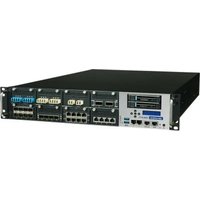
FWA-T011 - Network Equipment Advantech - Free user manual and instructions
Find the device manual for free FWA-T011 Advantech in PDF.


Pick your language and provide your email: we'll send you a specifically translated version.
| Product Type | Network Appliance / Firewall Appliance |
| Model | FWA-T011 |
| Brand | Advantech |
| Form Factor | 1U Rackmount |
| Dimensions (W x D x H) | 440 mm x 300 mm x 44 mm |
| Weight | 5.0 kg |
| Power Supply | 100-240V AC, 50-60Hz, 250W |
| CPU | Intel Celeron / Pentium (model-specific) |
| Memory | Up to 8GB DDR3L |
| Storage | 1 x 2.5" SATA HDD/SSD, 1 x mSATA |
| Network Interfaces | 6 x Gigabit Ethernet (RJ45), optional SFP |
| Expansion Slots | 1 x Mini-PCIe, 1 x SIM slot |
| Main Functions | Firewall, VPN, Routing, Intrusion Detection |
| Operating Temperature | 0°C to 40°C |
| Storage Temperature | -20°C to 60°C |
| Humidity | 5% to 90% non-condensing |
| Maintenance | Clean with dry cloth; ensure adequate ventilation |
| Safety | Disconnect power before cleaning; use grounded outlet |
| Spare Parts Available | Power supply unit, fan modules, drive caddies |
| Repair Information | Contact Advantech support or authorized service center |
| General Information | Designed for network security and edge computing |
Frequently Asked Questions - FWA-T011 Advantech
How do I perform a factory reset on the Advantech FWA-T011?
Press and hold the reset button on the front panel for 10 seconds until the status LED blinks rapidly. This restores default settings. For detailed steps, refer to the user manual.
What operating systems are supported by the FWA-T011?
The device supports pfSense, OPNsense, VyOS, and other Linux-based firewall distributions. Windows Server is also compatible but not recommended for security appliances.
How many LAN ports does the FWA-T011 have?
It features 6 Gigabit Ethernet ports (RJ45) and optional SFP modules for fiber connectivity. Ports can be configured as WAN, LAN, or DMZ.
Can I install a cellular modem in the FWA-T011?
Yes, it has a Mini-PCIe slot and a SIM card slot for 4G/5G modules. Ensure the modem is compatible with Advantech's carrier list.
What is the maximum RAM supported by this device?
The FWA-T011 supports up to 8GB DDR3L memory in two SO-DIMM slots. For optimal performance, use matched pairs.
How to access the BIOS settings?
Press DEL or F2 during boot to enter BIOS. The splash screen shows the correct key. BIOS allows configuration of boot order, power management, and hardware settings.
Is the FWA-T011 fanless?
No, it includes active cooling fans for the CPU and chassis. They are controlled by temperature sensors and can be replaced if necessary.
What power supply does the FWA-T011 use?
It uses an external 250W AC adapter with a standard IEC C14 input. The input voltage range is 100-240V AC, 50-60Hz.
Can I mount the FWA-T011 in a server rack?
Yes, it is a 1U rackmount design. Use the provided rackmount ears and screws. Ensure proper ventilation around the device.
Where can I download the latest firmware?
Visit Advantech's support website and search for FWA-T011. Firmware updates are available under 'Downloads'. Always follow the update guide to avoid bricking.
User questions about FWA-T011 Advantech
0 question about this device. Answer the ones you know or ask your own.
Ask a new question about this device
No questions yet. Be the first to ask one.
Download the instructions for your Network Equipment in PDF format for free! Find your manual FWA-T011 - Advantech and take your electronic device back in hand. On this page are published all the documents necessary for the use of your device. FWA-T011 by Advantech.
USER MANUAL FWA-T011 Advantech
Manual assistant
Powered by Anthropic
Waiting for your message
Product information
Brand : Advantech
Model : FWA-T011
Category : Network Equipment