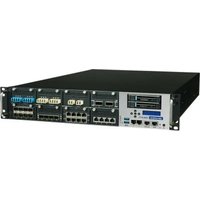
FWA-6171 - Network Equipment Advantech - Free user manual and instructions
Find the device manual for free FWA-6171 Advantech in PDF.


Pick your language and provide your email: we'll send you a specifically translated version.
| Product Type | Network Appliance / Firewall Appliance |
| Model | FWA-6171 |
| Brand | Advantech |
| Dimensions (W x D x H) | 440 x 350 x 44 mm (1U rackmount) |
| Weight | 6.5 kg (approx) |
| Power Supply | 250W AC power supply (100-240V, 50-60Hz) |
| CPU | Intel Core i7 or Xeon processor (varies by configuration) |
| Memory | Up to 16 GB DDR4 RAM |
| Storage | 2x 2.5" SATA HDD/SSD bays |
| Network Ports | 6x Gigabit Ethernet ports |
| Management Port | 1x RJ45 console port |
| Expansion Slot | 1x PCIe slot |
| Operating Temperature | 0°C to 40°C |
| Humidity | 5% to 95% non-condensing |
| Power Consumption | 150W typical |
| Cooling | 2x fans with intelligent speed control |
| Mounting | 1U rackmount kit included |
| Security | Hardware acceleration for VPN, firewall |
| Maintenance | Replaceable fans, easy access to HDD/SSD |
| Cleaning | Use dry cloth; avoid liquids |
| Safety | Proper grounding required; operate in well-ventilated area |
| Spare Parts | Spare fan kits, power supply modules available |
| Certification | CE, FCC |
| Main Functions | Routing, firewall, VPN, intrusion prevention, bandwidth management |
Frequently Asked Questions - FWA-6171 Advantech
How to reset the Advantech FWA-6171 to factory defaults?
To reset to factory defaults, locate the reset button on the front panel. Press and hold it for 10 seconds using a paperclip until the status LEDs blink. The device will reboot with factory settings. Note: This erases all custom configurations.
What are the default login credentials for the FWA-6171?
The default username is admin and password is admin. For security, change these immediately after initial login via the web interface or console.
How to install the FWA-6171 in a standard 19-inch rack?
Use the included rackmount brackets. Attach them to the sides of the device with screws, then slide the unit into the rack and fasten with cage nuts and screws. Ensure proper ventilation around the chassis.
Does the FWA-6171 support VPN protocols?
Yes, it supports multiple VPN protocols including IPsec, OpenVPN, L2TP, and PPTP. Hardware acceleration is available for IPsec to improve throughput.
How to update the firmware on the FWA-6171?
Download the latest firmware from Advantech's support website. Access the web interface (192.168.1.1), go to System > Firmware Update, upload the file, and confirm. Do not power off during the update.
How to configure VLANs on the FWA-6171?
VLANs can be configured via the web interface under Network > VLAN. Create VLAN IDs and assign ports to trunk or access mode. Make sure the switch on the other side matches the VLAN configuration.
What type of power cord is required for the FWA-6171?
The device uses a standard IEC C13 power cord. The power supply accepts 100-240V AC, 50-60Hz. Use a cord rated for your region (e.g., C13 to NEMA 5-15 for North America).
How to monitor system health (temperature, fan status)?
Log in to the web interface and navigate to System > Monitor. Here you can view CPU temperature, fan speeds, and voltage levels. Alerts can be set via SNMP or email notifications.
What should I do if the FWA-6171 loses network connectivity?
First, check LED indicators on the front panel: Power, LAN, and Status. Verify Ethernet cables are plugged securely. Reboot the device. If issue persists, access the console port to check logs with a serial terminal (115200 baud).
How to replace a failed fan in the FWA-6171?
Power off the device and disconnect cables. Remove the top cover (4 screws). Unplug the fan cable from the motherboard and slide out the fan module. Insert a new fan of the same type (60x60x25mm, 12V) and secure. Reassemble and power on.
User questions about FWA-6171 Advantech
0 question about this device. Answer the ones you know or ask your own.
Ask a new question about this device
No questions yet. Be the first to ask one.
Download the instructions for your Network Equipment in PDF format for free! Find your manual FWA-6171 - Advantech and take your electronic device back in hand. On this page are published all the documents necessary for the use of your device. FWA-6171 by Advantech.
USER MANUAL FWA-6171 Advantech

Manual assistant
Powered by Anthropic
Waiting for your message
Product information
Brand : Advantech
Model : FWA-6171
Category : Network Equipment