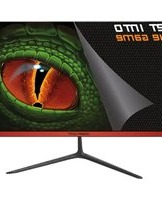
XGM22RV3 - Monitor KeepOut - Free user manual and instructions
Find the device manual for free XGM22RV3 KeepOut in PDF.


Pick your language and provide your email: we'll send you a specifically translated version.
| Product type | Monitor |
| Brand | KeepOut |
| Model | XGM22RV3 |
| Screen size | 21.5 inches (54.6 cm) |
| Resolution | 1920 x 1080 pixels (Full HD) |
| Refresh rate | 60 Hz |
| Panel type | IPS |
| Viewing angle | 178° / 178° |
| Connectivity | 1 x HDMI, 1 x VGA, 1 x audio jack |
| Dimensions (with stand) | 50.2 x 38.5 x 18.0 cm |
| Weight | 3.2 kg |
| Power supply | External power adapter (12 V, 3 A) |
| Power consumption | 30 W (standby: 0.5 W) |
| Main functions | Display, brightness adjustment, contrast, preset modes (game, cinema, etc.) |
| Care and cleaning | Clean with a soft, dry cloth; do not use abrasive products |
| Safety | Adequate ventilation, do not expose to humidity, unplug before cleaning |
| Spare parts and repairability | Power adapter available, professional repair recommended |
| General information | User manual available online; CE, RoHS certified |
Frequently Asked Questions - XGM22RV3 KeepOut
How to clean the screen of the KeepOut XGM22RV3 monitor?
Use a soft, slightly damp cloth (clean water) or a special screen wipe. Never use harsh chemicals, alcohol, or abrasive cleaners. Wipe gently without excessive pressure.
What are the exact dimensions of the XGM22RV3 monitor?
The monitor measures approximately 50.2 cm in width, 38.5 cm in height, and 18.0 cm in depth (with stand). Weight is approximately 3.2 kg.
Can I connect a game console to the KeepOut XGM22RV3?
Yes, if your console has an HDMI or VGA output. Full HD resolution (1920x1080) is compatible with most consoles, but the 60 Hz refresh rate limits performance for some competitive games.
What to do if the screen remains black after power on?
First check that the power adapter is properly plugged in and the power cable is not damaged. Make sure the video cable (HDMI/VGA) is correctly connected to the PC and monitor. Try changing the input source using the monitor buttons.
Is the KeepOut XGM22RV3 monitor compatible with VESA wall mounts?
Yes, the monitor is compatible with standard VESA mounts (100x100 mm pattern). Use appropriate screws and respect weight limits.
How to adjust brightness and contrast?
Use the buttons located under the lower bezel of the screen to access the OSD (On-Screen Display) menu. Navigate through the settings to adjust brightness, contrast, and other display options.
What is the power consumption of the monitor?
Typical consumption is 30 W in normal operation and less than 0.5 W in standby. To save energy, you can turn off the monitor completely when not in use.
Does the KeepOut XGM22RV3 monitor have built-in speakers?
No, this model does not have built-in speakers. You must use external speakers or headphones connected to your computer's audio output.
How to update the monitor driver?
The monitor does not require a specific driver; it is automatically recognized by your operating system. However, you can download a .INF file from the KeepOut website for an optimized display profile.
What is the warranty period and how to get a repair?
The standard warranty is 2 years (subject to general conditions). For repair, contact KeepOut support or go to an authorized repair center. Keep the purchase receipt and serial number.
User questions about XGM22RV3 KeepOut
0 question about this device. Answer the ones you know or ask your own.
Ask a new question about this device
No questions yet. Be the first to ask one.
Download the instructions for your Monitor in PDF format for free! Find your manual XGM22RV3 - KeepOut and take your electronic device back in hand. On this page are published all the documents necessary for the use of your device. XGM22RV3 by KeepOut.
USER MANUAL XGM22RV3 KeepOut


Manual assistant
Powered by Anthropic
Waiting for your message
Product information
Brand : KeepOut
Model : XGM22RV3
Category : Monitor