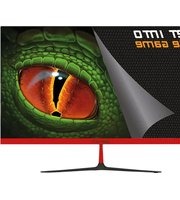
XGM24V8 - Monitor KeepOut - Free user manual and instructions
Find the device manual for free XGM24V8 KeepOut in PDF.


Pick your language and provide your email: we'll send you a specifically translated version.
| Product type | Monitor |
| Brand | KeepOut |
| Model | XGM24V8 |
| Screen size | 24 inches (61 cm) |
| Resolution | 1920 x 1080 pixels (Full HD) |
| Aspect ratio | 16:9 |
| Panel type | IPS |
| Refresh rate | 75 Hz |
| Response time | 5 ms |
| Connectivity | HDMI, VGA, headphone jack |
| Dimensions (with stand) | 54 cm (W) x 40 cm (H) x 20 cm (D) |
| Weight (with stand) | 3.5 kg |
| Power supply | 100-240 V, 50/60 Hz |
| Power consumption | 25 W (typical) |
| Main features | Display, brightness/contrast adjustments, blue light filter |
| Maintenance and cleaning | Clean with a soft, dry cloth. Do not use abrasive products. |
| Safety | Use a grounded wall outlet. Do not expose to moisture. |
| Spare parts and repairability | Repairability index: 8/10. Parts available on order. |
Frequently Asked Questions - XGM24V8 KeepOut
How to connect the KeepOut XGM24V8 monitor to my computer?
Use an HDMI or VGA cable depending on available ports. Connect one end to the monitor and the other to your computer, then select the input source via the OSD menu.
What to do if the screen remains black?
Check that the power cable is plugged in and the switch is on. Make sure the video cable is properly connected and the input source is correct. Try restarting the computer.
How to adjust brightness and contrast?
Use the buttons on the front of the monitor to access the OSD menu. Navigate to the brightness and contrast settings and adjust according to your preferences.
The monitor makes a noise (buzzing), is this normal?
A slight hum can be normal, especially at high brightness. If the noise is loud or persistent, it may indicate a power issue. Contact technical support.
How to clean the screen without damaging it?
Use a slightly damp microfiber cloth (no liquid directly on the screen). Avoid alcohol or ammonia-based products.
Can I mount the monitor on the wall?
Yes, the XGM24V8 is compatible with VESA 100x100 mm mounts. Use an appropriate wall mounting kit and follow the manufacturer's instructions.
Why is the image blurry?
Check that your computer's resolution is set to the monitor's native resolution (1920x1080). Adjust the sharpness settings in the OSD menu.
How to activate eye protection mode?
Access the OSD menu, look for the Low Blue Light or Eye Saver option and enable it. This reduces blue light to reduce eye strain.
What to do if colors seem off?
Go into the OSD menu and perform a reset of the settings. If the problem persists, check the cables or connect another source to isolate the issue.
Where can I find the full manual for the KeepOut XGM24V8?
You can download the PDF manual from notice-facile.com by selecting your language. An email will be sent to you with the download link.
User questions about XGM24V8 KeepOut
0 question about this device. Answer the ones you know or ask your own.
Ask a new question about this device
No questions yet. Be the first to ask one.
Download the instructions for your Monitor in PDF format for free! Find your manual XGM24V8 - KeepOut and take your electronic device back in hand. On this page are published all the documents necessary for the use of your device. XGM24V8 by KeepOut.
USER MANUAL XGM24V8 KeepOut


Manual assistant
Powered by Anthropic
Waiting for your message
Product information
Brand : KeepOut
Model : XGM24V8
Category : Monitor