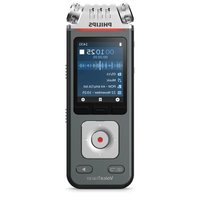
VoiceTracer DVT8115 - Audio recorder PHILIPS - Free user manual and instructions
Find the device manual for free VoiceTracer DVT8115 PHILIPS in PDF.


Pick your language and provide your email: we'll send you a specifically translated version.
| Product Type | Digital Voice Recorder |
| Brand | Philips |
| Model | VoiceTracer DVT8115 |
| Dimensions (approx) | 115 x 50 x 20 mm |
| Weight (with batteries) | Approx. 100 g |
| Power Source | 2 AAA batteries (alkaline or rechargeable) |
| Recording Media | Built-in flash memory (capacity varies by model) |
| Recording Format | MP3, WAV (PCM) |
| Recording Modes | High quality (PCM), standard (MP3) |
| Microphone | Built-in stereo microphone |
| Speaker | Built-in loudspeaker |
| Display | LCD with backlight |
| Connectivity | USB 2.0 for file transfer |
| Headphone Jack | 3.5 mm |
| Additional Functions | Voice activation, variable playback speed, password protection |
| Care Instructions | Clean with a soft, dry cloth. Avoid liquids. |
| Safety Precautions | Keep away from moisture and extreme heat. Do not disassemble. |
| Spare Parts & Repairability | Batteries and USB cable are replaceable. Contact Philips support for repairs. |
| General Information | Designed for voice recording in meetings, lectures, and personal notes. |
Frequently Asked Questions - VoiceTracer DVT8115 PHILIPS
How do I turn on the VoiceTracer DVT8115?
Slide the power switch to the ON position. The device will start up and show the main menu.
How do I record a voice memo?
Ensure the recorder is on. Press the REC button to start recording. Press STOP to end and save the file.
How do I transfer recordings to my computer?
Connect the recorder to a computer via the USB cable. It will appear as a removable drive. Copy the audio files from the device to your computer.
What batteries does the DVT8115 use?
It uses two AAA batteries, either alkaline or rechargeable. For best performance, use fresh alkaline batteries or fully charged rechargeable ones.
How do I set the date and time?
Go to MENU > Settings > Date & Time. Use the navigation buttons to adjust the values and confirm.
Can I use an external microphone?
Yes, the recorder has a 3.5 mm external microphone jack. Plug in a compatible microphone for improved audio capture.
How much recording time is available?
Recording time depends on the quality setting and internal memory. For example, in standard MP3 mode, you can record several hours. Check the user manual for exact capacities.
Why is the device not responding?
Try resetting the device by removing and reinserting the batteries. If that fails, connect it to a computer or charger to rule out battery issues.
How do I protect a recording from deletion?
While playing a file, press the LOCK button (or go to Options > Protect) to lock the file. Protected files cannot be deleted without unlocking.
Can I use the recorder while charging?
If using rechargeable batteries, you can record while the device is connected to a USB power source. For alkaline batteries, do not attempt to charge them.
User questions about VoiceTracer DVT8115 PHILIPS
0 question about this device. Answer the ones you know or ask your own.
Ask a new question about this device
No questions yet. Be the first to ask one.
Download the instructions for your Audio recorder in PDF format for free! Find your manual VoiceTracer DVT8115 - PHILIPS and take your electronic device back in hand. On this page are published all the documents necessary for the use of your device. VoiceTracer DVT8115 by PHILIPS.
USER MANUAL VoiceTracer DVT8115 PHILIPS


Manual assistant
Powered by Anthropic
Waiting for your message
Product information
Brand : PHILIPS
Model : VoiceTracer DVT8115
Category : Audio recorder