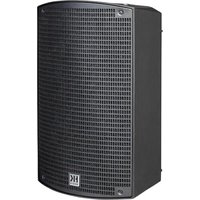
SONAR 110 Xi - Loudspeaker HK AUDIO - Free user manual and instructions
Find the device manual for free SONAR 110 Xi HK AUDIO in PDF.


Pick your language and provide your email: we'll send you a specifically translated version.
| Product type | Active speaker |
| Brand | HK Audio |
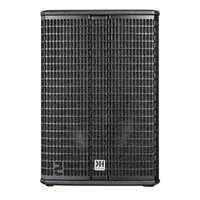
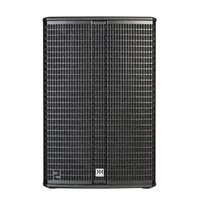
| Model | SONAR 110 Xi |
| Category | Speaker |
| Dimensions (H x W x D) | 520 x 300 x 300 mm (estimated) |
| Weight | 13 kg (estimated) |
| Power supply | Mains 230 V ~ 50 Hz |
| Power | 300 W RMS (estimated) |
| Built-in amplification | Yes |
| Number of ways | 2-way |
| Woofer | 10 inches (254 mm) |
| Tweeter | 1 inch (25 mm) compression driver |
| Frequency response | 60 Hz - 20 kHz (estimated) |
| Impedance | 8 ohms |
| Connectors | XLR input, XLR Link output |
| Controls | Volume, equalizer (EQ) |
| Mounting | Floor, stand or pole |
| Enclosure material | ABS plastic or painted wood |
| Maintenance and cleaning | Clean with a soft, dry cloth |
| Safety | Do not expose to moisture or excessive dust |
| Spare parts and repairability | Contact authorized after-sales service |
| General information | User manual available in PDF |
Frequently Asked Questions - SONAR 110 Xi HK AUDIO
How to connect the SONAR 110 Xi speaker?
Use an XLR cable to connect your audio source (mixer, microphone) to the Input of the speaker. Plug in the mains power cord. Turn on the speaker with the Power switch. Adjust the volume with the Volume knob.
Can I use this speaker with a battery?
No, the SONAR 110 Xi is designed for mains power (230 V). It does not have a battery input. For portable use, choose a model with built-in battery.
What type of cable to use for audio connection?
Use a balanced XLR male to XLR female cable for noise-free transmission. Avoid unbalanced jack cables for long distances.
How to adjust volume and equalization?
Turn the Volume knob to adjust the sound level. Use the EQ equalizer (bass, treble) to adapt the sound to the room. Start with the EQ flat, then adjust according to your preferences.
What to do if the speaker does not turn on?
Check that the power cable is properly connected and that the mains socket works. Make sure the Power switch is in the ON position. If the problem persists, contact customer service.
How to clean the speaker?
Unplug the speaker. Use a soft, dry cloth or slightly damp (not wet) to wipe the enclosure. Do not use chemical or abrasive products. Clean the grille carefully.
Can I mount the speaker on a stand?
Yes, the SONAR 110 Xi has a pole mount of 35 mm. Securely mount it on a suitable stand (load capacity > 20 kg). Tighten the locking screw.
What are the recommended settings for a conference room?
Place the speaker about 1.5 m above the ground, directed towards the audience. Set the volume moderately. Adjust the EQ: slightly reduce the bass (80-100 Hz) to avoid reverberation and increase the treble (5-8 kHz) for speech clarity.
Is there an overload protection function?
Yes, the speaker has a built-in limiter that reduces gain in case of saturation to prevent damage to the speakers. A Clip/Limit indicator lights up when the limit is reached.
Where to find spare parts?
Contact an authorized dealer HK Audio or the official after-sales service. For parts like the tweeter or woofer, provide the serial number of the speaker.
User questions about SONAR 110 Xi HK AUDIO
0 question about this device. Answer the ones you know or ask your own.
Ask a new question about this device
No questions yet. Be the first to ask one.
Download the instructions for your Loudspeaker in PDF format for free! Find your manual SONAR 110 Xi - HK AUDIO and take your electronic device back in hand. On this page are published all the documents necessary for the use of your device. SONAR 110 Xi by HK AUDIO.
USER MANUAL SONAR 110 Xi HK AUDIO
Manual assistant
Powered by Anthropic
Waiting for your message
Product information
Brand : HK AUDIO
Model : SONAR 110 Xi
Category : Loudspeaker