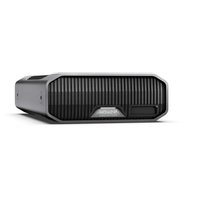
G-DRIVE Project - External hard drive SANDISK - Free user manual and instructions
Find the device manual for free G-DRIVE Project SANDISK in PDF.


Pick your language and provide your email: we'll send you a specifically translated version.
| Product Type | External Hard Drive |
| Model | G-DRIVE Project |
| Brand | SanDisk |
| Interface | USB 3.2 Gen 2 Type-C (USB-C) |
| Capacity Options | 1TB, 2TB, 4TB |
| Read Speed | Up to 1050 MB/s |
| Write Speed | Up to 1000 MB/s |
| Dimensions (L x W x H) | 4.5 x 3.2 x 0.6 in (114 x 81 x 15 mm) |
| Weight | 0.5 lb (227 g) |
| Power Source | Bus-powered via USB |
| Main Functions | External storage, backup, data transfer, compatible with Time Machine, password protection |
| Care & Cleaning | Wipe with a soft, dry cloth; avoid liquids |
| Safety Instructions | Do not drop or expose to water; keep away from magnetic fields |
| Spare Parts & Repairability | Not user-serviceable; contact SanDisk support for repairs |
| General Information | Warranty: 2 years; includes USB-C cable and quick start guide |
Frequently Asked Questions - G-DRIVE Project SANDISK
How do I connect the G-DRIVE Project to my computer?
Connect the included USB-C cable to the drive and your computer. The drive should appear automatically. For older USB-A ports, use a USB-C to USB-A adapter (not included).
Is the G-DRIVE Project compatible with Mac and Windows?
Yes, it is pre-formatted in exFAT for out-of-the-box compatibility with both macOS and Windows. You can reformat it to APFS or NTFS if needed.
What is the maximum transfer speed?
Up to 1050 MB/s read and 1000 MB/s write when connected to a USB 3.2 Gen 2 port. Actual speeds may vary based on system configuration.
Can I use this drive for Time Machine backups?
Yes, it is fully compatible with Apple Time Machine. Format it as Mac OS Extended (Journaled) if you plan to use it exclusively with Mac.
Does the drive require external power?
No, it is bus-powered via the USB connection. Ensure your computer provides sufficient power (USB 3.0 or higher).
Is there any built-in security or encryption?
The drive supports hardware encryption via SanDisk Security Suite software (downloadable). You can set a password to protect your data.
What is the warranty period?
SanDisk offers a limited 2-year warranty for the G-DRIVE Project. Retain your purchase receipt for warranty claims.
How do I care for the drive?
Keep it away from liquids, extreme temperatures, and magnetic fields. Clean with a soft dry cloth. Do not open the enclosure.
What do the LED indicators mean?
A solid blue light indicates the drive is connected and idle. Flashing blue means data transfer is in progress. No light indicates no power or connection.
Can I use the drive with a USB hub?
Yes, but for best performance connect directly to a USB port on your computer. If using a hub, ensure it is powered and supports USB 3.0 or higher.
User questions about G-DRIVE Project SANDISK
0 question about this device. Answer the ones you know or ask your own.
Ask a new question about this device
No questions yet. Be the first to ask one.
Download the instructions for your External hard drive in PDF format for free! Find your manual G-DRIVE Project - SANDISK and take your electronic device back in hand. On this page are published all the documents necessary for the use of your device. G-DRIVE Project by SANDISK.
USER MANUAL G-DRIVE Project SANDISK


Manual assistant
Powered by Anthropic
Waiting for your message
Product information
Brand : SANDISK
Model : G-DRIVE Project
Category : External hard drive