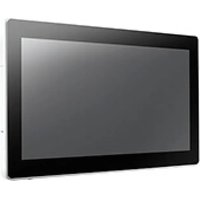
UTC-315D - Touchscreen Computer Advantech - Free user manual and instructions
Find the device manual for free UTC-315D Advantech in PDF.


Pick your language and provide your email: we'll send you a specifically translated version.
| Product Type | Industrial Panel PC |
| Display Size | 15-inch TFT LCD |
| Resolution | 1024 x 768 (XGA) |
| Touch Technology | Resistive or Capacitive (optional) |
| Processor | Intel Celeron J1900 or similar |
| System Memory | 4GB DDR3L (max 8GB) |
| Storage | 32GB mSATA SSD |
| Operating System | Windows 10 IoT Enterprise / Linux |
| Power Input | 12V DC, 60W adapter included |
| Dimensions (W x H x D) | 380 x 300 x 55 mm |
| Weight | 4.5 kg |
| Operating Temperature | 0°C to 50°C |
| Interfaces | 2 x COM, 2 x USB 2.0, 1 x USB 3.0, 1 x Gigabit LAN, 1 x VGA |
| IP Rating | IP65 (front panel) |
| Mounting | Panel mount or VESA 75/100 mm |
| Cooling | Fanless design |
| Certifications | CE, FCC Class A |
| Warranty | 2 years |
Frequently Asked Questions - UTC-315D Advantech
What is the UTC-315D used for?
The UTC-315D is an industrial panel PC designed for human-machine interface (HMI) applications, kiosks, and automation control.
How do I install the UTC-315D?
Install using the included panel mount clips or VESA brackets. Ensure proper ventilation and secure cable connections. Refer to the manual for detailed steps.
Can I connect external monitors?
Yes, via the VGA port. The display supports extended or mirror mode depending on your operating system settings.
How to clean the touchscreen?
Power off the device. Use a soft, lint-free cloth slightly dampened with water or mild glass cleaner. Avoid abrasive materials.
What to do if the touchscreen is unresponsive?
First, check the touch driver installation in Device Manager. Recalibrate the touch screen via the control panel. If still unresponsive, restart the system.
What is the power requirement?
The UTC-315D requires a 12V DC input, 60W power adapter (included). Ensure the power source is stable and within specifications.
How to update drivers?
Visit the Advantech support website and download the latest drivers for your model. Follow the installation instructions provided.
Is the UTC-315D fanless?
Yes, it features a fanless cooling design, making it suitable for dusty or quiet environments.
What is the warranty period?
The standard warranty is 2 years from date of purchase. Extended warranties are available through Advantech.
Can I repair the UTC-315D myself?
Only qualified personnel should open the unit. Contact Advantech technical support or an authorized service center for repairs.
User questions about UTC-315D Advantech
0 question about this device. Answer the ones you know or ask your own.
Ask a new question about this device
No questions yet. Be the first to ask one.
Download the instructions for your Touchscreen Computer in PDF format for free! Find your manual UTC-315D - Advantech and take your electronic device back in hand. On this page are published all the documents necessary for the use of your device. UTC-315D by Advantech.
USER MANUAL UTC-315D Advantech


Manual assistant
Powered by Anthropic
Waiting for your message
Product information
Brand : Advantech
Model : UTC-315D
Category : Touchscreen Computer