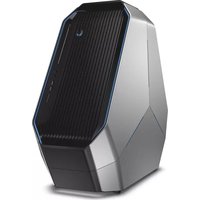
Area-51 AAT2250 - Desktop computer ALIENWARE - Free user manual and instructions
Find the device manual for free Area-51 AAT2250 ALIENWARE in PDF.


Pick your language and provide your email: we'll send you a specifically translated version.
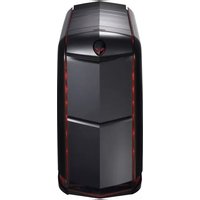
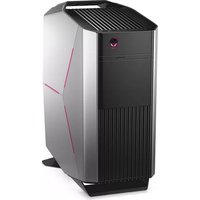
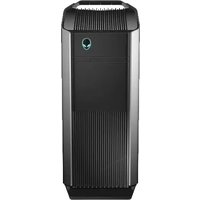
| Product Type | Desktop computer |
| Brand | Alienware |
| Model | Area-51 AAT2250 |
| Dimensions (H x W x D) | 20.5 x 10.2 x 18.1 inches |
| Weight | Approximately 25 lbs |
| Power Supply | 1000W 80+ Platinum |
| Processor | Intel Core i7-9700K (8 cores, up to 4.9 GHz) |
| Graphics Card | NVIDIA GeForce RTX 2080 Ti 11GB GDDR6 |
| Memory | 16GB DDR4 3200MHz (expandable up to 64GB) |
| Storage | 1TB 7200 RPM HDD + 256GB M.2 PCIe NVMe SSD |
| Operating System | Windows 10 Home 64-bit |
| Connectivity | Wi-Fi 6, Bluetooth 5.0, Gigabit Ethernet |
| Ports (Front) | 2x USB 3.0, 1x USB-C, 1x Headphone/Mic |
| Ports (Rear) | 4x USB 3.0, 2x USB 2.0, HDMI, DisplayPort, Ethernet, Audio jacks |
| Main Functions | High-performance gaming, VR ready, content creation |
| Cooling System | Liquid cooling for CPU, triple fan chassis |
| Lighting | AlienFX RGB customizable lighting |
| Maintenance | Dust filters on intake vents; clean every 3-6 months |
| Safety Features | Over-voltage protection, thermal sensors |
| Spare Parts & Repairability | User-replaceable RAM, storage, GPU; service manual available |
Frequently Asked Questions - Area-51 AAT2250 ALIENWARE
How do I update the BIOS on my Alienware Area-51 AAT2250?
Download the latest BIOS from Dell's support site, save to a USB drive, restart and press F2 to enter BIOS, then use the EZ Flash utility to update.
Why is my Alienware desktop overheating?
Check for dust buildup in fans and vents. Ensure the liquid cooling pump is running. Clean filters every 3 months. If persists, repaste the CPU.
Can I upgrade the graphics card?
Yes, the GPU is replaceable. Ensure the new card fits the chassis and the power supply supports its wattage. Uninstall drivers before replacing.
How do I reset the Alienware command center?
Uninstall Alienware Command Center from Control Panel, restart, then reinstall the latest version from Dell's website.
What type of RAM does the Area-51 AAT2250 use?
It uses DDR4 DIMMs, 288-pin, 3200MHz. Maximum capacity is 64GB (4x16GB).
How do I enable XMP for faster memory?
Enter BIOS by pressing F2 during startup, go to Overclocking menu, enable XMP profile 1, save and exit.
Why does my PC not turn on?
Check power cable connections. Try a different outlet. Press the power button for 30 seconds to discharge static. If still off, test the power supply.
How to clean the dust filters?
Power off and unplug. Remove front and bottom filters. Rinse with water, dry completely, then reinstall. Do not use compressed air inside.
Can I add more storage drives?
Yes, there are additional SATA ports and M.2 slots. Ensure compatibility (2.5-inch or 3.5-inch drive). You may need a mounting bracket.
How do I contact Alienware support?
Visit Dell's support site, enter your service tag, or call 1-800-ALIENWARE. Have your model and serial number ready.
User questions about Area-51 AAT2250 ALIENWARE
0 question about this device. Answer the ones you know or ask your own.
Ask a new question about this device
No questions yet. Be the first to ask one.
Download the instructions for your Desktop computer in PDF format for free! Find your manual Area-51 AAT2250 - ALIENWARE and take your electronic device back in hand. On this page are published all the documents necessary for the use of your device. Area-51 AAT2250 by ALIENWARE.
USER MANUAL Area-51 AAT2250 ALIENWARE
Manual assistant
Powered by Anthropic
Waiting for your message
Product information
Brand : ALIENWARE
Model : Area-51 AAT2250
Category : Desktop computer