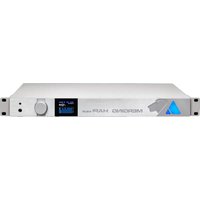
Hapi MK III - DJ Equipment Merging - Free user manual and instructions
Find the device manual for free Hapi MK III Merging in PDF.


Pick your language and provide your email: we'll send you a specifically translated version.
| Product Type | Audio Interface / Networked Audio Converter |
| Form Factor | 1U Rackmount |
| Dimensions (W x D x H) | 44 x 200 x 200 mm (1.73 x 7.87 x 7.87 in) |
| Weight | 2.5 kg (5.5 lbs) |
| Power Supply | 12V DC, 12W (external power adapter) |
| Sample Rates | Up to 384 kHz (PCM), DSD up to DSD128 |
| Analog Inputs | 8x XLR balanced line inputs |
| Analog Outputs | 8x XLR balanced line outputs |
| Digital I/O | 1x Ravenna AES67 compliant Ethernet port (RJ45) |
| Word Clock I/O | BNC input and output |
| Audio Conversion | A/D and D/A conversion with low latency |
| Network Audio | Ravenna protocol for streaming over IP |
| Control | Web interface, front panel OLED display and rotary encoder |
| Mounting | 19" rack mount ears included |
| Operating Temperature | 0°C to 40°C (32°F to 104°F) |
| Humidity | 10% to 90% non-condensing |
| Maintenance | Clean with dry cloth; avoid liquids and solvents |
| Safety | Use only provided power supply; disconnect when not in use |
| Spare Parts & Repairability | Contact Merging or authorized service centers for replacements |
| General Information | Professional-grade multichannel interface for studio and live sound |
Frequently Asked Questions - Hapi MK III Merging
What is the Ravenna network protocol?
Ravenna is a professional audio over IP technology using standard Ethernet. It supports AES67, high channel counts, and low latency.
Can I use the Hapi MK III without a network connection?
No, the Hapi MK III is designed to operate as a networked audio device. It requires a Ravenna-compatible network for audio streaming and control.
How do I update the firmware?
Firmware updates are performed via the web interface. Download the update file from Merging's website and upload it through the settings page.
What sample rates are supported?
The Hapi MK III supports sample rates up to 384 kHz for PCM and DSD up to DSD128. Lower rates like 44.1, 48, 88.2, 96, 176.4, 192 kHz are also available.
Is the power supply included?
Yes, the Hapi MK III comes with an external 12V DC power adapter. Always use the provided adapter to ensure proper operation.
Can I connect the Hapi MK III directly to a computer via USB?
No, the Hapi MK III does not have USB audio connectivity. It uses Ravenna over Ethernet for audio transport. A network interface is required.
How many channels can I stream simultaneously?
With 8 analog inputs and 8 analog outputs, plus digital streams over Ravenna, the Hapi MK III can handle up to 128 channels in a Ravenna network depending on configuration.
What is the latency of the device?
Latency depends on the network and buffer settings, but typical values are below 1 ms for A/D and D/A conversion in a well-configured network.
Can I use the Hapi MK III with third-party software?
Yes, as a Ravenna/AES67 device, it works with any software that supports Audio over IP, including DAWs like Pro Tools, Steinberg Nuendo, and others.
How do I reset the device to factory settings?
Press and hold the front panel rotary encoder while powering on the device until the OLED displays 'Factory Reset'. Release and confirm.
User questions about Hapi MK III Merging
0 question about this device. Answer the ones you know or ask your own.
Ask a new question about this device
No questions yet. Be the first to ask one.
Download the instructions for your DJ Equipment in PDF format for free! Find your manual Hapi MK III - Merging and take your electronic device back in hand. On this page are published all the documents necessary for the use of your device. Hapi MK III by Merging.
USER MANUAL Hapi MK III Merging


Manual assistant
Powered by Anthropic
Waiting for your message
Product information
Brand : Merging
Model : Hapi MK III
Category : DJ Equipment