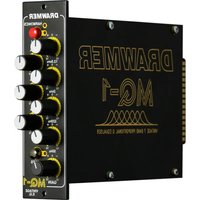
MQ-1 - Audio Equalizer DRAWMER - Free user manual and instructions
Find the device manual for free MQ-1 DRAWMER in PDF.


Pick your language and provide your email: we'll send you a specifically translated version.
| Product Type | Audio Compressor/Limiter |
| Brand | Drawmer |
| Model | MQ-1 |
| Channels | 2 (Stereo) |
| Circuitry | Analog, Class A |
| Input Connectors | XLR (Female) |
| Output Connectors | XLR (Male) |
| Frequency Response | 20 Hz - 20 kHz ±0.5 dB |
| Power Supply | Internal, 100-240V AC, 50/60 Hz |
| Power Consumption | 30 W |
| Dimensions (W x H x D) | 19" x 1.75" x 8.5" (483 x 44 x 216 mm) |
| Weight | 5.5 kg (12.1 lbs) |
| Rack Mountable | Yes, 1U |
| Controls | Threshold, Ratio, Attack, Release, Output Gain, Bypass |
| Indicators | LED Gain Reduction Meter, Power LED, Bypass LED |
| Signal-to-Noise Ratio | >90 dB |
| Maximum Input Level | +22 dBu |
| Maximum Output Level | +22 dBu |
| Cleaning Instructions | Wipe with a dry, lint-free cloth. Do not use solvents. |
| Safety Precautions | Do not expose to rain or moisture. Refer servicing to qualified personnel. |
| Spare Parts Availability | Contact Drawmer distributor for service and spare parts. |
| Warranty | 2 years (depending on region) |
Frequently Asked Questions - MQ-1 DRAWMER
What is the Drawmer MQ-1 used for?
The Drawmer MQ-1 is a professional stereo compressor/limiter used in recording studios, live sound, and broadcast to control dynamic range.
How do I connect the MQ-1 to my mixer?
Use balanced XLR cables: connect the mixer's outputs to the MQ-1's Input jacks, and the MQ-1's Output jacks to the next device in the signal chain.
The MQ-1 does not power on. What should I check?
Ensure the power cord is securely connected to the unit and a working AC outlet. Check the fuse located near the power inlet. If the fuse is blown, replace it with the same type and rating.
How do I set the threshold and ratio?
Start with the Threshold at 0 dB and slowly lower until gain reduction is observed. Set Ratio based on desired compression: use 2:1 for gentle compression, 4:1 or higher for limiting.
What is the bypass switch for?
The Bypass switch routes the signal directly from input to output without processing, allowing you to compare compressed and uncompressed audio.
Can the MQ-1 be used in a mono setup?
Yes, you can use either channel individually. For mono operation, connect the source to one input and use the corresponding output. The other channel remains unused.
How do I clean the front panel?
Use a soft, dry cloth to gently wipe the front panel. Avoid any liquid cleaners or abrasive materials that may damage the finish.
What is the maximum input level?
The MQ-1 accepts maximum input levels up to +22 dBu without distortion. Ensure your source does not exceed this level.
The gain reduction meter shows no movement. Is it working?
Check that the unit is not in Bypass mode and that the signal level is sufficient to trigger compression. Turn the Threshold knob fully clockwise to ensure no gain reduction is applied inadvertently.
Where can I find service or spare parts?
Contact your local Drawmer distributor or an authorized service center. Do not attempt internal repairs yourself to avoid electrical hazard.
User questions about MQ-1 DRAWMER
0 question about this device. Answer the ones you know or ask your own.
Ask a new question about this device
No questions yet. Be the first to ask one.
Download the instructions for your Audio Equalizer in PDF format for free! Find your manual MQ-1 - DRAWMER and take your electronic device back in hand. On this page are published all the documents necessary for the use of your device. MQ-1 by DRAWMER.
USER MANUAL MQ-1 DRAWMER
Manual assistant
Powered by Anthropic
Waiting for your message
Product information
Brand : DRAWMER
Model : MQ-1
Category : Audio Equalizer