
WR 90E - Wireless Microphone American Audio - Free user manual and instructions
Find the device manual for free WR 90E American Audio in PDF.


Pick your language and provide your email: we'll send you a specifically translated version.
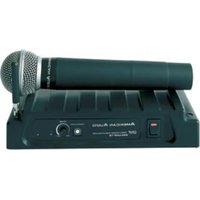
| Product Type | Wireless Microphone Receiver |
| Brand | American Audio |
| Model | WR 90E |
| Frequency Range | UHF 600-900 MHz (typical) |
| Number of Channels | 2 independent channels |
| Antenna Type | External detachable antennas (2 pcs) |
| Audio Output | XLR balanced and 1/4" unbalanced |
| Power Supply | 12-18V DC, 500 mA (adapter included) |
| Dimensions (W x H x D) | 19" x 1.75" x 8" (rack-mountable, 1U) |
| Weight | 3.5 lbs (1.6 kg) |
| Operating Temperature | 0°C to 40°C (32°F to 104°F) |
| Material | Metal chassis, plastic front panel |
| Display | LCD with channel, frequency, and signal strength |
| Controls | Power, volume, channel select, squelch |
| Mounting | Standard 19" rack ears included |
| Included Accessories | Power adapter, antennas, rack ears, user manual |
| Safety Certifications | CE, FCC |
| Compatible Transmitters | American Audio WHP series bodypack and handheld |
Frequently Asked Questions - WR 90E American Audio
How do I connect the WR 90E receiver to my mixer?
Connect the XLR or 1/4" output from the receiver's rear panel to a corresponding input on your mixer. Ensure both devices are powered off before connecting.
What is the maximum operating range of the WR 90E?
Under optimal conditions, the range is approximately 300 feet (90 meters) line-of-sight. Obstacles like walls can reduce range.
How do I sync the receiver with a transmitter?
Most American Audio transmitters have an IR sync function. Point the transmitter's IR window at the receiver's IR sensor and press the sync button. Alternatively, manually set the same frequency on both.
What type of batteries does the receiver require?
The receiver uses an external 12-18V DC power adapter (included). There is no internal battery.
Can I use multiple WR 90E receivers together?
Yes, multiple receivers can be used in the same location. Ensure each receiver and its paired transmitter use different frequencies to avoid interference.
How do I clean and maintain the receiver?
Use a dry, soft cloth to wipe the exterior. Avoid liquids and abrasive cleaners. Keep the ventilation slots clear of dust.
Why is there no sound from the receiver?
Check that the receiver and transmitter are powered on, set to the same frequency, and the transmitter's audio is not muted. Also verify the output cable is connected correctly.
What is the squelch control for?
The squelch control adjusts the threshold for the receiver's mute function. Set it to the minimum level that eliminates background noise without cutting off the desired signal.
Does the WR 90E have a headphone output?
No, the receiver does not have a headphone output. It provides line-level audio outputs for connection to a mixer or amplifier.
How do I update the firmware on the receiver?
The WR 90E does not support firmware updates. It operates on fixed hardware. For any issues, contact American Audio support.
User questions about WR 90E American Audio
0 question about this device. Answer the ones you know or ask your own.
Ask a new question about this device
No questions yet. Be the first to ask one.
Download the instructions for your Wireless Microphone in PDF format for free! Find your manual WR 90E - American Audio and take your electronic device back in hand. On this page are published all the documents necessary for the use of your device. WR 90E by American Audio.
USER MANUAL WR 90E American Audio



Manual assistant
Powered by Anthropic
Waiting for your message
Product information
Brand : American Audio
Model : WR 90E
Category : Wireless Microphone