
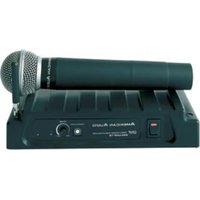
WM-16LAV - Wireless Microphone American Audio - Free user manual and instructions
Find the device manual for free WM-16LAV American Audio in PDF.


Pick your language and provide your email: we'll send you a specifically translated version.
| Brand | American Audio |
| Model | WM-16LAV |
| Product Type | Wireless Lavalier Microphone System |
| Frequency Range | UHF 600-950 MHz (varies by region) |
| Number of Channels | 16 |
| Operating Range | Up to 300 feet (90 meters) line of sight |
| Battery Life (Transmitter) | Approx. 8 hours on AA alkaline batteries |
| Power Supply | Receiver: 12V DC adapter; Transmitter: 2x AA batteries |
| Audio Output Connector | 1/4" (6.35mm) unbalanced jack |
| Dimensions (Receiver) | 7.5 x 4.2 x 1.6 inches (190 x 107 x 40 mm) |
| Weight (Receiver) | 13.4 oz (380 g) |
| Dimensions (Transmitter) | 3.9 x 2.4 x 0.9 inches (99 x 61 x 23 mm) |
| Weight (Transmitter) | 3.5 oz (99 g) without batteries |
| Microphone Type | Lavalier condenser (omnidirectional) |
| Included Accessories | Receiver, transmitter, lavalier mic, antenna, power adapter, manual |
| Mounting Options | Receiver: 19" rackmount kit included; Transmitter: belt clip |
| Cleaning | Wipe with dry cloth; avoid moisture on microphone capsule |
| Safety Precautions | Keep away from water; use only supplied power adapter; do not disassemble |
| Repairability | Contact authorized service center for repairs; user-replaceable batteries only |
| Certifications | FCC, CE compliant |
Frequently Asked Questions - WM-16LAV American Audio
How do I pair the transmitter with the receiver?
Insert batteries into the transmitter, power on the receiver, and press the sync button on the receiver. The transmitter will automatically pair with the receiver within seconds.
What batteries does the transmitter use?
The transmitter uses two AA alkaline or rechargeable Ni-MH batteries. Do not mix old and new batteries.
Can I use multiple WM-16LAV systems together?
Yes, up to 16 systems can be used simultaneously by selecting different channels to avoid interference.
How do I change the frequency channel?
Press the channel up/down button on the receiver to cycle through frequencies. The transmitter will automatically sync to the new channel.
What is the maximum operating range?
The maximum operating range is up to 300 feet (90 meters) in line-of-sight conditions. Walls and obstacles may reduce range.
Why is there no sound from the microphone?
Check that the transmitter is powered on and the mute switch is off. Ensure the receiver is turned on and the output volume is not at minimum. Verify the lavalier is securely connected.
How do I reduce feedback or interference?
Change the channel to a frequency with less interference. Keep the microphone away from speakers. Ensure the receiver antennas are fully extended and positioned correctly.
Can I use a different microphone with the transmitter?
The transmitter has a locking 3.5mm jack. You can use other lavalier microphones with the same connector type, but performance may vary.
How do I clean the lavalier microphone?
Gently wipe the microphone capsule with a dry, lint-free cloth. Avoid getting moisture inside the capsule. The windscreen can be washed with mild soap and water.
Where can I find the user manual?
The user manual is available for free download on the notice-facile.com website or from the American Audio support page.
User questions about WM-16LAV American Audio
0 question about this device. Answer the ones you know or ask your own.
Ask a new question about this device
No questions yet. Be the first to ask one.
Download the instructions for your Wireless Microphone in PDF format for free! Find your manual WM-16LAV - American Audio and take your electronic device back in hand. On this page are published all the documents necessary for the use of your device. WM-16LAV by American Audio.
USER MANUAL WM-16LAV American Audio



Manual assistant
Powered by Anthropic
Waiting for your message
Product information
Brand : American Audio
Model : WM-16LAV
Category : Wireless Microphone