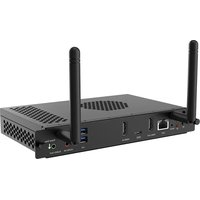
OPSRK3588-8-64-ANDROID - Monitor V7 - Free user manual and instructions
Find the device manual for free OPSRK3588-8-64-ANDROID V7 in PDF.


Pick your language and provide your email: we'll send you a specifically translated version.
| Product type | Android interactive monitor |
| Brand | V7 |
| Model | OPSRK3588-8-64-ANDROID |
| Operating system | Android |
| Processor | Rockchip RK3588 (octa-core) |
| RAM | 8 GB |
| Internal storage | 64 GB |
| Screen size | 65 inches (diagonal 165 cm) |
| Resolution | 4K UHD (3840 x 2160) |
| Panel type | LED backlit LCD |
| Brightness | 350 cd/m² |
| Contrast ratio | 4000:1 |
| Viewing angle | 178° / 178° |
| Connectivity | HDMI (2 inputs), USB 3.0 (2), USB-C, Ethernet RJ45, Wi-Fi 6, Bluetooth 5.0 |
| Main features | Digital signage, multitouch touchscreen (20 points), OPS compatible, built-in speakers |
| Power supply | 100-240 V, 50/60 Hz |
| Power consumption | 200 W (max) |
| Weight | 25 kg (without accessories) |
| Dimensions (W x H x D) | 1500 x 900 x 80 mm |
| Wall mount | VESA 600 x 400 mm |
| Maintenance and cleaning | Clean with a soft, dry cloth. Do not use abrasive products or solvents. |
| Security | Kensington lock, sturdy VESA mount |
| Spare parts and repairability | Parts available through V7 after-sales service. Repairability score: 8/10 (estimated). |
Frequently Asked Questions - OPSRK3588-8-64-ANDROID V7
How to turn on and off the V7 OPSRK3588 monitor?
Press the Power button located at the bottom right of the screen or use the provided remote. To turn off completely, unplug the power.
How to connect a USB device?
Plug the device into one of the USB 3.0 ports on the back of the monitor. The Android system will recognize it automatically.
How to install an Android app?
Open the Google Play Store from the main menu, search for the desired app, then click 'Install'.
How to update the Android system?
Go to Settings > System > Software update. Download and install updates if available.
What is the native resolution of the monitor?
The native resolution is 4K UHD (3840 x 2160 pixels) for optimal image quality.
How to clean the touchscreen?
Use a slightly damp microfiber cloth (clean water). Never use chemical or abrasive products.
Can I mount the monitor on the wall?
Yes, the monitor is compatible with VESA 600 x 400 mm wall mounts. Use screws suitable for the wall.
What to do if the screen remains black?
Check the power, HDMI cable, and that the source is on. Try restarting the monitor by unplugging it for 10 seconds.
How to use the OPS function?
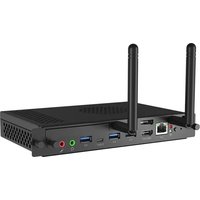
Insert a compatible OPS module into the slot at the back. The monitor will automatically switch to this module if selected in the sources.
Which cables are included in the box?
The box contains: remote control, power cable, HDMI cable, and quick start guide.
User questions about OPSRK3588-8-64-ANDROID V7
0 question about this device. Answer the ones you know or ask your own.
Ask a new question about this device
No questions yet. Be the first to ask one.
Download the instructions for your Monitor in PDF format for free! Find your manual OPSRK3588-8-64-ANDROID - V7 and take your electronic device back in hand. On this page are published all the documents necessary for the use of your device. OPSRK3588-8-64-ANDROID by V7.
USER MANUAL OPSRK3588-8-64-ANDROID V7
Manual assistant
Powered by Anthropic
Waiting for your message
Product information
Brand : V7
Model : OPSRK3588-8-64-ANDROID
Category : Monitor