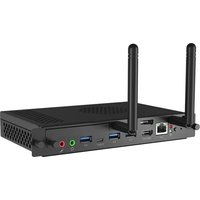
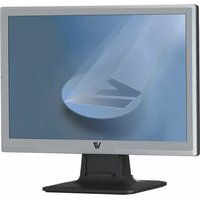
OPSI5-8-256-WIN - Monitor V7 - Free user manual and instructions
Find the device manual for free OPSI5-8-256-WIN V7 in PDF.


Pick your language and provide your email: we'll send you a specifically translated version.
| Product Type | LED Monitor |
| Brand | V7 |
| Model | OPSI5-8-256-WIN |
| Screen Size | 24 inches (61 cm) |
| Resolution | 1920 x 1080 pixels (Full HD) |
| Refresh Rate | 60 Hz |
| Panel Type | LCD with LED Backlight |
| Connectivity | HDMI, VGA, Headphone Jack |
| Dimensions (with stand) | 55.4 x 40.5 x 18.7 cm (W x H x D) |
| Weight | 4.2 kg |
| Power Consumption | 25 W (typical) |
| Power Supply | External power adapter, 100-240 V AC |
| Main Features | Brightness, contrast, color adjustment, low blue light mode |
| Care and Cleaning | Use a soft, dry cloth; do not use chemical cleaners |
| Safety Instructions | Do not open the casing; place on a stable surface; avoid moisture |
Frequently Asked Questions - OPSI5-8-256-WIN V7
How to clean the monitor screen?
Use a soft, dry cloth (microfiber) to wipe the screen. Never use abrasive products or liquids directly on the screen. For stubborn stains, slightly dampen the cloth with distilled water.
How to adjust brightness and contrast?
Press the control buttons located on the front or side of the monitor to access the OSD (On-Screen Display) menu. Navigate to the brightness and contrast options, then adjust according to your preference.
What cables are included in the box?
The monitor is usually supplied with a power cable, an HDMI cable, and a VGA cable. Depending on the version, an audio cable may be included.
Can I use this monitor with a Mac?
Yes, this monitor is compatible with Macs equipped with an HDMI or VGA output. If your Mac only has a USB-C or Thunderbolt output, you will need a suitable adapter.
What is the maximum supported resolution?
The maximum resolution is 1920 x 1080 pixels (Full HD) at 60 Hz. For lower resolutions, the monitor adjusts the image automatically.
How can I mount the monitor on an articulating arm?
This monitor is VESA compatible with a 100 x 100 mm pitch. Remove the original stand by unscrewing the screws, then attach the VESA mount to the back of the monitor.
What to do if the screen remains black?
First check that the power cable is properly connected and that the wall outlet is working. Make sure the video cable is correctly connected and that the selected input source is correct. Try a different cable if necessary.
Does the monitor have built-in speakers?
Yes, this model integrates stereo speakers of 2 W each. You can also connect headphones via the jack port.
What is the power consumption in standby?
The standby consumption is less than 0.5 W, which meets energy-saving standards.
How can I access the full manual?
The full manual is available for free download in PDF format on the site notice-facile.com or on the official V7 website. You can also scan the QR code on the packaging.
User questions about OPSI5-8-256-WIN V7
0 question about this device. Answer the ones you know or ask your own.
Ask a new question about this device
No questions yet. Be the first to ask one.
Download the instructions for your Monitor in PDF format for free! Find your manual OPSI5-8-256-WIN - V7 and take your electronic device back in hand. On this page are published all the documents necessary for the use of your device. OPSI5-8-256-WIN by V7.
USER MANUAL OPSI5-8-256-WIN V7
Manual assistant
Powered by Anthropic
Waiting for your message
Product information
Brand : V7
Model : OPSI5-8-256-WIN
Category : Monitor