
RPB550 - Portable speaker LEXIBOOK - Free user manual and instructions
Find the device manual for free RPB550 LEXIBOOK in PDF.


| Product type | Toy cash register with accessories |
| Brand | LEXIBOOK |
| Model | RPB550 |
| Power supply | 3 alkaline batteries 1.5 V type AA/LR6 |
| Main functions | Barcode scanner, scale, microphone, conveyor belt, calculator, cash drawer, card reader |
| Package contents | 1 cash register, 20 coins, 30 bills, 1 credit card, 3 food items, 3 boxes, 1 basket, 1 instruction manual |
| Age range | From 36 months |
| Safety warnings | Not suitable for children under 36 months. Choking hazard. Use under adult supervision. |
| Maintenance | Clean with a slightly damp cloth. Do not use detergents. Avoid moisture, heat, and sunlight. |
| Warranty | 2 years, covers material and assembly defects |
| Manufacturing | Designed in Europe, made in China |
Frequently Asked Questions - RPB550 LEXIBOOK
User questions about RPB550 LEXIBOOK
0 question about this device. Answer the ones you know or ask your own.
Ask a new question about this device
Download the instructions for your Portable speaker in PDF format for free! Find your manual RPB550 - LEXIBOOK and take your electronic device back in hand. On this page are published all the documents necessary for the use of your device. RPB550 by LEXIBOOK.
USER MANUAL RPB550 LEXIBOOK
Caisse enregistreuse "Fashion" "Fashion" Cash Register
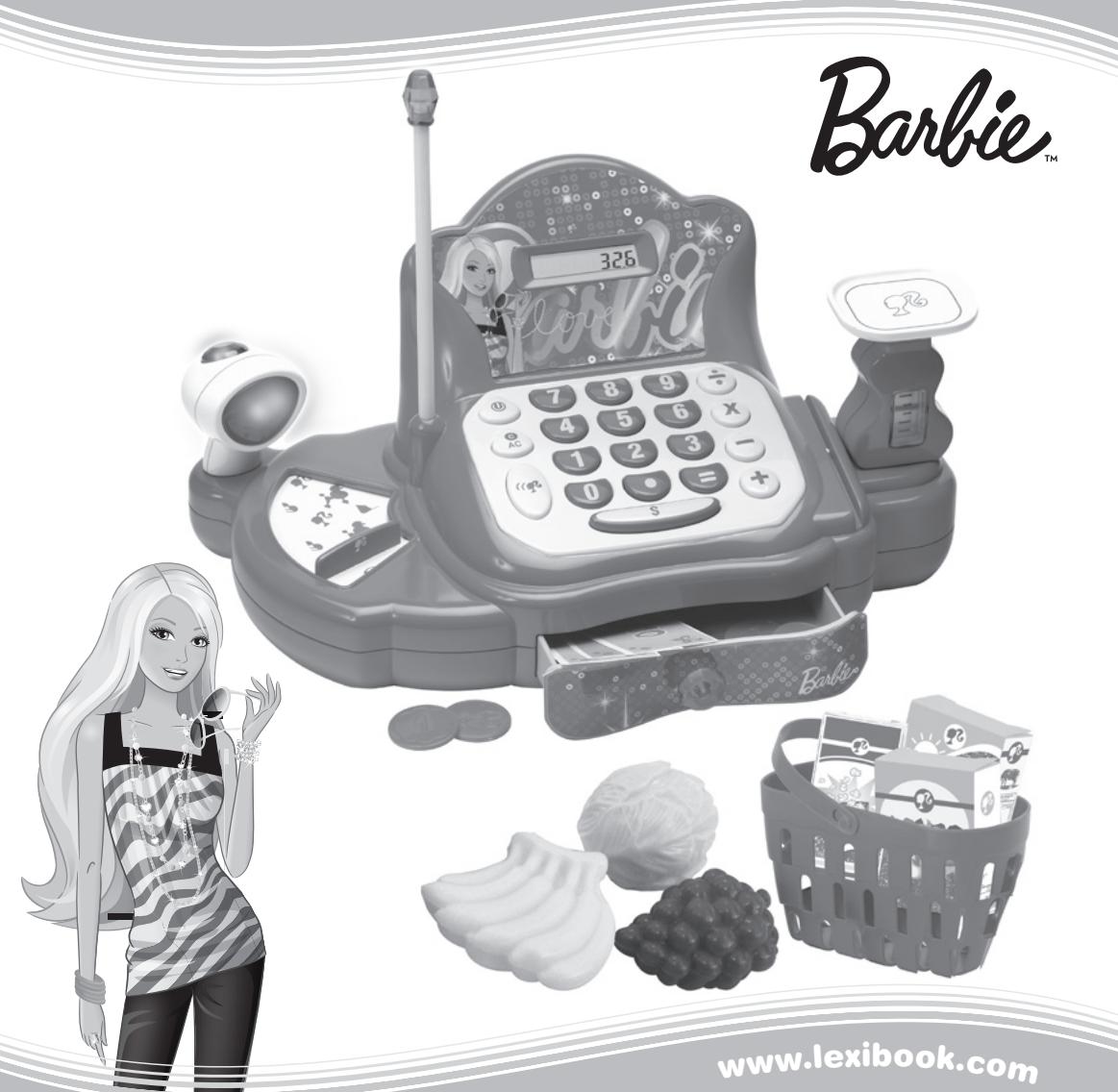
MODE D'EMPLOI INSTRUCTION MANUAL
LEXIBOOK® RPB550
©2010 Mattel, Inc. All rights Reserved.
Lexibook S.A,
2, avenue de Scandinavie,
91953 Courtaboeuf Cedex,
France.
Service consommateurs: 0892 23 27 26 (0.34€ TTC/min)
www.lexibook.com
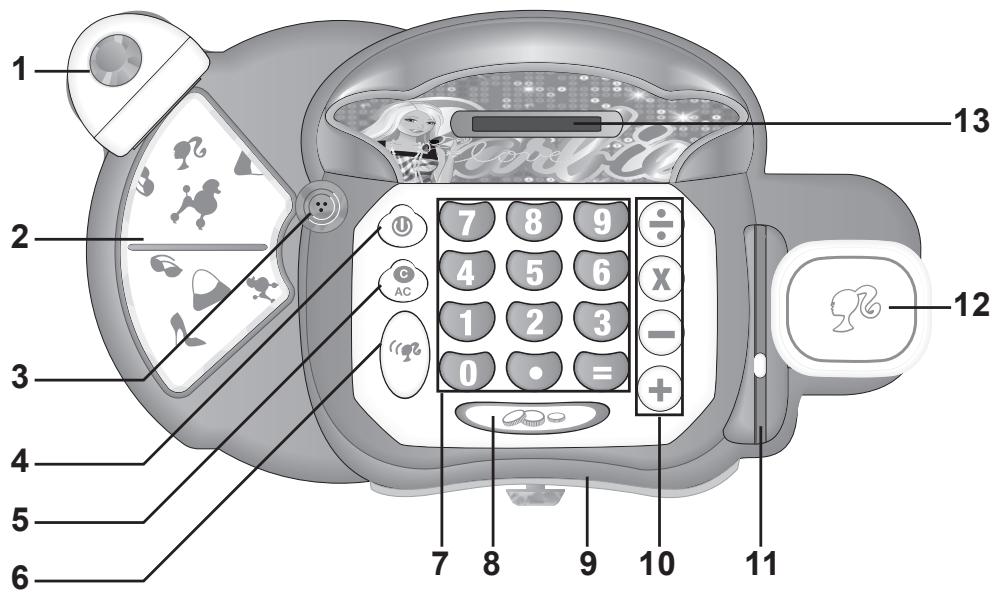
- Bar code scanner
- Moving conveyor belt
- Microphone
- On/off key
- C/AC key (to erase a calculation)
- Microphone key
-
Number keys
-
Cashier drawing key
- Cashier drawer
- Operation keys
11.Card reader - Scale
- LCD screen
Start-up guide
Play the classic store game with your new "fashion" cash register! Read the following instructions to discover all its functions. Ask an adult to read and understand the safety instructions.
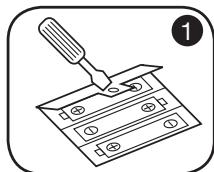
Using a screwdriver, insert 3 AA/LR6 batteries in the battery compartment located under the cash register.
Press the on/off key to turn the cash register on. Press the same key to turn it off.
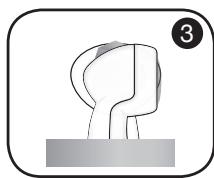
To scan an item, press the button on the bar code scanner. You will hear a "beep" sound.
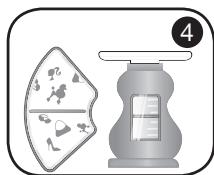
Your clients can place their items on the moving conveyor belt. Use the scale to weight fruits and vegetables. The cash register will play a funny sound when you place an article on the scale!
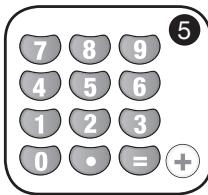
Enter the price of the item using the number keys followed by the "+" key. Perform other calculations as you like.
If you are unsure of the price of an item or need assistance, press the "microphone" key to activate the amplifier function, and speak in the microphone.
Press the " = " key to get the sum of all purchases.
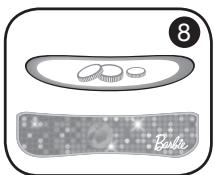
If the customer uses cash to pay for the purchase, press the "cashier drawer" key. The cashier drawer will open. You can also press this key to open the drawer at anytime.
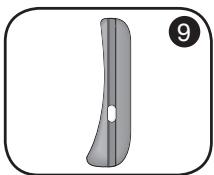
If the customer wishes to pay by credit card, swipe the credit card in the card reader.
Contents of the packaging
1 "fashion" cash register
20 pretend coins
30 pretend bank notes
1 pretend credit card
3 pretend food items
3 pretend food boxes
1 basket
1 instruction manual
WARNING: All packaging materials, such as tape, plastic sheets, wire ties and tags are not part of this toy and should be discarded for your child's safety.
The Barbie "fashion" cash Register works with 3 × 1.5v --- AA/LR6 type batteries (included). Ask an adult to help you to find and install the correct batteries.
WARNING: This product is supplied with batteries for demonstration purposes. They should be replaced with new batteries before use.
Battery replacement
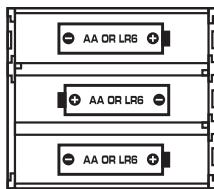
- Using a screwdriver, open the battery compartment cover located under the cash register.
- Install the 3 AA/LR6 size batteries observing the polarity indicated at the bottom of the battery compartment, and as per the diagram shown opposite.
- Close the battery compartment and tighten the screw.
Non-rechargeable batteries are not to be recharged. Rechargeable batteries are to be removed from the toy before being charged. Rechargeable batteries are only to be charged under adult supervision. Different types of batteries or new and used batteries are not to be mixed. Only batteries of the same or equivalent type as recommended are to be used. Batteries are to be inserted with the correct polarity. Exhausted batteries are to be removed from the toy. The supply terminals are not to be short circuited. Do not throw batteries into a fire. Remove the batteries if you are not going to use the game for a long period of time.
WARNING: Mal-function or loss of memory may be caused by strong frequency interference or electrostatic discharge. Should any abnormal function occur, remove the batteries and insert them again.
Only use a soft, slightly damp cloth to clean the unit. Do not use detergent. Do not to expose the unit to direct sunlight or any other heat source. Do not immerse the unit in water. Do not dismantle or drop the unit. Do not try to twist or bend the unit.
NOTE: please keep this instruction manual, it contains important information.
This product is covered by our 2-year warranty. For any claim under the warranty or after sale service, please contact your distributor and present a valid proof of purchase. Our warranty covers any manufacturing material and workmanship defect, with the exception of any deterioration arising from the non-observance of the instruction manual or from any careless action implemented on this item (such as dismantling, exposition to heat and humidity, etc.). It is recommended to keep the packaging for any further reference. Warning! This game is not suitable for children under 36 months. Choking hazard.
In a bid to keep improving our services, we could implement modification on the colours and the details of the product shown on the packaging.
Reference: RPB550
Designed and developed in Europe - Made in China
©2010 LEXIBOOK®
©2010 Mattel, Inc. All rights Reserved.
United Kingdom & Ireland
For any further information, please call 0808 100 3015
www.lexibook.com

Environmental Protection:
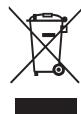
Unwanted electrical appliances can be recycled and should not be discarded along with regular household waste! Please actively support the conservation of resources and help protect the environment by returning this appliance to a collection centre (if available).
©2010 Mattel, Inc. All rights Reserved.
CEFA TOYS
Servicio atencion al consumidor : 976144606 - consumidor@cefatoys.com
www.lexibook.com

©2010 Mattel, Inc. All rights Reserved.
AJ AGUIAR
©2010 Mattel, Inc. All rights Reserved.
www.lexibook.com
©2010 Mattel, Inc. All rights Reserved.
E-Mail: savcomfr@lexibook.com
Service-Hotline Tel. 01805 010931 (0.14€TT/min)
www.lexibook.com
Productkenmerken
©2010 Mattel, Inc. All rights Reserved.
www.lexibook.com
Brand : LEXIBOOK
Model : RPB550
Category : Portable speaker