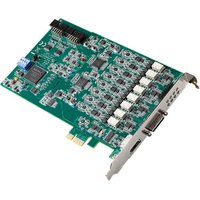
PCIE-1803 - Carte d'acquisition de données Advantech - Free user manual and instructions
Find the device manual for free PCIE-1803 Advantech in PDF.


Pick your language and provide your email: we'll send you a specifically translated version.
| Product Type | Data Acquisition Card |
| Form Factor | PCI Express x1 |
| Dimensions | 168 mm x 106 mm |
| Weight | 100 g |
| Power Supply | PCIe bus-powered (3.3 V / 12 V) |
| Power Consumption | 3.5 W (typical) |
| Analog Input Channels | 32 single-ended / 16 differential |
| Analog Input Resolution | 16-bit |
| Maximum Sampling Rate | 500 kS/s |
| Analog Output Channels | 4 |
| Analog Output Resolution | 16-bit |
| Digital I/O Channels | 24 (8 configurable as counter/timer) |
| Counter/Timers | 3 x 32-bit |
| Connector Type | 37-pin D-Sub |
| Operating Temperature | 0 °C to 60 °C |
| Storage Temperature | -20 °C to 85 °C |
| Humidity | 5% to 95% non-condensing |
| Operating System Support | Windows 10/11, Linux (Kernel 4.x+) |
| Programming Interface | Advantech DAQNavi SDK / LabVIEW / MATLAB |
| Safety | ESD protection, overvoltage protection on analog inputs |
| Cleaning | Use dry cloth; avoid solvents; disconnect power before cleaning |
| Spare Parts | 37-pin D-Sub cable, mounting bracket (standard) |
Frequently Asked Questions - PCIE-1803 Advantech
How do I install the PCIE-1803 drivers on Windows 10?
Download the latest DAQNavi driver package from the Advantech support website. Run the installer and follow the on-screen instructions. After installation, the card should be recognized in Device Manager under 'Advantech DAQ Devices'.
Does the PCIE-1803 support Linux?
Yes, the PCIE-1803 is supported on Linux with kernel version 4.x or later. Advantech provides a DAQNavi Linux driver that can be compiled from source. Refer to the user manual for detailed installation steps.
What is the maximum analog input sampling rate?
The maximum sampling rate is 500 kS/s when scanning multiple channels. For single-channel operation, the maximum rate can be up to 1 MS/s depending on the configuration.
Can I use the PCIE-1803 with LabVIEW?
Yes, Advantech provides a LabVIEW VI library for the PCIE-1803. You can install the DAQNavi SDK which includes LabVIEW support. The library includes functions for analog I/O, digital I/O, and counter operations.
What is the resolution of the analog inputs?
The analog inputs have a 16-bit resolution, providing a voltage range of ±10 V, ±5 V, ±2.5 V, ±1.25 V, and ±0.625 V (programmable). The effective resolution depends on the selected range and sampling rate.
How many digital I/O lines are available?
The card has 24 digital I/O lines, where 8 of them can be configured as counter/timer inputs. The digital I/O is TTL-compatible and can sink/source up to 24 mA per channel.
Does the PCIE-1803 require external power?
No, the PCIE-1803 is bus-powered via the PCI Express slot. It consumes less than 3.5 W, so no external power connection is needed.
What connectors are on the PCIE-1803 bracket?
The bracket features a 37-pin D-Sub connector for all analog and digital I/O signals. A mating cable is included in the package.
How do I clean the PCIE-1803 card?
Disconnect the card from power and use a soft, dry cloth to remove dust. Do not use any liquids or solvents. For connector contacts, use isopropyl alcohol with a lint-free swab.
Is the PCIE-1803 compatible with 3.3 V PCIe slots?
Yes, the PCIE-1803 is a PCI Express x1 card and is compatible with both 3.3 V and 12 V slots. It supports standard PCIe form factor and can be used in x1, x4, x8, and x16 slots.
User questions about PCIE-1803 Advantech
0 question about this device. Answer the ones you know or ask your own.
Ask a new question about this device
No questions yet. Be the first to ask one.
Download the instructions for your Carte d'acquisition de données in PDF format for free! Find your manual PCIE-1803 - Advantech and take your electronic device back in hand. On this page are published all the documents necessary for the use of your device. PCIE-1803 by Advantech.
USER MANUAL PCIE-1803 Advantech
Manual assistant
Powered by Anthropic
Waiting for your message
Product information
Brand : Advantech
Model : PCIE-1803
Category : Carte d'acquisition de données