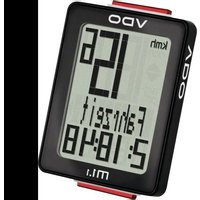
M1.1 WR - Meter VDO - Free user manual and instructions
Find the device manual for free M1.1 WR VDO in PDF.


Pick your language and provide your email: we'll send you a specifically translated version.
| Product Type | Bicycle computer (cyclometer) |
| Brand | VDO |
| Model | M1.1 WR |
| Category | Meter / Cyclometer |
| Dimensions | Approx. 50 x 40 x 20 mm |
| Weight | Approx. 30 g (including battery) |
| Power Source | 1 x CR2032 lithium battery (3V) |
| Display | LCD screen with multiple data fields |
| Wireless | Yes, wireless transmission of speed and cadence |
| Water Resistance | WR (Water Resistant) – splash proof |
| Speed Measurement | Current, average, and maximum speed |
| Distance Measurement | Trip distance and total odometer |
| Time Functions | Clock, ride time, and stopwatch |
| Cadence | Optional cadence sensor compatible |
| Data Storage | Memory for trip data (e.g., max speed, total distance) |
| Mounting | Handlebar mount included, tool-free installation |
| Programming | Manual input of wheel size for accurate calibration |
| Battery Life | Approx. 1 year under normal use |
| Cleaning | Wipe with a soft, dry cloth; avoid harsh chemicals |
| Maintenance | Replace battery when low; check mount security |
| Safety | For cycling use only; ensure secure attachment to avoid distraction |
| Spare Parts | Battery (CR2032), mount kit, sensor magnets |
| Repairability | Limited; battery replacement possible by user |
| General Information | Manufactured by VDO; manual available in PDF format |
Frequently Asked Questions - M1.1 WR VDO
How do I install the VDO M1.1 WR on my bike?
Mount the display to the handlebar using the included bracket. Secure the sensor to the fork and attach the magnet to a spoke. Pair the sensor with the display following the manual.
How do I set the wheel size for accurate speed?
Measure the wheel circumference in mm or use the standard value from a chart. Enter it via the buttons in setup mode. Refer to the user manual for exact steps.
What does the WR stand for in M1.1 WR?
WR stands for Water Resistant. The device is designed to withstand splashes but should not be submerged.
How do I replace the battery?
Open the battery compartment on the back with a coin or screwdriver. Replace with a CR2032 battery, ensuring correct polarity. Close the compartment securely.
Can I use the M1.1 WR with a cadence sensor?
Yes, the M1.1 WR is compatible with an optional VDO cadence sensor. Install it on the crank arm and pair it via the display menu.
Why is the display not showing any data?
Check the battery level and ensure the sensor magnet is aligned properly. If still not working, re-pair the sensor by pressing the reset button on the sensor.
How do I reset the trip distance?
Hold the MODE button for a few seconds until the trip distance resets to zero. Consult the manual for full details on resetting other values.
Is the device backlit?
No, the VDO M1.1 WR does not have a backlight. It relies on ambient light for readability.
How can I clean the computer?
Use a soft, damp cloth to wipe the display and sensor. Avoid alcohol or abrasive cleaners. Dry thoroughly before use.
Where can I download the user manual?
You can download the PDF manual from notice-facile.com or the official VDO website. Search for 'VDO M1.1 WR manual'.
User questions about M1.1 WR VDO
0 question about this device. Answer the ones you know or ask your own.
Ask a new question about this device
No questions yet. Be the first to ask one.
Download the instructions for your Meter in PDF format for free! Find your manual M1.1 WR - VDO and take your electronic device back in hand. On this page are published all the documents necessary for the use of your device. M1.1 WR by VDO.
USER MANUAL M1.1 WR VDO

Manual assistant
Powered by Anthropic
Waiting for your message
Product information
Brand : VDO
Model : M1.1 WR
Category : Meter