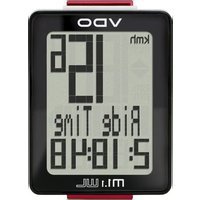
M1.1 WL - Meter VDO - Free user manual and instructions
Find the device manual for free M1.1 WL VDO in PDF.


Pick your language and provide your email: we'll send you a specifically translated version.
| Product Type | Cycling Computer |
| Brand | VDO |
| Model | M1.1 WL |
| Dimensions | 4.5 x 3.5 x 1.5 cm |
| Weight | 30 g |
| Power Supply | 1 x CR2032 battery |
| Display Type | LCD |
| Wireless Transmission | Yes |
| Speed Measurement | Current, average, maximum speed |
| Distance Measurement | Trip distance, total odometer |
| Time Functions | Clock, ride time, stopwatch |
| Odometer | Up to 9999 km |
| Auto Start/Stop | Yes |
| Water Resistance | Splash proof |
| Mounting | Handlebar or stem mount |
| Maintenance | Clean with a soft, dry cloth |
| Battery Life | Approximately 1 year |
| Spare Parts Available | Battery, mount, magnet |
| Reparability | Battery replacement only |
Frequently Asked Questions - M1.1 WL VDO
How do I install the battery?
Open the battery compartment on the back of the computer. Insert a CR2032 battery with the positive side facing up. Close the compartment securely.
How do I pair the sensor with the computer?
The VDO M1.1 WL uses wireless transmission. After installing the battery, the computer will automatically search for the sensor. Ride a few meters to activate the sensor and complete pairing.
How do I change the wheel circumference setting?
Press and hold the SET button for 3 seconds to enter settings. Use the MODE button to select wheel size, then press SET to adjust. Refer to the manual for typical circumference values (e.g., 2100 mm for 26-inch wheels).
What does 'WL' stand for in the model?
'WL' stands for Wireless, indicating that the speed sensor communicates with the computer without a cable.
Is the computer waterproof?
The VDO M1.1 WL is splash proof but not fully waterproof. Avoid submerging it in water or using in heavy rain.
How do I reset the trip distance?
Press and hold the MODE button for 3 seconds while the trip distance is displayed. The trip distance will reset to zero.
What is the maximum odometer value?
The odometer records up to 9999 km. Once reached, it will roll over to 0 automatically.
How do I replace the sensor magnet?
The magnet is attached to a spoke with a screw. Loosen the screw, position the magnet near the sensor (1-3 mm gap), and tighten. Ensure the magnet faces the sensor.
Why is the display blank?
First, check the battery: replace it with a new CR2032. If still blank, ensure the battery contacts are clean and the battery is inserted correctly.
How do I clean the computer?
Use a soft, dry cloth to wipe the display and casing. Do not use any chemicals, solvents, or abrasive cleaners.
User questions about M1.1 WL VDO
0 question about this device. Answer the ones you know or ask your own.
Ask a new question about this device
No questions yet. Be the first to ask one.
Download the instructions for your Meter in PDF format for free! Find your manual M1.1 WL - VDO and take your electronic device back in hand. On this page are published all the documents necessary for the use of your device. M1.1 WL by VDO.
USER MANUAL M1.1 WL VDO

Manual assistant
Powered by Anthropic
Waiting for your message
Product information
Brand : VDO
Model : M1.1 WL
Category : Meter