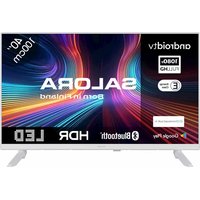
40FWA555 - Television SALORA - Free user manual and instructions
Find the device manual for free 40FWA555 SALORA in PDF.


Pick your language and provide your email: we'll send you a specifically translated version.
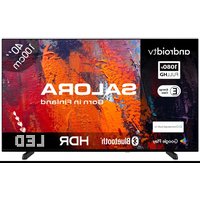
| Product Type | 40-inch LED Television |
| Screen Diagonal | 102 cm (40 inches) |
| Dimensions (without stand) | 89 x 52 x 8 cm |
| Weight (without stand) | 7 kg |
| Power Supply | 220-240 V, 50/60 Hz |
| Resolution | Full HD 1920 x 1080 pixels |
| Connectivity | 2x HDMI, 1x USB, DVB-T Tuner, antenna input, optical audio output |
| Speakers | 2 x 8 W |
| Key Features | Digital TV, standby mode, picture/sound settings, parental control |
| Care and Cleaning | Use a soft dry cloth, do not use abrasive products |
| Safety | Keep ventilation space, do not expose to rain or moisture |
| Spare Parts | Remote control included (CR2025 battery), VESA 200x200 wall mount |
| Repairability | Repairability index not provided, parts available upon request |
| Brand | Salora |
| Model | 40FWA555 |
Frequently Asked Questions - 40FWA555 SALORA
How do I connect my game console to the Salora 40FWA555 television?
Use an HDMI cable. Plug it into one of the two HDMI ports on the back of the television, then select the corresponding HDMI source using the 'Source' button on the remote control.
What is the maximum resolution of the television?
The maximum resolution is 1920 x 1080 pixels, which is Full HD. 4K sources will be downscaled and displayed in 1080p.
How do I adjust the picture settings?
Press the 'Menu' button on the remote control, navigate to 'Picture', then adjust contrast, brightness, color, and sharpness to your preference.
Can I watch DTT without a decoder?
Yes, the television has a built-in DVB-T tuner. Connect an antenna to the RF input and perform a channel search via the 'Installation' menu.
How do I update the television's software?
Connect the television to the internet via an Ethernet cable or a USB Wi-Fi adapter (not included). Go to the 'Support' menu then 'Software Update'. Follow the on-screen instructions.
What should I do if the remote control stops working?
Check the batteries (CR2025 type). If the problem persists, use the buttons on the television (usually under the front panel) to turn on/off and change the source.
How do I clean the television screen?
Use a soft dry cloth (microfiber). Never apply liquid directly to the screen. Avoid products containing alcohol or ammonia.
The television does not turn on, what should I do?
Check that the power cord is properly plugged in. Try another power outlet. If the indicator light does not come on, contact customer service.
What are the dimensions for a wall mount?
The television is compatible with the VESA 200 x 200 mm standard. Use screws appropriate for the wall thickness and the weight of the device (7 kg).
How do I activate parental control?
In the 'Settings' menu, select 'Parental Control'. Set a PIN code (default 0000) then lock channels or inputs as needed.
User questions about 40FWA555 SALORA
0 question about this device. Answer the ones you know or ask your own.
Ask a new question about this device
No questions yet. Be the first to ask one.
Download the instructions for your Television in PDF format for free! Find your manual 40FWA555 - SALORA and take your electronic device back in hand. On this page are published all the documents necessary for the use of your device. 40FWA555 by SALORA.
USER MANUAL 40FWA555 SALORA

Manual assistant
Powered by Anthropic
Waiting for your message
Product information
Brand : SALORA
Model : 40FWA555
Category : Television