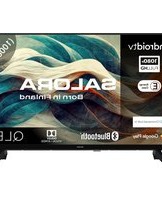
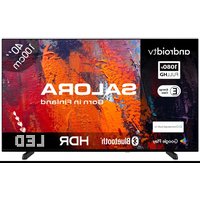
40QLED320 - Television SALORA - Free user manual and instructions
Find the device manual for free 40QLED320 SALORA in PDF.


Pick your language and provide your email: we'll send you a specifically translated version.
| Product Type | QLED 4K Television |
| Brand | Salora |
| Model | 40QLED320 |
| Screen Size | 40 inches (102 cm) |
| Resolution | 3840 x 2160 pixels (4K Ultra HD) |
| Display Technology | QLED (Quantum Dot LED) |
| Refresh Rate | 60 Hz |
| Dimensions (with stand) | 89.5 x 21.5 x 58.3 cm |
| Dimensions (without stand) | 89.5 x 7.8 x 52.3 cm |
| Weight (with stand) | 8.2 kg |
| Weight (without stand) | 7.7 kg |
| Power Supply | AC 100-240V, 50/60Hz |
| Power Consumption (typical) | 70 W |
| Standby Consumption | < 0.5 W |
| Operating System | Smart TV (proprietary) |
| Connectivity | Wi-Fi, Bluetooth, Ethernet, HDMI (x3), USB (x2), Headphone jack, Optical output |
| Main Functions | DVB-T2 HD, Streaming, USB Recording, Parental Control, Program Guide |
| Maintenance and Cleaning | Wipe with a soft dry cloth. Do not use abrasive products. |
| Safety | Wall mounting recommended to prevent tipping. Do not expose to rain or humidity. |
| Spare Parts and Repairability | Remote control, stand, power cable available. Repair by authorized technician. |
| General Information | User manual included. 2 years warranty. |
Frequently Asked Questions - 40QLED320 SALORA
How to turn on the Salora 40QLED320 television?
Press the Power button located at the bottom right of the screen or the Standby button on the remote control. Wait a few seconds for the screen to turn on.
What to do if the screen remains black but the sound works?
First check the brightness and contrast settings. Press the Menu button on the remote, go to Picture and adjust the parameters. If the problem persists, try unplugging the television and plugging it back in after 30 seconds.
How to connect a USB drive to the television?
Insert the USB drive into one of the USB ports on the back or side. The television will automatically detect the device. Use the Source button to select USB mode and navigate through files with the remote control.
The remote control does not work, what should I do?
Check the batteries: remove the back cover, replace with new batteries (AAA 1.5V). Make sure no obstacle is blocking the infrared sensor on the front of the television. If the problem persists, contact after-sales service.
How to clean the television screen?
Turn off the device and unplug it. Use a dry and soft microfiber cloth to gently wipe dust. For stains, lightly dampen the cloth with distilled water. Never use chemicals, alcohol, or abrasive cleaners.
Can I wall-mount the television?
Yes, the Salora 40QLED320 is compatible with a VESA 200x200 wall mount. Make sure to use appropriate screws and fix the mount on a solid wall. Refer to the manual for safety precautions.
How to update the television software?
Go to the Settings menu > System > Software update. Select Check for updates. If an update is available, follow the on-screen instructions. Make sure you have a stable Internet connection.
What to do if the image is distorted or has abnormal colors?
Check the HDMI or antenna cables: they must be properly connected. Go to Settings > Picture and reset to default values. If the problem comes from an external source, try another device.
How to enable parental control?
Press Menu > Settings > Parental control. Enter a 4-digit PIN code (default 0000). You can then block channels, inputs, or restrict access according to ratings.
Where can I find the complete user manual?
The user manual is available on notice-facile.com for free download in PDF format. You can also request a paper version from Salora customer service.
User questions about 40QLED320 SALORA
0 question about this device. Answer the ones you know or ask your own.
Ask a new question about this device
No questions yet. Be the first to ask one.
Download the instructions for your Television in PDF format for free! Find your manual 40QLED320 - SALORA and take your electronic device back in hand. On this page are published all the documents necessary for the use of your device. 40QLED320 by SALORA.
USER MANUAL 40QLED320 SALORA

Manual assistant
Powered by Anthropic
Waiting for your message
Product information
Brand : SALORA
Model : 40QLED320
Category : Television