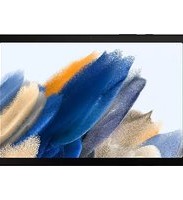
Galaxy Tab A8 - Tablet T-Mobile - Free user manual and instructions
Find the device manual for free Galaxy Tab A8 T-Mobile in PDF.


Pick your language and provide your email: we'll send you a specifically translated version.
| Product Type | Tablet |
| Brand | T-Mobile |
| Model | Galaxy Tab A8 |
| Display Size | 10.5 inches |
| Resolution | 1920 x 1200 pixels |
| Processor | Unisoc T618 (or Exynos 9611 depending on region) |
| RAM | 4 GB |
| Storage | 64 GB / 128 GB (expandable via microSD) |
| Rear Camera | 8 MP |
| Front Camera | 5 MP |
| Battery Capacity | 7040 mAh |
| Operating System | Android 11 (upgradable to later versions) |
| Connectivity | Wi-Fi 802.11 a/b/g/n/ac, Bluetooth 5.0, LTE (T-Mobile) |
| Dimensions | 246.8 x 161.9 x 6.9 mm |
| Weight | 508 g |
| Power Input | USB-C (15W fast charging) |
| Wireless Charging | Not supported |
| Water Resistance | No |
| Sensors | Accelerometer, Gyroscope, Proximity, Compass |
| Important Safety Instructions | Read the manual before use. Do not immerse in water. Avoid extreme temperatures. Use only approved chargers. Keep away from children. |
| Cleaning & Maintenance | Wipe with a soft, dry cloth. Do not use abrasive cleaners. Clean the charging port gently. |
| Spare Parts & Repairability | Battery, screen, and back cover are replaceable by authorized service centers. Check T-Mobile for availability. |
| General Information | Manufactured by Samsung for T-Mobile. Supports all standard tablet functions including multimedia, browsing, and apps. |
Frequently Asked Questions - Galaxy Tab A8 T-Mobile
How do I insert a SIM card in the Galaxy Tab A8 T-Mobile?
Locate the SIM tray on the left edge. Use the ejector tool to pop it out. Place the nano-SIM card in the tray with the gold contacts facing down. Gently push the tray back in.
How can I connect to Wi-Fi?
Swipe down from the top to open the quick settings panel. Tap the Wi-Fi icon to turn it on. Select your network and enter the password. You can also go to Settings > Connections > Wi-Fi.
How do I expand storage on the Galaxy Tab A8?
The tablet supports microSD cards up to 1 TB. Insert the card into the SIM/microSD tray (the second slot). You can manage storage under Settings > Battery and device care > Storage.
How do I take a screenshot?
Press and hold the Power and Volume Down buttons simultaneously until the screen flashes. The screenshot is saved in the Gallery app under Screenshots.
How can I extend battery life?
Use Settings > Device care > Battery to enable power saving mode. Reduce screen brightness, turn off unused connections (Bluetooth, GPS), and close background apps. Avoid extreme temperatures.
How do I perform a factory reset?
Back up your data first. Go to Settings > General management > Reset > Factory data reset. Confirm the action. The tablet will erase all data and restart.
Why is my tablet not charging?
Ensure the charger is plugged securely into the tablet and a working outlet. Try a different USB-C cable and adapter. Check the charging port for debris. If the issue persists, restart the tablet.
Can I use the tablet for calls?
Yes, with an active SIM card from T-Mobile, you can make and receive calls. Use the Phone app or enable Wi-Fi calling in settings if available.
How do I update the software?
Go to Settings > Software update > Download and install. The tablet will check for updates. Make sure you are connected to Wi-Fi and have sufficient battery.
Is the device waterproof?
No, the Galaxy Tab A8 is not water-resistant. Avoid exposure to liquids and moisture. If it gets wet, dry it immediately with a soft cloth.
User questions about Galaxy Tab A8 T-Mobile
0 question about this device. Answer the ones you know or ask your own.
Ask a new question about this device
No questions yet. Be the first to ask one.
Download the instructions for your Tablet in PDF format for free! Find your manual Galaxy Tab A8 - T-Mobile and take your electronic device back in hand. On this page are published all the documents necessary for the use of your device. Galaxy Tab A8 by T-Mobile.
USER MANUAL Galaxy Tab A8 T-Mobile
Manual assistant
Powered by Anthropic
Waiting for your message
Product information
Brand : T-Mobile
Model : Galaxy Tab A8
Category : Tablet