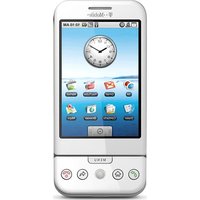
Aspect - Mobile Phone T-Mobile - Free user manual and instructions
Find the device manual for free Aspect T-Mobile in PDF.


Pick your language and provide your email: we'll send you a specifically translated version.
| Product Type | Mobile Phone |
| Brand | T-Mobile |
| Model | Aspect |
| Dimensions | 110 x 50 x 15 mm |
| Weight | 100 g |
| Display Type | TFT LCD |
| Display Size | 2.4 inches |
| Resolution | 320 x 240 pixels |
| Battery Type | Li-Ion |
| Battery Capacity | 1000 mAh |
| Standby Time | Up to 400 hours |
| Talk Time | Up to 6 hours |
| Camera | VGA (0.3 MP) |
| Internal Memory | 64 MB |
| Expandable Memory | microSD up to 32 GB |
| Network | GSM 850/900/1800/1900 |
| Bluetooth | v2.1 |
| USB | microUSB 2.0 |
| Radio | FM Radio |
| Headphone Jack | 3.5 mm |
| Sensors | Accelerometer (optional) |
| Languages Supported | English, Spanish, French, German |
Frequently Asked Questions - Aspect T-Mobile
How to insert a SIM card into T-Mobile Aspect?
Turn off the phone. Remove the back cover and battery. Slide the SIM card into the slot with gold contacts facing down. Replace battery and cover.
How to charge the battery?
Connect the microUSB charger to the phone and plug into a wall outlet. The battery icon shows charging status. Full charge takes about 2-3 hours.
How to transfer files to a computer?
Connect the phone to a computer via microUSB cable. Select 'Mass Storage' mode on the phone. The phone appears as a removable drive.
How to set up voicemail?
Press and hold the '1' key to dial voicemail. Follow the automated prompts to set up your voicemail box and personal greeting.
How to take a photo?
Open the Camera app from the menu. Aim at the subject and press the center key or 'OK' button to capture. Photos are stored in the gallery.
How to increase ringtone volume?
Go to Settings > Sound Profiles > General. Use the volume slider or side keys to adjust ringtone volume.
How to save contacts to SIM card?
Open Contacts, select 'Options' > 'Copy' > 'Copy to SIM'. Choose individual contacts or 'All' to copy. Contacts are stored on the SIM for transfer.
How to enable Bluetooth?
Go to Settings > Bluetooth and toggle Bluetooth On. Make sure the device is discoverable for pairing with other devices.
Why is the battery draining quickly?
Possible causes: Bluetooth or Wi-Fi left on, high screen brightness, or many apps running. Reduce brightness, turn off unused features, and close apps via Task Manager.
How to perform a factory reset?
Warning: This erases all data. Go to Settings > Privacy > Factory data reset and confirm. The phone will restart and restore default settings.
User questions about Aspect T-Mobile
0 question about this device. Answer the ones you know or ask your own.
Ask a new question about this device
No questions yet. Be the first to ask one.
Download the instructions for your Mobile Phone in PDF format for free! Find your manual Aspect - T-Mobile and take your electronic device back in hand. On this page are published all the documents necessary for the use of your device. Aspect by T-Mobile.
USER MANUAL Aspect T-Mobile
Manual assistant
Powered by Anthropic
Waiting for your message
Product information
Brand : T-Mobile
Model : Aspect
Category : Mobile Phone