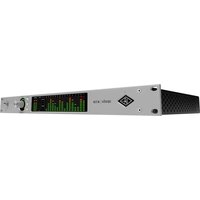
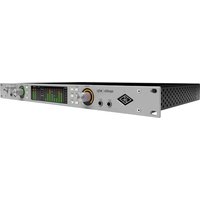
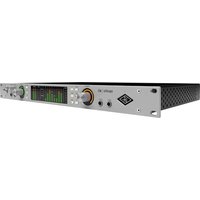
Apollo Twin X Gen 2 - Audio Interface Universal Audio - Free user manual and instructions
Find the device manual for free Apollo Twin X Gen 2 Universal Audio in PDF.
Pick your language and provide your email: we'll send you a specifically translated version.
| Product Type | Desktop Audio Interface |
| Brand | Universal Audio |
| Model | Apollo Twin X Gen 2 |
| Dimensions (W x D x H) | 6.5 x 6.5 x 2.5 inches (16.5 x 16.5 x 6.4 cm) |
| Weight | 4.0 lb (1.8 kg) |
| Power Supply | External 12V DC power adapter |
| Analog Input Channels | 2 (combination XLR/TRS with Unison preamps) |
| Analog Output Channels | 4 (2 monitor outputs, 1 headphone, 1 line out) |
| Microphone Preamps | 2 (Unison-enabled, up to 65 dB gain) |
| Hi-Z Instrument Input | Yes (on channel 1) |
| Digital I/O | Optical (ADAT/S/PDIF) input and output |
| Host Connection | Thunderbolt 3 (USB-C) |
| DSP | UAD-2 DUO Core (real-time UAD processing) |
| Sample Rates | 44.1 kHz to 192 kHz |
| Bit Depth | 24-bit |
| Headphone Output | 1 (1/4" TRS, high-current) |
| Monitor Outputs | 2 (balanced 1/4" TRS) |
| Main Functions | Recording, mixing, monitoring with UAD plug-ins; Unison preamp emulation; low-latency performance |
| Maintenance and Cleaning | Use a dry, soft cloth; avoid liquids and abrasives |
| Safety Instructions | Do not expose to moisture; use only included power supply; disconnect during storms |
| Spare Parts and Repairability | No user-serviceable parts; contact Universal Audio support for repairs |
| General Information | Desktop audio interface for Mac/Windows with Thunderbolt 3; includes UAD software bundle |
Frequently Asked Questions - Apollo Twin X Gen 2 Universal Audio
How do I connect the Apollo Twin X Gen 2 to my computer?
Use a Thunderbolt 3 (USB-C) cable to connect the interface to your computer. Ensure your computer has a Thunderbolt 3 port. For Thunderbolt 2 or older macs, use an Apple adapter. Install the latest UAD software from Universal Audio's website before connecting.
What is Unison technology?
Unison technology allows the microphone preamps to emulate the impedance, gain staging, and circuitry of classic hardware units. This provides more authentic sound when using UAD preamp emulations.
Can I use the Apollo Twin X Gen 2 with Windows?
Yes, it is compatible with Windows 10 and 11 (64-bit). You will need a Thunderbolt 3 port and the appropriate UAD driver. Note that Thunderbolt support on Windows may vary by motherboard.
How do I reduce latency when monitoring?
Use the built-in UAD DSP to monitor through console or DAW with UAD plug-ins. Enable direct monitoring via the Console application. Set a low buffer size (e.g., 64 samples) for near-zero latency.
Does the Apollo Twin X Gen 2 support phantom power?
Yes, each of the two microphone inputs provides +48V phantom power, switchable via software or hardware (rear panel switch for each channel).
How do I update the firmware?
Firmware updates are included with UAD software updates. Launch the UAD Meter & Control Panel, go to Settings > Check for Updates. Follow on-screen instructions. Do not disconnect the device during update.
What is the maximum sample rate supported?
The Apollo Twin X Gen 2 supports sample rates up to 192 kHz at 24-bit resolution.
Can I expand the I/O with additional hardware?
Yes, via the optical (ADAT) input you can connect up to 8 additional channels using an external preamp or converter. The output supports ADAT or S/PDIF.
No sound from the headphones, what should I check?
First, ensure the headphone volume knob is turned up. Check that the headphone output is assigned correctly in the Console application. Also verify that the device is selected as the audio output in your system settings. Try a different headphone or cable.
Is the power supply included?
Yes, the Apollo Twin X Gen 2 comes with an external 12V DC power adapter. Use only the supplied adapter to avoid damage.
User questions about Apollo Twin X Gen 2 Universal Audio
0 question about this device. Answer the ones you know or ask your own.
Ask a new question about this device
No questions yet. Be the first to ask one.
Download the instructions for your Audio Interface in PDF format for free! Find your manual Apollo Twin X Gen 2 - Universal Audio and take your electronic device back in hand. On this page are published all the documents necessary for the use of your device. Apollo Twin X Gen 2 by Universal Audio.