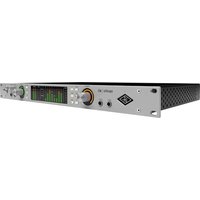
Apollo x8 Gen 2 - Audio Interface Universal Audio - Free user manual and instructions
Find the device manual for free Apollo x8 Gen 2 Universal Audio in PDF.


Pick your language and provide your email: we'll send you a specifically translated version.
| Product Type | Audio Interface |
| Brand | Universal Audio |
| Model | Apollo x8 Gen 2 |
| Channels | 8 Inputs / 8 Outputs |
| Maximum Sample Rate | 192 kHz / 24-bit |
| Analog Inputs | 8 x XLR-1/4" combo (mic/line), 2 x 1/4" (Hi-Z) |
| Analog Outputs | 8 x 1/4" TRS line outputs, 2 x 1/4" monitor outputs |
| Digital I/O | 2 x Optical (ADAT/SMUX), 2 x Coaxial S/PDIF |
| Host Connectivity | Thunderbolt 3 (USB-C) with 2 Thunderbolt 3 ports |
| DSP Processing | Realtime UAD HEXA Core (up to 4x SHARC processors) |
| Mic Preamps | 8 x UA Unison preamps with switchable 48V phantom |
| Form Factor | 1U Rackmount |
| Dimensions | 19" x 10.25" x 1.75" (48.3 x 26 x 4.4 cm) |
| Weight | 8.5 lbs (3.9 kg) |
| Power Supply | External DC power adapter (12V, 4A) |
| Software Included | LUNA DAW, UAD Spark subscription, UAD Console application |
| Bundle Plugins | Over 100 UAD plug-in titles (paid license required for full access) |
| Maintenance | Clean exterior with soft, dry cloth; avoid liquids and moisture |
| Safety | Use only included power supply; keep ventilation clear; do not expose to rain |
| Repairability | No user-serviceable parts inside; contact Universal Audio support |
Frequently Asked Questions - Apollo x8 Gen 2 Universal Audio
How do I connect Apollo x8 Gen 2 to my computer?
Use the included Thunderbolt 3 (USB-C) cable to connect the interface directly to a Thunderbolt 3 or 4 port on your Mac or PC. For Windows systems, ensure you have the correct Thunderbolt drivers installed.
Does Apollo x8 Gen 2 work with Windows?
Yes, it is compatible with Windows 10 or later (64-bit) with a Thunderbolt 3 port and the appropriate drivers from Universal Audio. However, Mac systems are more fully supported with native Thunderbolt and LUNA integration.
What is UAD DSP and how does it benefit recording?
The Apollo x8 Gen 2 includes a HEXA Core DSP processor that allows you to run UAD plug-ins in real-time with near-zero latency during recording. This enables tracking through vintage compressors, EQs, and console emulations without taxing your computer.
Can I use Apollo x8 Gen 2 as a standalone mixer?
No, the Apollo x8 Gen 2 requires a computer connection (Thunderbolt) for operation. It does not have a standalone mode. However, with the included Console application, you can create low-latency monitor mixes via software.
How do I update the firmware?
Download and install the latest UAD Meter and Control Panel from Universal Audio's website. Connect the interface to your computer and open the application. It will prompt you if a firmware update is available. Follow the on-screen instructions.
What is Unison preamp technology?
Unison is Universal Audio's preamp design that physically changes the impedance and gain staging based on the UAD plug-in loaded. This allows emulations of classic preamps (e.g., Neve, API, SSL) to react authentically to microphones and instruments.
Can I use Apollo x8 Gen 2 with an iPad?
Yes, but only with iPad Pro models that have a Thunderbolt 3 / USB-C port. You will need the Apple Thunderbolt 3 (USB-C) to Thunderbolt 2 adapter and a Thunderbolt 2 cable. The interface is fully class-compliant on iPad with LUNA for iPad.
What sample rates are supported?
The Apollo x8 Gen 2 supports standard sample rates up to 192 kHz at 24-bit depth. Common rates include 44.1, 48, 88.2, 96, 176.4, and 192 kHz. ADAT optical I/O operates up to 96 kHz (SMUX).
How do I monitor with zero latency?
Use the Console application to create a monitor mix. By routing inputs through the UAD DSP, you can apply effects (like reverb or compression) with sub-millisecond latency. Direct monitoring is also available via the console faders.
Where can I find the user manual?
The manual is available for free download on notice-facile.com in PDF format. You can also find it on Universal Audio's website under the support section for Apollo x8 Gen 2.
User questions about Apollo x8 Gen 2 Universal Audio
0 question about this device. Answer the ones you know or ask your own.
Ask a new question about this device
No questions yet. Be the first to ask one.
Download the instructions for your Audio Interface in PDF format for free! Find your manual Apollo x8 Gen 2 - Universal Audio and take your electronic device back in hand. On this page are published all the documents necessary for the use of your device. Apollo x8 Gen 2 by Universal Audio.
USER MANUAL Apollo x8 Gen 2 Universal Audio


Manual assistant
Powered by Anthropic
Waiting for your message
Product information
Brand : Universal Audio
Model : Apollo x8 Gen 2
Category : Audio Interface