
F 24XR - Mixer RCF - Free user manual and instructions
Find the device manual for free F 24XR RCF in PDF.


Pick your language and provide your email: we'll send you a specifically translated version.
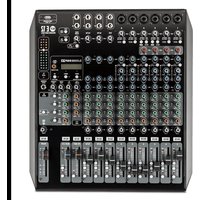
| Product Type | Professional Audio Mixer |
| Model | F 24XR |
| Brand | RCF |
| Number of Channels | 24 |
| Input Channels | 24 mono mic/line inputs |
| Output Channels | Main stereo out, 4 aux sends, 4 subgroups |
| Frequency Response | 20 Hz – 20 kHz (±1 dB) |
| Equalization | 4-band EQ per channel with sweepable mid |
| Dimensions (W x D x H) | Approximately 580 x 480 x 160 mm |
| Weight | Approximately 18 kg |
| Power Supply | AC 100-240V, 50/60Hz |
| Power Consumption | 50 W typical |
| Phantom Power | +48V switchable per channel |
| Effects | Built-in digital effects processor with multiple presets |
| Main Functions | Mixing, routing, monitoring, effects processing |
| Cleaning and Maintenance | Wipe with a soft, dry cloth; avoid solvents |
| Safety Features | Overload protection, muting on power-up |
| Spare Parts and Repairability | Contact RCF service centers; modular design for easy servicing |
| General Information | Professional-grade mixer for live sound and studio applications |
Frequently Asked Questions - F 24XR RCF
How do I connect my microphone to the F 24XR?
Plug your XLR microphone cable into one of the 24 mono input channels. Ensure phantom power is off for dynamic mics, or on for condenser mics.
What is the correct gain staging for the mixer?
Set the channel fader to unity (0 dB). Adjust the gain trim so the PFL meter reads around 0 dB. Avoid clipping.
How can I use the built-in effects?
Press the Effects button to select a preset. Use the FX send knobs on each channel to send signal to the effect. Adjust the FX return level.
Why is there no sound from the main output?
Check that the master fader is up, the main L/R outputs are connected, and the mute buttons are not engaged. Also verify the power is on.
How do I set up a monitor mix?
Use the aux sends (AUX 1-4). For each channel, turn up the AUX send knob to add that channel to the monitor mix. Connect the AUX output to your monitor speakers.
Can I record directly from the mixer?
Yes, use the record outputs (RCA or balanced out) to connect to your recording interface. Alternatively, use the USB output if available.
What is the maximum input level?
The maximum input level before clipping is typically +22 dBu. Use the PAD switch on the channel if your source is too hot.
How do I clean and maintain the mixer?
Disconnect power. Use a soft, dry cloth to wipe the surface. Do not use water or cleaning solvents. Keep faders and knobs free of dust.
What spare parts are available?
Common spare parts include faders, knobs, power supply, and PCB boards. Contact RCF authorized service centers for repairs.
Does the mixer have a warranty?
Yes, RCF provides a limited warranty typically for 2 years from purchase. Register your product online to activate warranty.
User questions about F 24XR RCF
0 question about this device. Answer the ones you know or ask your own.
Ask a new question about this device
No questions yet. Be the first to ask one.
Download the instructions for your Mixer in PDF format for free! Find your manual F 24XR - RCF and take your electronic device back in hand. On this page are published all the documents necessary for the use of your device. F 24XR by RCF.
USER MANUAL F 24XR RCF



Manual assistant
Powered by Anthropic
Waiting for your message
Product information
Brand : RCF
Model : F 24XR
Category : Mixer